
基于vue3.0+electron新开窗口|Electron多开窗体|父子模态窗口
最近一直在折腾Vue3+Electron技术结合的实践,今天就来分享一些vue3.x和electron实现开启多窗口功能。

开始本文之前,先来介绍下如何使用vue3和electron来快速搭建项目。
目前electron.js的star高达89.3K+,最新稳定版v11.2.3。

使用vue开发electron应用,网上有个比较火的脚手架electron-vue,不过里面的版本太低,而且使用的是vue2.x语法。
今天主要分享的是vue3语法开发electron应用,所以只能手动搭建开发环境。
- 安装最新Vue CLI脚手架。
npm install -g @vue/cli
- 新建vue3项目
具体的选项配置,大家根据需要勾选。
vue create vue3_electron
- vue3项目中集成electron
安装vue-cli-plugin-electron-builder插件。
cd vue3_electron
vue add electron-builder
之后的安装过程中会提示安装electron版本,选择最新版安装就行。
- 开发调试/打包构建
npm run electron:serve
npm run electron:build
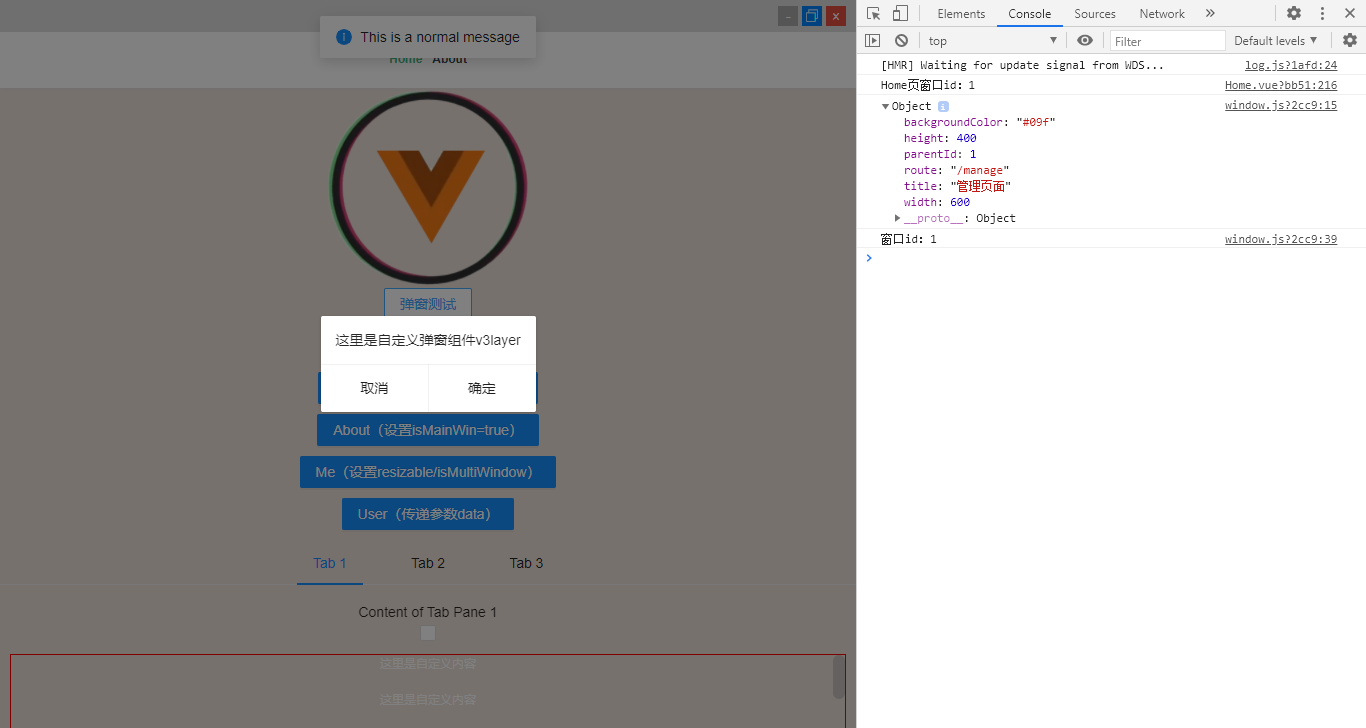
非常简单,没有几步就能快速手动搭建vue3+electron项目,下面就能愉快的开发了。
一般项目中需要新建多开窗口的功能,使用Electron来创建也是非常简单的。一般的实现方法是 new BrowserWindow({...}) 窗口,传入参数配置即可快速新建一个窗口。
<body>

    <button id="aaa">打开A窗口</button>

    <button id="bbb">打开B窗口</button>

    <button id="ccc">打开C窗口</button>

</body>

<script>

    import path from 'path'

    import { remote } from 'electron'

    let BrowserWindow = remote.BrowserWindow;

    let winA = null;

    let winB = null;

    let winC = null;

    document.getElementById("aaa").onclick = function(){

        winA = new BrowserWindow ({width: 1000, height:800})

        winA.loadURL("https://aaa.com/");

        winA.on("close", function(){

            winA = null;

        })

    }

    document.getElementById("bbb").onclick = function(){

        winB = new BrowserWindow ({width: 900, height:650})

        winB.loadURL("https://bbb.com/");

        winB.on("close", function(){

            winB = null;

        })

    }

    document.getElementById("ccc").onclick = function(){

        winC = new BrowserWindow ({width: 500, height:500})

        winC.loadURL(`file://${__dirname}/news.html`);

        winC.on("close", function(){

            winC = null;

        })

    }

</script>
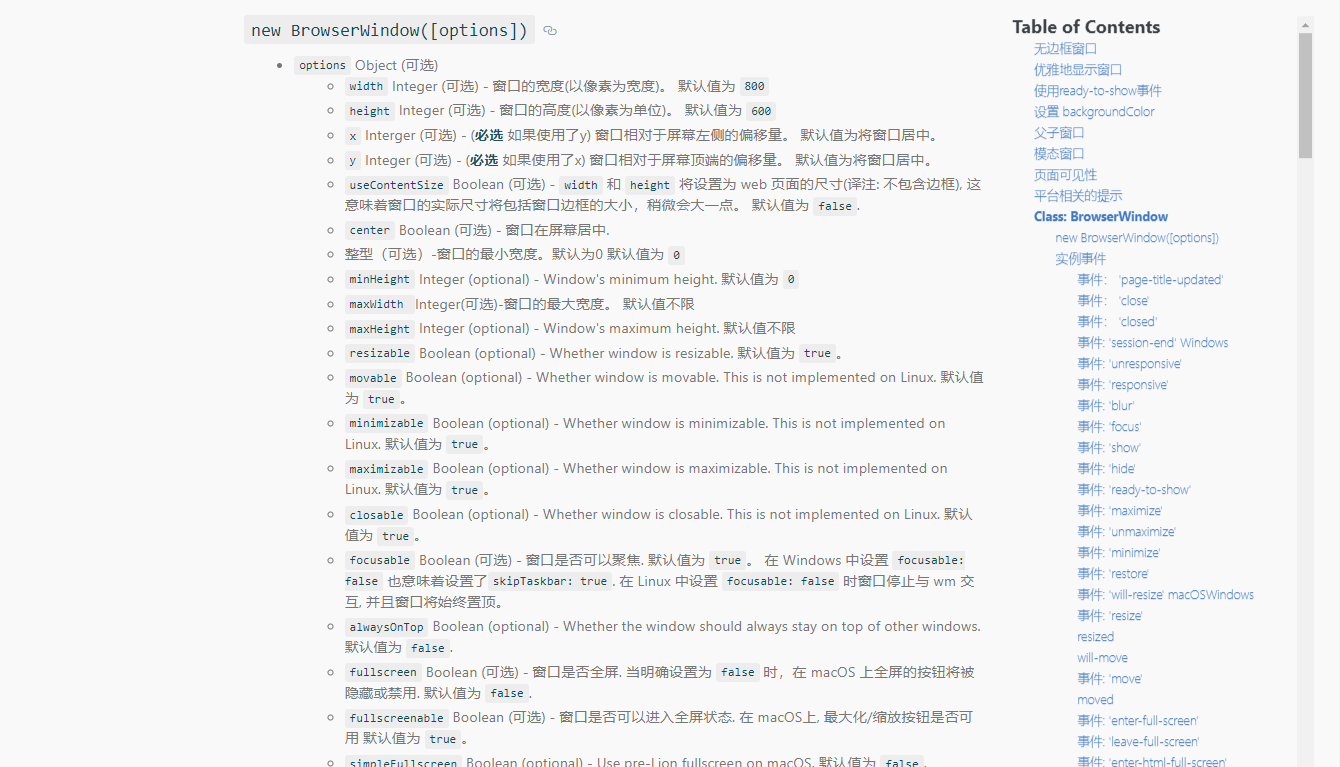
具体的参数配置,大家可以去查阅文档,electron官网中都有非常详细的说明。
https://www.electronjs.org/docs/api/browser-window
但是这种方法每次都要新建一个BrowserWindow,有些挺麻烦的,能不能像下面代码片段这样,直接通过一个函数,然后传入配置参数生成新窗口,显然是可以的。
windowCreate({

      title: '管理页面',

      route: '/manage?id=123',

      width: 750,

      height: 500,

      backgroundColor: '#f9f9f9',

      resizable: false,

      maximize: true,

      modal: true,

})
background.js配置
'use strict'

import { app, BrowserWindow } from 'electron'

const isDevelopment = process.env.NODE_ENV !== 'production'

import { Window } from './windows'

async function createWindow() {

  let window = new Window()

  window.listen()

  window.createWindows({isMainWin: true})

  window.createTray()

}

app.on('window-all-closed', () => {

  if (process.platform !== 'darwin') {

    app.quit()

  }

})

app.on('activate', () => {

  if (BrowserWindow.getAllWindows().length === 0) createWindow()

})

app.on('ready', async () => {

  createWindow()

})

if (isDevelopment) {

  if (process.platform === 'win32') {

    process.on('message', (data) => {

      if (data === 'graceful-exit') {

        app.quit()

      }

    })

  } else {

    process.on('SIGTERM', () => {

      app.quit()

    })

  }

}
新建一个 window.js 来处理主进程所有的函数。
import { app, BrowserWindow, ipcMain, Menu, Tray } from "electron";

import { createProtocol } from 'vue-cli-plugin-electron-builder/lib'

import path from 'path'

export const windowsCfg = {

    id: '', //唯一id

    title: '', //窗口标题

    width: '', //宽度

    height: '', //高度

    minWidth: '', //最小宽度

    minHeight: '', //最小高度

    route: '', // 页面路由URL '/manage?id=123'

    resizable: true, //是否支持调整窗口大小

    maximize: false, //是否最大化

    backgroundColor:'#eee', //窗口背景色

    data: null, //数据

    isMultiWindow: false, //是否支持多开窗口 (如果为false,当窗体存在,再次创建不会新建一个窗体 只focus显示即可,,如果为true,即使窗体存在,也可以新建一个)

    isMainWin: false, //是否主窗口(当为true时会替代当前主窗口)

    parentId: '', //父窗口id  创建父子窗口 -- 子窗口永远显示在父窗口顶部 【父窗口可以操作】

    modal: false, //模态窗口 -- 模态窗口是禁用父窗口的子窗口,创建模态窗口必须设置 parent 和 modal 选项 【父窗口不能操作】

}

/**

 * 窗口配置

 */

export class Window {

    constructor() {

        this.main = null; //当前页

        this.group = {}; //窗口组

        this.tray = null; //托盘

    }

    // 窗口配置

    winOpts(wh=[]) {

        return {

            width: wh[0],

            height: wh[1],

            backgroundColor: '#f00',

            autoHideMenuBar: true,

            titleBarStyle: "hidden",

            resizable: true,

            minimizable: true,

            maximizable: true,

            frame: false,

            show: false,

            webPreferences: {

                contextIsolation: false, //上下文隔离

                // nodeIntegration: true, //启用Node集成(是否完整的支持 node)

                nodeIntegration: process.env.ELECTRON_NODE_INTEGRATION,

                // devTools: false,

                webSecurity: false,

                enableRemoteModule: true, //是否启用远程模块(即在渲染进程页面使用remote)

            }

        }

    }

    // 获取窗口

    getWindow(id) {

        return BrowserWindow.fromId(id)

    }

    // 获取全部窗口

    getAllWindows() {

        return BrowserWindow.getAllWindows()

    }

    // 创建窗口

    createWindows(options) {

        console.log('------------开始创建窗口...')

        console.log(options)

        let args = Object.assign({}, windowsCfg, options)

        console.log(args)

        // 判断窗口是否存在

        for(let i in this.group) {

            if(this.getWindow(Number(i)) && this.group[i].route === args.route && !this.group[i].isMultiWindow) {

                this.getWindow(Number(i)).focus()

                return

            }

        }

        let opt = this.winOpts([args.width || 800, args.height || 600])

        if(args.parentId) {

            console.log('parentId:' + args.parentId)

            opt.parent = this.getWindow(args.parentId)

        } else if(this.main) {

            console.log(666)

        }

        if(typeof args.modal === 'boolean') opt.modal = args.modal

        if(typeof args.resizable === 'boolean') opt.resizable = args.resizable

        if(args.backgroundColor) opt.backgroundColor = args.backgroundColor

        if(args.minWidth) opt.minWidth = args.minWidth

        if(args.minHeight) opt.minHeight = args.minHeight

        console.log(opt)

        let win = new BrowserWindow(opt)

        console.log('窗口id:' + win.id)

        this.group[win.id] = {

            route: args.route,

            isMultiWindow: args.isMultiWindow,

        }

        // 是否最大化

        if(args.maximize && args.resizable) {

            win.maximize()

        }

        // 是否主窗口

        if(args.isMainWin) {

            if(this.main) {

                console.log('主窗口存在')

                delete this.group[this.main.id]

                this.main.close()

            }

            this.main = win

        }

        args.id = win.id

        win.on('close', () => win.setOpacity(0))

        // 打开网址(加载页面)

        /**

         * 开发环境: http://localhost:8080

         * 正式环境: app://./index.html

         */

        let winURL

        if (process.env.WEBPACK_DEV_SERVER_URL) {

            // Load the url of the dev server if in development mode

            // win.loadURL(process.env.WEBPACK_DEV_SERVER_URL)

            winURL = args.route ? `http://localhost:8080${args.route}` : `http://localhost:8080`

            // 打开开发者调试工具

            // if (!process.env.IS_TEST) win.webContents.openDevTools()

        } else {

            createProtocol('app')

            // Load the index.html when not in development

            // win.loadURL('app://./index.html')

            winURL = args.route ? `app://./index.html${args.route}` : `app://./index.html`

        }

        win.loadURL(winURL)

        win.once('ready-to-show', () => {

            win.show()

        })

        // 屏蔽窗口菜单(-webkit-app-region: drag)

        win.hookWindowMessage(278, function(e){

            win.setEnabled(false)

            setTimeout(() => {

                win.setEnabled(true)

            }, 100)

            return true

        })

    }

    // 关闭所有窗口

    closeAllWindow() {

        for(let i in this.group) {

            if(this.group[i]) {

                if(this.getWindow(Number(i))) {

                    this.getWindow(Number(i)).close()

                } else {

                    console.log('---------------------------')

                    app.quit()

                }

            }

        }

    }

    // 创建托盘

    createTray() {

        console.log('创建托盘')

        const contextMenu = Menu.buildFromTemplate([

            {

                label: '显示',

                click: () => {

                    for(let i in this.group) {

                        if(this.group[i]) {

                            // this.getWindow(Number(i)).show()

                            let win = this.getWindow(Number(i))

                            if(!win) return

                            if(win.isMinimized()) win.restore()

                            win.show()

                        }

                    }

                }

            }, {

                label: '退出',

                click: () => {

                    app.quit()

                }

            }

        ])

        console.log(__dirname)

        const trayIco = path.join(__dirname, '../static/logo.png')

        console.log(trayIco)

        this.tray = new Tray(trayIco)

        this.tray.setContextMenu(contextMenu)

        this.tray.setToolTip(app.name)

    }

    // 开启监听

    listen() {

        // 关闭

        ipcMain.on('window-closed', (event, winId) => {

            if(winId) {

                this.getWindow(Number(winId)).close()

                if(this.group[Number(winId)]) delete this.group[Number(winId)]

            } else {

                this.closeAllWindow()

            }

        })

        // 隐藏

        ipcMain.on('window-hide', (event, winId) => {

            if(winId) {

                this.getWindow(Number(winId)).hide()

            } else {

                for(let i in this.group) if(this.group[i]) this.getWindow(Number(i)).hide()

            }

        })

        // 显示

        ipcMain.on('window-show', (event, winId) => {

            if(winId) {

                this.getWindow(Number(winId)).show()

            } else {

                for(let i in this.group) if(this.group[i]) this.getWindow(Number(i)).show()

            }

        })

        // 最小化

        ipcMain.on('window-mini', (event, winId) => {

            if(winId) {

                this.getWindow(Number(winId)).minimize()

            } else {

                for(let i in this.group) if(this.group[i]) this.getWindow(Number(i)).minimize()

            }

        })

        // 最大化

        ipcMain.on('window-max', (event, winId) => {

            if(winId) {

                this.getWindow(Number(winId)).maximize()

            } else {

                for(let i in this.group) if(this.group[i]) this.getWindow(Number(i)).maximize()

            }

        })

        // 最大化/最小化

        ipcMain.on('window-max-min-size', (event, winId) => {

            if(winId) {

                if(this.getWindow(winId).isMaximized()) {

                    this.getWindow(winId).unmaximize()

                }else {

                    this.getWindow(winId).maximize()

                }

            }

        })

        // 还原

        ipcMain.on('window-restore', (event, winId) => {

            if(winId) {

                this.getWindow(Number(winId)).restore()

            } else {

                for(let i in this.group) if(this.group[i]) this.getWindow(Number(i)).restore()

            }

        })

        // 重新加载

        ipcMain.on('window-reload', (event, winId) => {

            if(winId) {

                this.getWindow(Number(winId)).reload()

            } else {

                for(let i in this.group) if(this.group[i]) this.getWindow(Number(i)).reload()

            }

        })

        // 创建窗口

        ipcMain.on('window-new', (event, args) => this.createWindows(args))

    }

}
然后新建一个 plugins.js 文件,用来封装一些调用方法。
/**

 * 创建窗口

 */

export function windowCreate(args) {

    console.log(args)

    ipcRenderer.send('window-new', args)

}

/**

 * 关闭窗口

 */

export function windowClose(id) {

    console.log('窗口id:' + id)

    ipcRenderer.send('window-closed', id)

}

// ...
在.vue页面引入plugins.js,执行创建窗口方法。
<template>

    <div class="app">

        <h1>This is an new page</h1>

        <img src="@assets/v3-logo.png" width="100" alt="">

        <p class="mt-10"><a-button type="primary" @click="handleNewWin1">新窗口1</a-button></p>

        <p class="mt-10"><a-button type="primary" @click="handleNewWin2">新窗口2</a-button></p>

    </div>

</template>

<script>

import {windowClose, windowCreate} from '@/plugins'

export default {

    setup() {

        const handleNewWin1 = () => {

            windowCreate({

                title: '管理页面',

                route: '/manage',

                width: 1000,

                height: 750,

                backgroundColor: '#f9f9f9',

                resizable: true,

                modal: true,

                maximize: true,

            })

        }

        const handleNewWin2 = () => {

            windowCreate({

                title: '关于页面',

                route: '/about?id=13',

                width: 750,

                height: 450,

                backgroundColor: '#f90',

                resizable: false,

            })

        }

        ...

        return {

            handleNewWin1,

            handleNewWin2,

            ...

        }

    }

}

</script>
- 一些小踩坑记录
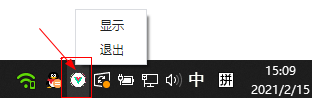
1、创建托盘图标,一开始图标一直不显示,以为__dirname指向src目录,最后调试发现原来是指向dist_electron
console.log(__dirname)

let trayIco = path.join(__dirname, '../static/logo.png')

console.log(trayIco)

let trayIco = path.join(__dirname, '../static/logo.png')

let tray = new Tray(trayIco)
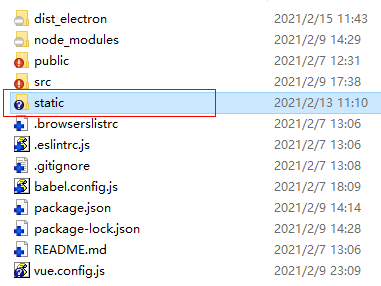
这样就能加载本地图片,显示托盘图标了。
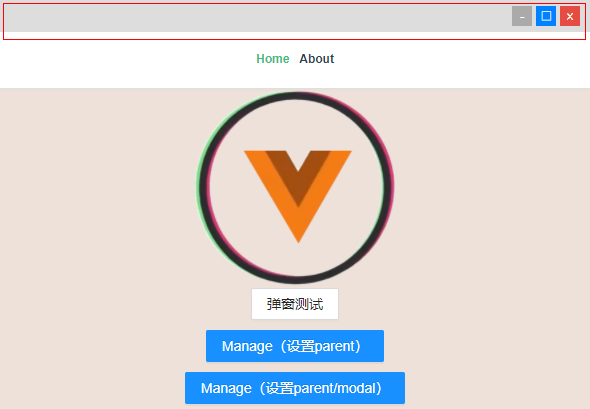
2、设置自定义拖拽 -webkit-app-region: drag 无法响应点击事件,无法禁用右键菜单。
当窗体设置frame: false后,可以通过-webkit-app-region: drag来实现自定义拖动,设置后的拖动区域无法响应其它事件,可以给需要点击的链接或者按钮设置-webkit-app-region: no-drag来实现。
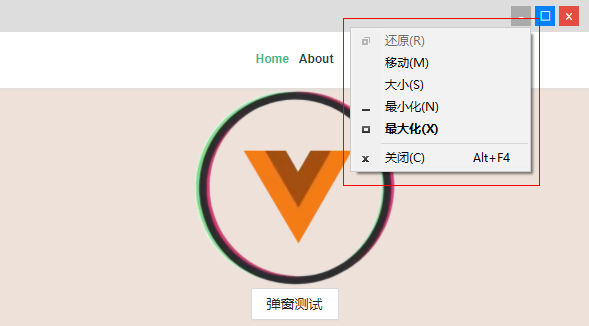
不过还有一个问题,设置-webkit-app-region: drag后,会出现如下图系统右键菜单。
最后经过一番调试,可以通过下面这个方法简单禁用掉,亲测有效~~
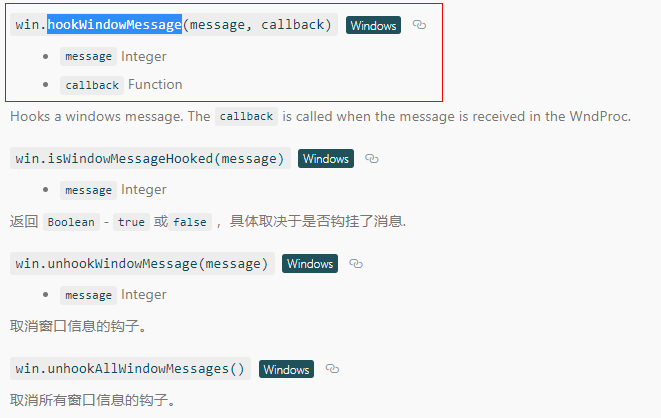
win.hookWindowMessage(278, function(e){

    win.setEnabled(false)

    setTimeout(() => {

        win.setEnabled(true)

    }, 150)

    return true

})
ok,以上就是基于vue3.x+electron实现多开窗口的思路,希望对大家有些帮助!
最后附上一个vite2开发的vue3+vant3.x短视频实例项目
https://www.cnblogs.com/xiaoyan2017/p/14361160.html

基于vue3.0+electron新开窗口|Electron多开窗体|父子模态窗口的更多相关文章
- 基于 Vue3.0 Composition Api 快速构建实战项目
Quick Start 项目源码:https://github.com/Wscats/vue-cli 本项目综合运用了 Vue3.0 的新特性,适合新手学习
- 把酒言欢话聊天,基于Vue3.0+Tornado6.1+Redis发布订阅(pubsub)模式打造异步非阻塞(aioredis)实时(websocket)通信聊天系统
原文转载自「刘悦的技术博客」https://v3u.cn/a_id_202 "表达欲"是人类成长史上的强大"源动力",恩格斯早就直截了当地指出,处在蒙昧时代即低 ...
- 通过10个实例小练习,快速熟练 Vue3.0 核心新特性
Vue3.0 发 beta 版都有一段时间了,正式版也不远了,所以真的要学习一下 Vue3.0 的语法了. GitHub 博客地址: https://github.com/biaochenxuying ...
- 【xingorg1-ui】基于vue3.0从0-1搭建组件库(一)环境配置与目录规划
npm地址 github源码 开篇-环境配置 环境配置: 使用vue-cli搭建项目框架,需要用vue3的话,得先把vue-cli的版本升级到vue-cli@5以上 npm install -g @v ...
- Vue3.0聊天室|vue3+vant3仿微信聊天实例|vue3.x仿微信app界面
一.项目简介 基于Vue3.0+Vant3.x+Vuex4.x+Vue-router4+V3Popup等技术开发实现的仿微信手机App聊天实例项目Vue3-Chatroom.实现了发送图文表情消息/g ...
- vue3系列:vue3.0自定义弹框组件V3Popup|vue3.x手机端弹框组件
基于Vue3.0开发的轻量级手机端弹框组件V3Popup. 之前有分享一个vue2.x移动端弹框组件,今天给大家带来的是Vue3实现自定义弹框组件. V3Popup 基于vue3.x实现的移动端弹出框 ...
- vue3系列:vue3.0自定义全局弹层V3Layer|vue3.x pc桌面端弹窗组件
基于Vue3.0开发PC桌面端自定义对话框组件V3Layer. 前两天有分享一个vue3.0移动端弹出层组件,今天分享的是最新开发的vue3.0版pc端弹窗组件. V3Layer 一款使用vue3.0 ...
- Vue3.0短视频+直播|vue3+vite2+vant3仿抖音界面|vue3.x小视频实例
基于vue3.0构建移动端仿抖音/快手短视频+直播实战项目Vue3-DouYin. 5G时代已来,短视频也越来越成为新一代年轻人的娱乐方式,在这个特殊之年,又将再一次成为新年俗! 基于vue3.x+v ...
- Vue3.0网页版聊天|Vue3.x+ElementPlus仿微信/QQ界面|vue3聊天实例
一.项目简介 基于vue3.x+vuex+vue-router+element-plus+v3layer+v3scroll等技术构建的仿微信web桌面端聊天实战项目Vue3-Webchat.基本上实现 ...
随机推荐
- pytorch——不用包模拟简单线性预测,数据类型,创建tensor,索引与切片
常见的学习种类 线性回归,最简单的y=wx+b型的,就像是调节音量大小.逻辑回归,是否问题.分类问题,是猫是狗是猪 最简单的线性回归y=wx+b 目的:给定大量的(x,y)坐标点,通过机器学习来找出最 ...
- 自导自演的面试现场,趣学MySQL的10种文件
导读 Hi,大家好!我是白日梦!本文是MySQL专题的第 24 篇. 今天我要跟你分享的MySQL话题是:"自导自演的数据库面试现场--谈谈MySQL的10种文件" 换一种写作风格 ...
- (转载)微软数据挖掘算法:Microsoft 神经网络分析算法原理篇(9)
前言 本篇文章继续我们的微软挖掘系列算法总结,前几篇文章已经将相关的主要算法做了详细的介绍,我为了展示方便,特地的整理了一个目录提纲篇:大数据时代:深入浅出微软数据挖掘算法总结连载,有兴趣的童鞋可以点 ...
- py, pyc, pyw, pyo, pyd Compiled Python File (.pyc) 和Java或.NET相比,Python的Virtual Machine距离真实机器的距离更远
https://my.oschina.net/renwofei423/blog/17404 1. PyCodeObject与Pyc文件 通常认为,Python是一种解释性的语言,但是这种说法 ...
- editplus 5.0 破解
先安装软件,安装步骤就不解释了,很傻瓜式的,一直下一步就行. 到了最重要的一步,请看仔细了!!! 在两个输入框中分别输入 注册名 Vovan 注册码 3AG46-JJ48E-CEACC-8E6 ...
- KMP算法 字符串匹配(看猫片)
前言 此篇笔记根据自己的理解和练习心得来解释算法,只代表个人观点,如有不足请指出(我刚学QWQ) 浅谈字符串匹配 设想一个场景,假设你是一个净化网络语言环境的管理员,每天需要翻阅大量的文章和帖子来查找 ...
- loj10157
太平王世子事件后,陆小凤成了皇上特聘的御前一品侍卫. 皇宫以午门为起点,直到后宫嫔妃们的寝宫,呈一棵树的形状,某些宫殿间可以互相望见.大内保卫森严,三步一岗,五步一哨,每个宫殿都要有人全天候看守,在不 ...
- Quartz.Net 组件的封装使用Quartz.AspNetCore
Quartz.Net 组件的封装使用 Quartz.Net是面向.NET的一款功能齐全的开源作业调度组件,你可以把它嵌入你的系统中实现作业调度,也可以基于Quartz.Net开发一套完整的作业调度系统 ...
- 重绘和回流(Repaint & Reflow)总结,以及如何进行优化
1. 浏览器渲染机制 浏览器采用流式布局模型(Flow Based Layout) 浏览器会把HTML解析成DOM,把CSS解析成CSSOM,DOM和CSSOM合并就产生了渲染树(Render Tre ...
- TcaplusDB常见问题-数据库原理类
gameserver 如何剔除某个无效的 tcaproxy(接入层)节点? TcaplusDB API 在这里对 tcaproxy 异常做了容灾的处理,API 剔除无效的 tcaproxy 进程的方式 ...