
WPF实现手势解锁
桌面程序的解锁方式一般是账号密码,互联网的可以使用扫码解锁,甚至人脸识别。但扫码需要网络,人脸识别又较复杂。所以就想把安卓常用的手势解锁移植到桌面程序上。
先来张效果图,有兴趣的往下看,没兴趣的打扰了。
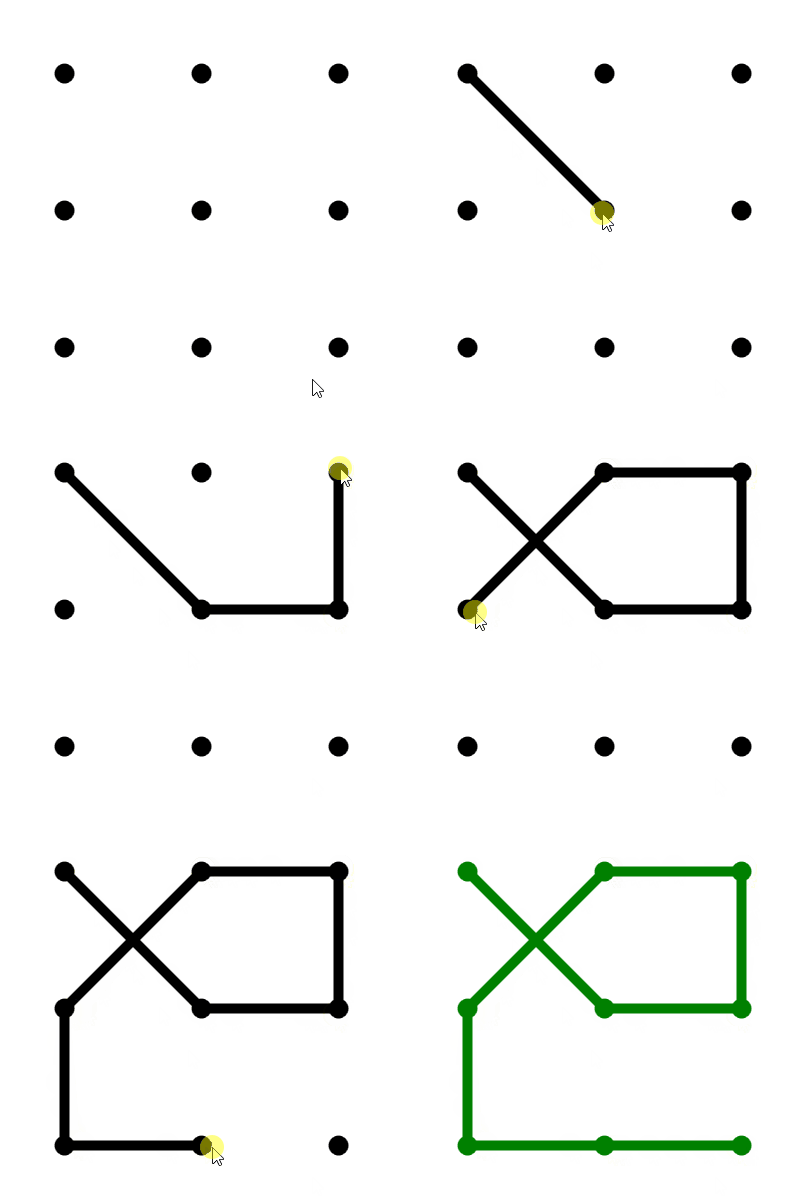
WPF手势解锁使用鼠标点击事件,鼠标移动事件,鼠标弹起事件实现。自定义了三个属性(初始化颜色,选中颜色,选中点的集合),一个事件(绘制完成后触发的事件)。
实现的功能:
绘制过程中直线随鼠标移动的效果
绘制两个连接点的连线
绘制完成后可调用的事件
实现初始化颜色,选中颜色,选择连接点依赖属性
源码主要说明:
1.构造函数,完成事件注册


 /// <summary>

 /// 构造函数

 /// </summary>

 public ScreenUnlock()

 {

 InitializeComponent();

 Points = new List<int>();

 this.Loaded += ScreenUnlock_Loaded;

 this.MouseDown += ScreenUnlock_MouseDown;

 this.MouseUp += ScreenUnlock_MouseUp;

 this.MouseMove += ScreenUnlock_MouseMove;

 }
2.窗体加载事件
绘制九宫格,tag用动态类型保存了实际位置(Point)和序号(Loaction)
 /// <summary>

 /// Load事件,绘制九宫格

 /// </summary>

 /// <param name="sender"></param>

 /// <param name="e"></param>

 private void ScreenUnlock_Loaded(object sender, RoutedEventArgs e)

 {

 canvas.Children.Clear();

 //为了保证正方形

 var distance = Math.Min(this.ActualWidth ==  ? this.Width : this.ActualWidth, this.ActualHeight ==  ? this.Height : this.ActualHeight) / ;

 double left = (distance - PointSize) / ;

 for (var i = ; i < ; i++)

 {

 for (var j = ; j < ; j++)

 {

 var x = j * distance + left;

 var y = i * distance + left;

 Ellipse ellipse = new Ellipse()

 {

 Width = PointSize,

 Height = PointSize,

 Fill = Color,

 Tag = new

 {

 Point = new Point(x + PointSize / , y + PointSize / ),

 Location = i *  + j +

 }

 };

 ellipse.SetValue(Canvas.LeftProperty, x);

 ellipse.SetValue(Canvas.TopProperty, y);

 Canvas.SetLeft(ellipse, x);

 Canvas.SetTop(ellipse, y);

 canvas.Children.Add(ellipse);

 }

 }

 }
3.鼠标左键点击事件
3.1清空了除九宫格之外所有元素
3.2判断点击位置是否是圆点位置,如果不是则不处理,否则记录当前位置用于画线,一条是跟踪鼠标的线(currentLine),另一个是为了显示选中的圆点的连线,此处记录绘制线的第一个点(currentEllipse与后续经过的点的连线).
 private void ScreenUnlock_MouseDown(object sender, System.Windows.Input.MouseButtonEventArgs e)

 {

 if (e.LeftButton == System.Windows.Input.MouseButtonState.Pressed)

 {

 //每次点击都是重新绘制,清空除了九宫格的所有元素

 while (canvas.Children.Count > )

 canvas.Children.RemoveAt(canvas.Children.Count - );

 ellipseList.Clear();

 currentEllipse = null;

 Points.Clear();

 //再次点击时需要先把颜色修改为初始化颜色

 foreach (Shape item in canvas.Children)

 item.Fill = Color;

 //获取当前鼠标位置

 var point = e.GetPosition(this);

 //鼠标所在位置是否有圆点

 if (VisualTreeHelper.HitTest(this, point).VisualHit is Ellipse ellipse) //鼠标经过圆点

 {

 currentEllipse = ellipse;

 ellipseList.Add(ellipse);

 Points.Add((int)((dynamic)ellipse.Tag).Location);

 var p = (Point)((dynamic)currentEllipse.Tag).Point;

 currentLine = new Line()

 {

 Stroke = Color,

 StrokeThickness = PointSize / ,

 X1 = p.X,

 Y1 = p.Y,

 X2 = p.X,

 Y2 = p.Y

 };

 }

 }

 }
4.鼠标移动事件
4.1绘制跟随鼠标的线
4.2判断是否经过之前没经过的圆点,绘线过程中,一个点只能用一次。经过的点保存在ellipseList集合中。
4.3如果经过未曾经过的点,则与上个经过的点绘制直线,并且重新赋值当前点currentEllipse,重新定义跟随鼠标的线(currentLine)的起始点为该点。
4.4把点添加到Points集合中
 /// <summary>

 /// 鼠标移动

 /// </summary>

 /// <param name="sender"></param>

 /// <param name="e"></param>

 private void ScreenUnlock_MouseMove(object sender, System.Windows.Input.MouseEventArgs e)

 {

 //鼠标左键处于点击状态

 if (e.LeftButton == System.Windows.Input.MouseButtonState.Pressed)

 {

 //获取当前鼠标位置

 var point = e.GetPosition(this);

 ///当没有遇到圆点之前绘制跟随鼠标的线

 if (currentLine != null)

 {

 canvas.Children.Remove(currentLine);

 currentLine.X2 = point.X;

 currentLine.Y2 = point.Y;

 canvas.Children.Add(currentLine);

 }

 //线跟着移动

 if (VisualTreeHelper.HitTest(this, point).VisualHit is Ellipse ellipse && currentEllipse != null)

 {

 var p1 = (Point)((dynamic)currentEllipse.Tag).Point;

 var p = (Point)((dynamic)ellipse.Tag).Point;

 if (p1 != p) //鼠标经过圆点

 {

 //如果不包含该圆点,一个点只能用一次

 if (!ellipseList.Contains(ellipse))

 {

 //绘制当前点和上个点之间的连线

 var t = new Line()

 {

 Stroke = Color,

 StrokeThickness = PointSize / ,

 X1 = p1.X,

 Y1 = p1.Y,

 X2 = p.X,

 Y2 = p.Y

 };

 //修改当前点

 currentEllipse = ellipse;

 ellipseList.Add(ellipse);

 canvas.Children.Add(t);

 Points.Add((int)((dynamic)ellipse.Tag).Location);

 if (currentLine != null)

 {

 canvas.Children.Remove(currentLine);

 currentLine.X1 = p.X;

 currentLine.Y1 = p.Y;

 currentLine.X2 = p.X;

 currentLine.Y2 = p.Y;

 canvas.Children.Add(currentLine);

 }

 }

 }

 }

 }

 }
5.鼠标左键弹起事件
5.1鼠标弹起时,修改所有经过的点以及点之间的连线颜色。
5.2清空所有使用的临时的变量,currentEllipse,currentLine
5.3触发绘制后触发的事件(AfterDraw)
 /// <summary>

 /// 鼠标左键弹起

 /// </summary>

 /// <param name="sender"></param>

 /// <param name="e"></param>

 private void ScreenUnlock_MouseUp(object sender, System.Windows.Input.MouseButtonEventArgs e)

 {

 if (canvas.Children.Count > )

 foreach (Shape item in canvas.Children)

 if (item is Line)

 item.Stroke = SelectedColor;

 else if (item is Ellipse ellipse && ellipseList.Contains(ellipse))

 item.Fill = SelectedColor;

 currentEllipse = null;

 currentLine = null;

 canvas.Children.Remove(currentLine);

 RaiseEvent(new RoutedEventArgs(AfterDrawEvent));

 }
6.选中点和线的颜色,SelectedColor属性
设置该颜色时,需要同时修改选中的点和线的颜色。
 /// <summary>

 /// 选中的颜色

 /// </summary>

 public static readonly DependencyProperty SelectedColorProperty = DependencyProperty.Register("SelectedColor", typeof(SolidColorBrush), typeof(ScreenUnlock), new FrameworkPropertyMetadata(new SolidColorBrush(Colors.Green), new PropertyChangedCallback((s, e) =>

 {

 var t = s as ScreenUnlock;

 if (t.canvas.Children.Count > )

 for (int i = ; i < t.canvas.Children.Count; i++)

 {

 Shape item = t.canvas.Children[i] as Shape;

 if (item is Line)

 item.Stroke = e.NewValue as SolidColorBrush;

 else if (item is Ellipse ellipse)

 item.Fill = e.NewValue as SolidColorBrush;

 }

 })));

 /// <summary>

 /// 选中的颜色

 /// </summary>

 public SolidColorBrush SelectedColor

 {

 get { return GetValue(SelectedColorProperty) as SolidColorBrush; }

 set { SetValue(SelectedColorProperty, value); }

 }
7.绘制用的点的集合Points
绑定Points属性,后台就可以获取到绘制图案经历的点的集合。
8.其他代码
其他包含初始颜色,绘制完成以后触发的事件,以及使用到的变量。见源码。
9.利用该控件实现解锁
9.1绑定三个属性一个事件,分别是初始化颜色(Color),选中的颜色(SelectedColor),经过的点(Points)
9.2SelectedColor绑定方式
需要一个转换器(验证正确与否与颜色的转换),如果验证正确,则显示绿色,否则显示红色。
9.3如果连接的点太少时,则需进行提示,并且恢复原来的状态(即把选中的颜色设置为初始化的颜色)
参考:
https://www.cnblogs.com/ShenNan/p/5587009.html
源码:
没找到上传附件,附上码云地址。
https://gitee.com/yiyecao/temporary-components
WPF实现手势解锁的更多相关文章
- SJGestureUnlock快速集成手势解锁
前言:如果页面显示不完整或图片看不了还请移步:简书 SJGestureUnlock.h 常用自定义属性 @interface SJGestureUnlock : UIView @property (n ...
- Quartz2D复习(二) --- 手势解锁
这次支付宝手机客户端升级,把手势解锁那个功能去掉了,引起很多人的抱怨,觉得少了手势解锁的保护,个人信息容易泄漏了... 那么手势解锁功能是怎么是实现的呢,这里使用Quart2D来简单模拟一下, 先看下 ...
- HTML5实现屏幕手势解锁
HTML5实现屏幕手势解锁(转载) https://github.com/lvming6816077/H5lockHow to use? <script type="text/java ...
- iOS--开发之手势解锁
本文主要介绍通过手势识别实现手势解锁功能,这个方法被广泛用于手机解锁,密码验证,快捷支付等功能实现.事例效果如下所示. 首先,我们先分析功能的实现过程,首先我们需要先看大致的实现过程: 1.加载九宫格 ...
- 2016-1-10 手势解锁demo的实现
一:实现自定义view,在.h,.m文件中代码如下: #import <UIKit/UIKit.h> @class ZLLockView; @protocol ZLLockViewDele ...
- iOS绘制手势解锁密码
手势解锁这个功能其实已经用的越来越少了.但是郁闷不知道我公司为什么每次做一个app都要把手势解锁加上.....于是就自己研究了一下手势解锁页面的实现.. 要想实现这个页面,先说说需要掌握哪些: UIP ...
- [iOS UI进阶 - 5.0] 手势解锁Demo
A.需求 1.九宫格手势解锁 2.使用了绘图和手势事件 code source: https://github.com/hellovoidworld/GestureUnlockDemo B ...
- ReactNative手势解锁(react-native-ok-gesture-password)
在大前端的趋势之下,我也慢慢开始从事React Native相关的开发.但是奈何React Native生态相对于Android来说还是太小了.许多开源的库早早就已经不再维护.之前项目中需要用到手势解 ...
- iOS-高仿支付宝手势解锁(九宫格)
概述 高仿支付宝手势解锁, 通过手势枚举去实现手势密码相对应操作. 详细 代码下载:http://www.demodashi.com/demo/10706.html 基上篇[TouchID 指纹解锁] ...
随机推荐
- 如何设置远程MongoDB!
默认情况下V服务连接着本地mongoDB服务,如果想连接到其他mongoDB服务,请按如下设置: 方法一:通过控制台修改 进入控制台 http://x.x.x.x:xxxx/system/consol ...
- 敏捷工具:Scrum板与Kanban如何抉择?敏捷工具:Scrum板与Kanban如何抉择?
Scrum板作为一种工具,主要应用于Scrum团队的敏捷项目管理,能够帮助团队更新任务进度,促进团队信息共享,及时发现任务过程中的异常现象,从而查漏补缺.团队在每日站会时会通过Scrum板来直观地展示 ...
- 文件上传Upload 学习笔记
整理完自己还有点晕,看来还是得找点靶场自己练习练习Orz 1:客户端JavaScript校验 Burp改包即可 2:服务端对Content-Type进行校验 猜测后,修改对应Content-Type字 ...
- 93复原IP地址。
from typing import List# 这道题不是很难,但是限制条件有很多.# 用递归的方法可以很容易的想到.只需要四层递归就好了.# 每次进行加上限制条件.过滤每一层就好了..class ...
- offset range 查询
offset range 查询 我们在实际使用过程中经常需要查询某个topic的某分区的offset的range 命令行: kafka-run-class.sh kafka.tools.GetOffs ...
- 《Java从入门到失业》第一章:计算机基础知识(一):二进制和十六进制
0 前言 最近7年来的高强度工作和不规律的饮食作息,压得我有些喘不过气,身体也陆续报警.2018年下半年的一场病,让我意识到了这个问题的严重性,于是开始强制自己有规律饮食和作息,并辅以健身锻炼,不到2 ...
- Ubuntu18.04 安装 Fabric & 使用 Fabric 测试网络
前言: 本文介绍在 Ubuntu 18.04 中安装 Fabric, 并对 官方文档中的一个小案例(Using the Fabric test network)进行测试. 目的: 初步了解 Fabri ...
- String、StringBuilder、StringBuffer三者的区别
StringBuffer.StringBuilder和String都可以用来代表字符串.String类是不可变类,任何对String的改变都会引发新的String对象的生成:StringBuffer. ...
- TfidfVectorizer、CountVectorizer 和 TfidfTransformer 的简单教程
TfidfVectorizer.CountVectorizer 和 TfidfTransformer 是 sklearn 中处理自然语言常用的工具.TfidfVectorizer 相当于 CountV ...
- 剑指offer数组中重复的数字
package 数组; /*在一个长度为n的数组里的所有数字都在0到n-1的范围内. 数组中某些数字是重复的,但不知道有几个数字是重复的. 也不知道每个数字重复几次.请找出数组中任意一个重复的数字. ...