
Github Actions All In One
Github Actions All In One
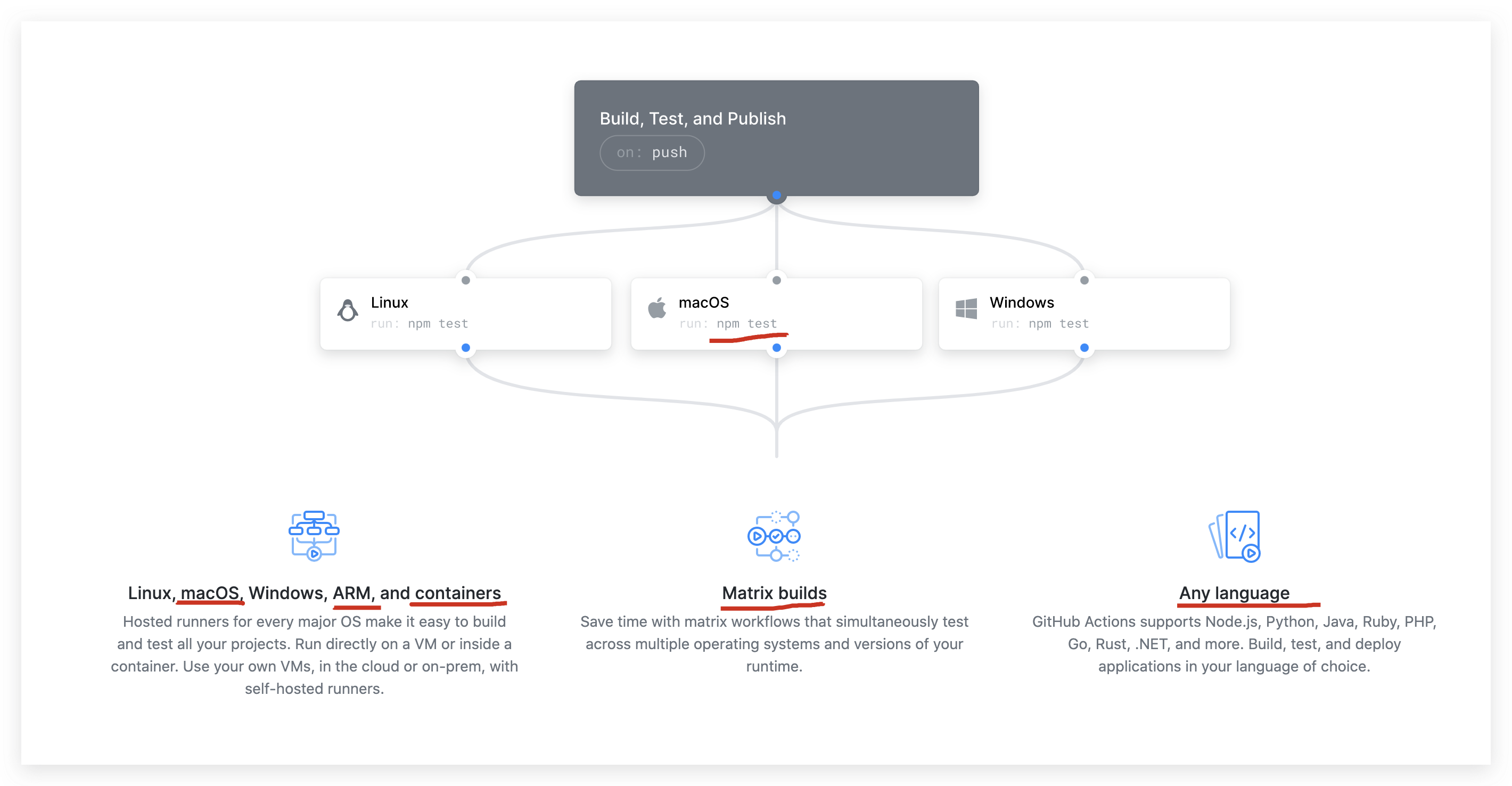
https://github.com/features/actions
https://github.com/marketplace?type=actions
https://docs.github.com/en/developers/github-marketplace
.github/workflows/main.yml
# This is a basic workflow to help you get started with Actions

name: CI

# Controls when the action will run. Triggers the workflow on push or pull request

# events but only for the master branch

on:

  push:

    branches: [ master ]

  pull_request:

    branches: [ master ]

# A workflow run is made up of one or more jobs that can run sequentially or in parallel

jobs:

  # This workflow contains a single job called "build"

  build:

    # The type of runner that the job will run on

    runs-on: ubuntu-latest

    # Steps represent a sequence of tasks that will be executed as part of the job

    steps:

      # Checks-out your repository under $GITHUB_WORKSPACE, so your job can access it

      - uses: actions/checkout@v2

      # Runs a single command using the runners shell

      - name: Run a one-line script

        run: echo Hello, world!

      # Runs a set of commands using the runners shell

      - name: Run a multi-line script

        run: |

          echo Add other actions to build,

          echo test, and deploy your project.
on & jobs
zh-Hans
# This is a basic workflow to help you get started with Actions

name: CI

# 控制 action 何时运行

# 在 push 或 pull 请求时触发工作流程事件,但仅针对  master 分支

on:

  push:

    branches: [ master ]

  pull_request:

    branches: [ master ]

# 一个 workflow 运行由可以串行或并行运行的一个或多个 jobs 组成

jobs:

  # 此工作流程仅包含一个名为 "build" 的 job

  build:

    # job 将运行的 runner 类型(执行的系统环境 Linux/ macOS / Windows)

    runs-on: ubuntu-latest

    # 步骤表示将作为 job 一部分执行的一系列 tasks

    steps:

      # 在 $GITHUB_WORKSPACE下检出你的repository,以便你的 job 可以访问它

      - uses: actions/checkout@v2

      # 使用 runners shell 运行单个命令

      - name: Run a one-line script

        run: echo 正在执行单个命令!

      # 使用 runners shell 运行一组命令

      - name: Run a multi-line script

        run: |

          echo 正在执行多个命令的 lint

          echo 正在执行多个命令的 test

          echo 正在执行多个命令的 build

          echo 正在执行多个命令的 deploy

          echo 正在执行多个命令的 npm publish
demos
.github/workflows/zh-Hans.yml
# This is a basic workflow to help you get started with Actions
name: DevOps
# 控制 action 何时运行
# 在 push 或 pull 请求时触发工作流程事件,但仅针对 master 分支
on:
push:
branches: [ master ]
pull_request:
branches: [ master ]
# 一个 workflow 运行由可以串行或并行运行的一个或多个 jobs 组成
jobs:
# 此工作流程仅包含一个名为 "build" 的 job
build:
# job 将运行的 runner 类型(执行的系统环境 Linux/ macOS / Windows)
runs-on: ubuntu-latest
# 步骤表示将作为 job 一部分执行的一系列 tasks
steps:
# 在 $GITHUB_WORKSPACE下检出你的repository,以便你的 job 可以访问它
- uses: actions/checkout@v2
# 使用 runners shell 运行单个命令
- name: Run a one-line script
Github Actions All In One的更多相关文章
- GitHub Actions 完成CI CD
在之前我的部署.版本控制.CI.CD都是在Jenkins 下来完成的 在前几天看到github上的一个新玩具actions,简直惊为天人 它能在你的仓库触发事件(Push,Pull,issue,... ...
- GitHub Actions 工作流
今天打开github上面的 项目 突然 一个github actions 的提示, 进去后显示: 由于项目是Maven 创建的 选择Maven 进入: 初步看到代码: 大概意思就是 我们push ...
- Github原生CI/CD,初尝Github Actions
Github 原生 CI/CD,初尝 Github Actions Intro Github 目前已经推出了自己的 CICD 服务 -- Github Actions,而且比微软的 Azure Dev ...
- Github Actions教程:运行python代码并Push到远端仓库
我自己做了一个网站,这个网站会使用一个python脚本来生成. 具体生成的方法是python脚本会读取目录下的csv文件,将每一行数据解析成固定格式,然后生成html文件,最后需要将修改后的文件自动p ...
- 使用 GitHub Actions 实现 Hexo 博客自动部署
一.Hexo 相关知识点 静态博客简单,但是发布博文时稍显麻烦,一般需要下面两步: hexo clean hexo g -d // 相当于 hexo g + hexo d 如果考虑到同步源文件,还需要 ...
- vuepress-theme-reco + Github Actions 构建静态博客,部署到第三方服务器
最新博客链接 Github链接 查看此文档前应先了解,vuepress基本操作 参考官方文档进行配置: vuepress-theme-reco VuePress SamKirkland / FTP-D ...
- Hexo+GitHub Actions 完美打造个人博客
Hexo简介 Hexo是一款基于Node.js的静态博客框架,依赖少易于安装使用,可以方便的生成静态网页托管在GitHub和Coding上,是搭建博客的首选框架.大家可以进入hexo官网进行详细查看, ...
- Github Actions简单部署一个vue/react项目
大体介绍 本文对github actions部署前端项目做一个简单的总结,总体来说,我感觉用它想要部署一个前端项目,可以说非常简单,简单得令人震惊
- 使用 JS 开发 Github Actions 实现自动部署前后台项目到自己服务器
不想看前面这么多废话的可以直接跳到具体实现 Github Actions 是什么? 说到 Github Actions 不得不提一下. 持续集成(continuous integration):高质量 ...
- 使用 Github Actions 自动部署 Angular 应用到 Github Pages
前言 最近在学习 Angular,一些基础的语法也学习的差不多了,就在 github 上新建了一个代码仓库,准备用 ng-zorro 搭个后台应用的模板,方便自己以后写些小东西时可以直接使用.前端项目 ...
随机推荐
- Hive语法小释
阅读本文你可以获取: 1.数据库的查询 2.hive表的基本操作(建表三种常用方式.删除表.修改表.加载数据.内外表转换.添加分区.复制数据) 3.SQL到HiveQL的的一些不同点 1. 基本操 ...
- 苹果 M1 芯片 OpenSSL 性能测试
Apple M1(MacBook Air 2020) type 16 bytes 64 bytes 256 bytes 1024 bytes 8192 bytes md2 0.00 0.00 0.00 ...
- 「THP3考前信心赛」题解
目录 写在前面 A 未来宇宙 B 空海澄澈 C 旧约酒馆 算法一 算法二 D 博物之志 算法一 算法二 算法三 写在前面 比赛地址:THP3 考前信心赛. 感谢原出题人的贡献:第一题 CF1422C, ...
- Centos6.5添加163软件yum源
将yum源设置为163yum,可以提升软件包安装和更新的速度,同时避免一些常见软件版本无法找到.具体设置方法如下: 1,进入yum源配置目录cd /etc/yum.repos.d 2,备份系统自带的y ...
- PHP-mysql存储照片的两种方式
PHP-mysql存储照片的两种方式 方式一:把图片数据存储在数据库中(二进制) 数据库代码: CREATE TABLE `photo` ( `id` int(10) unsigned NOT ...
- pythonchallenge总述
Pythonchallenge是一个过关式的解谜站点,使用的是经典在线解谜站点Not Pr0n的模式:根据提示找出下一关的网页地址.和Not Pr0n不同的是,在每一关里你都需要编写程序来寻找答案.虽 ...
- B - How Many Tables (多少桌)
题目大致意思: 有n个人在一起吃饭,有些人互相认识.认识的人想坐在一起,不想跟陌生人坐.例如A认识B,B认识C,那么A.B.C会坐在一张桌子上. 给出认识的人,问需要多少张桌子 Today is Ig ...
- AcWing 241 楼兰图腾 (树状数组)
在完成了分配任务之后,西部314来到了楼兰古城的西部. 相传很久以前这片土地上(比楼兰古城还早)生活着两个部落,一个部落崇拜尖刀('V'),一个部落崇拜铁锹('∧'),他们分别用V和∧的形状来代表各自 ...
- Codeforces Global Round 11 A. Avoiding Zero(前缀和)
题目链接:https://codeforces.com/contest/1427/problem/A 题意 将 \(n\) 个数重新排列使得不存在为 \(0\) 的前缀和. 题解 计算正.负前缀和,如 ...
- 【NOIP 2015 D1 T2】信息传递(图论--带权并查集/bfs)
题目:有n个同学(编号为1到n)正在玩一个信息传递的游戏.在游戏里每人都有一个固定的信息传递对象,其中,编号为i的同学的信息传递对象是编号为Ti同学.游戏开始时,每人都只知道自己的生日.之后每一轮中, ...