
UWP 自定义密码框控件
1. 概述
微软官方有提供自己的密码控件,但是控件默认的行为是输入密码,会立即显示掩码,比如 *。如果像查看真实的文本,需要按查看按钮。
而我现在自定义的密码控件是先显示你输入的字符2s,然后再显示成掩码。当然这种场景并不一定适用于密码,也可以用在Pin码。
a. 微软官方的密码框
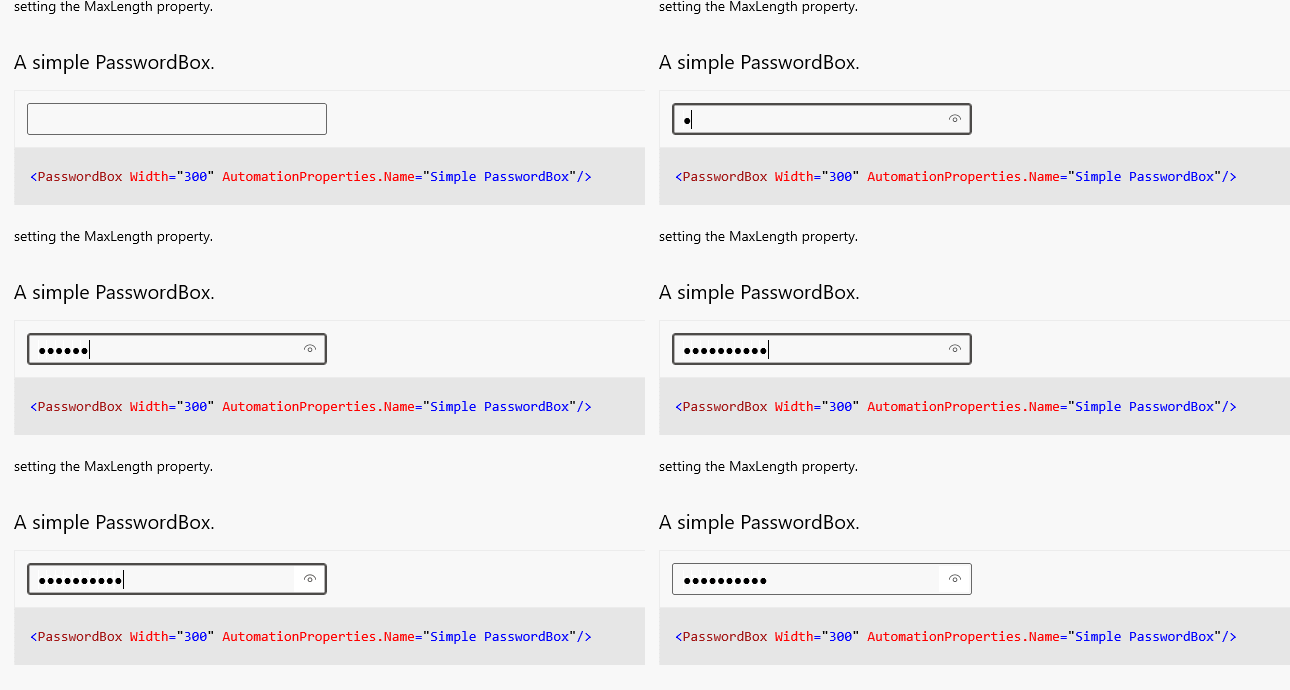
b. 自定义的效果

2. 密码框控件实现
要想实现自定义的密码框,我们当然要继承微软的TextBox控件,然后加入我们自己需要的东西。
a. 这里添加了一个加密类型的密码 Password 字段,真实密码文本 RealPassword 字段,一个Timer定时器来控制显示掩码
internal class CustomPasswordBox : TextBox

    {

        #region Member Variables

        public static readonly DependencyProperty PasswordProperty =

            DependencyProperty.Register("Password", typeof(SecureString), typeof(CustomPasswordBox), new PropertyMetadata(new SecureString()));

        public static readonly DependencyProperty RealPasswordProperty =

            DependencyProperty.Register("RealPassword", typeof(string), typeof(CustomPasswordBox), new PropertyMetadata(string.Empty));

        private DispatcherTimer maskTimer;

        #endregion

    }
b. 公开控件属性字段
public SecureString Password

        {

            get

            {

                return (SecureString)GetValue(PasswordProperty);

            }

            set

            {

                SetValue(PasswordProperty, value);

            }

        }

        public string RealPassword

        {

            get

            {

                return (string)GetValue(RealPasswordProperty);

            }

            set

            {

                SetValue(RealPasswordProperty, value);

            }

        }
c. 然后再构造函数里添加一个需要相应的事件,还有初始化Timer
public CustomPasswordBox()

        {

            PreviewKeyDown += CustomPasswordBox_PreviewKeyDown;

            CharacterReceived += CustomPasswordBox_CharacterReceived;

            BeforeTextChanging += CustomPasswordBox_BeforeTextChanging;

            SelectionChanged += CustomPasswordBox_SelectionChanged;

            ContextMenuOpening += CustomPasswordBox_ContextMenuOpening;

            TextCompositionStarted += CustomPasswordBox_TextCompositionStarted;

            maskTimer = new DispatcherTimer { Interval = new TimeSpan(, , ) };

            maskTimer.Tick += MaskTimer_Tick;

        }
在PreviewKeyDown、CharacterReceived、BeforeTextChanging这三个事件里,主要处理字符的输入删除等逻辑。
在SelectionChanged事件里,我们主要处理不让用户选中文本
在ContextMenuOpening,主要是屏蔽右键菜单,比如复制剪切粘贴
在TextCompositionStarted主要屏蔽中文等组合输入法
另外,在我的场景里面,我们只让用户输入数字,所以加入了数字验证,以及在Xbox上开启了InputScope=NumbericPin模式。
d. 添加事件响应代码
private void CustomPasswordBox_PreviewKeyDown(object sender, Windows.UI.Xaml.Input.KeyRoutedEventArgs e)

        {

            switch (e.OriginalKey)

            {

                case VirtualKey.Back:

                case VirtualKey.Delete:

                    if (SelectionLength > )

                    {

                        RemoveFromSecureString(SelectionStart, SelectionLength);

                    }

                    else if (e.OriginalKey == VirtualKey.Delete && SelectionStart < Text.Length)

                    {

                        RemoveFromSecureString(SelectionStart, );

                    }

                    else if (e.OriginalKey == VirtualKey.Back && SelectionStart > )

                    {

                        int caretIndex = SelectionStart;

                        if (SelectionStart >  && SelectionStart < Text.Length)

                            caretIndex = caretIndex - ;

                        RemoveFromSecureString(SelectionStart - , );

                        //SelectionStart = caretIndex;

                    }

                    e.Handled = true;

                    break;

                default:

                    //e.Handled = true;

                    break;

            }

        }

        private void CustomPasswordBox_CharacterReceived(UIElement sender, Windows.UI.Xaml.Input.CharacterReceivedRoutedEventArgs args)

        {

            if (!char.IsDigit(args.Character))

                return;

            AddToSecureString(args.Character.ToString());

            args.Handled = true;

        }

        private void CustomPasswordBox_BeforeTextChanging(TextBox sender, TextBoxBeforeTextChangingEventArgs args)

        {

            args.Cancel = args.NewText.Any(c => !char.IsDigit(c) && !char.ToString(c).ToString().Equals("●"));

            //if (args.NewText.Replace("●", "") != "")

            //    AddToSecureString(args.NewText.Replace("●", ""));

        }

        private void CustomPasswordBox_ContextMenuOpening(object sender, ContextMenuEventArgs e)

        {

            e.Handled = true;

        }

        private void CustomPasswordBox_SelectionChanged(object sender, RoutedEventArgs e)

        {

            SelectionStart = Text.Length;

            SelectionLength = ;

        }

        private void CustomPasswordBox_TextCompositionStarted(TextBox sender, TextCompositionStartedEventArgs args)

        {

            return;

        }

        private void MaskTimer_Tick(object sender, object e)

        {

            MaskAllDisplayText();

        }
e. 实现Timer里面的2s后将字符串变成掩码
2s后看TextBox里面的字符数,然后设置对应长度的掩码
        private void MaskAllDisplayText()

        {

            maskTimer.Stop();

            int caretIndex = SelectionStart;

            Text = new string('●', Text.Length);

            SelectionStart = caretIndex;

        }
f. 添加字符和删除字符
 private void AddToSecureString(string text)

        {

            if (SelectionLength > )

            {

                RemoveFromSecureString(SelectionStart, SelectionLength);

            }

            if (Password.Length >=  || RealPassword.Length >= )

                return;

            foreach (char c in text)

            {

                System.Diagnostics.Debug.WriteLine(text);

                int caretIndex = SelectionStart;

                if (caretIndex -  < )

                    Password.InsertAt(, c);

                else

                    Password.InsertAt(caretIndex - , c);

                RealPassword += c.ToString();

                //MaskAllDisplayText();

                if (caretIndex == Text.Length)

                {

                    maskTimer.Stop();

                    maskTimer.Start();

                    //Text = Text.Insert(caretIndex++, c.ToString());

                }

                else

                {

                    //Text = Text.Insert(caretIndex++, "●");

                }

                SelectionStart = Text.Length;

            }

        }

        private void RemoveFromSecureString(int startIndex, int trimLength)

        {

            int caretIndex = SelectionStart;

            for (int i = ; i < trimLength; ++i)

            {

                Password.RemoveAt(startIndex);

                RealPassword = RealPassword.Remove(startIndex, );

            }

            Text = Text.Remove(startIndex, trimLength);

            SelectionStart = caretIndex;

        }
3. 控件使用方法
<local:CustomPasswordBox

            InputScope="NumericPin"

            MaxLength="" />
一个例子
<Grid>

        <local:CustomPasswordBox

            x:Name="PSW"

            InputScope="NumericPin"

            Padding="200 0 0 0"

            Style="{StaticResource MyTextBox}"

            Height="Auto"

            MaxLength=""

            CharacterSpacing=""

            FontSize=""

            VerticalAlignment="Top"/>

        <TextBlock

            x:Name="realPSW"

            FontSize=""

            Margin="0 200"

            HorizontalAlignment="Center"

            Text="{Binding ElementName=PSW, Path=RealPassword, Mode=OneWay}"/>

    </Grid>
UWP 自定义密码框控件的更多相关文章
- wxpython 支持python语法高亮的自定义文本框控件的代码
在研发闲暇时间,把开发过程中比较重要的一些代码做个珍藏,下面的代码内容是关于wxpython 支持python语法高亮的自定义文本框控件的代码,应该是对大家也有用. import keywordimp ...
- [uwp]自定义图形裁切控件
开始之前,先上一张美图.图中的花叫什么,我已经忘了,或者说从来就不知道,总之谓之曰“野花”.只记得花很美,很香,春夏时节,漫山遍野全是她.这大概是七八年前的记忆了,不过她依旧会很准时的在山上沐浴春光, ...
- WPF登录功能,对于密码框的操作,其实WPF有个PasswordBox专门的密码框控件,完全可以选择自己要显示的密码符号。
在链接数据库后,点击登录时需要判断用户名和密码框是否为空,而PasswordBox不像textbox那样判断 textbox判断文本框为空 if (this.UserName.Text.Trim()= ...
- 示例:自定义WPF底层控件UI库 HeBianGu.General.WpfControlLib V2.0版本
原文:示例:自定义WPF底层控件UI库 HeBianGu.General.WpfControlLib V2.0版本 一.目的:封装了一些控件到自定义的控件库中,方便快速开发 二.实现功能: 基本实现常 ...
- Android 高仿微信支付密码输入控件
像微信支付密码控件,在app中是一个多么司空见惯的功能.最近,项目需要这个功能,于是乎就实现这个功能. 老样子,投篮需要找准角度,变成需要理清思路.对于这个"小而美"的控件,我们思 ...
- WPF自定义控件与样式(8)-ComboBox与自定义多选控件MultComboBox
一.前言 申明:WPF自定义控件与样式是一个系列文章,前后是有些关联的,但大多是按照由简到繁的顺序逐步发布的等,若有不明白的地方可以参考本系列前面的文章,文末附有部分文章链接. 本文主要内容: 下拉选 ...
- C# Winform 通过FlowLayoutPanel及自定义的编辑控件,实现快速构建C/S版的编辑表单页面
个人理解,开发应用程序的目的,不论是B/S或是C/S结构类型,无非就是实现可供用户进行查.增.改.删,其中查询用到最多,开发设计的场景也最为复杂,包括但不限于:表格记录查询.报表查询.导出文件查询等等 ...
- Winform 通过FlowLayoutPanel及自定义的编辑控件,实现快速构建C/S版的编辑表单页面 z
http://www.cnblogs.com/zuowj/p/4504130.html 不论是B/S或是C/S结构类型,无非就是实现可供用户进行查.增.改.删,其中查询用到最多,开发设计的场景 也最为 ...
- 在 Visual C++ 中开发自定义的绘图控件
本文讨论的重点介于两者 之间 — 公共控件赋予您想要的大部分功能,但控件的外观并不是您想要的.例如,列表视图控件提供在许多视图风格中显示数据列表的方式 — 小图标.大图标.列表和详细列表(报告).然而 ...
随机推荐
- CSS——文本超出隐藏显示省略号
文本超出隐藏显示省略号 1.单行文本的溢出显示省略号 overflow: hidden; text-overflow:ellipsis; white-space: nowrap; // overflo ...
- git和github入门指南(2.2)
2.4.常用git命令 2.4.1.回顾前面使用的命令 1.git add 文件名 这个命令用来将代码提交到暂存区 2.git status 可以查看当前提交的状态 3.git commit -m ' ...
- CSS中那些必须掌握的概念
一.盒子模型 1.什么是盒子模型 css盒模型本质上是一个盒子,封装周围的html元素,它包括:外边距(margin).边框(border).内边距(padding).实际内容(content)四个属 ...
- 洛谷 P6136 【【模板】普通平衡树(数据加强版)】
爱死替罪羊树了 这种暴力的数据结构爱死了.什么?!你还不知道替罪羊树?那就看看这篇博客这篇博客吧.替罪羊树就是当不平衡时,拍扁重建,然后就平衡了.想切这道题,要先把普通平衡树那道题做了(这篇博客讲了的 ...
- Centos 6.4 安装Mplayer 播放器
1.Download the rpmforge-release package. URL1:x86_64.rmp URL2:tar.gz 推荐!!! 2.Install DAG's GPG ke ...
- (私人收藏)精美PPT模板
精美PPT模板 https://pan.baidu.com/s/1vsRnX5h7t3MZ7qdrFvuI1wsucr
- 如何嵌套一个网页html到另一个html中
在常规网页开发中(单页应用除外哈),经常会遇到把一些通用内容的页面集中到一个页面中,需要使用这些页面只需要包含引入即可,这样有利于维护和修改,当通用页面修改时只需更改一个文件就可以了,不需要每个文件单 ...
- hdu 4352 XHXJ's LIS 数位DP+最长上升子序列
题目描述 #define xhxj (Xin Hang senior sister(学姐))If you do not know xhxj, then carefully reading the en ...
- 使用LLDB和debugserver对ios程序进行调试
在没有WIFI的情况下,使用USB连接IOS设备,使用辅助插件usbmuxd来辅助调试.我其实也想用wifi调试,奈何公司的wifi绑定了mac地址,而我又使用的是黑苹果虚拟机,使用桥接的方式修改网段 ...
- git clone远程仓库的指定分支
正常clone方式 git clone <远程仓库地址> 默认clone的是远程仓库的master分支 clone指定分支 git clone -b <分支名> <远程仓 ...