
winform —— 对话框和流及打印
对话框: 注意引用using System.IO;
showdialog();显示对话框,返回一个dialogresult的枚举类型
colorDialog:color属性,用来获取颜色
folderBrowserDialog:SelectedPath选中路径
fontDialog:font属性,返回一个font类型的值,里面存储了关于字体的设置
openFileDialog:
filename获取或设置文件路径包含文件名
filenames 是文件路径字符串数组
filter:文件筛选器 格式为 提示文本一|*.后缀|提示文本二|*.后缀|提示文本三|*.后缀
saveFileDialog1:
filename获取或设置文件路径包含文件名
filenames 是文件路径字符串数组
filter:文件筛选器 格式为 提示文本一|*.后缀|提示文本二|*.后缀|提示文本三|*.后缀

 using System;

 using System.Collections.Generic;

 using System.ComponentModel;

 using System.Data;

 using System.Drawing;

 using System.Linq;

 using System.Text;

 using System.Windows.Forms;

 using System.IO;

 namespace WindowsFormsApplication6

 {

     public partial class Form1 : Form

     {

         public Form1()

         {

             InitializeComponent();

         }

         //颜色

         private void button1_Click(object sender, EventArgs e)

         {

             DialogResult dr = colorDialog1.ShowDialog();

             if (dr == DialogResult.OK)

             {

                 this.BackColor = colorDialog1.Color;

             }

         }

         //文件夹浏览器

         private void button2_Click(object sender, EventArgs e)

         {

            DialogResult dr = folderBrowserDialog1.ShowDialog();

            if (dr == DialogResult.OK)

            {

                MessageBox.Show(folderBrowserDialog1.SelectedPath);

            }

            else

            {

                MessageBox.Show(folderBrowserDialog1.SelectedPath);

            }

         }

         //字体

         private void button3_Click(object sender, EventArgs e)

         {

             fontDialog1.ShowDialog();

             MessageBox.Show(fontDialog1.Font.Size.ToString());

         }

         //打开

         private string Files;

         private void button4_Click(object sender, EventArgs e)

         {

             DialogResult dr = openFileDialog1.ShowDialog();

             if (DialogResult.OK == dr)

             {

                 string filename = openFileDialog1.FileName;

                 StreamReader sr = new StreamReader(filename);

                 textBox1.Text = sr.ReadToEnd();

                 sr.Close();

                 Files = filename;

             }

         }

         //保存

         private void button5_Click(object sender, EventArgs e)

         {

             if (Files == null)

             {

                 saveFileDialog1.Filter = "文本 |*.txt|word|*.doc|excel|*.xls";

                 DialogResult dr = saveFileDialog1.ShowDialog();

                 if (dr == DialogResult.OK)

                 {

                     string filename = saveFileDialog1.FileName;

                     StreamWriter sw = new StreamWriter(filename);

                     sw.Write(textBox1.Text);

                     sw.Close();

                 }

             }

             else

             {

                 StreamWriter sw = new StreamWriter(Files);

                 sw.Write(textBox1.Text);

                 sw.Close();

             }

         }

         private void Form1_Load(object sender, EventArgs e)

         {

         }

         //关闭窗体

         private void button6_Click(object sender, EventArgs e)

         {

             this.Close();

         }

         //页面设置

         private void button7_Click(object sender, EventArgs e)

         {

             pageSetupDialog1.Document = printDocument1;

             pageSetupDialog1.ShowDialog();

         }

         //打印

         private void button8_Click(object sender, EventArgs e)

         {

             printDialog1.Document = printDocument1;

             DialogResult dr = printDialog1.ShowDialog();

             if (dr == DialogResult.OK)

             {

                 printDocument1.Print();

             }

         }

         private void printDocument1_PrintPage(object sender, System.Drawing.Printing.PrintPageEventArgs e)

         {

             System.Drawing.Font f = new System.Drawing.Font("宋体",);

             e.Graphics.DrawString(textBox1.Text,f,System.Drawing.Brushes.Aqua,,);

         }

     }

 }
流:
输入流:
string filename = openFileDialog1.FileName;
//通过读入流进行文件读取
StreamReader sr = new StreamReader(filename);
textBox1.Text = sr.ReadToEnd();
sr.Close();
输出流:
string filename = saveFileDialog1.FileName;
//写入流,可以在硬盘上创建文件,并为文件写入信息
StreamWriter sw = new StreamWriter(filename);
sw.Write(this.textBox1.Text);
sw.Close();
this:代表的它所在的那个类当前对象
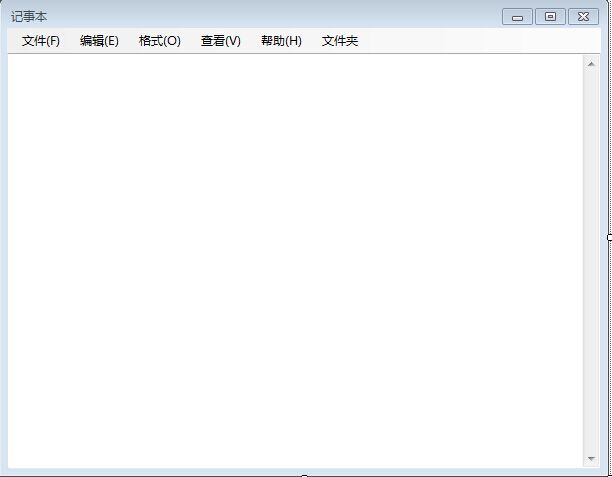
 using System;

 using System.Collections.Generic;

 using System.ComponentModel;

 using System.Data;

 using System.Drawing;

 using System.Linq;

 using System.Text;

 using System.Windows.Forms;

 using System.IO;

 namespace FirstForm

 {

     public partial class JiShiben : Form

     {

         public JiShiben()

         {

             InitializeComponent();

         }

         private void textBox1_TextChanged(object sender, EventArgs e)

         {

             //MessageBox.Show("你好");

             if (this.textBox1.Text.Length > )

             {

                 撤销ToolStripMenuItem.Enabled = true;

             }

         }

         private void 复制ToolStripMenuItem_Click(object sender, EventArgs e)

         {

             textBox1.Copy();

         }

         private void 粘贴ToolStripMenuItem_Click(object sender, EventArgs e)

         {

             textBox1.Paste();

         }

         private void 剪切ToolStripMenuItem_Click(object sender, EventArgs e)

         {

             textBox1.Cut();

         }

         private void 撤销ToolStripMenuItem_Click(object sender, EventArgs e)

         {

             if (textBox1.CanUndo == true)

             {

                 // Undo the last operation.

                 textBox1.Undo();

                 // Clear the undo buffer to prevent last action from being redone.

                 textBox1.ClearUndo();

             }

         }

         private void 删除ToolStripMenuItem_Click(object sender, EventArgs e)

         {

             textBox1.SelectedText = "";

         }

         private void 全选ToolStripMenuItem_Click(object sender, EventArgs e)

         {

             textBox1.SelectAll();

         }

         private void 打开ToolStripMenuItem_Click(object sender, EventArgs e)

         {

            DialogResult dr =  openFileDialog1.ShowDialog();

            if (dr == DialogResult.OK)

            {

                string filename = openFileDialog1.FileName;

                //通过读入流进行文件读取

                StreamReader sr = new StreamReader(filename);

                textBox1.Text = sr.ReadToEnd();

                sr.Close();

            }

         }

         private void 新建ToolStripMenuItem_Click(object sender, EventArgs e)

         {

             if (this.textBox1.Text.Length > )

             {

                DialogResult drg= MessageBox.Show("是否进行保存?","保存对话框",MessageBoxButtons.YesNo);

                if (DialogResult.Yes == drg)

                {

                    if (FileName == null)

                    {

                        DialogResult dr = saveFileDialog1.ShowDialog();

                        if (dr == DialogResult.OK)

                        {

                            string filename = saveFileDialog1.FileName;

                            //写入流,可以在硬盘上创建文件,并为文件写入信息

                            StreamWriter sw = new StreamWriter(filename);

                            sw.Write(this.textBox1.Text);

                            sw.Close();

                        }

                    }

                    else

                    {

                        //写入流,可以在硬盘上创建文件,并为文件写入信息

                        StreamWriter sw = new StreamWriter(FileName);

                        sw.Write(this.textBox1.Text);

                        sw.Close();

                    }

                }

             }

             FileName = null;

             this.textBox1.Text = "";

         }

         private string FileName;

         private void 保存ToolStripMenuItem_Click(object sender, EventArgs e)

         {

             if (FileName == null)

             {

                 DialogResult dr = saveFileDialog1.ShowDialog();

                 if (dr == DialogResult.OK)

                 {

                     string filename = saveFileDialog1.FileName;

                     //写入流,可以在硬盘上创建文件,并为文件写入信息

                     StreamWriter sw = new StreamWriter(filename);

                     sw.Write(this.textBox1.Text);

                     sw.Close();

                 }

             }

             else

             {

                 //写入流,可以在硬盘上创建文件,并为文件写入信息

                 StreamWriter sw = new StreamWriter(FileName);

                 sw.Write(this.textBox1.Text);

                 sw.Close();

             }

         }

         private void 另存为ToolStripMenuItem_Click(object sender, EventArgs e)

         {

             saveFileDialog1.Filter = "文本文件(*.txt)|*.txt|word文件(*.doc)|*.doc";

             DialogResult dr = saveFileDialog1.ShowDialog();

             if (dr == DialogResult.OK)

             {

                 string filename = saveFileDialog1.FileName;

                 //写入流,可以在硬盘上创建文件,并为文件写入信息

                 StreamWriter sw = new StreamWriter(filename);

                 sw.Write(this.textBox1.Text);

                 sw.Close();

             }

         }

         private void 页面设置ToolStripMenuItem_Click(object sender, EventArgs e)

         {

             pageSetupDialog1.Document = printDocument1;//为页面设置对话框指定打印对象

             pageSetupDialog1.ShowDialog();//打开页面对话框

         }

         private void 打印ToolStripMenuItem_Click(object sender, EventArgs e)

         {

            DialogResult dr =  printDialog1.ShowDialog();

            if (dr == DialogResult.OK)

            {

                printDocument1.Print();

            }

         }

         private void printDocument1_PrintPage(object sender, System.Drawing.Printing.PrintPageEventArgs e)

         {

             //设置打印的画板内容

             System.Drawing.Font f = new System.Drawing.Font("宋体", );

             e.Graphics.DrawString(this.textBox1.Text, f, SystemBrushes.ActiveBorder, 10.0f, 0f);

         }

         private void 查找ToolStripMenuItem_Click(object sender, EventArgs e)

         {

             //Find ff = new Find(this.textBox1.SelectedText,this);

             //ff.Owner = this;

             //ff.Show();

         }

         private void 退出ToolStripMenuItem_Click(object sender, EventArgs e)

         {

             this.Close();

         }

         private void JiShiben_Load(object sender, EventArgs e)

         {

         }

     }

 }
打印:
打印对话框:printdialog
页面设置:pagesetupdialog
这两个对话框都需要通过设置printdocument来指定打印对象
printdocument:打印对象,必须要有,一块画板,用于打印机与打印内容之间中转,打印机打印的是printdoment
printDocument1_PrintPage:事件,每打印一页之前触发,用于给printdocument指定打印内容
通过画板把内容画到打印对象的页上:
System.Drawing.Font f = new System.Drawing.Font("宋体",12);
e.Graphics.DrawString(textBox1.Text,f,System.Drawing.Brushes.Aqua,5,5);
最后打印: 打印对话框那,如果打印对话框返回确定打印,就执行printdocument.print();
winform —— 对话框和流及打印的更多相关文章
- winform对话框控件、打印控件
对话框控件: ColorDialog:颜色选择对话框,让用户自行选择一种颜色,使用方法类似FontDialog FontDialog:字体选择对话框,让用户自行选择一种字体(也可以选择字体颜色,需要在 ...
- winform 对话框控件,打印控件
1.文件对话框(FileDialog) 它又常用到两个: 打开文件对话框(OpenFileDialog) 保存文件对话框(SaveFileDialog) 2.字体对话框(FontDialog) 3.颜 ...
- C#窗体 WinForm 对话框,流
一.对话框 ColorDialog:颜色选择控件 private void button1_Click(object sender, EventArgs e) { //显示颜色选择器 colorDia ...
- WinForm 对话框、流
一.对话框 ColorDialog:颜色选择控件 private void button1_Click(object sender, EventArgs e) { //显示颜色选择器 colorDia ...
- WinForm 对话框,流
private void button1_Click(object sender, EventArgs e) { //显示颜色选择器 colorDialog1.ShowDialog(); //把取到的 ...
- winform 对话框、打印框
winform 对话框控件 1.打开文件对话框(OpenFileDialog) 2.保存文件对话框(SaveFileDialog) 3.字体对话框(FontDialog) 4.颜色对话框(ColorD ...
- WinForm对话框
WinForm 对话框控件colorDialog - 颜色选择对话框 使用代码如下: private void 字体颜色ToolStripMenuItem_Click(object sender, E ...
- java 21 - 12 IO流的打印流
打印流 字节流打印流 PrintStream 字符打印流 PrintWriter打印流的特点: A:只有写数据的,没有读取数据.只能操作目的地,不能操作数据源.(只能写入数据到文件中,而不能从文件中提 ...
- 我爱Java系列之《JavaEE学习笔记day12》---【缓冲流、转换流、序列/反序列化流、打印流】
[缓冲流.转换流.序列/反序列化流.打印流] 一.缓冲流 1.字节缓冲输出流 java.io.BufferedOutputStream extends OutputStream 高效字节输出流 写入文 ...
随机推荐
- sql 模糊查询带下划线的字段 _
1.SELECT * FROM dbo.tb_Test 2.SELECT * FROM dbo.tb_Test WHERE name LIKE '%c_%' 3.SELECT * FROM dbo.t ...
- html表格,列表
1. 表格由 <table> 标签来定义.每个表格均有若干行(由 <tr> 标签定义),每行被分割为若干单元格(由 <td> 标签定义).字母 td 指表格数据(t ...
- java连接sqL2008 数据库实例
package com.lzw; import java.sql.Connection; import java.sql.DriverManager; import java.sql.ResultSe ...
- Reward HDU
Reward Time Limit: 2000/1000 MS (Java/Others) Memory Limit: 32 ...
- Java的反射机制及应用实例
一:什么是反射机制 简单的来说,反射机制指的是程序在运行时能够获取自身的信息.在Java中,只要给定类的名字,那么就可以通过反射机制来获得类的所有信息. 二:哪里用到反射机制 我们用过一些知识,但是并 ...
- 解决Eclipse编译器报错ClassNotFoundException:Org.hibernate.hql.ast.HqlToken
最近开发遇到Eclipse编译器老是报出ClassNotFoundException:Org.hibernate.hql.ast.HqlToken [from User Where id=1] 的错误 ...
- GIT 实验
服务器环境:linux + git + gitolite(gitolite是什么,说白了就是安装后建了一个仓库,管理员用户可以通过修改并上传配置文件实现GIT仓库及其权限的管理.提醒:别用那个gito ...
- python运维开发(十九)----Django后台表单验证、session、cookie、model操作
内容目录: Django后台表单验证 CSRF加密传输 session.cookie model数据库操作 Django后台Form表单验证 Django中Form一般有2种功能: 1.用于做用户提交 ...
- 符号三角形(hdu 2510 搜索+打表)
符号三角形 Time Limit: 2000/1000 MS (Java/Others) Memory Limit: 32768/32768 K (Java/Others)Total Submi ...
- JS函数的属性
1.arguments.callee //经典的阶乘(递归)函数 function factorial(num) { if (num <= 1) { return 1; } else { ret ...