
分析UIWindow
转载自:http://www.cnblogs.com/YouXianMing/p/3811741.html
The UIWindow class defines an object known as a window that manages and coordinates the views an app displays on a device screen. Unless an app can display content on an external device screen, an app has only one window.
UIWindow定义了一个对象,用来管理视图的坐标系统,除非,app可以在另外一个窗口里面展示内容,否则,一个app只有一个window.
每一个controller都会被UIWindow接管,UIWindow一次只能接管一个controller,下面用代码验证.
首先,我们来看看,UIWindow何时接管了controller.
请写以下代码:

//

//  RootViewController.m

//  Window

//

//  Copyright (c) 2014年 Y.X. All rights reserved.

//

#import "RootViewController.h"

@interface RootViewController ()

@end

@implementation RootViewController

- (void)viewDidLoad

{

    [super viewDidLoad];

    if (self.view.window)

    {

        NSLog(@"viewDidLoad");

        NSLog(@"%@", NSStringFromCGRect(self.view.window.frame));

    }

}

- (void)viewWillAppear:(BOOL)animated

{

    [super viewWillAppear:animated];

    if (self.view.window)

    {

        NSLog(@"viewWillAppear");

        NSLog(@"%@", NSStringFromCGRect(self.view.window.frame));

    }

}

- (void)viewDidAppear:(BOOL)animated

{

    [super viewDidAppear:animated];

    if (self.view.window)

    {

        NSLog(@"viewDidAppear");

        NSLog(@"%@", NSStringFromCGRect(self.view.window.frame));

    }

}

- (void)viewWillDisappear:(BOOL)animated

{

    [super viewWillDisappear:animated];

    if (self.view.window)

    {

        NSLog(@"viewWillDisappear");

        NSLog(@"%@", NSStringFromCGRect(self.view.window.frame));

    }

}

- (void)viewDidDisappear:(BOOL)animated

{

    [super viewDidDisappear:animated];

    if (self.view.window)

    {

        NSLog(@"viewDidDisappear");

        NSLog(@"%@", NSStringFromCGRect(self.view.window.frame));

    }

}

@end
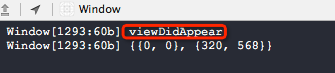
打印信息,注意哦,UIWindow会在一个controller的viewDidAppear方法中才接管了当前controller,而不是在ViewDidLoad方法中,注意:)
接下来,我们在导航栏控制器间切换,来观察,UIWindow如何放弃一个controller然后接管另外一个controller
- (BOOL)application:(UIApplication *)application didFinishLaunchingWithOptions:(NSDictionary *)launchOptions

{

    self.window = [[UIWindow alloc] initWithFrame:[[UIScreen mainScreen] bounds]];

    // Override point for customization after application launch.

    UINavigationController *NC = \

        [[UINavigationController alloc] initWithRootViewController:[RootViewController new]];

    self.window.rootViewController = NC;

    self.window.backgroundColor = [UIColor whiteColor];

    [self.window makeKeyAndVisible];

    return YES;

}
//

//  RootViewController.m

//  Window

//

//  Copyright (c) 2014年 Y.X. All rights reserved.

//

#import "RootViewController.h"

#import "SecondViewController.h"

#import "YXGCD.h"

@interface RootViewController ()

@end

@implementation RootViewController

- (void)viewDidLoad

{

    [super viewDidLoad];

    if (self.view.window)

    {

        NSLog(@"viewDidLoad");

        NSLog(@"%@", NSStringFromCGRect(self.view.window.frame));

    }

    [[GCDQueue mainQueue] execute:^{

        [self.navigationController pushViewController:[SecondViewController new]

                                             animated:YES];

    } afterDelay:NSEC_PER_SEC * 4];

}

- (void)viewWillAppear:(BOOL)animated

{

    [super viewWillAppear:animated];

    if (self.view.window)

    {

        NSLog(@"viewWillAppear");

        NSLog(@"%@", NSStringFromCGRect(self.view.window.frame));

    }

}

- (void)viewDidAppear:(BOOL)animated

{

    [super viewDidAppear:animated];

    if (self.view.window)

    {

        NSLog(@"viewDidAppear");

        NSLog(@"%@", NSStringFromCGRect(self.view.window.frame));

    }

}

- (void)viewWillDisappear:(BOOL)animated

{

    [super viewWillDisappear:animated];

    if (self.view.window)

    {

        NSLog(@"viewWillDisappear");

        NSLog(@"%@", NSStringFromCGRect(self.view.window.frame));

    }

}

- (void)viewDidDisappear:(BOOL)animated

{

    [super viewDidDisappear:animated];

    if (self.view.window)

    {

        NSLog(@"viewDidDisappear");

        NSLog(@"%@", NSStringFromCGRect(self.view.window.frame));

    }

}

@end
//

//  SecondViewController.m

//  Window

////  Copyright (c) 2014年 Y.X. All rights reserved.

//

#import "SecondViewController.h"

@interface SecondViewController ()

@end

@implementation SecondViewController

- (void)viewDidLoad

{

    [super viewDidLoad];

    self.view.backgroundColor = [UIColor redColor];

}

@end
查看结果:
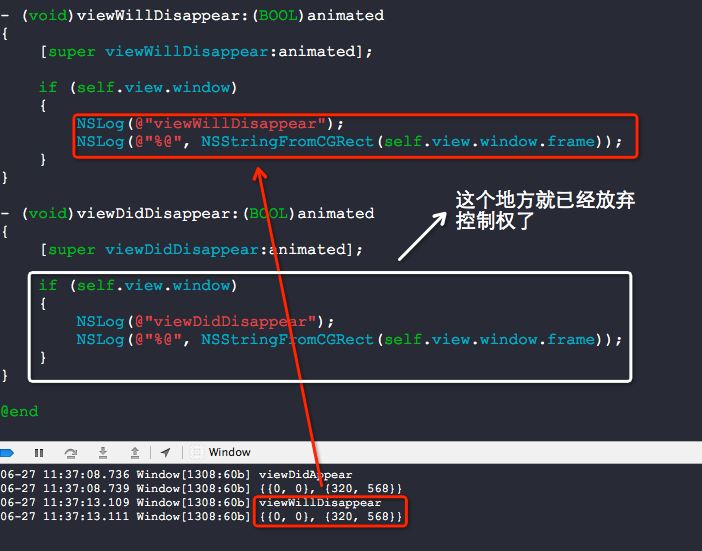
结论很自然,一个UIWindow只能在接管一个controller.
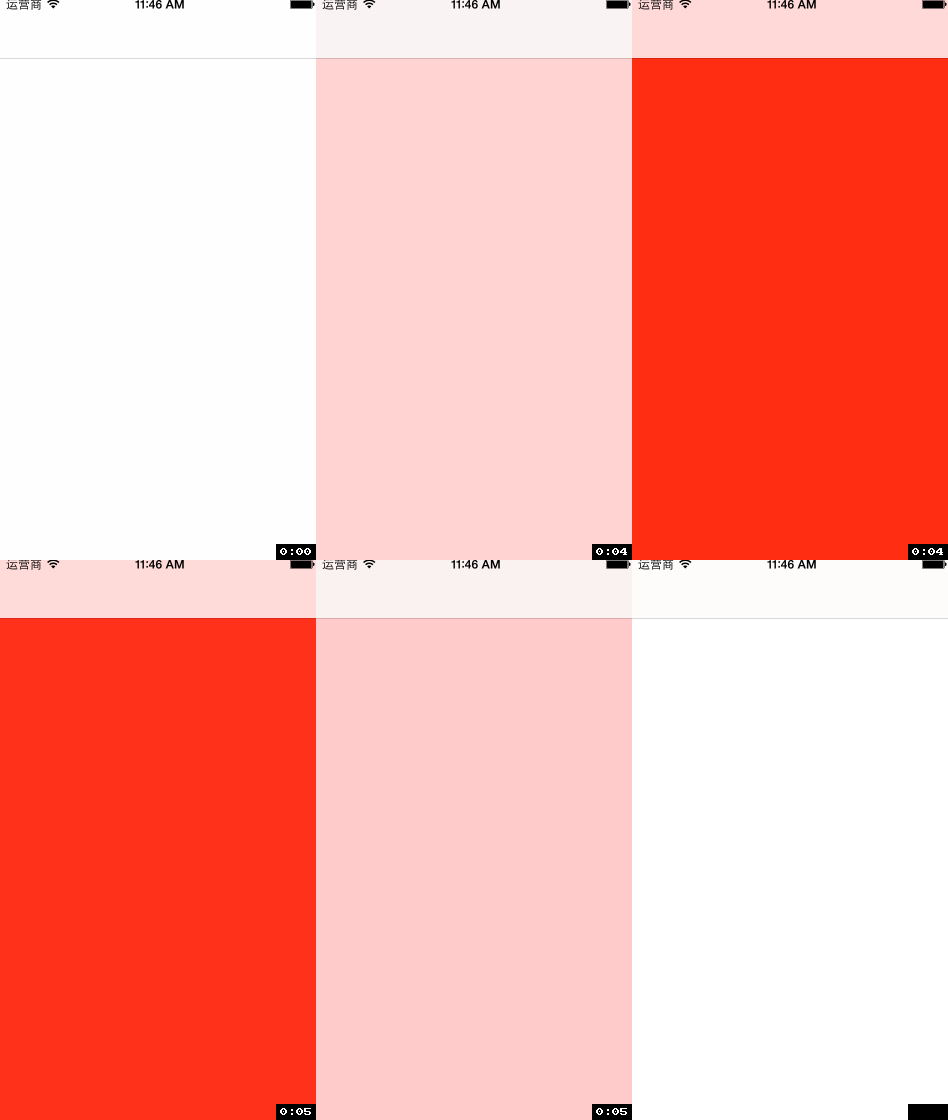
为什么要纠结于UIWindow的这些小细节呢?因为,UIWindow有着比一切controller都要高的优先级显示权利,加载在UIWindow上面的View是不会被遮挡住的.
效果(注意查看上面的导航条的地方,也被遮盖住了):

源码:
//

//  RootViewController.m

//  Window

//

//  Copyright (c) 2014年 Y.X. All rights reserved.

//

#import "RootViewController.h"

#import "YXGCD.h"

@interface RootViewController ()

@end

@implementation RootViewController

- (void)viewDidLoad

{

    [super viewDidLoad];

    [[GCDQueue mainQueue] execute:^{

        UIView *redView         = [[UIView alloc] initWithFrame:self.view.window.frame];

        redView.backgroundColor = [UIColor redColor];

        redView.alpha           = 0.f;

        [self.view.window addSubview:redView];

        [UIView animateWithDuration:1 animations:^{

            redView.alpha = 1.f;

        } completion:^(BOOL finished) {

            [UIView animateWithDuration:1 animations:^{

                redView.alpha = 0.f;

            } completion:^(BOOL finished) {

                [redView removeFromSuperview];

            }];

        }];

    } afterDelay:NSEC_PER_SEC * 10];

}

@end
普通的View的加载的效果(注意上方的导航栏,它并没有变成红色):
//

//  RootViewController.m

//  Window

//

//  Copyright (c) 2014年 Y.X. All rights reserved.

//

#import "RootViewController.h"

#import "YXGCD.h"

@interface RootViewController ()

@end

@implementation RootViewController

- (void)viewDidLoad

{

    [super viewDidLoad];

    [[GCDQueue mainQueue] execute:^{

        UIView *redView         = [[UIView alloc] initWithFrame:self.view.window.frame];

        redView.backgroundColor = [UIColor redColor];

        redView.alpha           = 0.f;

        [self.view addSubview:redView];

        [UIView animateWithDuration:1 animations:^{

            redView.alpha = 1.f;

        } completion:^(BOOL finished) {

            [UIView animateWithDuration:1 animations:^{

                redView.alpha = 0.f;

            } completion:^(BOOL finished) {

                [redView removeFromSuperview];

            }];

        }];

    } afterDelay:NSEC_PER_SEC * 10];

}

@end
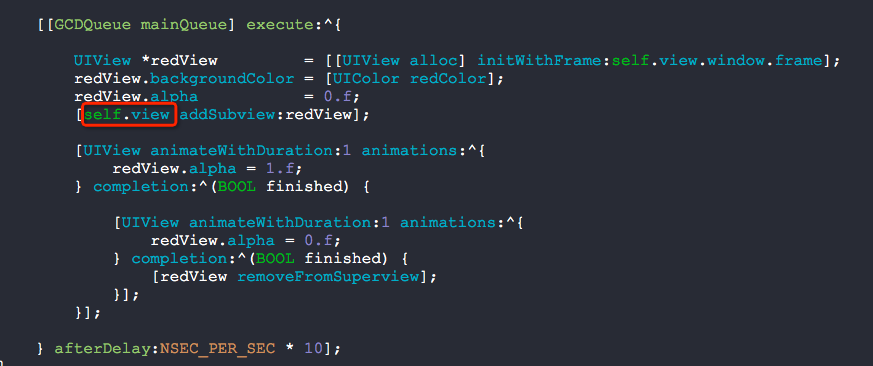
其实呢,你如果写成这样子,也是可以遮盖导航条的呢:
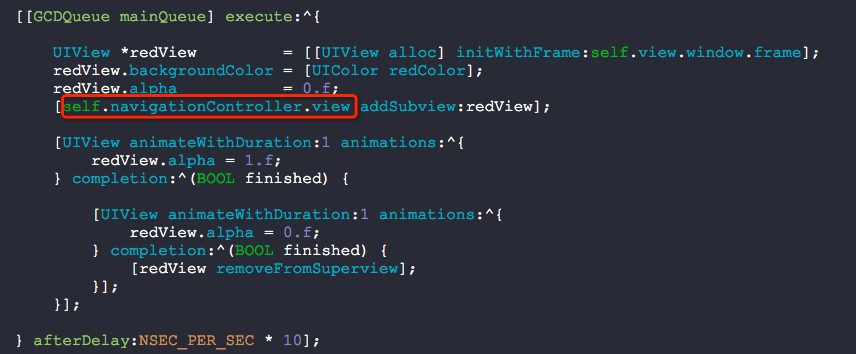
其实,就这么多东西:)
分析UIWindow的更多相关文章
- 【转】iOS应用崩溃日志分析
作为一名应用开发者,你是否有过如下经历? 为确保你的应用正确无误,在将其提交到应用商店之前,你必定进行了大量的测试工作.它在你的设备上也运行得很好,但是,上了应用商店后,还是有用户抱怨会闪退 ! ...
- iOS 第三方自定义Alertview项目MBProcessHud中的重要代码分析
做ios,弹出一个自定义的alertview挺常见的.ios7以前,我们可以对系统的UIAlertView进行一点操作,实现一点简单的定制,但是ios7不再允许我们这样做了.因此,我们需要自己创建一个 ...
- UIWindow 详解
UIWindow对象是所有UIView的根视图,管理和协调的应用程序的显示.分发事件给View.UIWindow类是UIView的子类,可以看作是特殊的UIView.一般应用程序只有一个UIWindo ...
- cocos2D(三)---- 第一cocos2d的程序代码分析
在第一讲中已经新建了第一个cocos2d程序,执行效果例如以下: 在这讲中我们来分析下里面的代码,了解cocos2d的工作原理,看看屏幕上的这个"Hello World"是怎样显示 ...
- IOS计划 分析
1.基本介绍 IOS苹果公司iPhone.iPod touch和iPad操作系统和其他设备的发展. 2.知识点 1.IOS系统 iPhone OS(现在所谓的iOS)这是iPhone, iPod to ...
- [转]MBProgressHUD 源码分析
源码来源: https://github.com/jdg/MBProgressHUD 版本:0.9.1 MBProgressHUD是一个显示HUD窗口的第三方类库,用于在执行一些后台任务时,在程序中显 ...
- JDiPad项目runtime的使用分析
首先,项目有点老 但是运行还是没有问题的.其中很多地方到了runtime,同时也看到了 早期的开发人员 基本没用pod 第三方也很少用,除了微信登录,整个项目还没看到集成的第三方SDK.然后慢慢梳理 ...
- 三、第一个cocos2d程序的代码分析
http://blog.csdn.net/q199109106q/article/details/8591706 在第一讲中已经新建了第一个cocos2d程序,运行效果如下: 在这讲中我们来分析下里面 ...
- iOS应用崩溃日志分析 iOS应用崩溃日志揭秘
转自:http://www.raywenderlich.com/zh-hans/30818/ios%E5%BA%94%E7%94%A8%E5%B4%A9%E6%BA%83%E6%97%A5%E5%BF ...
随机推荐
- CSS3秘笈:第十三章
1.float属性能把网页元素移到网页(或者其他外围快)的某一侧.出现在浮动元素之后的所有HTML都能在网页中上移,环绕在浮动元素的周围. float属性接受以下3种不同的值:left(左).righ ...
- Educational Codeforces Round 15_C. Cellular Network
C. Cellular Network time limit per test 3 seconds memory limit per test 256 megabytes input standard ...
- hdu_5773_The All-purpose Zero(LIS)
题目链接:hdu_5773_The All-purpose Zero 题意: 给你一串数,让你求LIS,不过这里的0可以改变为任意数 题解: 官方题解讲的很清楚 1010 The All-purpos ...
- hdu_5727_Necklace(二分匹配)
题目连接:hdu_5727_Necklace 题意: 有2*n个珠子,n个阳珠子,n个阴珠子,现在要将这2n个珠子做成一个项链,珠子只能阴阳交替排,有些阳珠子周围如果放了指定的阴珠子就会变坏,给你一个 ...
- view视图--display中echo出ob_get_contents的缓冲内容--(实现,拼接好文件--导入文件)
view.php01默认设置有3个公共的属性,其他属性.后面实例化的时候.通过传递参数.foreach遍历,不断的增加属性02view对象的实例化.位置在-->控制器父类的构造方法中视图的目录名 ...
- servlet第2讲(上集)----创建servlet实例(实现servlet接口)
- Google 分布式关系型数据库 F1
F1是Google开发的分布式关系型数据库,主要服务于Google的广告系统.Google的广告系统以前使用MySQL,广告系统的用户经常需要使用复杂的query和join操作,这就需要设计shard ...
- table新增空白行到首行
var str=""; str+="<tr bordercolor='#DEDEDE' bgcolor='#ffffff'>"; str+=&quo ...
- gnome3
http://askubuntu.com/questions/67753/how-do-i-add-an-application-to-the-dash https://wiki.gnome.org/ ...
- 笨方法学python--简介
该章提到编程新手所需的三种最重要的技术:读和写,注重细节,发现不同. 读 和 写 即熟悉代码中的各种字符. 注 重 细 节 将例子一字不差地打出来,通过实践训练自己 发 现 不 同 这个是通过长年累月 ...