
Struts2学习第一天--Struts2的概述、Struts2的入门、Struts2常见的配置、Struts2的Action的编写

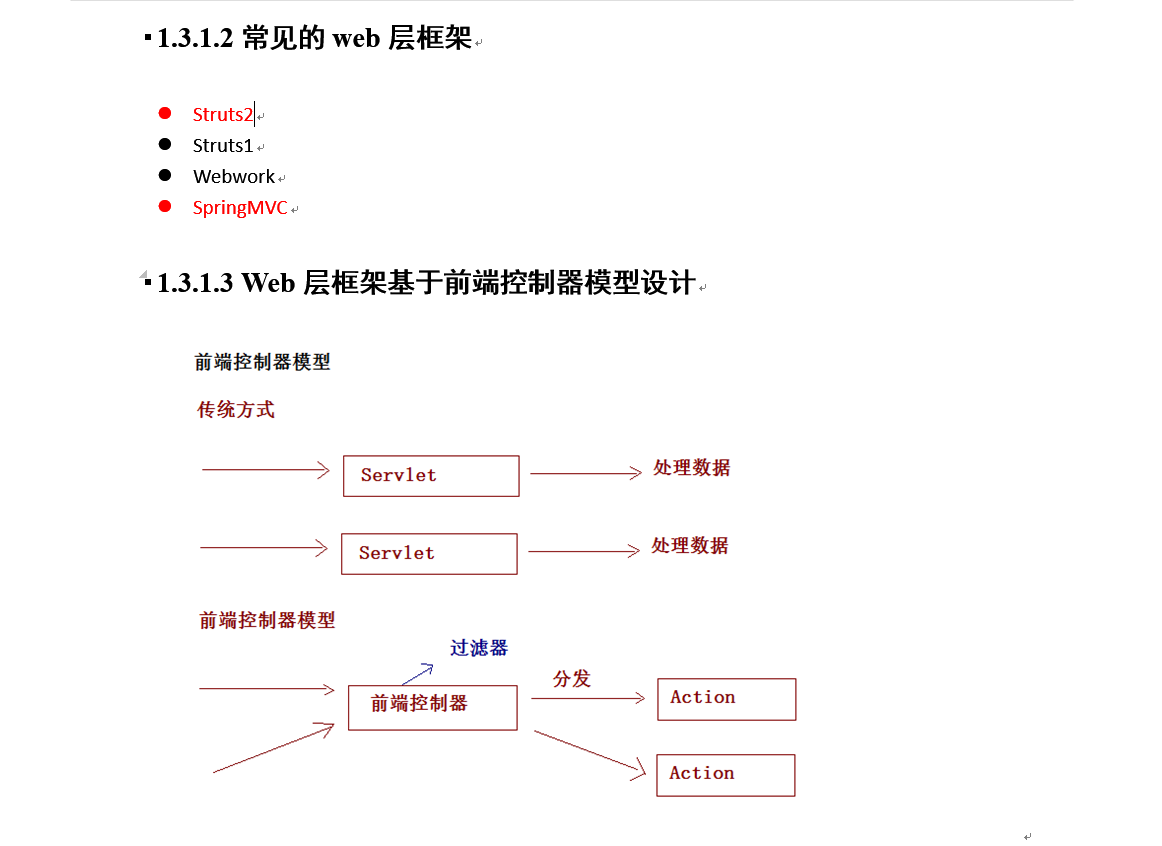

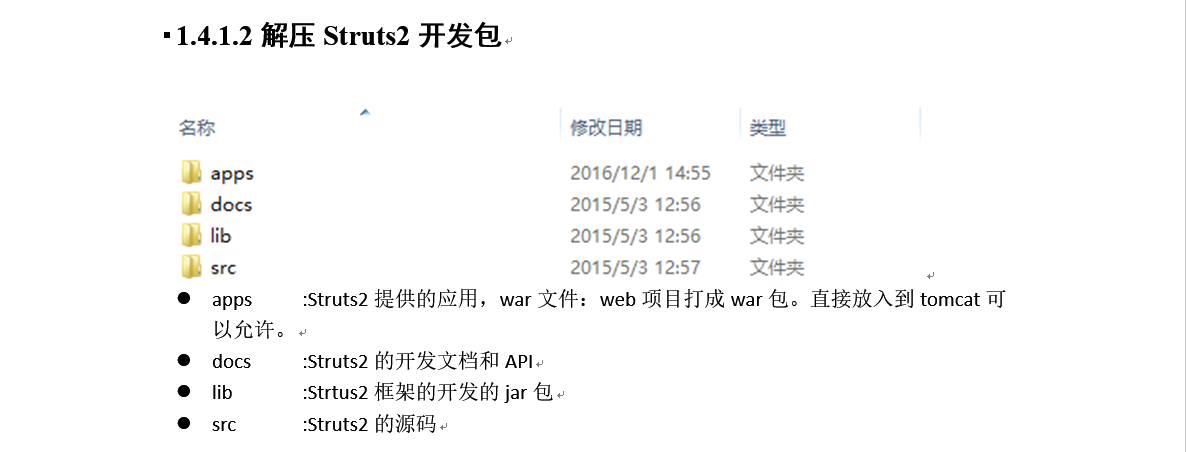
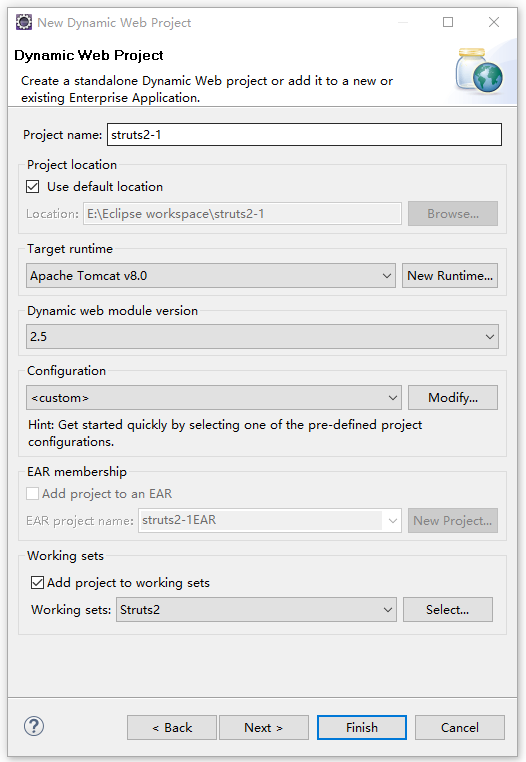
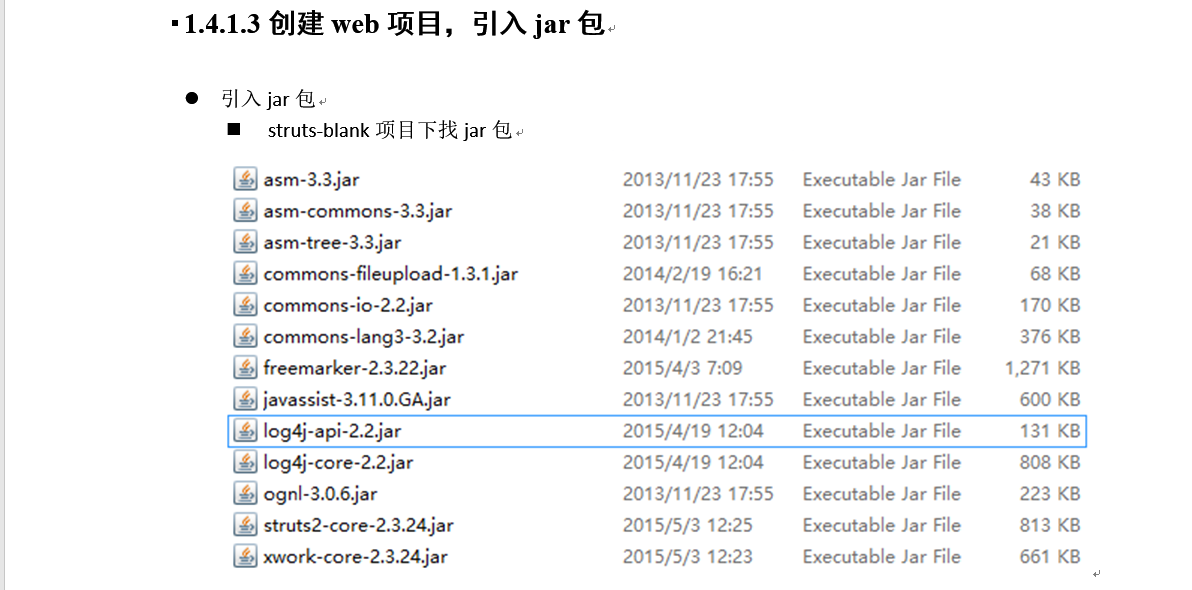




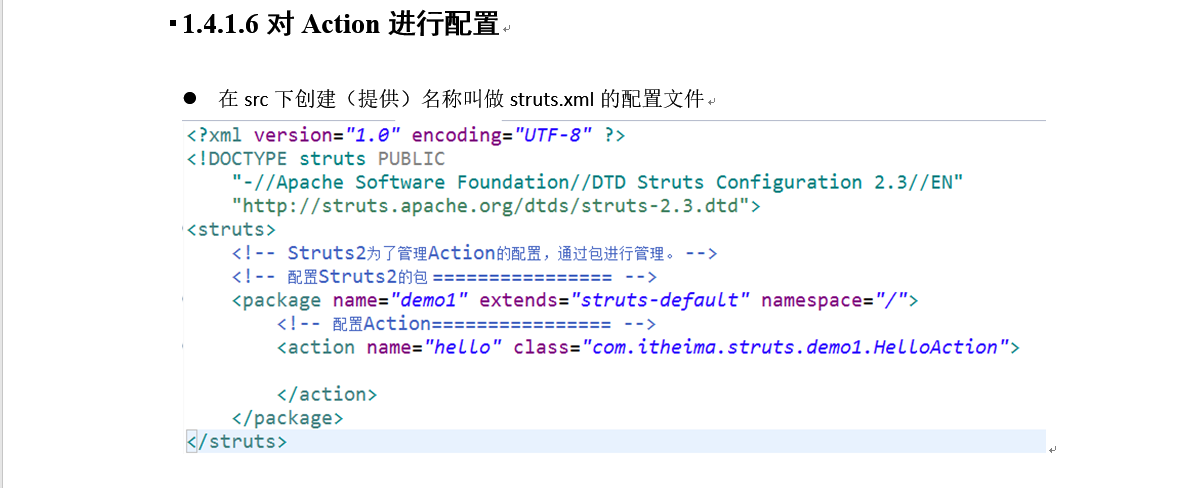
action的name要与访问路径对应。hello.action。

加到tomcat启动 访问:http://localhost:8080/struts2-1/demo1/demo1.jsp
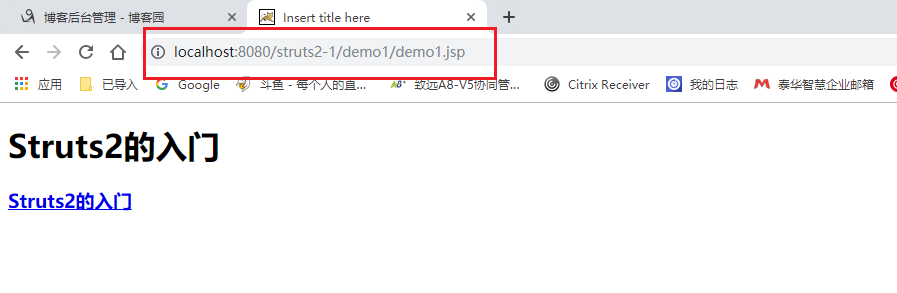
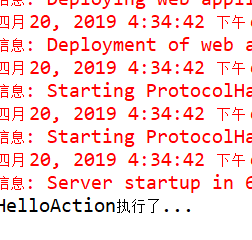
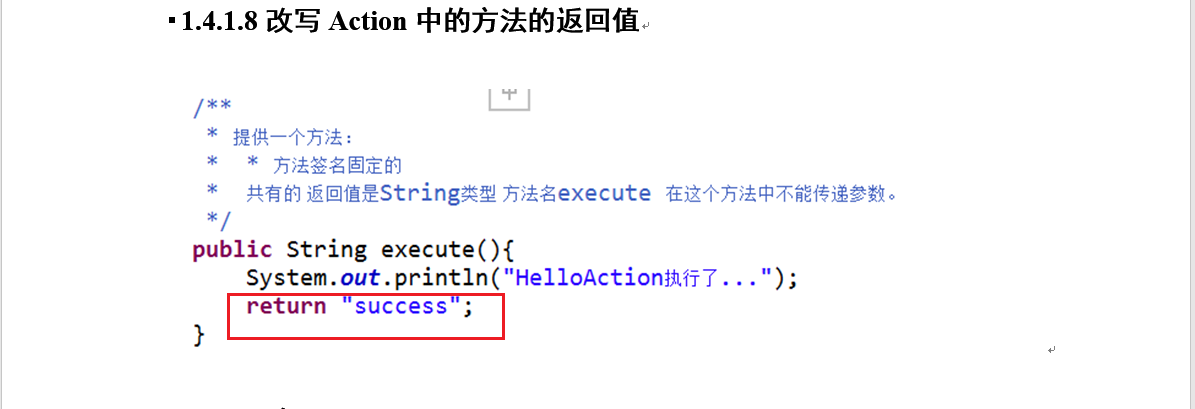
改为success
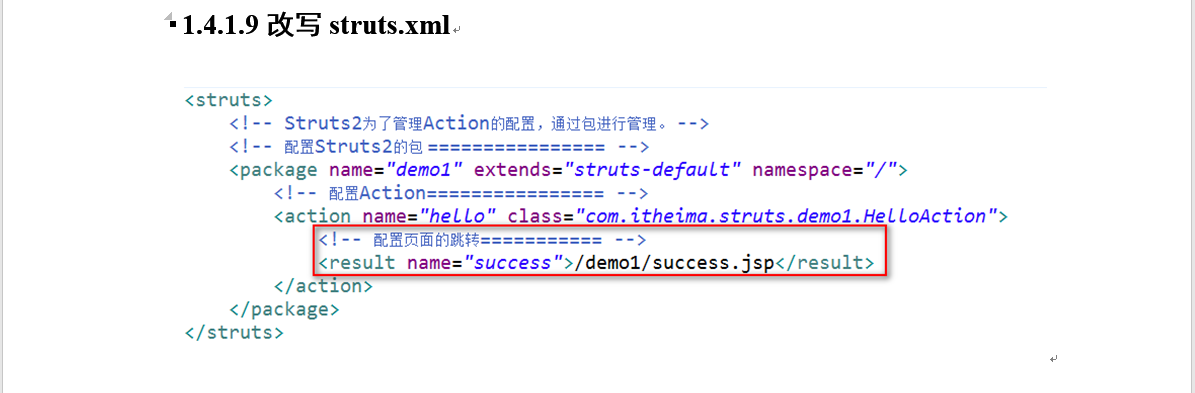
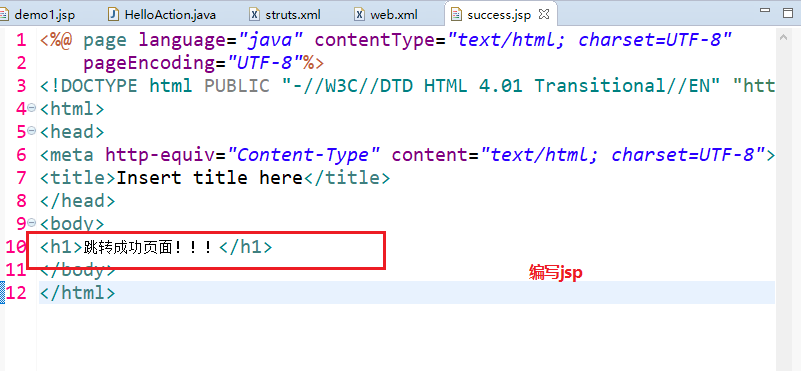
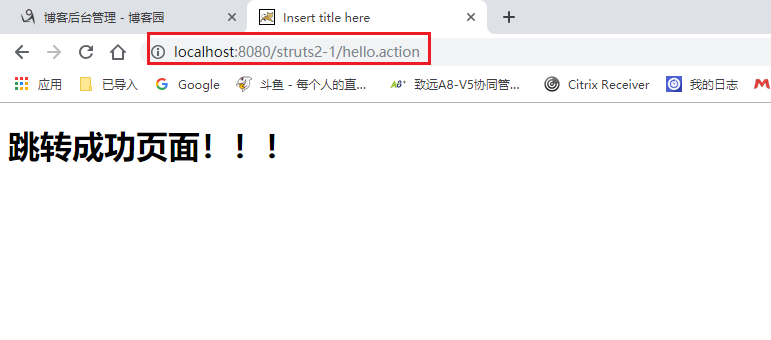
以上。
执行流程见下:

代码:
package com.itheima.struts.demo1;

/**

 * Struts2的入门的Action类

 * @author jt

 */

public class HelloAction {

	/**

	 * 提供一个方法:

	 *  * 方法签名固定的

	 *  共有的 返回值是String类型 方法名execute 在这个方法中不能传递参数。

	 */

	public String execute(){

		System.out.println("HelloAction执行了...");

		return "success";

	}

}
xml:
<?xml version="1.0" encoding="UTF-8" ?>

<!DOCTYPE struts PUBLIC

	"-//Apache Software Foundation//DTD Struts Configuration 2.3//EN"

	"http://struts.apache.org/dtds/struts-2.3.dtd">

<struts>

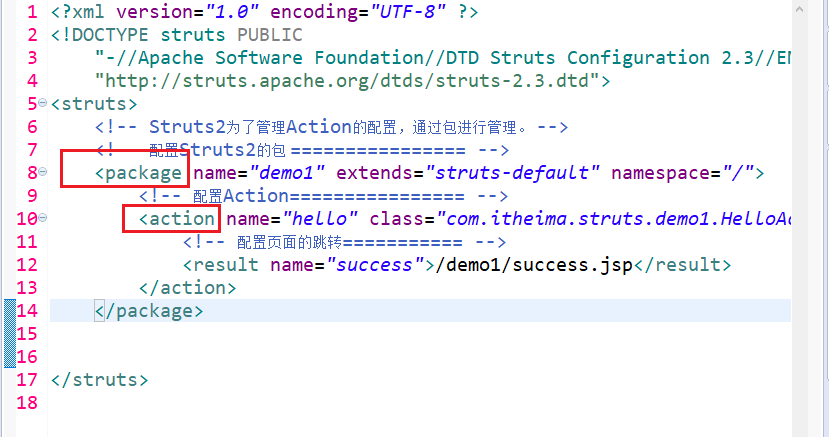
	<!-- Struts2为了管理Action的配置,通过包进行管理。 -->

	<!-- 配置Struts2的包 ================ -->

	<package name="demo1" extends="struts-default" namespace="/">

		<!-- 配置Action================ -->

		<action name="hello" class="com.itheima.struts.demo1.HelloAction" >

			<!-- 配置页面的跳转=========== -->

			<result name="success">/demo1/success.jsp</result>

		</action>

	</package>

</struts>
jsp:
<%@ page language="java" contentType="text/html; charset=UTF-8"

    pageEncoding="UTF-8"%>

<!DOCTYPE html PUBLIC "-//W3C//DTD HTML 4.01 Transitional//EN" "http://www.w3.org/TR/html4/loose.dtd">

<html>

<head>

<meta http-equiv="Content-Type" content="text/html; charset=UTF-8">

<title>Insert title here</title>

</head>

<body>

<h1>Struts2的入门</h1>

<h3><a href="${ pageContext.request.contextPath }/hello.action">Struts2的入门</a></h3>

</body>

</html>
<%@ page language="java" contentType="text/html; charset=UTF-8"

	pageEncoding="UTF-8"%>

<!DOCTYPE html PUBLIC "-//W3C//DTD HTML 4.01 Transitional//EN" "http://www.w3.org/TR/html4/loose.dtd">

<html>

<head>

<meta http-equiv="Content-Type" content="text/html; charset=UTF-8">

<title>Insert title here</title>

</head>

<body>

	<h1>跳转成功页面!!!</h1>

</body>

</html>
web.xml:
<?xml version="1.0" encoding="UTF-8"?>

<web-app xmlns:xsi="http://www.w3.org/2001/XMLSchema-instance" xmlns="http://java.sun.com/xml/ns/javaee" xsi:schemaLocation="http://java.sun.com/xml/ns/javaee http://java.sun.com/xml/ns/javaee/web-app_2_5.xsd" id="WebApp_ID" version="2.5">

  <display-name>struts2_day01</display-name>

  <welcome-file-list>

    <welcome-file>index.html</welcome-file>

    <welcome-file>index.htm</welcome-file>

    <welcome-file>index.jsp</welcome-file>

    <welcome-file>default.html</welcome-file>

    <welcome-file>default.htm</welcome-file>

    <welcome-file>default.jsp</welcome-file>

  </welcome-file-list>

  <!-- 配置Struts2的核心过滤器 -->

  <filter>

  	<filter-name>struts2</filter-name>

  	<filter-class>org.apache.struts2.dispatcher.ng.filter.StrutsPrepareAndExecuteFilter</filter-class>

  	<!-- 修改常量 -->

	<!--<init-param> -->

	<!--<param-name>struts.action.extension</param-name> -->

	<!--<param-value>xyz</param-value> -->

	<!--</init-param> -->

  </filter>

  <filter-mapping>

  	<filter-name>struts2</filter-name>

  	<url-pattern>/*</url-pattern>

  </filter-mapping>

</web-app>
当用户访问某一个Action的时候,先经过核心过滤器,在核心过滤器中执行一组拦截器(这组拦截器实现部分功能),执行目标Action,根据Action的返回值,进行页面跳转。

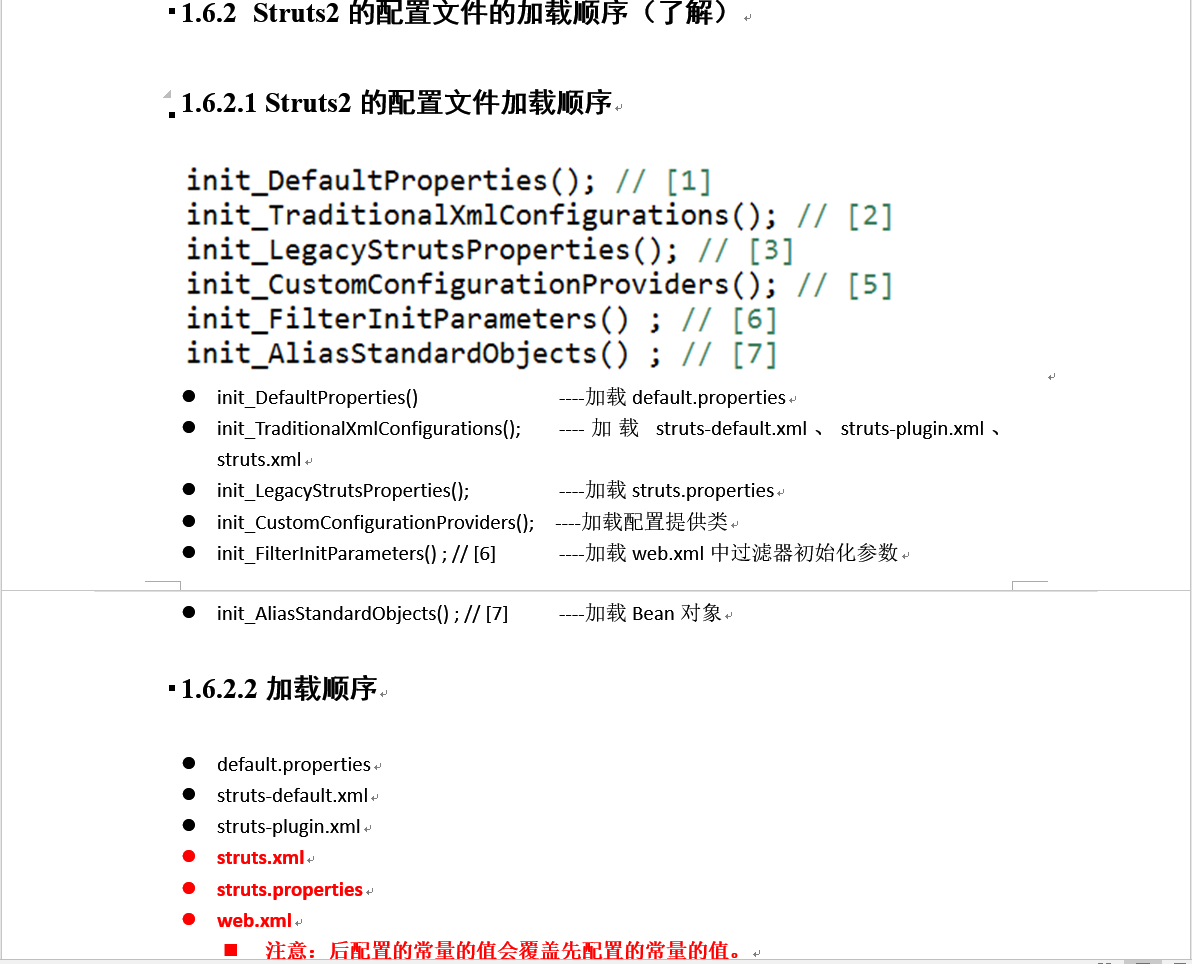



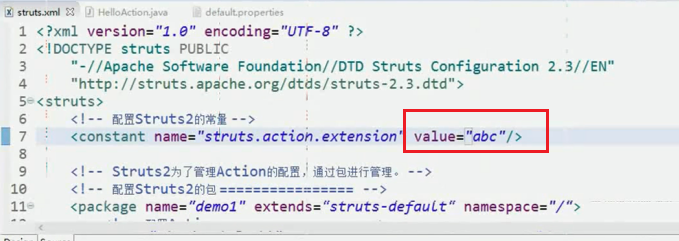
修改为abc后 再用.action访问就失效了 只能用XXX.abc进行访问。
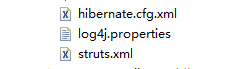
properties需要在src目录下新建一个 但是只能用来修改常量。
web.xml里面是通过过滤器的初始化参数进行修改。
如果三个文件都修改了 那么web.xml里面的会最终生效。这与加载顺序有关 后加载的会覆盖以前的。
虽然如此 但我们习惯于struts.xml中修改。(一般一进入文件就可以看到。)
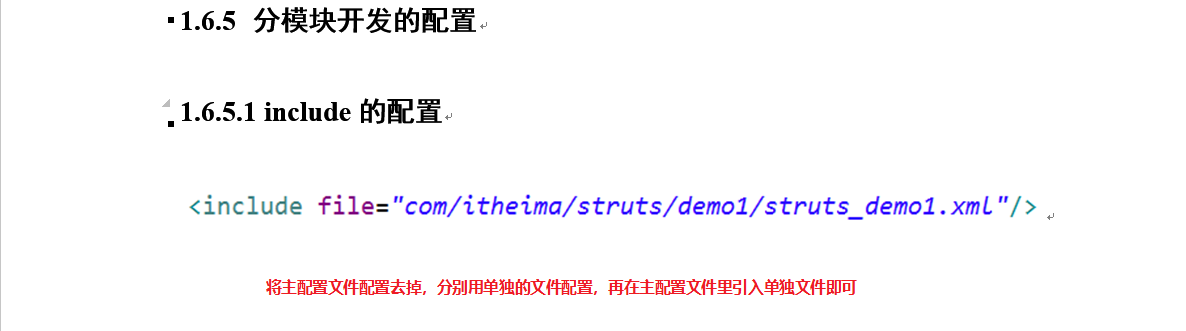

c此处代码不附上。


此处代码不附。
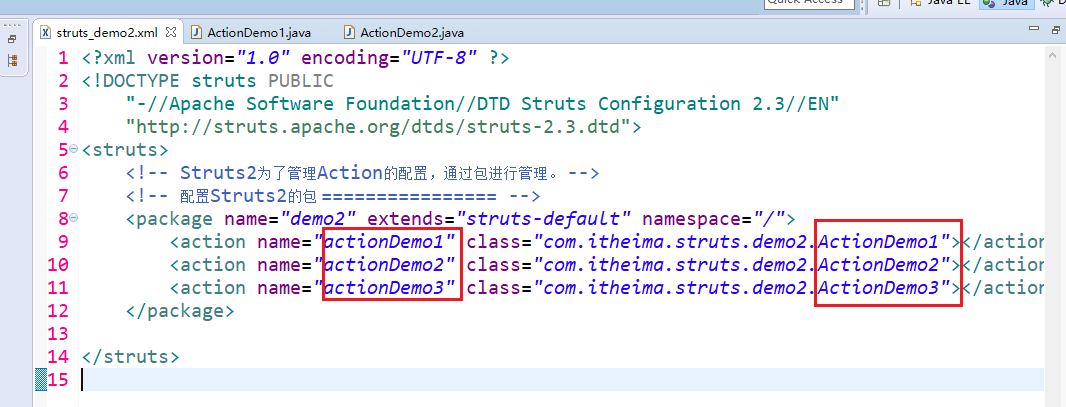
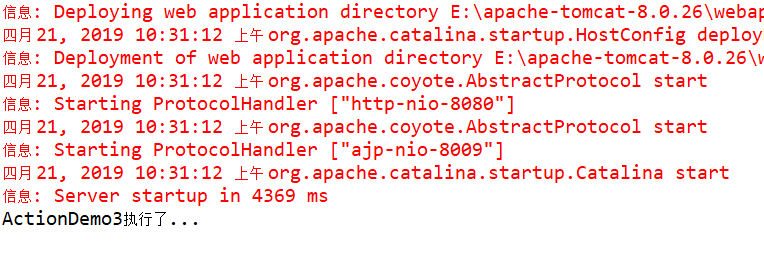
启动访问:http://localhost:8080/struts2-1/actionDemo3.action
以上三种方式 推荐使用第三种。
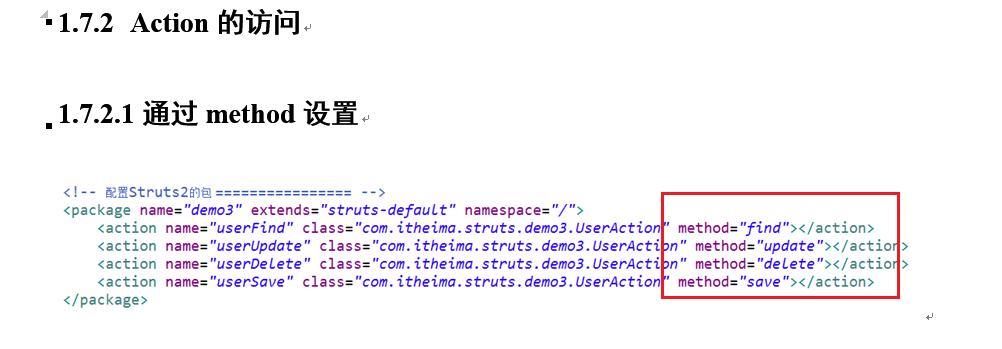
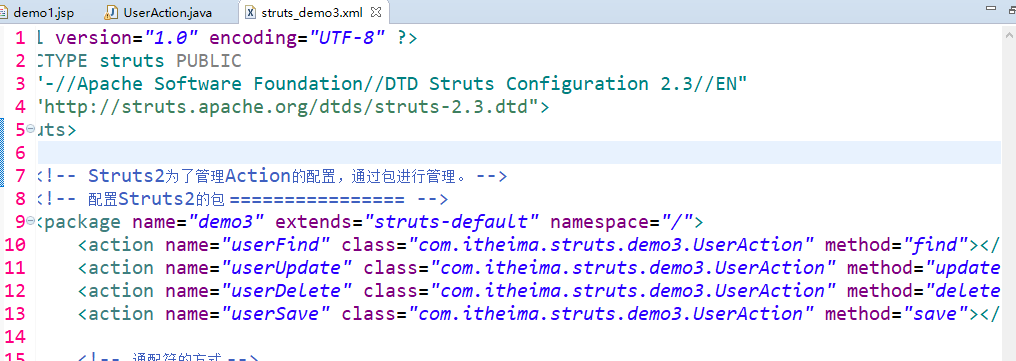
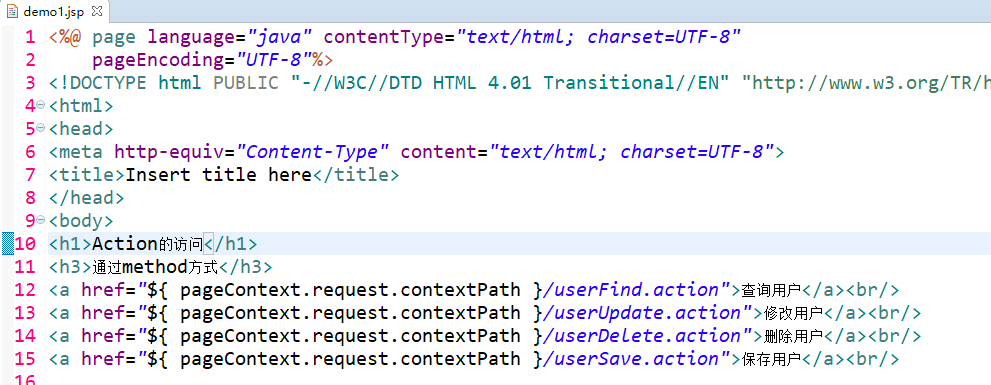
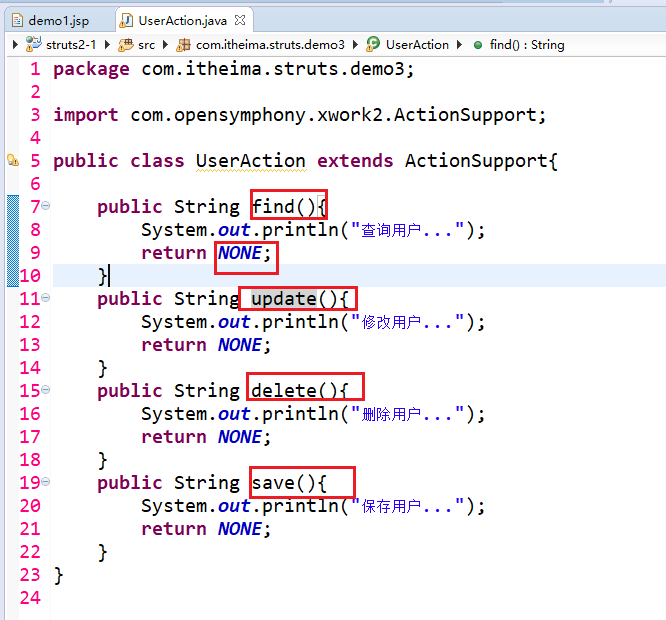

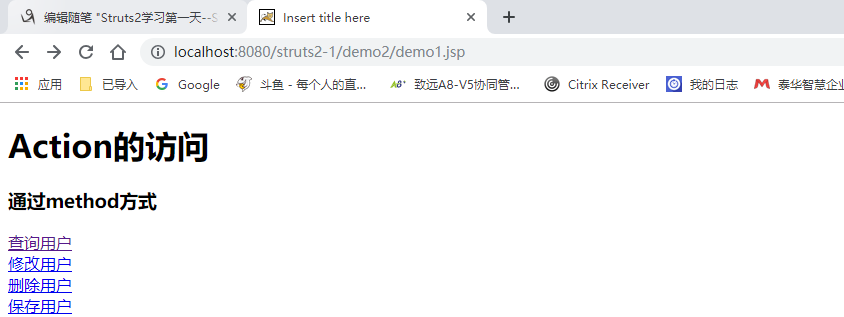
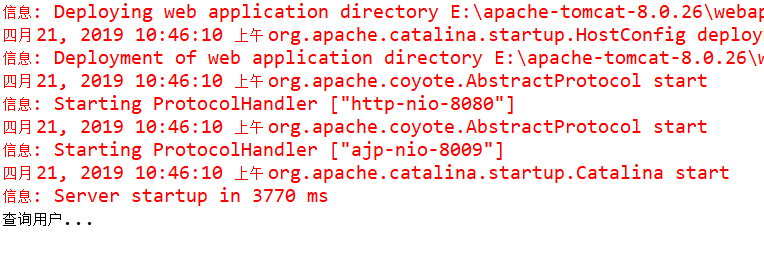


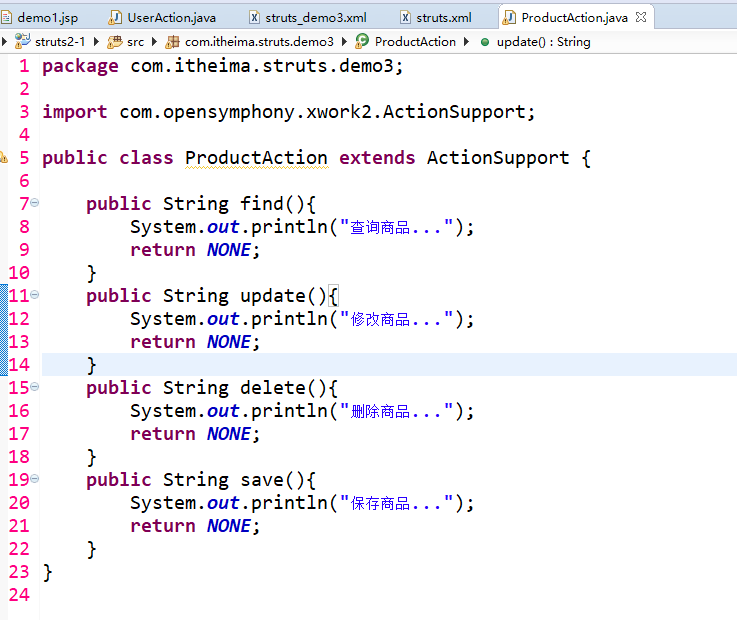
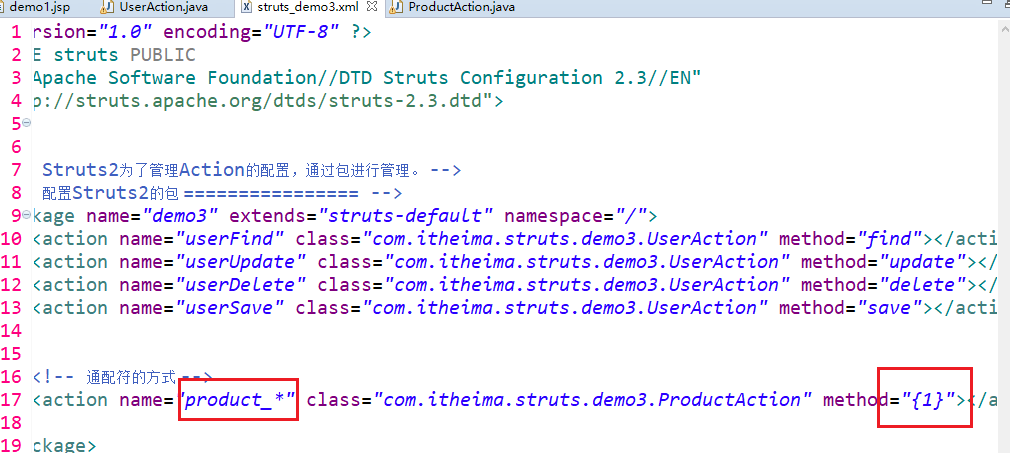
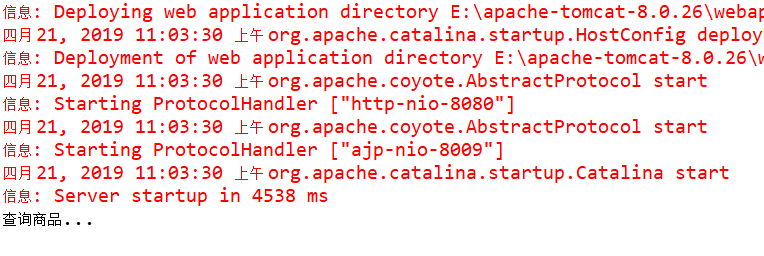


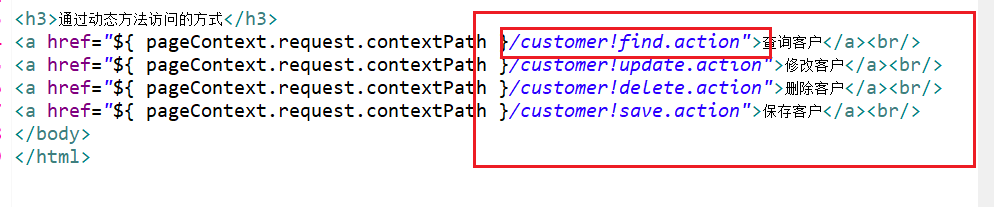


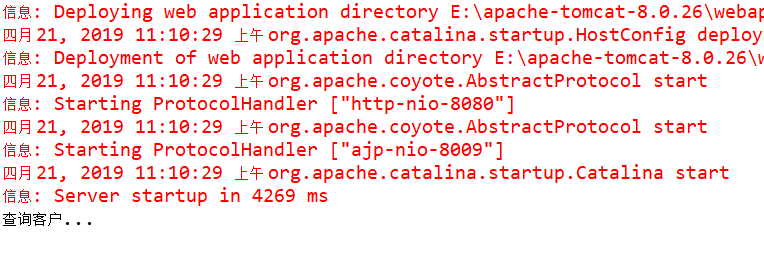
代码如下:

jsp:
<%@ page language="java" contentType="text/html; charset=UTF-8"

    pageEncoding="UTF-8"%>

<!DOCTYPE html PUBLIC "-//W3C//DTD HTML 4.01 Transitional//EN" "http://www.w3.org/TR/html4/loose.dtd">

<html>

<head>

<meta http-equiv="Content-Type" content="text/html; charset=UTF-8">

<title>Insert title here</title>

</head>

<body>

<h1>Action的访问</h1>

<h3>通过method方式</h3>

<a href="${ pageContext.request.contextPath }/userFind.action">查询用户</a><br/>

<a href="${ pageContext.request.contextPath }/userUpdate.action">修改用户</a><br/>

<a href="${ pageContext.request.contextPath }/userDelete.action">删除用户</a><br/>

<a href="${ pageContext.request.contextPath }/userSave.action">保存用户</a><br/>

<h3>通过通配符的方式</h3>

<a href="${ pageContext.request.contextPath }/product_find.action">查询商品</a><br/>

<a href="${ pageContext.request.contextPath }/product_update.action">修改商品</a><br/>

<a href="${ pageContext.request.contextPath }/product_delete.action">删除商品</a><br/>

<a href="${ pageContext.request.contextPath }/product_save.action">保存商品</a><br/>

<h3>通过动态方法访问的方式</h3>

<a href="${ pageContext.request.contextPath }/customer!find.action">查询客户</a><br/>

<a href="${ pageContext.request.contextPath }/customer!update.action">修改客户</a><br/>

<a href="${ pageContext.request.contextPath }/customer!delete.action">删除客户</a><br/>

<a href="${ pageContext.request.contextPath }/customer!save.action">保存客户</a><br/>

</body>

</html>
三个action:
package com.itheima.struts.demo3;

import com.opensymphony.xwork2.ActionSupport;

public class UserAction extends ActionSupport{

	public String find(){

		System.out.println("查询用户...");

		return NONE;

	}

	public String update(){

		System.out.println("修改用户...");

		return NONE;

	}

	public String delete(){

		System.out.println("删除用户...");

		return NONE;

	}

	public String save(){

		System.out.println("保存用户...");

		return NONE;

	}

}
package com.itheima.struts.demo3;

import com.opensymphony.xwork2.ActionSupport;

public class ProductAction extends ActionSupport {

	public String find(){

		System.out.println("查询商品...");

		return NONE;

	}

	public String update(){

		System.out.println("修改商品...");

		return NONE;

	}

	public String delete(){

		System.out.println("删除商品...");

		return NONE;

	}

	public String save(){

		System.out.println("保存商品...");

		return NONE;

	}

}
package com.itheima.struts.demo3;

import com.opensymphony.xwork2.ActionSupport;

public class CustomerAction extends ActionSupport {

	public String find(){

		System.out.println("查询客户...");

		return NONE;

	}

	public String delete(){

		System.out.println("删除客户...");

		return NONE;

	}

	public String update(){

		System.out.println("修改客户...");

		return NONE;

	}

	public String save(){

		System.out.println("保存客户...");

		return NONE;

	}

}

见下:
<?xml version="1.0" encoding="UTF-8" ?>

<!DOCTYPE struts PUBLIC

	"-//Apache Software Foundation//DTD Struts Configuration 2.3//EN"

	"http://struts.apache.org/dtds/struts-2.3.dtd">

<struts>

	<!-- 开启动态方法访问 -->

	<constant name="struts.enable.DynamicMethodInvocation" value="true"/>

	<!-- Struts2为了管理Action的配置,通过包进行管理。 -->

	<!-- 配置Struts2的包 ================ -->

	<package name="demo3" extends="struts-default" namespace="/">

		<action name="userFind" class="com.itheima.struts.demo3.UserAction" method="find"></action>

		<action name="userUpdate" class="com.itheima.struts.demo3.UserAction" method="update"></action>

		<action name="userDelete" class="com.itheima.struts.demo3.UserAction" method="delete"></action>

		<action name="userSave" class="com.itheima.struts.demo3.UserAction" method="save"></action>

		<!-- 通配符的方式 -->

		<action name="product_*" class="com.itheima.struts.demo3.ProductAction" method="{1}"></action>

		<!-- 动态方法访问的方式 -->

		<action name="customer" class="com.itheima.struts.demo3.CustomerAction"></action>

	</package>

</struts>
struts.xml:
<?xml version="1.0" encoding="UTF-8" ?>

<!DOCTYPE struts PUBLIC

	"-//Apache Software Foundation//DTD Struts Configuration 2.3//EN"

	"http://struts.apache.org/dtds/struts-2.3.dtd">

<struts>

	<!-- 配置Struts2的常量 -->

	<constant name="struts.action.extension" value="action"/>

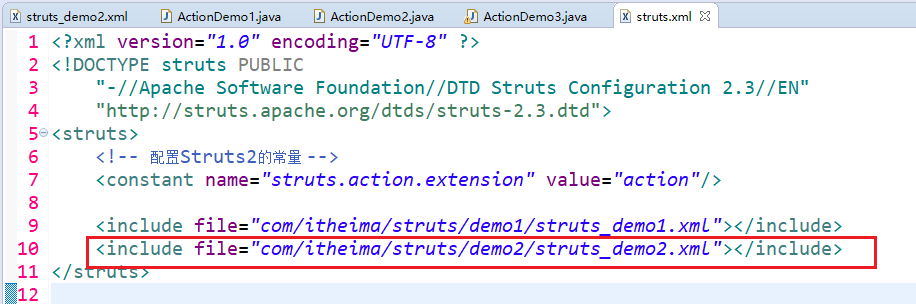
	<include file="com/itheima/struts/demo1/struts_demo1.xml"></include>

	<include file="com/itheima/struts/demo2/struts_demo2.xml"></include>

	<include file="com/itheima/struts/demo3/struts_demo3.xml"></include>

</struts>
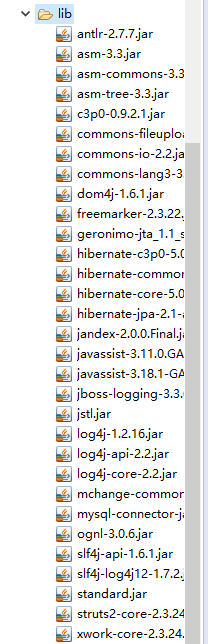
其中有俩jstl的包 standard 和jstl。

CREATE TABLE `cst_customer` (

  `cust_id` BIGINT(32) NOT NULL AUTO_INCREMENT COMMENT '客户编号(主键)',

  `cust_name` VARCHAR(32) NOT NULL COMMENT '客户名称(公司名称)',

  `cust_source` VARCHAR(32) DEFAULT NULL COMMENT '客户信息来源',

  `cust_industry` VARCHAR(32) DEFAULT NULL COMMENT '客户所属行业',

  `cust_level` VARCHAR(32) DEFAULT NULL COMMENT '客户级别',

  `cust_phone` VARCHAR(64) DEFAULT NULL COMMENT '固定电话',

  `cust_mobile` VARCHAR(16) DEFAULT NULL COMMENT '移动电话',

  PRIMARY KEY (`cust_id`)

) ENGINE=INNODB AUTO_INCREMENT=1 DEFAULT CHARSET=utf8;
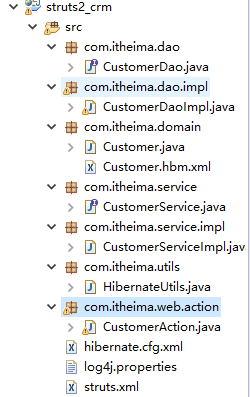
新建包结构:


在页面menu.html中修改。

然后引入jstl的包 以便使用。
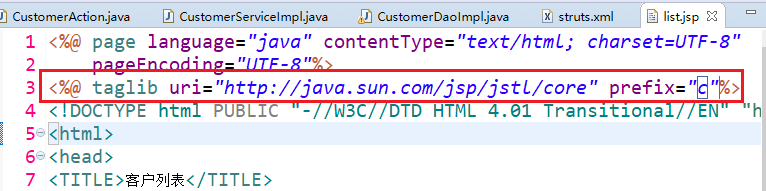

同时修改jsp。
再在hibeinate映射文件中引入映射

数据库中添加两条数据:
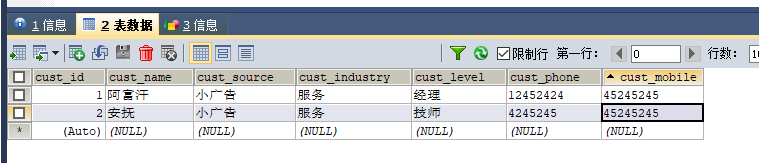
再次启动项目:
http://localhost:8080/struts2_crm/

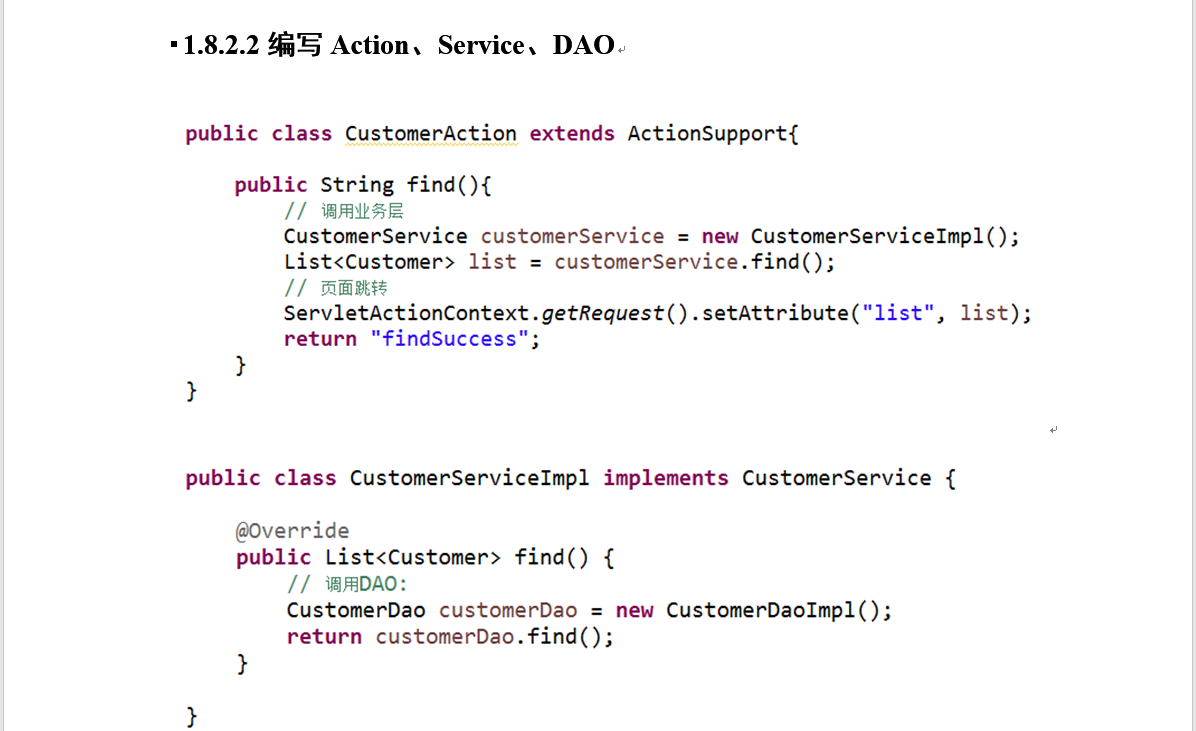
代码略;
Struts2学习第一天--Struts2的概述、Struts2的入门、Struts2常见的配置、Struts2的Action的编写的更多相关文章
- 【Java EE 学习 34】【struts2学习第一天】
一.struts2简介 struts2是一个用来开发MVC应用程序的框架.它提供了Web应用程序开发过程中的一些常见问题的解决方案. 1.struts2的作用域范围:三层架构当中的第一层,相当于MVC ...
- struts2学习第一天
Stuts2是基于MVC设计模式成熟的Web应用框架.不仅仅是Struts1的下一个版本,是一个全新的Struts架构.由WebWork社区跟Strut社区联手打造的.(教程来自W3Cschool) ...
- Struts2 学习第一步准备工作
第一步:安装下载MyEclispe10 对于MyEclispe的下载安装就不再详述了. 第二步:下载Struts-2.3.15 Struts-2.3.15下载地址: http://struts.apa ...
- Struts2学习第一天——struts2基本流程与配置
struts2框架 什么是框架,框架有什么用? 框架 是 实现部分功能的代码 (半成品),使用框架简化企业级软件开发 ,提高开发效率. 学习框架 ,清楚的知道框架能做什么? 还有哪些工作需要自己编码实 ...
- {java学习}[第一章]软件开发概述(2017.1.11).
- [java学习笔记]java语言基础概述之数组的定义&常见操作(遍历、排序、查找)&二维数组
1.数组基础 1.什么是数组: 同一类型数据的集合,就是一个容器. 2.数组的好处: 可以自动为数组中的元素从零开始编号,方便操作这些数据. 3.格式: (一 ...
- 零基础学习java------31---------共享单车案例,html快速入门(常见标签,get和post的区别)
一 .单车案例 二. HTML快速入门 红字表示要掌握的内容 超文本标记语言,此处的标记指的即是关键字,其用处是用来写页面(展示数据). 语法:(1)./当前目录:../ 父级目录 (2)注释符号: ...
- [原创]java WEB学习笔记75:Struts2 学习之路-- 总结 和 目录
本博客的目的:①总结自己的学习过程,相当于学习笔记 ②将自己的经验分享给大家,相互学习,互相交流,不可商用 内容难免出现问题,欢迎指正,交流,探讨,可以留言,也可以通过以下方式联系. 本人互联网技术爱 ...
- [原创]java WEB学习笔记54:Struts2学习之路---概述,环境的搭建
本博客的目的:①总结自己的学习过程,相当于学习笔记 ②将自己的经验分享给大家,相互学习,互相交流,不可商用 内容难免出现问题,欢迎指正,交流,探讨,可以留言,也可以通过以下方式联系. 本人互联网技术爱 ...
随机推荐
- PL/SQL 训练10--io及文件操作
多数程序只需要通过SQL和底层数据库进行交互--有些情况,不可避免的还是会有一些场景,需要从PL/SQL给外部环境发送信息--或是从一些外部的源读入信息 --这节课介绍下面这些内置包 dbms_out ...
- 二 mysql容量规划,性能测试
何为基线- 当前运行状态记录.快照- 用于和未来的状态进行对比- 未来时刻产生关键事件后的新状态,作为下一个基线基线数据收集,关注哪些要点- 系统负载- MySQL运行状态- 相应的业务指标1.系统& ...
- Java面向对象-String类
1,实例化String对象 有两种方式,我们直接看代码: package com.java1234.chap03.sec08; public class Demo1 { public static v ...
- Vulkan Tutorial 09 图像与视图
操作系统:Windows8.1 显卡:Nivida GTX965M 开发工具:Visual Studio 2017 使用任何的VkImage,包括在交换链或者渲染管线中的,我们都需要创建VkImage ...
- 配置环境是程序员的第一步 -- Windows 10 下 MySQL 安装
MySQL 作为最典型的关系型数据库管理系统,由于其体积小.速度快.总体拥有成本低,尤其是其开放源码这一特点,一般中小型网站的开发都选择 MySQL 作为网站数据库.MySQL 社区版的功能也足够我们 ...
- 关于CountDownLatch控制线程的执行顺序
在上一篇文章中说过使用thread.join()方法.newSingleThreadExecutor单线程池来控制线程执行顺序.在文章的末尾我提出了一种构想,可否使用经典的生产者和消费者模型来控制执行 ...
- 【HDU6026】Deleting Edges
题意 有一个n个节点的无向图,结点编号从0-n-1,每条边的长度时1to9的一个正整数.现在要删除一些边(或者不删),使得到的新图满足下面两个要求. 1.新图是一颗树有n-1条边2.对于每个结点v(0 ...
- Weblogic的安装、配置与应用部署
1. Weblogic安装 1.1 Linux下安装过程 安装环境: 操作系统: redhat-release-5Server-5.4.0.3 Weblogic版本: Weblogic 9.24 1) ...
- SpringBoot:阿里数据源配置、JPA显示sql语句、格式化JPA查询的sql语句
1 数据源和JPA配置 1.1 显示sql配置和格式化sql配置 者两个配置都是属于hibernate的配置,但是springdatajpa给我们简化了:所有hibernate的配置都在jpa下面的p ...
- realsense and Mask_RCNN
###################librealsense and Mask_RCNN cd RealSennse/librealsense2018091501/librealsense/wrap ...