
简单创建一个SpringCloud2021.0.3项目(三)
1. 项目说明
当前这篇教程是:
1. Gateway集成Sentinel做限流、熔断降级(超时、异常比例、异常数),集成Sentinel控制台动态配置策略
2. SpringCloud 2020版之后就集成LoadBalancer,默认是轮询策略。自定义负载均衡策略,比如某台服务器性能好,可以多分配
简单创建一个SpringCloud2021.0.3项目(一)
简单创建一个SpringCloud2021.0.3项目(二)
简单创建一个SpringCloud2021.0.3项目(三)
简单创建一个SpringCloud2021.0.3项目(四)
1. 版本
- SpringCloud版本为2021.0.3
- SpringBoot版本为2.7.2
2. 用到组件
- 注册中心:暂时用Eureka,后面再改成Nacos
- 网关:Gateway
- 权限:Security,Gateway集成
- 负载均衡:LoadBalancer,SpringCloud2020版之后就集成LoadBalancer
- 限流、熔断降级:Sentinel
- 配置中心:暂时用Config,后面改成Nacos
- 服务间访问:Feign
3. 功能
- 项目最基本功能,权限控制,在分布式系统中基于Token的身份验证。
- 前端登陆,做了2种方式。用户、密码、验证码;邮箱、验证码、图片滑块;并且前端加密传给后端解密;登陆异常次数限制;
- 限流、负载均衡,应对高并发情况,降低系统负载;
- 服务熔断降级:避免系统雪崩,提高系统可用性;
- 两种方式的多数据源,一种是通过AOP方式动态切换数据源,另一种是不同数据源管理的数据各不相同;
- 日志系统Logback,是SpringBoot默认集成
2. 上俩篇教程
简单创建一个SpringCloud2021.0.3项目(一)
简单创建一个SpringCloud2021.0.3项目(二)
- 新建Eureka注册中心
- 新建Config配置中心,producerService服务读取参数
- 2个业务服务(producerService和webService),webService通过Feign调用producerService的服务
- webService用到多数据源,不同的数据源管理不同的数据;security模块测试通过AOP方式动态切换数据源
- 抽取公共模块common,集成redis
- 新建Gateway网关,集成Security,做登陆和资源权限控制
- 前端登陆,做了2种方式。用户、密码、验证码;邮箱、验证码、图片滑块;并且前端加密传给后端解密;登陆异常次数限制
- 在分布式系统中基于Token的身份验证
- 每次请求刷新用户会话有效时间
3. Gateway集成sentinel,网关层做熔断降级
1. 超时熔断降级
- 添加sentinel依赖
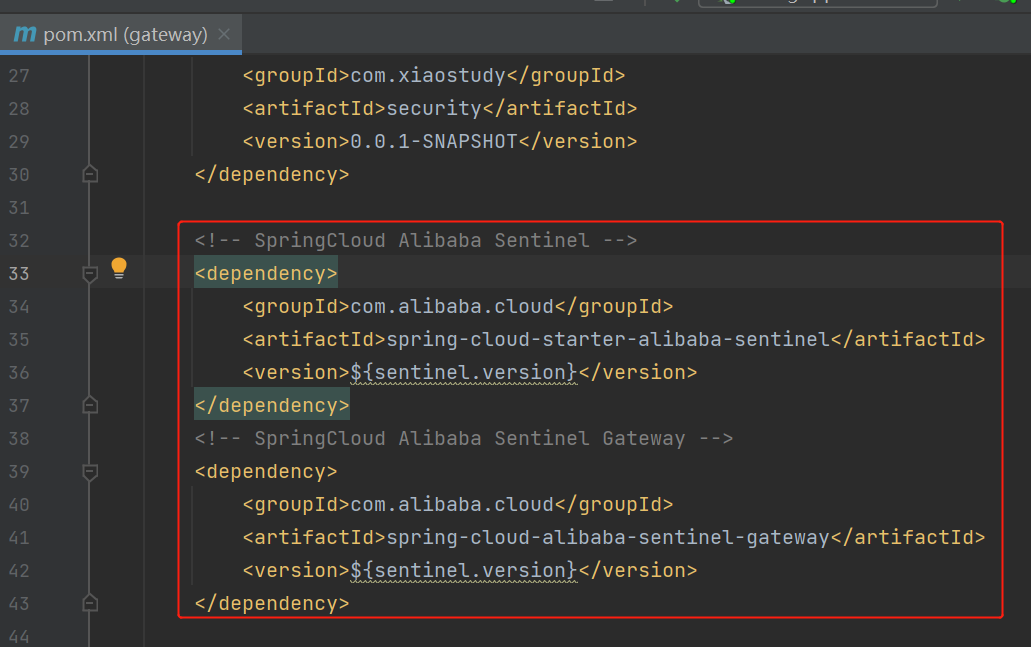
<!-- SpringCloud Alibaba Sentinel -->

<dependency>

    <groupId>com.alibaba.cloud</groupId>

    <artifactId>spring-cloud-starter-alibaba-sentinel</artifactId>

    <version>${sentinel.version}</version>

</dependency>

<!-- SpringCloud Alibaba Sentinel Gateway -->

<dependency>

    <groupId>com.alibaba.cloud</groupId>

    <artifactId>spring-cloud-alibaba-sentinel-gateway</artifactId>

    <version>${sentinel.version}</version>

</dependency>
- 配置熔断规则,配置类
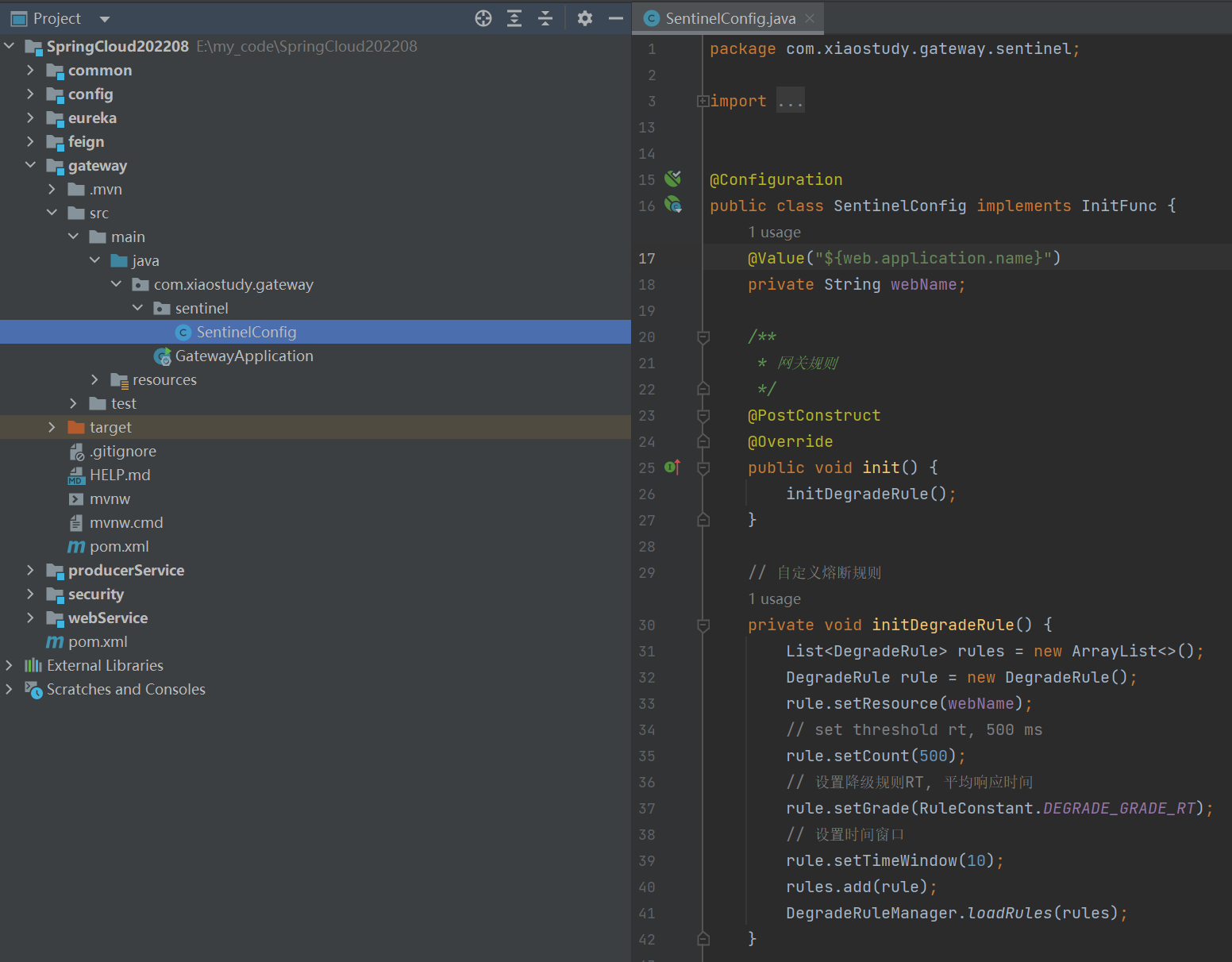
点击查看代码
package com.xiaostudy.gateway.sentinel;

import com.alibaba.csp.sentinel.init.InitFunc;

import com.alibaba.csp.sentinel.slots.block.RuleConstant;

import com.alibaba.csp.sentinel.slots.block.degrade.DegradeRule;

import com.alibaba.csp.sentinel.slots.block.degrade.DegradeRuleManager;

import org.springframework.beans.factory.annotation.Value;

import org.springframework.context.annotation.Configuration;

import javax.annotation.PostConstruct;

import java.util.ArrayList;

import java.util.List;

@Configuration

public class SentinelConfig implements InitFunc {

    @Value("${web.application.name}")

    private String webName;

    /**

     * 网关规则

     */

    @PostConstruct

    @Override

    public void init() {

        initDegradeRule();

    }

    // 自定义熔断规则

    private void initDegradeRule() {

        List<DegradeRule> rules = new ArrayList<>();

        DegradeRule rule = new DegradeRule();

        rule.setResource(webName);

        // set threshold rt, 500 ms

        rule.setCount(500);

        // 设置降级规则RT, 平均响应时间

        rule.setGrade(RuleConstant.DEGRADE_GRADE_RT);

        // 设置时间窗口

        rule.setTimeWindow(10);

        rules.add(rule);

        DegradeRuleManager.loadRules(rules);

    }

}
- 配置文件添加参数
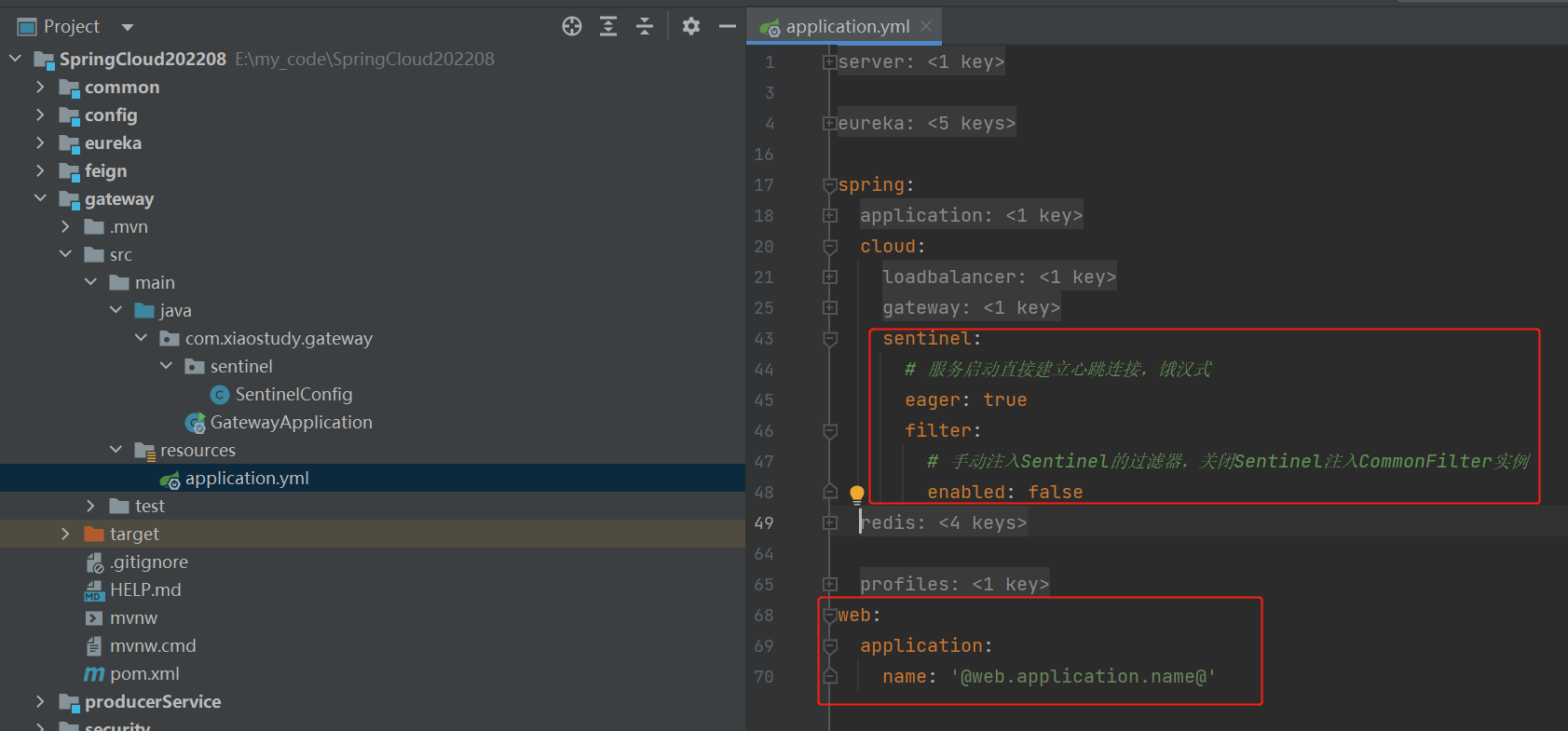
此时的配置文件
server:

  port: '@gateway.port@'

eureka:

  port: '@eureka.port@'

  ip: '@eureka.ip@'

  url-name: '@eureka.url.name@'

  instance:

    # 把本机IP注册到eureka而不是本机机器名

    preferIpAddress: true

    # 把本机IP注册到eureka,由下面参数组成

    instance-id: ${spring.cloud.client.ip-address}:${server.port}

  client:

    serviceUrl:

      defaultZone: http://@eureka.user.name@:@eureka.user.password@@${eureka.ip}:${eureka.port}/${eureka.url-name}/

spring:

  application:

    name: '@gateway.application.name@'

  cloud:

    loadbalancer:

      retry:

        # 关闭重试

        enabled: false

    gateway:

      routes:

        # 路由的id,没有规定规则但要求唯一,建议配合服务名

        - id: '@producer.application.name@'

          # 匹配后提供服务的路由地址,LoadBalancer做负载均衡

          uri: lb://@producer.application.name@

          predicates:

            # 断言,路径相匹配的进行路由

            - Path=/producer/**

          filters:

            # 去掉url一级前缀,例如http://localhost:9904/producer/producerTest/getByName,等同于http://localhost:9901/producerTest/getByName

            - StripPrefix=1

        - id: '@web.application.name@'

          uri: lb://@web.application.name@

          predicates:

            - Path=/web/**

          filters:

            - StripPrefix=1

    sentinel:

      # 服务启动直接建立心跳连接,饿汉式

      eager: true

      filter:

        # 手动注入Sentinel的过滤器,关闭Sentinel注入CommonFilter实例

        enabled: false

  redis:

    host: localhost

    port: 6379

    # 默认0

    database: 1

    lettuce:

      pool:

        # 连接池最大连接数(使用负值表示没有限制),默认值:8

        max-active: 20

        # 连接池中的最大空闲连接,默认值:8

        max-idle: 10

        # 连接池中的最小空闲连接,默认值:0

        min-idle: 1

        # 连接池最大阻塞等待时间(使用负值表示没有限制),默认值:-1,单位:毫秒

        max-wait: 2000

  profiles:

    # 使用的配置文件后缀application-security.yml。一个或多个,中间英文逗号分开

    active: security

web:

  application:

    name: '@web.application.name@'
生产者这个接口睡眠600毫秒,一个从web通过feign读取,一个直接从producer读取,web的我们已经设置超时熔断,producer没有设置
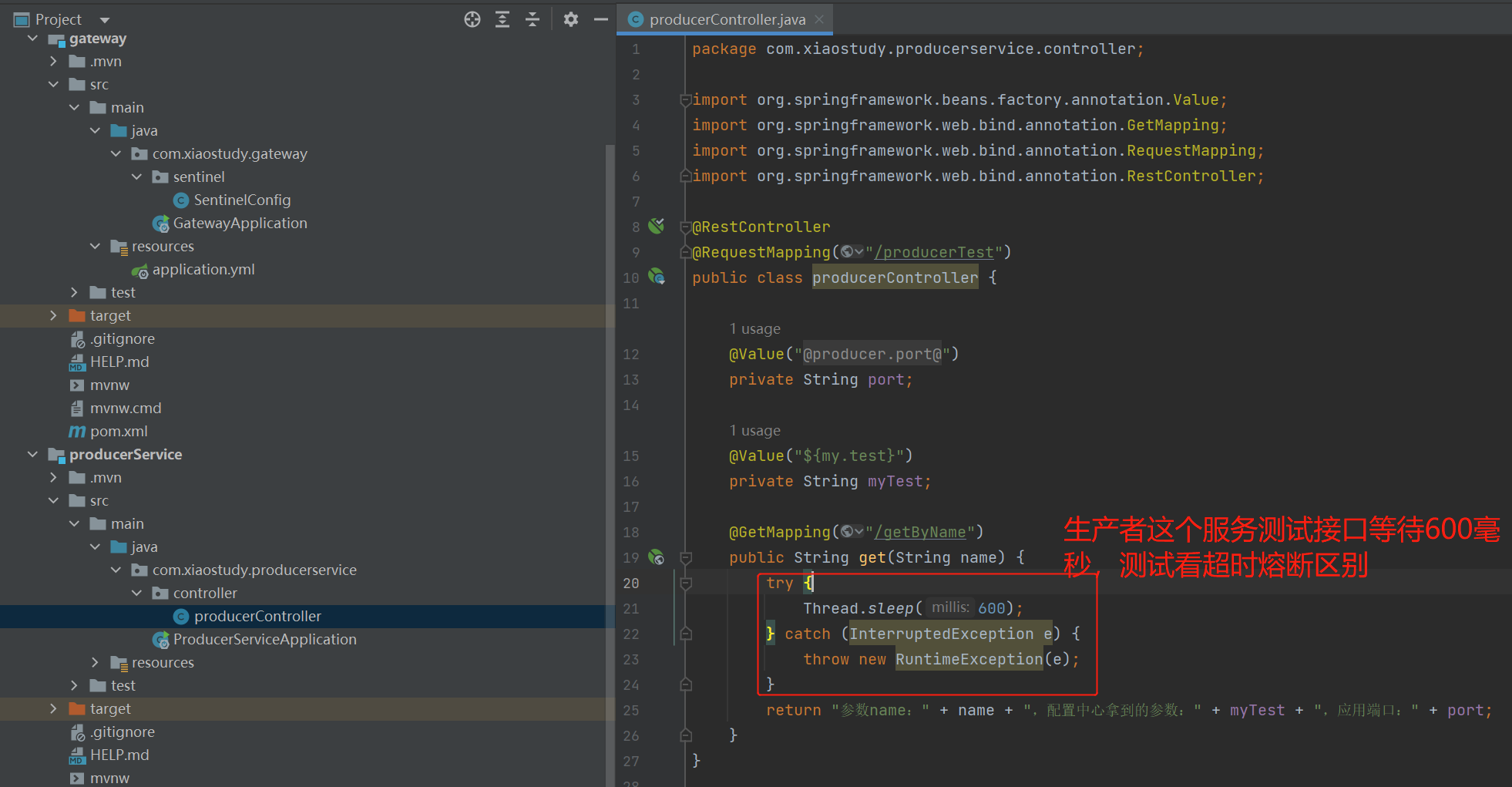
重启producerService和gateway
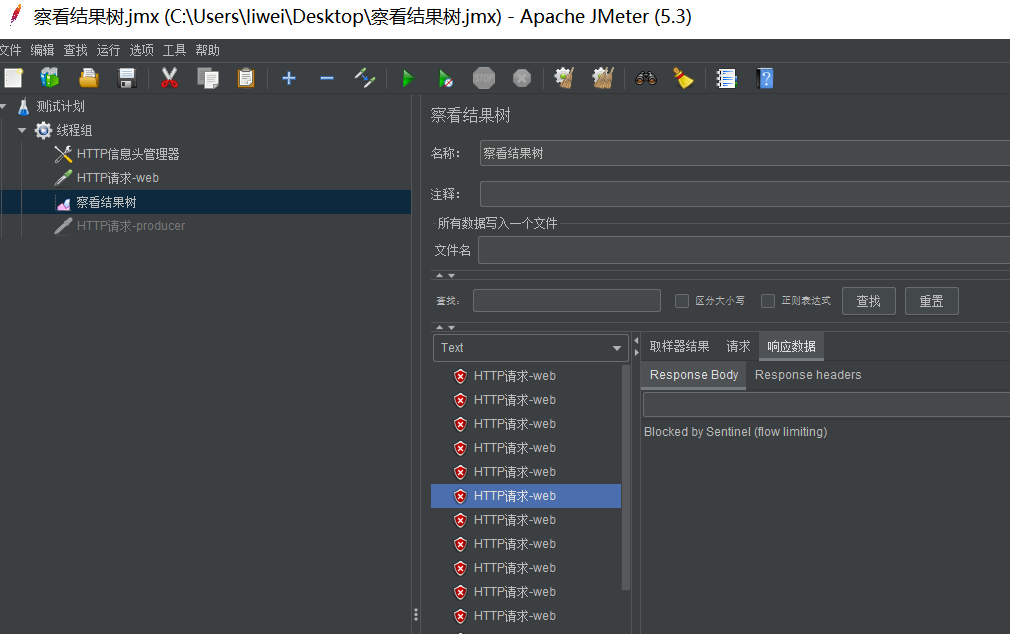
用Jmeter做压测,设置请求头、HTTP请求、监听结果
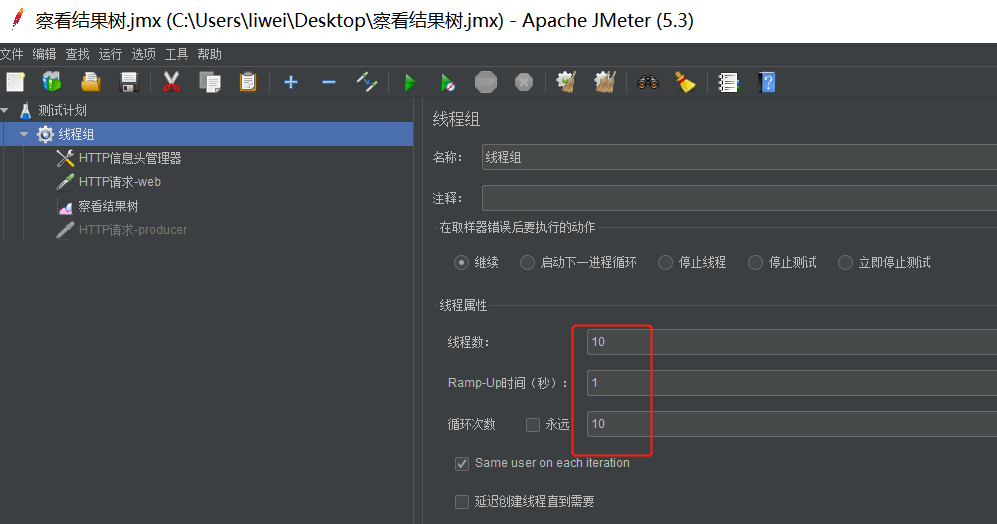
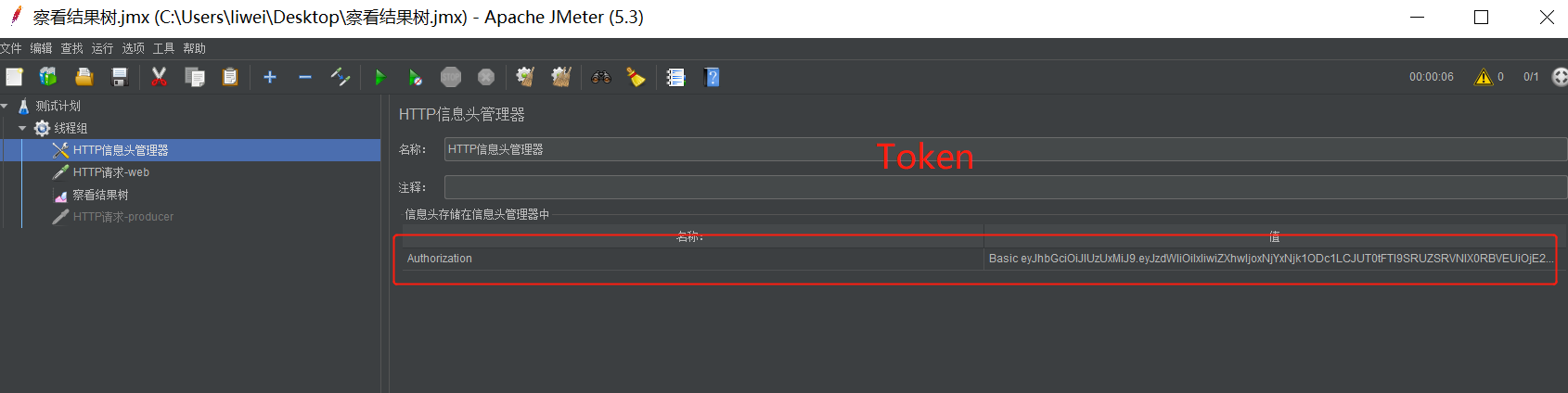
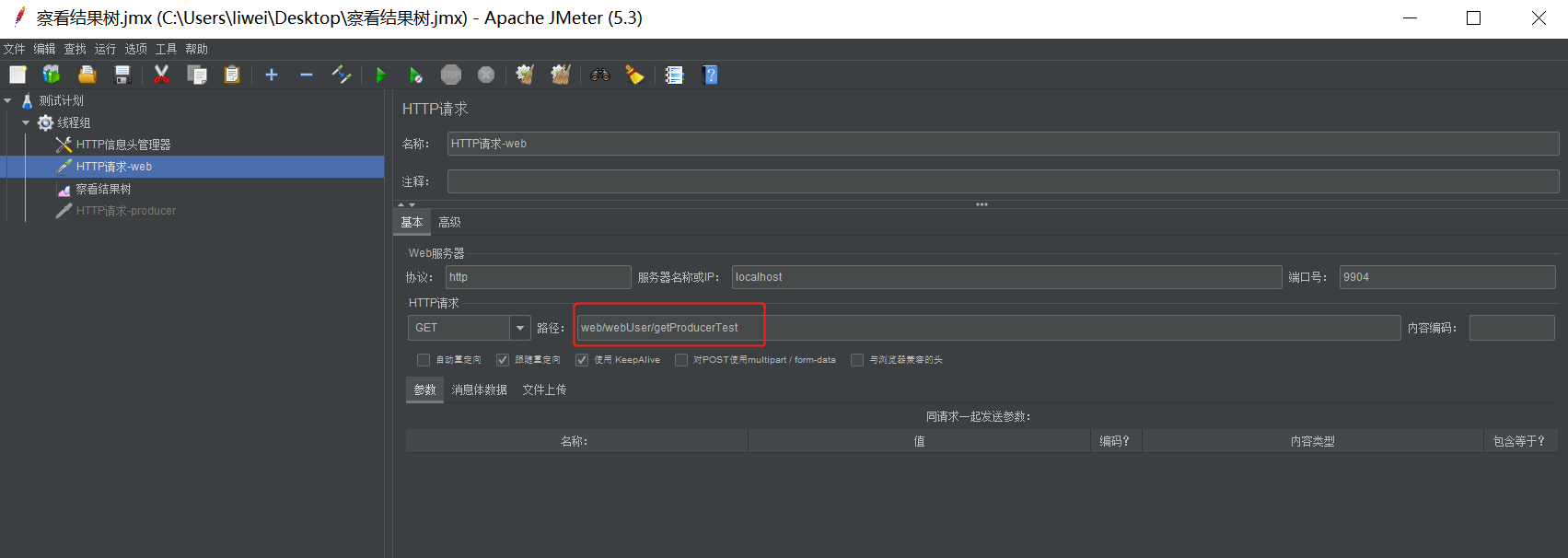


看看没有设置熔断的producer请求
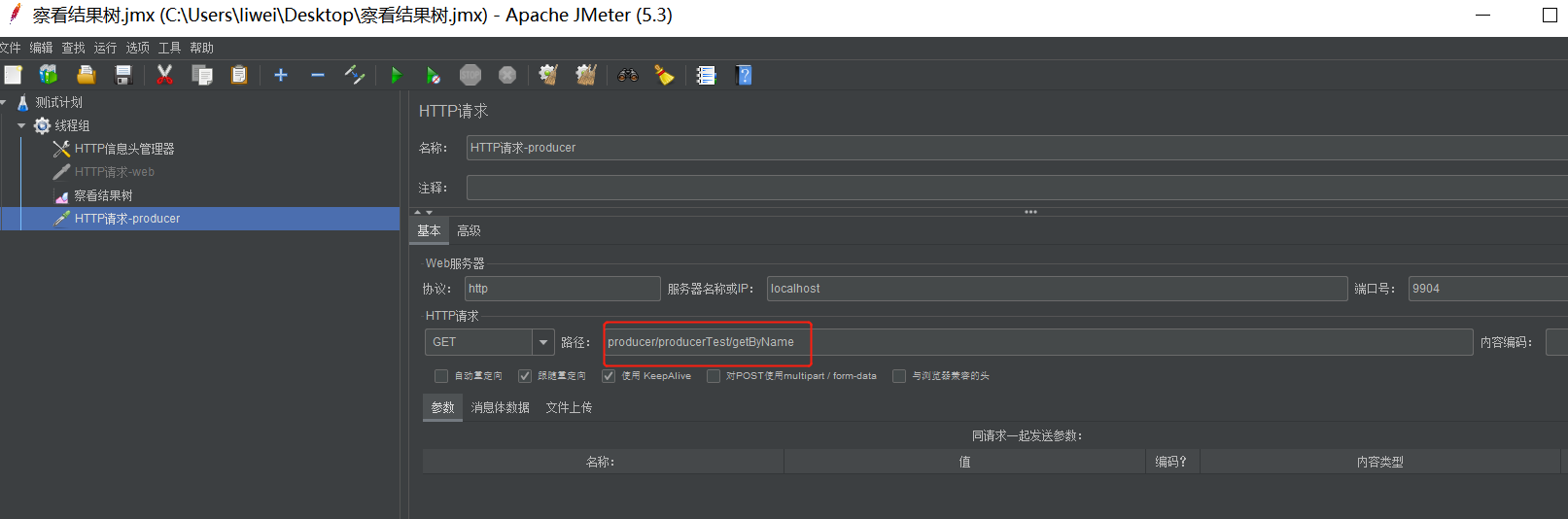
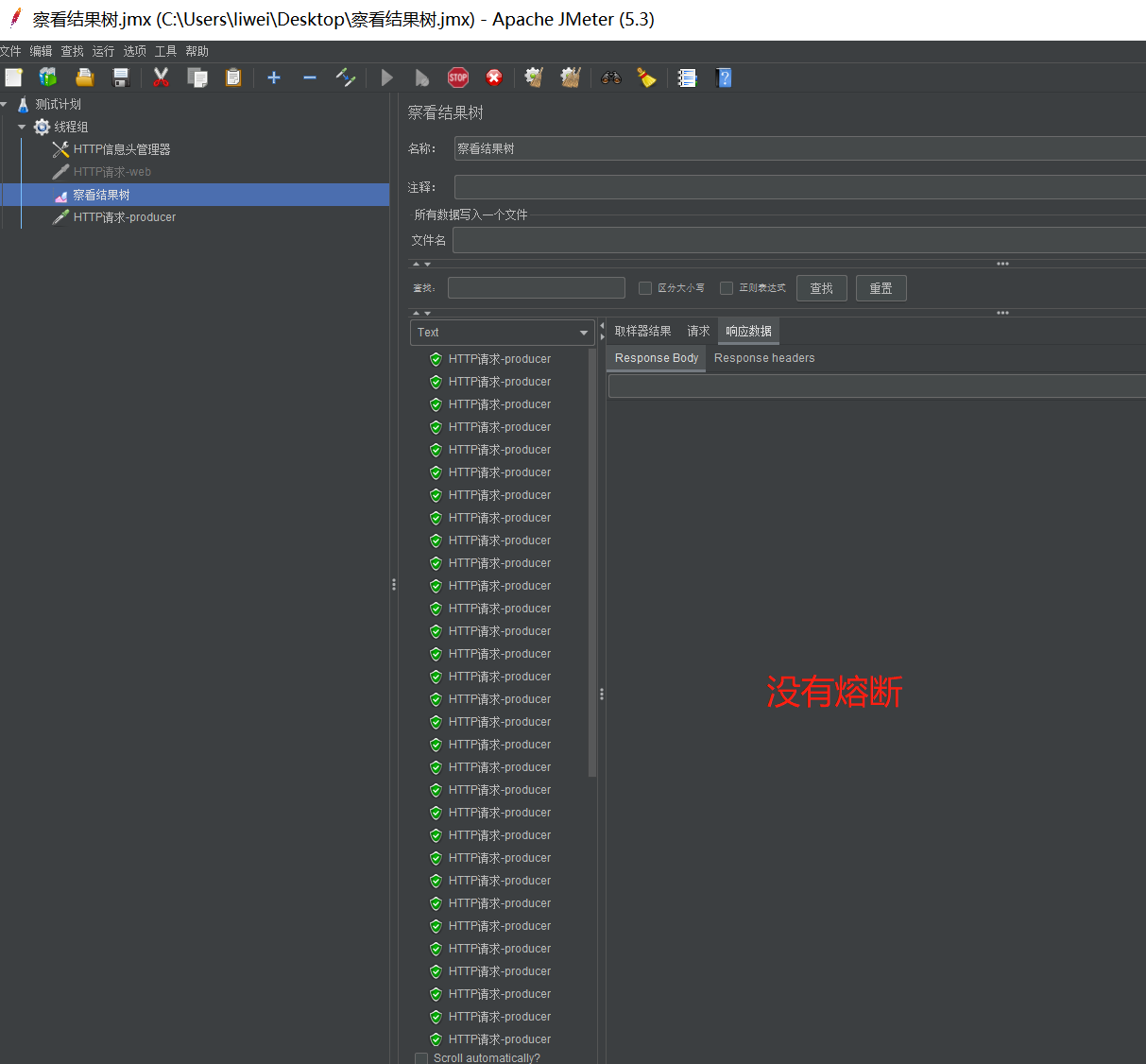
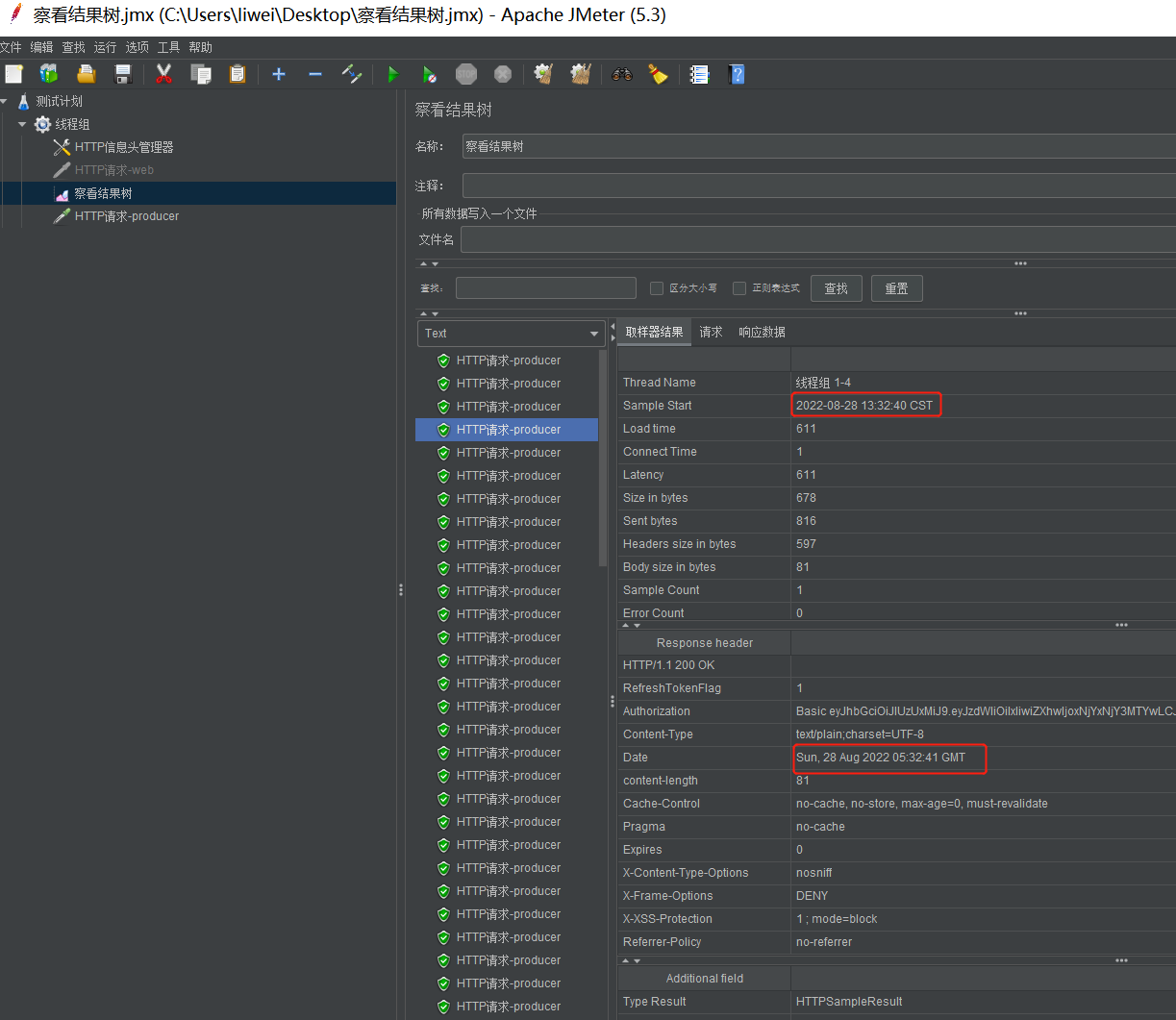
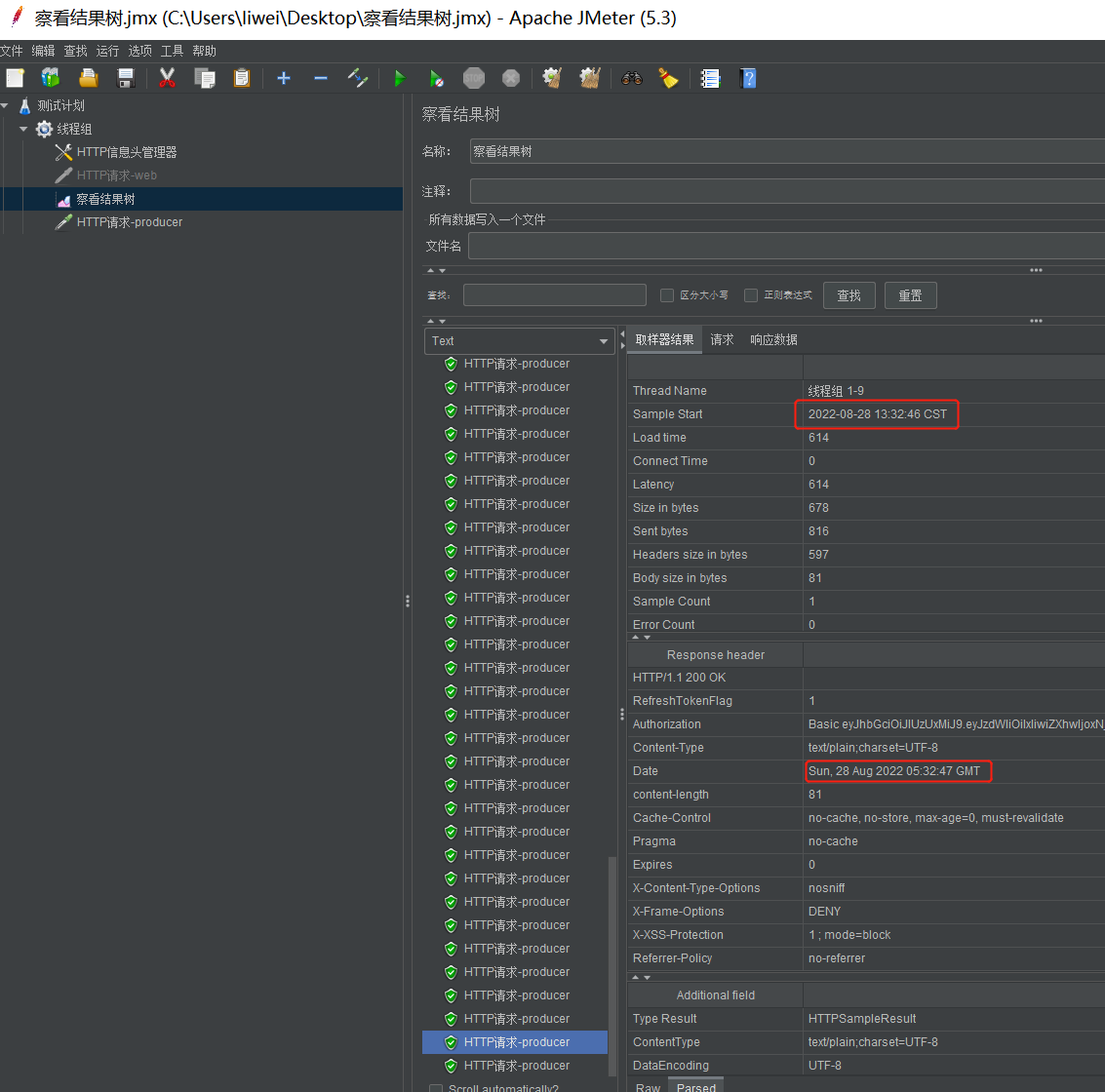
修改一下producer测试接口睡眠时间和web熔断的RT时间
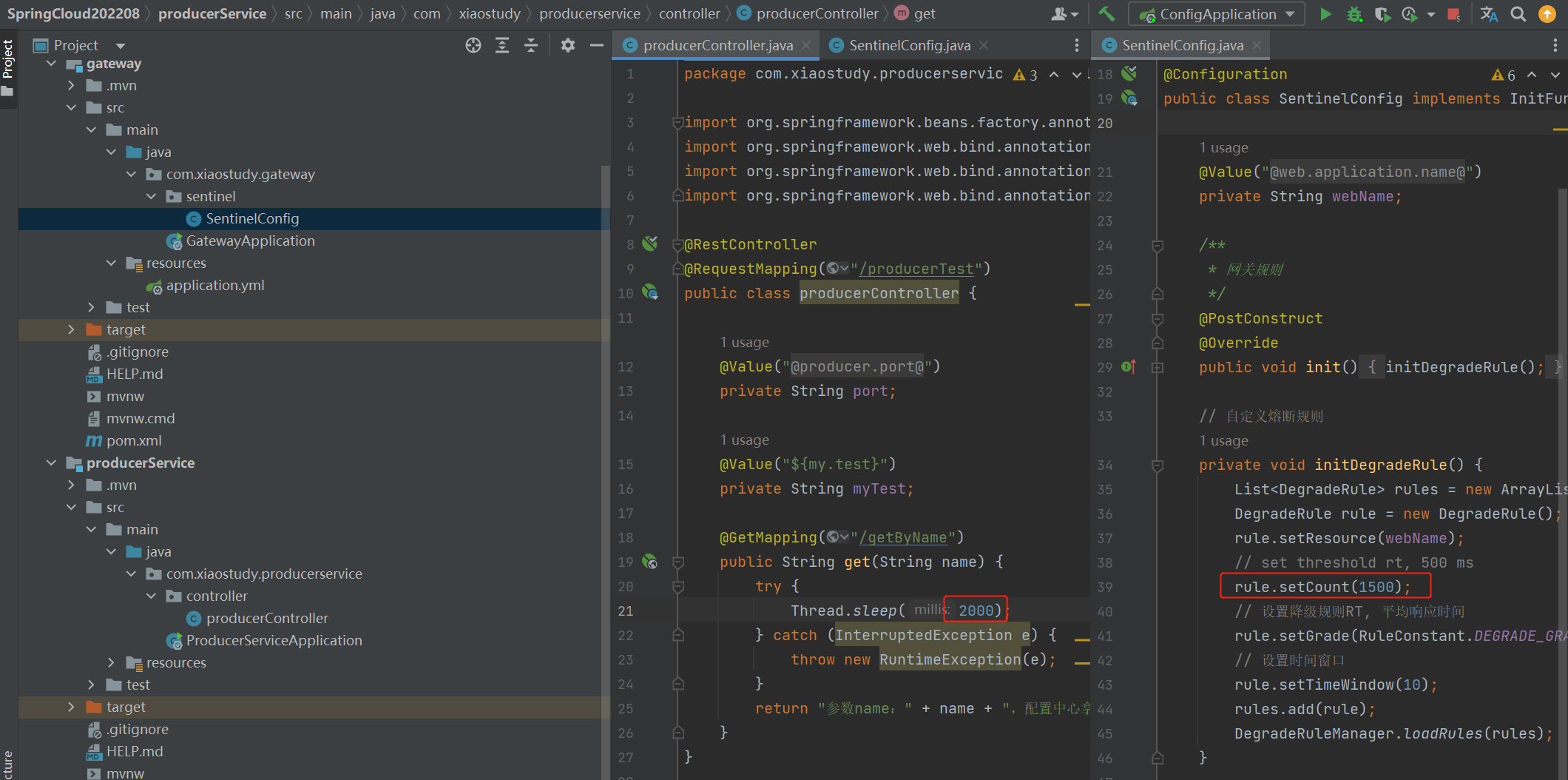

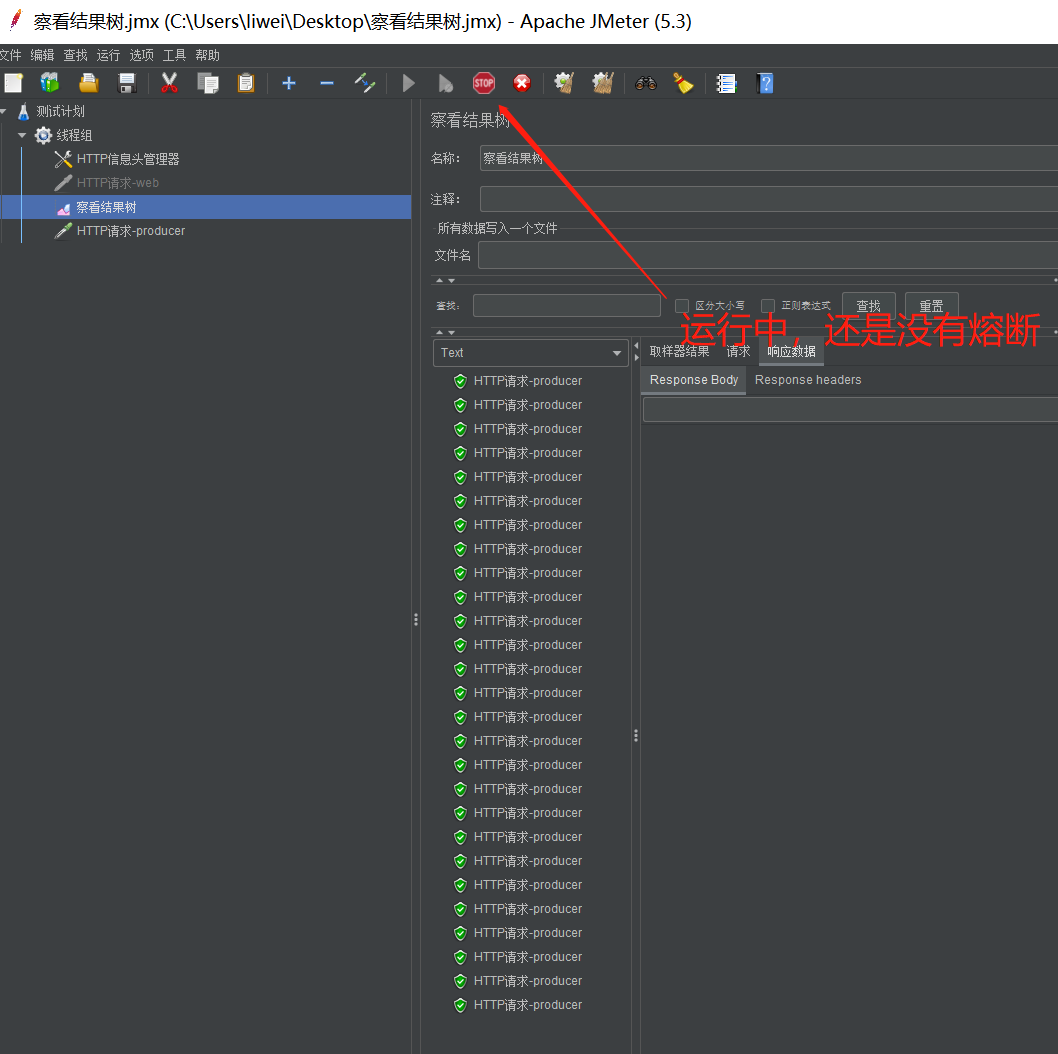
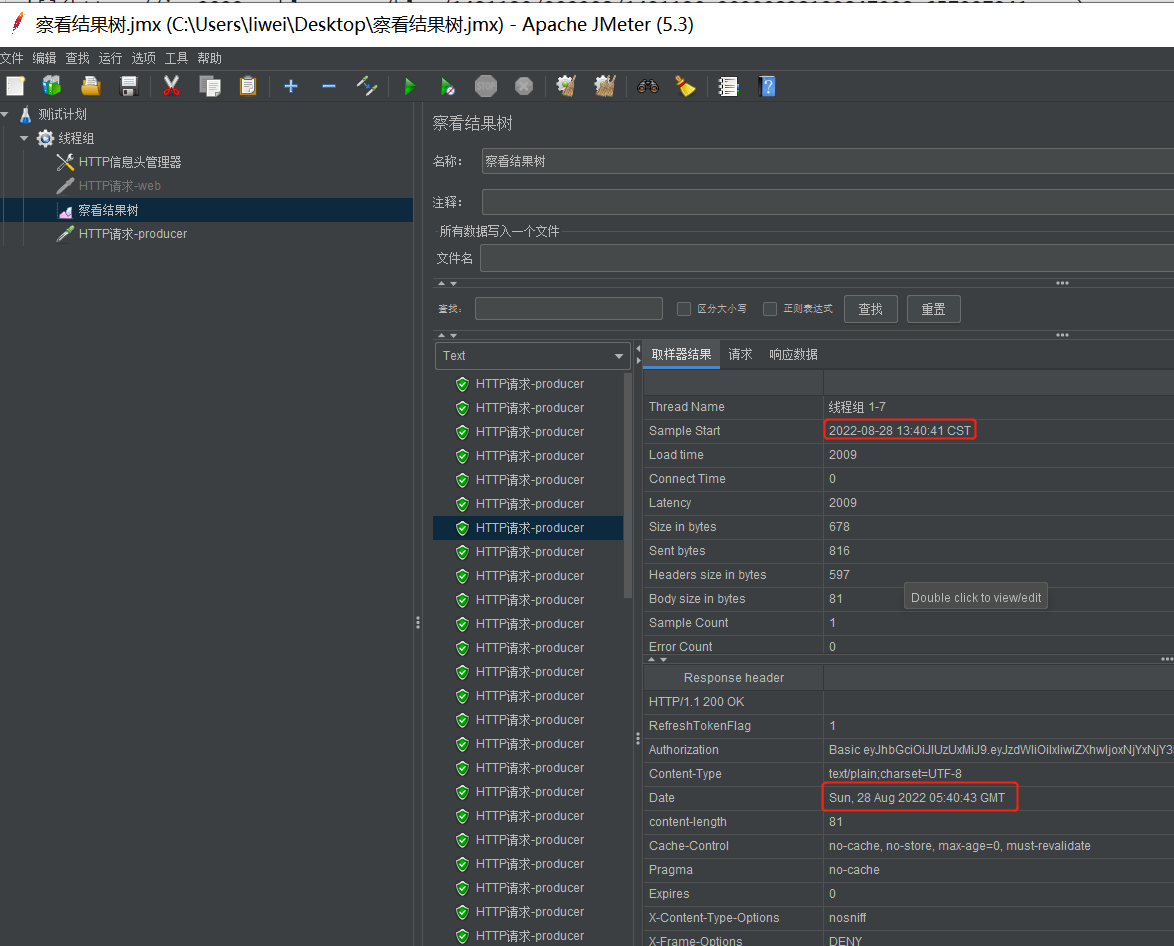
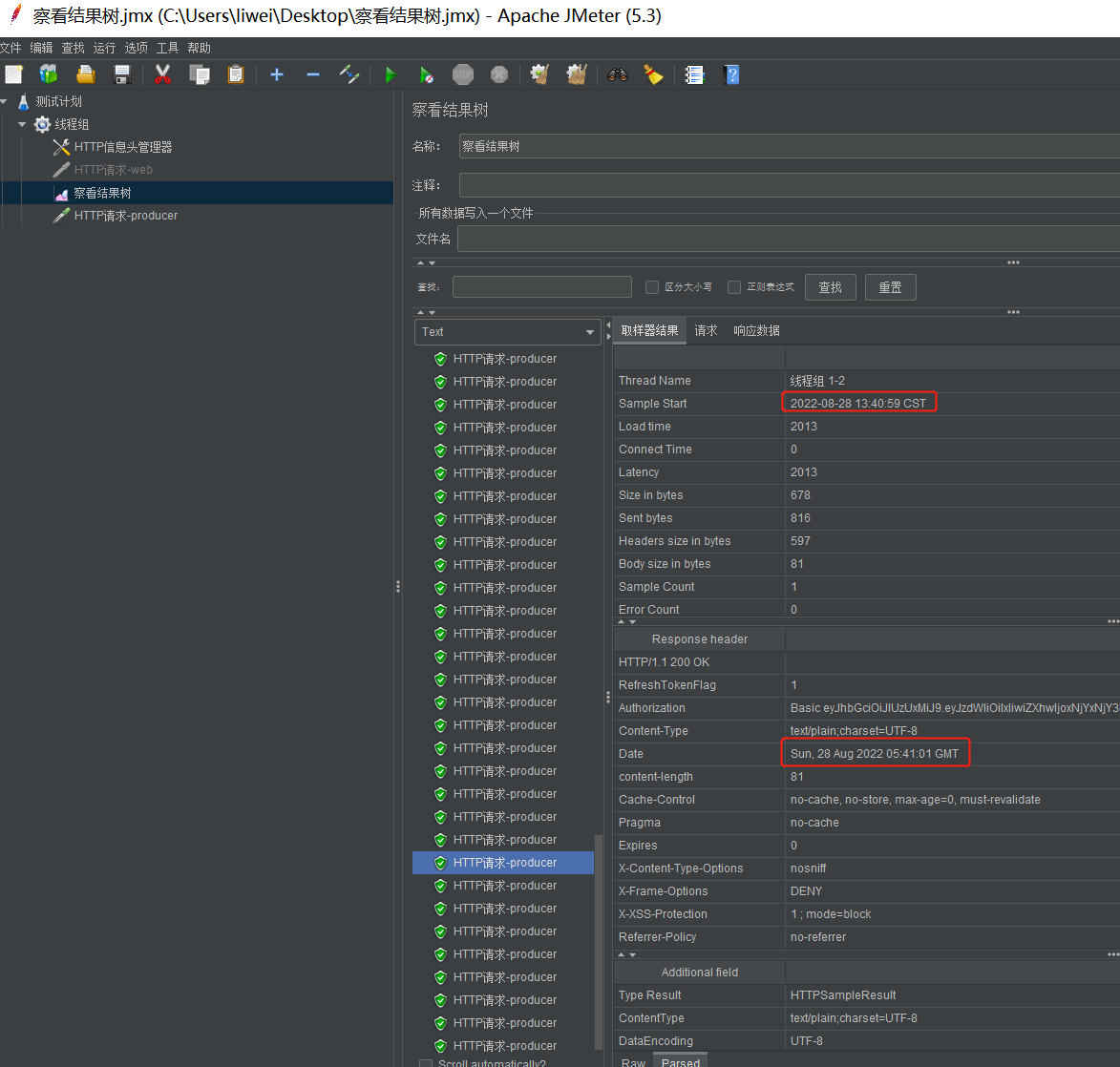
这表示熔断正常,设置监听的资源超时熔断
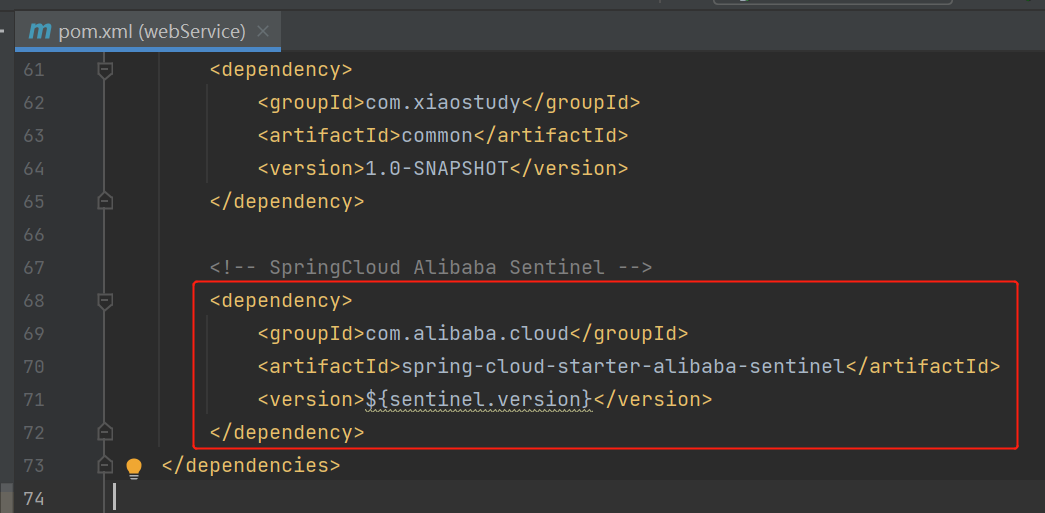
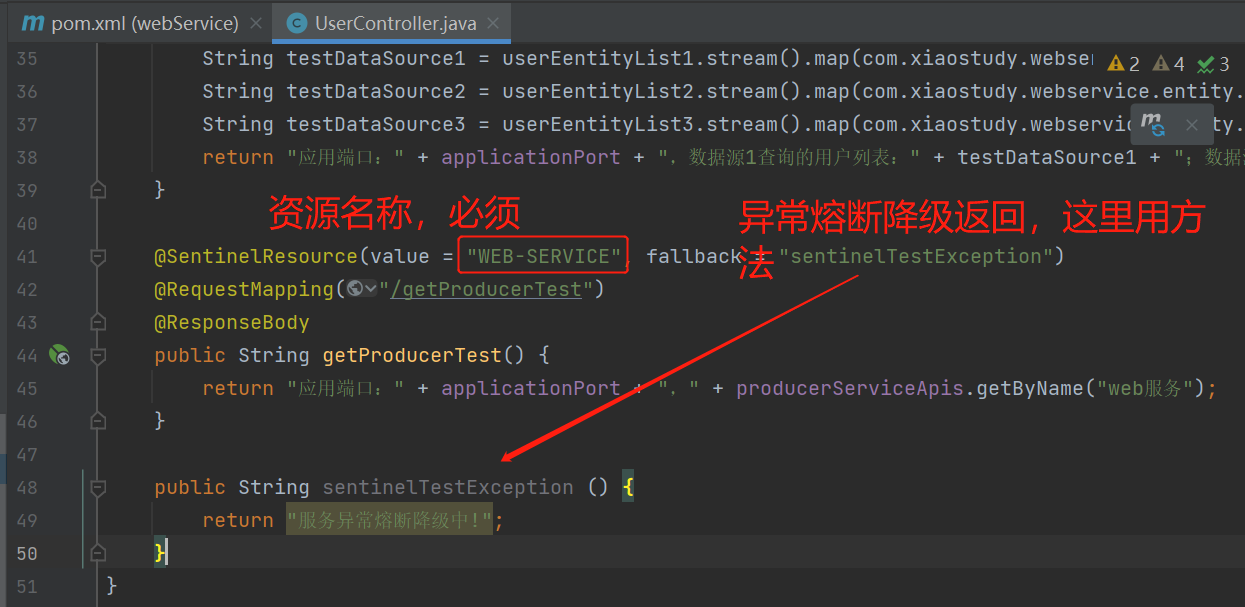
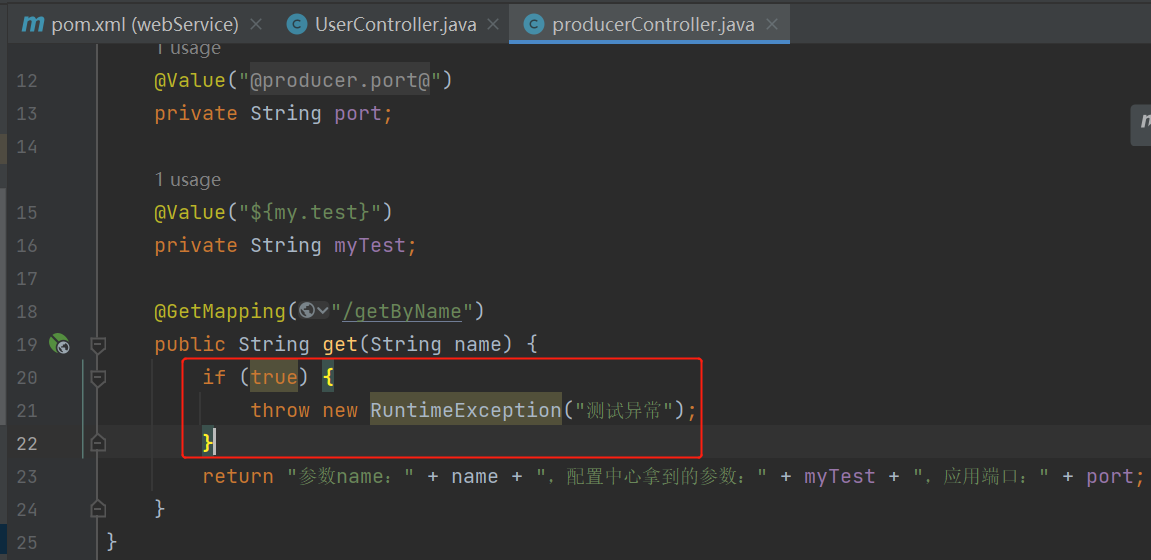
2. 异常熔断
web加入sentinel依赖

3. 集成sentinel-dashboard控制台
下载sentinel-dashboard-1.8.3.jar
https://github.com/alibaba/Sentinel/releases/tag/1.8.3
先下载一个sentinel-dashboard-1.8.3.jar启动命令
java -Dserver.port=9910 -jar sentinel-dashboard-1.8.3.jar
登陆
用户密码都是sentinel
http://localhost:9910/

webService的配置文件添加配置
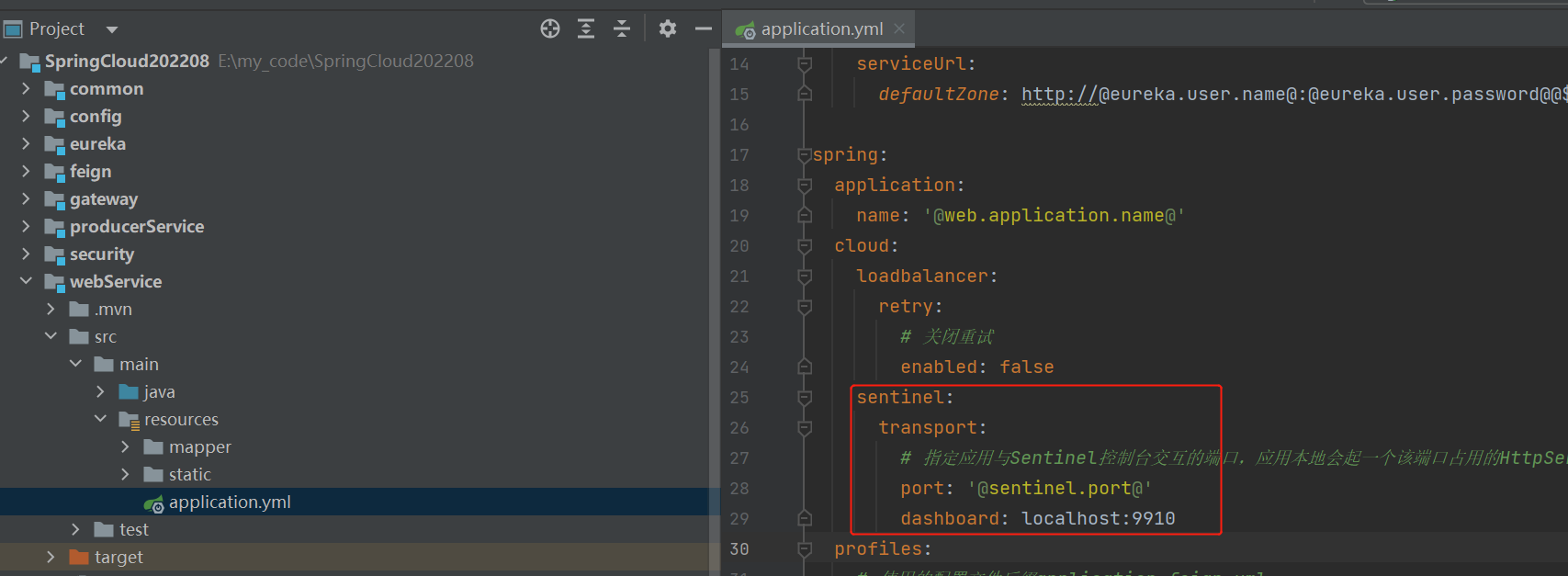
sentinel:

  transport:

    # 指定应用与Sentinel控制台交互的端口,应用本地会起一个该端口占用的HttpServer。如果端口被占用会往后+1,直到没有占用

    port: '@sentinel.port@'

    dashboard: localhost:9910

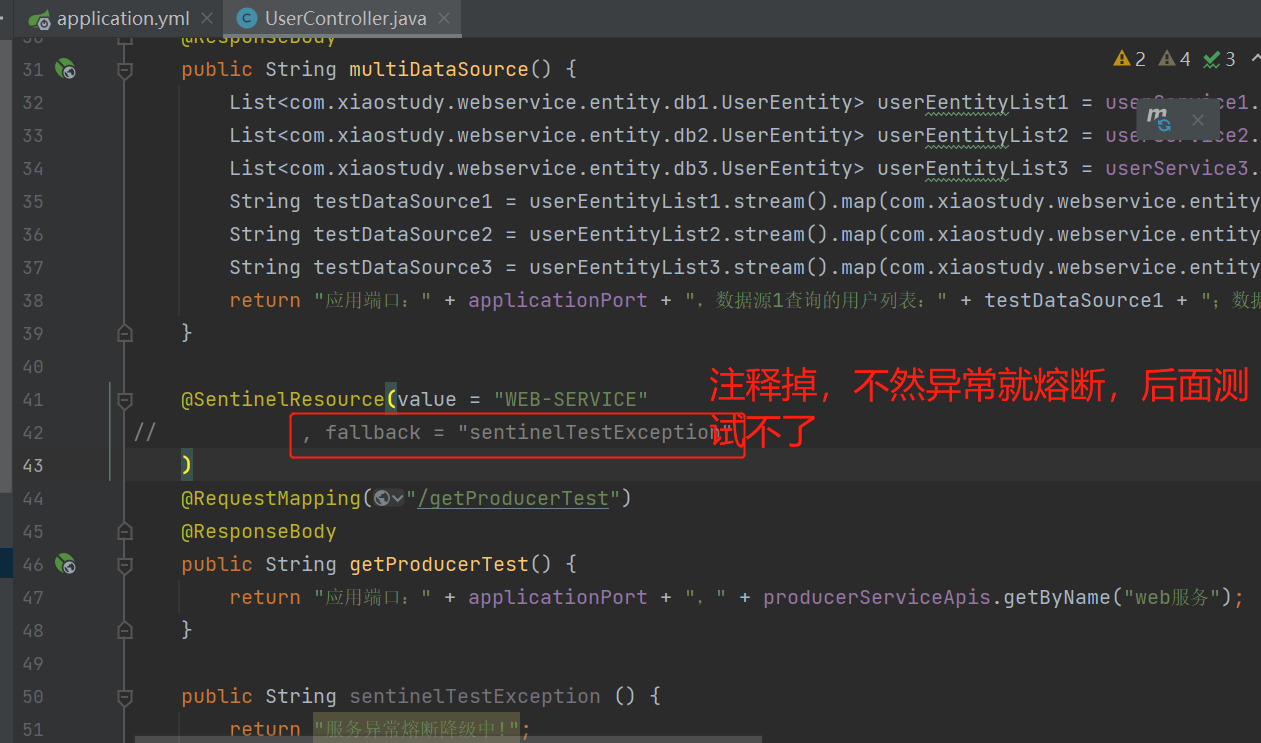
注释异常熔断返回
添加熔断规则


测试异常比例熔断降级
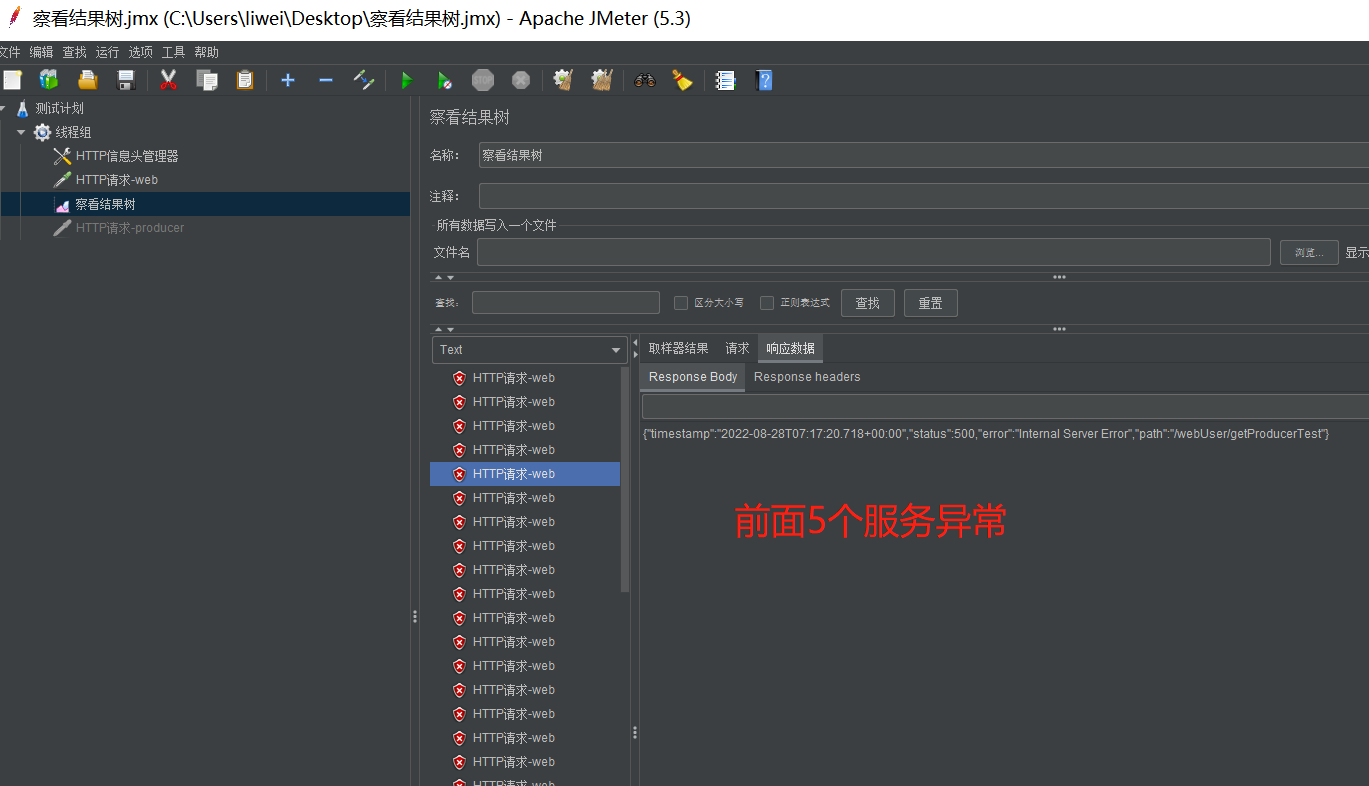
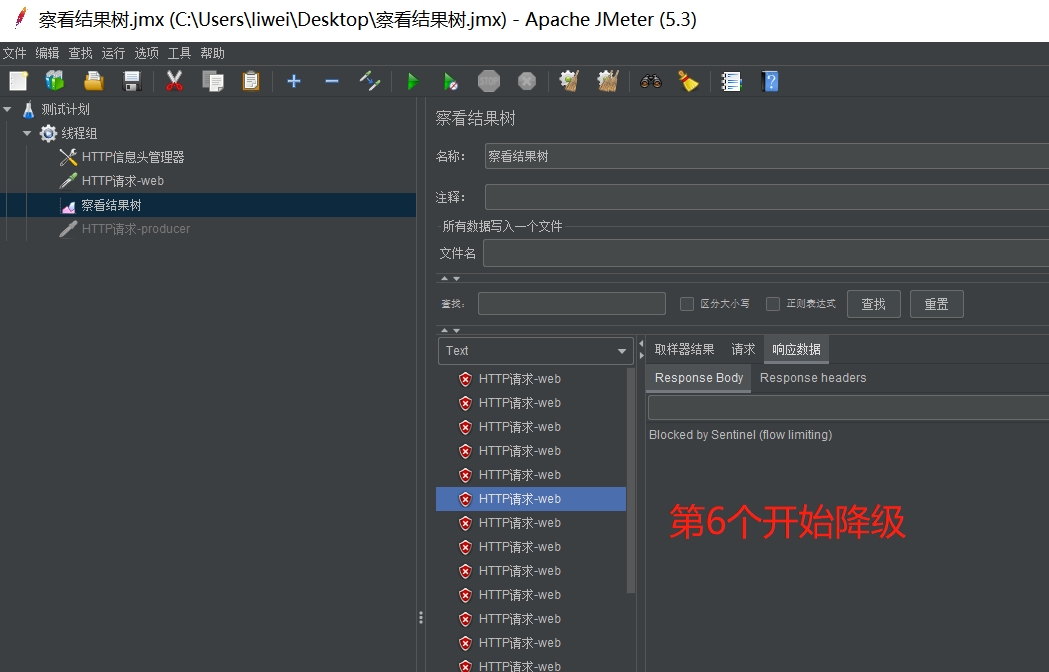
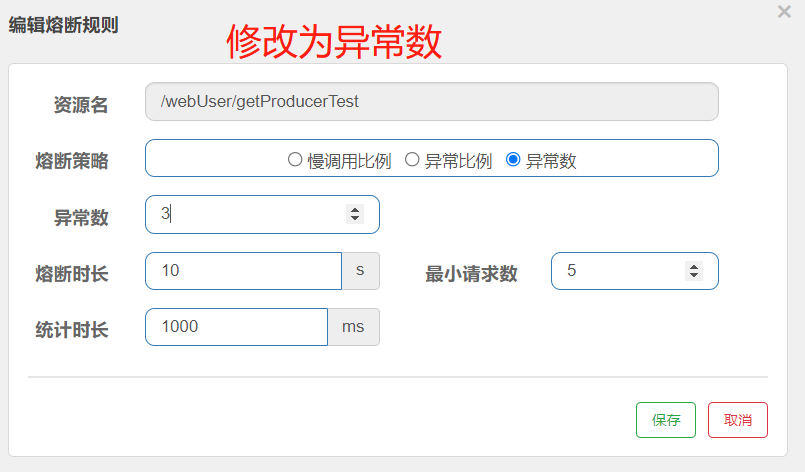
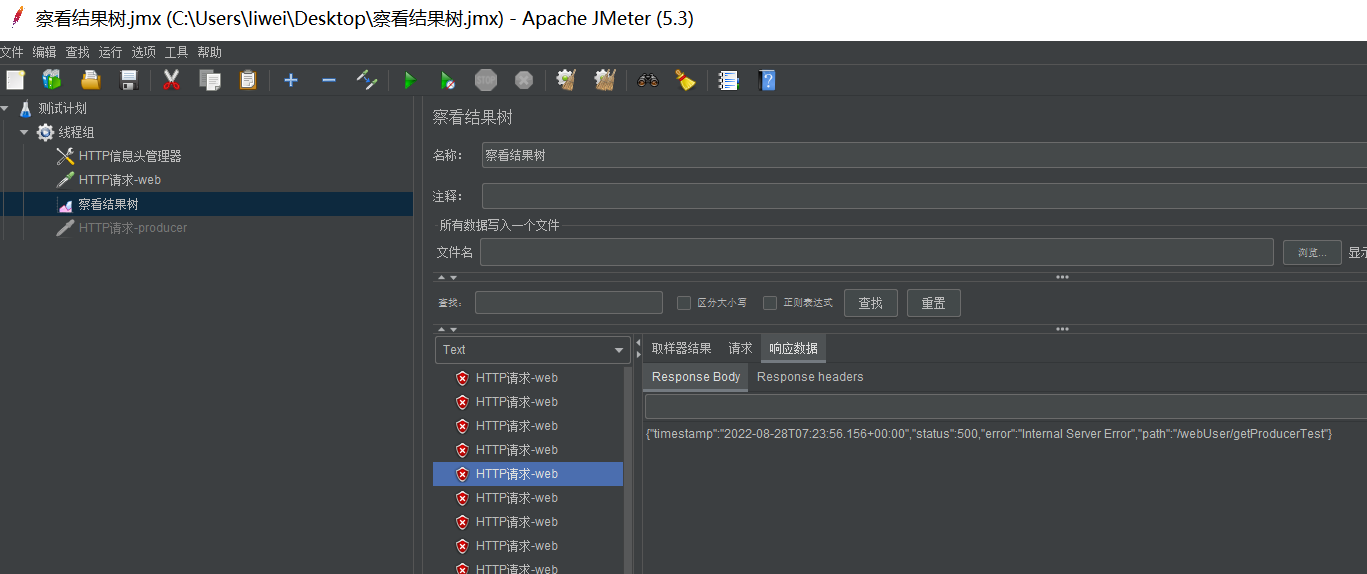
测试异常数熔断降级,效果也是一样的,因为这里每一个请求都是异常
4. 限流
- 控制台方式


不过用sentinel控制台这种方式设置限流、熔断,随着服务停止而销毁,配合nacos的话就可以保存。
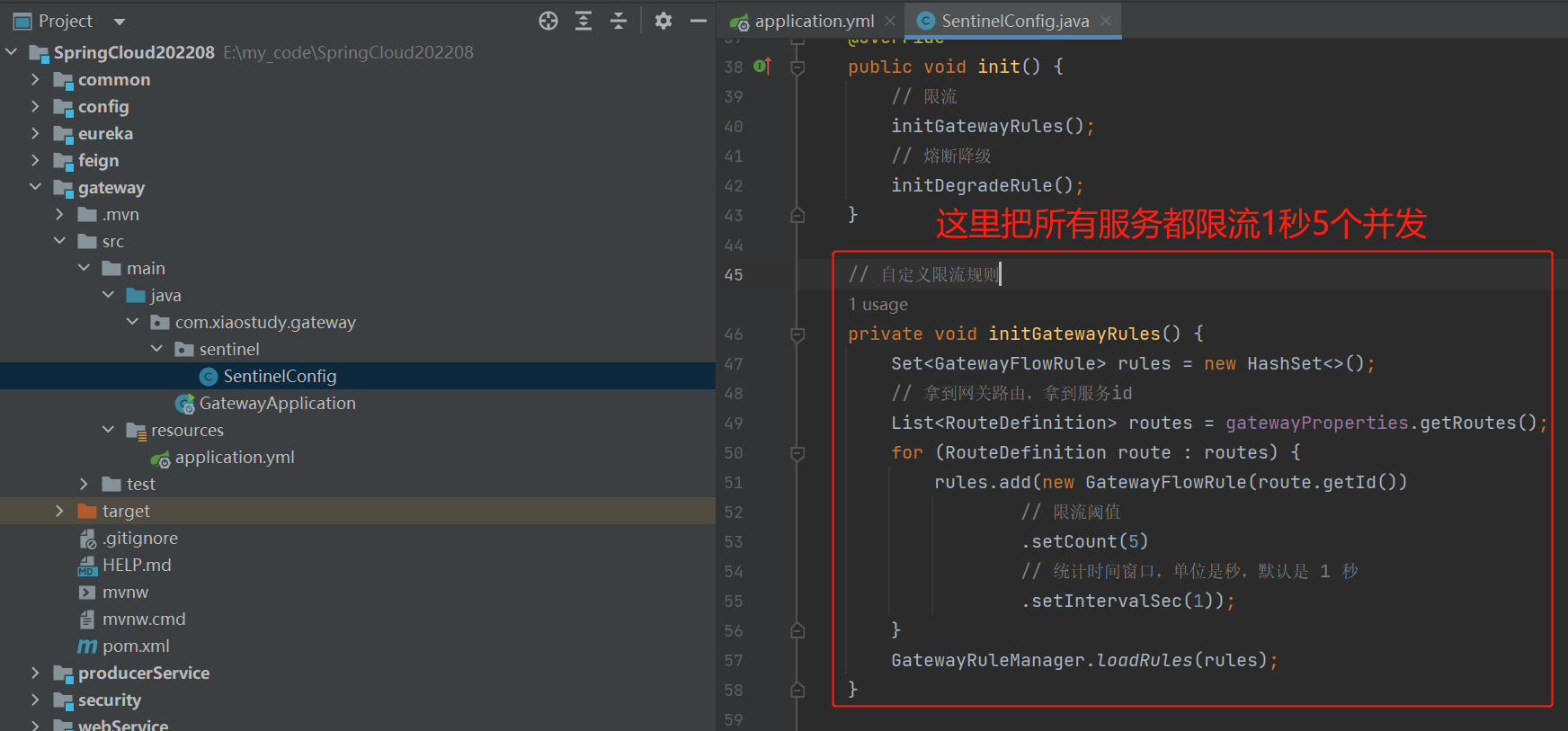
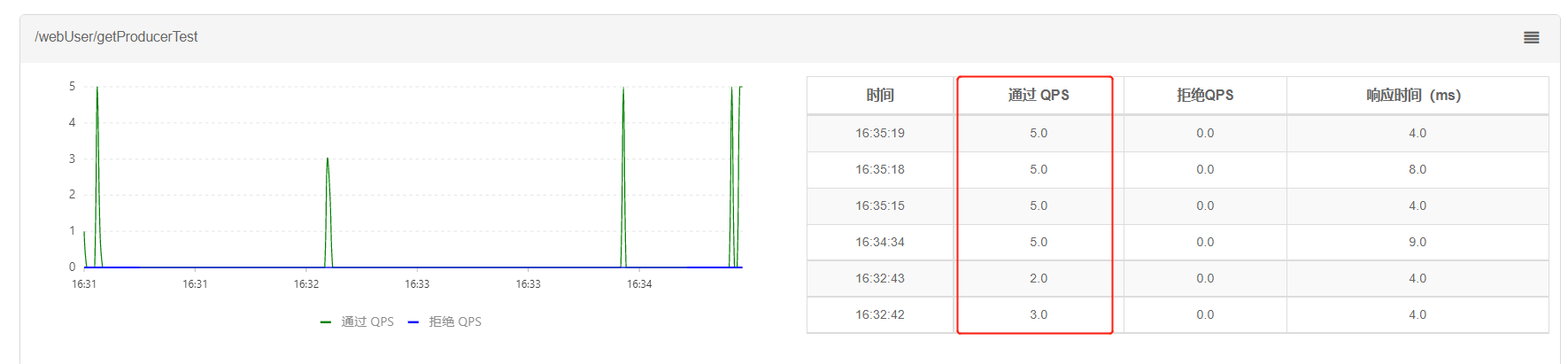
- gateway设置
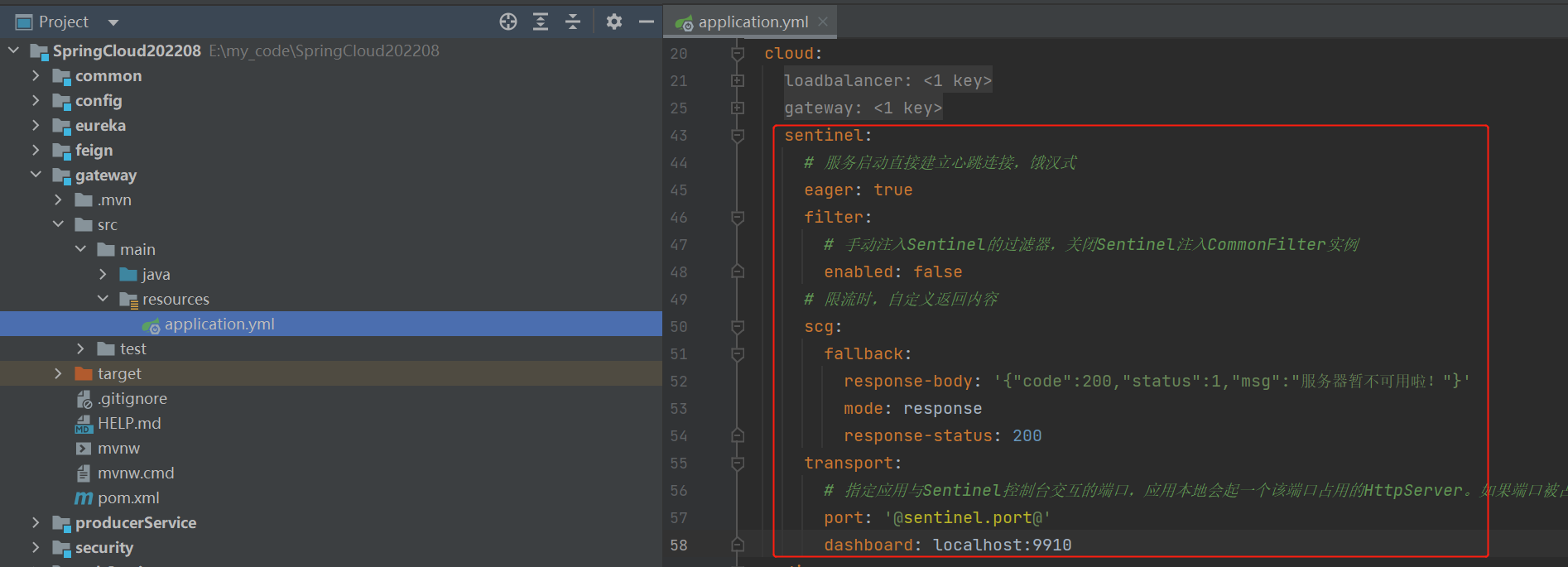
sentinel:

  # 服务启动直接建立心跳连接,饿汉式

  eager: true

  filter:

    # 手动注入Sentinel的过滤器,关闭Sentinel注入CommonFilter实例

    enabled: false

  # 限流时,自定义返回内容

  scg:

    fallback:

      response-body: '{"code":200,"status":1,"msg":"服务器暂不可用啦!"}'

      mode: response

      response-status: 200

  transport:

    # 指定应用与Sentinel控制台交互的端口,应用本地会起一个该端口占用的HttpServer。如果端口被占用会往后+1,直到没有占用

    port: '@sentinel.port@'

    dashboard: localhost:9910

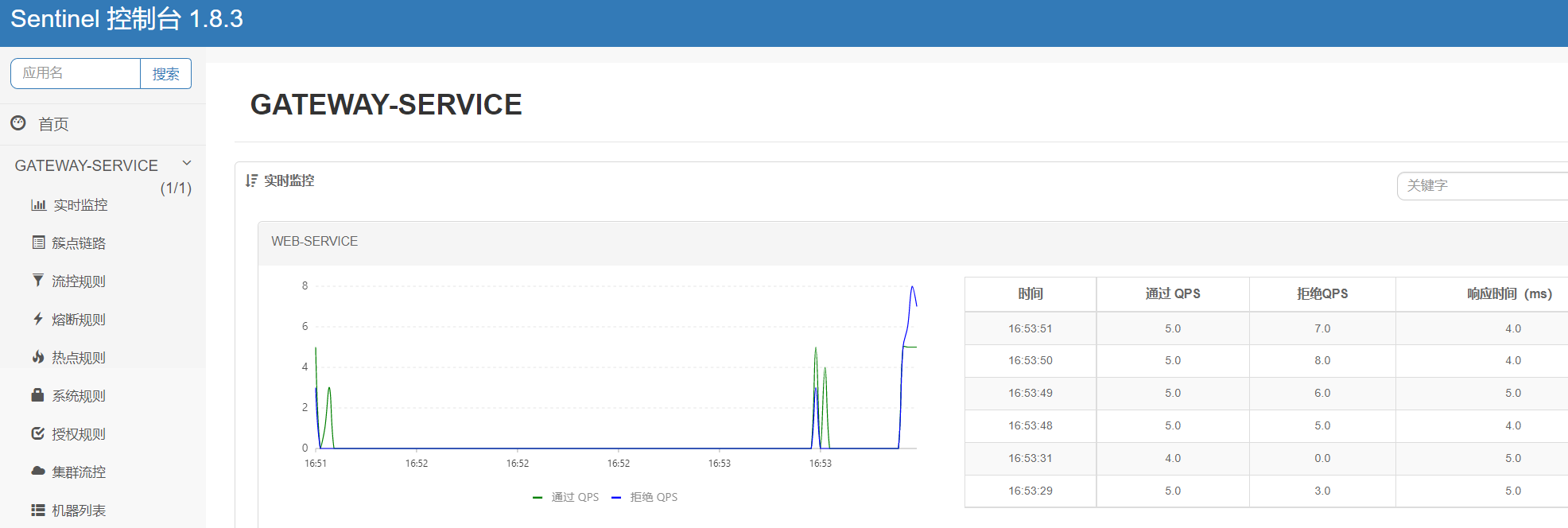
5. 负载均衡
SpringCloud 2020版之后就集成LoadBalancer,所以无需再加入LoadBalancer依赖
目前支持2中负载均衡机制:1、轮询机制,也是默认使用的;2、随机机制;
gateway路由中使用lb开头的就是使用轮询负载均衡,lb就是LoadBalancer的简写;
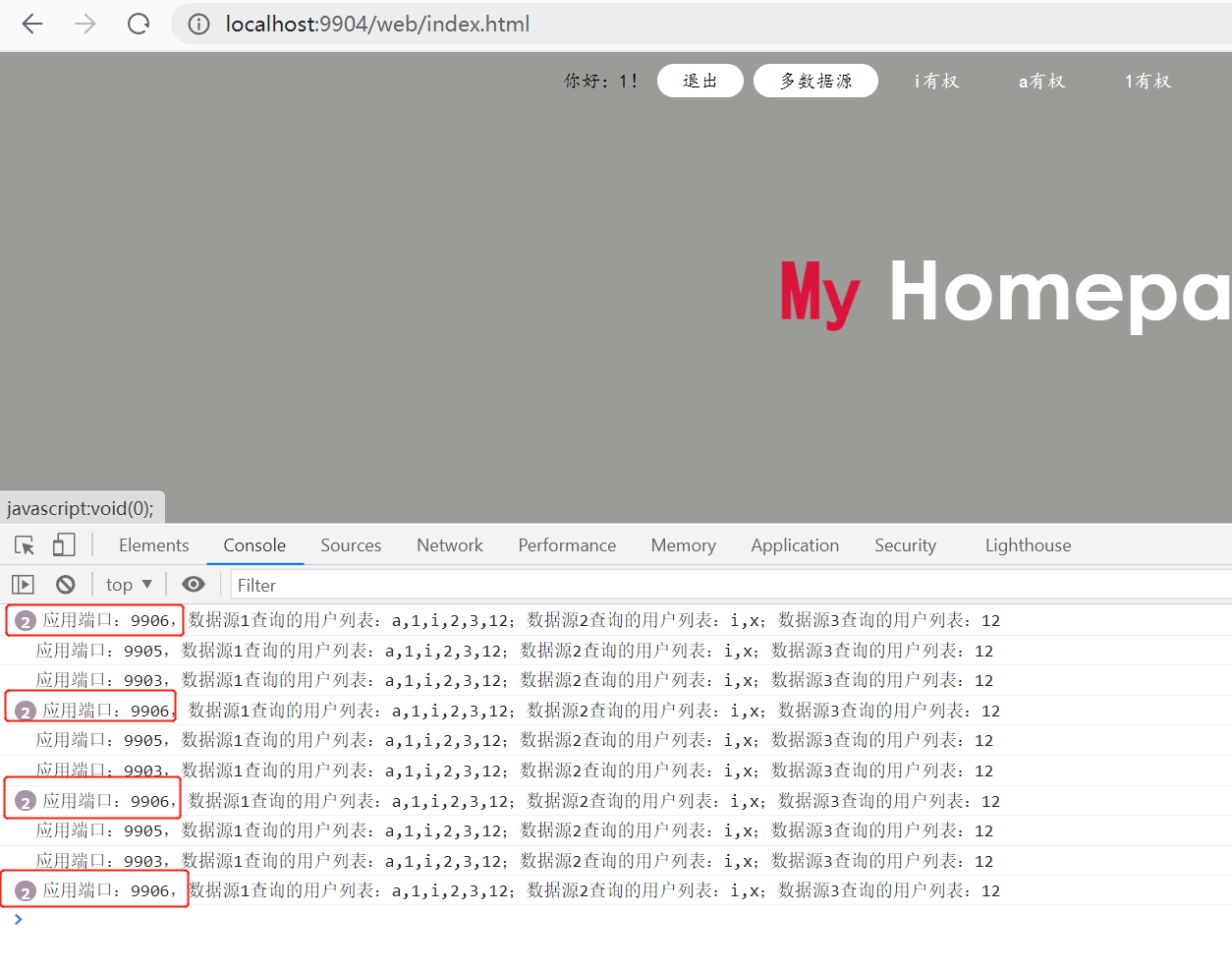
这里重写轮询方式,比如我们的服务器性能是不一样的,性能好的我们就给他多处理
- 重写ReactorServiceInstanceLoadBalancer
点击查看代码
package com.xiaostudy.gateway.loadbalancer;

import org.slf4j.Logger;

import org.slf4j.LoggerFactory;

import org.springframework.beans.factory.ObjectProvider;

import org.springframework.cloud.client.ServiceInstance;

import org.springframework.cloud.client.loadbalancer.DefaultResponse;

import org.springframework.cloud.client.loadbalancer.EmptyResponse;

import org.springframework.cloud.client.loadbalancer.Request;

import org.springframework.cloud.client.loadbalancer.Response;

import org.springframework.cloud.loadbalancer.core.NoopServiceInstanceListSupplier;

import org.springframework.cloud.loadbalancer.core.ReactorServiceInstanceLoadBalancer;

import org.springframework.cloud.loadbalancer.core.SelectedInstanceCallback;

import org.springframework.cloud.loadbalancer.core.ServiceInstanceListSupplier;

import reactor.core.publisher.Mono;

import java.util.List;

import java.util.Random;

import java.util.concurrent.atomic.AtomicInteger;

// 自定义轮询

public class MyRoundRobinLoadBalancer implements ReactorServiceInstanceLoadBalancer {

    private static final Logger log = LoggerFactory.getLogger(MyRoundRobinLoadBalancer.class);

    final AtomicInteger position;

    final String serviceId;

    ObjectProvider<ServiceInstanceListSupplier> serviceInstanceListSupplierProvider;

    /**

     * @param serviceInstanceListSupplierProvider a provider of

     *                                            {@link ServiceInstanceListSupplier} that will be used to get available instances

     * @param serviceId                           id of the service for which to choose an instance

     */

    public MyRoundRobinLoadBalancer(ObjectProvider<ServiceInstanceListSupplier> serviceInstanceListSupplierProvider,

                                    String serviceId) {

        this(serviceInstanceListSupplierProvider, serviceId, new Random().nextInt(1000));

    }

    /**

     * @param serviceInstanceListSupplierProvider a provider of

     *                                            {@link ServiceInstanceListSupplier} that will be used to get available instances

     * @param serviceId                           id of the service for which to choose an instance

     * @param seedPosition                        Round Robin element position marker

     */

    public MyRoundRobinLoadBalancer(ObjectProvider<ServiceInstanceListSupplier> serviceInstanceListSupplierProvider,

                                    String serviceId, int seedPosition) {

        this.serviceId = serviceId;

        this.serviceInstanceListSupplierProvider = serviceInstanceListSupplierProvider;

        this.position = new AtomicInteger(seedPosition);

    }

    @SuppressWarnings("rawtypes")

    @Override

    // see original

    // https://github.com/Netflix/ocelli/blob/master/ocelli-core/

    // src/main/java/netflix/ocelli/loadbalancer/RoundRobinLoadBalancer.java

    public Mono<Response<ServiceInstance>> choose(Request request) {

        ServiceInstanceListSupplier supplier = serviceInstanceListSupplierProvider

                .getIfAvailable(NoopServiceInstanceListSupplier::new);

        return supplier.get(request).next()

                .map(serviceInstances -> processInstanceResponse(supplier, serviceInstances));

    }

    private Response<ServiceInstance> processInstanceResponse(ServiceInstanceListSupplier supplier,

                                                              List<ServiceInstance> serviceInstances) {

        Response<ServiceInstance> serviceInstanceResponse = getInstanceResponse(serviceInstances);

        if (supplier instanceof SelectedInstanceCallback && serviceInstanceResponse.hasServer()) {

            ((SelectedInstanceCallback) supplier).selectedServiceInstance(serviceInstanceResponse.getServer());

        }

        return serviceInstanceResponse;

    }

    private Response<ServiceInstance> getInstanceResponse(List<ServiceInstance> instances) {

        if (instances.isEmpty()) {

            if (log.isWarnEnabled()) {

                log.warn("No servers available for service: " + serviceId);

            }

            return new EmptyResponse();

        }

        // Ignore the sign bit, this allows pos to loop sequentially from 0 to

        // Integer.MAX_VALUE

        int pos = this.position.incrementAndGet() & Integer.MAX_VALUE;

        // TODO 原来的算法

//        int i = pos % instances.size();

        // instances是指某个资源有几个服务,也就是集群数。pos是记录某个资源被访问次数

//        ServiceInstance instance = instances.get(i);

        // TODO 自定义算法,比如指定服务器多处理一次循环

        int i = pos % (instances.size() + 1);

        ServiceInstance instance = null;

        if (i == instances.size()) {

            for (ServiceInstance serviceInstance : instances) {

                if (serviceInstance.getHost().equals("192.168.1.6") && "9906".equals(serviceInstance.getPort())) {

                    instance = serviceInstance;

                }

            }

            if (null == instance) {

                instance = instances.get(i - 1);

            }

        } else {

            // instances是指某个资源有几个服务,也就是集群数。pos是记录某个资源被访问次数

            instance = instances.get(i);

        }

        return new DefaultResponse(instance);

    }

}
- 自定义负载均衡策略配置类
点击查看代码
package com.xiaostudy.gateway.loadbalancer;

import org.springframework.cloud.client.ServiceInstance;

import org.springframework.cloud.loadbalancer.core.ReactorLoadBalancer;

import org.springframework.cloud.loadbalancer.core.ServiceInstanceListSupplier;

import org.springframework.cloud.loadbalancer.support.LoadBalancerClientFactory;

import org.springframework.context.annotation.Bean;

import org.springframework.core.env.Environment;

// 自定义负载策略

public class MyLoadBalancerConfiguration {

    @Bean

    ReactorLoadBalancer<ServiceInstance> randomLoadBalancer(Environment environment,

                                                            LoadBalancerClientFactory loadBalancerClientFactory) {

        String name = environment.getProperty(LoadBalancerClientFactory.PROPERTY_NAME);

//        return new RoundRobinLoadBalancer(loadBalancerClientFactory.getLazyProvider(name, ServiceInstanceListSupplier.class), name);

        return new MyRoundRobinLoadBalancer(loadBalancerClientFactory.getLazyProvider(name, ServiceInstanceListSupplier.class), name);

    }

}
- 启动类添加
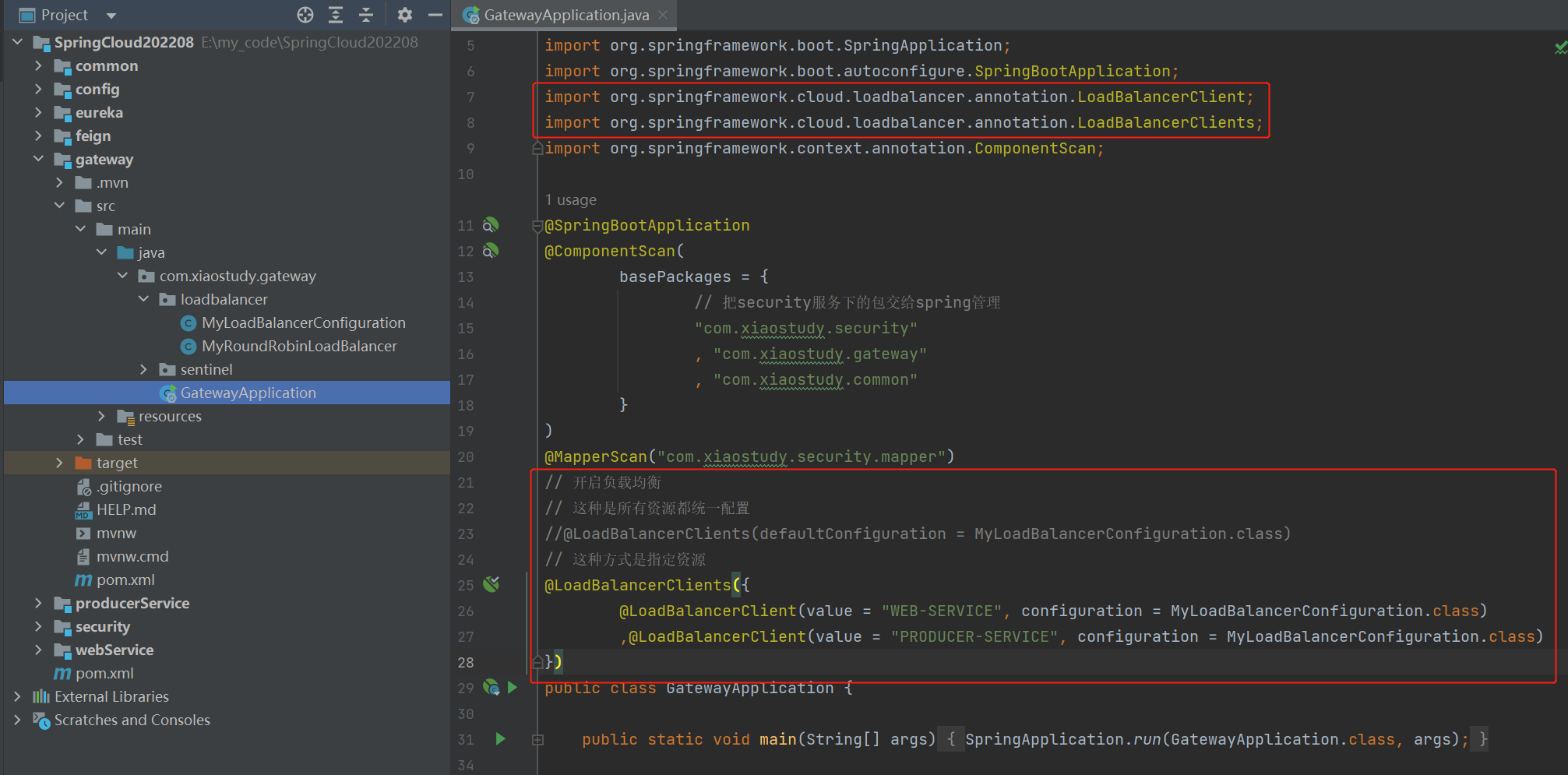
// 开启负载均衡

// 这种是所有资源都统一配置

//@LoadBalancerClients(defaultConfiguration = MyLoadBalancerConfiguration.class)

// 这种方式是指定资源

@LoadBalancerClients({

        @LoadBalancerClient(value = "WEB-SERVICE", configuration = MyLoadBalancerConfiguration.class)

        ,@LoadBalancerClient(value = "PRODUCER-SERVICE", configuration = MyLoadBalancerConfiguration.class)

})
启动gateway
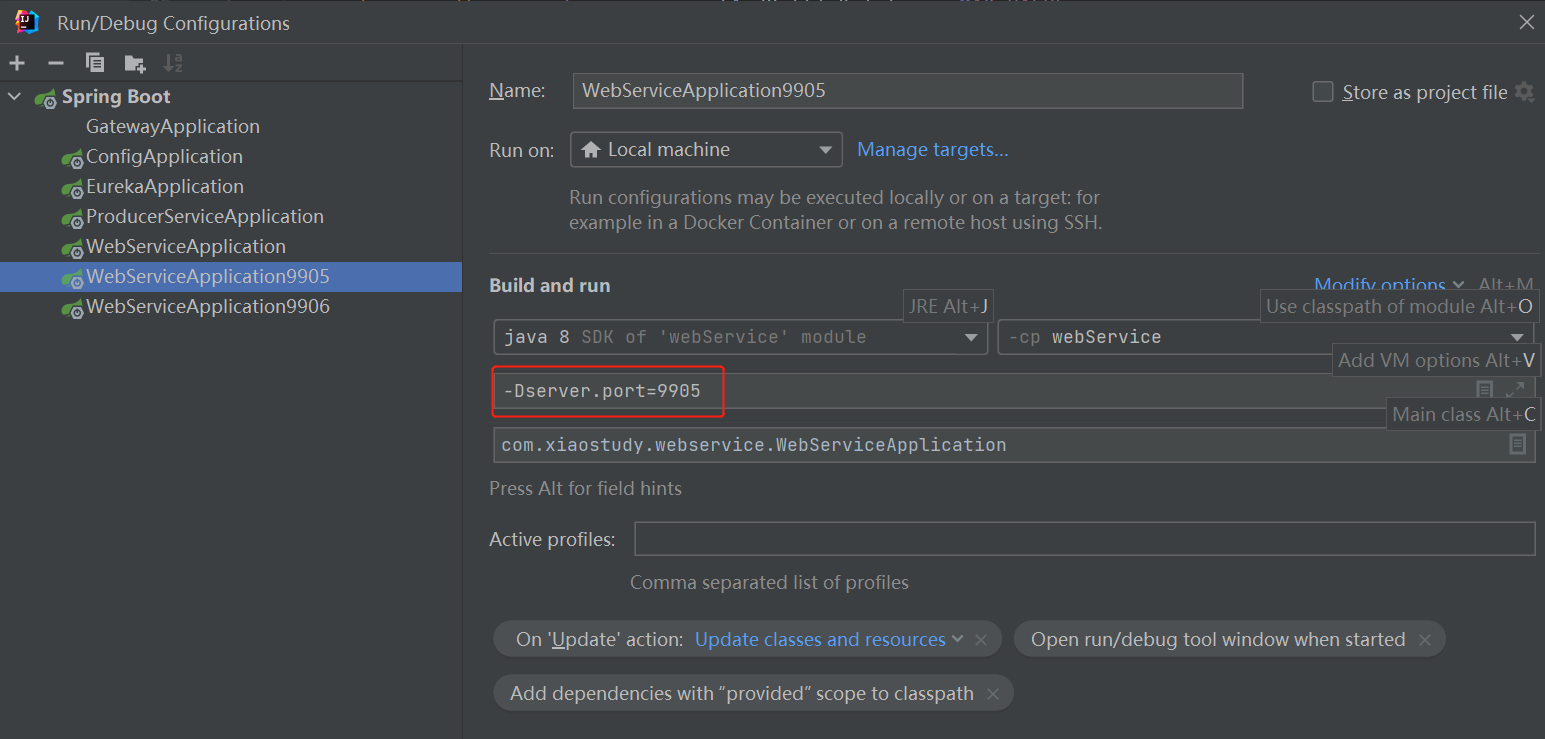
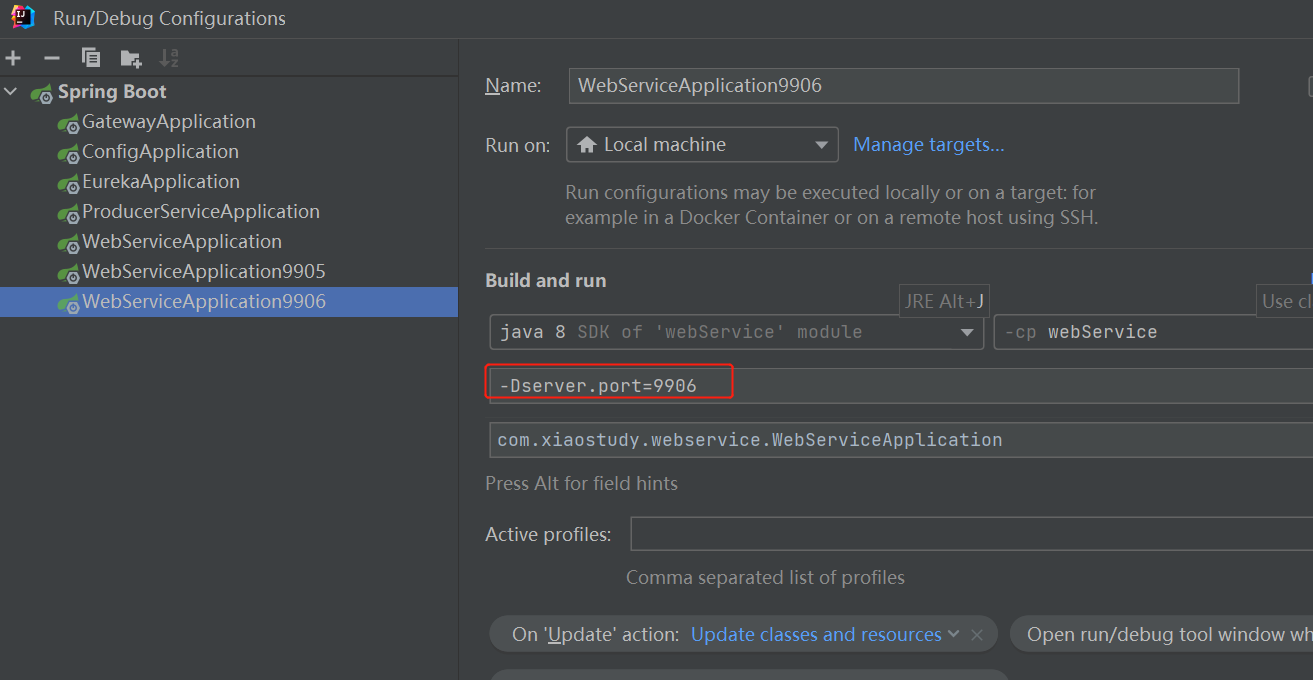
复制多个服务,改一下端口。并把服务启动
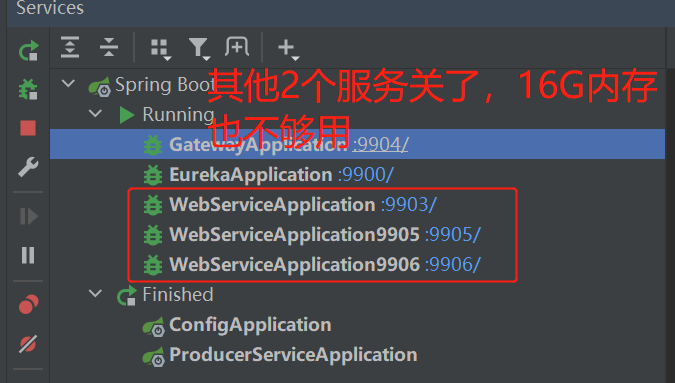
看效果
简单创建一个SpringCloud2021.0.3项目(三)的更多相关文章
- 简单创建一个SpringCloud2021.0.3项目(四)
目录 1. 项目说明 1. 版本 2. 用到组件 3. 功能 2. 上三篇教程 3. 日志处理 1. 创建日志公共模块 2. Eureka引入日志模块 4. 到此的功能代码 5. 注册中心换成naco ...
- 简单创建一个SpringCloud2021.0.3项目(二)
目录 1. 项目说明 1. 版本 2. 用到组件 3. 功能 2. 上一篇教程 3. 创建公共模块Common 4. 网关Gateway 1. 创建Security 2. Security登陆配置 3 ...
- 简单创建一个SpringCloud2021.0.3项目(一)
目录 1. 项目说明 1. 版本 2. 用到组件 3. 功能 2. 新建父模块和注册中心 1. 新建父模块 2. 新建注册中心Eureka 3. 新建配置中心Config 4. 新建两个业务服务 1. ...
- 【Vue-Cli3.0】【1】创建一个Vue-Cli3.0的项目
最近在做爬虫,然后要爬好多数据,代码写完了,就让它在爬了.不想闲着就复习一下Vue吧! 开始开始! ***正式讲解之前 先下载一个node.js吧! 一.首先检查一下 版本 PS D:\徐孟林\D D ...
- 通过beego快速创建一个Restful风格API项目及API文档自动化
通过beego快速创建一个Restful风格API项目及API文档自动化 本文演示如何快速(一分钟内,不写一行代码)的根据数据库及表创建一个Restful风格的API项目,及提供便于在线测试API的界 ...
- 以sb7code为基础创建一个基本的OpenGL项目
以sb7code为基础创建一个基本的OpenGL项目 从github上面下载sb7code代码: https://github.com/openglsuperbible/sb7code 打开H ...
- 通过beego快速创建一个Restful风格API项目及API文档自动化(转)
通过beego快速创建一个Restful风格API项目及API文档自动化 本文演示如何快速(一分钟内,不写一行代码)的根据数据库及表创建一个Restful风格的API项目,及提供便于在线测试API的界 ...
- 如何使用maven建一个web3.0的项目
使用eclipse手动建一个maven的web project可能会有版本不合适的情况,例如使用spring的websocket需要web3.0什么的,不全面的修改可能会出现各种红叉,甚是苦恼.我从我 ...
- 简单创建一个完整的struts2框架小程序
要完成一个struts2框架的搭建, 1.首先应该从官网上下载最新的jar包,网络连接:http://struts.apache.org/download.cgi#struts2514.1,选择下载F ...
随机推荐
- FICO 常用事务码
1.SAP配置流程 1.定义,定义组织,概念,比如FI中定义公司代码,会计科目表,年度变式.SAP中有大量的定义过程. 2.分配,把会计科目表/公司/年度变式等参数分配到公司代码,逻辑组织,基本实现框 ...
- VirtualBox虚拟机安装Ubuntu系统后,增加内存空间和处理器核心数
对于Linux爱好者而言,初次使用虚拟机时,一般都会使用默认的设置,例如硬盘空间.内存空间等等. 而往往在熟悉之后,安装了某些必要的软件,或者熟悉了实际的开发场景后,却发现原本给虚拟机分配的物理资源是 ...
- 【黑马pink老师的H5/CSS课程】(二)标签与语法
视频链接:P8~P29 黑马程序员pink老师前端入门教程,零基础必看的h5(html5)+css3+移动 参考链接: HTML 元素 1.HTML语法规范 1.1 基本语法概述 HTML 标签是由尖 ...
- Set集合转换为List集合
举个栗子,看图:
- 不要让Microsoft edge 打开IE浏览器的设置(兼容性问题)
1打开Microsoft edge 2 打开设置 3 搜索栏搜索IE,打开即可
- Java封装Get/Post类
封装的类: package pers.hmi.translate; import java.io.BufferedReader; import java.io.IOException; import ...
- Tapdata Cloud 版本上新 | 支持通知自配置,支持GP、MQ数据源,界面更友好!
Tapdata Cloud https://cloud.tapdata.net Tapdata Cloud 是国内首家异构数据库实时同步云平台,目前支持Oracle.MySQL.PG.SQL Serv ...
- java--方法/debug
一.方法的定义 1.什么是方法 方法是将具体独立功能的代码块组织称为一个整体,使其具有特殊功能的代码集 注意: 方法必须先创建后使用,该过程为方法定义: 方法创建后并不是直接运行的,需要手动十一后执行 ...
- C#基础-面向对象详解
面向对象详解 一.什么是面向对象 1>面向对象是一种程序设计思想 2>面向过程和面向对象是什么? 例如要把大象放冰箱怎么做? 面向过程:打开冰箱门->把大象扔进去->关上冰箱门 ...
- vue项目导航菜单实现
vue项目导航菜单问题 目标:横向菜单点击跳转,颜色变换,刷新可保持状态 // 模板template中通过循环菜单列表生成,动态类名改变颜色 <li v-for="(item, ind ...