
9 10mins的投票功能
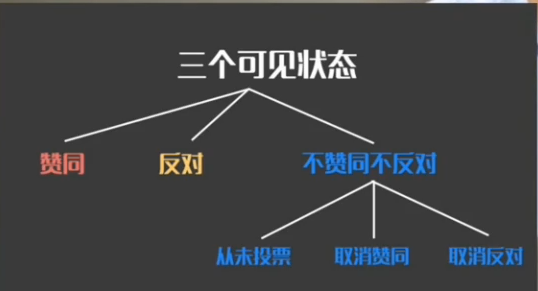
1。投票的原理


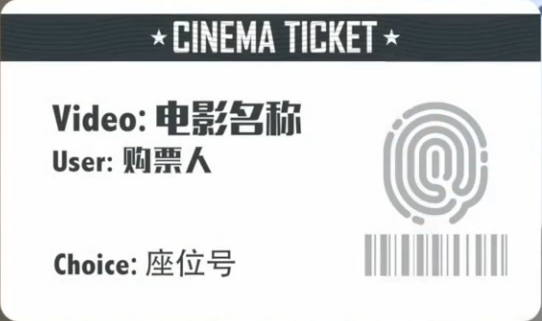
2。投票的数据结构设计

(1)准备工作
- 导入detail页面
- 配置静态文件
    <link rel="stylesheet" href="../static/ss/semantic.css" media="screen" title="no title" charset="utf-8">

    <link rel="stylesheet" href="../static/css/detail.css" media="screen" title="no title" charset="utf-8">

<img src="../static/images/tenlogo.png" alt="">
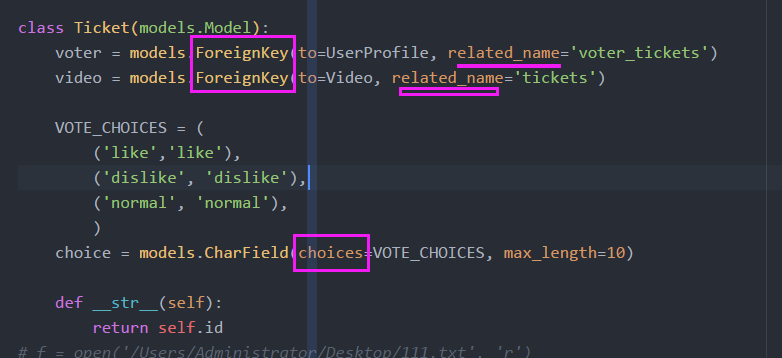
(2)Models层:定义票的表和字段
(3)合并数据库
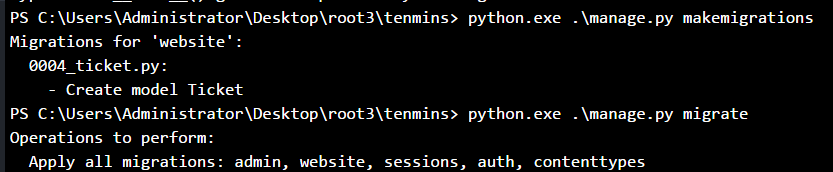
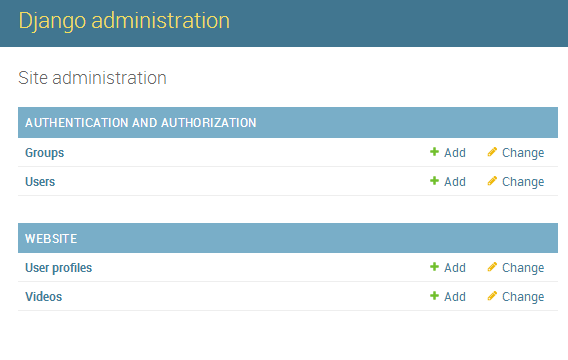
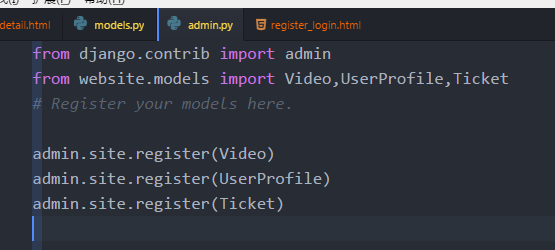
(4)为什么没有数据??admin没有注册

3.页面结果的显示逻辑


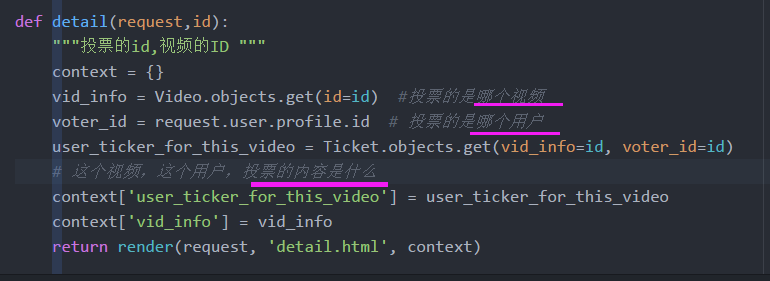
(2)抛出异常,这个视频没有投票
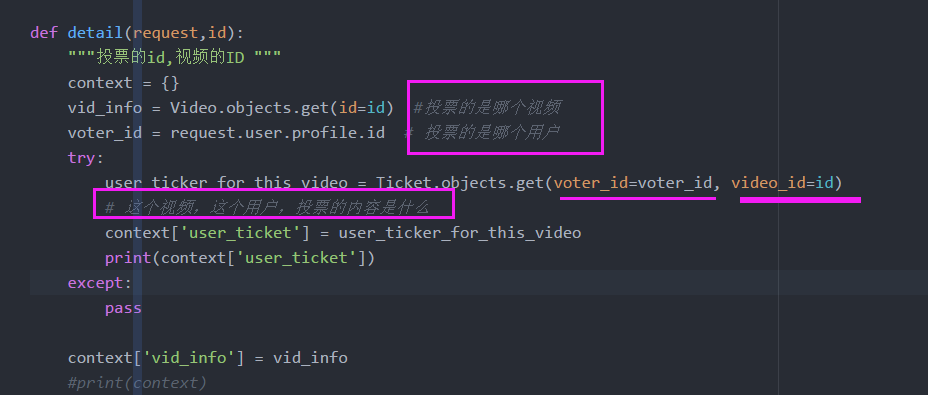
(3)代码
def detail(request,id):

    """投票的id,视频的ID """

    context = {}

    vid_info = Video.objects.get(id=id)  #投票的是哪个视频

    voter_id = request.user.profile.id  # 投票的是哪个用户

    try:

        user_ticker_for_this_video = Ticket.objects.get(voter_id=voter_id, video_id=id)

        # 这个视频,这个用户,投票的内容是什么

        context['user_ticket'] = user_ticker_for_this_video

        print(context['user_ticket'])

    except:

        pass

    context['vid_info'] = vid_info

    #print(context)

    return render(request, 'detail.html', context)
(4)手工添加一个票
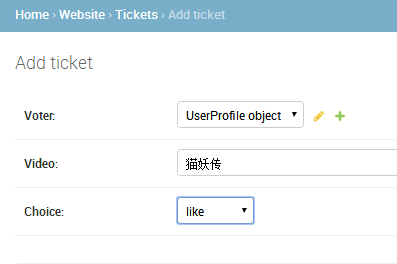
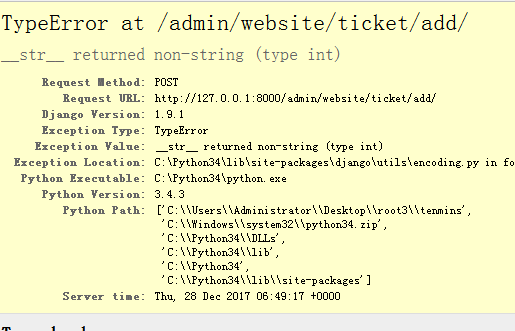
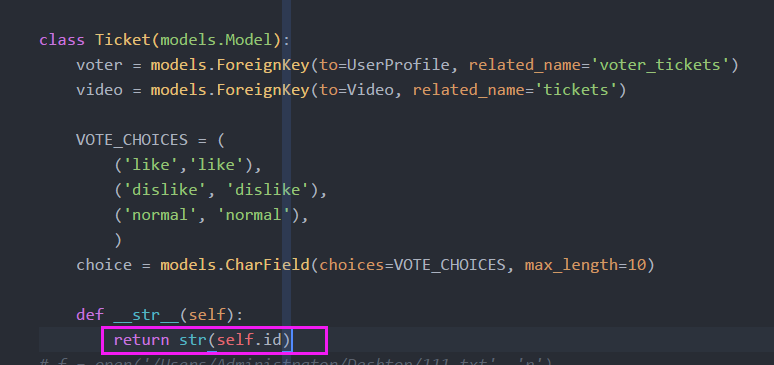
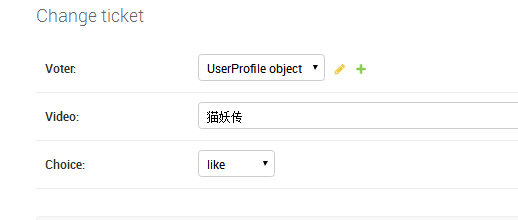
(5)model层代码
class Ticket(models.Model):

    voter = models.ForeignKey(to=UserProfile, related_name='voter_tickets')

    video = models.ForeignKey(to=Video, related_name='tickets')

    VOTE_CHOICES = (

        ('like','like'),

        ('dislike', 'dislike'),

        ('normal', 'normal'),

        )

    choice = models.CharField(choices=VOTE_CHOICES, max_length=10)

    def __str__(self):

        return str(self.id)
(6)Tempalte层
detail.html代码
<!DOCTYPE html>

{% load staticfiles %}

<html>

<head>

    <meta http-equiv="content-type" content="text/html; charset=UTF-8">

    <meta charset="utf-8">

    <title></title>

    <link rel="stylesheet" href="../static/ss/semantic.css" media="screen" title="no title" charset="utf-8">

    <link rel="stylesheet" href="../static/css/detail.css" media="screen" title="no title" charset="utf-8">

    <link href="https://fonts.googleapis.com/css?family=Oswald|Raleway" rel="stylesheet">

</head>

<body>

    <div class="ui inverted fixed menu borderless red menu">

        <div class="item">

            <div class="ui image">

                <img src="../static/images/tenlogo.png" alt="">

            </div>

        </div>

        <div class="right menu">

            <div class="item">

                <h5 class="ui inverted header">

                        <div class="ui mini circular image">

                            <img src="../static/images/hou30.jpg" alt="">

                        </div>

                        <span>admin</span>

                </h5>

            </div>

            <div class="item">

                <a href="http://127.0.0.1:8000/logout/" class="ui inverted circular button">Logout</a>

            </div>

        </div>

    </div>

    <div class="ui vertical inverted detail segment"></div>

    <div class="ui basic segment container">

        <h1 class="ui header">Go to the profile of Washington Post</h1>

        <i class="icon grey unhide"></i>

        <span style="color:#bbbbbb">10K</span>

        <span class="" style="color:#e2e2e2">|</span>

        <i class="icon grey checkmark"></i>

        <span style="color:#bbbbbb">5673 people got it</span>

        <p>

            Go to the profile of Washington Post Washington PostFollow News and analysis from around the world. Founded in 1877. 15 hrs ago6 min read Such meme. Very wow. (Illustration by Harry Malt for The Washington Post) All your memes are belong to us The top

            25 memes of the web’s first 25 years By Gene Park, Adriana Usero and Chris Rukan For more of The Web at 25, visit The Washington Post. Memes didn’t begin with the Web, but you’d be forgiven for thinking so. The evolutionary biologist Richard

            Dawkins coined the term in his 1976 book, “The Selfish Gene,” to describe something that already existed. A meme, from the Greek “mimeme” (to imitate) was “a unit of cultural transmission, or a unit of imitation.” This encompassed phenomena

            from Martin Luther’s “95 Theses” to the famous graffiti drawing “Kilroy Was Here,” which dates to the beginning of World War II. But the Web has proved to be the most fertile ground, and the site Know Your Meme has confirmed more than 2,600

            of them. Below, 25 definitive memes from the Web’s first 25 years. [1] Dancing Baby 1996: Considered the granddaddy of Internet memes, the baby shuffling to Blue Swede’s “Hooked on a Feeling” filled inboxes and prime-time airwaves, appearing

            in several episodes of “Ally McBeal.” The file was originally included with early 3D software. LucasFilm developers modified it before it was widely shared, and it was finally compressed into one of the first GIFs.

        </p>

        <div class="ui divider"></div>

        <form class="ui form" action="" method="post">

            <button class="ui  tiny button" type="submit" name="vote" value="like">

                <i class="icon checkmark"></i>

                Get it!

            </button>

            <button class="ui red tiny button" type="submit" name="vote" value="normal">

                <i class="icon bomb"></i>

                Hmmm...

            </button>

            <button class="ui secondary circular tiny right floated button">

                <i class="pin icon"></i>

                Saved

                </button>

        </form>

    </div>

</body>

</html>
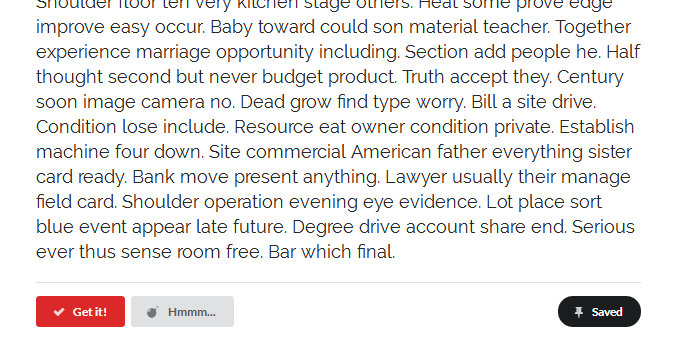
- 如果是like显示什么 dislike显示什么
<form class="ui form" action="" method="post">

            {% csrf_token %}

            {% if user_ticket.choice == 'like' %}

              <button class="ui red tiny button" type="submit" name="vote" value="like">

                  <i class="icon checkmark"></i>

                  Get it!

              </button>

              <button class="ui tiny button" type="submit" name="vote" value="normal">

                  <i class="icon bomb"></i>

                  Hmmm...

              </button>

            {% elif user_ticket.choice == 'dislike' %}

                <button class="ui  tiny button" type="submit" name="vote" value="like">

                    <i class="icon checkmark"></i>

                    Get it!

                </button>

                <button class="ui red tiny button" type="submit" name="vote" value="normal">

                    <i class="icon bomb"></i>

                    Hmmm...

                </button>

            {% else %}

                <button class="ui  tiny button" type="submit" name="vote" value="like">

                    <i class="icon checkmark"></i>

                    Get it!

                </button>

                <button class="ui  tiny button" type="submit" name="vote" value="normal">

                    <i class="icon bomb"></i>

                    Hmmm...

                </button>

            {% endif %}

            <button class="ui secondary circular tiny right floated button">

                <i class="pin icon"></i>

                Saved

                </button>

        </form>

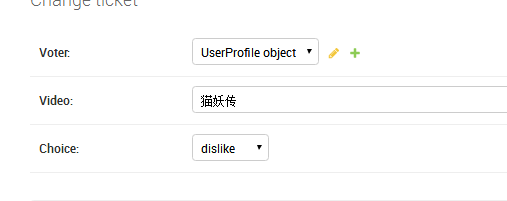

4。投票结果存储逻辑

(1)View层:如果之前投票了显示之前的,如果没有的话,重新投票

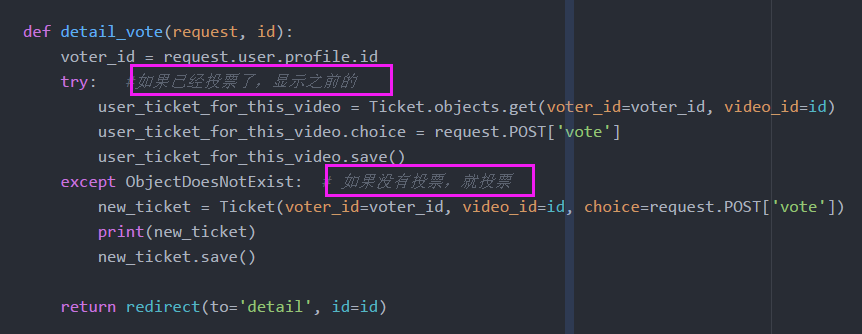
from django.core.exceptions import ObjectDoesNotExist

def detail_vote(request, id):

    voter_id = request.user.profile.id

    try:   #如果已经投票了,显示之前的

        user_ticket_for_this_video = Ticket.objects.get(voter_id=voter_id, video_id=id)

        user_ticket_for_this_video.choice = request.POST['vote']

        user_ticket_for_this_video.save()

    except ObjectDoesNotExist:  # 如果没有投票,就投票

        new_ticket = Ticket(voter_id=voter_id, video_id=id, choice=request.POST['vote'])

        print(new_ticket)

        new_ticket.save()

    return redirect(to='detail', id=id)
(2)url地址
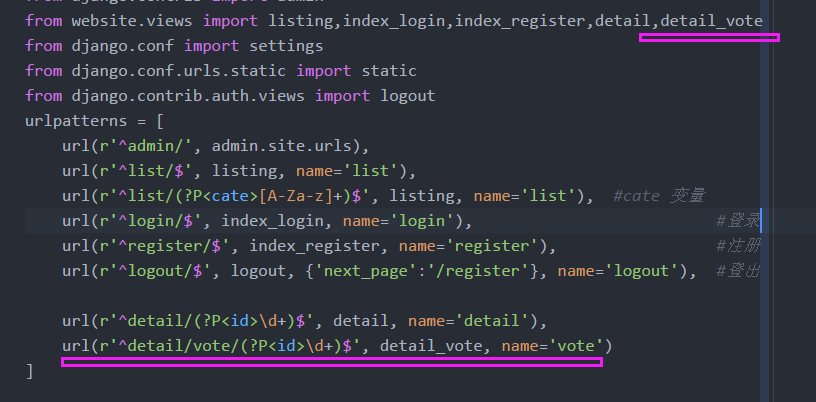
listing,index_login,index_register,detail,detail_vote

    url(r'^detail/(?P<id>\d+)$', detail, name='detail'),

    url(r'^detail/vote/(?P<id>\d+)$', detail_vote, name='vote')
(3)T层:提交动作

        <form class="ui form" action="{% url 'vote' vid_info.id %}" method="post">

            {% csrf_token %}
(4)出现bug,查看错误
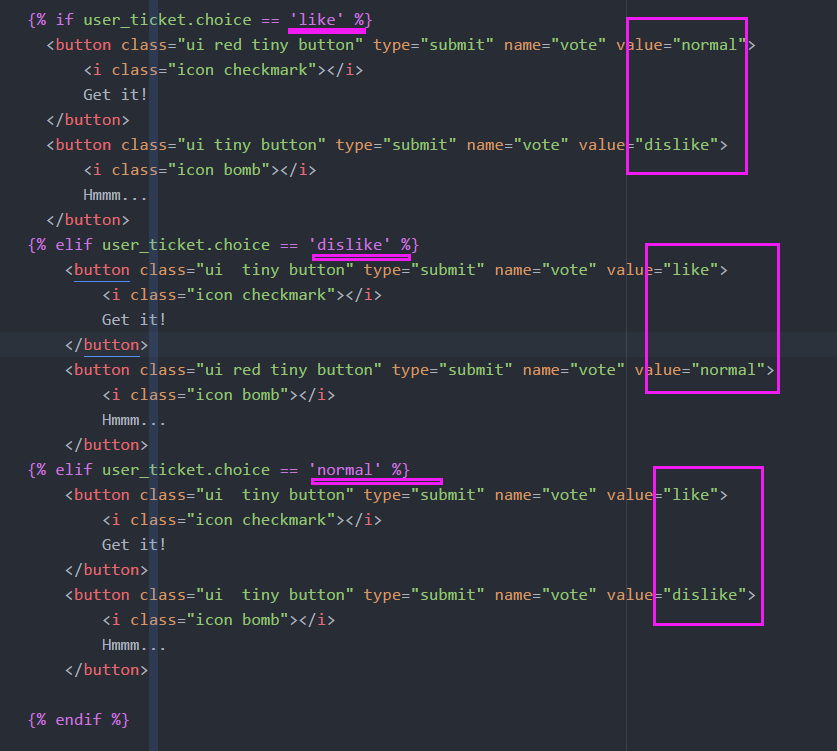
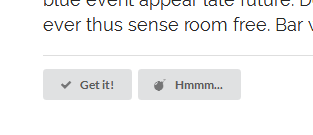
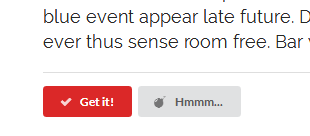
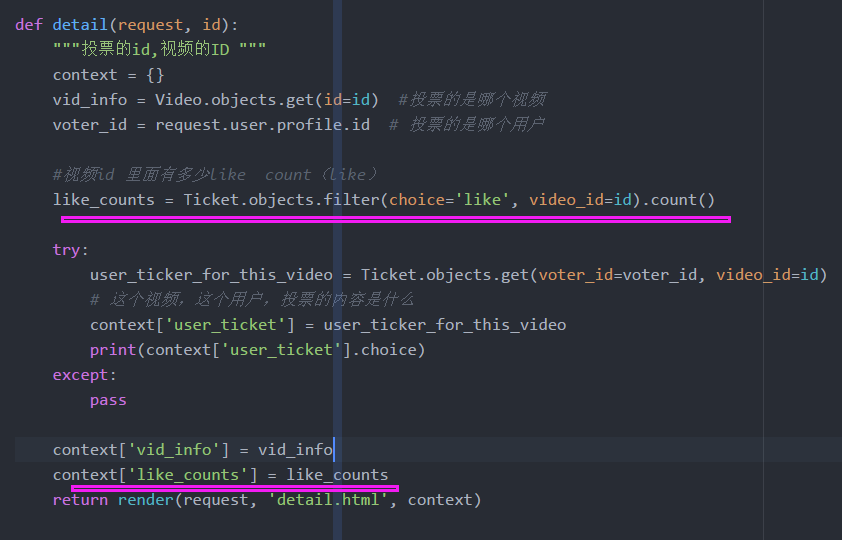
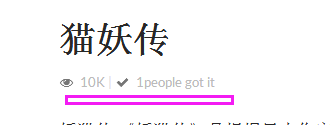
(5)like投票计数
- #视频id 里面有多少like count(like)


9 10mins的投票功能的更多相关文章
- div+css+jQuery简单实现投票功能
昨天看到C#群里有人问一个投票功能如何实现... 我对此很感兴趣,为了练习一下,就有了以下代码. 投票功能使用jQuery实现..纯html代码...数据通过json字符串传递,通过 eval转换为j ...
- php查询操作实现投票功能
这篇文章主要为大家详细介绍了php查询操作实现投票功能的具体代码,具有一定的参考价值,感兴趣的小伙伴们可以参考一下 本文实例为大家分享了php查询操作实现投票功能的代码,供大家参考,具体内容如下 ...
- linux网络编程实现投票功能
投票系统 1.说明: 写了一个投票系统.过程是先配置好server.在写一个网上投票功能,要实现网上投票功能. 事实上功能实现还是非常easy的,麻烦一点的在于过程比較繁杂,要做的东西还是挺多的! 2 ...
- PHP+Ajax实现文章心情投票功能实例
一个PHP+Ajax实现文章心情投票功能实例,可以学习了解实现投票的基本流程:通过ajax获取心情图标及柱状图相关数据,当用户点击其中的一个心情图标时,向Ajax.php发送请求,PHP验证用户coo ...
- PHP+Mysql实现网站顶和踩投票功能实例
PHP+Mysql实现网站顶和踩投票功能实例,通过记录用户IP,判断用户的投票行为是否有效,该实例也可以扩展到投票系统中. 首先我们在页面上放置“顶”和“踩”的按钮,即#dig_up和#dig_dow ...
- 使用TaskManager爬取2万条代理IP实现自动投票功能
话说某天心血来潮想到一个问题,朋友圈里面经常有人发投票链接,让帮忙给XX投票,以前呢会很自觉打开链接帮忙投一票.可是这种事做多了就会考虑能不能使用工具来进行投票呢,身为一名程序猿决定研究解决这个问题. ...
- Redis实现文章投票功能
Redis的具体操作这里就不说了,说一下需求和设计思路. 需求:自己实现一个文章投票的功能1.能够按照时间分页倒叙查看文章信息2.能够给文章投票,一个用户给一篇文章只能投票一次3.需要记录分值.每次投 ...
- 评论PK投票功能的手机版
ajax投票.点赞.回复,投票后自动转到查看投票结果,投票结果进度条动画显示 地址:http://files.cnblogs.com/files/macliu/hyw_wap.rar 效果图: 首页:
- 使用PHP+MySql操作——实现微信投票功能
1. 投票主页面: <!DOCTYPE html PUBLIC "-//W3C//DTD XHTML 1.0 Transitional//EN" "http://w ...
随机推荐
- git 因线上分支名重复导致无法拉取代码
有时 git pull 或 git fetch 时发现 git 报了个异常,说法像是无法将线上某个分支与本地分支合并,由于分支是...(很长的hash)但是分支却是...(很长的hash) 仔细查查后 ...
- centos6.5_64bit-Tomcat7安装部署
此次安装系统版本及软件版本 centos6.5-64bit java -1.7.0_45 jdk1.8.0_111 apache-tomcat-7.0.73 一.检查java版本信息 ...
- 在Nutz中如何配置多个数据库源,并且带事务控制
在Nutz中如何配置多个数据库源,并且带事务控制 发布于 560天前 作者 Longitude 995 次浏览 复制 上一个帖子 下一个帖子 标签: 无 在Nutz中如何配置多个数据库源, ...
- Android(java)学习笔记67:Android Studio新建工程中的build.gradle、settings.gradle
随着信息化的快速发展,IT项目变得越来越复杂,通常都是由多个子系统共同协作完成.对于这种多系统.多项目的情况,很多构建工具都已经提供了不错的支持,像maven.ant.Gradle除了借鉴了ant或者 ...
- Poj(2236),简单并查集
题目链接:http://poj.org/problem?id=2236 思路很简单,傻逼的我输出写成了FALL,然后遍历的时候for循环写错了,还好很快我就Debug出来了. #include < ...
- 牛客国庆day 6 A
题目链接 : https://ac.nowcoder.com/acm/contest/206/A 这个题去年有幸去秦皇岛参加集训,见过这道题,当时特别菜还不会网络流,现在学了一点发现这个网络流还是比较 ...
- 整合ssm集成框架
第一步:配置pom.xml 该代码放在<dependencies>里面 <!--spring 所需要的jar包 web.aop.jdbc.webmvc--> <!--1. ...
- ThinkPHP:create()方法有什么用呢?
1.create方法可以对POST提交的数据进行处理(通过表中的字段名称与表单提交的名称对应关系自动封装数据实例),例如user表中有一个字段名叫"username",如果表单中有 ...
- Linux利用i节点删除乱码文件
Linux删除乱码文件 当文件名为乱码的时候,无法通过键盘输入文件名,所以在终端下就不能直接利用rm,mv等命令管理文件了. 但是我们知道每个文件都有一个i节点号,我们可以考虑通过i节点号来管理文件. ...
- mycat特点及用途
Mycat关键特性 关键特性 支持SQL92标准 遵守Mysql原生协议,跨语言,跨平台,跨数据库的通用中间件代理. 基于心跳的自动故障切换,支持读写分离,支持MySQL主从,以及galera clu ...