
使用gitbook快速搭建文档中心
背景
在研发一个系统,主要给公司内部同事用,按理说,简单点的话,搞个使用文档就行了,但产品经理希望是做成一个文档中心,比如,你学习个新技术的时候,比如vue,一般有个在线的帮助文档,他的想法就是这种。
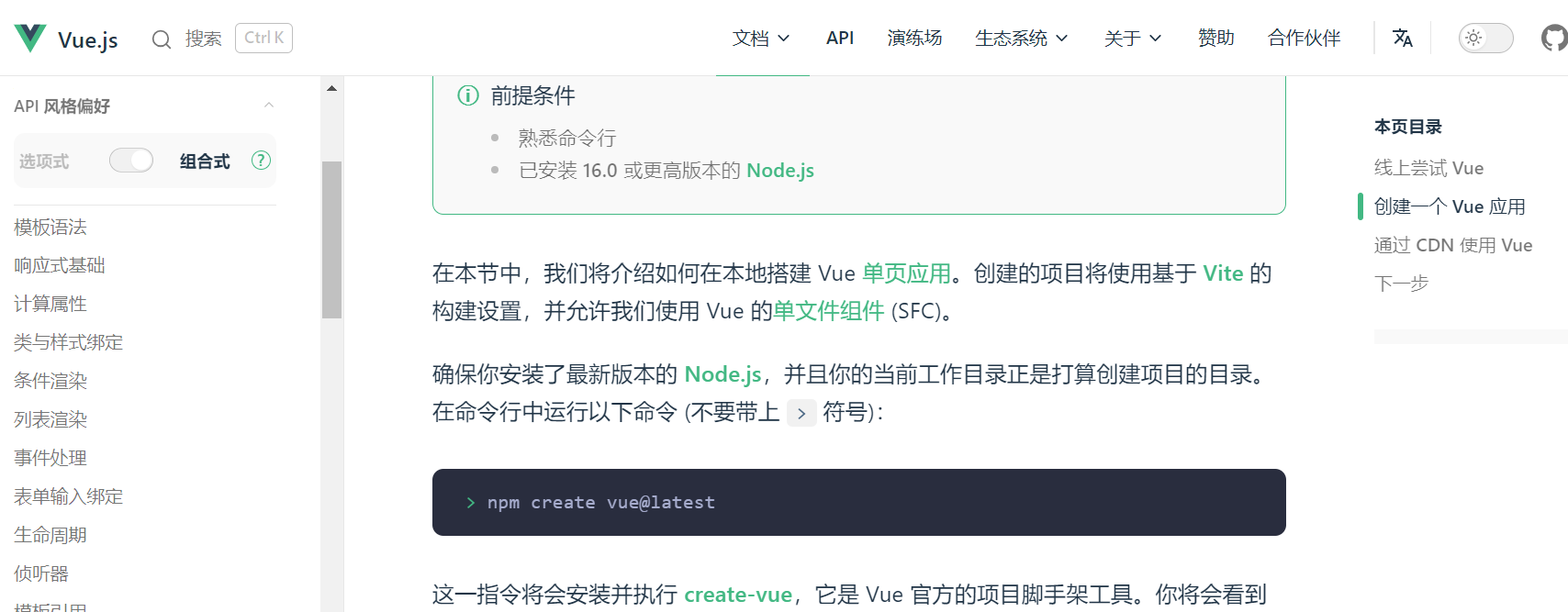
我们就开始了调研,刚开始看了下wordpress(好多云服务器支持用这个来搭建网站),后面发现好复杂,我们只需要一个清爽的帮助文档而已;后面发现文档中心这种,主要分两类,一类是动态的,有数据库,有后台管理界面,可以在后台管理中去发布文档;一种是静态的,基本就是提供写好的markdown,然后部署到服务器上,用特定技术预先渲染成html,再利用nginx之类的指向这些html,一个静态文档中心就有了。
前一阵调研了一个叫gitbook的,属于静态方案,这里简单记录下搭建过程。
gitbook 简介
gitbook的官网是https://www.gitbook.com/,它官网主要是商业版本,就是个在线网站,你可以在里面写文档,体验还可以;
开源版本维护在github,https://github.com/GitbookIO/gitbook,文档也是在github维护:
https://github.com/GitbookIO/gitbook/blob/master/docs/setup.md
目前,开源版本的发布包,最近一个版本是2018年10月,因为团队都去搞商业版本去了,这边就没维护了。
但是,gitbook做出来效果还可以,它也支持很多插件,由于gitbook是node开发的,所以插件就是各种npm包:
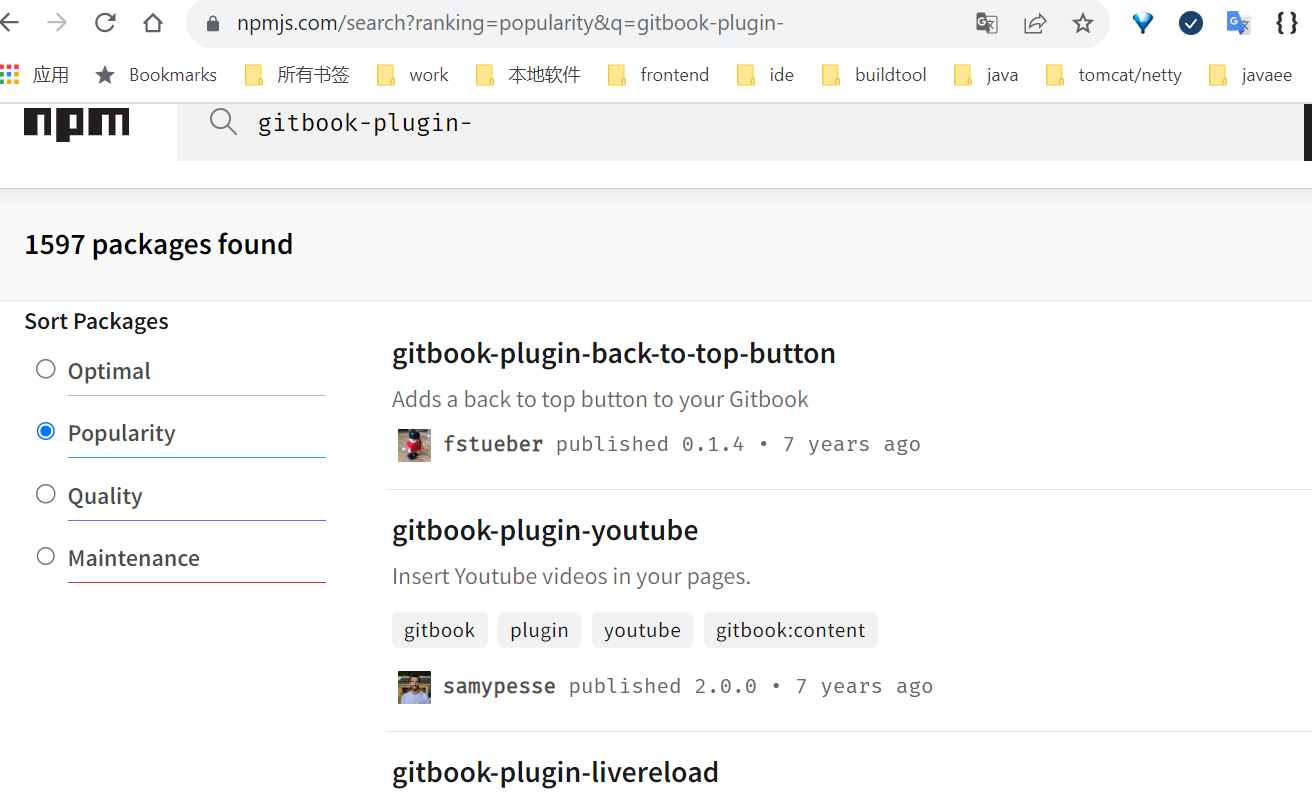
插件可以在npm官网查找,gitbook的插件都是有规范的,是gitbook-plugin-开头:
https://www.npmjs.com/search?ranking=popularity&q=gitbook-plugin-
gitbook做出来的网站的效果
示例1
https://handbook.enspiral.com/guides/blogging
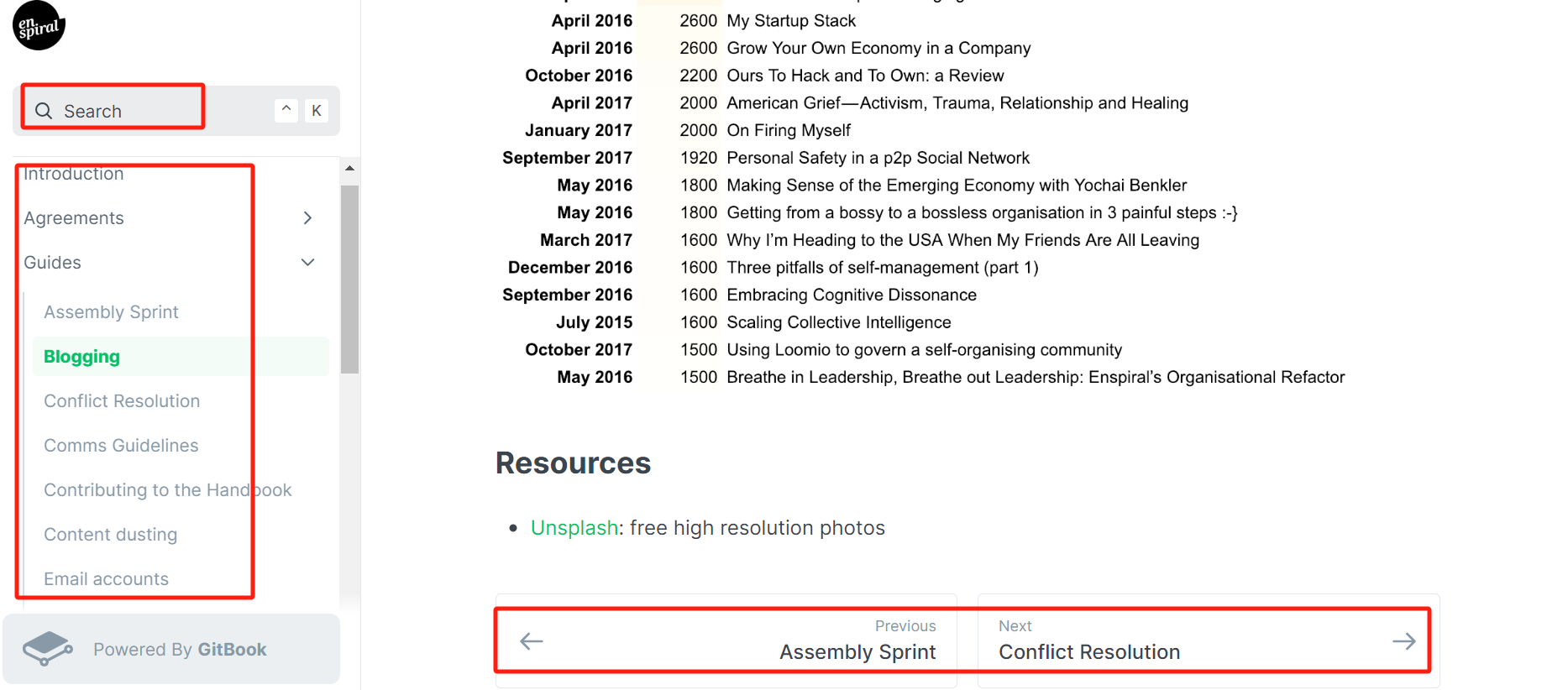
该网站的搜索效果是做不出来的,这个是对接了专门的搜索网站
对应的github:https://github.com/enspiral/handbook
示例2
https://tutorial.djangogirls.org/
github:https://github.com/DjangoGirls/tutorial
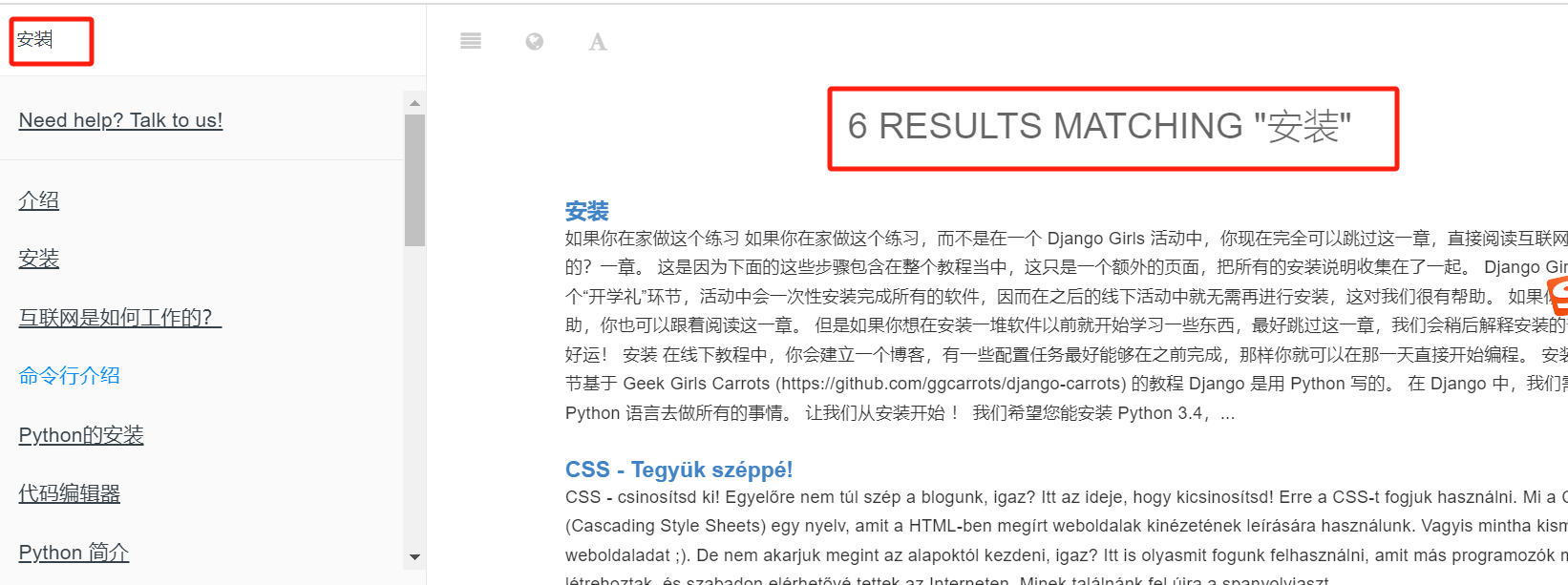
开源版本可以做到的搜索的效果:
示例3
这边是一个中文站:
https://uprogrammer.cn/html5-cn/overview.html
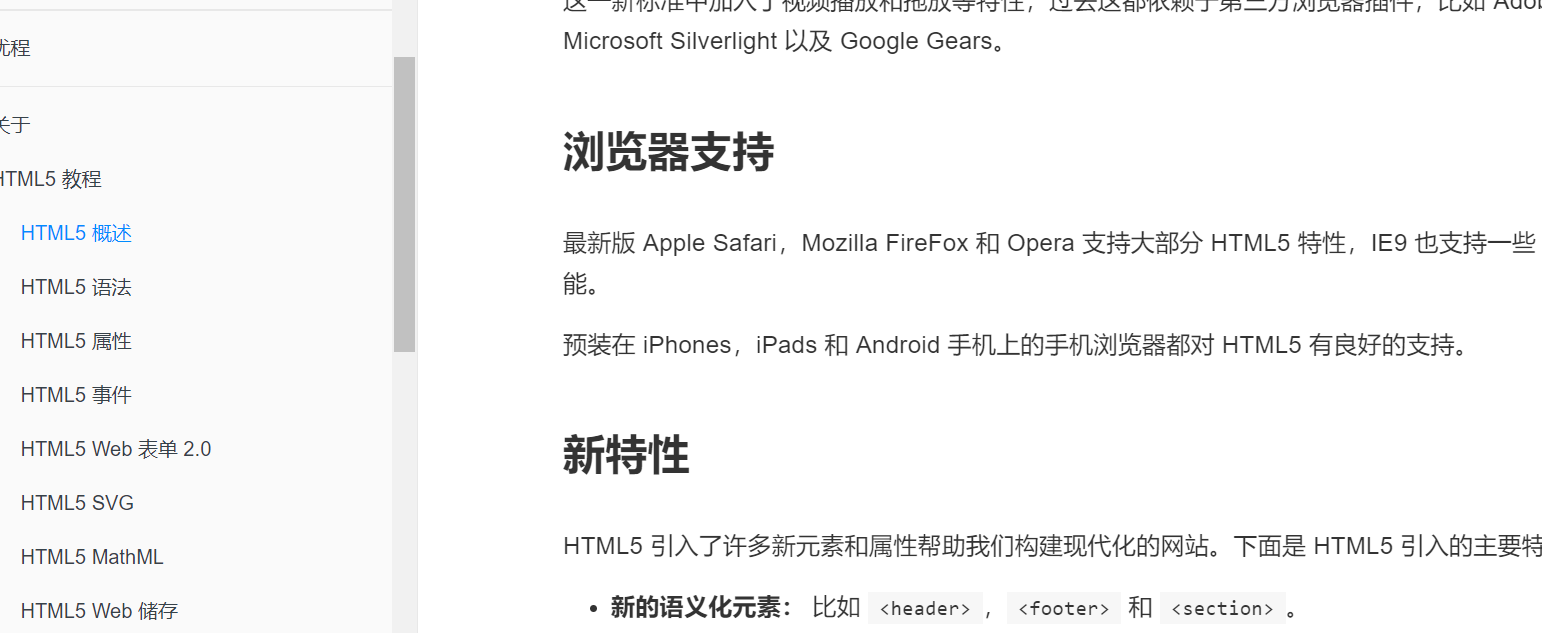
大体效果就上面那些,如果觉得还可以,就可以看看怎么搭建了。
gitbook的fork版本
gitbook的开源版本没怎么维护了,但是后面社区又有人接着维护,那就是honkit
https://github.com/honkit/honkit
HonKit is building beautiful books using Markdown - Fork of GitBook
这个到现在也还在维护,但是感觉搭建出来效果差不多,不知道优化了哪里,不过反正honkit也是支持那些老的gitbook的插件,可以考虑直接用honkit搭建。
安装过程
centos7.9 node安装
我之前搭建过一次,就是遇到一些小问题,所以降了版本,一路降到了node的v12:
https://nodejs.org/download/release/v12.3.0/
下载压缩包,解压,然后设置到/etc/profile
vim /etc/profile

export PATH=/root/upload/node-v12.3.0-linux-x64/bin:$PATH
[root@VM-0-6-centos ~]# node -v

v12.3.0

[root@VM-0-6-centos ~]# npm -v

6.9.0
本来这次不想认怂,就用node v18,见招拆招,结果就报了下面那些glibc 、gcc版本过低的问题,然后搞了几个小时没搞好(我怕把环境搞坏了,用的本地虚拟机来编译glibc、gcc,结果gcc编了快2个小时了还没好,我也是服了,回头再战吧)
centos 7.9安装nodejs v18的一些问题
首先,node目前最新的长期支持版本是v18.18.2,但是,在centos7.9上,都是用不了的。可以看下面的具体报错,是node v18版本依赖了高版本的glic库,而这个库在centos 7.9上没有;同时,也需要安装高版本的gcc,才能运行不报错,而这个高版本的gcc在centos 7.9上也没有。
https://nodejs.org/en/download
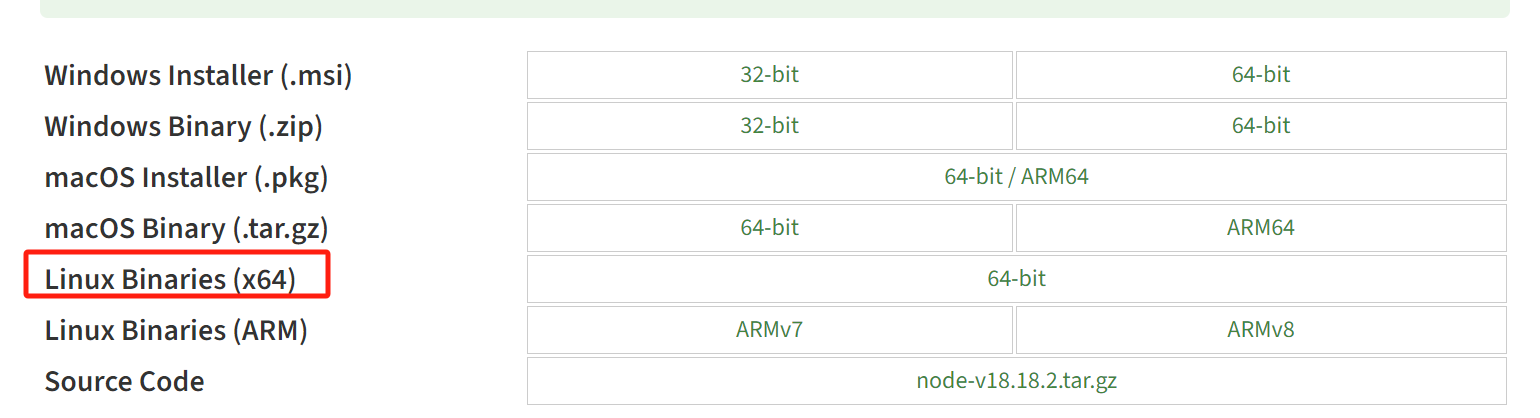
tar -xJvf node-$VERSION-$DISTRO.tar.xz

cd node-v18.18.2-linux-x64

[root@node1 node-v18.18.2-linux-x64]# bin/npm

node: /lib64/libm.so.6: version `GLIBC_2.27' not found (required by node)

node: /lib64/libc.so.6: version `GLIBC_2.25' not found (required by node)

node: /lib64/libc.so.6: version `GLIBC_2.28' not found (required by node)

node: /lib64/libstdc++.so.6: version `CXXABI_1.3.9' not found (required by node)

node: /lib64/libstdc++.so.6: version `GLIBCXX_3.4.20' not found (required by node)

node: /lib64/libstdc++.so.6: version `GLIBCXX_3.4.21' not found (required by node)
安装并配置
https://github.com/cctvckl/markdown-sample
可以参考这里
就是一堆目录和markdown
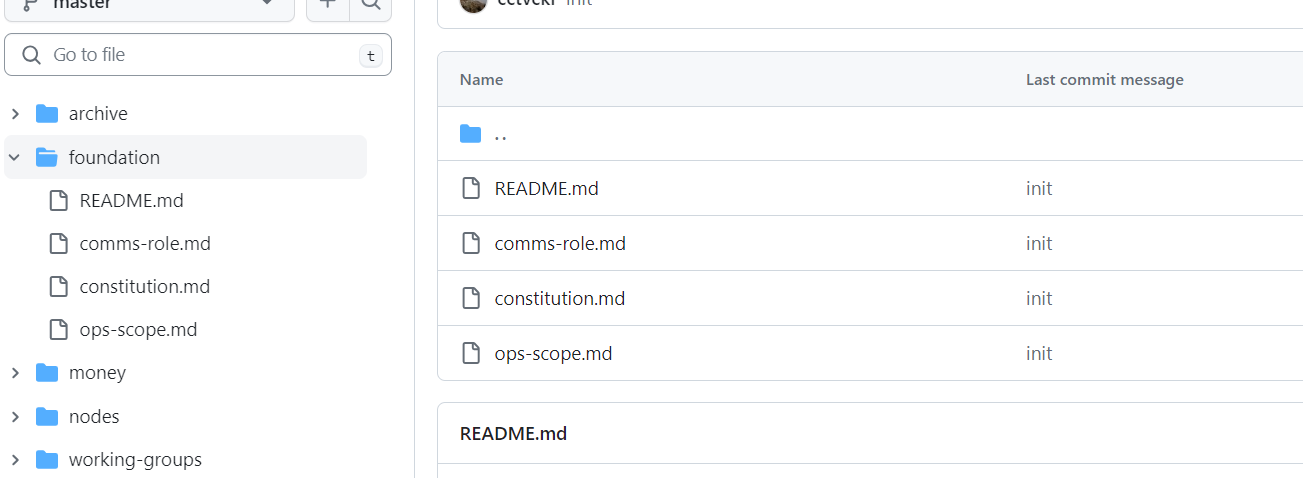
我这边上传到一个目录下:
[root@VM-0-6-centos temp-doc]# ll

total 20

drwxr-xr-x 2 root root 4096 Oct 21 16:39 archive

drwxr-xr-x 2 root root 4096 Oct 21 16:39 foundation

drwxr-xr-x 2 root root 4096 Oct 21 16:39 money

drwxr-xr-x 2 root root 4096 Oct 21 16:39 nodes

drwxr-xr-x 2 root root 4096 Oct 21 16:39 working-groups

[root@VM-0-6-centos temp-doc]# pwd

/root/doctest/temp-doc

[root@VM-0-6-centos temp-doc]#
然后安装官网:https://github.com/honkit/honkit
初始化:

[root@VM-0-6-centos temp-doc]# npm init --yes

Wrote to /root/doctest/temp-doc/package.json:

{

  "name": "temp-doc",

  "version": "1.0.0",

  "description": "",

  "main": "index.js",

  "scripts": {

    "test": "echo \"Error: no test specified\" && exit 1"

  },

  "keywords": [],

  "author": "",

  "license": "ISC"

}
安装依赖:
npm install honkit --save-dev
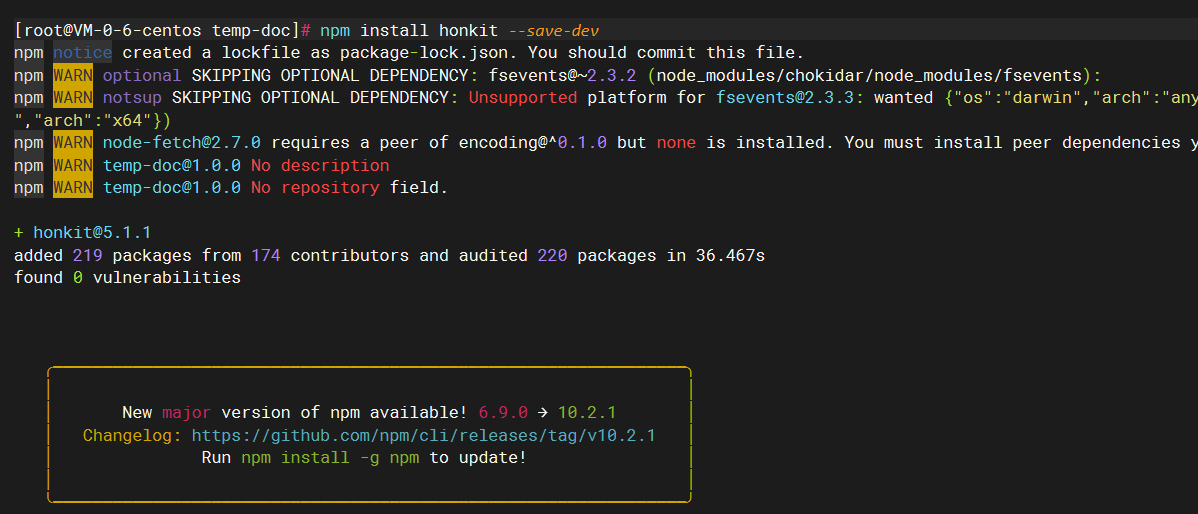
[root@VM-0-6-centos temp-doc]#  npx honkit init

warn: no summary file in this book

info: create README.md

info: create SUMMARY.md

info: initialization is finished
然后,提示我们,没有summary文件(相当于目录),帮我们建了一个,但是建的这个基本没法用:
[root@VM-0-6-centos temp-doc]# ll

total 112

drwxr-xr-x   2 root root  4096 Oct 21 16:39 archive

drwxr-xr-x   2 root root  4096 Oct 21 16:39 foundation

drwxr-xr-x   2 root root  4096 Oct 21 16:39 money

drwxr-xr-x 188 root root  4096 Oct 21 16:46 node_modules

drwxr-xr-x   2 root root  4096 Oct 21 16:39 nodes

-rw-r--r--   1 root root   273 Oct 21 16:46 package.json

-rw-r--r--   1 root root 74464 Oct 21 16:46 package-lock.json

-rw-r--r--   1 root root    16 Oct 21 16:47 README.md

-rw-r--r--   1 root root    40 Oct 21 16:47 SUMMARY.md

drwxr-xr-x   2 root root  4096 Oct 21 16:39 working-groups

[root@VM-0-6-centos temp-doc]# cat SUMMARY.md

# Summary

* [Introduction](README.md)
这个文档,本来就是需要你自己手动建的,但这里可以先用我这边的,后边可以介绍,用插件根据文件夹那些来自动创建好SUMMARY文件
[root@VM-0-6-centos handbook-main]# cat SUMMARY.md

# Table of contents

* [Introduction](README.md)

* [Guides](guides/README.md)

  * [Assembly Sprint](guides/assembly-sprints.md)

  * [Blogging](guides/blogging.md)

  * [Conflict Resolution](guides/conflict-resolution.md)

  * [Comms Guidelines](guides/comms_guidelines.md)

  * [Contributing to the Handbook](guides/contributing.md)

  * [Content dusting](guides/content-dusting.md)

  * [Email accounts](guides/email_accounts.md)

  * [Enspiral Values](guides/values.md)

  * [Github for Beginners](guides/github_for_beginners.md)

  * [Newcomers](guides/newcomers.md)

  * [Onboarding](guides/onboarding.md)

  * [Ops processes](guides/ops_processes.md)

  * [Pods](guides/pods.md)

  * [Project Kitchens](guides/project_kitchen.md)

  * [Projects & Reports](guides/projects_reports.md)

  * [PR tips for humans](guides/press.md)

  * [Research](guides/research.md)

  * [Retreats](guides/retreats.md)

  * [Songs](guides/songs.md)

  * [Workshop Patterns](guides/workshop_patterns.md)

* [Nodes](/nodes/README.md)

        * [Enspiral Europe](/nodes/enspiral-europe.md)

        * [Enspiral DAO](/nodes/enspiral-dao.md)

        * [Kumara Node](/nodes/kumara.md)

* [Working Groups](working-groups/README.md)

  * [Comms](working-groups/comms.md)

  * [Gatherings](working-groups/gatherings.md)

* [Enspiral Foundation Ltd](foundation/README.md)

  * [Constitution](foundation/constitution.md)

  * [Board of Directors](foundation/board.md)

  * [Ops Scope](foundation/ops-scope.md)

  * [Comms Role Scope](foundation/comms-role.md)

* [Money](money/README.md)

  * [Collaborative Funding](money/collabfunding.md)

  * [Contributing Money](money/contributing-money.md)

  * [Financial Transparency](money/financial_transparency.md)

* [Ventures](/ventures.md)

* [Resources](resources.md)

* [Archive](archive/README.md)
调试模式启动
[root@VM-0-6-centos temp-doc]# npx honkit serve

Live reload server started on port: 35729

Press CTRL+C to quit ...

info: >> Starting server ...

info: 6 plugins are installed

info: 6 explicitly listed

info: plugin "livereload" is loaded

info: plugin "highlight" is loaded

info: plugin "search" is loaded

info: plugin "lunr" is loaded

info: plugin "fontsettings" is loaded

info: plugin "theme-default" is loaded

info: found 1 pages

info: found 17 asset files

info: >> generation finished with success in 0.3s !

Serving book on http://localhost:4000
此时,通过访问ip:4000端口,就能看到效果,但我们实际部署,一般会编译成html,再通过nginx之类的,对外暴露成网站。
编译为html
其实在执行上面的npx honkit serve后,就生成了index.html和相关的资源文件,在当前目录的_book目录下:
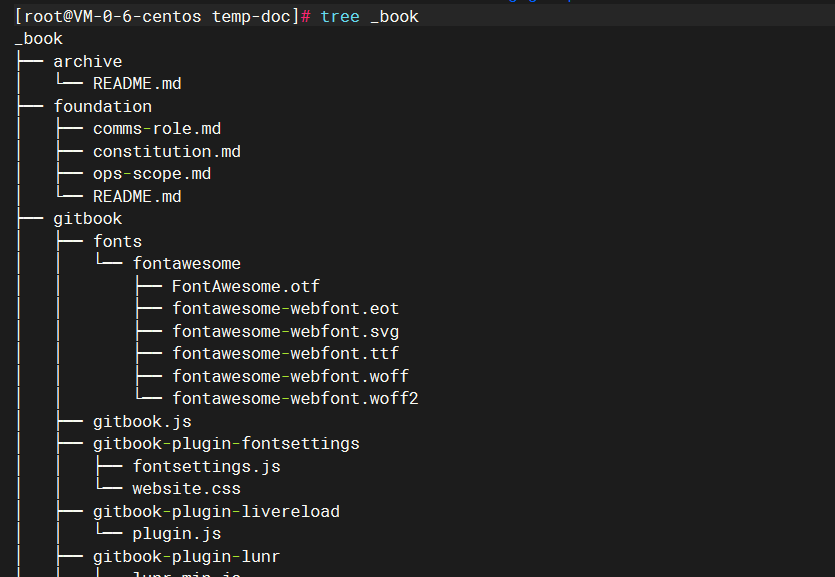
编译的命令:
[root@VM-0-6-centos temp-doc]# npx honkit build

info: 5 plugins are installed

info: 5 explicitly listed

info: plugin "highlight" is loaded

info: plugin "search" is loaded

info: plugin "lunr" is loaded

info: plugin "fontsettings" is loaded

info: plugin "theme-default" is loaded

info: found 1 pages

info: found 17 asset files

info: >> generation finished with success in 0.3s !
通过nginx发布为网站
关键配置如下:
 server {

        listen       80;

        server_name  localhost;

        location /{

            root  /root/doctest/handbook-main/_book;

        }

    }
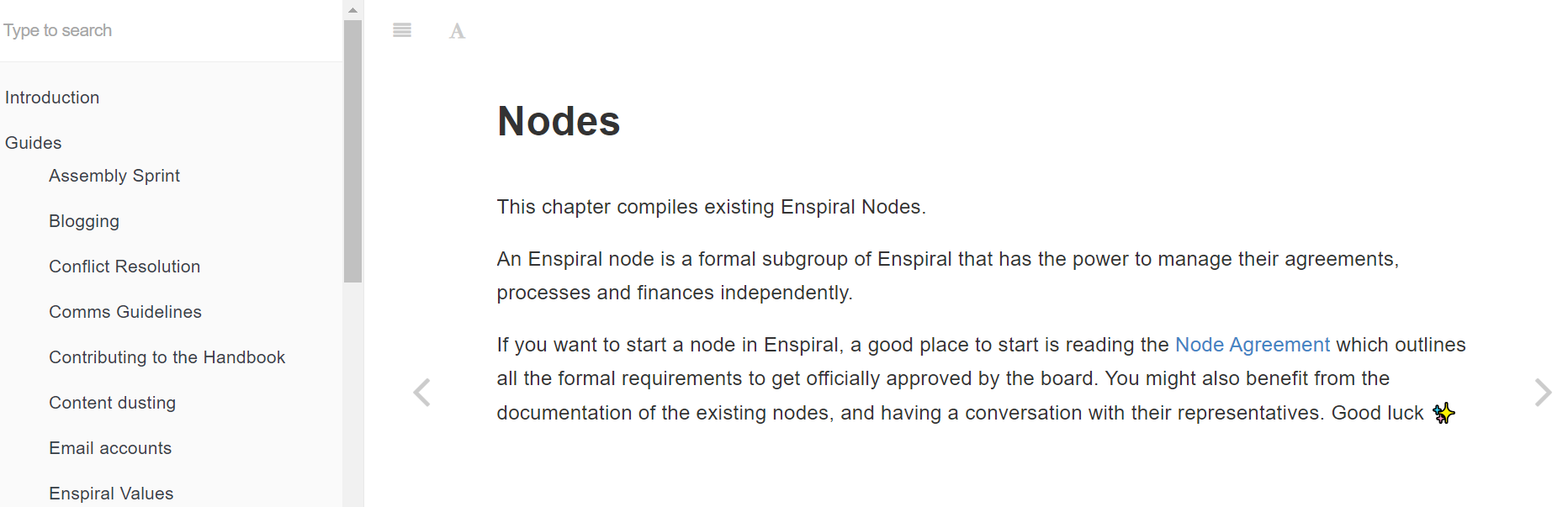
效果
访问 http://ip:80
插件
自动生成SUMMARY.md
https://www.npmjs.com/package/gitbook-plugin-summary
Gitbook plugin to auto-generate SUMMARY.md
npm i gitbook-plugin-summary --save

新建一个book.json文件,写入如下内容:

{

  "plugins": [

    "summary"

  ]

}

[root@VM-0-6-centos temp-doc]# cat book.json

{

  "plugins": [

    "summary"

  ]

}

[root@VM-0-6-centos temp-doc]# npx honkit build

info: 6 plugins are installed

info: 6 explicitly listed

info: plugin "summary" is loaded

info: plugin "highlight" is loaded

info: plugin "search" is loaded

info: plugin "lunr" is loaded

info: plugin "fontsettings" is loaded

info: plugin "theme-default" is loaded

info: found 13 pages

info: found 6 asset files

gitbook-plugin-summary: SUMMARY.md generated successfully.

info: >> generation finished with success in 1.7s !

上面可以看到,加载了summary插件
底部左右导航按钮
https://www.npmjs.com/package/gitbook-plugin-bottom-navigation
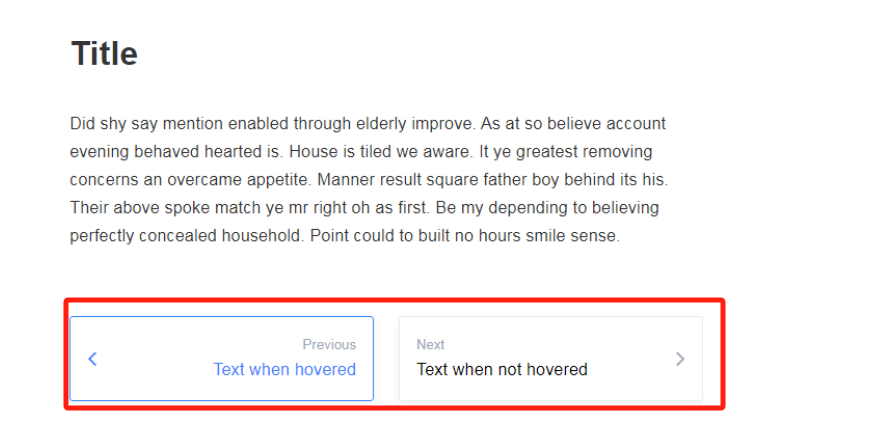
npm i gitbook-plugin-summary --save

[root@VM-0-6-centos temp-doc]# cat book.json

{

  "plugins": [

    "summary","bottom-navigation"

  ],

  "pluginsConfig": {

   "bottom-navigation": {

      "iconColor": "#3884FE",

      "titleColor": "#3884FE",

      "borderColor": "#3884FE"

    }

  }

}

npx honkit build
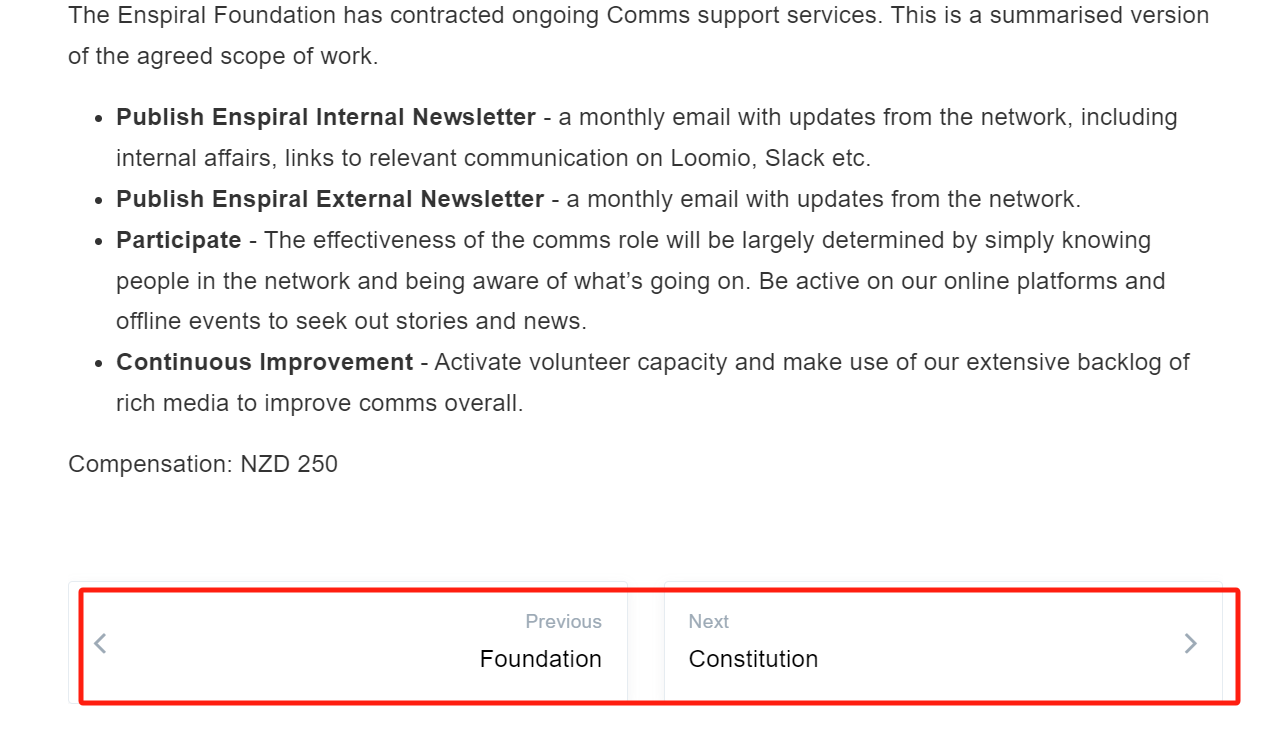
## 默认插件
在执行npx honkit build的输出中,可以看到,还有一些默认插件:
[root@VM-0-6-centos temp-doc]# npx honkit build

info: 7 plugins are installed

info: 7 explicitly listed

info: plugin "summary" is loaded

info: plugin "bottom-navigation" is loaded

info: plugin "highlight" is loaded

info: plugin "search" is loaded

info: plugin "lunr" is loaded

info: plugin "fontsettings" is loaded

info: plugin "theme-default" is loaded
默认插件也是可以去掉的,可以换成社区里更好的,语法大家网上找一下就有了。
book.json参考
我这边的一份简单的配置:
[root@VM-0-6-centos handbook-main]# cat book.json

{

  "styles": {

    "website": "styles/website.css"

  },

  "plugins": ["bottom-navigation",

    "page-footer-ex", "collapsible-menu", "video", "page-treeview","page-toc-button"  ],

  "pluginsConfig": {

        "page-treeview": {

            "copyright": "",

            "minHeaderCount": "2",

            "minHeaderDeep": "2"

        },

        "styles": {

            "website": "styles/website.css"

        },

"page-toc-button": {

            "maxTocDepth": 2,

            "minTocSize": 2

           },

"bottom-navigation": {

      "iconColor": "#3884FE",

      "titleColor": "#3884FE",

      "borderColor": "#3884FE"

    }

  },

  "variables": {

    "org": "Enspiral",

    "legalOrg": "Enspiral Foundation ltd"

  }

}
参考
https://github.com/enspiral/handbook
http://dianyao.co/gitbook-notes/
https://www.npmjs.com/package/@dogatana/honkit-plugin-search-plus
https://honkit.netlify.app/examples
https://ylface.com/mac/249.html
https://github.com/Ynjxsjmh/gitbook-plugin-bottom-navigation
https://mp.weixin.qq.com/s/eD16_Vw7z6IYrLCs5-Stug
https://mp.weixin.qq.com/s/iL3lvaDkX1MLsk8JRJtA_w
https://mp.weixin.qq.com/s/Xc3OksVsL1GfomaiJi83sg
使用gitbook快速搭建文档中心的更多相关文章
- 推荐一个vuepress模板,一键快速搭建文档站
介绍 vuepress-template是一个简单的VuePress案例模板,目的是让用户可以直接clone这个仓库,作为初始化一个VuePress网站启动项目,然后在这个项目的基础上新增自定义配置和 ...
- 【Elastic-1】ELK基本概念、环境搭建、快速开始文档
TODO 快速开始文档 SpringBoot整合ELK(Logstash收集日志.应用主动向ES写入) ELK接入Kafka 基本概念 ElasticSearch 什么是ElasticSearch? ...
- OpenShare文档中心
文档是企业重要的智力资产.在企业中,文档一般都以电子文档的形式存在,比如微软.doc格式,xls格式,ppt格式,pdf格式,纯文本.txt格式等:从内容上,可能是商务合同.会议记录.产品手册.客户资 ...
- 流程自动化RPA,Power Automate Desktop系列 - 构建VuePress文档中心脚手架
一.背景 笔者曾基于VuePress搭建过一个文档中心,但是在实现在线管理功能之前,很多时候,新建文档需要手动处理很多数据,看有没有可能实现一个脚手架来处理这些问题,所谓脚手架,就是进行文档初始化的一 ...
- 流程自动化RPA,Power Automate Desktop系列 - 发布文档中心
一.背景 内网中有一个基于VuePress搭建的静态文档中心,但是每次修改后都需要重新Build一次才行,之前都是手动执行命令,现在可以基于Power Automate Desktop来创建任务了. ...
- 数据库 PSU,SPU(CPU),Bundle Patches 和 Patchsets 补丁号码快速参考 (文档 ID 1922396.1)
数据库 PSU,SPU(CPU),Bundle Patches 和 Patchsets 补丁号码快速参考 (文档 ID 1922396.1)
- oracle数据库 PSU,SPU(CPU),Bundle Patches 和 Patchsets 补丁号码快速参考 (文档 ID 1922396.1)
数据库 PSU,SPU(CPU),Bundle Patches 和 Patchsets 补丁号码快速参考 (文档 ID 1922396.1) 文档内容 用途 详细信息 Patchsets ...
- 环境搭建文档——Windows下的Python3环境搭建
前言 背景介绍: 自己用Python开发了一些安卓性能自动化测试的脚本, 但是想要运行这些脚本的话, 本地需要Python的环境. 测试组的同事基本都没有安装Python环境, 于是乎, 我就想直接在 ...
- 生产环境轻量级dns服务器dnsmasq搭建文档
dnsmasq搭建文档 一.生产环境域名解析问题 之前生产环境设备较少,是通过维护master(192.168.1.1)设备的hosts文件实现的.每次新增设备后,需要在master的hosts文件中 ...
- kafka集群搭建文档
kafka集群搭建文档 一. 下载解压 从官网下载Kafka,下载地址http://kafka.apache.org/downloads.html 注意这里最好下载scala2.10版本的kafka, ...
随机推荐
- 2023-07-04:给定一个数组A, 把它分成两个数组B和C 对于数组A每个i位置的数来说, A[i] = B[i] + C[i] 也就是一个数字分成两份,然后各自进入B和C 要求B[i], C[i
2023-07-04:给定一个数组A, 把它分成两个数组B和C 对于数组A每个i位置的数来说, A[i] = B[i] + C[i] 也就是一个数字分成两份,然后各自进入B和C 要求B[i], C[i ...
- 分享我的 Shell 环境,git 操作效率提升 100% !
每当我换到一个新的开发环境,蛮多东西要折腾的.比如 git.golang.环境变量等等.所以特地整理了一下,下次换新电脑也方便. 本文分享我在工作中常用的环境变量 + Shell alias:比如 ...
- 「学习笔记」FHQ-treap
FHQ-treap,即无旋 treap,又称分裂合并 treap,支持维护序列,可持久化等特性. FHQ-treap 有两个核心操作,分裂 与 合并.通过这两个操作,在很多情况下可以比旋转 treap ...
- 借助 mkcert 和批处理命令生成局域网证书
借助 mkcert 和批处理命令生成局域网证书 自动获取ipv4,一键生成很方便 cd /d %~dp0 ipconfig |find "IPv4" > ipv4 set / ...
- SQL: Unknown collation: 'utf8mb4_0900_ai_ci'
错误原因 字符集错误,我的版本是5.7,文件中是8.0 解决方案 替换字符集 utf8mb4_0900_ai_ci替换为utf8_general_ci utf8mb4替换为utf8 注意:注释中的部分 ...
- NativeBuferring——一种零分配的数据类型[上篇]
之前一个项目涉及到针对海量(千万级)实时变化数据的计算,由于对性能要求非常高,我们不得不将参与计算的数据存放到内存中,并通过检测数据存储的变化实时更新内存的数据.存量的数据几乎耗用了上百G的内存,再加 ...
- centos7.9 时间相关整理
1.date / timedatectl 显示当前时间(秒): date / date +"%Y-%m-%d %H:%M:%S" (%Y等含义通过data --h查看) 显示当前时 ...
- 高效构建 vivo 企业级网络流量分析系统
作者:vivo 互联网服务器团队- Ming Yujia 随着网络规模的快速发展,网络状况的良好与否已经直接关系到了企业的日常收益,故障中的每一秒都会导致大量的用户流失与经济亏损.因此,如何快速发现网 ...
- @ControllerAdvice 注解使用及原理探究
最近在新项目的开发过程中,遇到了个问题,需要将一些异常的业务流程返回给前端,需要提供给前端不同的响应码,前端再在次基础上做提示语言的国际化适配.这些异常流程涉及业务层和控制层的各个地方,如果每个地方都 ...
- [golang]简单的文件上传下载
前言 某次在客户内网传输数据的时候,防火墙拦截了SSH的数据包,导致没法使用scp命令传输文件,tcp协议和http协议也只放开了指定端口,因此想了个用http传输的"曲线救国"方 ...