
centos7 部署 seafile
===============================================
2018/5/13_第1次修改 ccb_warlock
===============================================
最早接触seafile还是在1年多前,当时是为了能够搭建私有开源、具有同步目录功能的文件系统供员工使用,seafile的功能恰好满足这几点需求。但是考虑到需要占用服务器资源,从成本角度最后这个方案被砍掉了。最近由于工作需要,重新整理了seafile的部署内容。
一、准备工作
1.1 安装wget、vim
yum install -y wget vim
1.2 关闭防火墙
systemctl stop firewalld

systemctl disable firewalld
1.3 安装epel、Nux Dextop
# 安装epel源
rpm -ivh http://mirrors.ustc.edu.cn/epel/7/x86_64/Packages/e/epel-release-7-11.noarch.rpm
# 安装Nux Dextop源
rpm --import http://li.nux.ro/download/nux/RPM-GPG-KEY-nux.ro

rpm -Uvh http://li.nux.ro/download/nux/dextop/el7/x86_64/nux-dextop-release-0-5.el7.nux.noarch.rpm
二、部署seafile
2.1 安装mysql/mariadb
# 选择安装mariadb
yum -y install mariadb mariadb-server
# 启动、开机启动
systemctl start mariadb

systemctl enable mariadb
# 安全设置
mysql_secure_installation
# 根据下面的内容进行设置
# 第一次运行密码为空,回车。

Enter current password for root (enter for none):

# 需要设置root密码,输入y后回车。

Set root password? [Y/n] y

接着输入两次新密码。

# 是否删除匿名用户,回车。

Remove anonymous users? [Y/n]

# 是否禁止root远程登录,回车。

Disallow root login remotely? [Y/n]

# 是否删除test数据库,回车。

Remove test database and access to it? [Y/n]

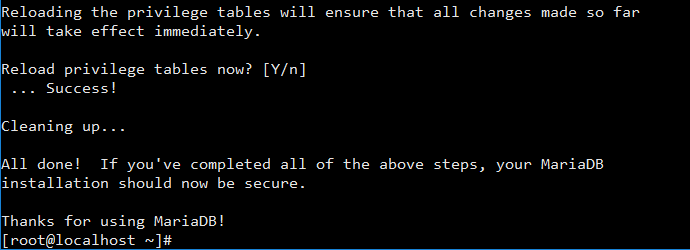
# 是否重新加载权限表,回车。

Reload privilege tables now? [Y/n]
# 使用root账户登录mariadb
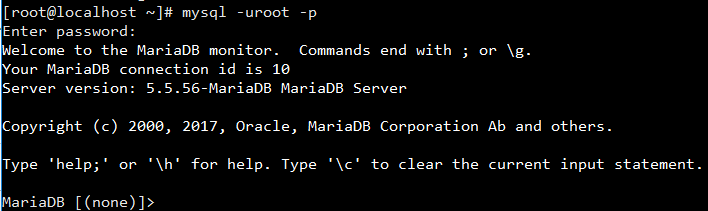
mysql -uroot -p
# 能连得进去说明刚才的设置已经生效
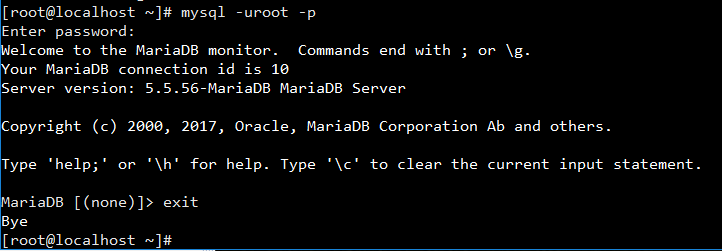
# 退出mariadb
exit
PS.如果需要远程连接,可以用下面的内容设置。
# 允许任意ip使用root远程连接

create user 'root'@'%' identified by 'root远程登录的密码';

# 添加权限给该root

grant all privileges on *.* to 'root'@'%' identified by 'root远程登录的密码';

# 配置立即生效

flush privileges;
2.2 安装依赖项
yum install -y python-memcached \

  python-ldap \

  python-urllib3 \

  python-imaging \

  MySQL-python \

  python-distribute \

  ffmpeg \

  ffmpeg-devel
2.3 安装seafile
# 获取安装包
cd
wget http://seafile-downloads.oss-cn-shanghai.aliyuncs.com/seafile-server_6.2.5_x86-64.tar.gz
# 解压
tar zxf seafile-server_6.2.5_x86-64.tar.gz
# 运行shell脚本安装
cd seafile-server-*

./setup-seafile-mysql.sh
# 根据下面的内容进行设置
# 显示给客户端的服务名,输入服务名后回车。

What is the name of the server? It will be displayed on the client.

3 - 15 letters or digits

[ server name ] OpsBakPE

# 输入ip或域名,由于内部使用直接ip,输入ip后回车。

What is the ip or domain of the server?

For example: www.mycompany.com, 192.168.1.101

[ This server's ip or domain ] 192.168.16.203

# 使用默认,将数据文件放在/root/seafile-data下,回车。

Where do you want to put your seafile data?

Please use a volume with enough free space

[ default "/root/seafile-data" ]

# 使用默认的文件服务端口8082,回车。

Which port do you want to use for the seafile fileserver?

[ default "" ]

# 使用新的seahub数据库,输入1后回车。

-------------------------------------------------------

Please choose a way to initialize seafile databases:

-------------------------------------------------------

[1] Create new ccnet/seafile/seahub databases

[2] Use existing ccnet/seafile/seahub databases

[ 1 or 2 ] 1

# 由于刚才装了mariadb,使用默认本地,回车。

What is the host of mysql server?

[ default "localhost" ]

# mariadb的默认端口就是3306,回车。

What is the port of mysql server?

[ default "" ]

# 使用默认的seafile作为seafile使用mariadb的用户,回车。

Enter the name for mysql user of seafile. It would be created if not exists.

[ default "seafile" ]

# 输入mariadb的用户seafile的密码,回车。

Enter the password for mysql user "seafile":

[ password for seafile ]

# 使用默认ccnet-db作为ccnet-server使用的数据库名,回车。

Enter the database name for ccnet-server:

[ default "ccnet-db" ]

# 使用默认seafile-db作为seafile-server使用的数据库名,回车。

Enter the database name for seafile-server:

[ default "seafile-db" ]

# 使用默认seahub-db作为seahub使用的数据库名,回车。

Enter the database name for seahub:

[ default "seahub-db" ]
# 检查配置项,没有问题回车安装。

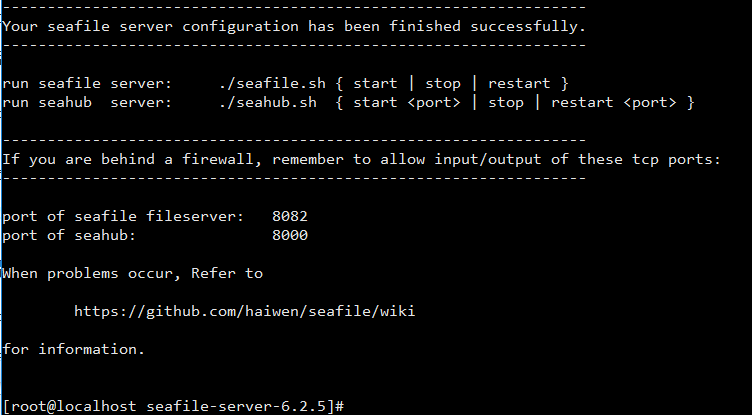
# 等待片刻,安装完成。
2.4 启动seafile、seahub
# 启动seafile服务
./seafile.sh start
# 启动seahub网站(这里加了80端口,不加端口的情况下默认运行在8000端口上)
./seahub.sh start 80
PS.第一次启动 seahub 时,seahub.sh脚本会提示创建seafile管理员帐号(邮箱名)。
2.5 访问seafile
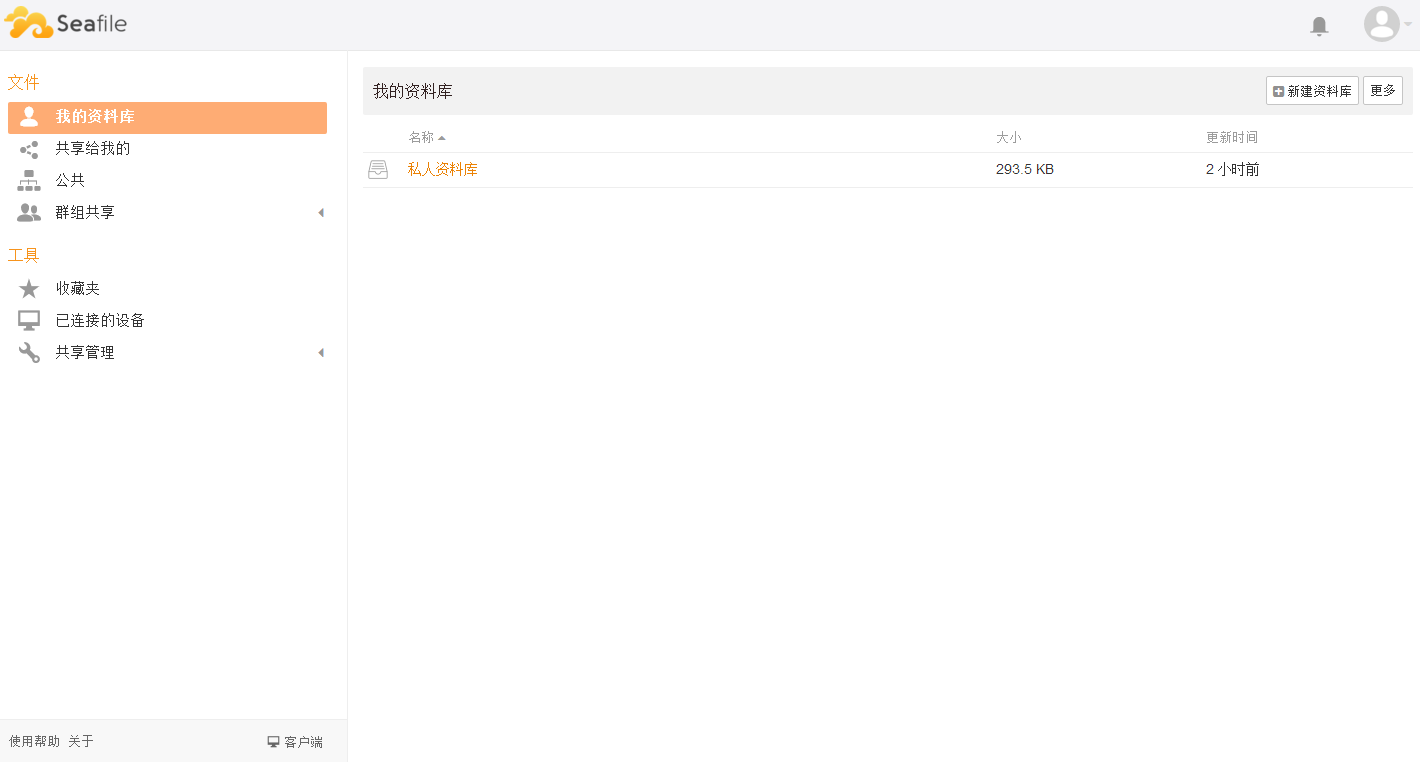
浏览器访问http://部署seafile的虚拟机IP,使用刚才创建的管理员账号登录。

三、设置开机启动
3.1 首先停止seafile、seahub服务
cd /root/seafile-server-*

./seafile.sh stop

./seahub.sh stop
3.2 创建seafile.service
vim /etc/systemd/system/seafile.service
# 添加下面的内容,wq保存。
[Unit]

Description=Seafile

After=mariadb.service

[Service]

Type=oneshot

ExecStart=/root/seafile-server-6.2.5/seafile.sh start

ExecStop=/root/seafile-server-6.2.5/seafile.sh stop

RemainAfterExit=yes

[Install]

WantedBy=multi-user.target
3.3 创建seahub.service
vim /etc/systemd/system/seahub.service
# 添加下面的内容,wq保存。
[Unit]

Description=Seafile hub

After=network.target seafile.service

[Service]

ExecStart=/root/seafile-server-6.2.5/seahub.sh start 80

ExecStop=/root/seafile-server-6.2.5/seahub.sh stop

Type=oneshot

RemainAfterExit=yes

[Install]

WantedBy=multi-user.target
3.4 启动、开机启动seafile、seahub
systemctl start seafile

systemctl enable seafile

systemctl start seahub

systemctl enable seahub
centos7 部署 seafile的更多相关文章
- [原]CentOS7部署osm2pgsql
转载请注明原作者(think8848)和出处(http://think8848.cnblogs.com) 部署Postgresql和部署PostGis请参考前两篇文章 本文主要参考GitHub上osm ...
- centos7 部署ssserver
centos7 部署shadowsocks服务端 为什么要选centos7? 以后centos7 肯定是主流,在不重要的环境还是尽量使用新系统吧 centos7 的坑 默认可能会有firewall 或 ...
- centos7 部署 docker compose
=============================================== 2019/4/10_第1次修改 ccb_warlock == ...
- centos7 部署 docker ce
=============================================== 2019/4/9_第1次修改 ccb_warlock === ...
- centos7 部署 open-falcon 0.2.0
=============================================== 2019/4/29_第3次修改 ccb_warlock 更新 ...
- centos7 部署 docker、shipyard
=============================================== 2019/4/9_第3次修改 ccb_warlock 更新说 ...
- centos7 部署 docker swarm
=============================================== 2019/4/9_第3次修改 ccb_warlock 更新说 ...
- docker stack 部署 seafile(http)
=============================================== 2018/5/13_第1次修改 ccb_warlock == ...
- CentOS7部署Nginx
CentOS7部署Nginx 1.准备工作 Nginx的安装依赖于以下三个包,意思就是在安装Nginx之前首先必须安装一下的三个包,注意安装顺序如下: 1 SSL功能需要openssl库,直接通过yu ...
随机推荐
- [AT1999] [agc002_e] Candy Piles
题目链接 AtCoder:https://agc002.contest.atcoder.jp/tasks/agc002_e 洛谷:https://www.luogu.org/problemnew/sh ...
- 51nod乘积之和
题目链接 戳我 题意简述 你有长为\(n\)的序列和\(Q\)个询问,每次询问一个\(k\),求用\(k\)个数组成的不同方案的乘积的和. sol 显然要预处理一波. 考虑分治,左右两边都求出来后,怎 ...
- BZOJ4870 [Shoi2017]组合数问题 【组合数 + 矩乘】
题目链接 BZOJ4870 题解 \[ans = \sum\limits_{i = 0}^{\infty}{nk \choose ik + r} \pmod p\] 发现实际是求 \[ans = \s ...
- 【bzoj3238】 Ahoi2013—差异
http://www.lydsy.com/JudgeOnline/problem.php?id=3238 (题目链接) 题意 给出一个字符串,求${\sum_{1<=i<j<=n} ...
- android studio gradle dependencies 包存放在哪儿?
在AndroidStudio中的"External Libraries"下有引用的library的列表, 选择某个library右键->"Library Prope ...
- linux下tar.gz、tar、bz2、zip等解压缩、压缩命令
转至:http://www.jb51.net/LINUXjishu/43356.html 说明:Linux下最常用的打包程序就是tar了,使用tar程序打出来的包我们常称为tar包,tar包文件的命令 ...
- 微软工程师主讲的SqlServer2005视频教程
http://www.cnblogs.com/slcfhr/archive/2008/11/24/1340283.html SQL Server 2005盛宴系列之一:SQL Server 2005产 ...
- Android pm 命令详解
一.pm命令介绍与包名信息查询 1.pm命令介绍 pm工具为包管理(package manager)的简称 可以使用pm工具来执行应用的安装和查询应用宝的信息.系统权限.控制应用 pm工具是Andro ...
- Django admin 忘记密码
from django.contrib.auth.models import User user = User.objects.get(username="admin") user ...
- Redis+Sentinel 实现redis集群高可用
1.sentinel作用及实现原理: https://my.oschina.net/u/172871/blog/596976?p={{currentPage-1}}