
设计多选一按钮ChooseOnlyButton
设计多选一按钮ChooseOnlyButton

效果:

源码:
ChooseOnlyButton.h 与 ChooseOnlyButton.m
//

//  ChooseOnlyButton.h

//  ChooseOnlyButton

//

//  Created by YouXianMing on 14/11/4.

//  Copyright (c) 2014年 YouXianMing. All rights reserved.

//

#import <UIKit/UIKit.h>

@class ChooseOnlyButton;

@protocol ChooseOnlyButtonDelegate <NSObject>

@optional

- (void)chooseButtonTitle:(NSString *)title;

@end

@interface ChooseOnlyButton : UIView

/**

 *  代理

 */

@property (nonatomic, assign) id<ChooseOnlyButtonDelegate>  delegate;

/**

 *  选取的按钮的标题(只读)

 */

@property (nonatomic, strong, readonly)  NSString *selectedTitle;

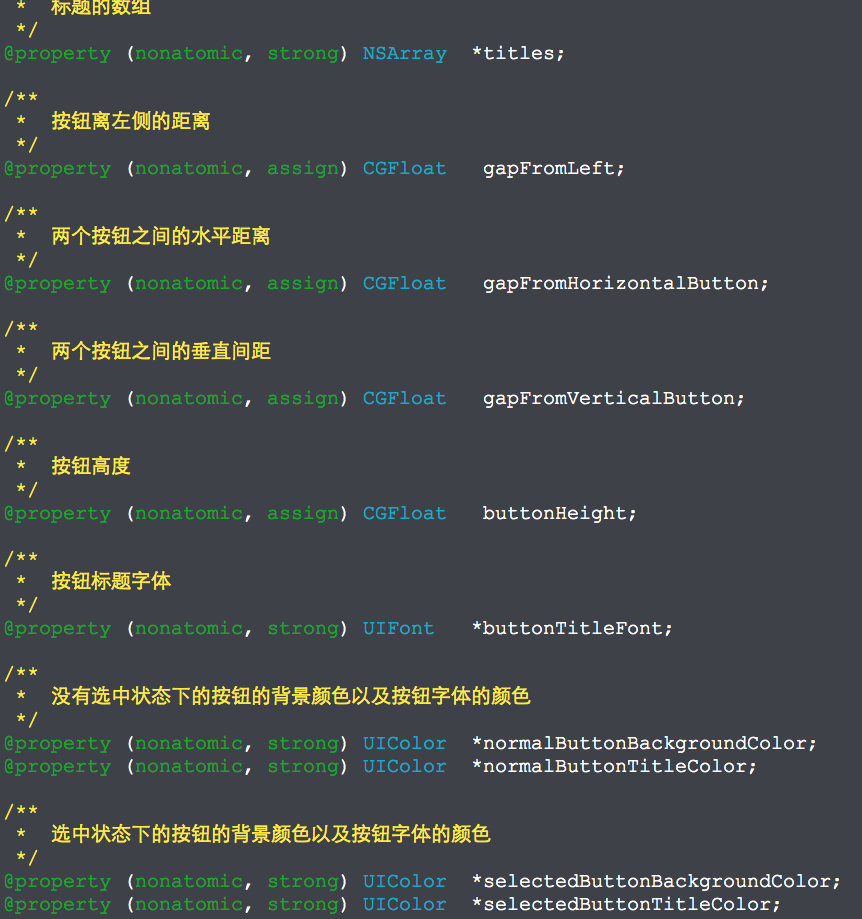
/**

 *  标题的数组

 */

@property (nonatomic, strong) NSArray  *titles;

/**

 *  按钮离左侧的距离

 */

@property (nonatomic, assign) CGFloat   gapFromLeft;

/**

 *  两个按钮之间的水平距离

 */

@property (nonatomic, assign) CGFloat   gapFromHorizontalButton;

/**

 *  两个按钮之间的垂直间距

 */

@property (nonatomic, assign) CGFloat   gapFromVerticalButton;

/**

 *  按钮高度

 */

@property (nonatomic, assign) CGFloat   buttonHeight;

/**

 *  按钮标题字体

 */

@property (nonatomic, strong) UIFont   *buttonTitleFont;

/**

 *  没有选中状态下的按钮的背景颜色以及按钮字体的颜色

 */

@property (nonatomic, strong) UIColor  *normalButtonBackgroundColor;

@property (nonatomic, strong) UIColor  *normalButtonTitleColor;

/**

 *  选中状态下的按钮的背景颜色以及按钮字体的颜色

 */

@property (nonatomic, strong) UIColor  *selectedButtonBackgroundColor;

@property (nonatomic, strong) UIColor  *selectedButtonTitleColor;

/**

 *  重设view的尺寸并且创建出新的按钮

 */

- (void)resetSizeAndCreateButtons;

/**

 *  重新计算frame

 *

 *  @return frame值

 */

- (CGRect)calculateFrame;

@end
//

//  ChooseOnlyButton.m

//  ChooseOnlyButton

//

//  Created by YouXianMing on 14/11/4.

//  Copyright (c) 2014年 YouXianMing. All rights reserved.

//

#import "ChooseOnlyButton.h"

@implementation ChooseOnlyButton

- (instancetype)initWithFrame:(CGRect)frame

{

    self = [super initWithFrame:frame];

    if (self) {

    }

    return self;

}

- (void)resetSizeAndCreateButtons {

    // 没有元素则退出

    if (_titles.count == ) {

        return;

    }

    // 没有设置左边距则默认值为5.f

    if (_gapFromLeft == ) {

        _gapFromLeft = .f;

    }

    // 没有设置水平按钮间距则默认值为5.f

    if (_gapFromHorizontalButton == ) {

        _gapFromHorizontalButton = .f;

    }

    // 没有设置垂直按钮间距则默认值为5.f

    if (_gapFromVerticalButton == ) {

        _gapFromVerticalButton = .f;

    }

    // 没有设置按钮高度则按钮默认高度为20.f

    if (_buttonHeight == ) {

        _buttonHeight = .f;

    }

    // 获取frame宽度

    CGFloat frameWidth  = self.bounds.size.width;

    // 计算出按钮宽度

    CGFloat buttonWidth = (frameWidth - _gapFromLeft* - _gapFromHorizontalButton)/.f;

    // 动态创建出按钮

    for (int i = ; i < _titles.count; i++) {

        UIButton *button = [[UIButton alloc] initWithFrame:\

                            CGRectMake(_gapFromLeft + (buttonWidth + _gapFromHorizontalButton)*(i%),

                                       (i/)*(_buttonHeight + _gapFromVerticalButton),

                                       buttonWidth,

                                       _buttonHeight)];

        // 设置按钮圆角

        button.layer.cornerRadius = _buttonHeight/.f;

        [button addTarget:self

                   action:@selector(buttonsEvent:)

         forControlEvents:UIControlEventTouchUpInside];

        // 设置按钮标题 + 默认的标题颜色

        [button setTitle:_titles[i] forState:UIControlStateNormal];

        [self normalButtonStyle:button];

        // 设置字体

        if (_buttonTitleFont) {

            button.titleLabel.font = _buttonTitleFont;

        }

        [self addSubview:button];

    }

    // 重设自身view高度

    CGFloat selfViewHeight = _buttonHeight*((_titles.count - )/ + ) + _gapFromVerticalButton*((_titles.count - )/);

    CGRect rect            = self.frame;

    rect.size.height       = selfViewHeight;

    self.frame             = rect;

}

- (CGRect)calculateFrame {

    // 没有元素则退出

    if (_titles.count == ) {

        return CGRectZero;

    }

    // 没有设置左边距则默认值为5.f

    if (_gapFromLeft == ) {

        _gapFromLeft = .f;

    }

    // 没有设置水平按钮间距则默认值为5.f

    if (_gapFromHorizontalButton == ) {

        _gapFromHorizontalButton = .f;

    }

    // 没有设置垂直按钮间距则默认值为5.f

    if (_gapFromVerticalButton == ) {

        _gapFromVerticalButton = .f;

    }

    // 没有设置按钮高度则按钮默认高度为20.f

    if (_buttonHeight == ) {

        _buttonHeight = .f;

    }

    // 根据控件的一些参数计算出高度

    CGFloat selfViewHeight = _buttonHeight*((_titles.count - )/ + ) + _gapFromVerticalButton*((_titles.count - )/);

    CGRect rect            = self.frame;

    rect.size.height       = selfViewHeight;

    // 返回控件

    return rect;

}

- (void)buttonsEvent:(UIButton *)button {

    [[self subviews] enumerateObjectsUsingBlock:^(id obj, NSUInteger idx, BOOL *stop) {

        if ([obj isKindOfClass:[UIButton class]]) {

            if ([button isEqual:obj]) {

                // 选中按钮的样式

                [self selectButtonStyle:obj];

                UIButton *button = (UIButton *)obj;

                // 获取到选取的按钮标题

                _selectedTitle = button.titleLabel.text;

                // 代理

                if (_delegate && [_delegate respondsToSelector:@selector(chooseButtonTitle:)]) {

                    [_delegate chooseButtonTitle:button.titleLabel.text];

                }

            } else {

                [self normalButtonStyle:obj];

            }

        }

    }];

}

#pragma mark - 私有方法

/**

 *  普通按钮的样式

 *

 *  @param button 要改变样式的按钮

 */

- (void)normalButtonStyle:(UIButton *)button {

    if (_normalButtonTitleColor) {

        [button setTitleColor:_normalButtonTitleColor

                     forState:UIControlStateNormal];

    } else {

        [button setTitleColor:[UIColor colorWithRed:0.000 green:0.361 blue:0.671 alpha:]

                     forState:UIControlStateNormal];

    }

    if (_normalButtonBackgroundColor) {

        button.backgroundColor = _normalButtonBackgroundColor;

    } else {

        button.backgroundColor = [UIColor clearColor];

    }

    button.layer.borderColor = [UIColor colorWithRed:0.843 green:0.843 blue:0.843 alpha:].CGColor;

    button.layer.borderWidth = .f;

}

/**

 *  选中按钮时的样式

 *

 *  @param button 要改变样式的按钮

 */

- (void)selectButtonStyle:(UIButton *)button {

    if (_selectedButtonTitleColor) {

        [button setTitleColor:_selectedButtonTitleColor

                     forState:UIControlStateNormal];

    } else {

        [button setTitleColor:[UIColor colorWithRed:0.973 green:0.984 blue:0.988 alpha:]

                     forState:UIControlStateNormal];

    }

    if (_selectedButtonBackgroundColor) {

        button.backgroundColor = _selectedButtonBackgroundColor;

    } else {

        button.backgroundColor = [UIColor colorWithRed:0.055 green:0.365 blue:0.663 alpha:];

    }

    button.layer.borderColor = [UIColor colorWithRed:0.055 green:0.365 blue:0.663 alpha:].CGColor;

    button.layer.borderWidth = .f;

}

@end
使用时候的源码:
//

//  ViewController.m

//  ChooseOnlyButton

//

//  Created by YouXianMing on 14/11/4.

//  Copyright (c) 2014年 YouXianMing. All rights reserved.

//

#import "ViewController.h"

#import "ChooseOnlyButton.h"

@interface ViewController ()<ChooseOnlyButtonDelegate>

{

    ChooseOnlyButton *button;

}

@end

@implementation ViewController

- (void)viewDidLoad {

    [super viewDidLoad];

    UILabel *label      = [[UILabel alloc] initWithFrame:CGRectMake(, , , )];

    label.textAlignment = NSTextAlignmentCenter;

    label.text          = @"学挖掘机哪家强?";

    label.textColor     = [UIColor grayColor];

    [self.view addSubview:label];

    button                         = [[ChooseOnlyButton alloc] initWithFrame:CGRectMake(, , , )];

    button.buttonHeight            = .f;

    button.gapFromLeft             = .f;

    button.gapFromVerticalButton   = .f;

    button.gapFromHorizontalButton = .f;

    button.buttonTitleFont         = [UIFont systemFontOfSize:.f];

    button.titles                  = @[@"A. 蓝翔",

                                       @"B. blueShit",

                                       @"C. YouXianMing",

                                       @"D. 不知道"];

    button.delegate                = self;

    [self.view addSubview:button];

    // 设置完所有参数后创建出控件

    [button resetSizeAndCreateButtons];

}

#pragma mark - 代理

- (void)chooseButtonTitle:(NSString *)title {

    NSLog(@"%@", title);

    NSLog(@"%@", button.selectedTitle);

}

@end
以下是需要注意的地方:
超高的可定制性
设计多选一按钮ChooseOnlyButton的更多相关文章
- 设计可以多选的按钮ChooseManyButton
设计可以多选的按钮ChooseManyButton 效果: 源码: ChooseManyButton.h 与 ChooseManyButton.m // // ChooseManyButton.h / ...
- 设计多选按钮ListChooseView
设计多选按钮ListChooseView 答应某位女屌丝而写的控件,效果还不错,开源给大家^_^! 效果图: 源码: // // ListChooseView.h // ScrollChooseBut ...
- js动态获取子复选项并设计全选及提交
在做项目的时候,会遇到根据父选项,动态的获取子选项,并列出多个复选框,提交时,把选中的合并成一个字符提交后台 本章将讲述如何通过js控制实现该操作: 1:设计父类别为radio,为每一个radio都加 ...
- 定制二选一按钮SwitchButton
定制二选一按钮SwitchButton 效果: 源码: SwitchButton.h 与 SwitchButton.m // // SwitchButton.h // KongJian // // C ...
- .NET开源工作流RoadFlow-表单设计-复选按钮组
复选按钮组的设置与单选按钮组的设置相同,只是表现形式为:<input type="checkbox"/>
- cocos2dx 3.x (单选,多选,复选checkBox按钮的实现) RadioButton
// // LandLordsMakeNewRoom.hpp // MalaGame39 // // Created by work on 2016/12/19. // // #ifndef ...
- xmlplus 组件设计系列之二 - 按钮
除了图标以外,按钮也许是最简单的组件了,现在来看看如何定义按钮组件. 使用原生按钮组件 在 xmlplus 中,HTML 元素也以组件的方式存在.所以,你可以直接通过使用 button 标签或者 in ...
- 聊聊Zookeeper应用场景、架构设计、选主机制
Zookeeper作为一个分布式协调系统提供了一项基本服务:分布式锁服务,分布式锁是分布式协调技术实现的核心内容.像配置管理.任务分发.组服务.分布式消息队列.分布式通知/协调等,这些应用实际上都是基 ...
- UI设计, 弹出对话框 设计(区分强调按钮和普通按钮,给用户一个 正向建议的强调按钮)
在UI设计时,经常会需要 设计 弹出对话框,以下是个样式设计: 0.标准对话框 说明 Title space : 标题区 contents space : 内容区 function space: 功能 ...
随机推荐
- alloca() 是什么?为什么不提倡使用它?
在调用 alloca() 的函数返回的时候, 它分配的内存会自动释放.也就是说, 用 alloca 分配的内存在某种程度上局部于函数的 ``堆栈帧" 或上下文中. alloca() 不具可 ...
- 共识算法:PBFT、RAFT
转自:https://www.cnblogs.com/davidwang456/articles/9001331.html 区块链技术中,共识算法是其中核心的一个组成部分.首先我们来思考一个问题:什么 ...
- 别被官方文档迷惑了!这篇文章帮你详解yarn公平调度
欢迎大家前往腾讯云+社区,获取更多腾讯海量技术实践干货哦~ 本文由@edwinhzhang发表于云+社区专栏 FairScheduler是yarn常用的调度器,但是仅仅参考官方文档,有很多参数和概念文 ...
- docker-compose.yml样例(mysql主从+mycat读写分离)
Docker-compose.yml文件示例 1.mysql主从复制的docker-compose.yml文件 # cat docker-compose.yml version: '2' # 这个ve ...
- Git 什么时候用什么指令
转自:http://blog.gogojimmy.net/2012/02/29/git-scenario/ Git 教學(1):Git的基本使用 Git 教學(2):Git Branch 的操作與基本 ...
- 深入了解Java虚拟机(3)类文件结构
虚拟机执行子系统 一.类文件结构 1.魔数和class版本 1.magic-魔数:0xCAFEBABE:4字节 2.minor_version:次版本,丶之后的数字:2字节 3.major_versi ...
- SQL2008无法连接到(local),该账户当前被锁定,所以Sa用户登陆失败
1 安装小结 换了电脑,很多软件都得重装,期间报了很多问题,比如说先装vs2008再装sql server2008r2会报一个“存在2008早期版本”,通过查找,百度一系列的坑爹之路后,我还是把vs2 ...
- pageParam要求传个JSON对象的方法
pageParam要求传个JSON对象,使用方式:api.openWin({name: 'page1',url: 'page1.html',pageParam: {x: '1000',y: '2000 ...
- HA_Snapshots 数据库快照
1. 创建测试数据库HA_Snapshot 2. 创建快照 create database HA_Snapshot_20 on ( name = HA_Snapshot, filename = '.. ...
- jQuery如何根据元素值删除数组元素
用到的方法$.inArry(); $.inArray( value, array [, fromIndex ] ) value 任意类型 用于查找的值. array Array类型 指定被查找的数组. ...