
12、Bootstrap中文文档(其它插件分享)
给大家介绍一个前端框架让你从此写起前端代码与之先前相比如有神助般的效果拉就是Bootstrap.
本片导航:
一、Bootstrap的下载
Bootstrap,由Twitter的设计师Mark Otto和Jacob Thornton合作开发,是目前最受欢迎的前端框架。Bootstrap 是基于 HTML、CSS、JAVASCRIPT 的,它简洁灵活,使得 Web 开发更加快捷。(当前版本: v3.3.7)
1、过程分解
1) 点击"下载Bootstrap"
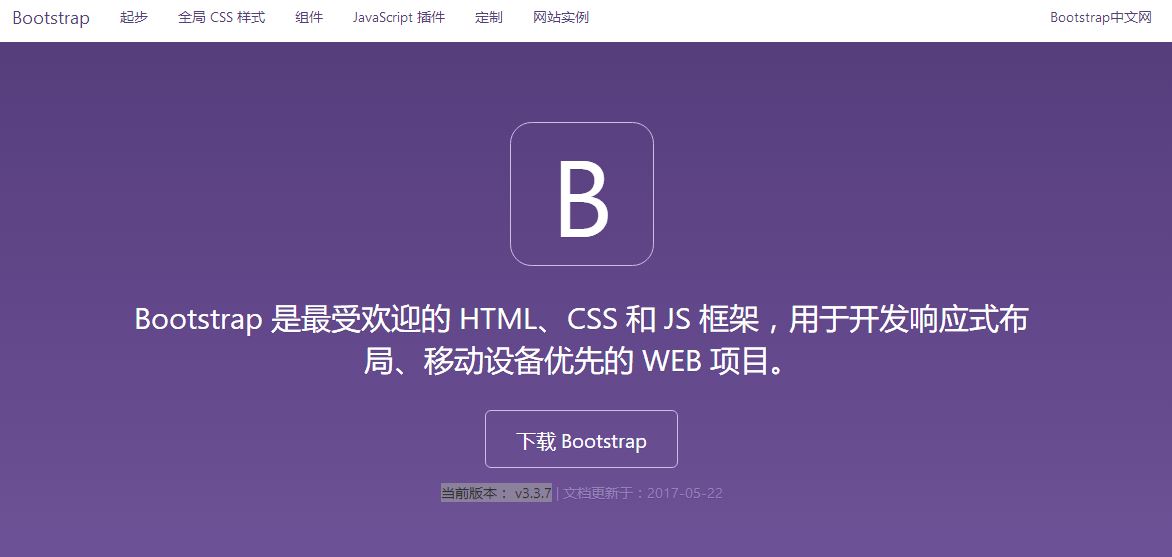
2)第一个"下载Bootstrap"
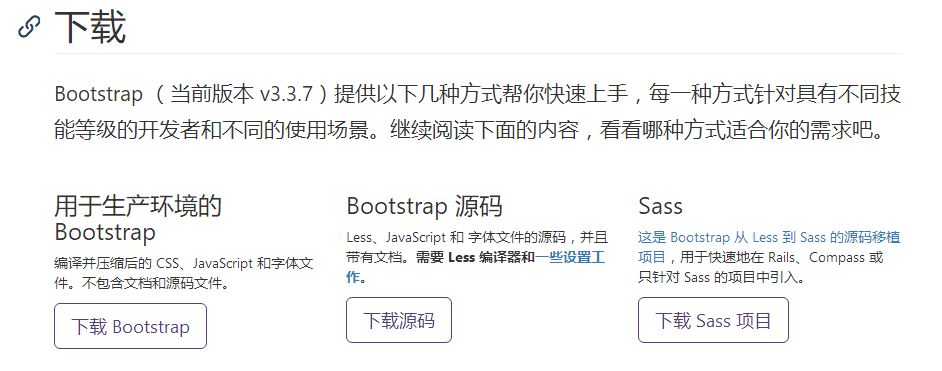
3)下载到html需要使用框架的目录
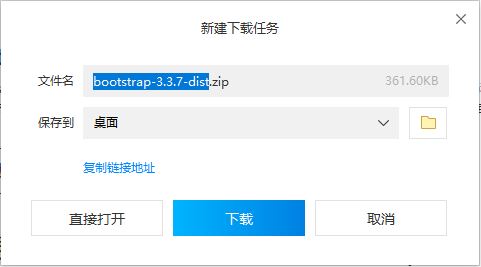
4)解压


二、css样式的使用
1、引用
<link rel="stylesheet" href="bootstrap-3.3.7/css/bootstrap.min.css">
2、查询需要样式代码
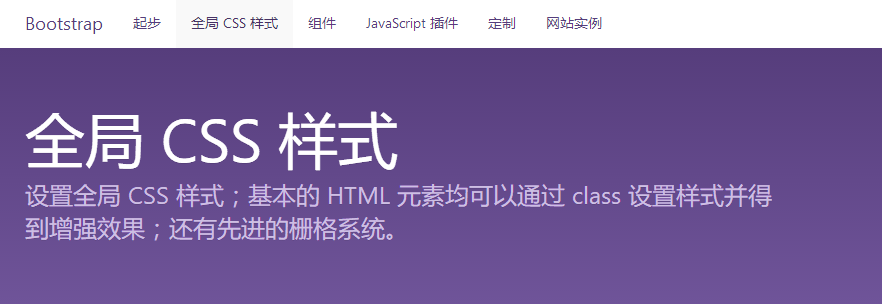
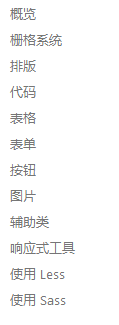
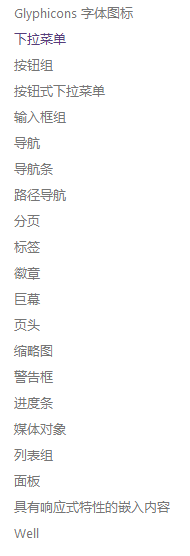
在"全局CSS样式"和"组件"里查找
1)全局CSS样式:
2)组件
3、代码举例(部分示例有兴趣的可以详细了解):
<!DOCTYPE html>

<html lang="en">

<head>

    <meta charset="UTF-8">

    <title>示例1</title>

    <!--引用本地的-->

    <link rel="stylesheet" href="bootstrap-3.3.7-dist/css/bootstrap.min.css">

    <!--<link rel="stylesheet" href="my-style.css">-->

    <!--引用CDN-->

    <!--<link href="https://cdn.bootcss.com/bootstrap/3.3.7/css/bootstrap.min.css" rel="stylesheet">-->

    <style>

        .c1 {

            background-color: red;

        }

    </style>

</head>

<body>

<div class="container-fluid c1">

    <table class="table table-bordered table-striped table-hover">

        <thead>

        <tr>

            <th>#</th>

            <th> 姓名</th>

            <th>爱好</th>

        </tr>

        </thead>

        <tbody>

        <tr class="active">

            <td>1</td>

            <td>Egon</td>

            <td>杠娘</td>

        </tr>

        <tr class="success">

            <td>1</td>

            <td>Egon</td>

            <td>杠娘</td>

        </tr>

        <tr class="danger">

            <td>1</td>

            <td>Egon</td>

            <td>杠娘</td>

        </tr>

        <tr class="warning">

            <td>1</td>

            <td>Egon</td>

            <td>杠娘</td>

        </tr>

        <tr class="info">

            <td>1</td>

            <td>Egon</td>

            <td>杠娘</td>

        </tr>

        </tbody>

    </table>

</div>

</body>

</html>
Bootstrap_示例
<!DOCTYPE html>

<html lang="en">

<head>

    <meta charset="UTF-8">

    <title>栅格示例</title>

    <link rel="stylesheet" href="bootstrap-3.3.7-dist/css/bootstrap.min.css">

    <style>

        .c1 {

            background-color: red;

            height: 30px;

        }

    </style>

</head>

<body>

<!--放容器-->

<div class="container-fluid">

    <!--f行-->

    <div class="row">

        <!--列-->

        <div class="col-md-1 c1"></div>

    </div>

    <div class="row"></div>

    <div class="row"></div>

    <div class="row"></div>

    <div class="row"></div>

    <div class="row"></div>

</div>

</body>

</html>
Bootstrap_栅格示例
<!DOCTYPE html>

<html lang="en">

<head>

    <meta charset="UTF-8">

    <title>标题示例</title>

    <link rel="stylesheet" href="bootstrap-3.3.7-dist/css/bootstrap.min.css">

</head>

<body>

<div class="container">

    <h1>一级标题</h1>

    <h2>二级标题</h2>

    <h3>三级标题</h3>

    <h4>四级标题</h4>

    <h5>五级标题</h5>

    <h6>六级标题</h6>

    <hr>

    <div class="h1">1级标题 36px <small>我是小字儿</small></div>

    <div class="h2">2级标题 30px</div>

    <div class="h3">3级标题 24px</div>

    <div class="h4">4级标题 18px</div>

    <div class="h5">5级标题 14px</div>

    <div class="h6">6级标题 12px</div>

    <p>啊,大海啊,大海啊,大海啊,大海啊,大海啊,大海啊,大海啊,大海</p>

    <p class="lead">全是水

        <mark>全是水</mark>全是水全是水全是水

        <del>全是水全是水全是水全是水</del></p>

</div>

</body>

</html>
Bootstrap_标题,文字示例
<!DOCTYPE html>

<html lang="en">

<head>

    <meta charset="UTF-8">

    <title>文本对齐</title>

    <link rel="stylesheet" href="bootstrap-3.3.7-dist/css/bootstrap.min.css">

</head>

<body>

<div class="container">

    <p class="text-left">左对齐.</p>

    <p class="text-center">居中.</p>

    <p class="text-right">右对齐.</p>

    <p class="text-justify">两端对齐.</p>

    <p class="text-justify">a dahai doushi shuia dahai doushi shuia dahai doushi shuia dahai doushi shuia a dahai doushi shuia dahai doushi shuia dahai doushi shuia dahai doushi shuia dahai doushi shuia dahai doushi shuia dahai doushi shuia dahai doushi shuia dahai doushi shuia dahai doushi shuia dahai doushi shuia dahai doushi shuia dahai doushi shuia dahai doushi shuia dahai doushi shuia dahai doushi shuia dahai doushi shuia d                    a         h  ai d ou    s       hi shuia                                  dahai doushi shuia dahai doushi shuia dahai doushi shuidahai doushi shuia dahai doushi shui </p>

    <p class="text-nowrap">a dahai doushi shuia dahai doushi shuia dahai doushi shuia dahai doushi shuia a dahai doushi shuia dahai doushi shuia dahai doushi shuia dahai doushi shuia dahai doushi shuia dahai doushi shuia dahai doushi shuia dahai doushi shuia dahai doushi shuia dahai doushi shuia dahai doushi shuia dahai doushi shuia dahai doushi shuia dahai doushi shuia dahai doushi shuia dahai doushi shuia dahai doushi shuia d                    a         h  ai d ou    s       hi shuia                                  dahai doushi shuia dahai doushi shuia dahai doushi shuidahai doushi shuia dahai doushi shui </p>

    <p class="text-nowrap">没有换行.</p>

</div>

</body>

</html>
Bootstrap_文本对齐
<!DOCTYPE html>
<html lang="en">
<head>
<meta charset="UTF-8">
<title>列表</title>
<link rel="stylesheet" href="bootstrap-3.3.7-dist/css/bootstrap.min.css">
</head>
<body>
<div class="container">
<ul class="list-unstyled">
<li>GDP</li>
<li>翔哥</li>
<li>强哥</li>
</ul> <!--内联列表-->
<ul class="list-inline">
<li>Python学院</li>
<li>Linux学院</li>
</ul> <!--描述-->
<dl>
<dt>Egon</dt>
<dd>被Python耽误的相声演员</dd>
</dl> <!--代码-->
<!--< >  -->
<code><div></code> <!--代码片段-->
<pre><p>我是P标签的内容</p></pre>
<pre>print("Hello world")</pre> <!--程序输出-->
<samp>Hello world</samp>
</div>
</body>
</html>
Bootstrap_列表示例
<!DOCTYPE html>

<html lang="en">

<head>

    <meta charset="UTF-8">

    <title>表单示例</title>

    <link rel="stylesheet" href="bootstrap-3.3.7-dist/css/bootstrap.min.css">

</head>

<body>

<div class="container">

    <div class="row">

        <!--col-md-offset-2 偏移-->

        <!--pull-right  pull-left-->

        <div class="col-md-6 pull-right">

            <form>

                <div class="form-group">

                    <label for="exampleInputEmail1">Email address</label>

                    <input type="email" class="form-control" id="exampleInputEmail1" placeholder="Email">

                </div>

                <div class="form-group">

                    <label for="exampleInputPassword1">Password</label>

                    <input type="password" class="form-control" id="exampleInputPassword1" placeholder="Password">

                </div>

                <div class="form-group">

                    <label for="exampleInputFile">File input</label>

                    <input type="file" id="exampleInputFile">

                    <p class="help-block">Example block-level help text here.</p>

                </div>

                <div class="checkbox">

                    <label>

                        <input type="checkbox"> Check me out

                    </label>

                </div>

                <button type="submit" class="btn btn-default">Submit</button>

            </form>

        </div>

    </div>

    <div class="row">

        <div class="">

            <form class="form-inline">

                <div class="form-group">

                    <label for="exampleInputName2">Name</label>

                    <input type="text" class="form-control" id="exampleInputName2" placeholder="Jane Doe">

                </div>

                <div class="form-group">

                    <label for="exampleInputEmail2">Email</label>

                    <input type="email" class="form-control" id="exampleInputEmail2" placeholder="jane.doe@example.com">

                </div>

                <button type="submit" class="btn btn-default">Send invitation</button>

            </form>

        </div>

    </div>

    <div class="row">

        <div>

            <form class="form-inline">

                <div class="form-group">

                    <label class="sr-only" for="exampleInputAmount">Amount (in dollars)</label>

                    <div class="input-group">

                        <div class="input-group-addon">¥</div>

                        <input type="text" class="form-control" id="exampleInputAmount" placeholder="Amount">

                        <div class="input-group-addon">*</div>

                    </div>

                </div>

                <button type="submit" class="btn btn-primary">Transfer cash</button>

            </form>

        </div>

    </div>

</div>

</body>

</html>
Bootstrap_表单
<!DOCTYPE html>

<html lang="en">

<head>

    <meta charset="UTF-8">

    <title>表单示例</title>

    <link rel="stylesheet" href="bootstrap-3.3.7-dist/css/bootstrap.min.css">

</head>

<body>

<div class="container">

    <div class="row">

        <!--col-md-offset-2 偏移-->

        <!--pull-right  pull-left-->

        <div class="col-md-6 pull-right">

            <form>

                <div class="form-group">

                    <label for="exampleInputEmail1">Email address</label>

                    <input type="email" class="form-control" id="exampleInputEmail1" placeholder="Email">

                </div>

                <div class="form-group">

                    <label for="exampleInputPassword1">Password</label>

                    <input type="password" class="form-control" id="exampleInputPassword1" placeholder="Password">

                </div>

                <div class="form-group">

                    <label for="exampleInputFile">File input</label>

                    <input type="file" id="exampleInputFile">

                    <p class="help-block">Example block-level help text here.</p>

                </div>

                <div class="checkbox">

                    <label>

                        <input type="checkbox"> Check me out

                    </label>

                </div>

                <button type="submit" class="btn btn-default">Submit</button>

            </form>

        </div>

    </div>

    <div class="row">

        <div class="">

            <form class="form-inline">

                <div class="form-group">

                    <label for="exampleInputName2">Name</label>

                    <input type="text" class="form-control" id="exampleInputName2" placeholder="Jane Doe">

                </div>

                <div class="form-group">

                    <label for="exampleInputEmail2">Email</label>

                    <input type="email" class="form-control" id="exampleInputEmail2" placeholder="jane.doe@example.com">

                </div>

                <button type="submit" class="btn btn-default">Send invitation</button>

            </form>

        </div>

    </div>

    <div class="row">

        <div>

            <form class="form-inline">

                <div class="form-group">

                    <label class="sr-only" for="exampleInputAmount">Amount (in dollars)</label>

                    <div class="input-group">

                        <div class="input-group-addon">¥</div>

                        <input type="text" class="form-control" id="exampleInputAmount" placeholder="Amount">

                        <div class="input-group-addon">*</div>

                    </div>

                </div>

                <button type="submit" class="btn btn-primary">Transfer cash</button>

            </form>

        </div>

    </div>

</div>

</body>

</html>
Bootstrap_下拉框
<!DOCTYPE html>

<html lang="en">

<head>

    <meta charset="UTF-8">

    <title>导航条示例</title>

    <link rel="stylesheet" href="bootstrap-3.3.7/css/bootstrap.min.css">

</head>

<body>

<!--不用放到container-->

<!--nav标签-->

<nav class="navbar navbar-inverse navbar-static-top">

  <div class="container">

    <!-- Brand and toggle get grouped for better mobile display -->

    <div class="navbar-header">

      <button type="button" class="navbar-toggle collapsed" data-toggle="collapse" data-target="#bs-example-navbar-collapse-1" aria-expanded="false">

        <span class="sr-only">Toggle navigation</span>

        <span class="icon-bar"></span>

        <span class="icon-bar"></span>

        <span class="icon-bar"></span>

      </button>

      <a class="navbar-brand" href="#">Brand</a>

    </div>

    <!-- Collect the nav links, forms, and other content for toggling -->

    <div class="collapse navbar-collapse" id="bs-example-navbar-collapse-1">

      <ul class="nav navbar-nav">

        <li class="active"><a href="#">Link <span class="sr-only">(current)</span></a></li>

        <li><a href="#">Link</a></li>

        <li class="dropdown">

          <a href="#" class="dropdown-toggle" data-toggle="dropdown" role="button" aria-haspopup="true" aria-expanded="false">Dropdown <span class="caret"></span></a>

          <ul class="dropdown-menu">

            <li><a href="#">Action</a></li>

            <li><a href="#">Another action</a></li>

            <li><a href="#">Something else here</a></li>

            <li role="separator" class="divider"></li>

            <li><a href="#">Separated link</a></li>

            <li role="separator" class="divider"></li>

            <li><a href="#">One more separated link</a></li>

          </ul>

        </li>

      </ul>

      <form class="navbar-form navbar-left">

        <div class="form-group">

          <input type="text" class="form-control" placeholder="Search">

        </div>

        <button type="submit" class="btn btn-default">Submit</button>

      </form>

      <ul class="nav navbar-nav navbar-right">

        <li><a href="#">Link</a></li>

        <li class="dropdown">

          <a href="#" class="dropdown-toggle" data-toggle="dropdown" role="button" aria-haspopup="true" aria-expanded="false">Dropdown <span class="caret"></span></a>

          <ul class="dropdown-menu">

            <li><a href="#">Action</a></li>

            <li><a href="#">Another action</a></li>

            <li><a href="#">Something else here</a></li>

            <li role="separator" class="divider"></li>

            <li><a href="#">Separated link</a></li>

          </ul>

        </li>

      </ul>

    </div><!-- /.navbar-collapse -->

  </div><!-- /.container-fluid -->

</nav>

<div class="container" style="height: 1000px">

    ...

</div>

<script src="https://cdn.bootcss.com/jquery/3.2.1/jquery.min.js"></script>

<script src="bootstrap-3.3.7/js/bootstrap.min.js"></script>

</body>

</html>
Bootstrap_导航条
<!DOCTYPE html>

<html lang="en">

<head>

    <meta charset="UTF-8">

    <title>巨幕示例</title>

    <link rel="stylesheet" href="bootstrap-3.3.7/css/bootstrap.min.css">

</head>

<body>

<div class="container-fluid">

    <div class="jumbotron">

        <h1>Hello, world!</h1>

        <p>...</p>

        <p><a class="btn btn-primary btn-lg" href="#" role="button">Learn more</a></p>

    </div>

</div>

<div class="jumbotron">

  <h1>Hello, world!</h1>

  <p>...</p>

  <p><a class="btn btn-primary btn-lg" href="#" role="button">Learn more</a></p>

</div>

</body>

</html>
Bootstrap_巨幕
<!DOCTYPE html>
<html lang="en">
<head>
<meta charset="UTF-8">
<title>缩略图</title>
<link rel="stylesheet" href="bootstrap-3.3.7/css/bootstrap.min.css">
</head>
<body>
<div class="container">
<div class="row">
<div class="col-xs-6 col-md-3">
<a href="#" class="thumbnail">
<img src="../../十月/day1%20国庆作业/img/Bootstrap_i1.png" alt="...">
</a>
</div>
<div class="col-xs-6 col-md-3">
<a href="#" class="thumbnail">
<img src="../../十月/day1%20国庆作业/img/Bootstrap_i2.png" alt="...">
</a>
</div> <div class="col-xs-6 col-md-3">
<a href="#" class="thumbnail">
<img src="../../十月/day1%20国庆作业/img/Bootstrap_i3.png" alt="...">
</a>
</div>
<div class="col-xs-6 col-md-3">
<a href="#" class="thumbnail">
<img src="../../十月/day1%20国庆作业/img/Bootstrap_i4.png" alt="...">
</a>
</div>
</div>
</div> <div class="alert alert-warning alert-dismissible" role="alert">
<button type="button" class="close" data-dismiss="alert" aria-label="Close"><span aria-hidden="true">×</span></button>
<strong>Warning!</strong> Better check yourself, you're not looking too good.
</div> <script src="https://cdn.bootcss.com/jquery/3.2.1/jquery.min.js"></script>
<script src="bootstrap-3.3.7/js/bootstrap.min.js"></script>
</body>
</html>
Bootstrap_缩略图
4、模版的使用
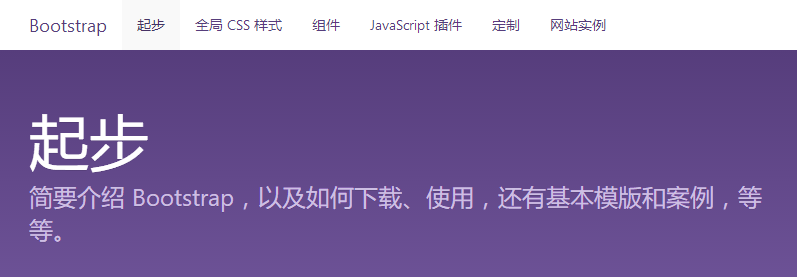
1)起步
2)实例精选
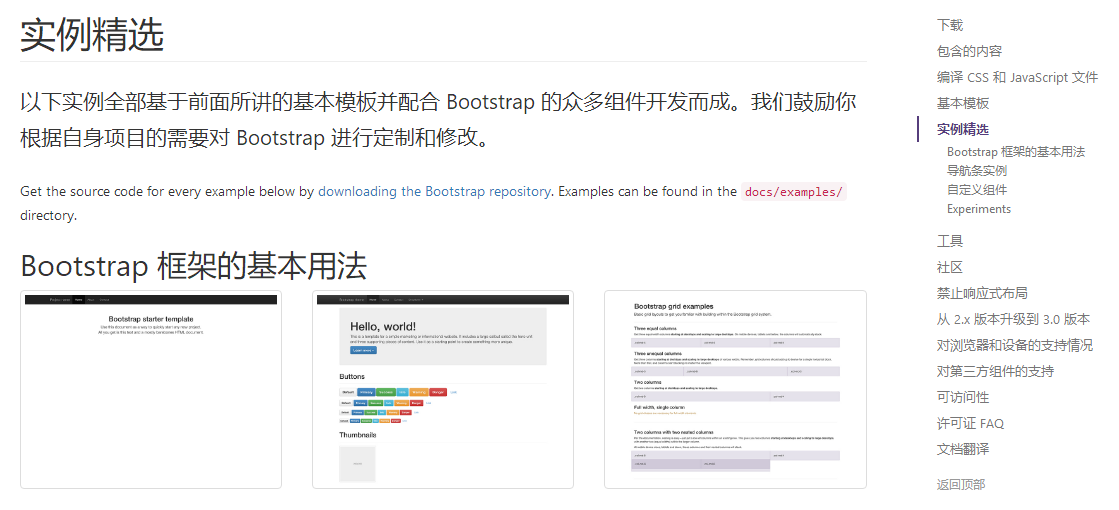
3)选定模版,下载
先选择模版然后打开右键另存为
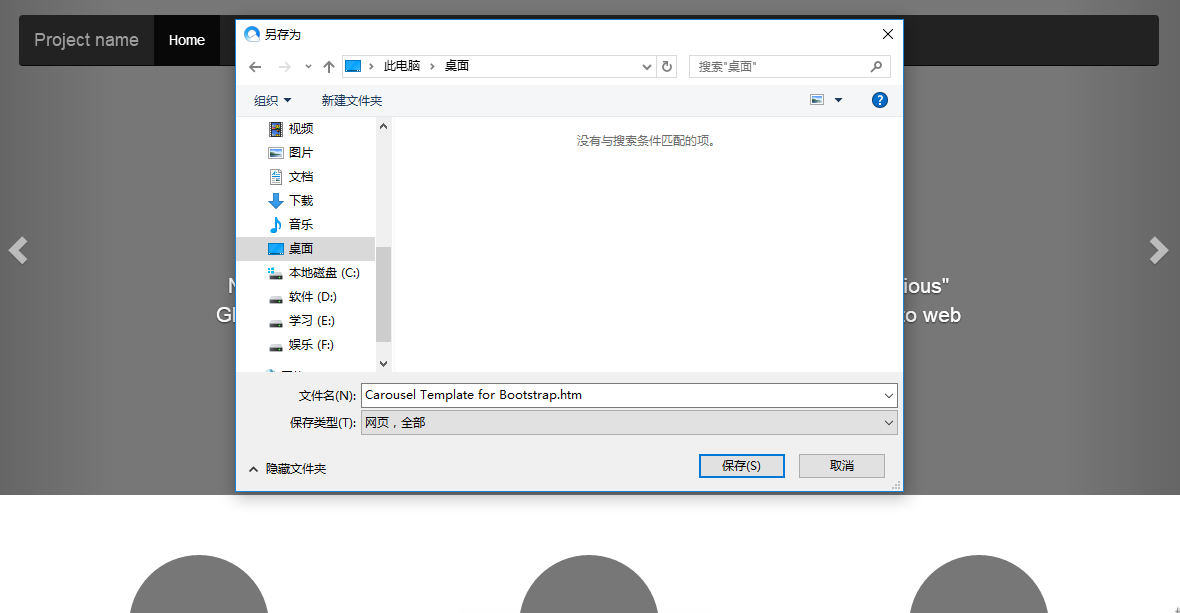
保存类型:网页,全部
下载后就可以用自己的环境中打开进行修改使用
三、JavaScript 效果的引用
如果在下载的Bootstrap的实例中使用到了javascript效果需要引用javascript的js
因为Bootstrap中的js效果都是由jquery写的所以还要引用jquery
<script src="jquery-3.2.1.js"></script>

<script src="bootstrap-3.3.7/js/bootstrap.min.js"></script>
jquery需要下载,有兴趣的可以提前了解,在接下来的几篇随笔我会接着跟进jQuery的学习!
JavaScript 插件的使用
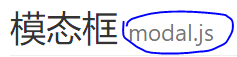
以模态框为例注意后面需要modal.js这个文件在哪里下载?

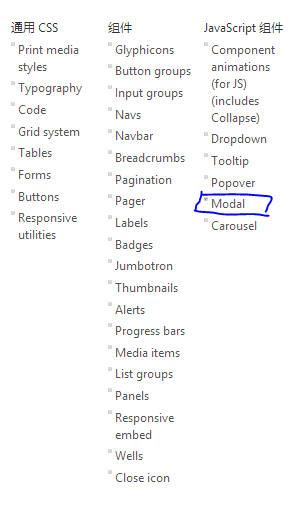
需要哪一部分的效果都可以打勾最后一起下载
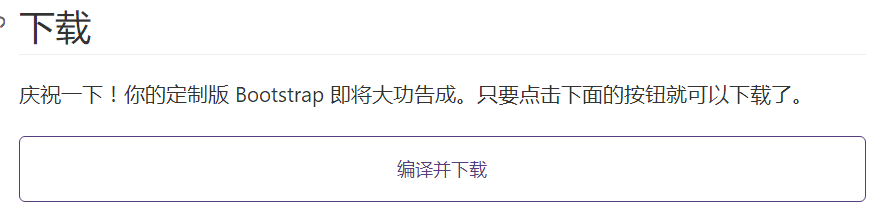
当然中间还有很多设置,有兴趣的可以自己研究。
四、其他前端插件分享
1、图标:
[Font Awesome] http://fontawesome.io/
2、懒加载:
[jQuery lazy load] https://github.com/tuupola/jquery_lazyload
3、提示框
[SweetAlert] https://github.com/t4t5/sweetalert
[SweetAlert2] https://github.com/limonte/sweetalert2
4、通知
[Toastr] http://codeseven.github.io/toastr/
12、Bootstrap中文文档(其它插件分享)的更多相关文章
- Bootstrap 中文文档教程
Bootstrap 中文文档教程 Bootstrap 中文文档教程 全局样式和grid布局—Bootstrap中文使用指南 全局样式1.要求html5文档类型 Bootstrap使用的css属性和ht ...
- 【Chromium中文文档】插件架构
插件架构 转载请注明出处:https://ahangchen.gitbooks.io/chromium_doc_zh/content/zh//General_Architecture/Plugin_A ...
- 57、Bootstrap中文文档
给大家介绍一个前端框架让你从此写起前端代码与之先前相比如有神助般的效果拉就是Bootstrap. 一.Bootstrap的下载 Bootstrap,由Twitter的设计师Mark Otto和Jaco ...
- bootstrap中文文档阅读记录
2017年1月12日20:26:26http://v3.bootcss.com/components/#navbar
- js插件---videojs中文文档详解
js插件---videojs中文文档详解 一.总结 一句话总结: js插件网上都有很多参考资料,使用起来也非常简单 二.lavarel中使用实例 <video id="example_ ...
- Flutter 中文文档网站 flutter.cn 正式发布!
在通常的对 Flutter 介绍中,最耳熟能详的是下面四个特点: 精美 (Beautiful):充分的赋予和发挥设计师的创造力和想象力,让你真正掌控屏幕上的每一个像素. ** 极速 (Fast)**: ...
- Spring中文文档
前一段时间翻译了Jetty的一部分文档,感觉对阅读英文没有大的提高(*^-^*),毕竟Jetty的受众面还是比较小的,而且翻译过程中发现Jetty的文档写的不是很好,所以呢翻译的兴趣慢慢就不大了,只能 ...
- jQuery 3.1 API中文文档
jQuery 3.1 API中文文档 一.核心 1.1 核心函数 jQuery([selector,[context]]) 接收一个包含 CSS 选择器的字符串,然后用这个字符串去匹配一组元素. jQ ...
- npm的package.json字段含义中文文档
简介 本文档有所有package.json中必要的配置.它必须是真正的json,而不是js对象. 本文档中描述的很多行为都受npm-config(7)的影响. 默认值 npm会根据包内容设置一些默认值 ...
随机推荐
- Morley's Theorem
题解: 计算几何基本操作 注意叉积的时候字母写的顺序 代码: #include <bits/stdc++.h> using namespace std; #define rint regi ...
- noip宝藏
题解: 我觉得状压比搜索不知道简单到哪里去了.. 为了练习搜索...想了一下这题的搜索.. 然后会发现想想就很容易想到dp.. 最后的搜索大概是这样的 我们会发现有一类搜索都是这样 你会重复(可能是指 ...
- c# 调apicontroller
public string Post(ModelCs mod) { string formData = Newtonsoft.Json.JsonConvert.SerializeObject(mod) ...
- 046 SparlSQL中的函数
一:SparkSQL中的函数 1.说明 2.展示所有的函数 qlContext.sql("show functions").show(300) 3.functions类 所有内置支 ...
- Spring(二)IOC底层实现原理
IOC原理 将对象创建交给Spring去管理. 实现IOC的两种方式 IOC配置文件的方式 IOC注解的方式 IOC底层实现原理 底层实现使用的技术 1.1 xml配置文件 1.2 dom4j解析xm ...
- Maya cmds pymel 获取安装选择顺序选择的物体
Maya cmds pymel 获取安装选择顺序选择的物体 import maya.cmds as cmds 先设置选择顺序 cmds.selectPref(trackSelectionOrder = ...
- HDU-1009的解题报告
Hdu-1009 题目链接:http://acm.hdu.edu.cn/showproblem.php?pid=1009 题意:Fatmouse准备M磅的猫食,准备与猫守卫仓库有他最爱吃的食品贸易,J ...
- 转 国内的go get问题的解决
转 国内的go get问题的解决 go get golang.org/x 包失败解决方法 由于各种问题,国内使用 go get 安装 golang 官方包可能会失败,如我自己在安装 colli ...
- Hexo博客yilia主题添加Gitment评论系统
一开始搭建hexo+yilia博客使用的评论功能是通过来必力实现的.来必力免费,功能多,一开始的体验效果很好,但是后来打开网站发现来必力加载的越来越慢(来必力是韩国的公司,可能是国内限制),遂打算换一 ...
- 大家的备忘录——xpage_在线引用jQuery
<xp:this.resources> <xp:dojoModule name="dojo.fx"></xp:dojoModule> <x ...