
JavaWeb-SpringSecurity自定义登陆页面
系列博文
项目已上传至guthub 传送门
JavaWeb-SpringSecurity初认识 传送门
JavaWeb-SpringSecurity在数据库中查询登陆用户 传送门
JavaWeb-SpringSecurity自定义登陆页面 传送门
JavaWeb-SpringSecurity实现需求-判断请求是否以html结尾 传送门
JavaWeb-SpringSecurity自定义登陆配置 传送门
JavaWeb-SpringSecurity图片验证ImageCode 传送门
JavaWeb-SpringSecurity记住我功能 传送门
JavaWeb-SpringSecurity使用短信验证码登陆 传送门
在static文件夹下添加一个login.html,作为自定义登陆页面

<!DOCTYPE html>

<html>

<head>

<meta charset="UTF-8">

<title>Insert title here</title>

</head>

<body>

<h1>Gary登陆页面</h1>

    <form action="/loginPage" method="post">

        用户名:

        <input type="text" name="username">

        <br>

        密码:

        <input type="password" name="password">

        <br>

        <input type="submit">

    </form>

</body>

</html>
login.html
在SecurityConfig.java中的configure()方法中配置表单校验,添加一个自定义跳转的页面路径/login.html
    protected void configure(HttpSecurity http) throws Exception{

        //表单验证(身份认证)

        http.formLogin()

            //自定义登陆页面

            .loginPage("/login.html")

            .and()

            //请求授权

            .authorizeRequests()

            //所有请求都被拦截,跳转到(/login请求中)

            .anyRequest()

            //都需要我们身份认证

            .authenticated();

    }
运行程序,发现页面进入死循环,提示错误页面包含的重定义过多了
原因:用户想要进入我们自定义的登陆页面,需要SpringSecurity进行身份认证->但用户要通过SpringSecurity,就会跳转到我们自定义的登陆页面->用户进入我们自定义的登陆页面,就需要SpringSecurity进行身份认证...
无限死循环了!!!

package com.Gary.GaryRESTful.config;

import org.springframework.context.annotation.Bean;

import org.springframework.context.annotation.Configuration;

import org.springframework.security.config.annotation.web.builders.HttpSecurity;

import org.springframework.security.config.annotation.web.configuration.WebSecurityConfigurerAdapter;

import org.springframework.security.crypto.bcrypt.BCryptPasswordEncoder;

import org.springframework.security.crypto.password.PasswordEncoder;

//Web应用安全适配器

@Configuration

public class SecurityConfig extends WebSecurityConfigurerAdapter{

    //告诉SpringSecurity密码用什么加密的

    @Bean

    public PasswordEncoder passwordEncoder()

    {

        return new BCryptPasswordEncoder();

    }

    protected void configure(HttpSecurity http) throws Exception{

        //表单验证(身份认证)

        http.formLogin()

            //自定义登陆页面

            .loginPage("/login.html")

            .and()

            //请求授权

            .authorizeRequests()

            //所有请求都被拦截,跳转到(/login请求中)

            .anyRequest()

            //都需要我们身份认证

            .authenticated();

    }

}
SecurityConfig.java
所以我们在配置SecurityConfig.java中的configure()时,对路径/login.html进行请求放行
protected void configure(HttpSecurity http) throws Exception{

        //表单验证(身份认证)

        http.formLogin()

            //自定义登陆页面

            .loginPage("/login.html")

            .and()

            //请求授权

            .authorizeRequests()

            //在访问我们的URL时,我们是不需要省份认证,可以立即访问

            .antMatchers("/login.html").permitAll()

            //所有请求都被拦截,跳转到(/login请求中)

            .anyRequest()

            //都需要我们身份认证

            .authenticated();

    }
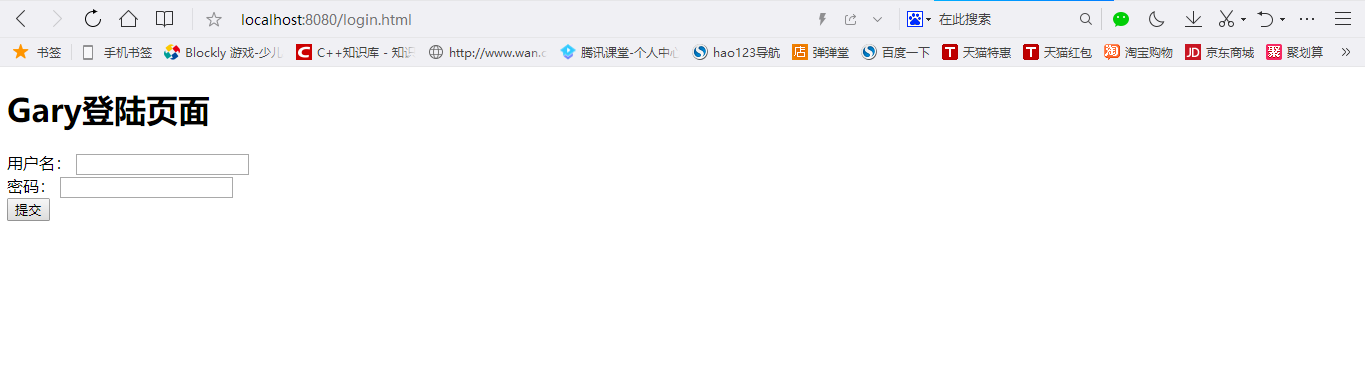
此时,我们再访问login.html时,发现就可以进入到我们自定义的登陆页面了
package com.Gary.GaryRESTful.config;

import org.springframework.context.annotation.Bean;

import org.springframework.context.annotation.Configuration;

import org.springframework.security.config.annotation.web.builders.HttpSecurity;

import org.springframework.security.config.annotation.web.configuration.WebSecurityConfigurerAdapter;

import org.springframework.security.crypto.bcrypt.BCryptPasswordEncoder;

import org.springframework.security.crypto.password.PasswordEncoder;

//Web应用安全适配器

@Configuration

public class SecurityConfig extends WebSecurityConfigurerAdapter{

    //告诉SpringSecurity密码用什么加密的

    @Bean

    public PasswordEncoder passwordEncoder()

    {

        return new BCryptPasswordEncoder();

    }

    protected void configure(HttpSecurity http) throws Exception{

        //表单验证(身份认证)

        http.formLogin()

            //自定义登陆页面

            .loginPage("/login.html")

            .and()

            //请求授权

            .authorizeRequests()

            //在访问我们的URL时,我们是不需要省份认证,可以立即访问

            .antMatchers("/login.html").permitAll()

            //所有请求都被拦截,跳转到(/login请求中)

            .anyRequest()

            //都需要我们身份认证

            .authenticated();

    }

}
SecurityConfig.java
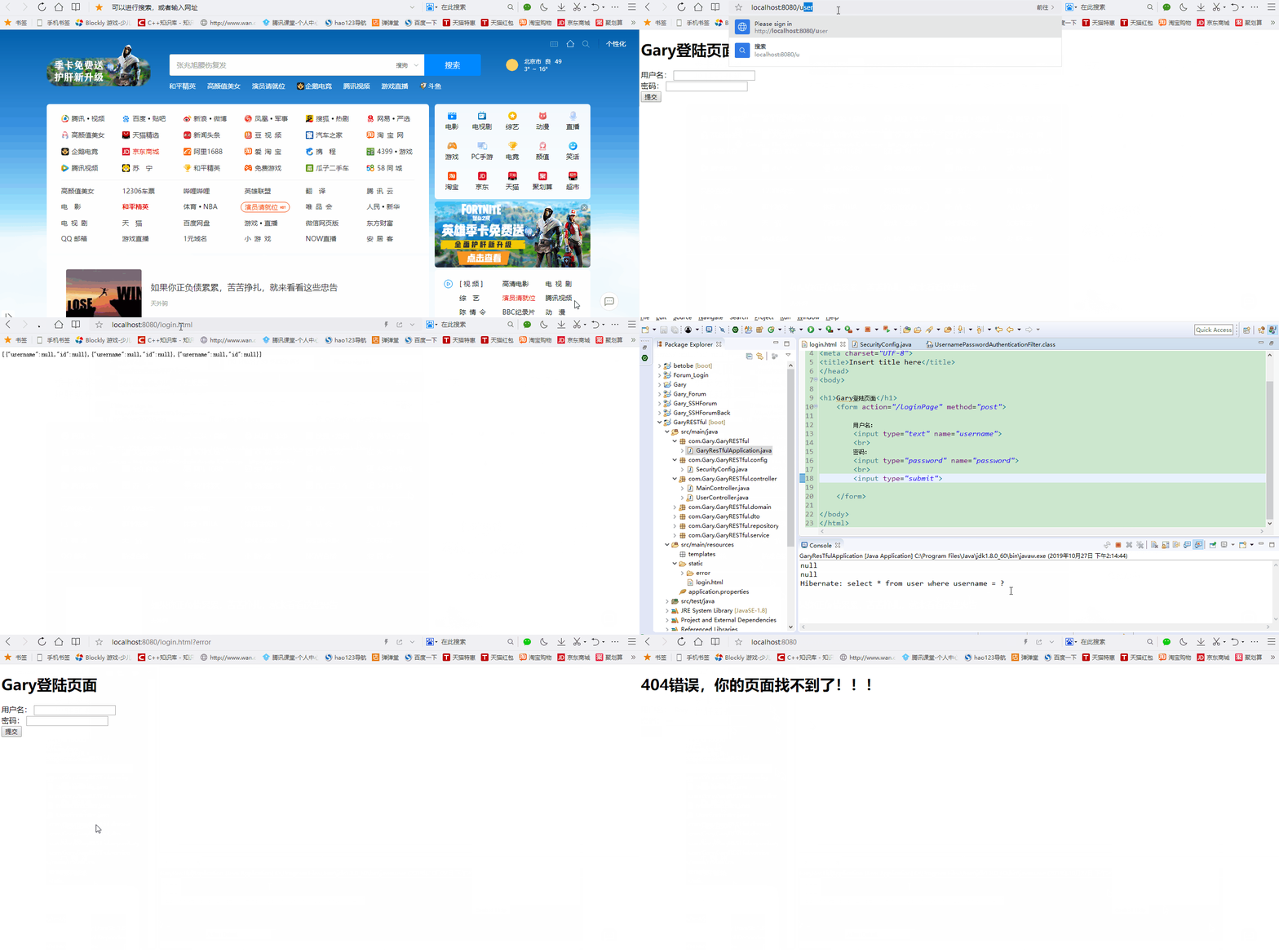
此时,我们在自己的页面中输入数据库中账号密码,页面的拦截器都不会生效
这是因为login.html中表单/loginPage请求路径拦截器不认识
按住Ctrl+Shift+T,可以找到SpringSecurity拦截器中UsernamePasswordAuthenticationFilter的方法
public class UsernamePasswordAuthenticationFilter extends

        AbstractAuthenticationProcessingFilter {

    // ~ Static fields/initializers

    // =====================================================================================

    public static final String SPRING_SECURITY_FORM_USERNAME_KEY = "username";

    public static final String SPRING_SECURITY_FORM_PASSWORD_KEY = "password";

    private String usernameParameter = SPRING_SECURITY_FORM_USERNAME_KEY;

    private String passwordParameter = SPRING_SECURITY_FORM_PASSWORD_KEY;

    private boolean postOnly = true;

    // ~ Constructors

    // ===================================================================================================

    public UsernamePasswordAuthenticationFilter() {

        super(new AntPathRequestMatcher("/login", "POST"));

    }
现在需要我们login.html中的表单发送请求访问SpringSecurity拦截器中的UsernamePasswordAuthenticationFilter()这个方法,处理用户登陆的请求
(如果要使用UsernamePasswordAuthenticationFilter()这个方法处理用户登陆,一定需要在配置表单登陆时,添加一个csrf跨站请求伪造的防护)
    protected void configure(HttpSecurity http) throws Exception{

        //表单验证(身份认证)

        http.formLogin()

            //自定义登陆页面

            .loginPage("/login.html")

            //如果URL为loginPage,则用SpringSecurity中自带的过滤器去处理该请求

            .loginProcessingUrl("/loginPage")

            .and()

            //请求授权

            .authorizeRequests()

            //在访问我们的URL时,我们是不需要省份认证,可以立即访问

            .antMatchers("/login.html").permitAll()

            //所有请求都被拦截,跳转到(/login请求中)

            .anyRequest()

            //都需要我们身份认证

            .authenticated()

            //SpringSecurity保护机制

            .and().csrf().disable();

    }
<!DOCTYPE html>

<html>

<head>

<meta charset="UTF-8">

<title>Insert title here</title>

</head>

<body>

<h1>Gary登陆页面</h1>

    <form action="/loginPage" method="post">

        用户名:

        <input type="text" name="username">

        <br>

        密码:

        <input type="password" name="password">

        <br>

        <input type="submit">

    </form>

</body>

</html>
login.html
package com.Gary.GaryRESTful.config;

import org.springframework.context.annotation.Bean;

import org.springframework.context.annotation.Configuration;

import org.springframework.security.config.annotation.web.builders.HttpSecurity;

import org.springframework.security.config.annotation.web.configuration.WebSecurityConfigurerAdapter;

import org.springframework.security.crypto.bcrypt.BCryptPasswordEncoder;

import org.springframework.security.crypto.password.PasswordEncoder;

//Web应用安全适配器

@Configuration

public class SecurityConfig extends WebSecurityConfigurerAdapter{

    //告诉SpringSecurity密码用什么加密的

    @Bean

    public PasswordEncoder passwordEncoder()

    {

        return new BCryptPasswordEncoder();

    }

    protected void configure(HttpSecurity http) throws Exception{

        //表单验证(身份认证)

        http.formLogin()

            //自定义登陆页面

            .loginPage("/login.html")

            //如果URL为loginPage,则用SpringSecurity中自带的过滤器去处理该请求

            .loginProcessingUrl("/loginPage")

            .and()

            //请求授权

            .authorizeRequests()

            //在访问我们的URL时,我们是不需要省份认证,可以立即访问

            .antMatchers("/login.html").permitAll()

            //所有请求都被拦截,跳转到(/login请求中)

            .anyRequest()

            //都需要我们身份认证

            .authenticated()

            //SpringSecurity保护机制

            .and().csrf().disable();

    }

}
SecurityConfig.java
JavaWeb-SpringSecurity自定义登陆页面的更多相关文章
- SpringSecurity自定义登陆页面和跳转页面
如果我们不用form-login说明登陆界面,springsecurity框架将自动为我们生成登陆界面 现在我们不想用自动生成的登陆界面了,而想使用自定义的漂亮的登陆界面 则需要使用<secur ...
- Wordpress在主题中自定义登陆页面并且禁用自带的登陆页面
在使用Wordpress制作主题之后,不想要他自带的登陆页面以及地址. 1.新建一个用户页面来接管与登陆相关的动作 //在主题根目录下新建page-login.php,通过action获取用户动作,然 ...
- javaweb项目自定义错误页面
当我们把一个web项目成功发布出去,但是有些页面还有待完善的时候,会出现404错误页面.这个会给用户很差的体验.如何将这些错误页面修改为自定义的错误页界面,给用户一些友好的提示呢? 首先我们在web. ...
- JavaWeb-SpringSecurity自定义登陆配置
系列博文 项目已上传至guthub 传送门 JavaWeb-SpringSecurity初认识 传送门 JavaWeb-SpringSecurity在数据库中查询登陆用户 传送门 JavaWeb-Sp ...
- SharePoint 2013混合模式登陆中 使用 自定义登陆页
接前一篇博客<SharePoint 2013自定义Providers在基于表单的身份验证(Forms-Based-Authentication)中的应用>,当实现混合模式登陆后,接着我们就 ...
- (二)spring Security 自定义登录页面与校验用户
文章目录 配置 security 配置下 MVC 自定义登录页面 自定义一个登陆成功欢迎页面 效果图 小结: 使用 Spring Boot 的快速创建项目功能,勾选上本篇博客需要的功能:web,sec ...
- SpringSecurity 自定义表单登录
SpringSecurity 自定义表单登录 本篇主要讲解 在SpringSecurity中 如何 自定义表单登录 , SpringSecurity默认提供了一个表单登录,但是实际项目里肯定无法使用的 ...
- JavaWeb 自定义404页面
本来,Tomcat中自定义404页面不过是在web.xml文件中写4行代码的事情. 直接引用 Tomcat官方FAQ 怎样自定义404页面? 编辑web.xml <error-page> ...
- springSecurity自定义认证配置
上一篇讲了springSecurity的简单入门的小demo,认证用户是在xml中写死的.今天来说一下自定义认证,读取数据库来实现认证.当然,也是非常简单的,因为仅仅是读取数据库,权限是写死的,因为相 ...
随机推荐
- C#:Guid.NewGuid()和DateTime.Now该选择哪个???
直接上代码: namespace ConsoleApp1 { class Program { static void Main(string[] args) { Console.WriteLine(& ...
- NetScaler循环抓包设置
NetScaler循环抓包设置 来源 https://raynorli.com/2018/07/01/netscaler-nstrace-cycling-capture/ 参考文档 How to Re ...
- ubuntu14.04 x86编译upx 3.92 及so加固
的参考文章: http://www.cnblogs.com/fishou/p/4202061.html 1.download upx和所依赖的组件 upx3.:https://www.pysol.or ...
- tftp服务器的搭建和使用
一.tftp介绍 TFTP(Trivial File Transfer Protocol,简单文件传输协议)是TCP/IP协议族中的一个用来在客户机与服务器之间进行简单文件传输的协议,==提供不复 ...
- java基础3(异常)
1.异常的体系 1)请描述异常的继承体系 异常继承体系为:异常的根类是 java.lang.Throwable,其下有两个子类:java.lang.Error 与 java.util.Exceptio ...
- js jquery 动态添加表格
for循环将你要添加的标签写上,然后直接var talbeAdd=""for(){ tableAdd+="<tr><td>这儿写你要添加的内容&l ...
- 卡尔曼(Kalman)滤波及十种数据采集滤波的方法和编程实例
卡尔曼(Kalman)滤波:https://blog.csdn.net/CSDN_X_W/article/details/90289021 十种数据采集滤波的方法和编程实例:https://wenku ...
- SQLplus命令中删除键和翻页键不能用的问题
问题现象: 在进入连接数据库后,如何写错命令,删除键不好使,总是出现^H^H [oracle@master2 ~]$ sqlplus / as sysdba SQL*Plus: Release 12. ...
- JAVA语言程序设计课后习题----第二单元解析(仅供参考)
1 注意不同类型转换 import java.util.Scanner; public class Ch02 { public static void main(String[] args) { Sc ...
- delphi FMX APP程序图标,闪屏,程序名