
章节十七章、2- 给执行失败的case截图
一、案例演示
1、首先我们把截图的方法单独进行封装方便以后调用。
 package utilities;

 import java.io.File;

 import java.io.IOException;

 import org.apache.commons.io.FileUtils;

 import org.openqa.selenium.OutputType;

 import org.openqa.selenium.TakesScreenshot;

 import org.openqa.selenium.WebDriver;

 public class Screenshots {

 //    为了方便调用,我们写成静态的方法

 //    首先,我们设置在调用该方法时需要传入两个参数:浏览器类型、文件名

     public static void  takeScreenshots(WebDriver driver,String filename) throws IOException {

 //        截图文件名

         filename = filename + ".png";

 //        截图存放路径

         String directory = "C:\\Users\\acer\\Desktop\\dd\\Screenshots\\";

 //        截图

 //        强制转换driver为TackScreenShot类型,然后调用getScreenshotAs("截完图后的输出类型")方法进行截图

         File sourceFile = ((TakesScreenshot)driver).getScreenshotAs(OutputType.FILE);

 //        将文件复制到指定目录

         FileUtils.copyFile(sourceFile, new File(directory+filename));

     }

 }
 package extenreports;

 import java.io.File;

 import java.util.Date;

 import com.aventstack.extentreports.ExtentReports;

 import com.aventstack.extentreports.ResourceCDN;

 import com.aventstack.extentreports.reporter.ExtentHtmlReporter;

 import com.aventstack.extentreports.reporter.configuration.ChartLocation;

 import com.aventstack.extentreports.reporter.configuration.Theme;

 public class ExtentFactory {

     public static ExtentReports getInstance() {

         Date date = new Date();

         String form = String.format("%tF", date);

         String hour = String.format("%tH", date);

         String minute = String.format("%tM", date);

         String second = String.format("%tS", date);

         // 生成的路径以及文件名

         final String OUTPUT_FOLDER = "C:\\Users\\acer\\Desktop\\dd\\ExtentReports\\";

         final String FILE_NAME = "index" + form + hour + minute + second + ".html";

         // 文件夹不存在的话进行创建

         File reportDir = new File(OUTPUT_FOLDER);

         if (!reportDir.exists() && !reportDir.isDirectory()) {

             reportDir.mkdir();

         }

         ExtentHtmlReporter htmlReporter = new ExtentHtmlReporter(OUTPUT_FOLDER + FILE_NAME);

         // 设置静态文件的DNS

         htmlReporter.config().setResourceCDN(ResourceCDN.EXTENTREPORTS);

         // 怎么样解决cdn.rawgit.com访问不了的情况

         htmlReporter.config().setResourceCDN(ResourceCDN.EXTENTREPORTS);

         htmlReporter.config().setDocumentTitle("标品页面功能自动化测试报告");

         htmlReporter.config().setReportName("标品页面功能自动化测试报告");

         htmlReporter.config().setChartVisibilityOnOpen(true);

         htmlReporter.config().setTestViewChartLocation(ChartLocation.TOP);

         htmlReporter.config().setTheme(Theme.STANDARD);

         htmlReporter.config().setCSS(".node.level-1  ul{ display:none;} .node.level-1.active ul{display:block;}");

         htmlReporter.config().setEncoding("gbk");

         ExtentReports extent = new ExtentReports();

         extent.attachReporter(htmlReporter);

         extent.setReportUsesManualConfiguration(true);

         extent.setSystemInfo("Selenium Version", "3.141.59");

         extent.setSystemInfo("Platform", "Windows");

         return extent;

     }

 }
2、以qq邮箱登录为例,我们故意输入错误的密码让case执行失败然后进行截图。
 package extenreports;

 import org.testng.annotations.Test;

 import com.aventstack.extentreports.ExtentReports;

 import com.aventstack.extentreports.ExtentTest;

 import com.aventstack.extentreports.Status;

 import utilities.Screenshots;

 import org.testng.annotations.BeforeMethod;

 import org.testng.annotations.AfterMethod;

 import org.testng.annotations.BeforeClass;

 import java.io.IOException;

 import java.util.concurrent.TimeUnit;

 import org.openqa.selenium.By;

 import org.openqa.selenium.NoSuchElementException;

 import org.openqa.selenium.WebDriver;

 import org.openqa.selenium.WebElement;

 import org.openqa.selenium.chrome.ChromeDriver;

 import org.testng.Assert;

 import org.testng.ITestResult;

 public class TestNG_Screenshots {

     private WebDriver driver;

     private String baseUrl;

 //  每个方法执行前执行一次

   @BeforeMethod

   public void tearUp() {

       baseUrl = "https://mail.qq.com";

             driver = new ChromeDriver();

             driver.manage().window().maximize();

             driver.manage().timeouts().implicitlyWait(1, TimeUnit.SECONDS);

             driver.get(baseUrl);

   }

   @Test

   public void test1_invalidCredentials() {

       driver.switchTo().frame("login_frame");

         WebElement dl = driver.findElement(By.className("switch_btn"));

         dl.click();

         WebElement emailField = driver.findElement(By.id("u"));

         emailField.sendKeys("12345678");

         WebElement passwordField = driver.findElement(By.id("p"));

         passwordField.sendKeys("***************");

         WebElement goButton = driver.findElement(By.id("login_button"));

         goButton.click();

         WebElement welcomeText = null;

         try {

             welcomeText = driver.findElement(By.xpath("//b[text()='********']"));

         }

         catch (NoSuchElementException e) {

             System.out.println(e.getMessage());

         }

         Assert.assertTrue(welcomeText != null);

   }

 //  每个方法执行结束后执行一次

   @AfterMethod

 //  使用testng中的ITestResult接口来捕获testcase的运行结果

   public void tearDown(ITestResult testResult) throws IOException {

 //      如果获取到的testcase的状态等于failure(失败)

       if(testResult.getStatus() == ITestResult.FAILURE) {

 //          就调用自己封装好的截图方法,以testcase方法的名字给文件命名

           Screenshots.takeScreenshots(driver, testResult.getName());

       }

       driver.quit();

   }

 }
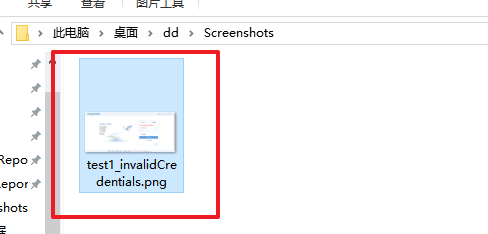
运行结果:在指定目录成功生成了错误截图文件

如果有不明白的小伙伴可以加群“555191854”问我,群里都是软件行业的小伙伴相互一起学习。
内容具有连惯性,未标注的地方可以看前面的博客,这是一整套关于ava+selenium自动化的内容,从java基础开始。
欢迎关注,转载请注明来源。
章节十七章、2- 给执行失败的case截图的更多相关文章
- Unittest 支持 case 失败后自动截图功能的另外两种方式
原生的unittest框架是不支持case失败后自动截图的功能的,网上看了大家的解决办法,大体上分为两种:1.要么加装饰器2.也有人封装断言这里我们看看还有没有其他的更加方便的方法值得大家一起探讨一下 ...
- Gradle 1.12用户指南翻译——第四十七章. Build Init 插件
本文由CSDN博客貌似掉线翻译,其他章节的翻译请参见: http://blog.csdn.net/column/details/gradle-translation.html 翻译项目请关注Githu ...
- Gradle 1.12 翻译——第十七章. 从 Gradle 中调用 Ant
有关其他已翻译的章节请关注Github上的项目:https://github.com/msdx/gradledoc/tree/1.12,或访问:http://gradledoc.qiniudn.com ...
- 2017.2.16 开涛shiro教程-第十七章-OAuth2集成(二)客户端
原博客地址:http://jinnianshilongnian.iteye.com/blog/2018398 根据下载的pdf学习. 开涛shiro教程-第十七章-OAuth2集成 3.客户端 客户端 ...
- 【C++】《C++ Primer 》第十七章
第十七章 标准库特殊设施 一.tuple类型 tuple是类似pair的模板,每个pair的成员类型都不相同,但每个pair都恰好有两个成员. 不同的tuple类型的成员类型也不相同,一个tuple可 ...
- 【转】mysql触发器的实战(触发器执行失败,sql会回滚吗)
1 引言Mysql的触发器和存储过程一样,都是嵌入到mysql的一段程序.触发器是mysql5新增的功能,目前线上凤巢系统.北斗系统以及哥伦布系统使用的数据库均是mysql5.0.45版本,很多程 ...
- 《Linux命令行与shell脚本编程大全》 第二十七章 学习笔记
第二十七章:shell脚本编程进阶 监测系统统计数据 系统快照报告 1.运行时间 uptime命令会提供以下基本信息: 当前时间 系统运行的天数,小时数,分钟数 当前登录到系统的用户数 1分钟,5分钟 ...
- [汇编学习笔记][第十七章使用BIOS进行键盘输入和磁盘读写
第十七章 使用BIOS进行键盘输入和磁盘读写 17.1 int 9 中断例程对键盘输入的处理 17.2 int 16 读取键盘缓存区 mov ah,0 int 16h 结果:(ah)=扫描码,(al) ...
- 第十七章——配置SQLServer(3)——配置“对即时负载的优化”
原文:第十七章--配置SQLServer(3)--配置"对即时负载的优化" 前言: 在第一次执行查询或者存储过程时,会创建执行计划并存储在SQLServer的过程缓存内存中.在很多 ...
随机推荐
- MYSQL学习系列
1.myslq5.7安装以及root密码找回 2.mysql之innodb存储引擎介绍 3.mysql之innodb存储引擎---数据存储结构 4.mysql之innodb存储引擎---BTREE索引 ...
- Ajax请求纯文本问题
今天在学习Ajax时遇到一个问题: Ajax有个open(method String,url,boolean)方法,此方法有三个参数: 参数一:提交数据的请求,有GET和POST请求 GET:获取数据 ...
- android.intent.category.BROWSABLE
参考: http://blog.csdn.net/annkie/article/details/8349626 http://xiechengfa.iteye.com/blog/1004991 BRO ...
- 【学习笔记】第二章 python安全编程基础---正则表达式
一.python正则表达式 定义:正则表达式是一个特殊的字符序列,它能帮助你方便的检查一个字符串是否与某种模式相匹配: 1.1RE模块:是python语言拥有全部的正则表达式功能的一个正则模块: 常见 ...
- 安卓APP开发简单实例 结对编程心得
开始说起搞APP开发,自己和小伙伴的编程水平真的很低,无从下手,只有在网上找点案列,学习着怎样开发,结对编程还是面临着许多问题的,大家的水平有所差异和编程风格不同,我们用eclipse做了一个仿微信登 ...
- jmeter linux分布式压测Server failed to start: java.rmi.server.ExportException: Listen failed on port: 0; nested exception is: java.io.FileNotFoundException: rmi_keystore.jks
在路径\apache-jmeter-5.0\bin下启动jmeter-server.bat时抛出了如下异常: 1.jmeter 1099端口 被占用,修改端口号 使用netstat -lntp|gre ...
- C# HTTP网络常用方法封装
using System; using System.Collections.Generic; using System.Linq; using System.Text; namespace Regi ...
- Centos7 设置redis开机自启
Centos7 设置redis开机自启 标签(空格分隔):Linux 环境 Centos7.1 redis-3.0.6 chkconfig方式 **service和chkconfig命令的功能好像都被 ...
- Linux初识之VMWare14中配置Centos7桥接网络环境
1.查看当前初始环境如下:
- 注解在Java中是如何工作的
来一点咖啡,准备好进入注解的世界. 注解一直是 Java 的一个非常重要的部分,它从 J2SE 5.0 开始就已经存在了.在我们的应用程序代码中,经常看到 @Override 和 @Deprecate ...