
python黑帽子(第三章)
Windows/Linux下包的嗅探
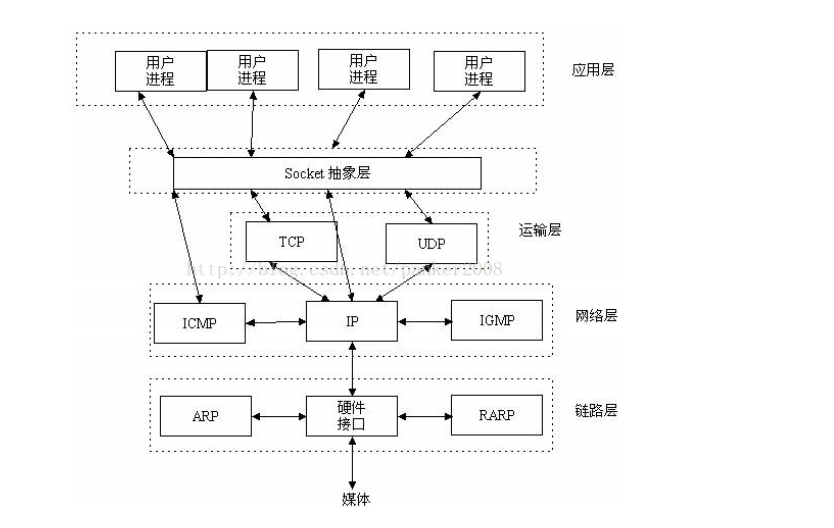
根据os.name判断操作系统 下面是os的源码
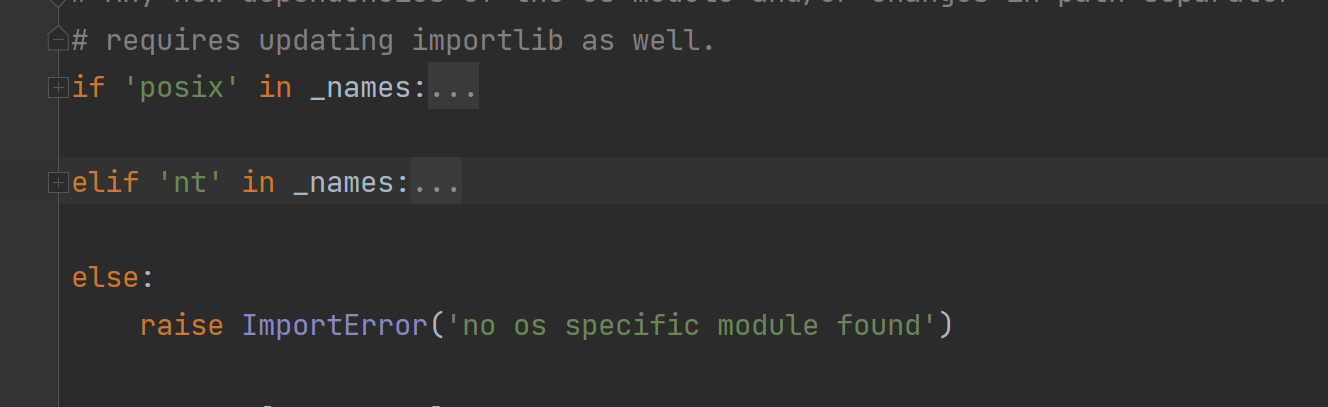
posix是Linux nt是Windows
在windows中需要管理员权限、linux中需要root权限 因为是开启混杂模式(混杂模式允许我们嗅探网卡上流经的所有数据包,即使数据的目的地址不是本机)
import socket

import os

# 监听的网卡  0.0.0.0表示所有网卡

host = "192.168.1.102"

# Windows和Linux的区别是Windows允许我们嗅探所有协议的所有数据包,但Linux只能嗅探到ICMP数据。

if os.name == "nt":

    socket_protocol = socket.IPPROTO_IP   # 用于接收任何ip包

else:

    socket_protocol = socket.IPPROTO_ICMP # 只接受icmp

# SOCK_RAW是一种底层的SOCKET编程接口 可以处理ICMP、IGMP等网络报文、可以处理一些特殊协议报文以及操作IP层及其以上的数据

sniffer = socket.socket(socket.AF_INET, socket.SOCK_RAW, socket_protocol)

sniffer.bind((host, 21))    # 对网卡进行监听端口无所谓

# 设置在捕获的数据包中包含IP头

sniffer.setsockopt(socket.IPPROTO_IP, socket.IP_HDRINCL, 1)

# 在Windows平台上,需要设置IOCTL以启动混杂模式,以允许我们嗅探网卡上经过的所有数据包(即使数据的目的地址不是本机)

if os.name == "nt":

    sniffer.ioctl(socket.SIO_RCVALL, socket.RCVALL_ON)

# 读取单个数据包

print(sniffer.recvfrom(65535))

# 在Windows平台上关闭混杂模式

if os.name == "nt":

    sniffer.ioctl(socket.SIO_RCVALL, socket.RCVALL_OFF)
解码IP头
上面只是捕获了包含ip头的数据包,现在我们来解码关于ip头的信息
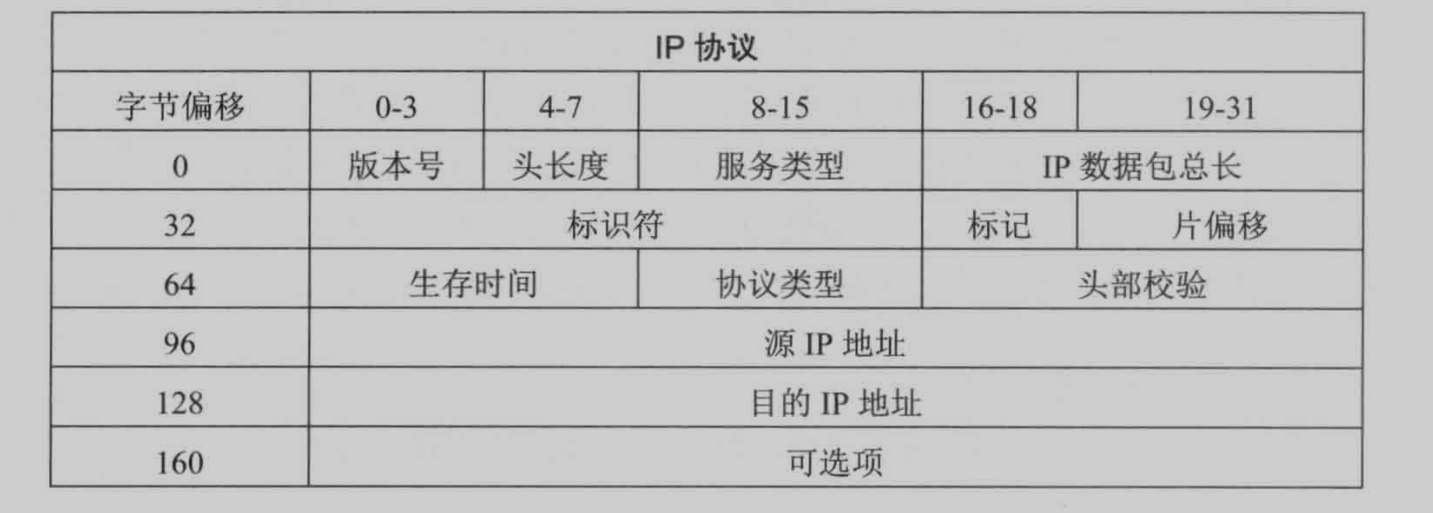
ipv4头结构 每行32位
import socket

import os

import struct

from ctypes import *

# 监听的主机IP

host = "192.168.1.102"

# IP头定义

class IP(Structure):

    _fields_ = [

        ('ihl', c_ubyte, 4),            # 头长度

        ('version', c_ubyte, 4),        # 版本号

        ('tos', c_ubyte),               # 服务类型

        ('len', c_ushort),              # ip数据包总长

        ('id', c_ushort),               # 标识符

        ('offset', c_ushort),           # 片偏移

        ('ttl', c_ubyte),               # 生存时间

        ('protocol_num', c_ubyte),      # 协议类型区分上层协议

        ('sum', c_ushort),              # 头部校验

        ('src', c_ulong),               # 源IP   linux需要将c_ulong改为c_uint32

        ('dst', c_ulong)                # 目的IP

    ]

    def __new__(cls, socket_buffer=None):           # new()方法是在类准备将自身实例化时调用,将原始缓冲区中的数据填充到结构中

        return cls.from_buffer_copy(socket_buffer)

    def __init__(self, socket_buffer=None):

        # 协议字段与协议名称对应

        self.protocol_map = {1: 'ICMP', 6: 'TCP', 17: 'UDP'}

        # 可读性更强的IP地址,struct.pack()将数据解码为"<"小端,"L"无符号长型

        # inet_ntoa() 将32bit数值转换为IP地址

        self.src_address = socket.inet_ntoa(struct.pack("<L", self.src))

        self.dst_address = socket.inet_ntoa(struct.pack("<L", self.dst))

        # 匹配协议类型

        try:

            self.protocol = self.protocol_map[self.protocol_num]

        except:

            self.protocol = str(self.protocol_num)

if os.name == 'nt':

    socket_protocol = 0

else:

    socket_protocol = 1

sniffer = socket.socket(socket.AF_INET, socket.SOCK_RAW, socket_protocol)

sniffer.bind((host, 0))

sniffer.setsockopt(socket.IPPROTO_IP, socket.IP_HDRINCL, 1)

if os.name == 'nt':

    sniffer.ioctl(socket.SIO_RCVALL, socket.RCVALL_ON)

try:

    while True:

        # 读取数据包

        raw_buffer = sniffer.recvfrom(65565)[0]

        # 前20个字节也就是前160位为ip头

        ip_header = IP(raw_buffer[0:20])

        # 输出协议和通信双方的IP地址

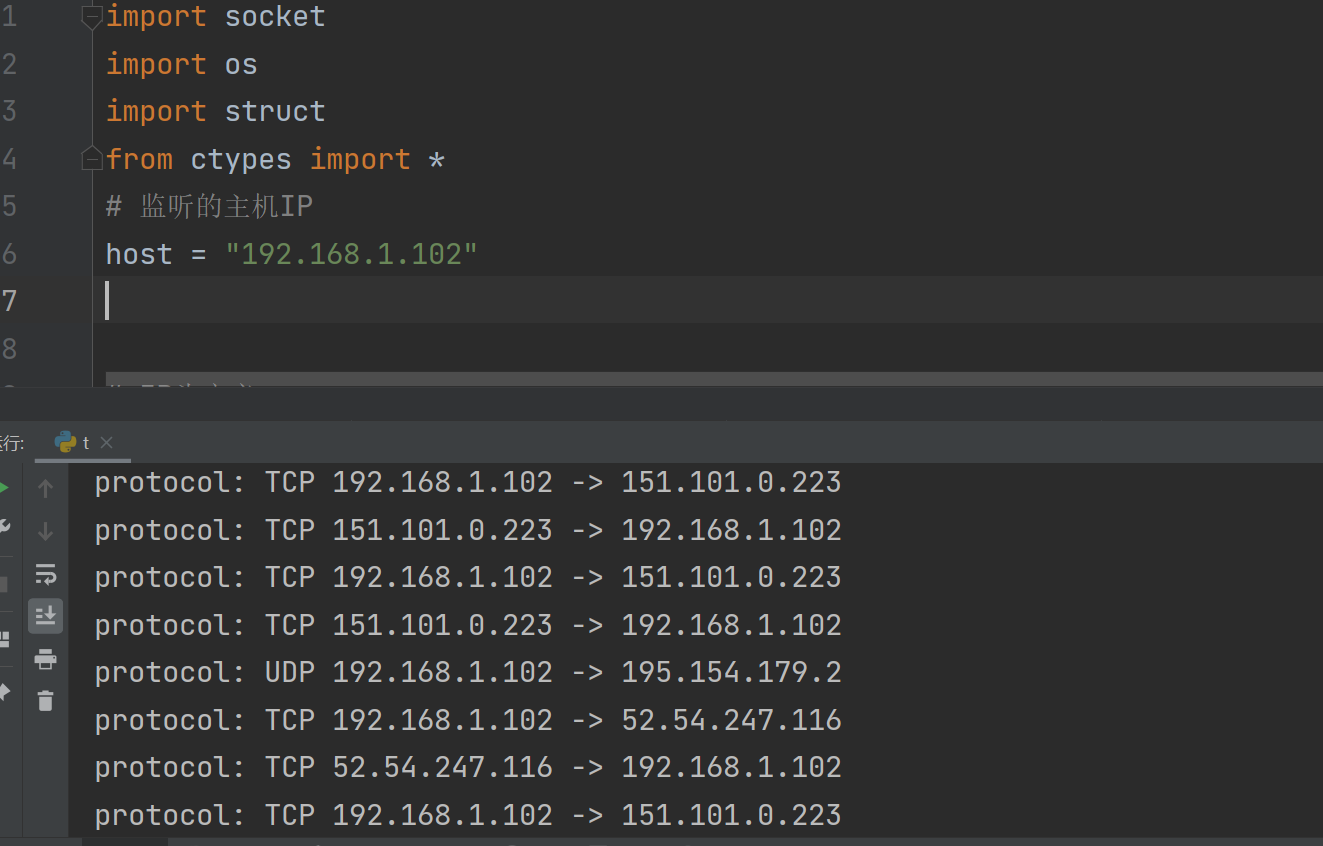
        print("protocol: %s %s -> %s" % (ip_header.protocol, ip_header.src_address, ip_header.dst_address))

# 处理ctrl+c

except KeyboardInterrupt:

    if os.name == 'nt':

        sniffer.ioctl(socket.SIO_RCVALL, socket.RCVALL_OFF)
解码icmp
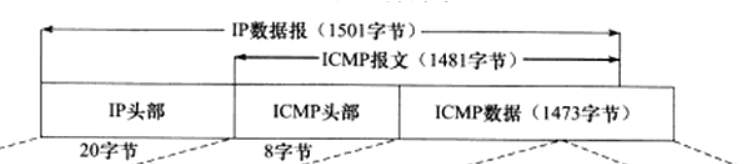
当发送一个UDP数据包到主机的某个关闭的UDP端口上时,目标主机通常会返回一个ICMP包指示目标端口不可达。这样的ICMP信息意味着目标主机是存活的,因为我们可以假设如果没有接受到发送的UDP数据的任何响应,目标主机应该不存在。
import threading

import socket

import os

import struct

from ctypes import *

import time

from netaddr import IPNetwork, IPAddress

host = "192.168.1.102"

# 目标网段

subnet = "192.168.1.0/24"

# 自定义字段,用于辨别收到的包是否是响应我们的UDP请求

magic_message = b'PYTHONRULES!'

class IP(Structure):

    _fields_ = [

        ('ihl', c_ubyte, 4),

        ('version', c_ubyte, 4),

        ('tos', c_ubyte),

        ('len', c_ushort),

        ('id', c_ushort),

        ('offset', c_ushort),

        ('ttl', c_ubyte),

        ('protocol_num', c_ubyte),

        ('sum', c_ushort),

        ('src', c_ulong),

        ('dst', c_ulong)

    ]

    def __new__(cls, socket_buffer=None):

        return cls.from_buffer_copy(socket_buffer)

    def __init__(self, socket_buffer=None):

        self.protocol_map = {1: 'ICMP', 6: 'TCP', 17: 'UDP'}

        self.src_address = socket.inet_ntoa(struct.pack("<L", self.src))

        self.dst_address = socket.inet_ntoa(struct.pack("<L", self.dst))

        try:

            self.protocol = self.protocol_map[self.protocol_num]

        except:

            self.protocol = str(self.protocol_num)

# ICMP包头定义

class ICMP(Structure):

    _fields_ = [

        ("type", c_ubyte),          # 类型

        ("code", c_ubyte),          # 代码值

        ("checksum", c_ushort),     # 头部校验和

        ("unused", c_ushort),       # 未使用

        ("next_hop_mtu", c_ushort)  # 下一跳的MTU

    ]

    def __new__(cls, socket_buffer=None):

        return cls.from_buffer_copy(socket_buffer)

    def __init__(self, socket_buffer=None):

        pass

# 批量发送UDP请求包

def udp_sender(subnet, magic_message):

    time.sleep(2)

    sender = socket.socket(socket.AF_INET, socket.SOCK_DGRAM)

    for ip in IPNetwork(subnet):

        try:

            # 设置端口为大于1023的端口号,尽量使用不常用端口

            sender.sendto(magic_message, (str(ip), 65212))

        except:

            pass

if os.name == 'nt':

    socket_protocol = socket.IPPROTO_IP

else:

    socket_protocol = socket.IPPROTO_ICMP

sniffer = socket.socket(socket.AF_INET, socket.SOCK_RAW, socket_protocol)

sniffer.bind((host, 0))

sniffer.setsockopt(socket.IPPROTO_IP, socket.IP_HDRINCL, 1)

if os.name == 'nt':

    sniffer.ioctl(socket.SIO_RCVALL, socket.RCVALL_ON)

# 启用多线程发送UDP请求包

t = threading.Thread(target=udp_sender, args=(subnet, magic_message, ))

t.start()

try:

    while True:

        raw_buffer = sniffer.recvfrom(65535)[0]

        ip_header = IP(raw_buffer[0:20])

        # print("protocol: %s %s -> %s" % (ip_header.protocol, ip_header.src_address, ip_header.dst_address))

        # 如果协议为ICMP,则进行下一步处理 ip协议的

        if ip_header.protocol == 'ICMP':

            # 计算真实IP头长度 --> 计算公式:ihl(4位二进制换算十进制) * 4 = ip头长度(字节)

            offset = ip_header.ihl * 4

            buf = raw_buffer[offset:offset + sizeof(ICMP)]

            # 结构ICMP头数据

            icmp_header = ICMP(buf)

            # print("ICMP -> Type: %d Code: %d" % (icmp_header.type, icmp_header.code))

            # 收到检查类型为3,代码为3的ICMP包则说明目标主机存在

            if icmp_header.type == 3 and icmp_header.code == 3:

                # 确认响应的主机在我们的目标子网内

                if IPAddress(ip_header.src_address) in IPNetwork(subnet):

                    # 确认ICMP数据中包含我们发送的自定义字符串

                    if raw_buffer[len(raw_buffer)-len(magic_message):] == magic_message:

                        print("Host Up: %s" % ip_header.src_address)

except KeyboardInterrupt:

    if os.name == 'nt':

        sniffer.ioctl(socket.SIO_RCVALL, socket.RCVALL_OFF)
python黑帽子(第三章)的更多相关文章
- python黑帽子(第五章)
对开源CMS进行扫描 import os import queue import requests # 原书编写时间过于久远 现在有requests库对已经对原来的库进行封装 更容易调用 import ...
- python黑帽子(第四章)
Scapy窃取ftp登录账号密码 sniff函数的参数 filter 过滤规则,默认是嗅探所有数据包,具体过滤规则与wireshark相同. iface 参数设置嗅探器索要嗅探的网卡,默认对所有的网卡 ...
- 读书笔记 ~ Python黑帽子 黑客与渗透测试编程之道
Python黑帽子 黑客与渗透测试编程之道 <<< 持续更新中>>> 第一章: 设置python 环境 1.python软件包管理工具安装 root@star ...
- 2017-2018-2 20179204 PYTHON黑帽子 黑客与渗透测试编程之道
python代码见码云:20179204_gege 参考博客Python黑帽子--黑客与渗透测试编程之道.关于<Python黑帽子:黑客与渗透测试编程之道>的学习笔记 第2章 网络基础 t ...
- python学习心得第三章
python学习心得第三章 1.三元运算 变量=值1 if 条件 else 值2 由图如果条件成立则赋值1给变量,如果条件不成立则赋值2给变量. 2.数据类型 集合:set() class set(o ...
- python学习笔记——第三章 串
第三章 字符串学习 1.字符串不灵活, 它不能被分割符值 >>> format = "hello, %s. %s enough for ya?" >> ...
- 《零压力学Python》 之 第三章知识点归纳
第三章(第一个程序)知识点归纳 编程犹如写剧本.Python函数与剧本差别不大,你可以反复调用函数,而它每次都执行预定的“脚本”(脚本也可以指整个程序). 在Python IDLE中,真正的编程是从编 ...
- 跟着高淇学Python——第一到第三章总结
2019/10/26 第一章:Python介绍 Python是一种解释型,面向对象的语言.特点是: 可读性强 简洁,简洁 面向对象 免费开源 可移植性和跨平台性 丰富的库 可扩展性 应用范围:1.人工 ...
- 路飞学城-Python爬虫集训-第三章
这个爬虫集训课第三章的作业讲得是Scrapy 课程主要是使用Scrapy + Redis实现分布式爬虫 惯例贴一下作业: Python爬虫可以使用Requests库来进行简单爬虫的编写,但是Reque ...
随机推荐
- springcloud学习02-对springcloud的理解的记录
以下都是基于这些资料整理的知识点 学习资料: https://windmt.com/2018/04/14/spring-cloud-0-microservices/ https://www.sprin ...
- 使用VS Code编译Marlin固件
参考:https://marlinfw.org/docs/basics/install_platformio_vscode.html 前言 在阅读本文之前,您应该已经阅读了使用 PlatformIO ...
- Java基础(中)
面向对象基础 面向对象和面向过程的区别 两者的主要区别在于解决问题的方式不同: 面向过程把解决问题的过程拆成一个个方法,通过一个个方法的执行解决问题. 面向对象会先抽象出对象,然后用对象执行方法的方式 ...
- Rust极简教程
目录 简介 特性 特征 用途 安装 核心组件 常用命令 基础语法 数据类型 标量类型 复合类型 示例 条件语句 循环 输出&输入 输出 输出花括号 输出非基础类型 输入 所有权 切片 结构体 ...
- python爬虫 Selenium库学习
一.自动化测试工具,支持多种浏览器,解决JS渲染问题 二.安装 pip3 install Selenium 三.操作介绍(因为是学习别人的课程为了尊重知识产权,部分代码就不显示了) 1驱动浏览器 br ...
- git 的使用(新手)
git的使用心得 windows版本下载git地址 git config --global user.name 用户名 在使用git前要注册用户名(个人称谓) git config --global ...
- Kerberos与各大组件的集成
1. 概述 Kerberos可以与CDH集成,CDH里面可以管理与hdfs.yarn.hbase.yarn.kafka等相关组件的kerberos凭证.但当我们不使用CDH的时候,也需要了解hdfs. ...
- java常见面试问题总结
JDK1.7 并发的HashMap为什么会引起死循环? hashmap如何解决hash冲突,为什么hashmap中的链表需要转成红黑树? hashmap什么时候会触发扩容? jdk1.8之前并发操作h ...
- SpringMVC怎么样设定重定向和转发的?
(1)转发:在返回值前面加"forward:",譬如"forward:user.do?name=method4" (2)重定向:在返回值前面加"red ...
- Javascript Promises学习
Promise对象的三个状态 pending(进行中) fulfilled(已成功) rejected(已失败) Promise代表一个异步操作,对象的状态一旦改变,就不会再改变 Promise构造函 ...