
android-基础编程-Preference
由于SDK封装和提供了一套基于Preference的类,使用Preference通过编辑xml配置文件,只要很少的代码就可以实现了,而且Preference本身已经实现了参数保存,不需要我们再考虑将参数保存文件.类型主要有有两类:一类是管理布局的有PreferenceScreen和PreferenceCategory;另一类是具体的设置元素,有CheckBoxPreference、ListPreference、EditTextPreference和RingtonePreference等.
具体使用:
一。1.生成一个Preference资源文件。
比如:
<?xml version="1.0" encoding="utf-8"?>

<PreferenceScreen

  xmlns:android="http://schemas.android.com/apk/res/android">

    <CheckBoxPreference

        android:defaultValue="true"

        android:summaryOff="@string/auto_search_disable"

        android:summaryOn="@string/auto_search_enabled"

        android:key="@string/auto_search_enable_key"

        android:title="@string/auto_search_enable_title"

        android:disableDependentsState="false">

    </CheckBoxPreference>

    <ListPreference

        android:dialogTitle="@string/search_rang_key"

        android:entryValues="@array/search_rang_values"

        android:entries="@array/search_rang_strings"

        android:positiveButtonText="@string/enterOk"

        android:negativeButtonText="@string/cancle"

        android:dependency="@string/auto_search_enable_key"

        android:title="@string/search_rang_key"

        android:summary="@string/search_rang_summery"

        android:key="@string/search_rang_key"

        android:defaultValue="@string/search_rang_default_value">

    </ListPreference>

</PreferenceScreen>
2.继承之PreferenceActivity代码。
public class ListPreferenceActi extends PreferenceActivity {

    protected void onCreate(Bundle savedInstanceState) {

        super.onCreate(savedInstanceState);

    }

}
3.加载布局。
addPreferencesFromResource(R.xml.listpreference);
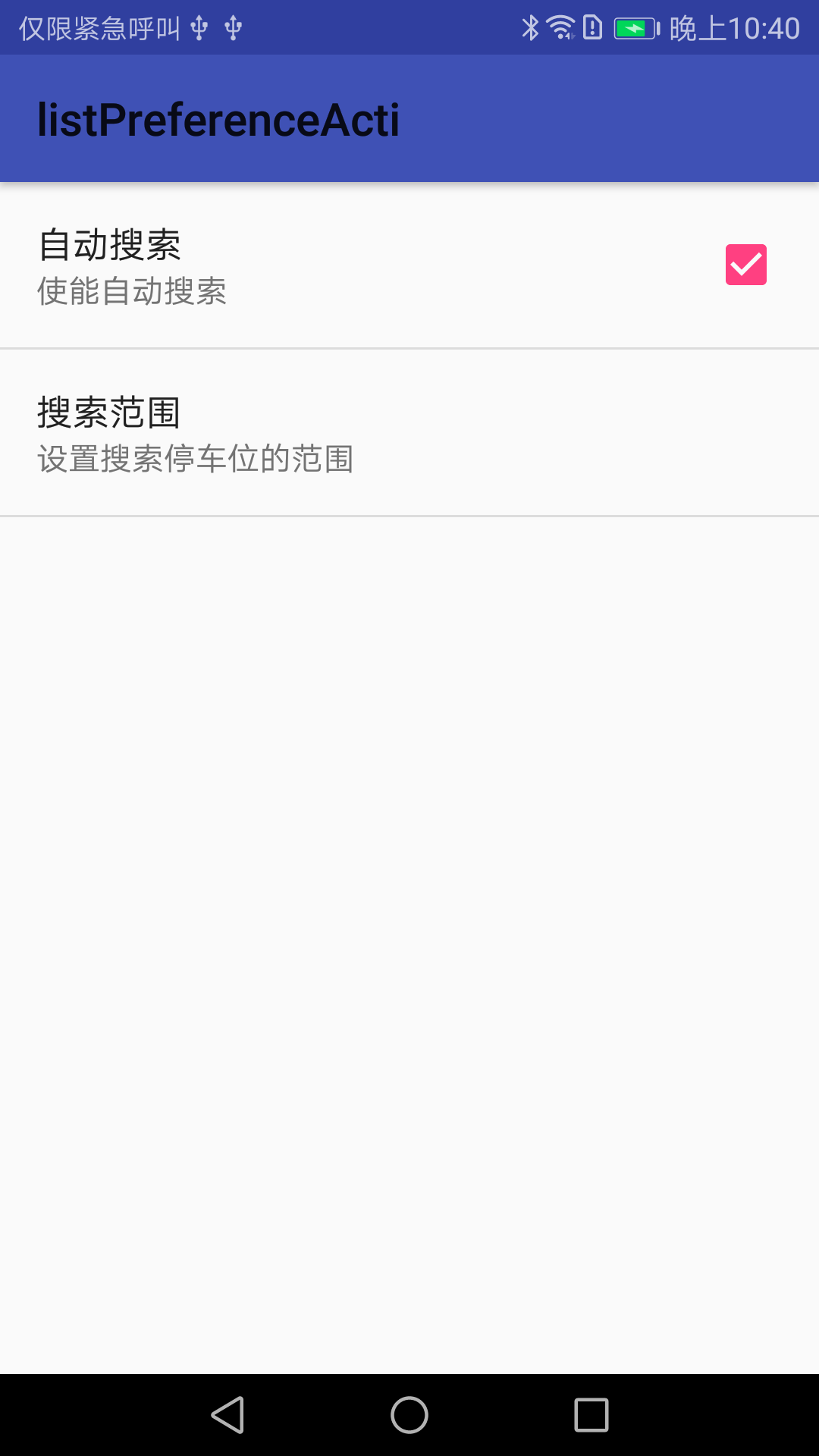
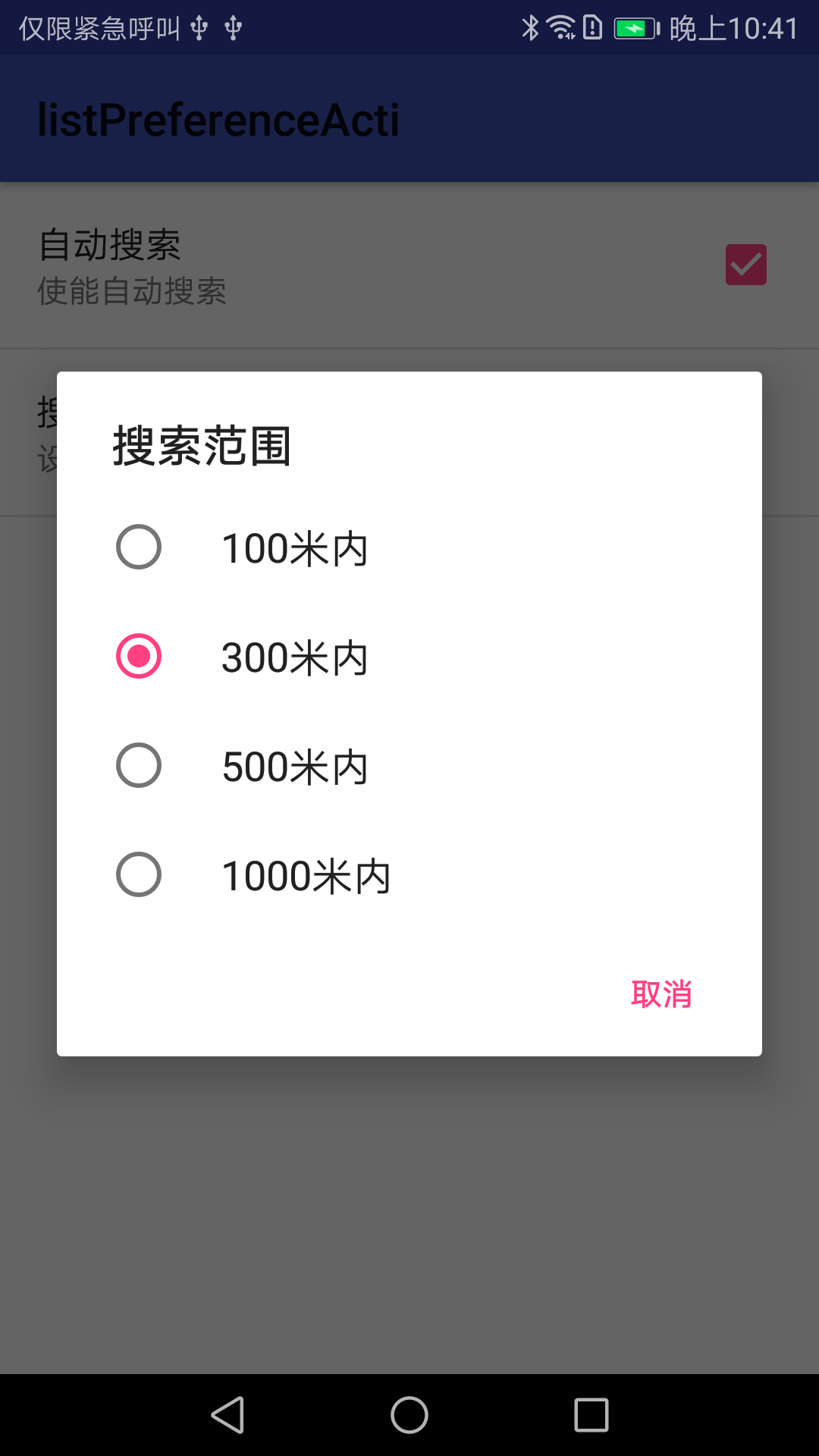
效果如下:
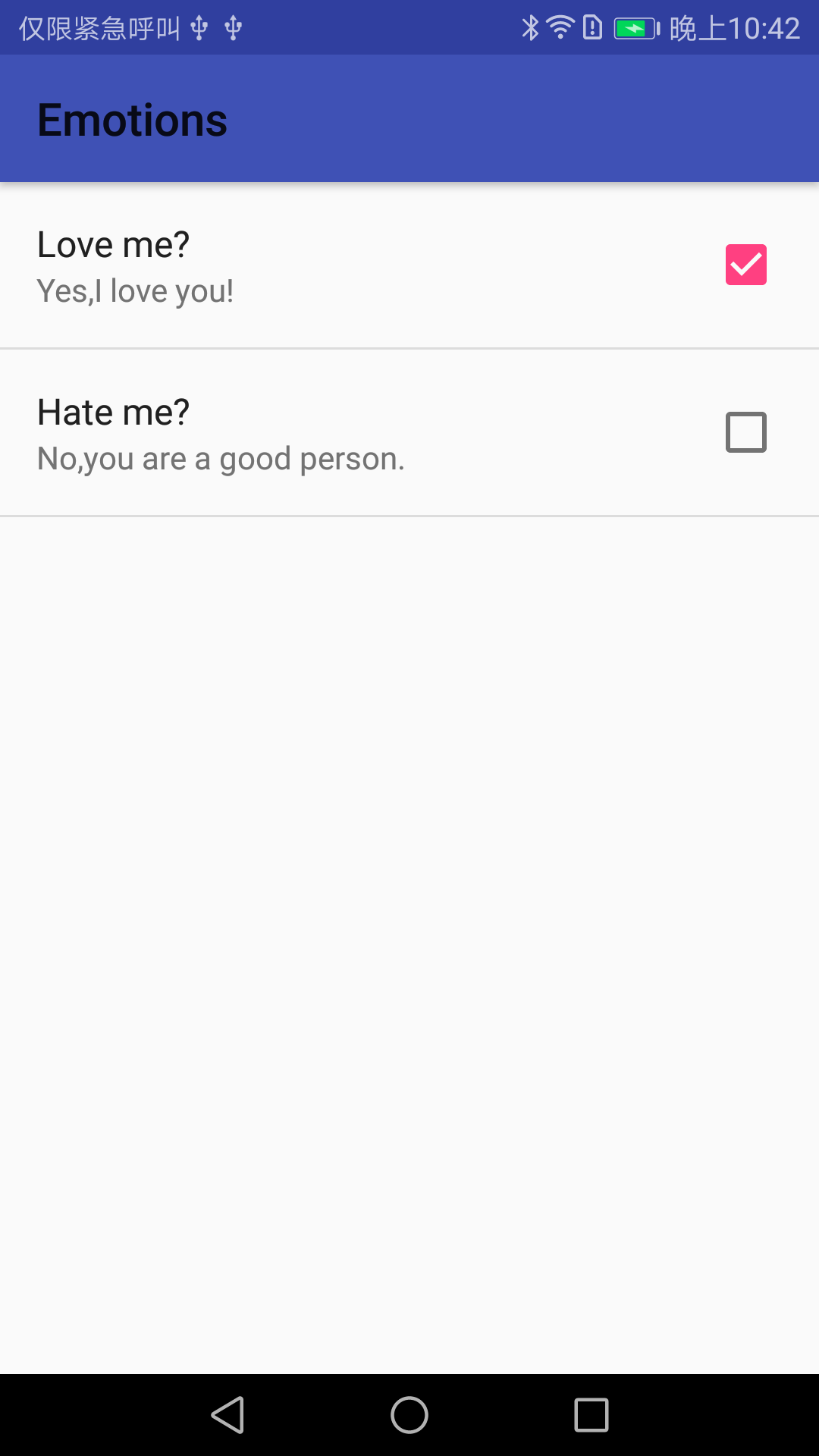
二。使用PreferenceCategory
1.布局:
<?xml version="1.0" encoding="utf-8"?>

<PreferenceScreen

  xmlns:android="http://schemas.android.com/apk/res/android"

    android:title="Settings">

    <PreferenceCategory

        xmlns:android="http://schemas.android.com/apk/res/android"

        android:title="Emotions"

        android:summary="settings about emotions">

        <CheckBoxPreference

            android:title="Love me?"

            android:summaryOn="Yes,I love you!"

            android:summaryOff="No,I am sorry."

            android:defaultValue="true" android:key="@string/category_loveme_key">

        </CheckBoxPreference>

        <CheckBoxPreference

            android:title="Hate me?"

            android:summaryOn="Yes,I hate you!"

            android:summaryOff="No,you are a good person."

            android:defaultValue="false">

        </CheckBoxPreference>

    </PreferenceCategory>

    <PreferenceCategory

        xmlns:android="http://schemas.android.com/apk/res/android"

        android:title="Relations"

        android:summary="settings about relations">

        <CheckBoxPreference

            android:title="Family?"

            android:summaryOn="Yes,we are family!"

            android:summaryOff="No,I am sorry."

            android:defaultValue="true">

        </CheckBoxPreference>

        <CheckBoxPreference

            android:title="Friends?"

            android:summaryOn="Yes,we are friends!"

            android:summaryOff="No,I am sorry."

            android:defaultValue="false">

        </CheckBoxPreference>

    </PreferenceCategory>

</PreferenceScreen>
2.调用:
addPreferencesFromResource(R.xml.preferencescategory);
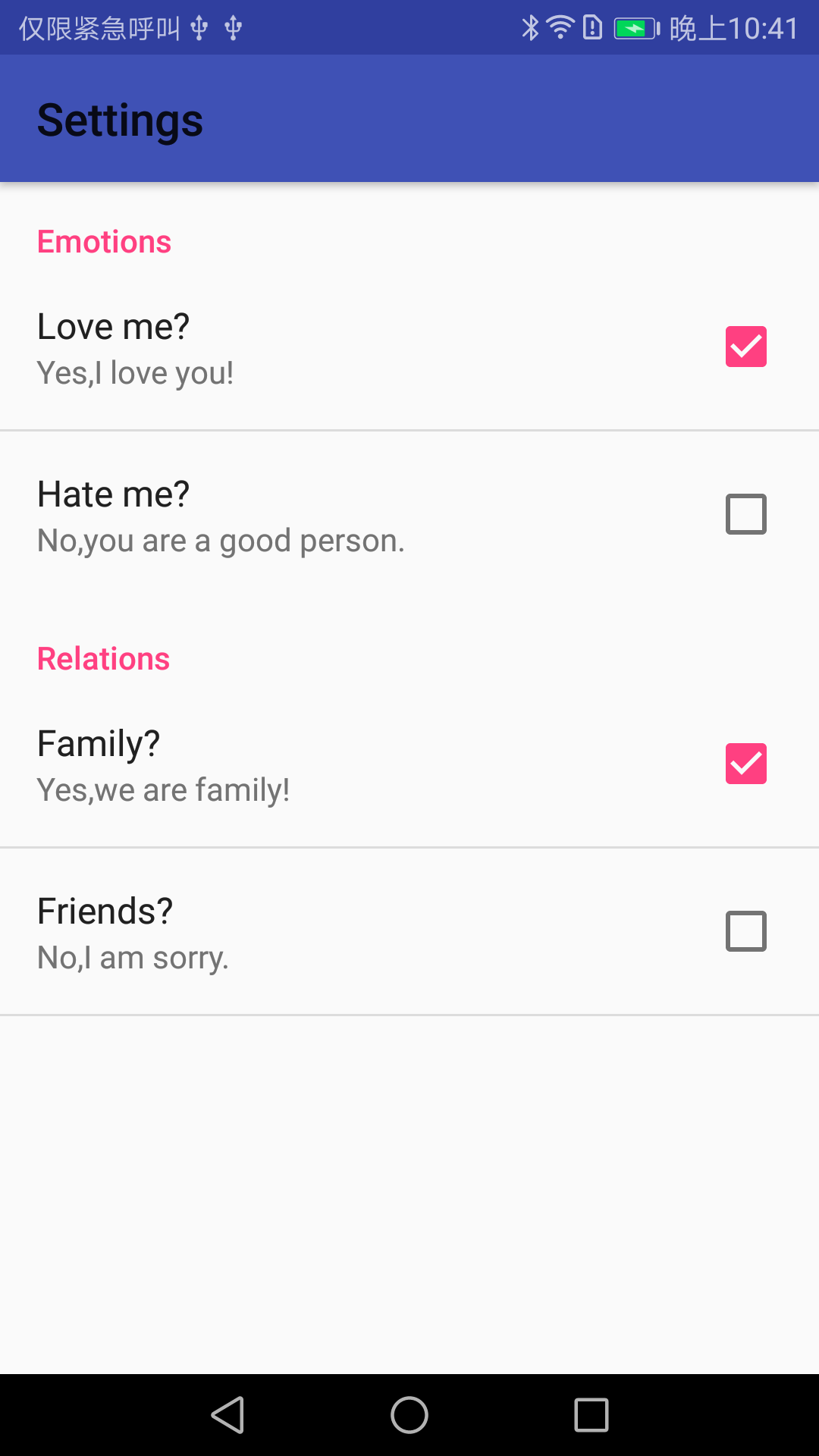
3.效果:
三。使用PreferenceScreen
1.布局:
<?xml version="1.0" encoding="utf-8"?>

<PreferenceScreen

  xmlns:android="http://schemas.android.com/apk/res/android"

    android:title="Settings">

    <PreferenceScreen

        xmlns:android="http://schemas.android.com/apk/res/android"

        android:title="Emotions"

        android:summary="settings about emotions">

        <CheckBoxPreference

            android:title="Love me?"

            android:summaryOn="Yes,I love you!"

            android:summaryOff="No,I am sorry."

            android:defaultValue="true" android:key="@string/screen_loveme_key" android:disableDependentsState="false">

        </CheckBoxPreference>

        <CheckBoxPreference

            android:title="Hate me?"

            android:summaryOn="Yes,I hate you!"

            android:summaryOff="No,you are a good person."

            android:defaultValue="false">

        </CheckBoxPreference>

    </PreferenceScreen>

    <PreferenceScreen

        android:title="Relations"

        android:summary="settings about relations" xmlns:android="http://schemas.android.com/apk/res/android">

        <CheckBoxPreference

            android:title="Family?"

            android:summaryOn="Yes,we are family!"

            android:summaryOff="No,I am sorry."

            android:defaultValue="true">

        </CheckBoxPreference>

        <CheckBoxPreference

            android:title="Friends?"

            android:summaryOn="Yes,we are friends!"

            android:summaryOff="No,I am sorry."

            android:defaultValue="false">

        </CheckBoxPreference>

    </PreferenceScreen>

</PreferenceScreen>
2.调用:
addPreferencesFromResource(R.xml.preferencesscreen);
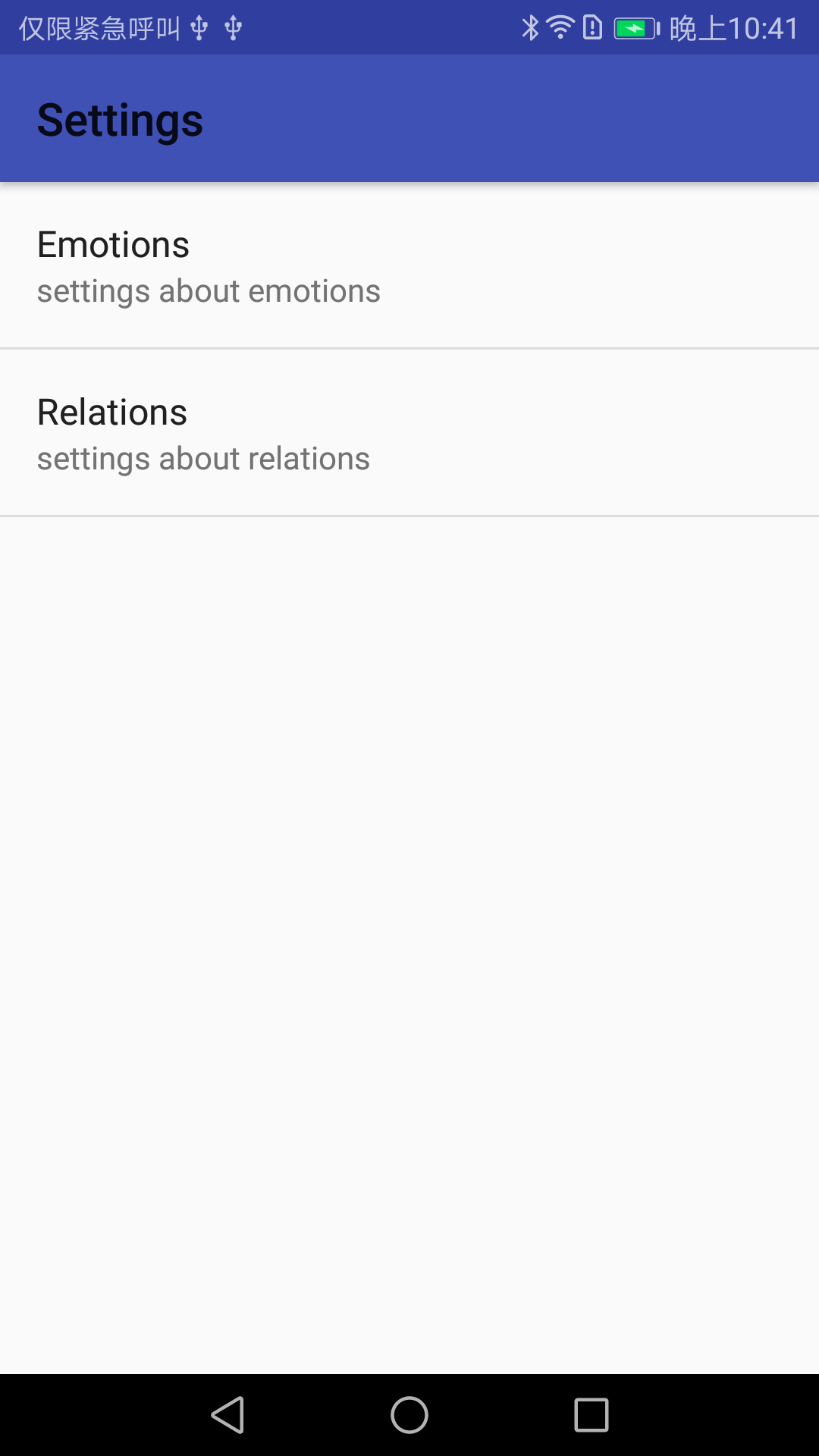
3.效果:
android-基础编程-Preference的更多相关文章
- android: 多线程编程基础
9.1 服务是什么 服务(Service)是 Android 中实现程序后台运行的解决方案,它非常适合用于去执行那 些不需要和用户交互而且还要求长期运行的任务.服务的运行不依赖于任何用户界面,即使 ...
- Android网络编程基础
Android网络编程只TCP通信 TCP 服务器端工作的主要步骤如下.步骤1 调用ServerSocket(int port)创建一个ServerSocket,并绑定到指定端口上.步骤2 调用acc ...
- Qt on Android 核心编程
Qt on Android 核心编程(最好看的Qt编程书!CSDN博主foruok倾力奉献!) 安晓辉 著 ISBN 978-7-121-24457-5 2015年1月出版 定价:65.00元 4 ...
- Android网络编程系列 一 TCP/IP协议族
在学习和使用Android网路编程时,我们接触的仅仅是上层协议和接口如Apache的httpclient或者Android自带的httpURlconnection等等.对于这些接口的底层实现我们也有必 ...
- Android网络编程系列 一 Socket抽象层
在<Android网络编程>系列文章中,前面已经将Java的通信底层大致的描述了,在我们了解了TCP/IP通信族架构及其原理,接下来我们就开始来了解基于tcp/ip协议层的Socket抽 ...
- Android基础总结(8)——服务
服务(Service)是Android中实现程序后台运行的解决方案,它非常适合用于去执行哪些不需要和用户交互而且还要长期运行的任务.服务的运行不依赖任何用户界面,即使当程序被切换到后台,或者用户打开了 ...
- 【Xamarin开发 Android 系列 4】 Android 基础知识
原文:[Xamarin开发 Android 系列 4] Android 基础知识 什么是Android? Android一词的本义指“机器人”,同时也是Google于2007年11月5日宣布的基于Li ...
- 【Android 应用开发】Android 网络编程 API笔记 - java.net 包 权限 地址 套接字 相关类 简介
Android 网络编程相关的包 : 9 包, 20 接口, 103 类, 6 枚举, 14异常; -- Java包 : java.net 包 (6接口, 34类, 2枚举, 12异常); -- An ...
- 【Android 应用开发】Android 网络编程 API笔记 - java.net 包相关 接口 api
Android 网络编程相关的包 : 9 包, 20 接口, 103 类, 6 枚举, 14异常; -- Java包 : java.net 包 (6接口, 34类, 2枚举, 12异常); -- An ...
- Android并发编程 多线程与锁
该文章是一个系列文章,是本人在Android开发的漫漫长途上的一点感想和记录,如果能给各位看官带来一丝启发或者帮助,那真是极好的. 前言 前一篇Android并发编程开篇呢,主要是简单介绍一下线程以及 ...
随机推荐
- BOM浏览器对象模型;
1.window.open(url,ways) url是打开的网页地址 ways是打开方式(-blank:-self) 2.window.close()关闭窗口 3.浏览器的用户信息 window.n ...
- thinkphp两表联查并且分页
ThinkPHP中关联查询(即多表联合查询)可以使用 table() 方法或和join方法,具体使用如下例所示: 1.原生查询示例: $Model = new Model(); $sql = 'sel ...
- sql server 查询不为空的字段
经常用,经常忘 select * from table where content is not null and datalength(content)<>0
- PAT 1071 小赌怡情(15)(代码)
1071 小赌怡情(15 分) 常言道"小赌怡情".这是一个很简单的小游戏:首先由计算机给出第一个整数:然后玩家下注赌第二个整数将会比第一个数大还是小:玩家下注 t 个筹码后,计算 ...
- ui设计学习路线图分享送给初学者
本文来源:千锋UI设计 Ui设计师就业市场前景及薪资很可观,而且现在市场上对于ui设计师的人才需求也很大,所以,现在越来越多的人看好这一行业,纷纷投入到ui设计的学习中来,那么想新手想要学好ui设计, ...
- JeeSite 4.0
http://jeesite.com/ JeeSite 是一个 Java EE 企业级快速开发平台,基于经典技术组合(Spring Boot.Spring MVC.Apache Shiro.MyBat ...
- Python之路(第五篇) Python基本数据类型集合、格式化、函数
一.变量总结 1.1 变量定义 记录某种状态或者数值,并用某个名称代表这个数值或状态. 1.2 变量在内存中的表现形式 Python 中一切皆为对象,数字是对象,列表是对象,函数也是对象,任何东西都是 ...
- c++智能指针(1)
根据muduo开源库作者陈硕的一些文章.对于多线程下C++编程提出了一些观点.主要是多线程下对象的销毁比较困难,但是由于多线程下,mutext是无法保护析构的.而后提出了智能指针的方案并对使用该指针会 ...
- 常用jvm参数
如果你是Eclipse ,可以通过 run -> Run Configurations->Arguments 添加-XX:+PrintGCDetails 打开gc日志 -Xmx 设置jav ...
- sqlserver 数据分发复制 发布订阅
转载地址:https://www.cnblogs.com/lizejia/p/6062674.html