
jquery自定义弹层显示大图(兼容多层iframe)
1、介绍
a:可用于多层iframe中,显示在最外层
b:动画效果为从点击的图片位置开始放大至全屏显示
2、效果图
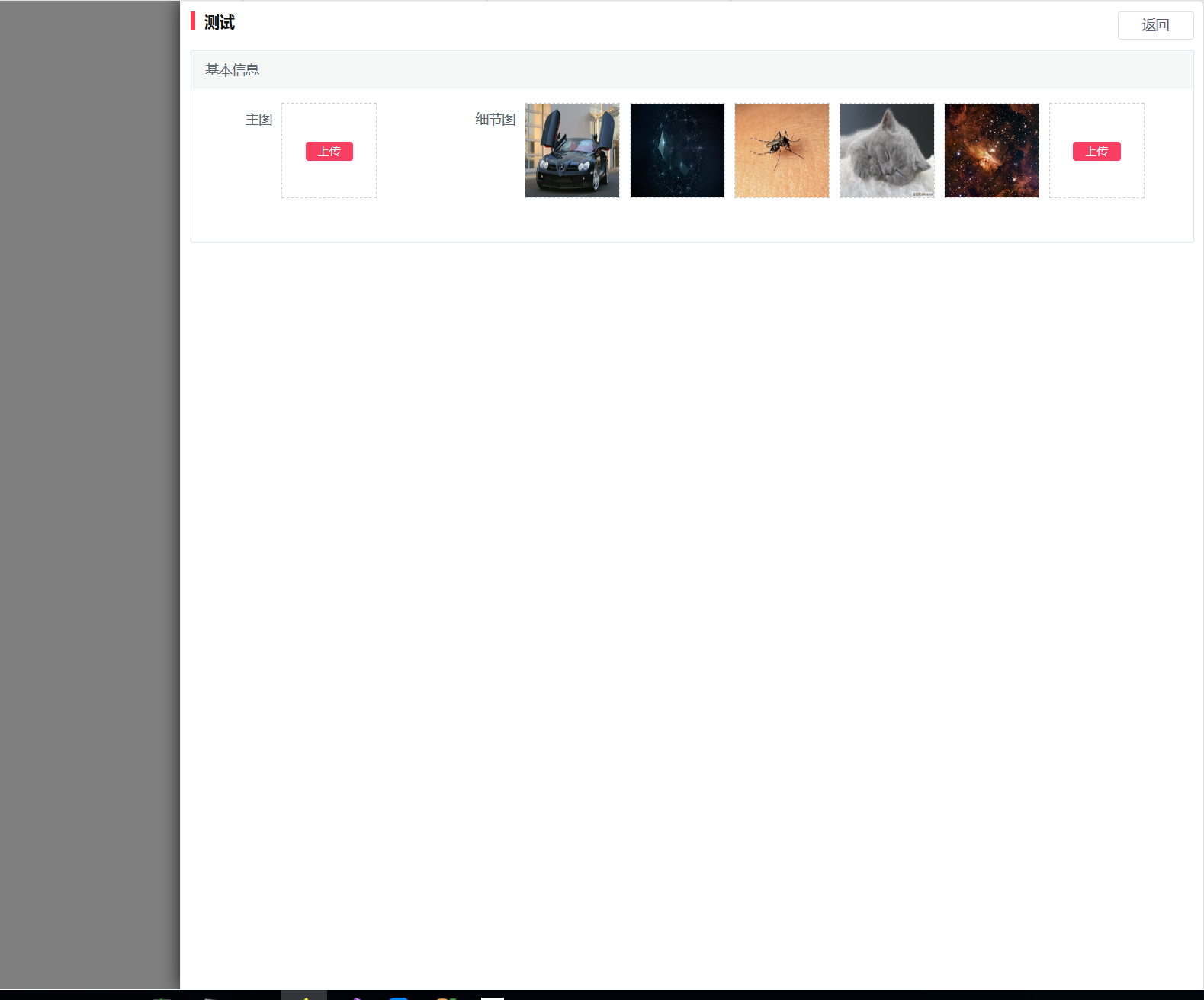
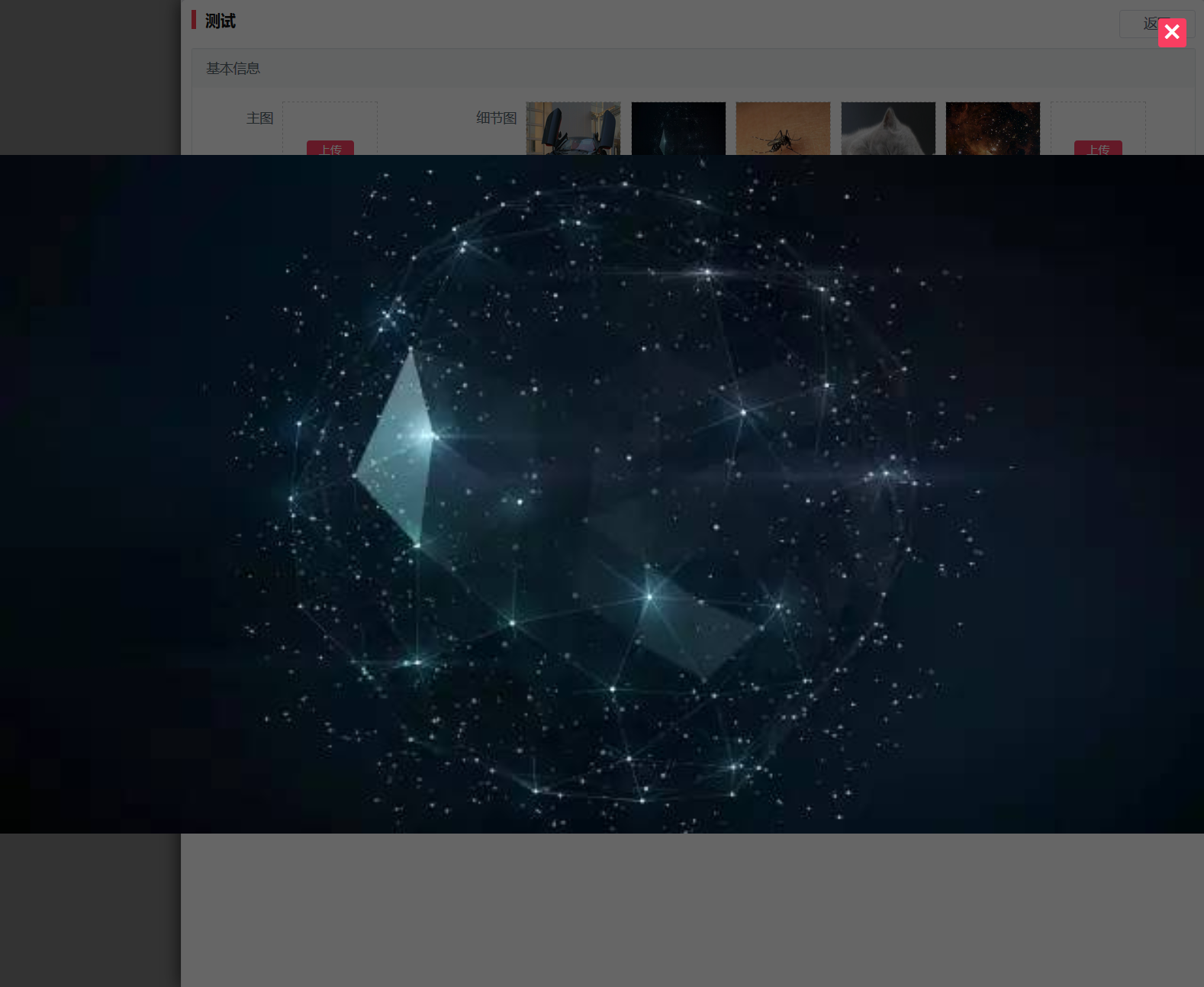
3、js代码
 1 function ShowMaxImg(src, y, x, w, h) {

 2     var str = '<section id="ShowMaxImgBox">';

 3     str += '<div class="button button-primary ShowMaxImgClose" onclick="window.top.RemoveMaxImg(' + y + ',' + x + ',' + w + ',' + h + ')">';

 4     str += '<i class="ion ion-close"></i>';

 5     str += '</div>';

 6     str += '<section class="ShowMaxImgBg" style=\'width:' + w + 'px;height:' + h + 'px;top:' + y + 'px;left:' + x + 'px;background-image:url(' + src + ')\'  onclick="window.top.RemoveMaxImg(' + y + ',' + x + ',' + w + ',' + h + ')">';

 7     str += '</section>';

 8     str += '</section>';

 9     $("#ShowMaxImgBox").remove();

10     window.top.$("body").append(str);

11     window.top.$("#ShowMaxImgBox .ShowMaxImgBg").animate({ "height": "100vh", "width": "100vw", "left": "0", "top": "0" }, 300, "swing");

12 }

13 function RemoveMaxImg(y, x, w, h) {

14     $("#ShowMaxImgBox .ShowMaxImgBg").animate({ "height": h + "px", "width": w + "px", "left": x + "px", "top": y + "px" }, 300, "swing", function () {

15         $("#ShowMaxImgBox").remove();

16     });

17 }

18

19 function GetPointInScreen(e, x, y) {

20     var point = e.getBoundingClientRect();

21     x += point.left;

22     y += point.top;

23     if (self != top) {

24         return window.parent.GetPointInScreen(window.parent.$("[name='myIframe']")[0], x, y);

25     }

26     return { x: x, y: y };

27 }

28

29 $("body").on("click", ".ShowMaxImg,[ShowMaxImg]", function () {

30         var src = "";

31         if ($(this).attr("ShowMaxImg") != undefined) {

32             src = $(this).attr("ShowMaxImg");

33         }

34         else {

35             src = $(this).attr("src");

36         }

37         if (src == "" || src == undefined) {

38             return;

39         }

40         var point = GetPointInScreen(this, 0, 0);

41         var w = $(this).width();

42         var h = $(this).height();

43         ShowMaxImg(src, point.y, point.x, w, h);

44     });
4、cs代码
 1 #ShowMaxImgBox {

 2     position: fixed;

 3     width: 100vw;

 4     height: 100vh;

 5     display: flex !important;

 6     background-color: rgba(0,0,0,0.6);

 7     /*实现垂直居中*/

 8     align-items: center !important;

 9     /*实现水平居中*/

10     justify-content: center !important;

11     text-align: justify !important;

12     text-decoration: none;

13     -moz-user-select: none;

14     -webkit-user-select: none;

15     -ms-user-select: none;

16     user-select: none;

17     left: 0;

18     top: 0;

19     z-index: 9999;

20 }

21

22     #ShowMaxImgBox .ShowMaxImgBg {

23         z-index: -1;

24         position: absolute;

25         background-repeat: no-repeat;

26         background-position: center;

27         background-size: contain;

28     }

29

30     #ShowMaxImgBox .ShowMaxImgClose {

31         position: absolute;

32         width: 30px;

33         height: 30px;

34         right: 20px !important;

35         top: 20px !important;

36         z-index: 99;

37     }

38

39         #ShowMaxImgBox .ShowMaxImgClose i {

40             font-size: 20px;

41         }

42

43     #ShowMaxImgBox .ShowMaxImgBg p {

44         color: white;

45         position: absolute;

46         bottom: 10px;

47         text-align: center;

48         width: 100%;

49         height: 30px;

50         line-height: 30px;

51     }

52

53 [upload-showmaximg], [ShowMaxImg], .ShowMaxImg {

54     cursor: zoom-in !important;

55 }

56

57 #ShowMaxImgBox .ShowMaxImgBg:hover, #ShowMaxImgBox .ShowMaxImgClose:hover {

58     cursor: zoom-out !important;

59 }
jquery自定义弹层显示大图(兼容多层iframe)的更多相关文章
- CSS3/jQuery自定义弹出窗口
简单演示一下,精简了演示效果和css样式文件,更利于在项目中的实际应用 引入style.css index.js <!DOCTYPE HTML PUBLIC "-//W3C//DT ...
- Jquery 点击图片在弹出层显示大图
http://blog.csdn.net/wongwaidah/article/details/28432427(案例链接出处,本人只是转载收藏) <html> <head> ...
- jQuery Layer 弹层组件
layer是一款近年来口碑非常不错的web弹层组件,她具备全方位的解决方案,致力于服务各个水平段的开发人员,您的页面会轻松地拥有丰富友好的操作体验. 在与同类组件的比较中,layer总是能轻易获胜.她 ...
- 基于Vue.js PC桌面端弹出框组件|vue自定义弹层组件|vue模态框
vue.js构建的轻量级PC网页端交互式弹层组件VLayer. 前段时间有分享过一个vue移动端弹窗组件,今天给大家分享一个最近开发的vue pc端弹出层组件. VLayer 一款集Alert.Dia ...
- [转]Jquery 点击图片在弹出层显示大图
这个还行不需要别的包! https://www.cnblogs.com/antis/p/7053991.html
- JQuery - 点击图片显示大图
效果: 目录结构: 代码: <%@ Page Language="C#" AutoEventWireup="true" CodeFile="De ...
- apicloud实现各种自定义弹层组件
- jQuery 鼠标移入图片 显示大图并跟随鼠标移动
<!DOCTYPE html> <html lang="en"> <head> <meta charset="UTF-8&quo ...
- 解决: 移动端经mouseover显示出的弹层中链接点击问题
通常我们会遇到这样的需求,导航菜单在鼠标划过的时候显示自定义弹层,在弹层中有一些链接需要点击后跳转或者其他一些事件.比如: $(".menu li").on("mouse ...
随机推荐
- 用ip xfrm搭ipsec隧道
拓扑如下 基本的IP配置就不说了,直接写重点,在LS上配置 #配置SA ip xfrm state add src 194.168.10.4 dst 194.168.10.5 proto esp sp ...
- CSS字体属性与文本属性
CSS字体属性与文本属性 1. 字体属性 1.1 字体系列font-family p { font-family: "Microsoft Yahei";/*微软雅黑*/ } /*当 ...
- Git软件操作过程
一.下载 Git 二.下载Git小乌龟-TortoiseGit 三.汉化-去官网下载,官网地址 https://tortoisegit.org/download/
- pytest文档54-Hooks函数terminal打印测试结果(pytest_report_teststatus)
前言 使用命令行执行pytest用例的时候,会在 terminal 终端打印整个用例的测试结果: .代表通过的用例 F代表失败的用例 E代表异常的用例 如果我们不喜欢这种报告结果,可以通过 pytes ...
- kafka-消费者测试
1. 在窗口1创建一个producer,topic为test,broker-list为zookeeper集群ip+端口 /usr/local/kafka/bin/kafka-console-pro ...
- 从零开始针对 .NET 应用的 DevOps 运营实践 - Jenkins & SonarQube 安装配置
一.Overview 继续 DevOps 实施的相关内容,在上一篇的博客中,完成了对于工具链中使用到的软件所需的运行环境的配置,在这一篇的博客中,将聚焦于我们使用到的两个主要的软件:Jenkins 与 ...
- C++ Primer第5版 第一章课后练习
练习1.9 #include <iostream> int main() { int sum = 0, val = 50; while (val <= 100) { sum += v ...
- git添加空文件夹
最近刚接触git这个工具,发现git是不能提交空文件的:找了下资料,找到了解决提交文件夹的办法,现在记录一下. git是不允许提交一个空的目录到版本库上的,可以在空文件夹下面添加.gitkeep文件, ...
- Java jvm 类加载 反射
Java 底层 jvm,类加载,反射 Java语言是跨平台语言,一段java代码,经过编译成class文件后,能够在不同系统的服务器上运行:因为java语言中有虚拟机jvm,才有了跨平台,java为了 ...
- Lombda表达式(四)
/* * 自定义函数式接口: * 1.声明一个接口,只能包含一个抽象方法 * 2.给这个接口加@FunctionalInterface */ public class Test { public st ...