
css图片根据div宽高比例自适应
1.div布局
<div class="card-img-show">

                            <div class="upload-img-conss" >

                                <img style="width: 200px" class="addPersonFile"  id="personImg" :src="personImgDataUrl" >

                                <div class="upload-img-success-bg">

                                    <div class="upload-promise-img-chuan-margin">

                                    </div>

                                    <p class="upload-img-add-front" style="margin-top: 11px; padding-left: 0">证件有效信息面</p>

                                </div>

                            </div>

                        <div class="card-img-show">

                        <input style="position: absolute; width: 52%; height: 73%" class="register-person-260-upload" :class="{'is-danger': errors.has('cardImg') }" v-validate="'required|unitCardImg'" name="cardImg" type="file"  id="addPersonFile" v-on:change="getFile($event)"

                               placeholder="请上传证件照">

                            <p v-show="errors.has('cardImg')" style="display:none;color: red;font-size: 12px;">{{ errors.first('cardImg') }}</p>

                        <p class="card-img-show-p">文件格式为:jpg或png;文件大小:1M至5M</p>

                        </div>

                    </div>
效果图
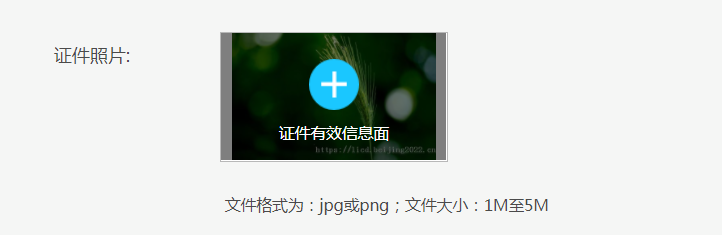
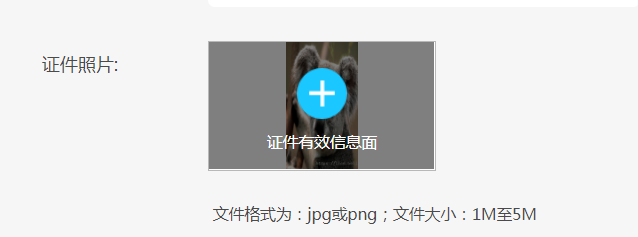
根据图片原始尺寸等比缩放,不拉伸图片宽高;
前端使用vue框架:图片上传完成后渲染
updated(){

            $(".register-container img").each(function(){

                if(!!$(this).attr("src") && $(this).attr("src").indexOf("http")>-1){

                    var imgid= $(this).attr("id")
                     //添加遮罩可忽略

                    $("#"+imgid+"+ div:first").addClass("upload-img-success-bg-change");

                    //图片id
                    var img = $(this);

                    //图片自适应宽高

                    imgSuite(imgid,img);

                }

            });

        },
公共js方法
function imgSuite(imgid,img) {

	var realWidth;//真实的宽度

	var realHeight;//真实的高度
    //虚拟img标签

	$("<img/>").attr("src", $(img).attr("src")).on('load',function() {

		realWidth = this.width;

		realHeight = this.height;

		var upPercent = realWidth/realHeight;

		var parentDiv = $("#"+imgid).parent();

		var parentWidth =  parentDiv.width();//父级宽

		var parentHeight =  parentDiv.height();//父级高

		var orgPercent = parentWidth/parentHeight;

		if(upPercent<orgPercent){

			$("#"+imgid).css({width:"auto",height:parentHeight+"px",margin:"0 auto",display:"block"});

		}else {

			var differHeight = parentWidth*realHeight/realWidth;//父级高度减去图片高度差

			var marginTop = (parentHeight - differHeight)/2;//距离顶部高

			$("#"+imgid).css({height:"auto",width:parentWidth+"px",marginTop: marginTop + "px",display:"block"});

		}

	});

}
css图片根据div宽高比例自适应的更多相关文章
- css实现左边定宽右边自适应的5种方法总汇
在网页布局中,通常需要实现左边定宽右边自适应布局,默认html的结构如下: <div class="box"> <div class="left&quo ...
- css布局:定宽,自适应
css三栏布局:1.中自:float,absolute,margin三种方法.2.中固:margin,table两种方法. 两边定宽,中间自适应: float: #left{ float:left; ...
- jq获取图片的原始尺寸,自适应布局
原理: each()遍历,width().height()获取宽高, load() 注意: 由于页面加载完了,但图片不一定加载完了,所以直接通过 $("img").width(), ...
- UIImageView圆角,自适应图片宽高比例,图片拉伸,缩放比例和图片缩微图
/* 设置圆角,通过layer中的cornerRadius和masksToBounds即可. 自适应图片宽高比例.通过UIViewContentModeScaleAsp ...
- 【CSS】318- CSS实现宽高等比自适应容器
点击上方"前端自习课"关注,学习起来~ 在最近开发移动端页面,遇到这么一个情况:当页面宽度 100% 时,高度为宽度一半,并随手机宽度变化依然是一半. 于是我们就需要实现一个宽度自 ...
- 漂亮的自适应宽度的多色彩CSS图片按钮
一.素材 二.效果 三.CSS *{padding:0;margin:0} /*----------------------------------- 自适应宽度图片按钮 ...
- 从零开始学习前端开发 — 7、CSS宽高自适应
一.宽度自适应 语法:width:100%; 注: a)块状元素的默认宽度为100% b) 当给元素设置宽度为100%时,继承父元素的宽度 c) 通常使用宽度自适应实现通栏效果 二.高度自适应 语法: ...
- 纯Css实现Div高度根据自适应宽度(百分比)调整
在如今响应式布局的要求下,很多能自动调整尺寸的元素能够做到高宽自适应,如img,通过{width:50%;height:auto;}实现图片高度跟随宽度比例调整. 然而,用的最多的标签一哥Div却不能 ...
- 使用CSS让元素尺寸缩小时保持宽高比例一致
CSS中有一个属性padding对元素宽度存在依存关系.如果一个元素的 padding属性以百分比形式表示,padding 的大小是以该元素自身宽度为参照的. 若想要元素尺寸变化时,宽高比例不变,可以 ...
随机推荐
- JSP的内置对象及方法
request表示HttpServletRequest 对象.它包含了有关浏览器请求的信息,并且提供了几个用于获取cookie,header, 和session 数据的有用的方法.response 表 ...
- Java 调用翻译软件实现英文文档翻译
前言: 因最近要进行OCP的考试准备.看着大堆英文文档确实有些疼痛.又因文档内容有点大,又需要逐一去翻译 又很费时费力.于是 百度了一番,找到一些 可以使用Java来调用百度翻译软件的API( 注:( ...
- Confluence 6 配置管理员会话的安全
Confluence 通过使用 Confluence administration console 来显示管理员访问后台管理的功能或者管理一个空间.当一个 Confluence 管理员(以管理员身份登 ...
- Confluence 6 查看系统信息
系统信息界面提供了有关 Confluence 的配置信息和 Confluence 部署的环境信息. 希望对你的系统信息进行查看: 在屏幕的右上角单击 控制台按钮 ,然后选择 General Confi ...
- 巧用&&和|| 让逻辑代码更简洁,逼格看起来更高一点(玩笑脸)
通常当我们有一个需求 需要用到很多if else 进行条件筛选,例如: let level = 0; if(score > 12){ level = 4; } else if(score > ...
- linux之ab压力测试工具
等待... https://www.cnblogs.com/myvic/p/7703973.html
- Django标签&迭代&循环&过滤
1.{% for Person in persons %}模板标签的替换,就是利用了基础模板的底层设计,嵌套了其他显示的内容.常见的内容替换标签{% block content %}{%endbloc ...
- cf自训6
cf946D 背包+区间dp 好题 /* 先预处理出每行消去i个1后可以的到的最小时间: 先求每行的前缀和,枚举左端点和右端点,消去的1 cost=tot-sum[r]+sum[l-1],区间长度=r ...
- Android学习基础部分
今天是放寒假的第四天,这几天加上放假前总共弄了一些Android编程的基础部分,比如下载sdk.配置环境.下载Eclipse的插件(ADT).下载Android Studio.VirtualBox.G ...
- Tensorflow 损失函数及学习率的四种改变形式
Reference: https://blog.csdn.net/marsjhao/article/details/72630147 分类问题损失函数-交叉熵(crossentropy) 交叉熵描述的 ...