
Aerospike系列:5:安装AMC
1:需要安装的包,如果缺少,请安装。
python (2.6+)

gcc

python-devel
安装相应的模块
sudo pip install markupsafe

sudo pip install paramiko

sudo pip install ecdsa

sudo pip install pycrypto
2:下载rpm包
wget http://www.aerospike.com/artifacts/aerospike-amc-community/3.6.0/aerospike-amc-community-3.6.0-el5.x86_64.rpm
3:安装aerospike-amc-community-3.6.0-el5.x86_64.rpm
rpm -ivh aerospike-amc-community-3.6.0-el5.x86_64.rpm
详情可以参考这里:http://www.aerospike.com/docs/amc/install/linux/el6/
4:操作指南
Starting the AMC server

To start the AMC:

sudo /etc/init.d/amc start

To stop the AMC server:

sudo /etc/init.d/amc stop

To restart the AMC server:

sudo /etc/init.d/amc restart

To see whether or not the AMC server is up:

sudo /etc/init.d/amc status
配置过程中有任何问题都可以查看错误日志:/var/log/amc/error.log
5:默认的gunicorn_config内容
[root@localhost ~]# cat /etc/amc/config/gunicorn_config.py

bind = "0.0.0.0:8081"

pidfile = "/tmp/amc.pid"

loglevel = "info"

errorlog = "/var/log/amc/error.log"

workers = 1

proc_name = "amc"

chdir = "/opt/amc/server"

timeout = 150

worker_class = "eventlet"
可以编辑bind之后再重启AMC服务。例如改为:192.168.91.132:8081
社区版可以参考这里:http://www.aerospike.com/docs/amc/user_guide/community/
商业版可以参考这里:http://www.aerospike.com/docs/amc/user_guide/enterprise/
6:在两个服务都启动成功后就可以连接AMC了
[root@localhost bin]# ls

aerospike  asd  bin  etc  share  var

[root@localhost bin]# ./aerospike status

info: process running

[root@localhost bin]# /etc/init.d/amc status

Retrieving AMC status....

AMC is running.

[root@localhost bin]#
浏览器输入:

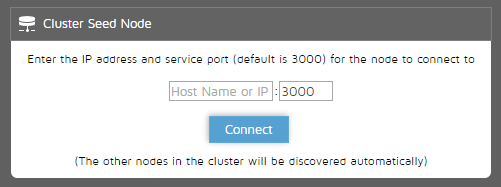
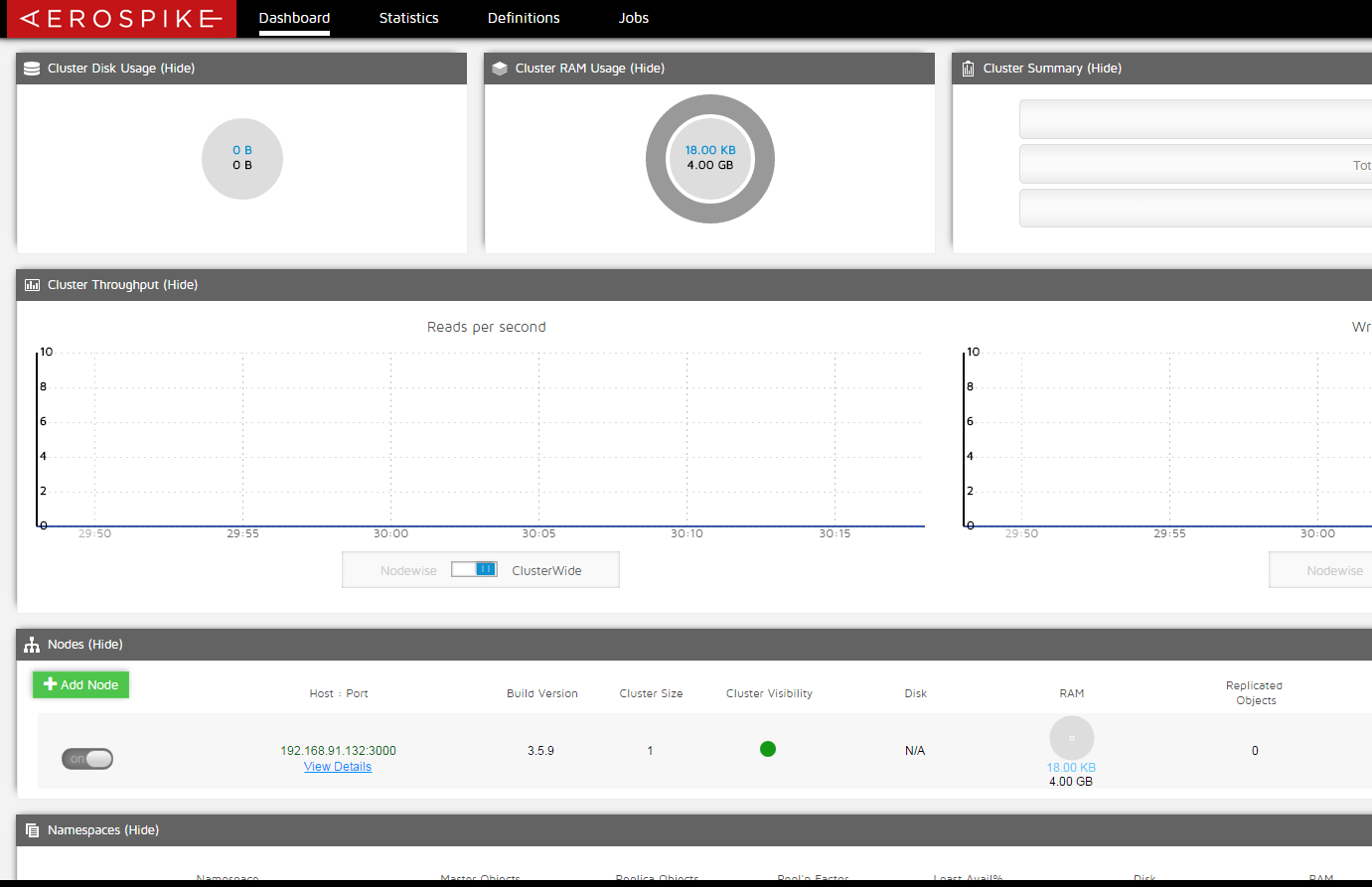
输入192.168.91.132连接即可。
如果提示:
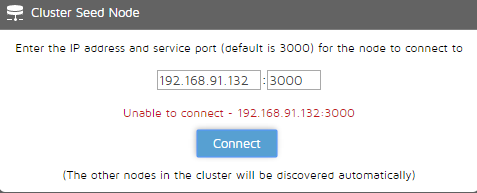
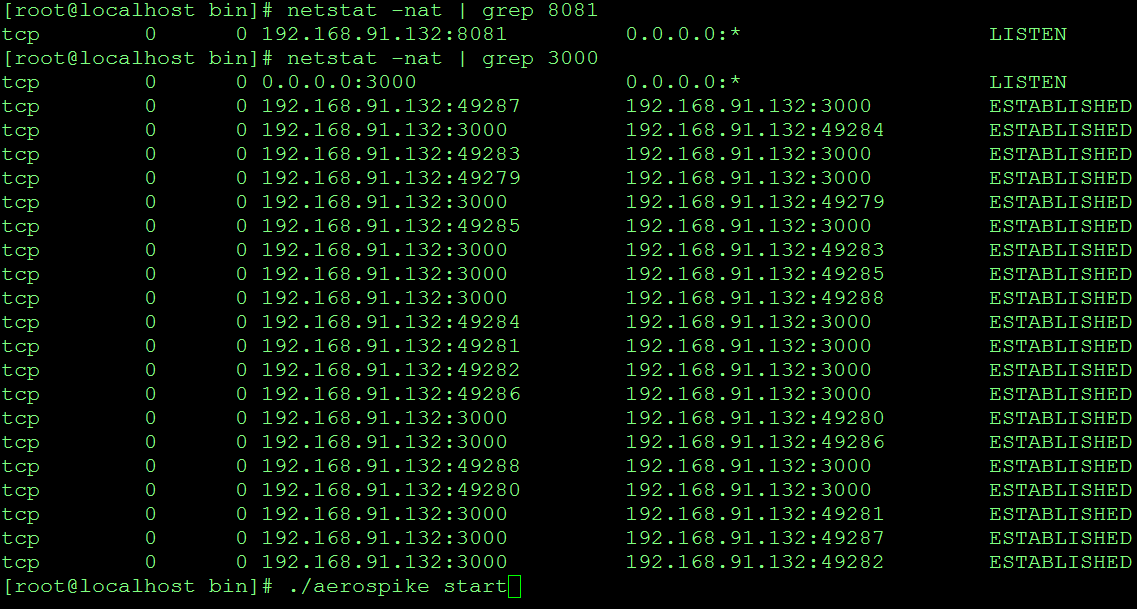
请检查主机上的3000和8081端口的监听服务是否正常。
详情参考:http://www.aerospike.com/docs/amc/user_guide/community/dashboard.html
Aerospike系列:5:安装AMC的更多相关文章
- Robotframework-Appium系列:安装配置
1. Robotframework-android系列:安装配置 1.1. 安装环境 64位win10家庭中文版 1.1. 安装说明 网上robotframework-appium安装资料也不少, ...
- [转]gitlab cicd (二)系列之安装git-runner rpm安装方式
本文转自:https://blog.csdn.net/qq_21816375/article/details/84308748 本编是继gitlab cicd (一)系列之安装gitlb之后,基于安装 ...
- 开源一款强大的文件服务组件(QJ_FileCenter)(系列二 安装说明)
系列文章 1. 开源一款强大的文件服务组件(QJ_FileCenter)(系列一) 2. 开源一款强大的文件服务组件(QJ_FileCenter)(系列二 安装说明) 3. 开源一款强大的文件服务组件 ...
- Docker入门系列2 安装
可以从 Docker 社区直接下载可用的模版或镜像. Docker容器的启动可以在秒级实现,这相比传统的虚拟机方式要快得多. 其次,Docker对系统资源的利用率很高,一台主机上可以同时运行数千个Do ...
- Xbin-Store(分布式商城)项目所用Linux服务系列 FastDFS安装(五)
系列 Xbin-Store(分布式商城)项目所用Linux服务系列 MySQL安装(一) Xbin-Store(分布式商城)项目所用Linux服务系列 Redis集群安装(二) Xbin-Store( ...
- Windows玩转Kubernetes系列2-Centos安装Docker
接上一章,Windows玩转Kubernetes系列1-VirtualBox安装Centos,我们开始学习如何在Centos中安装Docker 准备 关闭防火墙 防火墙一定要提前关闭,否则在后续安装K ...
- Windows玩转Kubernetes系列3-Centos安装K8S
以往文章参考: Windows玩转Kubernetes系列1-VirtualBox安装Centos Windows玩转Kubernetes系列2-Centos安装Docker 安装K8S yum in ...
- Docker 技术系列之安装多版本Mysql5.6和Mysql5.7
大家好,后面的就不是关于MAC专有的内容,基本是跟Java环境,基础技术方面有关.所以这个教程对于在linux系统还是macOS都是通用的,不用担心. 上一篇,我们安装好对应的Docker之后,感受到 ...
- Docker 技术系列之安装Docker Desktop for Mac
终于要进入到Docker技术系列了,感谢大家的持续关注. 为什么要选择Docker?因为Docker 轻巧快速,提供了可行.经济.高效的替代方案.举个例子,安装Nginx,Mysql,Redis等常用 ...
随机推荐
- Mysql 编译安装并使用自定义用户启动
本文基于 Redhat Linux 6.7 的环境,Mysql 版本为 5.5.37 安装前的检查 必备的组件,如果没有使用 yum 进行安装,可以使用网上的源,也可以使用本地光盘作为 Yum 源. ...
- 部署maven的一些要点、遇到的问题和心得体会
maven的部署.遇到的问题和心得体会 2013-10-24 | 阅: 转: | 分享 部署maven的一些要点.遇到的问题和心得体会 (图片看不了,可以下载doc文件) 一. ...
- Java和C#差异点
语法:----------------------------------------------------------1. Java的byte为-128~127相当于c#的sbyte,c#byte ...
- Linux常用命令汇总 - Linux Shell Cheat Sheet
1. 查看Linux操作系统信息: uname -a cat /proc/version lsb_release -a 2. 设置ls显示的文件夹的颜色(将下面这条目录加在 .bashrc 文件最后) ...
- Ubuntu下搭建Hyperledger Fabric v1.0环境
多次尝试才正常启动了Fabric,如遇到各种莫名错误,请参考如下一步步严格安装,特别用户权限需要注意. 一.安装Ubuntu16 虚拟机或双系统,虚拟机有VirtualBox或者VMware,Ub ...
- java实时监听日志写入kafka(转)
原文链接:http://www.sjsjw.com/kf_cloud/article/020376ABA013802.asp 目的 实时监听某目录下的日志文件,如有新文件切换到新文件,并同步写入kaf ...
- codeforce 192 div2解题报告
今天大家一起做的div2,怎么说呢,前三题有点坑,好多特判.... A. Cakeminator 题目的意思是说,让你吃掉cake,并且是一行或者一列下去,但是必须没有草莓的存在.这道题目,就是判断一 ...
- mybatis中sql标签、where标签、foreach标签用法
<sql id="query_user_where"> <!-- 如果 userQueryVo中传入查询条件,再进行sql拼接--> <!-- tes ...
- IsPostback小结
这两天一直碰到它,却总是不明白,甚至一开始连回传都不知道是啥..现在终于理解了,分享给大家,当然,如有不妥之处,还请大家不吝指教! 解释 要想明白IsPostback,先来看看下面的这 ...
- ajax file upload 修改
先前 写过 JS 判断上传 文件 大小 后来发现一个问题, 就是单页面运行 js 没有问题, 但是基础呢个到项目中 有些时候 obj_img.dynsrc = file.value; 报错说没有 权限 ...