
Nginx实现rewrite重写
Rewrite基本概述
什么是rewrite
Rewrite主要实现url地址重写,以及重定向,就是把传入web的请求重定向到其他url的过程。
Rewrite使用场景
1、地址跳转,用户访问www.drz.com这个URL是,将其定向至一个新的域名mobile.drz.com
2、协议跳转,用户通过http协议请求网站时,将其重新跳转至https协议方式
3、伪静态,将动态页面显示为静态页面方式的一种技术,便于搜索引擎的录入,同时建上动态URL地址对外暴露过多的参数,提升更高的安全性。
4、搜索引擎,SEO优化依赖于url路径,好记的url便于智齿搜索引擎录入
Rewrite配置示例
句法:Syntax:  rewrite regex replacement [flag]

默认:Default: --

语境:Context: server,location,if

#用于切换维护页面场景

#rewrite ^(.*)$ /page/maintain.html break;
Rewrite标记Flag
rewrite指令根据表达式来重定向URL,或者修改字符串,可以应用于server,location,if环境下,每行rewrite指令最后跟一个flag标记,支持的flag标记有如下表格所示:
| flag | 作用 |
|---|---|
| last | 本条规则匹配完成后,停止匹配,不再匹配后面的规则 |
| break | 本条规则匹配完成后,停止匹配,不再匹配后面的规则 |
| redirect | 返回302临时重定向,地址栏会显示跳转后的地址 |
| permanent | 返回301永久重定向,地址栏会显示跳转后的地址 |
last与break区别对比示例
[root@web01 conf.d]# cat rewrite.conf

server {

        listen 80;

        server_name rewrite.gjy.com;

        root /code;

        location ~ ^/break {

                rewrite ^/break /test/ break;

        }

        location ~ ^/last {

                rewrite ^/last /test/ last;

        }

        location /test/ {

                default_type application/json;

                return 200 "ok";

        }

}

[root@web01 conf.d]#  mkdir  /code

[root@web01 conf.d]# echo gjy.test_web01 > /code/test/index.html

#重启nginx服务

[root@web01 conf.d]# nginx -t

nginx: the configuration file /etc/nginx/nginx.conf syntax is ok

nginx: configuration file /etc/nginx/nginx.conf test is successful

[root@web01 conf.d]# nginx -s reload
浏览器访问网页
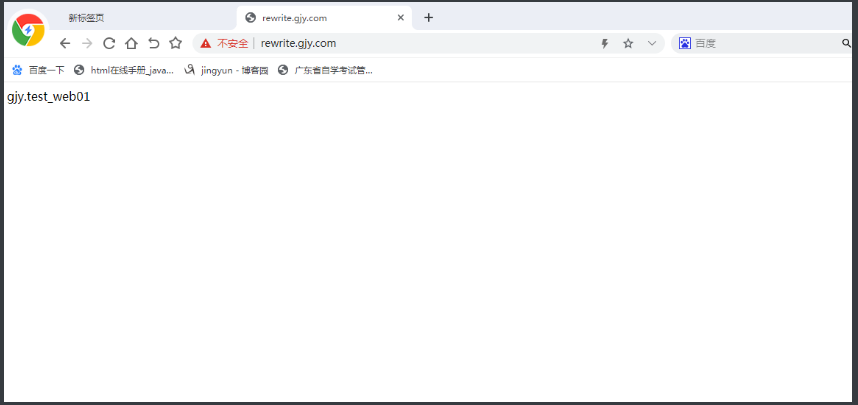
如果懂shell脚本的,这两个就类似于脚本中的,break和continue
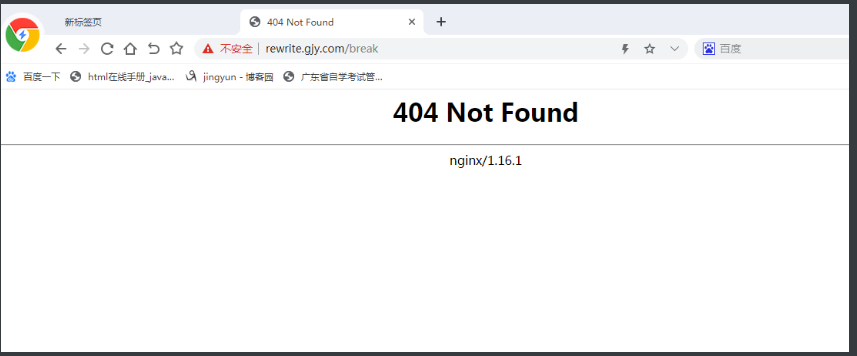
浏览器访问break
浏览器访问last
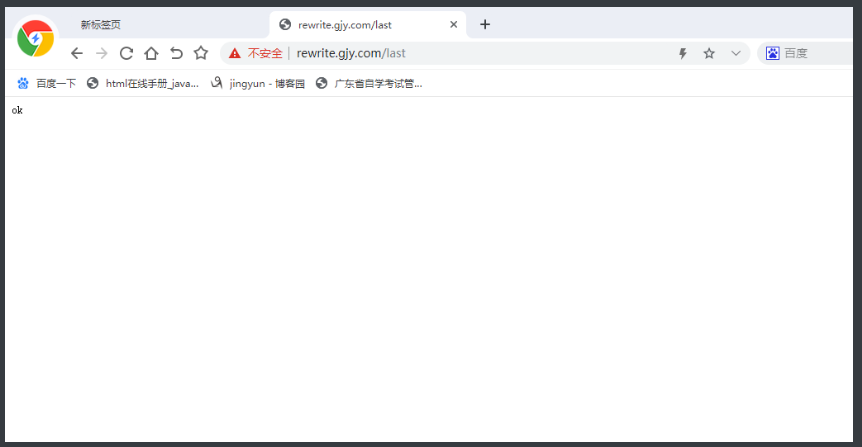
last与break区别
break 只要匹配到规则,则会去本地配置路径的目录中寻找请求的文件;
而last只要匹配到规则,会对其所在的server(...)标签重新发起请求。
break请求:

1、请求rewrite.gjy.com/break

2、首先:会去查找本地的/code/test/index.html;

3、如果找到了,则返回/code/test/index.html的内容;

4、如果没找到该目录则报错404,如果找到该目录没找到对应的文件则403

last请求:

1、请求rewrite.gjy.com/last

2、首先:会去查找本地的/code/test/index.html;

3、如果找到了,则返回/code/test/index.html的内容;

4、如果没找到,会对当前server重新的发起一次请求,rewrite.gjy.com/test/

5、如果有location匹配上,则直接返回该location的内容。

4、如果也没有location匹配,再返回404;
所以,在访问/break和/last请求时,虽然对应的请求目录/test都是不存在的,理论上都应该返回404,但是实际上请求/last的时候,是会有后面location所匹配到的结果返回的,原因在于此。
redirect与permanent区别对比示例
[root@web01 conf.d]# cat rewrite.conf

server {

        listen 80;

        server_name rewrite.gjy.com;

        root /code;

        location /test {

                rewrite ^(.*)$  http://www.baidu.com redirect;

                #rewrite ^(.*)$  http://www.baidu.com permanent;

                #return 301 http://www.baidu.com;

                #return 302 http://www.baidu.com;

        }

}
redirect与permanent区别 (实现https)
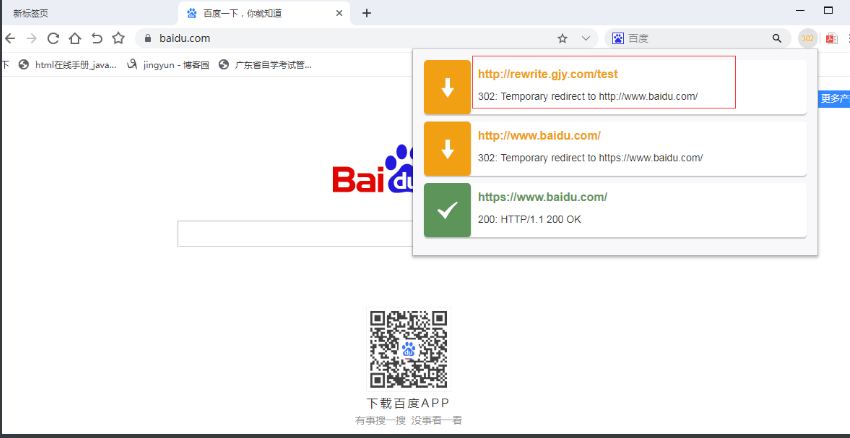

redirect: 每次请求都会询问服务器,如果当服务器不可用时,则会跳转失败。

permanent: 第一次请求会询问,浏览器会记录跳转的地址,第二次则不再询问服务器,直接通过浏览器缓存的地址跳转。
Rewrite规则实践
在写rewrite规则之前,我们需要开启rewrite日志对规则的匹配进行调试。
[root@web01 code]# vim /etc/nginx/nginx.conf

/var/log/nginx/error.log notice;

http{

    rewrite_log on;

}
案例一
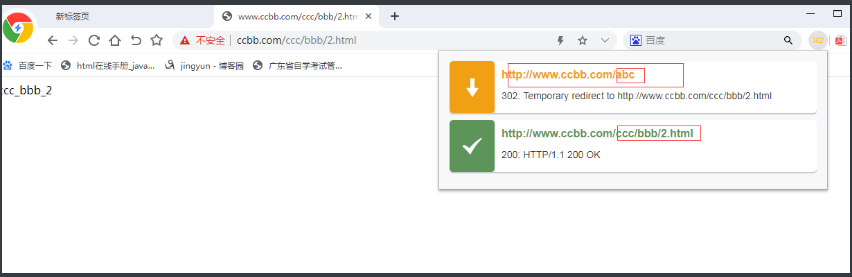
用户访问/abc/1.html实际上真实访问的是/ccc/bbb/2.html
#http://www.drz.com/abc/1.html  ==>  http://www.drz.com/ccc/bbb/2.html

#1.准备真实访问路径

[root@web03 ~]# mkdir /code/ccc/bbb -p

[root@web03 ~]# echo "ccc_bbb_2" > /code/ccc/bbb/2.html

#2.Nginx跳转配置

[root@web03 ~]# cd /etc/nginx/conf.d/

[root@web03 conf.d]# cat ccbb.conf

server {

        listen 80;

 		server_name  www.ccbb.com;

        location / {

                root /code;

                index index.html;

        }

        location /abc {

                rewrite (.*) /ccc/bbb/2.html redirect;

                #return 302 /ccc/bbb/2.html;

        }

}

#3.重启Nginx服务

[root@web03 conf.d]# nginx -t

nginx: the configuration file /etc/nginx/nginx.conf syntax is ok

nginx: configuration file /etc/nginx/nginx.conf test is successful

[root@web03 conf.d]# nginx -s reload
案例二
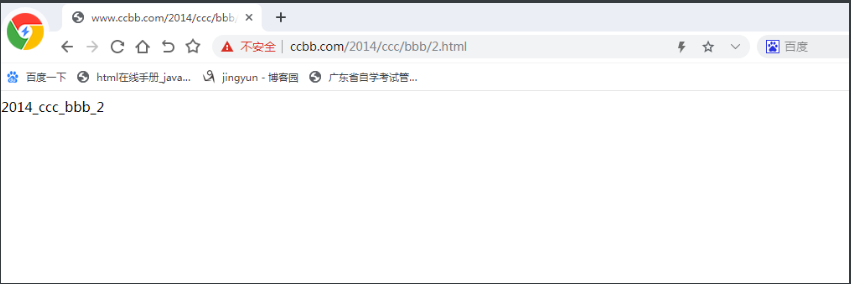
用户访问/2018/ccc/2.html实际上真实访问的是/2014/ccc/bbb/2.html
##http://www.ccbb.com/2018/ccc/bbb/2.html  ==>  http://www.ccbb.com/2014/ccc/bbb/2.html

#1.准备真是的访问路径

[root@web03 conf.c]# mkdir /code/2014/ccc/bbb -p

[root@web03 conf.c]# echo "2014_ccc_bbb_2" > /code/2014/ccc/bbb/2.html

#2.Nginx跳转配置

[root@web03 conf.d]# cat ccbb.conf

server {

        listen 80;

        location / {

                root /code;

                index index.html;

        }

        location /2018 {

                rewrite ^/2018/(.*)$ /2014/$1 redirect;

        }

}

#3.重启nginx服务

[root@web03 conf.d]# nginx -t

nginx: the configuration file /etc/nginx/nginx.conf syntax is ok

nginx: configuration file /etc/nginx/nginx.conf test is successful

[root@web03 conf.d]# nginx -s reload
案例三
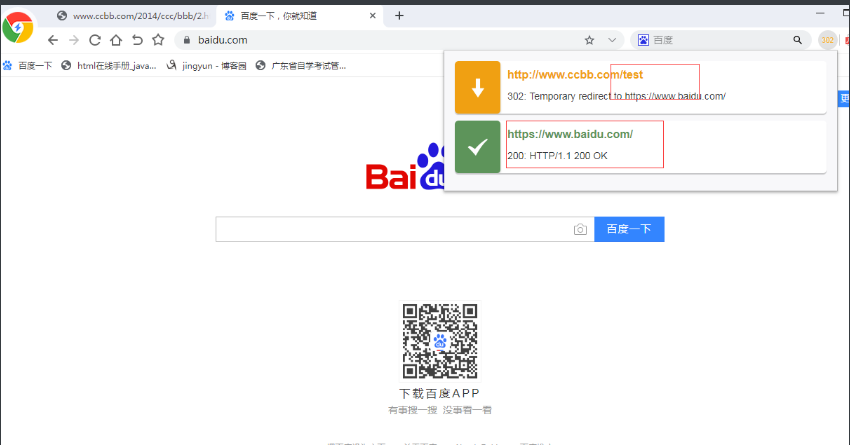
用户访问/test实际上真实访问的是https://www.baidu.com
#1.Nginx跳转配置

[root@web03 conf.d]# cat test.conf

server {

        listen 80;

        location /test {

                rewrite (.*) https://www.baidu.com redirect;

        }

}

#2.重启nginx服务

[root@web03 conf.d]# nginx -s reload
案例四
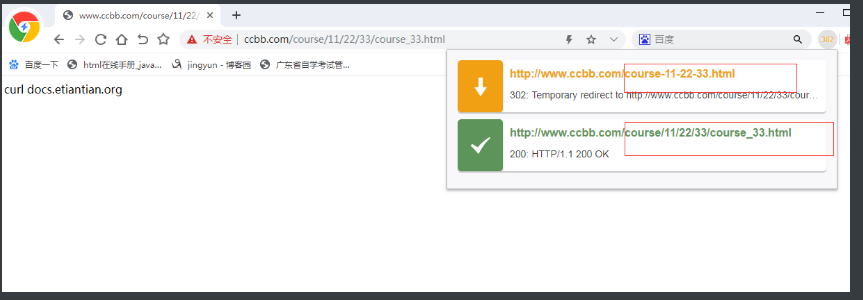
用户访问course-11-22-33.html实际上真实访问的是/course/11/22/33/course_33.html
#http://www.drz.com/course-11-22-33.html  ==>  http://www.drz.com/course/11/22/33/course_33.html

#1.准备真是的访问路径

[root@web03 ~]# mkdir /code/course/11/22/33 -p

[root@web03 ~]# echo "curl docs.etiantian.org" > /code/course/11/22/33/course_33.html

#2.Nginx跳转配置

[root@web03 conf.d]# cat test.conf

server {

        listen 80;

        root /code;

        index index.html;

        location / {

                #灵活配法

                rewrite ^/course-(.*)-(.*)-(.*).html$ /course/$1/$2/$3/course_$3.html redirect;

                #固定配法

                #rewrite ^/course-(.*) /course/11/22/33/course_33.html redirect;

        }

}

#3.重启nginx服务

[root@web03 conf.d]# nginx -s reload
案例五
最核心的是 : return 302 https://\(server_name\)request_uri;
将http请求跳转到https
#Nginx跳转配置

server {

        listen 80;

        server_name www.drz.com;

        #rewrite ^(.*) https://$server_name$1 redirect;

        return 302 https://$server_name$request_uri;

}

server {

        listen 443;

        server_name www.driverzeng.com;

        ssl on;

}
Rewrite场景示例
#部署discuz论坛

[root@web01 conf.d]# vim discuz.drz.com.conf

server {

        listen 80;

        server_name discuz.gjy.com;

        location / {

                root /code/discuz/upload;

                index index.php index.html;

        }

        location ~ \.php$ {

                root /code/discuz/upload;

                fastcgi_pass 127.0.0.1:9000;

                fastcgi_param SCRIPT_FILENAME $document_root$fastcgi_script_name;

                include fastcgi_params;

        }

}

#创建站点目录部署代码

[root@web01 ~]# mkdir /code/discuz

[root@web01 ~]# rz Discuz_X3.3_SC_GBK.zip

[root@web01 ~]# unzip Discuz_X3.3_SC_GBK.zip -d /code/discuz/

#授权站点目录

[root@web01 discuz]# chown www.www -R /code/

#创建数据库

[root@db01 ~]# yum install -y mariadb-server

[root@db01 ~]# systemctl start mariadb

[root@db01 ~]# mysqladmin -uroot password '123'

[root@db01 ~]# mysql -uroot -p123

#创建库

MariaDB [(none)]> create database discuz;

Query OK, 1 row affected (0.00 sec)

#授权库

MariaDB [(none)]> grant all on discuz.* to discuz@'%' identified by '123';

Query OK, 0 rows affected (0.00 sec)

#测试远程连接数据库

[root@web01 ~]# yum install -y mariadb

[root@web01 ~]# mysql -udiscuz -p123 -h172.16.1.51

Welcome to the MariaDB monitor.  Commands end with ; or \g.

Your MariaDB connection id is 4

Server version: 5.5.60-MariaDB MariaDB Server

Copyright (c) 2000, 2018, Oracle, MariaDB Corporation Ab and others.

Type 'help;' or '\h' for help. Type '\c' to clear the current input statement.

MariaDB [(none)]> \q

Bye
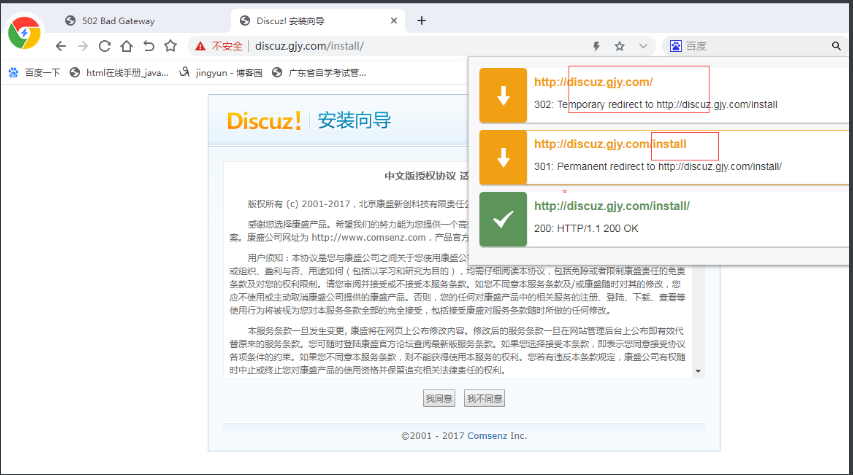

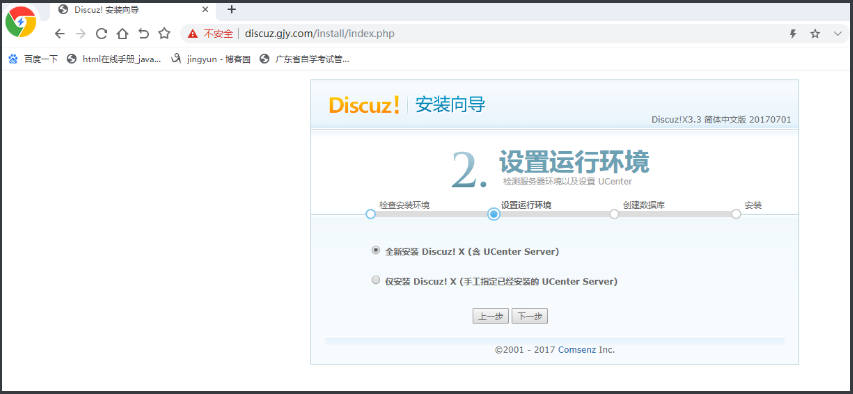
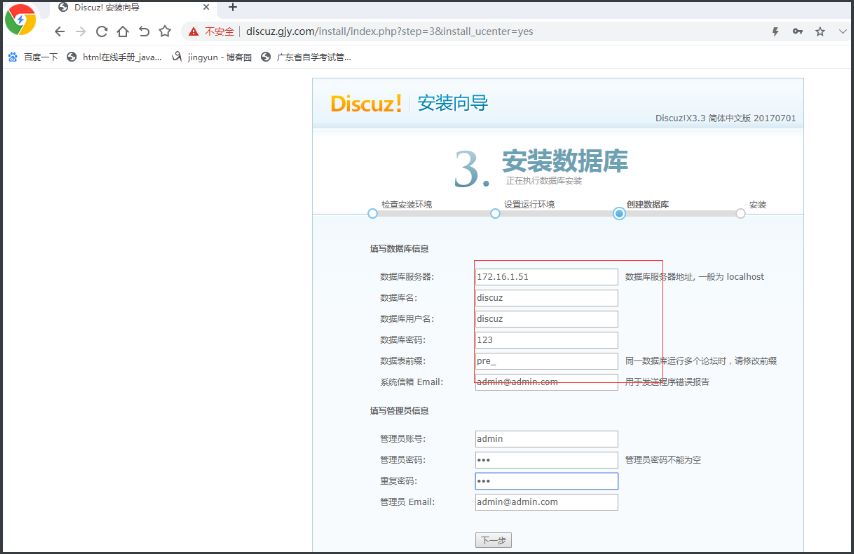
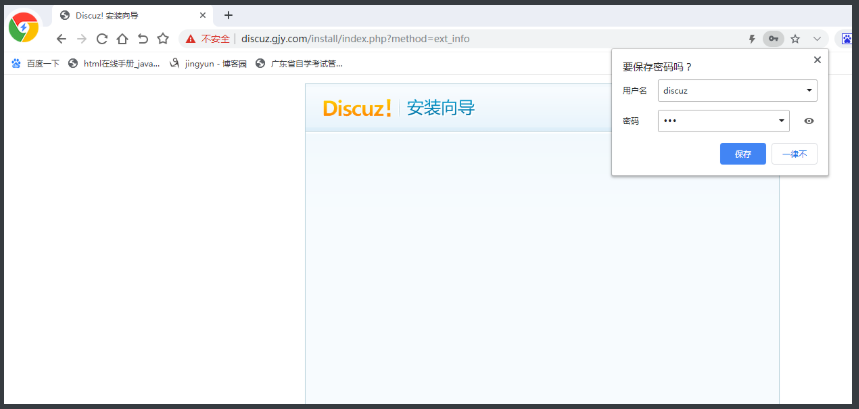
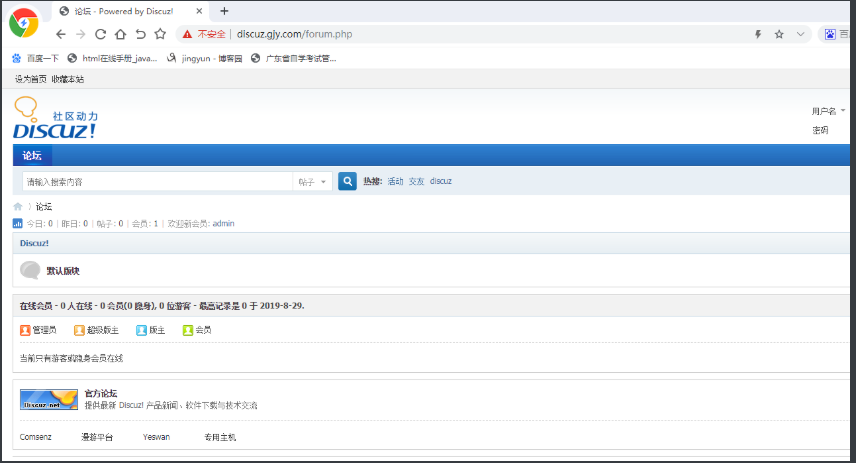
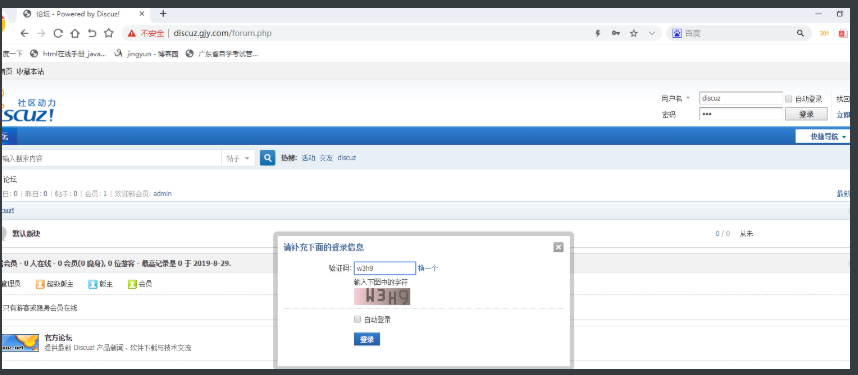
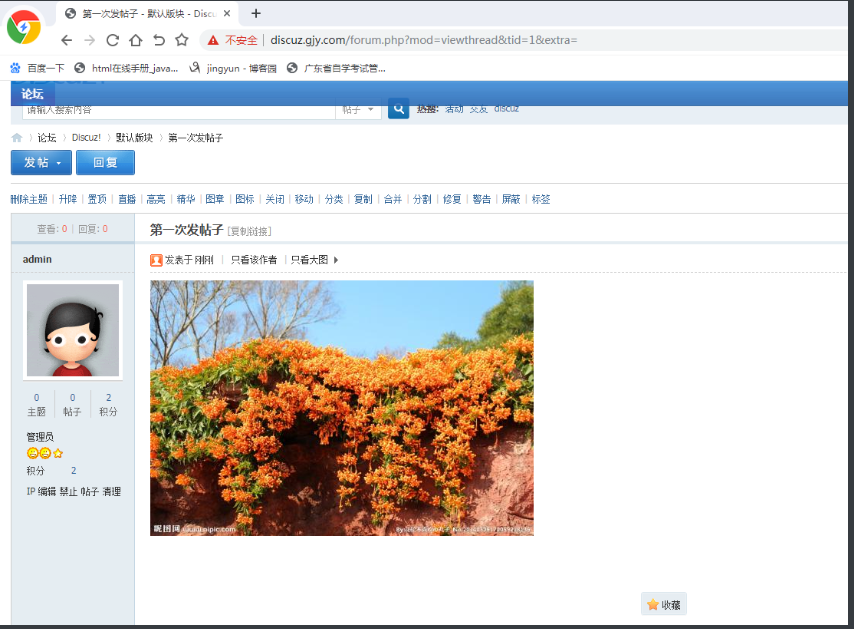

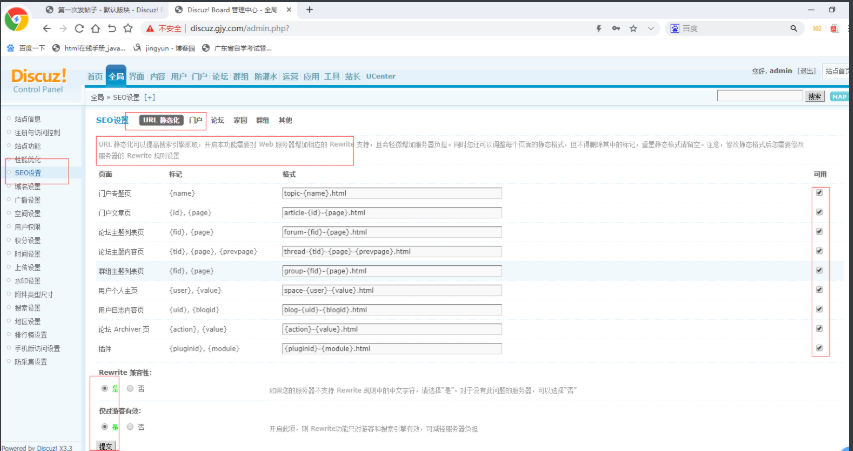
查看伪静态页设置
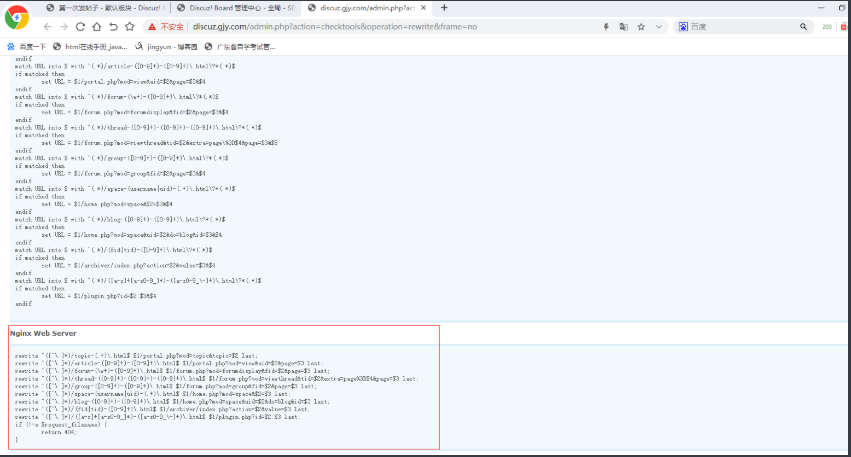
server {

        listen 80;

        server_name discuz.gjy.com;

        location / {

                root /code/discuz/upload;

                index index.php index.html;

                rewrite ^([^\.]*)/topic-(.+)\.html$ $1/portal.php?mod=topic&topic=$2 last;

                rewrite ^([^\.]*)/article-([0-9]+)-([0-9]+)\.html$ $1/portal.php?mod=view&aid=$2&page=$3 last;

                rewrite ^([^\.]*)/forum-(\w+)-([0-9]+)\.html$ $1/forum.php?mod=forumdisplay&fid=$2&page=$3 last;

                rewrite ^([^\.]*)/thread-([0-9]+)-([0-9]+)-([0-9]+)\.html$ $1/forum.php?mod=viewthread&tid=$2&extra=page%3D$4&page=$3 last;

                rewrite ^([^\.]*)/group-([0-9]+)-([0-9]+)\.html$ $1/forum.php?mod=group&fid=$2&page=$3 last;

                rewrite ^([^\.]*)/space-(username|uid)-(.+)\.html$ $1/home.php?mod=space&$2=$3 last;

                rewrite ^([^\.]*)/blog-([0-9]+)-([0-9]+)\.html$ $1/home.php?mod=space&uid=$2&do=blog&id=$3 last;

                rewrite ^([^\.]*)/(fid|tid)-([0-9]+)\.html$ $1/archiver/index.php?action=$2&value=$3 last;

                if (!-e $request_filename) {

                    return 404;

                }

        }

        location ~ \.php$ {

                root /code/discuz/upload;

                fastcgi_pass 127.0.0.1:9000;

                fastcgi_param SCRIPT_FILENAME $document_root$fastcgi_script_name;

                include fastcgi_params;

        }

}
将http请求跳转到https

discuz解释rewrite

thread-1-1-1.html

rewrite ^([^\.]*)/thread-([0-9]+)-([0-9]+)-([0-9]+)\.html$

$1/forum.php?mod=viewthread&tid=1&extra=page%3D1&page=1 last;
Rewrite规则补充
Rewrite匹配优先级
1.先执行server块的rewrite指令
2.其次执行location匹配规则
3.最后执行location中的rewrite
Rewrite与Nginx全局变量
Rewrite在匹配过程中,会用到一些Nginx全局变量
$server_name    #当前用户请求的域名

server {

        listen 80;

        server_name test.drz.com;

        rewrite ^(.*)$ https://$server_name$1;

}

$request_filename 请求的文件路径名(带网站的主目录/code/images/test.jpg)

$request_uri 当前请求的文件路径(不带网站的主目录/inages/test.jpg)

#大多数用于http协议转gttps协议

server {

        listen 80;

        server_name php.drz.com;

        return 302 https://$server_name$request_uri;

}

$scheme 用的协议,比如http或者https
如何更加规范的书写Rewrite规则
server {

        listen 80;

        server_name www.drz.com drz.com;

        if ($http_host = drz.com){

            rewrite (.*) http://www.drz.com$1;

        }

}

#推荐书写格式

server {

        listen 80;

        server_name drz.com;

        rewrite ^ http://www.drz.com$request_uri;

}

server {

        listen 80;

        server_name www.drz.com;

}
rewrite优先级实战
环境配备
[root@web01 conf.d]# vim youxianji.conf

server {

        listen 80;

        server_name tz.gjy.com;

        rewrite (.*) http://www.baidu.com break;

        location / {

                rewrite (.*) http://www.jd.com redirect;

        }

        location /test {

                rewrite (.*) http://www.driverzeng.com;

        }

}

[root@web01 conf.d]# nginx -t

nginx: the configuration file /etc/nginx/nginx.conf syntax is ok

nginx: configuration file /etc/nginx/nginx.conf test is successful

[root@web01 conf.d]# nginx -s reload
1.在server层配置了一个 rewrite的时候,location层不生效
浏览器访问,tz.gjy.com, 出现的是https://www.baidu.com
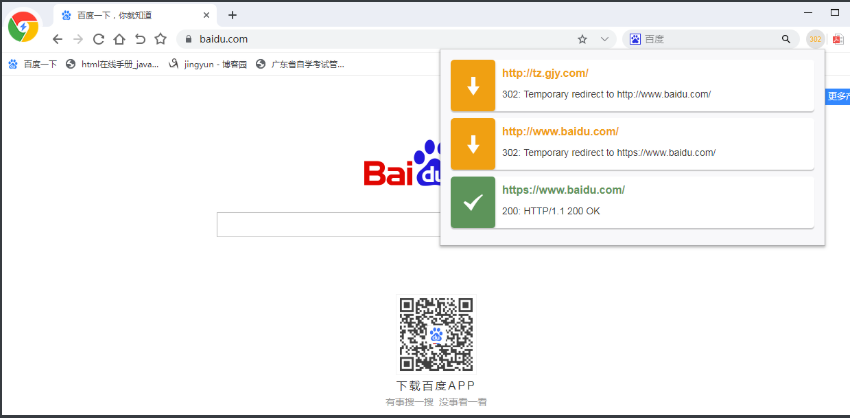
.浏览器访问,tz.gjy.com/test, 出现的还是https://www.baidu.com
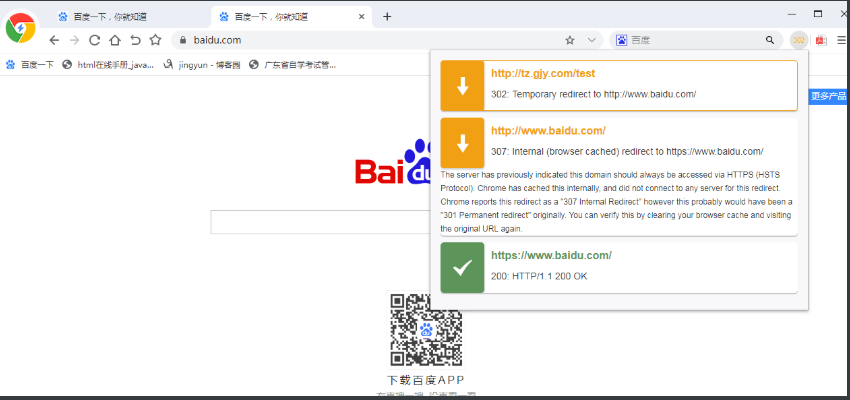
2.在server层把配置的 rewrite注释掉的时候,location层才生效
[root@web01 conf.d]# cat youxianji.conf

server {

        listen 80;

        server_name tz.gjy.com;

        #rewrite (.*) http://www.baidu.com break;

        location / {

                rewrite (.*) http://www.jd.com redirect;

        }

        location /test {

                rewrite (.*) http://www.driverzeng.com;

        }

}
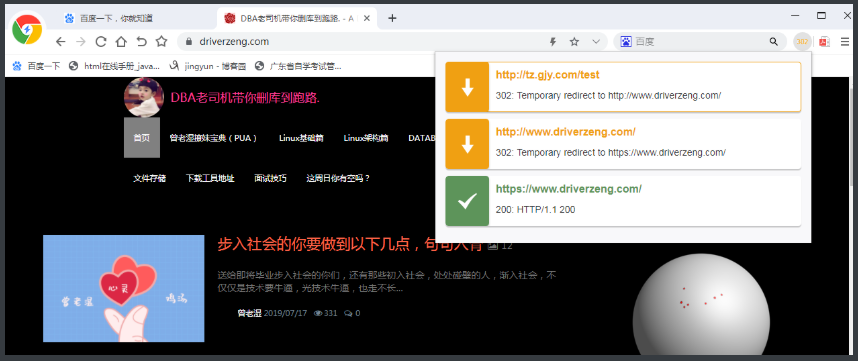
再次访问tz.gjy.com, 会访问到location层的 https://www.jd.com/

再次访问tz.gjy.com/test ,会访问到 https://www.driverzeng.com/
Nginx实现rewrite重写的更多相关文章
- nginx之rewrite重写,反向代理,负载均衡
rewrite重写(伪静态): 在地址栏输入xx.com/user-xxx.html, 实际上访问的就是xxx.com/user.php?id=xxx rewrite就这么简单 附上ecshop re ...
- 04 . Nginx的Rewrite重写
Rewrite简介 # Rewrite对应URL Rewrite,即URL重写,就是把传入web的请求重定向到其他URL的过程. # 当运维遇到要重写情况时,往往是要程序员把重写规则写好后,发给你,你 ...
- nginx的Rewrite重写
location /{ if ($remote_addr=192.168.1.100){ //禁止此 ip 访问 ...
- 第十七章 nginx动静分离和rewrite重写
一.动静分离 动静分离,通过中间件将动静分离和静态请求进行分离:通过中间件将动态请求和静态请求分离,可以减少不必要的请求消耗,同时能减少请求的延时.通过中间件将动态请求和静态请求分离,逻辑图如下: 1 ...
- nginx rewrite重写
通过官方文档可以看到,rewrite的作用上下文是 server location,可以写在 server里面 亦或location里面; 命令: if (条件) {} 条件判断 set #设置 ...
- Nginx中的 location 匹配和 rewrite 重写跳转
Nginx中的location匹配和rewrite重写跳转 1.常用的Nginx正则表达式 2.location 3.rewrite 4.rewrite实例 1.常用的Nginx正则表达式: ^ :匹 ...
- 09 nginx Rewrite(重写)详细解析
一:Rewrite(重写)详细解析 rewrite 重写 重写中用到的指令 if (条件) {} 设定条件,再进行重写 set #设置变量 return #返回状态码 break #跳出rewri ...
- nginx的URL重写应用实例
1,NGINx的URL重写 NGINX 的URL重写模块用的比较多,主要使用的命令有if rewrite set break 2 if命令 语法如下"" 语法:if(conditi ...
- Nginx 笔记与总结(12)Nginx URL Rewrite 实例(ecshop)
访问项目地址:http://192.168.254.100/ecshop 某个商品的 URL:http://192.168.254.100/ecshop/goods.php?id=3 现在需要实现把以 ...
随机推荐
- django学习笔记--数据库中的多表操作
1.Django数据库----多表的新增操作 1.一对一模式下新增 创建一个详情对象,把这个对象赋值给创建的新的user对象 author_detail = models.AuthorDetail.o ...
- ubuntu在线搭建ftp服务器
转载:https://www.linuxidc.com/Linux/2016-12/138563.htm 在Linux中ftp服务器的全名叫 vsftpd,我们需要利用相关命令来开启安装ftp服务器, ...
- Elastic Search快速入门
https://blog.csdn.net/weixin_42633131/article/details/82902812 通过这个篇文章可以快速入门,快速搭建一个elastic search de ...
- JavaScript判断对象是否相等
实现一. var obj = {a:'a'},obj1 = {b:'b'},obj2 = {a:'a'};就是使用JSON.stringify()先把对象转化成字符串,这样就可以啦 console.l ...
- Codeforces 958F2 Lightsabers (medium) 尺取法
题目大意: 输入n,m,分别表示人的个数和颜色的个数,下一行输入n个数,对应每个人的颜色,最后一行输入对应每个颜色的人应有的数量: 问是否能找出一个区间,满足条件但有多余的人,输出多余的人最少的个数, ...
- hdu 4619 Warm up 2 (二分匹配)
题目链接:http://acm.hdu.edu.cn/showproblem.php?pid=4619 题意: 平面上有一些1×2的骨牌,每张骨牌要么水平放置,要么竖直放置,并且保证同方向放置的骨牌不 ...
- checked属性 详解
注意:当元素中有checked属性时,其值无论是什么,都是被选中状态,那怎么才能让其不被选中呢,就是用jquery或js代码实现 1.html中的checked属性.仔细研究下会发现一个很怪异的现象. ...
- FORTRAN学习记录
WHERE statement http://scv.bu.edu/computation/bluegene/IBMdocs/compiler/xlf-10.1/html/xlflr/where.ht ...
- flask中间件请求流程
from flask import Flask,session,url_for,request,flash,get_flashed_messages app = Flask(__name__) app ...
- ueditor 图片粘贴上传,实现图文粘贴,图片自动上传
如何做到 ueditor批量上传word图片? 1.前端引用代码 <!DOCTYPEhtmlPUBLIC"-//W3C//DTD XHTML 1.0 Transitional//EN& ...