
js一位大侠的笔记--转载
js基础
js笔记散记,只是为了方便自己以后可以回看用的:
1、所有用 “点” 的都能 “[]” 代替
   odiv.style.color

   odiv['style'].color

   odiv['style'][color]

   document['getElementById'].('div1')
2、style和className的区别
    oDIv.style:行间样式

     className:是<style></style>里的  非行简样式

     style.color='red'优先级  高于   className

     alert(oDiv.style.backgroundColor)//只能取到行间样式,非行间的取不

      到   这种复合样式的取法  记得用驼峰法

     alert(oDiv.style.color)
4、循环:没啥子好说的
    while:

    var i =0;

    while(i<3){ }

    for(){}
5、选项卡:原理=》让所有的隐藏,再让当前的显示

document.getElementsByTagName('div');//得到是个数组

this:当前发生事件的元素

for(var i=0;i<aBtn.length;i++){

     aBtn[i].index=i;//给所有的元素加个ndex属性  通过js加的index  浏览器兼容的,   本身在标签上加index,个别浏览器不认

     aBtn[i].onClick=function(){

           for(var i=0;i<aBtn.length;i++){//让所有元素的样式都变没

               aBtn[i].className=''

           }

          this.className='active'

          aDiv[this.index].style.display='block//给对应下面的div进行显示

   }

}
6、简易的日历:用ul里包li 里面放对应数字的图片(0-9)
innerHTML //能识别HTML代码
alert('sdsd'+(5+7)+'ddd')//sdsd12ddd ==>加个()就能让两个数字相加了
var aLi= document.getElementsByTagName('li')

   for(var i=0;i<aLi.length;i++){

       aLi[i].index=i;

       aLi[i].onmouseover=function(){

          for(var i=0;i<aLi.length;i++){

             aLi[i].className='';

           }

          this.className='active';

         oTxt.innerHTML='<h2>'+(this.index+1)+'</h2><p></p>'

      }

   }
7、变量的转换,作用域和闭包, json
(1)javascript的组成:  ECMAscript  翻译   核心  解释器                 几乎没有兼容

                       DOM  HTML     document   操作HTML的入口    有一些不兼容

                       BOM   浏览器对象模型   window   完全不兼容
 (2)变量类型:

            typeof  a  //number/string/boolean/function/object/undiefiend(没定义,定义了没给值)

            parseInt()//从左像右去识别,发现不是数字就跳出去,简而言之,就是可以把字符串里的数字提出来

                             12px32==>12

                              3.5 ===》 3

                              abc  ===>NaN  非数字

                              NaN和NaN  并不相等

                              isNaN()//判断一个数是否是NAN

          parseFloat  ==》转小数

         显示类型转换(强制类型转换):parseInt   parseFloat

         隐士类型转换: == + - === * /

                           var a=5, var b='5';

                           alert(a==b) //true   先转换类型   ,然后比较

                           alert(a===b)//false    不转换类型、直接比较

                            var a ='12';var b='5';

                             alert(a+b);//125   //+:  【1】字符串连接 【2】 数字相加

                             alert(a-b);//7    //数字相减
(3)变量的作用域

        局部变量、全局变量

        闭包:子函数可以使用父函数中的局部变量

 (4)命名规范

        可读性、规范性、类型前缀、首字母大写

        a:Array

         i:Interger

        o:object

        例如:oDiv,aLi,

  (5)运算符

      + - * / %

     %:求莫=》求余数

     秒表时间:parseInt(s/60)+'分'

              i=i+1

              i++

              i+=1

     += ,-=, *= ,/=, %=
(5)break,continu

       break   :打破   中断   整个循环走到break的时候就跳出来   中断整个循环

       continu    :继续    中断本次循环

(6)真、假

       真:true   、非零数字、非空字符串、非空对象

       假:false、数字零、空字符串、null、undefined

(7)json:

      1) json.a, json.b++

      2) json和数组区别:

           var json ={a:12,b:5,c:7};

           var arr = [12,5,7]

           json.a   //12

           arr[0]   // 12

           json['a']

          【1】 json下标是字符串   数组的下标是数字

          【2】json.length //undifiend   没length

                 循环数组:for(var i;i<length;i++) / for (var i in array)

                 循环json: for(var i in json)  //json里的
8、函数的返回值,不定参数,
1)、函数返回值:把值传到外面 return '' undiefined
2)、函数传参:arguments 可变参数、不定参数*****
(1)求和:
 function sum{

      alert(arguments.length])//5

      var result =0;

       for(var i=0;i<arguments.length;i++){

            result +=arguments[i]

       }

            return result;

 }

  alert(sum(1,2,3,4,5))
(2):css函数
css(oDiv,'width') 获取样式
css(oDiv,'width','200px') 设置样式
根据参数的个数不同 ,变成不同的函数
    function css(){

       if(arguments.length == 2){//获取

           return arguments[0].style[arguments[1]];

       }else{//设置

          return arguments[0].style[arguments[1]]=arguments[2];

       }

   }
9、获取非行间样式:currentStyle,getComputedStyle
 function getStyle(obj,name){

       if(obj.currentStyle){

            return obj.currentStyle[name]  //在IE下

        }else{

            return getComputedStyle(obj,false)[name];//在火狐和chrom下

       }

}
复合样式 background bordercolor
单一样式 color
上面的方法取复合样式的时候:getStyle(obj,backgroundColor )
10、数组
数组:数组的length既可以获取又可以赋值
        arr.length

        arr.length=3  //就变成了3

        push:向末尾

        pop:在尾部删除

        shift:头部删除

        unshirft:从头部添加

        splice(起点的位置,长度,插入的元素。。。。)

       splice(x,y,z)//从x位置,删除y长度的元素,然后在x的位置插入z些元素

        concat:数组的连接 a.concat(b)

        join('-')  //拼接字符串,用-   a-b-c-d-e-f

        sort()  数组的排序

        var arr =['sds','sds','rtrt','tytytu','uyuiuy','ddfd']

        arr.sort();//按照字母的顺序排序的,sort   //11 112

        arr.sort(function(n1,n2){

              return n1-n2;

        });
11、setInterval 的用法
setInterval(function(){ alert('a') },1000) clearInterval()
(1)数码时钟: //获取年月日
var oDate = new Date();
oDate.getFullYear()
oDate.getMonth()+1;
oDate.getDate();
oDate.getDay();//获取到是星期几 0:是周日
 function toDou(n){//补0

       if(n<10){

             return '0'+n;

        }else{

            return '' + n;

       }

}

var oDate = new Date();

window.onload=function(){

      var aImg = docuemnet.getElementsByTagName('img');

       function tick(){

            var oDate=new Date();

            var str = toDou(oDate.getHours())+toDou(oDate.getMinutes())+toDou(oDate.getSeconds());

            for(var i=0;i<aImg.length;i++){

                 // aImg[i].src='img/'+str[i]+'.png';//str[i]浏览器不兼容

                   aImg[i].src='img/'+str.charAt(i)+'.png';

            }

       }

       setInterval(tick, 1000)

       tick();

 }
(2)延时提示框:从始至终都是让div2显示隐藏
 window.onload=function(){

       var oDiv1 = document.getElementById('div1');

       var oDiv2 = document.getElementById('div2');

       var timer = null;

       oDiv2.onmouseover=oDiv1.onmouseover=function(){

            clearTimeout(timer);

            oDiv2.style.display='block'

       };

      oDiv2.onmouseout=oDiv1.onmouseout=function(){

             timer=setTimeout(function(){

              oDiv2.style.display='none';

      },500)

  }

}
(3)、无缝滚动
position:absolute
offsetLeft
oDiv.left=oDiv.offsetLeft+10+px;
div1=>position:relative
ul=>position:absolute
var oDiv = document.getElementById('div1');//最外层div

var oUl=oDiv.getElementsByTagName('ul')[0];

var aLi=oUl.getElementsByTagName('li');

oUl.innerHTML=oUl.innerHTML+oUl.innerHTML;//再放一遍重复的li

oUL.style.width=aLi[0].offsetWidth*aLi.length+'px';

function move(){

       var speed=2;

       //向左滚动

       if(-oUl.offsetLeft>oUl.offsetWidth/2){//距离索面的距离   大于  一半的宽度

             oUl.style.left='0'

       }

     //像右滚动

     if(oUl.offsetLeft>0){

            oUl.style.left=-oUl.offsetLeft/2+'px';

    }

   var timer = setInterval(move,30);

    oDiv.onmouseover=function(){

        clearInterval(timer);

    }

   oDiv.onmouseout=function(){

        setInterval(move,30)

  };

  document.getElementsByTagName('a')[0].onclick=function(){

       speed=-2;

  }

  document.getElementsByTagName('a')[0].onclick=function(){

       speed=2;

  }

}
12、dom
(1)dom基础:
支持: IE 10%
chrom 60%
FF 99%
(2)<ul> 文本节点:ui和li空白的地方之间
<li> <span></span></li>元素节点
</ul>
(3)获取子节点:childNodes children 只算第一层的(也就是只算ul下面的li 不酸li下面的span)
oUl.childNodes.length //IE6-8 是好的 children:没有兼容问题
nodeType 节点类型 1:元素节点 3:文本节点
循环所有的子节点:
for(var i=0;i<oUl.childNodes.length;i++){

    if(oUl.childNodes[i].nodeType==1){

        oUl.childNodes[i].style.bakcgground='red'

    }

}

for(var i=0;i<oUl.children.length;i++){//没有兼容问题
}
(4):父节点
 parentNode:获取包裹他的父节点

     例子:点击链接,隐藏整个li

 offsetParent:获取它相对定位 的父节点,如果没有,默认是body

     例子:获取元素在页面上的实际位置
(5):
首尾子节点:

   有兼容问题:

   firstChild //IE6-8、firstElementChild //高级浏览器

   lastChild、lastElementChild

兄弟节点:

   有兼容问题:

   nextSibling、nextElementSibling

   previousSibling、previousElementSibling
(6)操纵元素属性
元素属性操作

   1)oDiv.style.display='block'

   2) oDiv.style['display']='block'

   3) Dom 方式

       获取:getAtrribute(名称)

       设置:setAtrribute(名称,值)

       删除:removeAttribute(名称)

   ** 但凡能用到“点”或setAttribute/getAttribute 都能用方括号[]代替
(7)DOM元素灵活查找
用className选择器

   如何用className选择元素

        选出所有元素

        通过className条件筛选

   封装成函数
function getByCLass(oParent,sClass){

    var aResult=[];

    var childs=oParent.getElementsByTagName(*);

    for(var i=0;i<childs.length;i++){

        if(chils[i].className==sClass){

            aRsult.push(childs[i]);

       }

   }

   return aResult;

}
(8)创建、插入、和删除元素
创建DOM元素

     createElement(标签名)    创建一个节点

     appendChild(节点)    追加一个节点

插入元素

    insertBefore(节点,原有节点)   在已有元素前插入

    例子:倒序插入li

   父级.appendChild(子节点)

   父级.insertBefore(子节点,在谁之前)

删除DOM

   removeChild(节点)

   例子:删除li
var oLi=document.createElement('li');

var aLi=oUl.getElementsByTagName('li');

oLi.innerHTML=oTxt.value;

if(aLi.length>0){//当aLi里没有元素的时候,插入aLi[0]会报错

   oUl.insetBefore(oLi,aLi[0])

}else{

   oUl.appendChild(oLi)

}

//删除元素
window.onload=function(){
   var aA=document.getElementsByTagName('a');
   var oUl = document.getElementById('ul1');

   for(var i=0;i<aA.length;i++){
       aA[i].onclick=function(){
           oUl.removeChild(this.parentNode);
       }
   }
}
(9)文档碎片
文档碎片可以提高DOM操作的性能(理论上)
document.createDocumentFragment()
//只有在低级的浏览器上可以提高性能,在高级的浏览器上不但不能提高性能,有的时候反而会降低
window.onload=function(){

    var oUL=document.getElementById('ul1');

    var oFrag=document.createDocumentFragment()

    for(var i=0;i<10000;i++){

        var oLi=document.createElement('li');

       oFrag.appendChild(oLi);//先放到文档碎片里

    }

   oUl.appendChild(oFrag)//再把文档碎片放到目标元素里

}
13、DOM操作的高级应用
表格:搜索,排序、
table的属性:// tBodies,tHead,tFoot,rows,cells
表单:校验 正则
(1)表格:
<input type="text" name="" id='name' value="">
<input type="text" name="" id="age" value="">
<button type="button" name="button" id="add"></button>
<input type="text" name="" id="search" value=""><table id="tab1" border="1" width="500">
      <thead>

        <td>id</td>

        <td>姓名</td>

        <td>年龄</td>

      </thead>

      <tbody>

        <tr>

          <td>id</td>

          <td>姓名</td>

          <td>年龄</td>

        </tr>

        <tr>

          <td>id</td>

          <td>姓名</td>

          <td>年龄</td>

        </tr>

        <tr>

          <td>id</td>

          <td>姓名</td>

          <td>年龄</td>

        </tr>
</tbody>
</table>
(1)隔行变色,鼠标移上去加高亮

    window.onload=function(){

      var oTab=document.getElementById('tab1');

      var oldColor='';

      for(var i=0;i<oTab.tBodies[0].rows.length){//这里要加上tBodies[0],如果不加的话会把表头也算上}

          //隔行变色

           if(i%2==0){

             oTab.tBodies[0].rows[i].background='#e3e3e3'

           }

           //选中显示高亮

           oTab.tBodies[0].rows[i].onmouseover=function(){

             oldColor=this.style.background;

             this.style.background='red'

           }

           oTab.tBodies[0].rows[i].onmouseout=function(){

             this.style.background=oldColor;

           }

      }
(2)表格的添加和删除
window.onload=function(){

         var oName=document.getElementById('name');

         var oAge=document.getElementById('age');

         var oBtn=document.getElementById('add');

         var oTab=document.getElementById('tab');

         var id=oTab.tBodies[0].rows.length+1;//在最开始的时候把值取出来 这样id就不会重复添加

         oBtn.onClick=function(){

           //添加

            var oTr=document.createElement('tr');

            var oTd=document.createElement('td');

            oTd.innerHTML=id++;//防止id数值重复

            oTr.appendChild(oTd);

            var oTd=document.createElement('td');

            oTd.innerHTML=oName.value;

            oTr.apendChild(oTd) ;

            var oTd=document.createElement('td');

            oTd.innerHTML=oName.age;

            oTr.apendChild(oTd) ;

            var oTd=document.createElement('td');

            oTd.innerHTML='<a href="javascript:;">删除</a>';

            oTr.apendChild(oTd) ;

            oTd.getElementsByTagName('a')[0].onclick=function(){

              oTab.tBodies[0].removeChild(this.parentNode.parentNode)//这里一定要注意是从tbodies里删除

            };

            oTab.tBodies[0].appendChild(oTr)

         }

      }
(3)表格的搜索://搜索:区分大小写 toLowerCase,模糊搜做 search(),多关键词搜索split()
   高亮显示  筛选
  //str.search('g'); //找到并返回字符串出现的位置,如果没找到返回-1

     //split  用什么拆分  并返回数组

     var oBtn=document.getElementById('btn')

     var oSearch=document.getElementById('search');

     var oTab=document.getElementById('oTab');

     oBtn.onClick=function(){

       var sTxt=oSearch.value.toLowerCase();

       for(var i=0;i<oTab.tBodies[0].rows.length;i++){

         var sTab=oTab.tBodies[0].rows[i].cells[1].innerHTML.toLowerCase();

         var arr = sTxt.split(' ');
         //高亮显示

         for(var j=0;j<arr.length;j++){

           if(sTab.search(arr[j])!=-1){

             oTab.tBodies[0].rows[i].style.background='red'

           }else{

             oTab.tBodies[0].rows[i].style.background=''

           }

         }

        //筛选 :符合条件的显示
        oTab.tBodies[0].rows[i].style.display=none
        for(var j=0;j<arr.length;j++){

           if(sTab.search(arr[j])!=-1){

             oTab.tBodies[0].rows[i].style.display='block'

           }

         }
       }

     }
(4)表格的排序
 //排序:转化  排序 插入

   //表格排序  从小到大的排序

  1)先把ul1里的li追加到ul2里

   var oUl1=document.getElementById('ul1');

   var oUl2=document.getElementById('ul2');

   var oBtn=document.getElementById('btn1');

   oBtn.onclick=function(){

     var oLi=oUl1.children[0];//每次都取第一个li元素

     //oUl1.removeChild(oLi);

     oUl2.appendChild(oLi);//1、从原有的父级删掉  2、添加到新的父级上

   }

  2)对ul1本身进行删除追加

   oBtn.onclick=function(){

     var oLi=oUl1.children[0];

     oUl1.appendChild(oLi);//把第一个元素删掉,追加到最后一位上

   }


  3)给一组乱序的进行排序

   //排序  每次都找到最小的那个  给appendchild

   //var aLi=document.getElementsByTagName('li');

   //aLi.sort()会报错 ,sort是数组特有的方法,aLi其实不是个数组,是个元素的集合,所以像是dort和join类似的这种方法统统不能用

  //所以要把aLi变成个数组

  var aArr=[];

  //把aLi里的元素赋值给数组

  for(var i=0;i<aLi.length;i++){

    aArr[i]=aLi[i];

  }

  //给aArr排序 从小 到大排好

  aArr.sort(function(li1,li2){

    var val1=parseInt(li1.innerHTML);

    var val2=parseInt(li2.innerHTML)

    return val1-val1;

  })

  //每次都取aArr里第一个追加到最后面

  for(var j=0;j<aArr.length;j++){

    oUl1.appendChild(aArr[j]);

  }
//正式table排序

  oBtn.onClick=function(){

    var aArr=[];

    //把每一行tr存到aArr数组里

    for(var i=0;i<oTab.tBodies[0].rows.length;i++){

      aArr[i]=oTab.tBodies[0].rows[i];

    }

    //对aArr数组排序

    aArr.sort(function(tr1,tr2){//按照diyilie里的内容进行排序

      var n1=parseInt(tr1.cell[0].innerHTML)

      var n2=parseInt(tr2.cell[0].innerHTML)

      return n1-n2;

    });

    //把aArr数组从上到下追加到table里

    for(var i=0;i<aArr.length;i++){

      oTab.tBodies[0].appendChild(aArr[i])

    }

  }
15:运动
(1)基础运动:匀速运动
eg1:匀速运动
//div position:absolute

//运动基础 :匀速运动

1)js运动基础

setInteval(function(){

  oDiv.style.left=oDiv.style.offsetLeft+10+px;

},30)

2)到某一位置停下来

var timer=null;

var speed=10

clearInterval(timer)//把所有定时器关了,保证下面只开了一个定时器,要不然快速点击按钮会导致加速

timer=setInterval(function(){

  if(oDiv.style.offsetLeft>=300){

    clearInterval(timer)//到达重点以后要做的事情

  }else{

    //要放到else里  否则到了300的位置,点击还会走下去

    oDiv.style.left=oDiv.style.offsetLeft+speed+px;//到达终点之前要做的事情

  }

},30)

//总结:(1)首先关闭之前的定时器  (2)把下面的定时器(到终点),和运动分开(没到终点)
eg2:分享到侧边栏
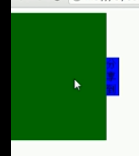
(1)css代码

  <style media="screen">

      #div1{width:150px;height:200px;background:green;position:absolute;left:-150px;}

      #div1 span{position:absolute;width:20px;height:60px;line-height:20px;background:blue;right:-20px;top:70px;}

    </style>

(2)html

<div id="div1">

    <span></span>

 </div>

(3)js

window.onload=function(){

      //希望div1的 left从-150运动到0

      var oDiv=document.getElementById('div1');

      var oSpan=document.getElementsByTagName('span')[0]

      oDiv.onmouseover=function(){

        move(0);

      }

      oDiv.onmouseout=function(){

        move(-150)

      }

      var timer=null;

      function move(iTarget){

        clearInterval(timer);

        //先判断出速度

        var speed=0;

        if(oDiv.offsetLeft > iTarget){//距离左面的距离大于目标  那速度是负数

          speed=-10;

        }else{

          speed=10;

        }

        timer=setInterval(function(){

          if(oDiv.offsetLeft==iTarget){

            clearInterval(timer)

          }else{

            oDiv.style.left=oDiv.offsetLeft+speed+'px';//这里注意offsetLeft不带style

          }

        },30);

      }

    }
eg3.淡入淡出图片

css:

#div1{width:200px;height:200px;background:red;filter:alpha(opacity:30);opacity:0.3;}

js:

window.onload=function(){

    var oDiv=document.getElementById('div1');

    oDiv.onmouseover=function(){

      startMove(100)

    }

    oDiv.onmouseout=function(){

      startMove(30)

    }

  }

    function startMove(iTarget){

      var oDiv=document.getElementById('div1');

      var timer=null;

      var speed=0;

      var alpha=30;

      clearInterval(timer);

      timer=setInterval(function(){

        if(alpha>iTarget){

          speed=-10;

        }else{

          speed=10;

        }

        if(alpha==iTarget){

          clearInterval(timer)

        }else{

          alpha+=speed;

          oDiv.style.filter='alpha(opacity:'+alpha+')';

          oDiv.style.opacity=alpha/100;

        }

      },30);

    }
(2)缓冲运动:
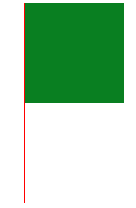
css:

    #div1{width:100px;height:100px;background:green;position:absolute;left:600px;}

    #line{width:1px;height:200px;position: absolute;left:300px;border-left:1px solid red;}

    button{margin-top:200px;}

html:

<div id="div1"> </div>

<div class="" id="line"> </div>

<button type="button" name="button" id="test">点击</button>

  //缓冲运动

  //距离大,速度小

  //距离小,速度大

  //速度和距离成正比

  //Math.cell(3.01) ==》4   Math.cell(-9.8)==>9//向上取整

  //Math.floor(4.5); ==》4//向下取整

js:

window.onload=function(){

    var  oDiv=document.getElementById('div1');

    var  oBTn=document.getElementById('test');

    var timer=null;

    oBTn.onClick=move(300)

    function move(iTarget){

      clearInterval(timer);

      var speed=(iTarget-oDiv.offsetLeft)/20;

      speed>0? speed=Math.ceil(speed):speed=Math.floor(speed);

      timer=setInterval(function(){

        if(oDiv.offsetLeft==iTarget){

          clearInterval(timer)

        }else{

          oDiv.style.left=oDiv.offsetLeft+speed+'px';

        }

      },30)

    }

  }
(3)右下角悬浮框
//解决抖

//缓冲菜单

//右侧悬浮框

#div1{right:0;width:100px;height:150px;background:red;position:absolte;bottom:0;}

window.onscroll=function(){

        var scrollTop=document.documentElement.scrollTop || document.body.scrollTop;

        var oDiv=document.getElementById('div1');

        //oDiv.style.top=document.documentElement.clientHeight-oDiv.offsetHeight+scrollTop+'px';

        //右下角悬浮框

        startMove(document.documentElement.clientHieght-oDiv.offsetHeight+scrollTop)
        //中间--春联悬浮框   页面的高度 - 元素的高度  ÷ 2
        oDiv=(document.documentElement.clientHeight-oDiv.offsetHeight)+scrollTop+'px';
        startMove(parseInt((document.documentElement.clientHeight-oDiv.offsetHeight)/2+scrollTop))//尽量让他变成个整数   防止他有些抖动
        }

      var timer=null;

      function startMove(iTarget){

        clearInterval(timer);

        var oDiv=document.getElementById('div1');

        var speed=(iTarget-oDiv.offsetTop)/4;

        speed=speed>0?Math.floor(speed):Math.ceil(speed);

        if(oDiv.offsetTop==iTarget){

          clearInterval(timer)

        }else{

          oDiv.style.top=oDiv.offsetTop+speed+'px';

        }

      }

}
(4)完美运动框架
function getStyle(obj, name)

{

    if(obj.currentStyle)

    {

        return obj.currentStyle[name];

    }

    else

    {

        return getComputedStyle(obj, false)[name];

    }

}

//startMove(oDiv, {width: 400, height: 400})

function startMove(obj, json, fnEnd)

{

    clearInterval(obj.timer);

    obj.timer=setInterval(function (){

        var bStop=true;        //假设:所有值都已经到了

        for(var attr in json)

        {

            var cur=0;

            if(attr=='opacity')
            {

                cur=Math.round(parseFloat(getStyle(obj, attr))*100);

            }

            else

            {

                cur=parseInt(getStyle(obj, attr));

            }

            var speed=(json[attr]-cur)/6;

            speed=speed>0?Math.ceil(speed):Math.floor(speed);

            if(cur!=json[attr])

                bStop=false;

            if(attr=='opacity')

            {

                obj.style.filter='alpha(opacity:'+(cur+speed)+')';

                obj.style.opacity=(cur+speed)/100;

            }

            else

            {

                obj.style[attr]=cur+speed+'px';

            }

        }

        if(bStop)

        {

            clearInterval(obj.timer);

            if(fnEnd)fnEnd();

        }

    }, 30);

}
(5)土豆右下角悬浮效果

*{margin:0;padding:0;font: 12px/1.25 tahoma,arial,宋体,sans-serif;}

li{list-style:none;}

a{text-decoration:none;}

body{width:100%;height:100%;background:#000;_position:relative;overflow:hidden;}

.page{position:fixed;_position:absolute;right:0;bottom:0;}

#zns_bottom{width:203px;height: 50px;background:url(minibar.png) no-repeat 0 0;position:absolute;right:-165px;bottom:0;z-index: 20001;}

#nav{height: 22px;margin: 5px 0 0 43px;width: 125px;}

#nav li{float: left;width: 25px;}

#nav li a{display: block;height: 22px;width: 25px;}

#nav li .show,#nav li a:hover{background: url(minibar.png) no-repeat 0 -51px;}

#nav .li_1 .show,#nav .li_1 a:hover{background-position:-25px -51px}

#nav .li_2 .show,#nav .li_2 a:hover{background-position:-50px -51px}

#nav .li_3 .show,#nav .li_3 a:hover{background-position:-75px -51px}

#nav .li_4 .show,#nav .li_4 a:hover{background-position:-100px -51px}

.zns{color: #FFFFFF;height: 16px;margin: 4px 0 0 8px;overflow: hidden;width: 160px;}

#but{ bottom: 0;display: block;height: 50px;position: absolute;right: 0;width: 33px;z-index:20002;}

.but_hide{background: url(minibar.png) no-repeat -170px 0;}

.but_hide:hover{background-position:-203px 0;}

.but_show{background: url(minibar.png) no-repeat -236px 0;}

.but_show:hover{background-position:-269px 0;}

#zns_box{bottom:-315px;display:none;height: 315px;padding: 0 0 48px;position: absolute;right: 1px;width: 200px; z-index: 20000;}

.bg{background: url(mini_jpgs.jpg) no-repeat 0 0;height: 315px;opacity: 0.9;position: absolute;right: 0;top: 0;width: 200px;}

.nav2_bg{bottom: 48px;height: 176px;left: 0;position: absolute;width: 34px;background: url(mini_jpgs.jpg) no-repeat 0 -139px;}

#list_nav{background: url(minibar.png) no-repeat scroll 0 -255px transparent;height: 139px;left: 0;position: absolute;top: 2px;width: 34px;}

#list_nav a{ color: #FFFFFF;display: block;height: 27px;line-height: 25px;text-align: center;text-decoration: none;}

#list_nav .show{color: #FF9900;}

#list_nav a:hover{color:#FFFF00;}

.clos{ background: url(minibar.png) no-repeat 0 -76px ;cursor: pointer;height: 9px;position: absolute;right: 10px;top: 14px;width: 9px;}

.box_right{color: #FFFFFF;

    height: 285px;

    overflow: hidden;

    position: absolute;

    right: 6px;

    top: 28px;

    width: 150px;}
<div class="page">

    <div id="zns_bottom">

        <ul id='nav'>

            <li><a href="###"></a></li>

            <li class='li_1'><a href="###"></a></li>

            <li class='li_2'><a href="###"></a></li>

            <li class='li_3'><a href="###"></a></li>

            <li class='li_4'><a href="###"></a></li>

        </ul>

        <h2 class="zns">智能课堂 www.zhinengshe.com</h2>

    </div>

    <a class="but_show" id="but" href="###"></a>

    <div id="zns_box">

        <div class="bg"></div>

        <div class="nav2_bg"></div>

        <ul id="list_nav">

            <li><a  class="show" href="http://www.zhinengshe.com" target="_blank">天气</a></li>

            <li class="tab2"><a href="http://www.zhinengshe.com" target="_blank">星座</a></li>

            <li class="tab3"><a href="http://www.zhinengshe.com" target="_blank">排行</a></li>

            <li class="tab4"><a href="http://www.zhinengshe.com" target="_blank">热点</a></li>

            <li class="tab5"><a href="http://www.zhinengshe.com" target="_blank">直播</a></li>

        </ul>

        <a class='clos' id="btn_close"></a>

        <div class="box_right">

            <div>北京</div>

                <div>

                    <div>

                        <strong><em>今天</em> (周二)</strong>

                        <img title="晴" src="01.gif" class="pic">

                    </div>

                    <span>-1~10C°</span>

                    <span>晴</span>

                    <span>微风小于3级</span>

                </div>

                <div >

                    <div>

                        <strong><em>明天</em> (周三)</strong>

                        <img title="多云" src="02.gif" class="pic">

                    </div>

                    <span>0~11C°</span>

                    <span>多云</span>

                    <span>北风3-4级</span>

                </div>

                <div>

                    <div>

                        <strong><em>后天</em> (周四)</strong>

                        <img title="晴" src="01.gif" class="pic">

                    </div>

                    <span>-1~12C°</span>

                    <span>晴</span>

                    <span>北风3-4级 转 微风小于3级</span>

                </div>

            </div>

        </div>

    </div>

</div>
window.onload=function ()

{

    var oBtnShow=document.getElementById('but');

    var oBtnClose=document.getElementById('btn_close');

    var oBottom=document.getElementById('zns_bottom');

    var oBox=document.getElementById('zns_box');

    oBtnShow.onclick=function ()

    {

        startMove(oBottom, 'right', 0, function (){

            oBox.style.display='block';

            startMove(oBox, 'bottom', 0);

        });

    };

    oBtnClose.onclick=function ()

    {

        startMove(oBox, 'bottom', -315, function (){

            oBox.style.display='none';

            startMove(oBottom, 'right', -165);

        });

    };

};
(6)微博效果

* {margin:0; padding:0;}

#ul1 {width:400px; height:400px; border:1px solid black; margin:10px auto; overflow:hidden;}

#ul1 li {border-bottom:1px #999 dashed; padding:4px; list-style:none; overflow:hidden; filter:alpha(opacity:0); opacity:0;}
<textarea id="txt1" rows="4" cols="40"></textarea>

<input id="btn1" type="button" value="发布" />

<ul id="ul1">

</ul>
window.onload=function ()

{

    var oBtn=document.getElementById('btn1');

    var oUl=document.getElementById('ul1');

    var oTxt=document.getElementById('txt1');

    oBtn.onclick=function ()

    {

        var oLi=document.createElement('li');

        oLi.innerHTML=oTxt.value;

        oTxt.value='';

        if(oUl.children.length>0)

        {

            oUl.insertBefore(oLi, oUl.children[0]);

        }

        else

        {

            oUl.appendChild(oLi);

        }

        //运动

        var iHeight=oLi.offsetHeight;

        oLi.style.height='0';

        startMove(oLi, {height: iHeight}, function (){

            startMove(oLi, {opacity: 100});

        });

        //alert(iHeight);

    };

};
(7)淘宝幻灯片上下滑动效果

* { padding: 0; margin: 0; }

li { list-style: none; }

img { border: none; }

body { background: #ecfaff; }

.play { width: 470px; height: 150px; overflow: hidden; position: relative; margin: 150px auto 0; }

.play .text {width:100%; position:absolute; left:0; bottom:0; height:60px;}

.play .text div {position:absolute; left:0; top:0; width:100%; height:100%; background:black; filter:alpha(opacity:40); opacity:0.4; z-index:99;}

.play .text span {position:absolute; left:0; top:0; width:100%; height:100%; line-height:60px; color:white; z-index:999; text-align:center; font-size:20px;}

ol { position: absolute; right: 5px; bottom: 5px; z-index: 99999; }

ol li { float: left; margin-right: 3px; display: inline; cursor: pointer; background: #fcf2cf; border: 1px solid #f47500; padding: 2px 6px; color: #d94b01; font-family: arial; font-size: 12px; }

.active { padding: 3px 8px; font-weight: bold; color: #ffffff; background: #ffb442; position: relative; bottom: 2px; }

ul { position: absolute; top: 0; left: 0; z-index: 1; }

ul li { width: 470px; height: 150px; float: left; }

ul img { float: left; width: 470px; height: 150px; }
<div class="play" id="play">

    <ol>

        <li class="active">1</li>

        <li>2</li>

        <li>3</li>

        <li>4</li>

        <li>5</li>

    </ol>

    <ul>

        <li><a href="http://www.zhinengshe.com/"><img src="data:images/1.jpg" alt="广告一" /></a></li>

        <li><a href="http://www.zhinengshe.com/"><img src="data:images/2.jpg" alt="广告二" /></a></li>

        <li><a href="http://www.zhinengshe.com/"><img src="data:images/3.jpg" alt="广告三" /></a></li>

        <li><a href="http://www.zhinengshe.com/"><img src="data:images/4.jpg" alt="广告四" /></a></li>

        <li><a href="http://www.zhinengshe.com/"><img src="data:images/5.jpg" alt="广告五" /></a></li>

    </ul>

</div>
window.onload=function ()

{

    var oDiv=document.getElementById('play');

    var aBtn=oDiv.getElementsByTagName('ol')[0].getElementsByTagName('li');

    var oUl=oDiv.getElementsByTagName('ul')[0];

    var now=0;

    for(var i=0;i<aBtn.length;i++)

    {

        aBtn[i].index=i;

        aBtn[i].onclick=function ()

        {

            now=this.index;

            tab();

        };

    }

    function tab()

    {

        for(var i=0;i<aBtn.length;i++)

        {

            aBtn[i].className='';

        }

        aBtn[now].className='active';

        startMove(oUl, {top: -150*now});

    }

    function next()

    {

        now++;

        if(now==aBtn.length)

        {

            now=0;

        }

        tab();

    }

    var timer=setInterval(next, 2000);

    oDiv.onmouseover=function ()

    {

        clearInterval(timer);

    };

    oDiv.onmouseout=function ()

    {

        timer=setInterval(next, 2000);

    };

};
(8)仿flash图片轮播图
body { background: #666; } ul { padding: 0; margin: 0; } li { list-style: none; } img { border: 0; }

.play { width: 400px; height: 430px; margin: 50px auto 0; background: #999; font: 12px Arial; }

.big_pic { width: 400px; height: 320px; overflow: hidden; border-bottom: 1px solid #ccc; background: #222; position: relative; }

.big_pic li { width: 400px; height: 320px; overflow: hidden; position: absolute; top: 0; left: 0; z-index: 0; background: url(images/loading.gif) no-repeat center center; }

.mark_left { width: 200px; height: 320px; position: absolute; left: 0; top: 0; background: red; filter: alpha(opacity:0); opacity: 0; z-index:3000; }

.mark_right { width: 200px; height: 320px; position: absolute; left: 200px; top: 0; background: green; filter: alpha(opacity:0); opacity: 0; z-index:3000; }

.big_pic .prev { width: 60px; height: 60px; background: url(images/btn.gif) no-repeat; position: absolute; top: 130px; left: 10px; z-index: 3001; filter:alpha(opacity:0); opacity:0; cursor: pointer; }

.big_pic .next { width: 60px; height: 60px; background: url(images/btn.gif) no-repeat 0 -60px; position: absolute; top: 130px; right: 10px; z-index: 3001; filter:alpha(opacity:0); opacity:0; cursor: pointer; }

.big_pic .text { position: absolute; left: 10px; top: 302px; z-index: 3000; color: #ccc; }

.big_pic .length { position: absolute; right: 10px; bottom: 4px; z-index: 3000; color: #ccc; }

.big_pic .bg { width: 400px; height: 25px; background: #000; filter: alpha(opacity=60); opacity: 0.6; position: absolute; z-index: 2999; bottom: 0; left: 0; }

.small_pic { width: 380px; height: 94px; position: relative; top: 7px; left: 10px; overflow: hidden; }

.small_pic ul { height: 94px; position: absolute; top: 0; left: 0; }

.small_pic li { width: 120px; height: 94px; float: left; padding-right: 10px; background: url(images/loading.gif) no-repeat center center; cursor: pointer; filter: alpha(opacity=60); opacity: 0.6; }

.small_pic img { width: 120px; height: 94px; }
<div id="playimages" class="play">

    <ul class="big_pic">

        <div class="prev"></div>

        <div class="next"></div>

        <div class="text">加载图片说明……</div>

        <div class="length">计算图片数量……</div>

        <a class="mark_left" href="javascript:;"></a>

        <a class="mark_right" href="javascript:;"></a>

        <div class="bg"></div>

        <li style="z-index:1;"><img src="data:images/1.jpg" /></li>

        <li><img src="data:images/2.jpg" /></li>

        <li><img src="data:images/3.jpg" /></li>

        <li><img src="data:images/4.jpg" /></li>

        <li><img src="data:images/5.jpg" /></li>

        <li><img src="data:images/6.jpg" /></li>

    </ul>

    <div class="small_pic">

        <ul style="width:390px;">

            <li style="filter: 100; opacity: 1;"><img src="data:images/1.jpg" /></li>

            <li><img src="data:images/2.jpg" /></li>

            <li><img src="data:images/3.jpg" /></li>

            <li><img src="data:images/4.jpg" /></li>

            <li><img src="data:images/5.jpg" /></li>

            <li><img src="data:images/6.jpg" /></li>

        </ul>

    </div>

</div>
function getByClass(oParent,sClass){

    var aEle = oParent.getElementsByTagName('*');

    var aResult=[];

    for(var i=0;i<aEle.length;i++){

       if(aEle[i].className==sClass){

          aResult.push(aEle[i]);

       }

   }

   return aResult;

}

window.onload=function(){

       var oDiv=document.getElementById('playimages');

       var oDiv=document.getElementById('playimages');

    var oBtnPrev=getByClass(oDiv, 'prev')[0];

    var oBtnNext=getByClass(oDiv, 'next')[0];

    var oMarkLeft=getByClass(oDiv, 'mark_left')[0];

    var oMarkRight=getByClass(oDiv, 'mark_right')[0];

    var oDivSmall=getByClass(oDiv, 'small_pic')[0];

    var oUlSmall=oDivSmall.getElementsByTagName('ul')[0];

    var aLiSmall=oDivSmall.getElementsByTagName('li');

    var oUlBig=getByClass(oDiv, 'big_pic')[0];

    var aLiBig=oUlBig.getElementsByTagName('li');

       var nowZIndex=2;

       var now=0;

       oUlSmall.style.width=aLiSmall.length*aLiSmall[0].offsetWidth+'px';

    //左右按钮

    oBtnPrev.onmouseover=oMarkLeft.onmouseover=function ()

    {

        startMove(oBtnPrev, 'opacity', 100);

    };

    oBtnPrev.onmouseout=oMarkLeft.onmouseout=function ()

    {

        startMove(oBtnPrev, 'opacity', 0);

    };

    oBtnNext.onmouseover=oMarkRight.onmouseover=function ()

    {

        startMove(oBtnNext, 'opacity', 100);

    };

    oBtnNext.onmouseout=oMarkRight.onmouseout=function ()

    {

        startMove(oBtnNext, 'opacity', 0);

    };

       //大图切换

        //大图切换

    for(var i=0;i<aLiSmall.length;i++)

    {

        aLiSmall[i].index=i;

        aLiSmall[i].onclick=function ()

        {

            if(this.index==now)return;

            now=this.index;

            tab();

        };

        aLiSmall[i].onmouseover=function ()

        {

            startMove(this, 'opacity', 100);

        };

        aLiSmall[i].onmouseout=function ()

        {

            if(this.index!=now)

            {

                startMove(this, 'opacity', 60);

            }

        };

    }

    function tab()

    {

        aLiBig[now].style.zIndex=nowZIndex++;

        for(var i=0;i<aLiSmall.length;i++)

        {

            startMove(aLiSmall[i], 'opacity', 60);

        }

        startMove(aLiSmall[now], 'opacity', 100);

        aLiBig[now].style.height=0;

        startMove(aLiBig[now], 'height', 320);

        if(now==0)

        {

            startMove(oUlSmall, 'left', 0);

        }

        else if(now==aLiSmall.length-1)

        {

            startMove(oUlSmall, 'left', -(now-2)*aLiSmall[0].offsetWidth);

        }

        else

        {

            startMove(oUlSmall, 'left', -(now-1)*aLiSmall[0].offsetWidth);

        }

    }

    oBtnPrev.onclick=function ()

    {

        now--;

        if(now==-1)

        {

            now=aLiSmall.length-1;

        }

        tab();

    };

    oBtnNext.onclick=function ()

    {

        now++;

        if(now==aLiSmall.length)

        {

            now=0;

        }

        tab();

    };

    var timer=setInterval(oBtnNext.onclick, 2000);

    oDiv.onmouseover=function ()

    {

        clearInterval(timer);

    };

    oDiv.onmouseout=function ()

    {

        timer=setInterval(oBtnNext.onclick, 2000);

    };

};

}
16、jsj基础事件
(1)document.childNodes[1].tagName   //HTML

重要oEvent.cancelBubble=true;取消冒泡事件

(2)keyCode

    document.onkeydown=function(ev){

        var oEvent = ev||event;

         alert(oEvent.keyCode)

    }

(3)获得坐标

   document.onclick=function(ev){

       //IE  event.clientX;

      //FF ev.clientX;

      var oEvent=ev||event;

      alert(oEvent.clientX+','+oEvent.clientY)

   }

   document.onmousemove=function(ev){
      var oEvent=ev||event;
     var scrollTop=document.getElement.scrollTop || document.body.scrollTop;
      var oDiv.document.getElementById('div1');
      oDiv.style.left=oEvent.clientX+'px';
      oDiv.style.top=oEvent.clientY+ scrollTop+'px'
   }

   function getPos(ev){
       var scrollTop=document.documentElement.scrollTop ||document.body.scrollTop;
       var scrollLeft=document.documentElement.scrollLeft||document.body.scrollLeft;
       return {x:ev.clientX+scrollLeft,y:ev.clientY+scrollTop};

   }

   document.onmousemove=function(ev){
     var oEvent=ev||event;
    var oDiv=document.getElementById('div1');
    var pos=getPos(oEvent);
    oDiv.style.left=pos.x+'px';
    oDiv.style.top=pos.y+'px';
  }

(4)仿select的下拉框

    oBtn.onclick=function(ev){

        var oEvent=ev || event;

       oDiv.style.display='block';

       oEvent.cancelBubble=true;

    }

    document.onclick=function(){

        oDiv.style.display='none'

   }
(5)键盘控制移动
   document.onkeydown=function(ev){
       var oEvent =ev||event;
       var oDiv=document.getElementById('div1')
       if(oEvent.keyCode==37){
           oDiv.style.left=oDiv.offsetLeft-10+'px';
        }else if(oEvent.keyCode==39){
            oDiv.style.left=oDiv.offsetLeft+10+'px';
        }
   }

(6)提交留言
 oBtn.onclick=function(){
    oTxt2.value+=oTxt1.value+\n;
    oTxt.value='';
 }

 oTxt1.onkeydown=function(ev){
   var oEvent=ev||event;
  if(oEvent.keyCode==13){
   oTxt2.value+=oTxt1.value+\n;
    oTxt.value=''
  }
 }
//ctrl+enter
oEvent.keyCode==13 && oEvent.ctrlKey

(7)一串跟着鼠标的div
   position;absolute
function getPos(ev){
    var scrollTop=document.documentElement.scrollTop ||document.body.scrllTop;
    var scrollLeft=document.documentElement.scrllLeft||document.body.scrollLeft;
    return {x:ev.clientX+scrollLeft,y:ev.clientY+scrollTop}
}
document.mousemove=function(ev){
   var oDiv=document.getElementsByTagName('div')
   var oEvent=ev||event;
   var pos=getPos(oEvent);
   for(var i=aDiv.length-1;i>0;i--){
       aDiv[i].style.left=aDiv[i-1].offsetLeft+'px';
       aDiv.style.top=aDiv[i-1].offsetTop+'px'
   }
   aDiv[0].style.left=pos.x+'px';
   aDiv[0].style.top=pos.y+'px';
}
17、js中级事件
(1)拖拽1
div{width:100px;height:100px;background:red;position:absolute;}
var oDiv=document.getElementsByTagName(div');

var disX=0;

var disY=0;

oDiv.onmousedown=function(ev){
   var oEvent=ev || event;
   disX=oEvent.clientX-oDiv.offsetLeft;
   disY=oEvent.clientY-oDiv.offsetTop;
   document.onmousemove=function(ev){
       var oEvent=ev||event;
       oDiv.style.left=oEvent.clientX-disX+'px';
       oDiv.style.top=oEvent.clientY-disY+'px';
  }
  document.mouseup=function(){
      document.onmousemove=null;
      document.onmouseup=null;
  }
}
//有拖拽范围

var oDiv1=document.getElementById('div1');

var disX=0;

var disY=0;

oDiv.onmousedown=function(ev){

    var oEvent=ev || event;

   disX=oEvent.clientX-oDiv.offsetLeft;

   disY=oEvent.clientY-oDiv.offsetTop;

   document.onmousemove=function(ev){

       var oEvent=ev||event;

       var l=oEvent.clientX-disX;

       var t=oEvent.clientY-disY;

       if(l<0){l=0;}else if(l>document.clientWidth-oDiv.offsetWidth){

           l=document.documentElement.clientWidth-oDiv.offsetWidth;

     }

     if(t<0){t=0} else if(t>document.documentElement.clientHeight-oDiv.offsetHeight){

         t=document.documentElement.clientHeight-oDiv.offsetHeight;

   }

   oDiv.style.left=1+'px';

   oDiv.style.top=t+'px';

   }

   document.mouseup=function(){

     document.onmousemove=null;

    document.onmouseup=null;

   }

    return false;

}
(2)右键菜单
document.oncontextmenu=function(ev){

    var oEvent=ev||event;

    var oDiv=document.getElementByide('div1');

    oDiv.style.display='block';

   oDiv.style.left=oEvent.clientX+'px';

   oDiv.style.top=dEvent.clientY+'px';

    return false;//阻止默认事件

}

document.onclick=function(){

    var oDiv=document.getElementById('div1');

    oDiv.style.display='none';

}
(3)只能输入数字的文本框
window.onload=function ()

{

    var oTxt=document.getElementById('txt1');

    oTxt.onkeydown=function (ev)

    {

        var oEvent=ev||event;

        //alert(oEvent.keyCode);

        //0-    48

        //9-    57

        //如果 用户按的 不是退格 并且 也不是数字

        if(oEvent.keyCode!=8 && (oEvent.keyCode<48 || oEvent.keyCode>57))

        {

            return false;

        }

    };

};
//总结:

return false  阻止默认事件

屏蔽右键菜单:

keydown 、keyup

拖拽原理:

     距离不变

     三个事件

火狐下空div拖拽bug
18、事件的高级应用
|
1
2
3
4
5
6
7
8
9
10
11
12
13
14
15
16
17
18
19
20
21
22
23
24
|
1.事件绑定 IE:attachEvent(事件名称,函数) detachEvent(事件名称,函数) DOM方式 addEventListener(事件名称,函数,捕获) removeEventListener(事件名称,函数,捕获) 2. 复习拖拽原理 距离不变 三个事件:down、move、up 限制范围 不能拖出窗口div 不能拖出指定对象的div 磁性吸附3.自定义滚动 拖拽: 只有横向拖拽 限制范围---范围的大小 计算比例---当前值、最大值 控制其他对象: 控制物体的大小 控制物体的透明度 控制文字滚动 |
function myAddEvent(obj,ev,fn){

    if(obj.attachEvent){

        obj.attachEvent('on'+ev,fn);

   }else{

      obj.addEventListener(ev,fn,false)

   }

}

var oBtn=document.getElementById('bn1');

myAddEvent(oBtn,'click',function(){

    alert(123)

})
//事件捕获:

setCapture();
//拖拽避免字体被选中

var oDiv=document.getElementById('div1');

var disX=0;

var disY=0;

oDiv.ommousedown=function(ev){

    var oEvent=ev || event;

    disX=oEvent.clientX-oDiv.offsetLeft;

    disY=oEvent.clientY-oDiv.offsetTop;

    if(oDiv.setCapture){

       //IE

       oDiv.onmousemove=mouseMove;

       oDiv.onmouseup=mouseUp;

       oDiv.setCapture();

   }else{

        //Chrome\ff

        document.onmousemove=mouseMove;

        document.onmouseup=mouseUp;

   }

   function mouseMove(ev){

     var oEvent=ev||event;

     var l=oEvent.clientX-disX;

     var t=oEvent.clinetY-disY;

      oDiv.style.left=l+'px;

     oDiv.style.top=t+'px';

  }

   function mouseUp(){

      this.onmousemove=null;

     this.onmouseup=null;

     if(oDiv.releaseCapture){

         oDiv.releaseCapture();

     }

     return false;//chrome 、方法、IE9

  }

}
拖拽---带框
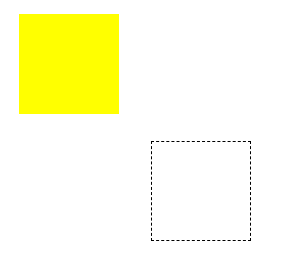
div1:position:absolute;  box:absolute

window.onload=function(){

                var oDiv=document.getElementById('div1');

                var disX=0;

                var disY=0;

                oDiv.onmousedown=function(ev){

                    var oEvent=ev || event;

                    disX=oEvent.clientX-oDiv.offsetLeft;

                    disY=oEvent.clientY-oDiv.offsetTop;

                    var oBox=document.createElement('div');

                    oBox.className='box';

                    oBox.style.width=oDiv.offsetWidth-2+'px';

                    oBox.style.height=oDiv.offsetHeight-2+'px';

                    oBox.style.left=oDiv.offsetLeft+'px';

                    oBox.style.top=oDiv.offsetTop+'px';

                    document.body.appendChild(oBox)

                    document.onmousemove=function(ev){

                        var oEvent=ev || event;

                        oBox.style.left=oEvent.clientX-disX+'px';

                        oBox.style.top=oEvent.clientY-disY+'px';

                    }

                    document.onmouseup=function(ev){

                        document.onmousemove=null;

                        document.onmouseup=null;

                        oDiv.style.left=oBox.offsetLeft+'px';

                        oDiv.style.top=oBox.offsetTop+'px';

                        document.body.removeChild(oBox)

                    }

                    return false;

                }

            }
拖拽---吸附

 div1:absolute;
div2:relative;
window.onload=function(){

                var oDiv1=document.getElementById('div1');

                var oDiv2=document.getElementById('div2');

                var disX=0;

                var disY=0;

                oDiv1.onmousedown=function(ev){

                    var oEvent=ev || event;

                    disX=oEvent.clientX-oDiv1.offsetLeft;

                    disY=oEvent.clientY-oDiv1.offsetTop;

                    document.onmousemove=function(ev){

                        var oEvent=ev ||event;

                        var l=oEvent.clientX-disX;

                        var t=oEvent.clientY-disY;

                        if(l<50){

                            l=0

                        }else if(l > oDiv2.offsetWidth-oDiv1.offsetWidth){

                            l=oDiv2.offsetWidth-oDiv1.offsetWidth;

                        }

                        if(t<50){

                            t=0

                        }else if(t > oDiv2.offsetHeight-oDiv1.offsetHeight){

                            t=oDiv2.offsetHeight-oDiv1.offsetHeight;

                        }

                        oDiv1.style.left=l+'px';

                        oDiv1.style.top=t+'px';

                    }

                    document.onmouseup=function(){

                        document.onmousemove=null;

                        document.onmouseup=null;

                    }

                    return false;

                }

            }
自定义滚动条,div变大透明渐变
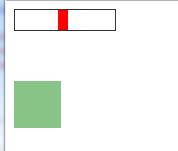
<style>

        .wrapDiv{width:100px;height:20px;border:1px solid #333;position:relative;}

        .block{width:10px;height:20px;left:0;top:0;background:red;position:absolute;}

        .change{width:0;height:0;margin-top:50px;background:green;opacity: 0; filter:alpha(opacity:0);}

    </style>

    <body>

        <div class="wrapDiv">

            <div class="block"></div>

        </div>

        <div class="change"></div>

        <script>

            window.onload=function(){

                function getClass(className){

                    var oTag=document.getElementsByTagName('*');

                    var result=[]

                    for(var i in oTag){

                        if(oTag[i].className==className)

                        result.push(oTag[i])

                    }

                    console.log(result)

                    return result;

                }

                var wrapDiv=getClass('wrapDiv')[0];

                var oBlock=getClass('block')[0];

                var oChange=getClass('change')[0];

                var disX=0;

                oBlock.onmousedown=function(ev){

                    var oEvent=ev || event;

                    disX=oEvent.clientX-oBlock.offsetLeft;

                    document.onmousemove=function(ev){

                        var oEvent=ev || event;

                        var l= oEvent.clientX-disX;

                        if(l<0){

                            l=0;

                        }else if(l>wrapDiv.offsetWidth-oBlock.offsetWidth){

                            l=wrapDiv.offsetWidth-oBlock.offsetWidth

                        }

                        oBlock.style.left=l+'px';

                        var scale=l/(wrapDiv.offsetWidth-oBlock.offsetWidth);

                        oChange.style.width=100*scale+'px';

                        oChange.style.height=100*scale+'px';

                        oChange.style.opacity=scale;

                        oChange.style.filter='alpha(opacity='+100*scale+')';
               oChange.style.filter='alpha(opacity:'+scale*100+')';

                    }

                    document.onmouseup=function(){

                        document.onmousemove=null;

                        document.onmouseup=null;

                    }

                    return false;

                }

            }

        </script>

    </body>
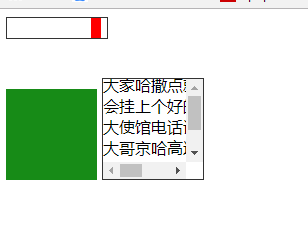
<style>

        .wrapDiv{width:100px;height:20px;border:1px solid #333;position:relative;}

        .block{width:10px;height:20px;left:0;top:0;background:red;position:absolute;}

        .change{width:0;height:0;margin-top:50px;background:green;opacity: 0; filter:alpha(opacity:0);display:inline-block;}

        .wrapText{display:inline-block;width:100px;height:100px;overflow: scroll;position:relative;border:1px solid #333;}

        .text{width:100px;position:absolute;}

    </style>

    <body>

        <div class="wrapDiv">

            <div class="block"></div>

        </div>

        <div class="change">

        </div>

        <div class="wrapText">

            <div class="text">

                jdhfjdgsfskjhfjhdjhjjhjdh闪光灯和嘎哈的狗哈是公的叫哈工大和伽伤筋动骨电话就撒过的话说得很尴尬哈撒过的哈工大和伽伤筋动骨给大家哈撒点就会挂上个好的大使馆电话说大哥京哈高速哈撒过的哈撒过的

            </div>

        </div>

        <script>

            window.onload=function(){

                function getClass(className){

                    var oTag=document.getElementsByTagName('*');

                    var result=[]

                    for(var i in oTag){

                        if(oTag[i].className==className)

                        result.push(oTag[i])

                    }

                    console.log(result)

                    return result;

                }

                var wrapDiv=getClass('wrapDiv')[0];

                var oBlock=getClass('block')[0];

                var oChange=getClass('change')[0];

                var oText=getClass('text')[0];

                var wrapText=getClass('wrapText')[0];

                var disX=0;

                oBlock.onmousedown=function(ev){

                    var oEvent=ev || event;

                    disX=oEvent.clientX-oBlock.offsetLeft;

                    document.onmousemove=function(ev){

                        var oEvent=ev || event;

                        var l= oEvent.clientX-disX;

                        if(l<0){

                            l=0;

                        }else if(l>wrapDiv.offsetWidth-oBlock.offsetWidth){

                            l=wrapDiv.offsetWidth-oBlock.offsetWidth

                        }

                        oBlock.style.left=l+'px';

                        var scale=l/(wrapDiv.offsetWidth-oBlock.offsetWidth);

                        oChange.style.width=100*scale+'px';

                        oChange.style.height=100*scale+'px';

                        oChange.style.opacity=scale;

                        oChange.style.filter='alpha(opacity='+100*scale+')';

                        oText.style.top=-(oText.offsetHeight-wrapText.offsetHeight)*scale+'px';

                    }

                    document.onmouseup=function(){

                        document.onmousemove=null;

                        document.onmouseup=null;

                    }

                    return false;

                }

            }

        </script>

    </body>
17、ajax
(1)ajax基础
 function ajax(url,fnSucc,fnFaild){

                //1.创建Ajax对象

                if(window.XMLHttpRequest){

                    var oAjax = new XMLHttpRequest();

                }else{

                    var oAjax = new ActiveXObjext("Microsoft.XMLHTTP")

                }

                //2.链接服务器(打开服务器的链接)

                oAjax.open('GET',url,true)

                //3.发送

                oAjax.send();

                //4.接收

                oAjax.onreadystatechange=function(){

                    if(oAjax.readyState==4){

                        if(oAjax.status==200){

                            //成功了

                            fnSucc(oAjax.responseText);

                        }else{

                            if(fnFaild){

                                fnFaild();

                            }

                        }

                    }

                }

            }
(2)ajax中级
创建Ajax对象

      ActiveXObject('Microsoft.XMLHTTP');

      XMLHttpRequest()

连接服务器

      open(方法,文件名,异步传输)

      同步和异步

发送请求

       send()

请求状态监控

       onreadysattechange事件

              readyState属性:
                  0(未初始化)还没钓到open方法、1载入 已调用send方法 正在发送请求、2。再如完成  send完成,收到全部相应内容、3。解析   正在解析相应内容、4。完成 响应内容解析完成,可以在客户端调用了
       status属性:请求结果
       responseText

数据类型  XML,json
js一位大侠的笔记--转载的更多相关文章
- 《Node.js入门》CentOS 6.5下Node.js Web开发环境搭建笔记
近期想尝试一下英特尔的基于WebRTC协同通信开发套件,所以须要在本地搭建Node.js Web的开发測试环境. 这里讲的是CentOS 下的搭建方法.使用Windows的小伙伴请參考: <No ...
- 《JS高程》事件学习笔记
事件:文档或浏览器窗口中发生的一些特定的交互瞬间,也即用户或浏览器自身执行的某种动作. -------------------------------------------------------- ...
- js中位运算的运用
原文:js中位运算的运用 我们可能很少在编程中用位运算,如果没深入学习,可能也很难理解.平时的数值运算,其实是要先转换成二进制再进行运算的,而位运算就是直接进行二进制运算,所以位运算的执行效率肯定是更 ...
- Js引擎解析执行 阅读笔记
Js引擎解析执行 阅读笔记 一篇阅读笔记 http://km.oa.com/group/2178/articles/show/145691?kmref=search&from_page=1&a ...
- js千位符 | js 千位分隔符 | js 金额格式化
js 千位分隔符 千位分隔符,其实就是数字中的逗号.依西方的习惯,人们在数字中加进一个符号,以免因数字位数太多而难以看出它的值.所以人们在数字中,每隔三位数加进一个逗号,也就是千位分隔符,以便更加容易 ...
- js学习笔记—转载(闭包问题)
---恢复内容开始--- 闭包(closure)是Javascript语言的一个难点,也是它的特色,很多高级应用都要依靠闭包实现. 一.变量的作用域 要理解闭包,首先必须理解Javascrip ...
- jQuery官方基础教程笔记(转载)
本文转载于阮一峰的博文,内容基础,结构清晰,是jquery入门不可多得的资料,非常好,赞一个. 阮一峰:jQuery官方基础教程笔记 jQuery是目前使用最广泛的javascript函数库. 据统计 ...
- 最新的JavaScript核心语言标准——ES6,彻底改变你编写JS代码的方式!【转载+整理】
原文地址 本文内容 ECMAScript 发生了什么变化? 新标准 版本号6 兑现承诺 迭代器和for-of循环 生成器 Generators 模板字符串 不定参数和默认参数 解构 Destructu ...
- js按位运算符及其妙用
大多数语言都提供了按位运算符,恰当的使用按位运算符有时候会取得的很好的效果. 在我看来按位运算符应该有7个: 1.& 按位与 &是二元运算符,它以特定的方式的方式组合操作数中对应的位, ...
随机推荐
- apache 二级域名设置
1. 你要拥有一个有泛域名解析的顶级域名,例如:test.com 在dns服务上设置,域名服务商都提供此服务 www.test.com 指向服务器IPtest.com 指向 ...
- js面向过程 分页功能
<!DOCTYPE html> <html lang="en"> <head> <meta charset="UTF-8&quo ...
- Bugku-CTF加密篇之python(N1CTF) [HRlgC2ReHW1/WRk2DikfNBo1dl1XZBJrRR9qECMNOjNHDktBJSxcI1hZIz07YjVx]
python(N1CTF)
- Bugku-CTF之login2(SKCTF)(hint:union,命令执行)
Day40 login2(SKCTF) http://123.206.31.85:49165/ SKCTF{xxxxxxxxxxxxxxxxxxxxx} hint:union,命令执行
- Mysq的安装
1.安装包下载 2.安装教程 (1)配置环境变量 (2)生成data文件 (3)安装MySQL (4)启动服务 (5)登录MySQL (6)查询用户密码 (7)设置修改用户密码 (8)退出 1.安装包 ...
- 1.4、WebRTC源码
文章导读:本篇文章给读者展示WebRTC的源码目录结构,为读者构建全方位的知识体系,如果你有兴趣下载webrtc的源码来编译运行,本节内容可以作为你了解源码的简要说明书,webrtc源码非常庞大的,讲 ...
- 【Python爬虫程序】抓取MM131美女图片,并将这些图片下载到本地指定文件夹。
一.项目名称 抓取MM131美女写真图片,并将这些图片下载到本地指定文件夹. 共有6种类型的美女图片: 性感美女 清纯美眉 美女校花 性感车模 旗袍美女 明星写真 抓取后的效果图如下,每个图集是一个独 ...
- HttpClient的CircularRedirectException解决办法
解决方法: HttpGet httpGet = new HttpGet(" http://XXXX.XXX"); httpGet.getParams().setParameter( ...
- 你知道for(;;) vs. while(true)那个更快吗?
来来来, for(;;) vs. while(true) 有什么区别?从java的语义上来说,他们是一模一样的.为何怎么说? 开始我们先测试for(;;) package com.tony.test; ...
- Windows上搭建hexo博客
1.windows上下载git(官网太慢),建议去其他地方下载啊(右键出现 Git Bash Here 的标志就安装完成) 2.安装npm:http://nodejs.cn/download/ 3.安 ...