
使用curl断点续传下载文件
办公网络网速不是很好,使用Chrome下载一些软件时不时会中断,恶心的是Chrome居然不支持断点续传下载(为什么chrome的下载不支持断点续传呢?),迅雷自然是不能装的,那怎么办?还好我有大名鼎鼎的curl,看官网的介绍,是不是有点6到没朋友~~
Supports...
DICT, FILE, FTP, FTPS, GOPHER, GOPHERS, HTTP, HTTPS, IMAP, IMAPS, LDAP, LDAPS, MQTT, POP3, POP3S, RTMP, RTMPS, RTSP, SCP, SFTP, SMB, SMBS, SMTP, SMTPS, TELNET and TFTP. curl supports SSL certificates, HTTP POST, HTTP PUT, FTP uploading, HTTP form based upload, proxies, HTTP/2, HTTP/3, cookies, user+password authentication (Basic, Plain, Digest, CRAM-MD5, SCRAM-SHA, NTLM, Negotiate and Kerberos), file transfer resume, proxy tunneling and more.
What's curl used for?
curl is used in command lines or scripts to transfer data. curl is also used in cars, television sets, routers, printers, audio equipment, mobile phones, tablets, settop boxes, media players and is the Internet transfer engine for thousands of software applications in over ten billion installations.
curl is used daily by virtually every Internet-using human on the globe.
而且 Windows 10 已经内置支持curl(Tar and Curl Come to Windows), 通过 PowerShell/CMD 可以直接使用,一口气上六楼,很方便!
C:\>curl

curl: try 'curl --help' for more information

C:\>curl -V -v

curl 7.55.1 (Windows) libcurl/7.55.1 WinSSL

Release-Date: 2017-11-14, security patched: 2019-11-05

Protocols: dict file ftp ftps http https imap imaps pop3 pop3s smtp smtps telnet tftp

Features: AsynchDNS IPv6 Largefile SSPI Kerberos SPNEGO NTLM SSL
言归正传,下面我们使用酷酷的`curl`下载一些文件(注:以下演示均在高速网络下进行)
最简单的使用
curl --remote-name(-O) URL或者curl --output(-o) fileName URL, 以下载最新64位windows版本Curl为例C:\>mkdir Software C:\>cd Software C:\Software>curl -O https://curl.se/windows/dl-7.77.0_2/curl-7.77.0_2-win64-mingw.zip
% Total % Received % Xferd Average Speed Time Time Time Current
Dload Upload Total Spent Left Speed
100 5154k 100 5154k 0 0 5154k 0 0:00:01 --:--:-- 0:00:01 6467k
使用
-continue-at(-C)断点续传下载,这次用PowerShell下载一个大文件(SSMS),关于该选项的使用,参见以下用户手册注解-C, --continue-at
Use "-C -" to tell curl to automatically find out where/how to resume the transfer. It then uses the given output/input files to figure that out.
在Powershell中使用需要带上后缀名,即
curl.exe,不然不能正确识别PS C:\Software> curl -C - -O https://download.microsoft.com/download/4/6/8/4681f3b2-f327-4d3d-8617-264b20685be0/SSMS-Setup-ENU.exe
Invoke-WebRequest : 无法处理参数,因为参数名称“C”具有二义性。可能的匹配项包括: -Credential -CertificateThumbprint -Certificate -ContentType。
所在位置 行:1 字符: 6
+ curl -C - -O https://download.microsoft.com/download/4/6/8/4681f3b2-f ...
+ ~~
+ CategoryInfo : InvalidArgument: (:) [Invoke-WebRequest],ParameterBindingException
+ FullyQualifiedErrorId : AmbiguousParameter,Microsoft.PowerShell.Commands.InvokeWebRequestCommand PS C:\Software> curl --continue-at - -O https://download.microsoft.com/download/4/6/8/4681f3b2-f327-4d3d-8617-264b20685be0/SSMS-Setup-ENU.exe
Invoke-WebRequest : 找不到接受实际参数“-”的位置形式参数。
所在位置 行:1 字符: 1
+ curl --continue-at - -O https://download.microsoft.com/download/4/6/8 ...
+ ~~~~~~~~~~~~~~~~~~~~~~~~~~~~~~~~~~~~~~~~~~~~~~~~~~~~~~~~~~~~~~~~~~~~~
+ CategoryInfo : InvalidArgument: (:) [Invoke-WebRequest],ParameterBindingException
+ FullyQualifiedErrorId : PositionalParameterNotFound,Microsoft.PowerShell.Commands.InvokeWebRequestCommand
通过关闭无线/有线网络,模拟网络不稳定的情况
PS C:\Software> curl.exe -C - -O https://download.microsoft.com/download/4/6/8/4681f3b2-f327-4d3d-8617-264b20685be0/SSMS-Setup-ENU.exe

  % Total    % Received % Xferd  Average Speed   Time    Time     Time  Current

                                 Dload  Upload   Total   Spent    Left  Speed

 16  565M   16 94.7M    0     0  4852k      0  0:01:59  0:00:20  0:01:39     0

curl: (56) Send failure: Connection was reset

PS C:\Software> curl.exe -C - -O https://download.microsoft.com/download/4/6/8/4681f3b2-f327-4d3d-8617-264b20685be0/SSMS-Setup-ENU.exe

** Resuming transfer from byte position 172521856

  % Total    % Received % Xferd  Average Speed   Time    Time     Time  Current

                                 Dload  Upload   Total   Spent    Left  Speed

  9  470M    9 46.9M    0     0  1502k      0  0:05:20  0:00:32  0:04:48 3720k

curl: (56) Send failure: Connection was reset
可以使用
--retry选项让下载失败后自动进行(此时网络没连接,在观察到重试现象后,打开网络连接)PS C:\Software> curl.exe -C - -O --retry 10 https://download.microsoft.com/download/4/6/8/4681f3b2-f327-4d3d-8617-264b20685be0/SSMS-Setup-ENU.exe
** Resuming transfer from byte position 221771295
% Total % Received % Xferd Average Speed Time Time Time Current
Dload Upload Total Spent Left Speed
0 0 0 0 0 0 0 0 --:--:-- --:--:-- --:--:-- 0Warning: Transient problem: timeout Will retry in 1 seconds. 10 retries left.
0 0 0 0 0 0 0 0 --:--:-- --:--:-- --:--:-- 0Warning: Transient problem: timeout Will retry in 2 seconds. 9 retries left.
0 0 0 0 0 0 0 0 --:--:-- --:--:-- --:--:-- 0Warning: Transient problem: timeout Will retry in 4 seconds. 8 retries left.
0 0 0 0 0 0 0 0 --:--:-- --:--:-- --:--:-- 0Warning: Transient problem: timeout Will retry in 8 seconds. 7 retries left.
0 0 0 0 0 0 0 0 --:--:-- --:--:-- --:--:-- 0Warning: Transient problem: timeout Will retry in 16 seconds. 6 retries left.
100 423M 100 423M 0 0 4667k 0 0:01:33 0:01:33 --:--:-- 7028k
PS C:\Software>
下载完成后使用断点续传及重试选项,不会覆盖已下载的文件;反之,则不成立
PS C:\Software> curl.exe -C - -O https://download.microsoft.com/download/4/6/8/4681f3b2-f327-4d3d-8617-264b20685be0/SSMS-Setup-ENU.exe

** Resuming transfer from byte position 666228072

  % Total    % Received % Xferd  Average Speed   Time    Time     Time  Current

                                 Dload  Upload   Total   Spent    Left  Speed

  0   237    0     0    0     0      0      0 --:--:-- --:--:-- --:--:--     0

curl: (33) HTTP server doesn't seem to support byte ranges. Cannot resume.

PS C:\Software> curl.exe -C - -O --retry 3 https://download.microsoft.com/download/4/6/8/4681f3b2-f327-4d3d-8617-264b20685be0/SSMS-Setup-ENU.exe

** Resuming transfer from byte position 666228072

  % Total    % Received % Xferd  Average Speed   Time    Time     Time  Current

                                 Dload  Upload   Total   Spent    Left  Speed

  0   237    0     0    0     0      0      0 --:--:-- --:--:-- --:--:--     0

Warning: Transient problem: FTP error Will retry in 1 seconds. 3 retries left.

  0   237    0     0    0     0      0      0 --:--:-- --:--:-- --:--:--     0

Warning: Transient problem: FTP error Will retry in 2 seconds. 2 retries left.

  0   237    0     0    0     0      0      0 --:--:-- --:--:-- --:--:--     0

Warning: Transient problem: FTP error Will retry in 4 seconds. 1 retries left.

  0   237    0     0    0     0      0      0 --:--:-- --:--:-- --:--:--     0

curl: (33) HTTP server doesn't seem to support byte ranges. Cannot resume.

PS C:\Software> curl.exe -O https://download.microsoft.com/download/4/6/8/4681f3b2-f327-4d3d-8617-264b20685be0/SSMS-Setup-ENU.exe

  % Total    % Received % Xferd  Average Speed   Time    Time     Time  Current

                                 Dload  Upload   Total   Spent    Left  Speed

100  635M  100  635M    0     0  16.2M      0  0:00:39  0:00:39 --:--:-- 24.2M
对于有些资源,网速不好的时候,甚至跳转到具体下载链接都很困难,以下载最新的 windows 64 位版本的 PostgreSQL 13.X为例,官网找到下载资源列表,页面跳转后一直不开始下载, 点击下载链接也没反应。。。
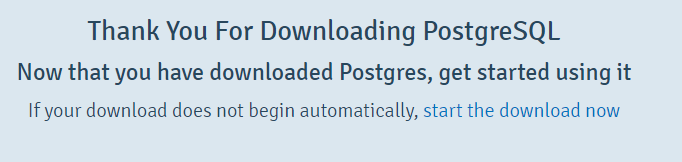
别捉急,curl一样可以帮到你。鼠标右键复制下载链接,使用--head(-I) 或者 --include(-i)选项(也可使用--verbose(-v)选项,这样,你可以看到所谓的TCP三次握手是怎样发生的),具体下载链接在Location首部字段里,然后使用上面提到的断点续传,DONE!
C:\>curl --head https://sbp.enterprisedb.com/getfile.jsp?fileid=1257713

HTTP/1.1 302 Found

Content-Type: text/html; charset=utf-8

Content-Length: 0

Connection: keep-alive

Server: nginx/1.16.1

Date: Sat, 10 Jul 2021 08:50:09 GMT

Location: https://get.enterprisedb.com/postgresql/postgresql-13.3-2-windows-x64.exe

X-Frame-Options: DENY

X-Content-Type-Options: nosniff

X-Cache: Miss from cloudfront

Via: 1.1 a43db2746d5ea9543e11897b6654f9b6.cloudfront.net (CloudFront)

X-Amz-Cf-Pop: HKG62-C1

X-Amz-Cf-Id: KuxMKejZWH-BMtFbzdKMCXsJE1ctLNMoSIcSYHLIkWQmbFnbexDsNg==
写在最后,准备这篇随笔的时候,翻阅了不少资料,发现有两个资源是很不错的, 一个是官网的教程, 另一个是官网提到的Everything curl,Everything curl另有中文翻译版, 找到下载章节,一个感觉就是:我有必要写这篇博客吗?写个寂寞。。。最后,附上原文地址, 原创不易,且行且珍惜~~
使用curl断点续传下载文件的更多相关文章
- curl -O 下载文件
curl -O 下载文件 学习了:http://blog.csdn.net/wulong710/article/details/53127606 curl -O http://a.b.c/a.tar ...
- Linux curl 命令下载文件
引用自http://blog.csdn.net/wh211212/article/details/54285921 命令:curl 在Linux中curl是一个利用URL规则在命令行下工作的文件传输工 ...
- 反射机制及开源框架xUitls的使用,使用HttpUtils通过断点续传下载文件
反射: Java反射机制是在运行状态中,对于任意一个类,都能够知道这个类的所有属性和方法: 对于任意一个对象,都能够调用它的任意一个方法和属性 Java反射机制主要提供下面几种用途: 1•在运行时判断 ...
- android多线程断点续传下载文件
一.目标 1.多线程抢占服务器资源下载. 2.断点续传. 二.实现思路. 假设分为三个线程: 1.各个线程分别向服务器请求文件的不同部分. 这个涉及Http协议,可以在Header中使用Range参数 ...
- python实现断点续传下载文件
最近的任务里有一个功能是要我从日志服务器实时跟新日志到本地,日志在不断新增内容就需要我隔一段时间从上次下载的位置继续下载,并写入本地文件上次写完的位置后面. headers = {'Range': ' ...
- Mac OS 终端下使用 Curl 命令下载文件
在 mac os下,如何通过命令行来下载网络文件?如果你没有安装或 wget 命令,那么可以使用 curl 工具来达到我们的目的. curl命令参数: curl 'url地址' curl [选项] ' ...
- 新技能 get —— Python 断点续传下载文件
from urllib.request import urlretrieve import sys import os prev_reported_download_percent = None # ...
- curl强制下载文件
<?phpfunction download_remote_file_with_curl($file_url, $save_to) { $ch = curl_init(); curl_setop ...
- android 使用AsyncHttpClient框架上传文件以及使用HttpURLConnection下载文件
AsyncHttpClient开源框架android-async-http还是非常方便的. AsyncHttpClient该类通经常使用在android应用程序中创建异步GET, POST, PUT和 ...
随机推荐
- SSM整合(ForestBlog为例)
SSM整合(ForestBlog为例) 原版本github地址 :https://github.com/saysky/ForestBlog 文中版本地址:https://github.com/Yans ...
- Ansible_处理失败的任务
一.Ansible处理任务失败 1.管理play中任务错误 1️⃣:Ansible评估任务的返回代码,从而确定任务是成功还是失败 2️⃣:通常而言,当任务失败时,Ansible将立即在该主机上中止pl ...
- k8s运行容器之Job应用(6)
容器按照持续运行的时间可分为两类:服务类容器和工作类容器. 服务类容器通常持续提供服务,需要一直运行,比如 http server,daemon 等.工作类容器则是一次性任务,比如批处理程序,完成后容 ...
- DOCKER学习_011:使用Dockerfile制作docker镜像
前面使用commit的方式,制作一个docker镜像,本次介绍使用Dockerfile制作一个dockers镜像 [root@docker-server3 ~]# mkdir /openssh [ro ...
- Java 自定义常量
Java 中的常量就是初始化或赋值后不能再修改,而变量则可以重新赋值. 我们可以使用Java 关键字 final 定义一个常量,如下 final double PI = 3.14; 注意:为了区别 J ...
- centos下yum方法安装apache+php+mysql
yum(全称为:Yellow dog Updater,Modified) 是一个在Fedora和RedHat以及SUSE中的Shell前端管理软件.基于RPM包管理,能够从远处镜像服务器下载RPM包并 ...
- 韩小韩 API接口
官方网址:https://api.vvhan.com/ 天气API接口: https://api.vvhan.com/api/weather Bing每日图片API接口: https://api.vv ...
- Tomcat 服务器轻松部署 SSL 证书
Tomcat 服务器 SSL 证书安装部署 1准备服务器 购买网上各个产家的云服务器 或者在自己的电脑上装虚拟机 二者皆可,建议选择第一种,因为操作起来相对方便 2安装JDK 2.1上传JDK到Lin ...
- Go语言协程并发---生产者消费者实例
package main import ( "fmt" "strconv" "time" ) /* 改进生产者消费者模型 ·生产者每秒生产一 ...
- MCU,硅片,BOM
MCU,硅片,BOM BOM(Bill of Material,物料清单),就是指一个东西的各个材料的的成本价格 BOM成本要控制,有三点要注意的. 一,是否有芯片替代料,在性能不降低的情况下,替代料 ...