
How To Install Oracle Forms 12c On Windows 7

After installing the Weblogic Server 12c, double click the "setup_fmw_12.2.1.0.0_fr_win64.exe" file to start the installation.
1. Welcome screen will appear then click next to continue.
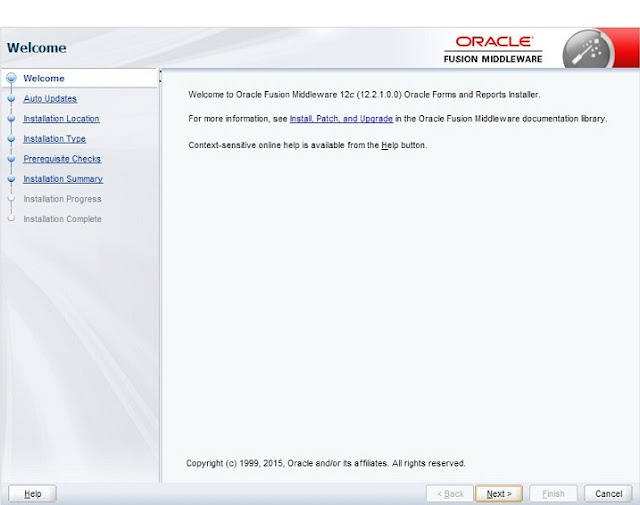
2. Auto Update screen will appear, you can choose skip Auto Update option then click to continue.
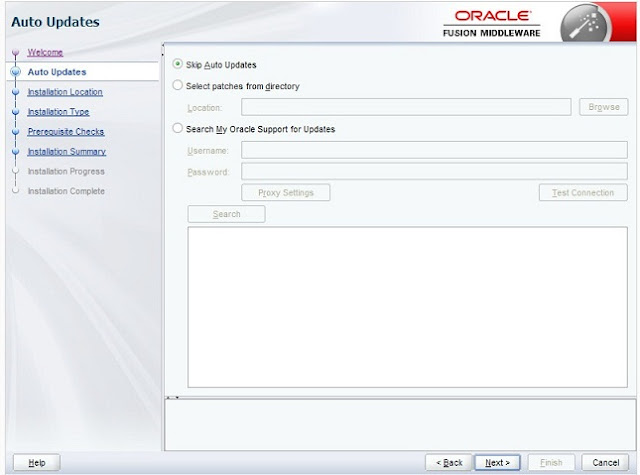
3. Installation location page will appear then specify the installation directory and then click next to continue.
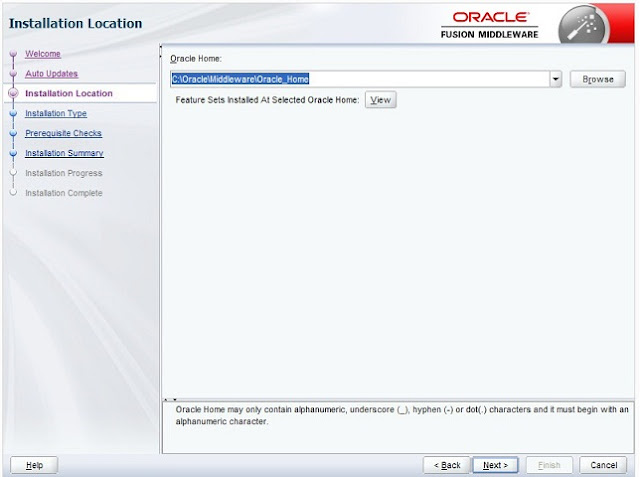
4. Installation type screen will appear and there is an option to install Oracle Forms Builder Standalone and Oracle Forms & Reports deployment, choose Oracle Forms & Reports deployment and then click next to continue.
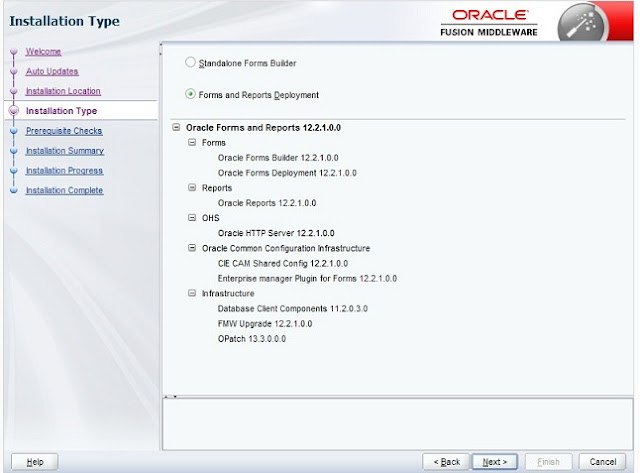
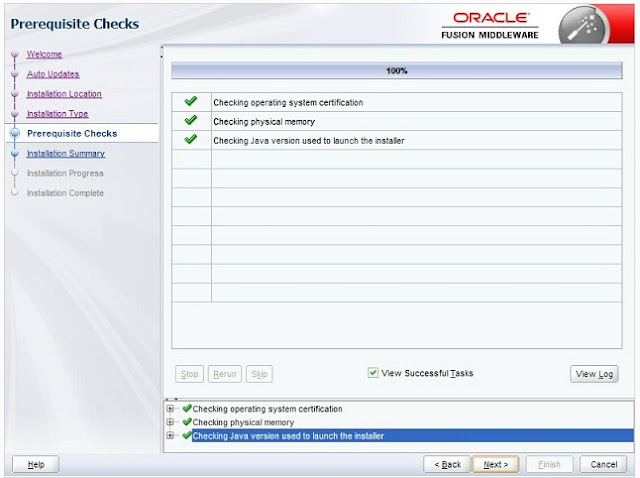
5. Next screen will check the system requirement and if everything is OK, then click next to continue.
6. It will show you the installation summary and then click next to continue.
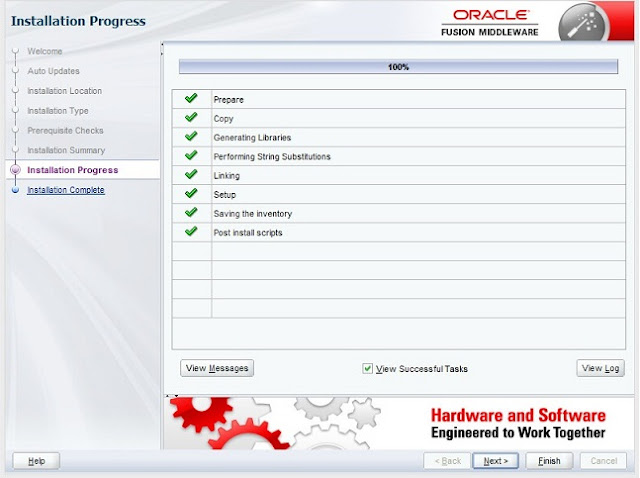
7. Finally Installation successful screen will appear and on this screen you will see a check box to Run Oracle Forms Configuration wizard after installation then check the check box and click Finish to exit the installation and then Form's configuration wizard will run.
In the Form's configuration wizard, you will be prompted to specify Oracle Form's Instance directory location, so just create a new directory and specify that directory for Form's instance and when the Configuration wizard will complete you can find Tnsnames.Ora and other properties files in this directory.
How To Install Oracle Forms 12c On Windows 7的更多相关文章
- windows 10 install oracle 12c error:[ INS-30131 ]
"[ INS-30131 ] the Initial Setup That Is Required to Run the Installation Program Validation Wa ...
- 转: Windows下安装Oracle Database 12c Release 1(12.1.0.2.0) - Enterprise Edition
http://www.cnblogs.com/xqzt/p/4395053.html Windows下安装Oracle Database 12c Release 1(12.1.0.2.0) - Ent ...
- Windows下安装Oracle Database 12c Release 1(12.1.0.2.0) - Enterprise Edition
Windows下安装Oracle Database 12c Release 1(12.1.0.2.0) 最近因需要在Oracle 数据库上建立ODI的资料档案库,需要安装Oracle Database ...
- Windows 7 64bit上安装Oracle Database 12c [INS-30131] 错误的解决方法
Windows 7 64bit上安装Oracle Database 12c,出现以下错误: 解决方法: 第一步:控制面板>所有控制面板项>管理工具>服务>SERVER 启动 ...
- Create Custom Modal Dialog Windows For User Input In Oracle Forms
An example is given below to how to create a modal dialog window in Oracle Forms for asking user inp ...
- Hyper-V安装Oracle Linux6_4 Oracle db 12c并使用rman做异机恢复
本文记录在Windows Server 2012 R2上安装Oracle Enterprise Linux 6.4以及使用RMAN进行进行异机恢复的过程. Windows服务器增加Hyper-V功能 ...
- Oracle Database 12c Release 2安装详解
第1章 Oracle Database 12c Release 2安装详解 1.1 下载方法 oracle官网https://www.oracle.com 1)打开官方网站,找到下载连接 2)选择更多 ...
- Some Useful Property Settings Explained Of Oracle Forms
In Oracle forms when we have two or more blocks and there is a requirement to join them or make a re ...
- Linked Server for SQL Server 2012(x64) to Oracle Database 12c(x64)
因为把两台数据库装了同一台机机器上,所以没有安装oracle Client的部分,Oracle部分使用netca创建的Net Service Name,使用tnsping以及登入方式的确认用户权限的以 ...
随机推荐
- 【Reverse Nodes in k-Group】cpp
题目: Given a linked list, reverse the nodes of a linked list k at a time and return its modified list ...
- IOS开发学习笔记037-九宫格代码实现
九宫格布局,用手机输入法时经常见到.先按3行3列写. 代码的实现主要是计算插入图片的位置. 每一张图片的位置和所在的行列密切相关.分析过程如下: 界面: 代码实现 1.把需要的图片资源添加进来 然后给 ...
- ogre3D学习基础18 -- 材质的使用与脚本的简单书写
这一节以基础16为基础,练习材质的使用. 第一,看看框架 //material #include "ExampleApplication.h" class TutorialAppl ...
- fastjosn在低版本丢字段问题
简单的说: 对于java bean中有字段类似pId这种写法,特征是第一个字母小写,第二个字母大写,在eclipse中生成的getter setter方法是 getpId, setpId. 在低版本的 ...
- scripts
Shell Script:================================================================ 示例1:[root@server0 ~]# ...
- java中使用二进制进行权限控制
基本概念 package test; publicclass Rights { publicstaticvoid main(String[] args) { int a=1; // 001 状态a i ...
- Python的生成器Generator小结
一. 生成器的介绍 在介绍生成器(Generator)之前,我们首先需要熟悉列表生成式,列表生成式是Python内置的简单又强大的用来创建列表的生成式. 举个例子, 如果我们想生成[1*1,2*2,3 ...
- 【SPOJ1297】Palindrome (SA+RMQ)
求最长回文串.把原串翻转后,加在原串后面,中间插入一个辨别字符.然后求SA,Height.然后枚举每个字母作为回文串中心,分长度为奇数和偶数去讨论:奇数求 suffix(i)和suffix(n-i+1 ...
- 编程风格——代码中特殊的注释技术——TODO、FIXME和XXX的用处
代码中特殊的注释技术——TODO.FIXME和XXX的用处 前言:今天在阅读Qt Creator的源代码时,发现一些注释中有FIXME英文单词,用英文词典居然查不到其意义!实际上,在阅读一些开源代码时 ...
- web常见攻击总结
1.Sql注入 攻击者把sql命令插入到web表单的输入域或页面请求的查询字符串, 欺骗服务器执行恶意的sql命令 防御措施 前端: 1.正则验证字符串格式 2.过滤字符串的非法字符 后端: 1.不要 ...