
【代码笔记】iOS-看图听声音
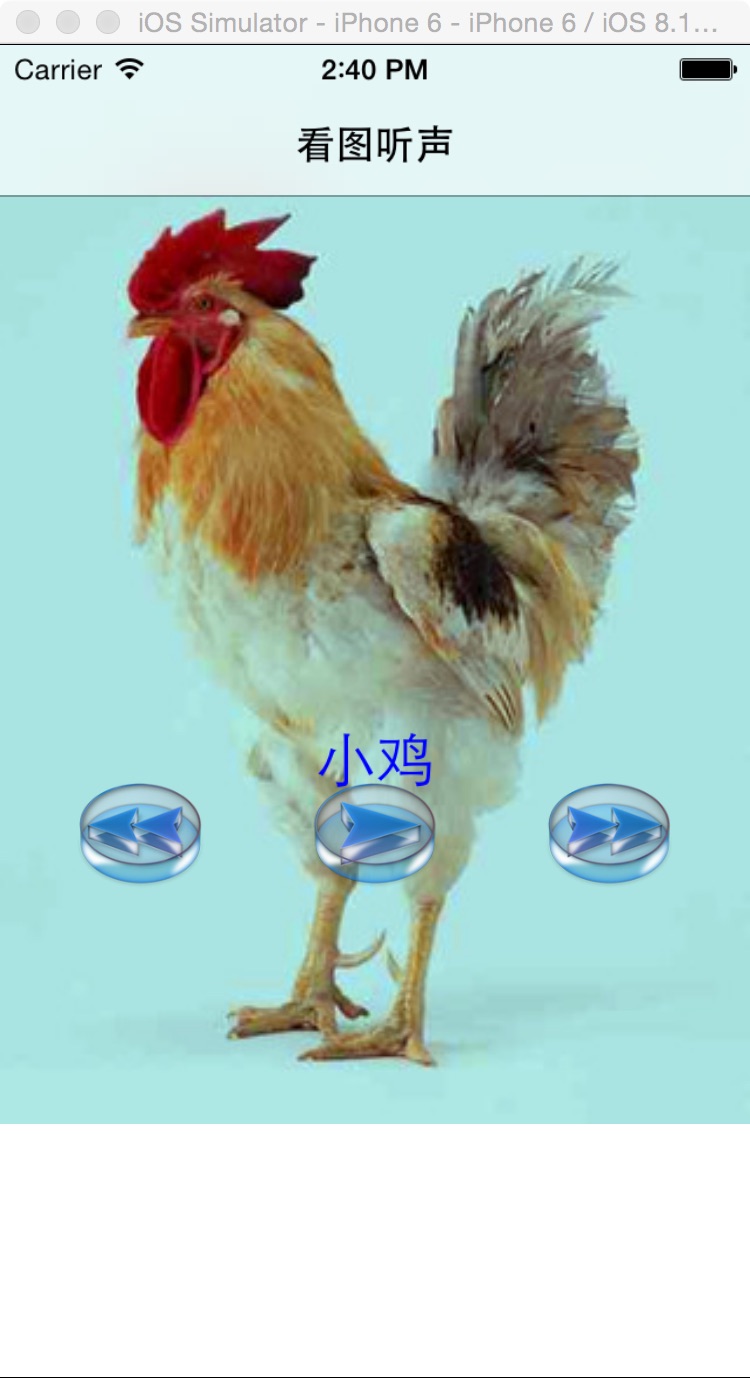
一,效果图。
二,工程图。

三,代码。
RootViewController.h

#import <UIKit/UIKit.h>

#import <AVFoundation/AVFoundation.h>

@interface RootViewController : UIViewController

<AVAudioPlayerDelegate>

{

    UIImageView *backImageView;

    //播放器

    AVAudioPlayer *_audioPlayer;

    //图片名字数组

    NSMutableArray *pictureNameArray;

    //音乐名字数组

    NSMutableArray *musicNameArray;

    //播放到的下标索引

    int songIndex;

    //左侧按钮

    UIButton * leftButton;

    //右侧按钮

    UIButton * rightButton;

    //显示标题的label

    UILabel *titleLabel;

}

@end
RootViewController.m
#import "RootViewController.h"

@interface RootViewController ()

@end

@implementation RootViewController

- (id)initWithNibName:(NSString *)nibNameOrNil bundle:(NSBundle *)nibBundleOrNil

{

    self = [super initWithNibName:nibNameOrNil bundle:nibBundleOrNil];

    if (self) {

        // Custom initialization

    }

    return self;

}

- (void)viewDidLoad

{

    [super viewDidLoad];

    self.title = @"看图听声";

    //初始化数据

    [self initData];

    //初始化背景图

    [self initBackGroundView];

}

#pragma -mark -functions

-(void)initData{

    pictureNameArray=[[NSMutableArray alloc]initWithObjects:@"chicken",@"bear",@"bird",@"camel",@"cat",@"cattle",@"deer",@"dog",@"dolphin",@"donkey",@"duck",@"elephant",@"fox",@"frog",@"goose",@"horse",@"lion",@"mew",@"monkey",@"pig",@"sheep",@"snake",@"tiger",@"wolf", nil];

    musicNameArray=[[NSMutableArray alloc]initWithObjects:@"小鸡",@"小熊",@"小鸟",@"骆驼",@"小猫",@"奶牛",@"梅花鹿",@"小狗",@"海豚",@"毛驴",@"鸭子",@"大象",@"狐狸",@"青蛙",@"白鹅",@"小马",@"狮子",@"海鸟",@"猴子",@"小猪",@"绵羊",@"小蛇",@"老虎",@"小狼", nil];

}

-(void)loadMusic:(NSString*)name type:(NSString*)type

{

    NSString* path= [[NSBundle mainBundle] pathForResource: name ofType:type];

    NSURL* url = [NSURL fileURLWithPath:path];

    _audioPlayer= [[AVAudioPlayer alloc] initWithContentsOfURL:url error:nil];

    _audioPlayer.delegate=self;

    _audioPlayer.volume= 0.5;

    [_audioPlayer prepareToPlay];

}

-(void)initBackGroundView

{

    backImageView= [[UIImageView alloc] initWithFrame: CGRectMake(0, 0, 320, 460)];

    backImageView.image= [UIImage imageNamed:[NSString stringWithFormat:@"%@.jpg",[pictureNameArray objectAtIndex:songIndex]]];

    [self.view addSubview:backImageView];

    //播放按钮

    UIButton* button= [UIButton buttonWithType:UIButtonTypeCustom];

    button.tag=100;

    button.frame=CGRectMake(130, 310, 60, 50);

    [button addTarget:self action:@selector(play:) forControlEvents:UIControlEventTouchUpInside];

    [button setImage:[UIImage imageNamed:@"play.png"] forState:UIControlStateNormal];

    [self.view addSubview:button];

    //上一首

    leftButton= [UIButton buttonWithType:UIButtonTypeCustom];

    leftButton.frame=CGRectMake(30, 310, 60, 50);

    [leftButton addTarget:self action:@selector(prier) forControlEvents:UIControlEventTouchUpInside];

    [leftButton setImage:[UIImage imageNamed:@"Left.png"] forState:UIControlStateNormal];

    [self.view addSubview:leftButton];

    //下一首

    rightButton= [UIButton buttonWithType:UIButtonTypeCustom];

    rightButton.frame=CGRectMake(230, 310, 60, 50);

    [rightButton addTarget:self action:@selector(next) forControlEvents:UIControlEventTouchUpInside];

    [rightButton setImage:[UIImage imageNamed:@"right.png"] forState:UIControlStateNormal];

    [self.view addSubview:rightButton];

    //标题

    titleLabel= [[UILabel alloc] initWithFrame:CGRectMake(0, 290, 320, 30)];

    titleLabel.font= [UIFont systemFontOfSize:25];

    titleLabel.textAlignment= NSTextAlignmentCenter;

    titleLabel.textColor= [UIColor blueColor];

    titleLabel.numberOfLines=0;

    titleLabel.text= [musicNameArray objectAtIndex:0];

    [self.view addSubview:titleLabel];

    [self loadMusic:[pictureNameArray objectAtIndex:0] type:@"mp3"];

}

-(void)setBackground:(UIImage *)image

{

    backImageView.image = image;

}

#pragma -mark -doClickActions

//播放

-(void)play:(UIButton*)button

{

    if(_audioPlayer.playing)

    {

        [button setImage:[UIImage imageNamed:@"play.png"] forState:UIControlStateNormal];

        [_audioPlayer pause];

    }

    else

    {

        [button setImage:[UIImage imageNamed:@"stop.png"] forState:UIControlStateNormal];

        [_audioPlayer play];

    }

}

//上一首

-(void)prier

{

    BOOL playFlag;

    if(_audioPlayer.playing)

    {

        playFlag=YES;

        [_audioPlayer stop];

    }

    else

    {

        playFlag=NO;

    }

    songIndex--;

    if(songIndex<0)

        songIndex= pictureNameArray.count-1

        ;

    UIButton * button = (UIButton*)[self.view viewWithTag:100];

    [button setImage:[UIImage imageNamed:@"play.png"] forState:UIControlStateNormal];

    [self loadMusic:[pictureNameArray objectAtIndex:songIndex] type:@"mp3"];

    UIImage * image = [UIImage imageNamed:[NSString stringWithFormat:@"%@.jpg",[pictureNameArray objectAtIndex:songIndex]]];

    [self setBackground:image];

    titleLabel.text= [musicNameArray objectAtIndex:songIndex];

    if(playFlag==YES)

    {

        [_audioPlayer play];

    }

}

//下一首

-(void)next

{

    BOOL playFlag;

    if(_audioPlayer.playing)

    {

        playFlag=YES;

        [_audioPlayer stop];

    }

    else{

        playFlag=NO;

    }

    songIndex++;

    if(songIndex==pictureNameArray.count){

        songIndex= 0;

    }

    UIButton * button = (UIButton*)[self.view viewWithTag:100];

    [button setImage:[UIImage imageNamed:@"play.png"] forState:UIControlStateNormal];

    [self loadMusic:[pictureNameArray objectAtIndex:songIndex] type:@"mp3"];

    UIImage * image = [UIImage imageNamed:[NSString stringWithFormat:@"%@.jpg",[pictureNameArray objectAtIndex:songIndex]]];

    [self setBackground:image];

    titleLabel.text= [musicNameArray objectAtIndex:songIndex];

    if(playFlag==YES)

    {

        [_audioPlayer play];

    }

 }

@end
【代码笔记】iOS-看图听声音的更多相关文章
- 【代码笔记】iOS-看图听故事
一,效果图. 二,工程图. 三,代码. RootViewController.h #import <UIKit/UIKit.h> #import <AVFoundation/AVFo ...
- 【代码笔记】iOS-饼图
一,效果图. 二,工程图. 三,代码. RootViewController.h #import <UIKit/UIKit.h> @class QuizChartView; @interf ...
- 吴恩达deepLearning.ai循环神经网络RNN学习笔记_看图就懂了!!!(理论篇)
前言 目录: RNN提出的背景 - 一个问题 - 为什么不用标准神经网络 - RNN模型怎么解决这个问题 - RNN模型适用的数据特征 - RNN几种类型 RNN模型结构 - RNN block - ...
- Multimodal —— 看图说话(Image Caption)任务的论文笔记(一)评价指标和NIC模型
看图说话(Image Caption)任务是结合CV和NLP两个领域的一种比较综合的任务,Image Caption模型的输入是一幅图像,输出是对该幅图像进行描述的一段文字.这项任务要求模型可以识别图 ...
- 看图写代码---看图写代码 阅读<<Audio/Video Connectivity Solutions for Virtex-II Pro and Virtex-4 FPGAs >>
看图写代码 阅读<<Audio/Video Connectivity Solutions for Virtex-II Pro and Virtex-4 FPGAs >> 1.S ...
- (CV学习笔记)看图说话(Image Captioning)-1
Background 分别使用CNN和LSTM对图像和文字进行处理: 将两个神经网络结合: 应用领域 图像搜索 安全 鉴黄 涉猎知识 数字图像处理 图像读取 图像缩放 图像数据纬度变换 自然语言处理 ...
- 学习笔记TF060:图像语音结合,看图说话
斯坦福大学人工智能实验室李飞飞教授,实现人工智能3要素:语法(syntax).语义(semantics).推理(inference).语言.视觉.通过语法(语言语法解析.视觉三维结构解析)和语义(语言 ...
- xmpp整理笔记:发送图片信息和声音信息
图片和音频文件发送的基本思路就是: 先将图片转化成二进制文件,然后将二进制文件进行base64编码,编码后成字符串.在即将发送的message内添加一个子节点,节点的stringValue(节点的值) ...
- 笔记-iOS 视图控制器转场详解(上)
这是一篇长文,详细讲解了视图控制器转场的方方面面,配有详细的示意图和代码,为了使得文章在微信公众号中易于阅读,seedante 辛苦将大量长篇代码用截图的方式呈现,另外作者也在 Github 上附上了 ...
随机推荐
- C# 通过反射来动态创建泛型类型
C# 通过反射来动态创建泛型类型与创建普通类型的区别在于:泛型参数的处理 创建泛型类型存在三种情况: 第一种:知道泛型类型,但需要动态指定泛型参数: 第二种:知道泛型参数,但需要动态创建指定参数的泛型 ...
- 图论 --- spfa + 链式向前星 (模板题) dlut 1218 : 奇奇与变形金刚
1218: 奇奇与变形金刚 Time Limit: 3 Sec Memory Limit: 128 MBSubmit: 130 Solved: 37[Submit][Status][Web Boa ...
- MVC 框架搭建
1.0 初步建立目录和项目 2.0 设置层之间的引用 IRepository引用 ModelRepository引用 Model,IRepositoryIServices引用 Model,IRepos ...
- Unrecognized attribute 'targetFramework'. Note that attribute names are case-sensitive.
调试网站时,异常出现:Unrecognized attribute 'targetFramework'. Note that attribute names are case-sensitive. S ...
- 解密 JavaScript 中的 this
this的工作原理 如果一个函数被作为一个对象的方法调用,那么this将被指派为这个对象. var parent = { method: function () { conso ...
- ASP.NET Core 开发-缓存(Caching)
ASP.NET Core 缓存Caching,.NET Core 中为我们提供了Caching 的组件. 目前Caching 组件提供了三种存储方式. Memory Redis SqlServer 学 ...
- C#的变迁史 - C# 5.0 之其他增强篇
1. 内置zip压缩与解压 Zip是最为常用的文件压缩格式之一,也被几乎所有操作系统支持.在之前,使用程序去进行zip压缩和解压要靠第三方组件去支持,这一点在.NET4.5中已有所改观,Zip压缩和解 ...
- C#读取XML文件的基类实现
刚到新单位,学习他们的源代码,代码里读写系统配置文件的XML代码比较老套,直接写在一个系统配置类里,没有进行类的拆分,造成类很庞大,同时,操作XML的读写操作都是使用SetAttribute和node ...
- c#重点[封装,继承,多肽]
面向对象的语言三大特点:封装.继承.多态 Ⅰ.封装:是把类的内部隐藏起来,以防止外部世界看见的一个面向对象的概念,通过关键字去控制变量,方法的访问权限. 1).访问修饰符: Ⅱ.继承: eg:我们建一 ...
- 2016弱校联盟十一专场10.3---Similarity of Subtrees(深搜+hash、映射)
题目链接 https://acm.bnu.edu.cn/v3/problem_show.php?pid=52310 problem description Define the depth of a ...