
java 文件压缩和解压(ZipInputStream, ZipOutputStream)
最近在看java se 的IO 部分 , 看到 java 的文件的压缩和解压比较有意思,主要用到了两个IO流-ZipInputStream, ZipOutputStream,不仅可以对文件进行压缩,还可以对文件夹进行压缩和解压。
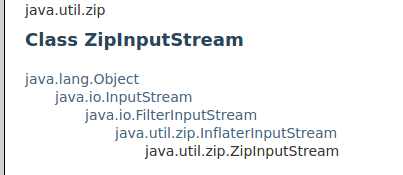
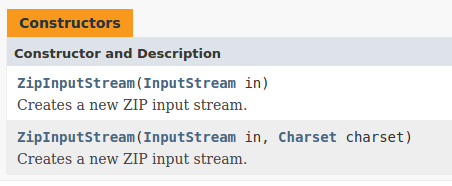
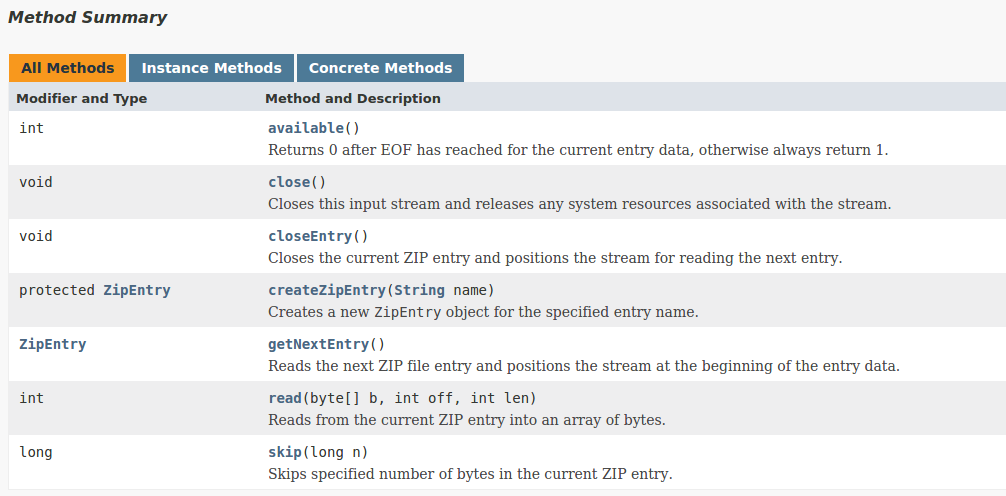
ZipInputStream位于java.util.zip包下。下面是它的API,比较简单。
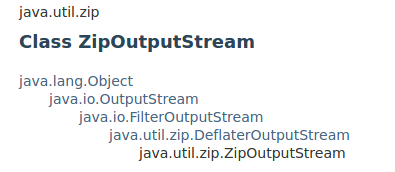
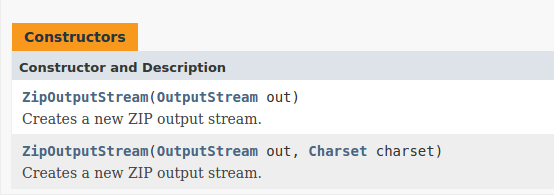
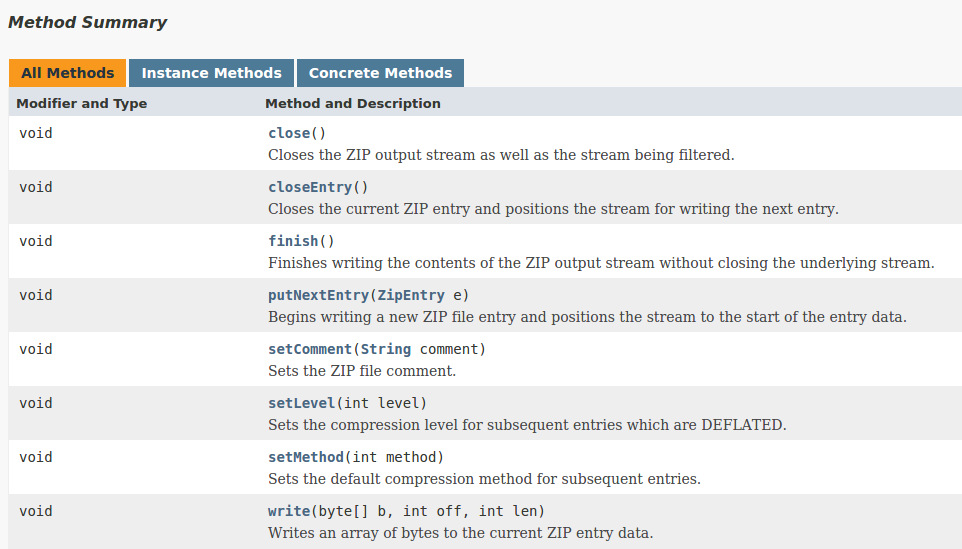
ZipOutputStream位于java.util.zip包下。下面是它的API,比较简单。
文件的压缩
 public class TestFile

 {

     public static void main ( String [ ] args ) throws IOException

     {

         // new a file input stream

         FileInputStream fis = new FileInputStream (

                 "/home/liangruihua/ziptest/1.txt" ) ;

         BufferedInputStream bis = new BufferedInputStream ( fis ) ;

         // new a zipPutputStream

         // /home/liangruihua/ziptest/1.zip -- the out put file path and

         // name

         ZipOutputStream zos = new ZipOutputStream (

                 new FileOutputStream (

                         "/home/liangruihua/ziptest/1.zip" ) ) ;

         BufferedOutputStream bos = new BufferedOutputStream ( zos ) ;

         // set the file name in the .zip file

         zos.putNextEntry ( new ZipEntry ( "1.txt" ) ) ;

         // set the declear

         zos.setComment ( "by liangruihua test!" ) ;

         byte [ ] b = new byte [ 100 ] ;

         while ( true )

         {

             int len = bis.read ( b ) ;

             if ( len == - 1 )

                 break ;

             bos.write ( b , 0 , len ) ;

         }

         fis.close ( ) ;

         zos.close ( ) ;

     }

 }
文件夹的压缩
 public class TestDir

 {

     public static void main ( String [ ] args ) throws IOException

     {

         // the file path need to compress

         File file = new File ( "/home/liangruihua/ziptest/test" ) ;

         ZipOutputStream zos = new ZipOutputStream (

                 new FileOutputStream (

                         "/home/liangruihua/ziptest/test.zip" ) ) ;

         // judge the file is the directory

         if ( file.isDirectory ( ) )

         {

             // get the every file in the directory

             File [ ] files = file.listFiles ( ) ;

             for ( int i = 0 ; i < files.length ; i ++ )

             {

                 // new the BuuferedInputStream

                 BufferedInputStream bis = new BufferedInputStream (

                         new FileInputStream (

                                 files [ i ] ) ) ;

                 // the file entry ,set the file name in the zip

                 // file

                 zos.putNextEntry ( new ZipEntry ( file

                         .getName ( )

                         + file.separator

                         + files [ i ].getName ( ) ) ) ;

                 while ( true )

                 {

                     byte [ ] b = new byte [ 100 ] ;

                     int len = bis.read ( b ) ;

                     if ( len == - 1 )

                         break ;

                     zos.write ( b , 0 , len ) ;

                 }

                 // close the input stream

                 bis.close ( ) ;

             }

         }

         // close the zip output stream

         zos.close ( ) ;

     }

 }
文件的解压
 public class TestZipInputStream

 {

     public static void main ( String [ ] args ) throws ZipException ,

             IOException

     {

         // get a zip file instance

         File file = new File ( "/home/liangruihua/ziptest/test.zip" ) ;

         // get a ZipFile instance

         ZipFile zipFile = new ZipFile ( file ) ;

         // create a ZipInputStream instance

         ZipInputStream zis = new ZipInputStream ( new FileInputStream (

                 file ) ) ;

         // create a ZipEntry instance , lay the every file from

         // decompress file temporarily

         ZipEntry entry = null ;

         // a circle to get every file

         while ( ( entry = zis.getNextEntry ( ) ) != null )

         {

             System.out.println ( "decompress file :"

                     + entry.getName ( ) ) ;

             // define the path to set the file

             File outFile = new File ( "/home/liangruihua/ziptest/"

                     + entry.getName ( ) ) ;

             // if the file's parent directory wasn't exits ,than

             // create the directory

             if ( ! outFile.getParentFile ( ).exists ( ) )

             {

                 outFile.getParentFile ( ).mkdir ( ) ;

             }

             // if the file not exits ,than create the file

             if ( ! outFile.exists ( ) )

             {

                 outFile.createNewFile ( ) ;

             }

             // create an input stream

             BufferedInputStream bis = new BufferedInputStream (

                     zipFile.getInputStream ( entry ) ) ;

             // create an output stream

             BufferedOutputStream bos = new BufferedOutputStream (

                     new FileOutputStream ( outFile ) ) ;

             byte [ ] b = new byte [ 100 ] ;

             while ( true )

             {

                 int len = bis.read ( b ) ;

                 if ( len == - 1 )

                     break ;

                 bos.write ( b , 0 , len ) ;

             }

             // close stream

             bis.close ( ) ;

             bos.close ( ) ;

         }

         zis.close ( ) ;

     }

 }
java 文件压缩和解压(ZipInputStream, ZipOutputStream)的更多相关文章
- java文件压缩和解压
功能实现. package com.test; import java.io.File; import java.io.BufferedOutputStream; import java.io.Buf ...
- linux常用命令:4文件压缩和解压命令
文件压缩和解压命令 压缩命令:gzip.tar[-czf].zip.bzip2 解压缩命令:gunzip.tar[-xzf].unzip.bunzip2 1. 命令名称:gzip 命令英文原意:GNU ...
- Ionic.Zip.dll文件压缩和解压
Ionic.Zip.dll文件压缩和解压 下载地址: http://download.csdn.net/detail/yfz19890410/5578515 1.下载Ionic.Zip.dll组件,添 ...
- c#自带压缩类实现的多文件压缩和解压
用c#自带的System.IO.Compression命名空间下的压缩类实现的多文件压缩和解压功能,缺点是多文件压缩包的解压只能调用自身的解压方法,和现有的压缩软件不兼容.下面的代码没有把多文件的目录 ...
- .net文件压缩和解压及中文文件夹名称乱码问题
/**************************注释区域内为引用http://www.cnblogs.com/zhaozhan/archive/2012/05/28/2520701.html的博 ...
- 文件压缩和解压 FileStream GZipStream
using (FileStream reader=new FileStream (@"c:\1.txt",FileMode.Open,FileAccess.Read)) { usi ...
- C# ICSharpCode.SharpZipLib.dll文件压缩和解压功能类整理,上传文件或下载文件很常用
工作中我们很多时候需要进行对文件进行压缩,比较通用的压缩的dll就是ICSharpCode.SharpZipLib.dll,废话不多了,网上也有很多的资料,我将其最常用的两个函数整理了一下,提供了一个 ...
- python学习shutil模块的文件压缩和解压用法
shutil模块可以创建压缩包并返回文件路径,例如 zip,tar,下面详细其用法 base_name 压缩包的文件名,也可以是压缩包的路径,只是文件名时,则保存至当前目录,否则保存指定路径 data ...
- ZipArchive框架的文件压缩和解压
导入第三方框架ZipArchive之后还要在系统库文件中导入一个如下文件(搜索libz出来的任何一个都可以) 导入的头文件是#import "Main.h" 文件压缩 -(vo ...
随机推荐
- MVC 使用 Ueditor富文本编辑器
一.Ueditor 1.下载Ueditor富文本编辑器 官方下载地址: http://ueditor.baidu.com/website/download.html 建议下载开发版,此处我下载的是 . ...
- phalcon: 多模块多表查找,多表sql
那么多模块下,如何分页的,如果直接用->from(表名),报错找不到此类,此时要引用model类的全命名空间名称如下: $builder = $this->modelsManager-&g ...
- csshover.htc CSS兼容
以下为csshover.htc 内容 <attach event="ondocumentready" handler="parseStylesheets" ...
- MySQL JDBC/MyBatis Stream方式读取SELECT超大结果集
情景: 遍历并处理一个大表中的所有数据, 这个表中的数据可能会是千万条或者上亿条, 很多人可能会说用分页limit……但需求本身一次性遍历更加方便, 且Oracle/DB2都有方便的游标机制. 对DB ...
- 【教程】16岁黑客如何把Windows 95装进智能手表?【转】
来自美国佐治亚州的16岁黑客Corbin Davenport十分喜欢摆弄电子产品,最近他刚到手了一台三星Gear Live,并开始把玩起来.他发现Android Wear作为Android系统的改版并 ...
- C#如果把A.new()编译成new A()
缘由 对于初次接触某个第三方库的C#开发者,假如要调用里面一个方法,发现需要一个A类型的实例作为参数,怎么获得这个实例呢? 我想大多数人会先尝试new A吧: 如果没有,可能会尝试输入A.看看有没可能 ...
- ASP.NET MVC简介
MVC全名是Model View Controller,是模型(model)-视图(view)-控制器(controller)的缩写,一种软件设计典范,用一种业务逻辑.数据.界面显示分离的方法组织代码 ...
- linux php 安装 memcache 扩展
1. memcached依赖于libevent,需要先安装libevent. tar zxvf libevent-2.0.21-stable.tar.gz cd libevent-2.0.21-sta ...
- .net下开发ActiveX控件
` ActiveX 是一个开放的集成平台,为开发人员. 用户和 Web生产商提供了一个快速而简便的在 Internet 和 Intranet 创建程序集成和内容的方法. 使用 ActiveX, 可 ...
- java中this 关键字的使用
在方法中定义使用的this关键字,它的值是当前对象的引用.也就是说你只能用它来调用属于当前对象的方法或者使用this处理方法中成员变量和局部变量重名的情况.而且,更为重要的是this和super都无法 ...