
浅析extendedLayout, automaticallyAdjustsScrollViewInsets, extendedLayoutIncludesOpaqueBars
参考文章:
http://stackoverflow.com/questions/18798792/explaining-difference-between-automaticallyadjustsscrollviewinsets-extendedlayo
http://redth.codes/ios7-full-screen-layout/
iOS 7以后在ViewController里面引进了一系列属性用于管理页面布局。
下面是Apple官方提供的文档解释,看过之后还是觉得太过于抽象,于是用代码来实验吧。
automaticallyAdjustsScrollViewInsets
A Boolean value that indicates whether the view controller should automatically adjust its scroll view insets.
extendedLayoutIncludesOpaqueBars
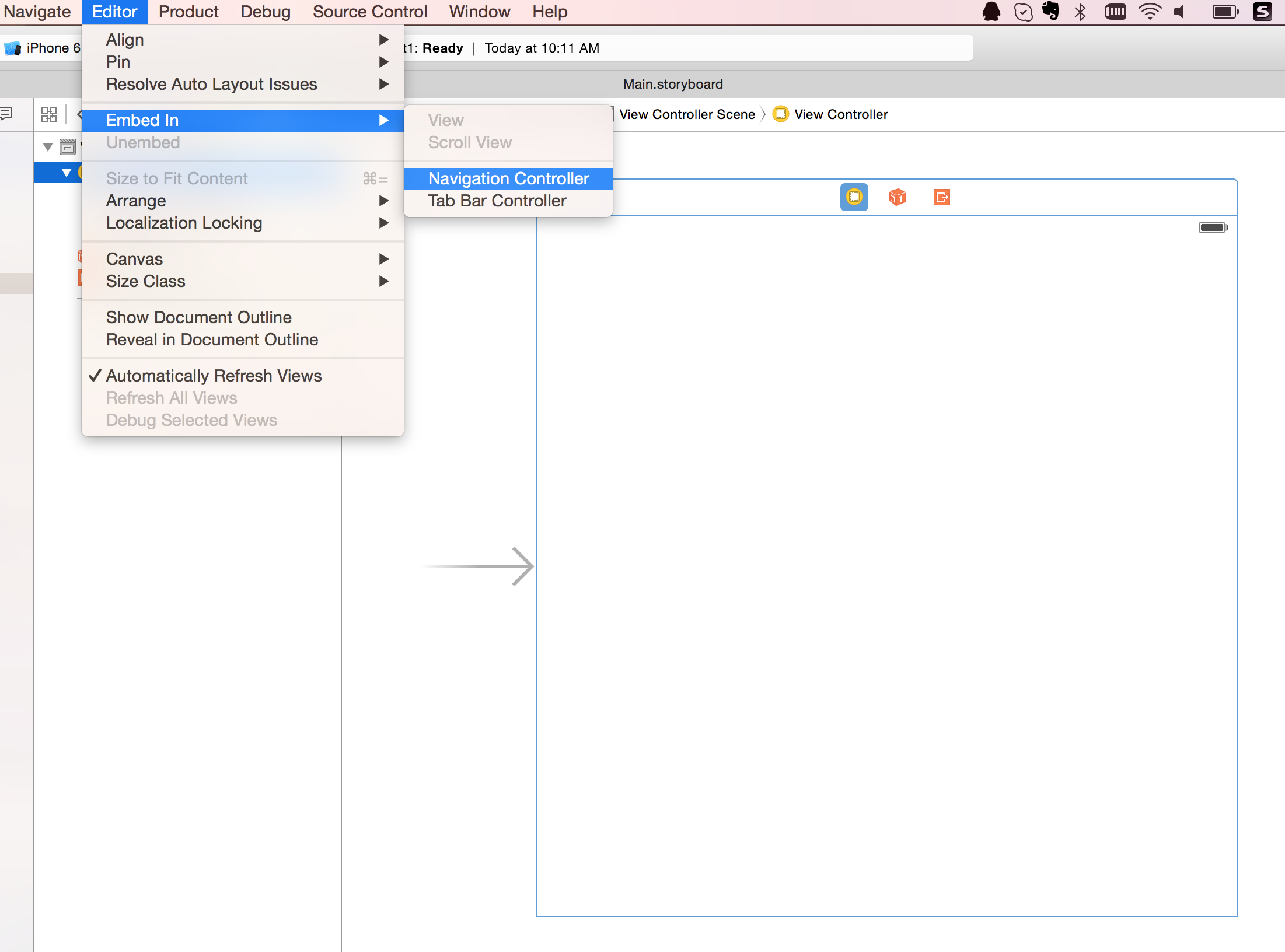

- (void)viewDidLoad {

    [super viewDidLoad];

    self.edgesForExtendedLayout = UIRectEdgeNone;

}
将edgesForExtendedLayout设置成UIRectEdgeNone,表明View是不要扩展到整个屏幕的。页面效果如下:

UIRectEdge是个枚举类型,其他的值通过字面意思也是非常容易理解的。
typedef enum : NSUInteger {

   UIRectEdgeNone   = 0,

   UIRectEdgeTop    = 1 << 0,

   UIRectEdgeLeft   = 1 << 1,

   UIRectEdgeBottom = 1 << 2,

   UIRectEdgeRight  = 1 << 3,

   UIRectEdgeAll = UIRectEdgeTop | UIRectEdgeLeft | UIRectEdgeBottom | UIRectEdgeRight

} UIRectEdge;
automaticallyAdjustsScrollViewInsets
这个属性用于如果页面是ScrollView或者UITableView,通常我们希望ScrollView或者UITableView内容显示是在UINavigation Bar下面。
通过设置edgesForExtendedLayout = UIRectEdgeNone或者self.navigationController.navigationBar.translucent = NO;可以让view的布局从UINavigation Bar下面开始,不过一个副作用就是当页面滑动的时候,view是没有办法占据全屏的。
automaticallyAdjustsScrollViewInsets就可以很好的完成这个需求。
self.automaticallyAdjustsScrollViewInsets = NO;
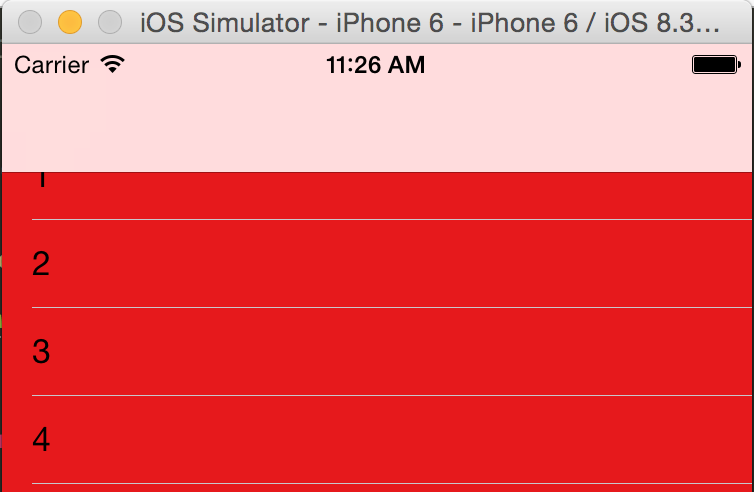
这时UITableView会被UINavigation Bar遮挡住。
self.automaticallyAdjustsScrollViewInsets = YES;
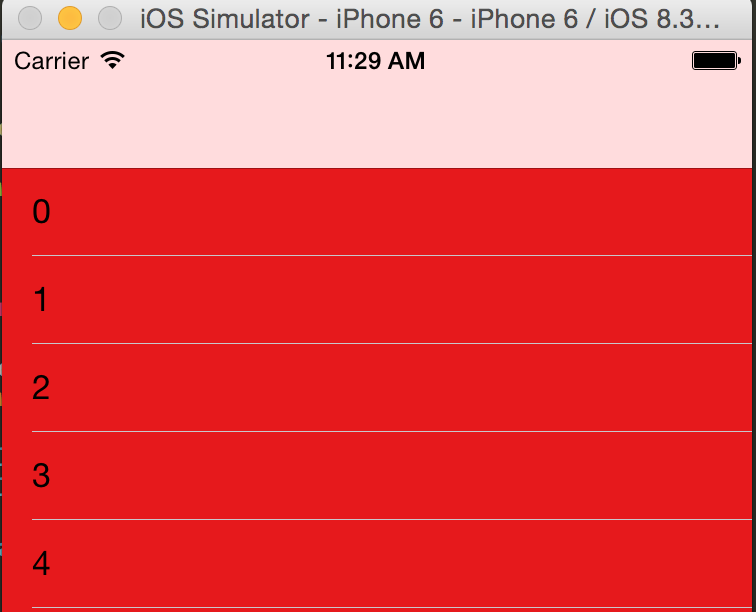
这时可以看到UITableView的内容会从UINavigation Bar下面开始,并且这个页面的View还是占据整个屏幕的,所以这一个属性完全搞定!
extendedLayoutIncludesOpaqueBars
如果状态栏是不透明的,那么页面的布局默认是不会包含状态栏的,除非将这个属性设置成为YES。所以如果你的页面扩展到Navigation Bar (edgesForExtendedLayout=UIRectEdgeAll),要是这个属性设置成NO (default), 如果状态栏是不透明的话,页面是不会扩展到状态栏的。
在这篇文章http://redth.codes/ios7-full-screen-layout/里面提到有些时候automaticallyAdjustsScrollViewInsets并不能帮助我们正常计算ScrollView/TableView的Inset,这时候就自己设置咯。
self.myTableView.contentInset = UIEdgeInsetsMake(64, 0, 0, 0);
有兴趣同学可以关注微信公众号奶爸码农,不定期分享投资理财、IT相关内容:

浅析extendedLayout, automaticallyAdjustsScrollViewInsets, extendedLayoutIncludesOpaqueBars的更多相关文章
- edgesForExtendedLayout,automaticallyAdjustsScrollViewInsets, extendedLayoutIncludesOpaqueBars的影响
在IOS7以后 ViewController 开始使用全屏布局的,而且是默认的行为通常涉及到布局 就离不开这个属性 edgesForExtendedLayout,它是一个类型为UIExtendedEd ...
- Explaining difference between automaticallyAdjustsScrollViewInsets, extendedLayoutIncludesOpaqueBars, edgesForExtendedLayout
automaticallyAdjustsScrollViewInsets:在导航栏透明时用到 In your viewDidLoad method, add if([self respondsToSe ...
- iOS系统中导航栏的转场解决方案与最佳实践
背景 目前,开源社区和业界内已经存在一些 iOS 导航栏转场的解决方案,但对于历史包袱沉重的美团 App 而言,这些解决方案并不完美.有的方案不能满足复杂的页面跳转场景,有的方案迁移成本较大,为此我们 ...
- iOS edgesForExtendedLayout、extendedLayoutIncludesOpaqueBars、automaticallyAdjustsScrollViewInsets属性详解
edgesForExtendedLayout: 在IOS7以后 ViewController 开始使用全屏布局的,而且是默认的行为通常涉及到布局,就离不开这个属性 edgesForExtendedLa ...
- edgesForExtendedLayout、extendedLayoutIncludesOpaqueBars、automaticallyAdjustsScrollViewInsets属性详解 )——转载
edgesForExtendedLayout: 在ios7适配中,布局问题是一个很头痛也很重要的问题,因为在ios7中viewController使用了全屏布局的方式,也就是说导航栏和状态栏都是不占实 ...
- 与导航栏下控件的frame相关的edgesForExtendedLayout、translucent、extendedLayoutIncludesOpaqueBars、automaticallyAdjustsScrollViewInsets等几个属性的详解
在引入了导航控制器UINavigationController和分栏控制器UITabBarController之后,我们在设置控件的frame的时候就需要注意避开导航栏UINavigationBar ...
- [IOS]edgesForExtendedLayout、automaticallyAdjustsScrollViewInsets
在IOS7以后 ViewController 开始使用全屏布局的,而且是默认的行为通常涉及到布局 就离不开这个属性 edgesForExtendedLayout,它是一个类型为UIExtendedEd ...
- SQL Server on Linux 理由浅析
SQL Server on Linux 理由浅析 今天的爆炸性新闻<SQL Server on Linux>基本上在各大科技媒体上刷屏了 大家看到这个新闻都觉得非常震精,而美股,今天微软开 ...
- 【深入浅出jQuery】源码浅析--整体架构
最近一直在研读 jQuery 源码,初看源码一头雾水毫无头绪,真正静下心来细看写的真是精妙,让你感叹代码之美. 其结构明晰,高内聚.低耦合,兼具优秀的性能与便利的扩展性,在浏览器的兼容性(功能缺陷.渐 ...
随机推荐
- poj 3903 Stock Exchange(最长上升子序列,模版题)
题目 #include<stdio.h> //最长上升子序列 nlogn //入口参数:数组名+数组长度,类型不限,结构体类型可以通过重载运算符实现 //数组下标从1号开始. int bs ...
- POJ 1468
#include <iostream> #define MAXN 5005 using namespace std; struct node { int b_x; int b_y; int ...
- procedure can't return a result set in the given context
调用存储过程失败!出现如下错误:PROCEDURE ipbx.qu_ery can't return a result set in the given context, ipbx是数据库, qu_e ...
- MySQL Date 函数
MySQL Date 函数 下面的表格列出了 MySQL 中最重要的内建日期函数: 函数 描述 NOW() 返回当前的日期和时间 CURDATE() 返回当前的日期 CURTIME() 返回当前的时间 ...
- poj 1085 Triangle War 博弈论+记忆化搜索
思路:总共有18条边,9个三角形. 极大极小化搜索+剪枝比较慢,所以用记忆化搜索!! 用state存放当前的加边后的状态,并判断是否构成三角形,找出最优解. 代码如下: #include<ios ...
- 如何理解 MySQL 中的 <=> 操作符?
问题 : 我在看以前的一个开发者的代码时看到 WHERE p.name <=> NULL 在这个查询语句中 <=>符号是什么意思啊?是不是和 =号是一样啊?还是一个语法错误啊? ...
- Jackson学习笔记-对象序列化
一.用ObjectMapper.readValue(jsonString, Student.class) , ObjectMapper.writeValueAsString(student) impo ...
- 创业者拿到融资别高兴太早,当心TS中的优先清算权
最近创投圈的新闻读起来真是让人有些绝望啊,一家家创业公司接连宣告倒闭,其中不乏一些走在比较后面的“明星企业”,冷不丁冒出点消息,却是创始人发的公告,宣布公司资金链断裂,进入破产清算程序,或被低价并购. ...
- JavaWeb笔记——注册登录系统项目思路
功能: > 注册 > 登录 --------------------------------- JSP: * login.jsp --> 登录表单 * regist ...
- centos使用fuse挂载NTFS
FUSE:用户空间文件系统(Filesystem in Userspace),是Linux 中用于挂载某些网络空间,如SSH,到本地文件系统的模块.如果装的是双系统,centOS并不支持ntfs分区, ...