
(二)Redis在Mac下的安装与SpringBoot中的配置
1 下载Redis
- 官网下载,下载 stable 版本,稳定版本。
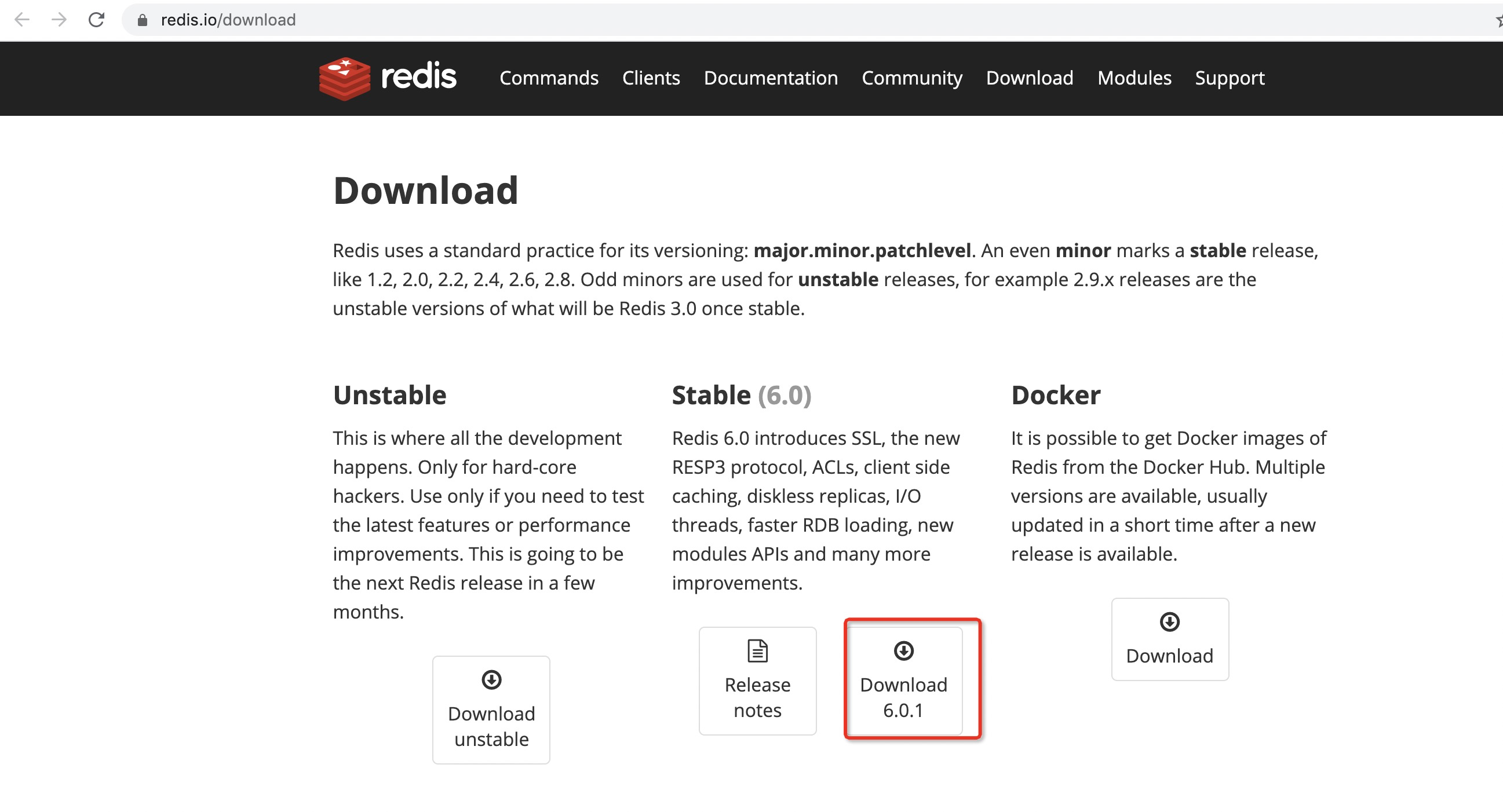
建议下载5.0.8版本的Redis
2 本地安装
- 解压:
tar zxvf redis-5.0.8.tar.gz - 移动到: sudo
mv redis-5.0.8 /usr/local/ - 切换到:
cd /usr/local/redis-5.0.8/ - 编译测试
sudo make test - 编译安装
sudo make install
3 Redis 的启动与停止
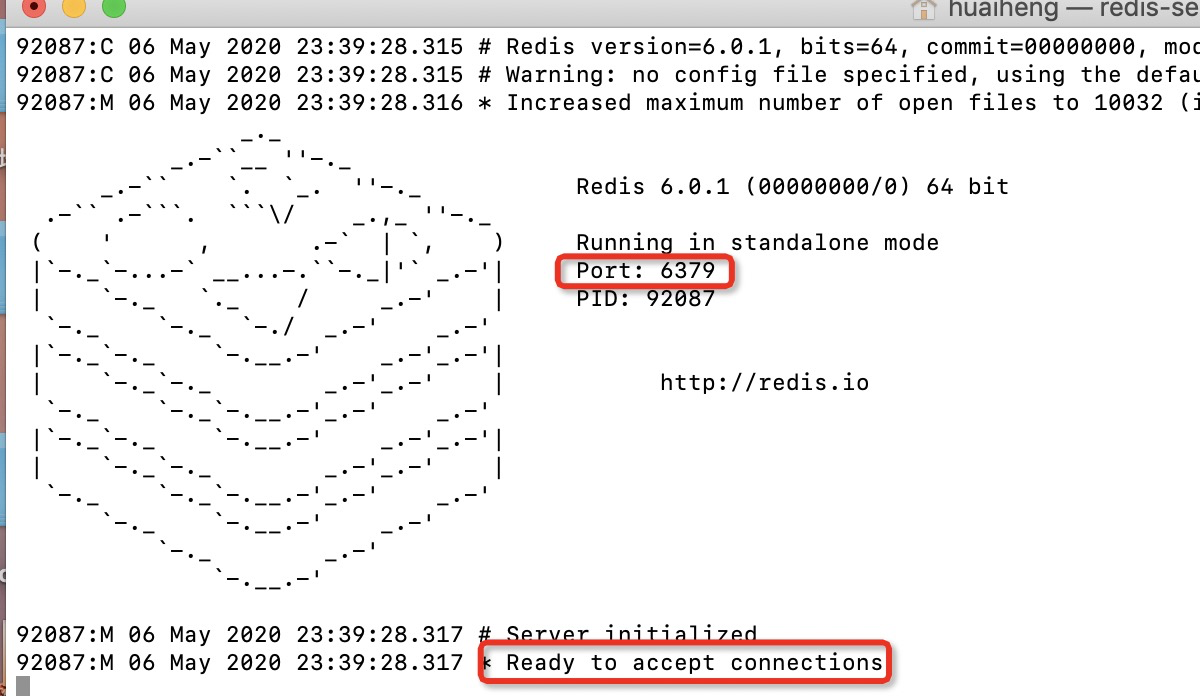
启动方式:直接启动 Redis: redis-server ,成功后会看到下图:
关闭方式:登陆客户端,在客户端执行 SHUTDOWN 可关闭 redis 服务,如果关闭不了就加一个参数,执行SHUTDOWN NOSAVE可关闭redis 服务,其中:
登陆客户端方式:redis-cli
设置为后台启动:https://blog.csdn.net/ksdb0468473/article/details/52126009
设置完毕后启动命令为:redis-server redis.conf
查看是否启动成功:ps -ef | grep redis
4 客户端常用命令
| 命令 | 用途 |
|---|---|
| set key value | 设置 key 的值 |
| get key | 获取 key 的值 |
| exists key | 查看此 key 是否存在,存在返回1,不存在返回0 |
| keys * | 查看所有的 key |
| del key | 删除指定key,若成功则返回1,否则返回0 |
| flushall | 消除所有的 key |
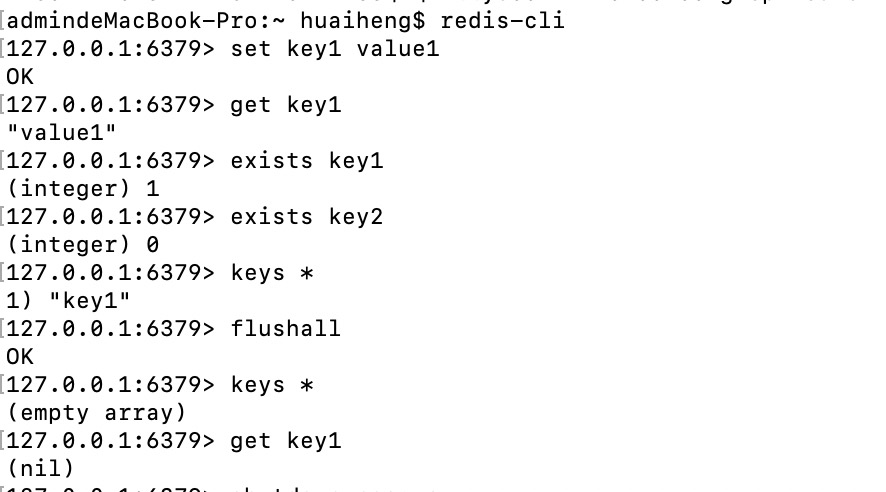
用法如下:
5 SpringBoot整合Redis
pom依赖:
<dependency>

    <groupId>org.springframework.boot</groupId>

     <artifactId>spring-boot-starter-redis</artifactId>

     <version>1.4..RELEASE</version>

</dependency>
在配置文件application.properities中加入Redis的连接配置:
spring.redis.host=127.0.0.1

spring.redis.port=
Redis自定义注入Bean组件配置:
package com.practice.demo.config;

import org.springframework.beans.factory.annotation.Autowired;

import org.springframework.context.annotation.Bean;

import org.springframework.context.annotation.Configuration;

import org.springframework.data.redis.connection.RedisConnectionFactory;

import org.springframework.data.redis.core.RedisTemplate;

import org.springframework.data.redis.core.StringRedisTemplate;

import org.springframework.data.redis.serializer.JdkSerializationRedisSerializer;

import org.springframework.data.redis.serializer.StringRedisSerializer;

/**

 * 配置Redis的两个操作组件:RedisTemplate & StringRedisTemplate

 * */

@Configuration

public class CommonConfig {

    @Autowired

    private RedisConnectionFactory redisConnectionFactory;

    @Bean

    public RedisTemplate<String, Object> redisTemplate(){

        RedisTemplate<String, Object> redisTemplate = new RedisTemplate<>();

        redisTemplate.setConnectionFactory(redisConnectionFactory);

        redisTemplate.setKeySerializer(new StringRedisSerializer());

        redisTemplate.setValueSerializer(new JdkSerializationRedisSerializer());

        redisTemplate.setHashKeySerializer(new StringRedisSerializer());

        return redisTemplate;

    }

    @Bean

    public StringRedisTemplate stringRedisTemplate(){

        StringRedisTemplate stringRedisTemplate = new StringRedisTemplate();

        stringRedisTemplate.setConnectionFactory(redisConnectionFactory);

        return stringRedisTemplate;

    }

}
Redis读写字符串测试Demo如下,需要注意的是,Redis除了支持字符串外,还支持列表、集合、有序集合、哈希存储等多种数据结构。
package com.practice.demo.config;

import com.alibaba.fastjson.JSON;

import com.alibaba.fastjson.JSONObject;

import org.assertj.core.util.Lists;

import org.junit.jupiter.api.Test;

import org.junit.runner.RunWith;

import org.springframework.beans.factory.annotation.Autowired;

import org.springframework.boot.test.context.SpringBootTest;

import org.springframework.data.redis.core.ListOperations;

import org.springframework.data.redis.core.RedisTemplate;

import org.springframework.data.redis.core.SetOperations;

import org.springframework.data.redis.core.ValueOperations;

import org.springframework.test.context.junit4.SpringJUnit4ClassRunner;

import java.util.*;

import java.util.concurrent.TimeUnit;

@RunWith(SpringJUnit4ClassRunner.class)

@SpringBootTest

public class RedisTest {

    @Autowired

    private RedisTemplate redisTemplate;

    /********************字符串类型********************/

    /**

     * 读写变量

     */

    @Test

    public void writeAndRead() {

        String key = "redisKey";

        String value = "redisValue";

        ValueOperations valueOperations = redisTemplate.opsForValue();

        // 设置数据存在的时间

        valueOperations.set(key, value, , TimeUnit.SECONDS);

        Object result = valueOperations.get(key);

        System.out.println("读取的内容:" + result);

    }

}
注意在启动前需要先将Redis启动,如果运行上述Demo后的结果与下面一致,说明Redis在SpringBoot中的配置正确。

(二)Redis在Mac下的安装与SpringBoot中的配置的更多相关文章
- Redis在Mac下的安装与使用方法
首先从Redis官网http://www.redis.io去下载最新版本的Redis安装文件(此处以Redis版本为例进行说明). Redis 2.6.16版本的下载地址:http://downl ...
- nginx详解(代理服务器的解释+nginx 在linux 下的安装+nginx.conf 中的配置解释)
一.概论 1.什么是代理服务器 代理服务器,客户机在发送请求时,不会直接发送给目的主机,而是先发送给代理服务器,代理服务接受客户机请求之后,再向主机发出,并接收目的主机返回的数据,存放在代理服务器的硬 ...
- Mac下Tomcat安装与Intellij IDEA配置Tomcat
Mac下Tomcat安装与Intellij IDEA配置Tomcat 一 安装 1 下载地址:https://tomcat.apache.org/download-90.cgi 2 将压缩包解压后移至 ...
- Mac下新安装的MySQL无法登陆root用户解决方法
一 设置MySQL命令行搜索路径 0.苹果->系统偏好设置->最下边点mysql 在弹出页面中 启动mysql服务 1.打开终端,输入: sudo vi ~/.bash_profile ...
- Mac 下 docker安装
http://www.th7.cn/system/mac/201405/56653.shtml Mac 下 docker安装 以及 处理错误Cannot connect to the Docker d ...
- Mac下Jekyll安装
之前一直用Wordpress,虽然功能强大,各种插件各种bug,如果想弄个主题,折腾得要命.最近改用jekyll+gitHub免费空间.记录一下. 我用的是Mac,所以只讲述Mac下如何安装,Wind ...
- redis 在Linux下的安装与配置
redis在Linux下的安装与配置 by:授客 QQ:1033553122 测试环境 redis-3.0.7.tar.gz 下载地址: http://redis.io/download http: ...
- Mac下Maven安装与配置
Mac下Maven安装与配置 下载maven http://maven.apache.org/download.cgi main->download菜单下的Files 下载后解压在Documen ...
- Mac下删除安装的pkg
Mac下的安装和删除都比windows更加简单清晰,这点在dmg方式下非常明显,但很多时候我们会使用pkg来进行安装,这样的安装想删除就有点麻烦了. 比如,我安装了Golang这个pkg用于g ...
随机推荐
- 官方解读:Salesforce线上考试新政与福利
随着疫情在世界范围内的迅速蔓延,Salesforce推出了一系列的线上认证考试改进方案,方便Salesforce从业者在疫情阶段也能够安全.便利地参与考试,今天让我们一起来捋一捋那些,和我们密切相关的 ...
- Gradle系列之Groovy基础篇
原文发于微信公众号 jzman-blog,欢迎关注交流. 上一篇学习了 Gradle 的入门知识,Gradle 基于 Groovy,今天学习一下 Groovy 的基础知识,Groovy 是基于 JVM ...
- 参数化parameterized
pip install parameterized 注意:之前的nose-parameterized已经更新为parameterized库了 模块下测试方法直接使用parameterized impo ...
- python-用户输入和while循环
函数input() 比较大小要同类型: age=iput() 21 age=int(age) age>=10 true prompt = "If you tell us who you ...
- MVC-过滤器-权限认证
过滤器主要基于特性,aop来实现对MVC管道中插入其他处理逻辑.比如,访问网站,需要检查是否已经登陆,若没登陆跳入登陆界面. 样例: 方法注册 执行效果 当不符合认证时: 上面是方法注册特性.还有类注 ...
- Java标识符中常见的命名规则
标识符:就是给类,接口,方法,变量等起名字.组成规则:A:英文字母大小写B:数字字符C:$和_注意事项:A:不能以数字开头B:不能使Java中的关键字C:Java语言严格区分大小写常见的命名规则:见名 ...
- 什么是LVM
LVM是逻辑盘卷管理(Logical Volume Manager)的简称,它是Linux环境下对磁盘分区进行管理的一种机制,LVM是建立在硬盘和分区之上的一个逻辑层,来提高磁盘分区管理的灵活性.前面 ...
- 个人理解Linux文件权限--以前记录的,根据鸟哥的第二版去解释的
ps:鸟哥的第三版私房菜印刷的有问题 上面的意思:d指的是目录 档案拥有者权限:r可读w可写,x,可运行, 同群组的权限:r可读,这段有个-号,表示不可写,x表示可运行 其他非本群组的权限:r可读,这 ...
- 关于Swiper和vue数据顺序加载问题处理
在使用swiper插件的时候,常常因为异步加载数据产生的顺序问题而使插件不能正常实行,所以可以使用vue的updated来解决. 问:什么时候 进updated方法? 答:只有事先设置好的data变量 ...
- PHP中静态(static)调用非静态方法详解--调用!!!
来源:https://www.cnblogs.com/yolo-bean/p/7739265.html 这里分析了php面向对象中static静态属性和静态方法的调用.关于它们的调用(能不能调用,怎么 ...