
实战ELK(2) ElasticSearch 常用命令
1、Cluster Health 集群状态
curl 'localhost:9200/_cat/health?v'

yellow代表分片副本确实,因为我们现在只有一台机器。
curl 'localhost:9200/_cat/nodes?v'

2、List All Indices 查询所有的索引
curl 'localhost:9200/_cat/indices?v'

3、Create an Index 创建索引
curl -XPUT 'localhost:9200/customer?pretty'
这个pretty的意思格式化返回的json,大家可以去掉试试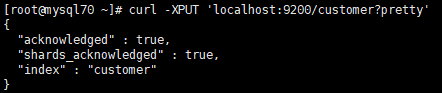
curl 'localhost:9200/_cat/indices?v'

health | index      | pri   | rep   | docs.count | docs.deleted | store.size | pri.store.size

yellow | customer   | 5     | 1     | 0          |0             | 495b       | 495b
4、Index and Query 索引文档操作
创建或者更新:
curl -H "Content-Type: application/json" -XPUT 'localhost:9200/customer/external/1?pretty' -d'

{

    "name":"腊肉"

}'
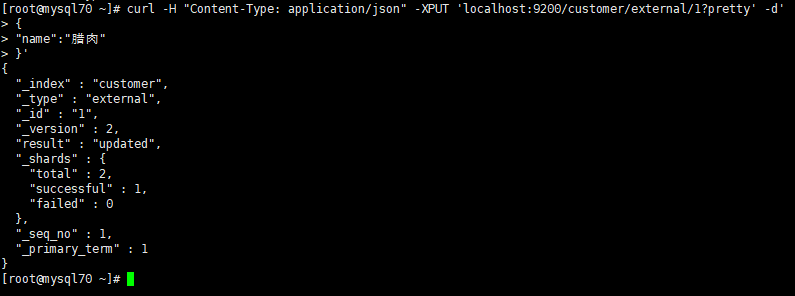
小提示:6.0的版本不允许一个index下面有多个type,并且官方说是在接下来的7.0版本中会删掉type
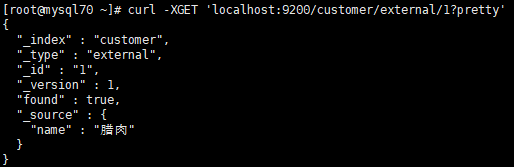
查询:
curl -XGET 'localhost:9200/customer/external/1?pretty'
更新文档
curl -XPOST 'localhost:9200/customer/external/1/_update?pretty' -d' { "doc": { "name": "Jane Doe" } }'

curl -XPOST 'localhost:9200/customer/external/1/_update?pretty' -d ' { "doc": { "name": "Jane Doe", "age": 20 } }'
Script:
curl -XPOST 'localhost:9200/customer/external/1/_update?pretty' -d ' { "script" : "ctx._source.age += 5" }'Error:
{

  "error" : {

    "root_cause" : [ {

      "type" : "remote_transport_exception",

      "reason" : "[Angelica Jones][127.0.0.1:9300][indices:data/write/update[s]]"

    } ],

    "type" : "illegal_argument_exception",

    "reason" : "failed to execute script",

    "caused_by" : {

      "type" : "script_exception",

      "reason" : "scripts of type [inline], operation [update] and lang [groovy] are disabled"

    }

  },

  "status" : 400

}Solution:elasticsearch.yml
script.inline: on

script.indexed: on
删除文档
curl -XDELETE 'localhost:9200/customer/external/2?pretty’The delete-by-query plugin can delete all documents matching a specific query.
XPUT与XPOST的不同
PUT是幂等方法,而POST并不是。
PUT用于更新操作,POST用于新增操作比较合适。
PUT,DELETE操作是幂等的,所谓幂等就是指不管进行多少次操作,结果都一样。
比如,我用PUT修改一篇文章,然后在做同样的操作,每次操作后的结果并没有不同,DELETE也是一样。
POST操作不是幂等,比如常见的POST重复加载问题:当我们多次发出同样的POST请求后,其结果是创建出了若干的资源。
还有一点需要注意的是,创建操作可以使用POST,也可以使用PUT。区别在于POST是作用在一个集合资源之上的(/articles),而PUT操作是作用在一个具体资源之上的(/articles/123),比如说很多资源使用数据库自增主键作为标识信息,而创建的资源的标识信息到底是什么只能由服务端提供,这个时候就必须使用POST。
5、Delete an Index 删除索引
curl -XDELETE 'localhost:9200/customer?pretty'

curl 'localhost:9200/_cat/indices?v'

health | index | pri | rep | docs.count | docs.deleted  | store.size | pri.store.size
curl -X :///
6、批量操作
curl -XPOST 'localhost:9200/customer/external/_bulk?pretty' -d

'{"index":{"_id":"1”}}

 {"name": "John Doe” }

 {"index":{"_id":"2”}}

 {"name": "Jane Doe" } ‘
Delete:
curl -XPOST 'localhost:9200/customer/external/_bulk?pretty' -d

' {"update":{"_id":"1”}}

 {

    "doc": { "name": "John Doe becomes Jane Doe" }

 }

 {"delete":{"_id":"2"}} ‘
7、The Search API
curl 'localhost:9200/customer/_search?q=*&pretty’took –
time in milliseconds for Elasticsearch to execute the search
timed_out –
tells us if the search timed out or not
_shards –
tells us how many shards were searched, as well as a count of the successful/failed searched shards
hits –
search results
hits.total –
total number of documents matching our search criteria
hits.hits –
actual array of search results (defaults to first 10 documents)
_score and max_score -
ignore these fields for now
XPOST:
curl -XPOST 'localhost:9200/customer/_search?pretty' -d ' { "query": { "match_all": {} } }'NO CURSOR DON’T LIKE SQL
8、查询语句
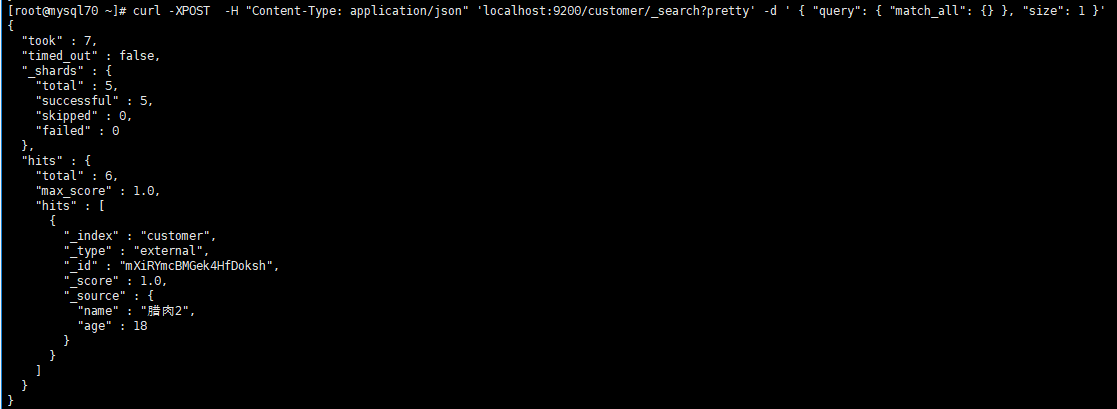
curl -XPOST -H "Content-Type: application/json" 'localhost:9200/customer/_search?pretty' -d ' { "query": { "match_all": {} }, "size": 1 }'
curl -XPOST  -H "Content-Type: application/json" 'localhost:9200/customer/_search?pretty' -d ' { "query": { "match_all": {} }, "from": 10, "size": 10 }'

curl -XPOST  -H "Content-Type: application/json" 'localhost:9200/customer/_search?pretty' -d ' { "query": { "match_all": {} }, "sort": { "balance": { "order": "desc" } } }'
这里size的意思是返回多少条,from是从第几条开始。
基础查询
Fields:字段
curl -XPOST 'localhost:9200/customer/_search?pretty' -d ' { "query": { "match_all": {} }, "_source": ["account_number", "balance"] }'返回account numbered 为20:
curl -XPOST 'localhost:9200/customer/_search?pretty' -d ' { "query": { "match": { "account_number": 20 } } }'address中包含term "mill" :
curl -XPOST 'localhost:9200/customer/_search?pretty' -d ' { "query": { "match": { "address": "mill" } } }'address中包含term "mill" 或"lane" in the address:
curl -XPOST 'localhost:9200/customer/_search?pretty' -d ' { "query": { "match": { "address": "mill lane" } } }'address中包含phrase "mill lane":
curl -XPOST 'localhost:9200/customer/_search?pretty' -d ' { "query": { "match_phrase": { "address": "mill lane" } } }'
AND
curl -XPOST 'localhost:9200/bank/_search?pretty' -d ' { "query": { "bool": { "must": [ { "match": { "address": "mill" } }, { "match": { "address": "lane" } } ] } } }'OR
curl -XPOST 'localhost:9200/bank/_search?pretty' -d ' { "query": { "bool": { "should": [ { "match": { "address": "mill" } }, { "match": { "address": "lane" } } ] } } }'NOR
curl -XPOST 'localhost:9200/bank/_search?pretty' -d ' { "query": { "bool": { "must_not": [ { "match": { "address": "mill" } }, { "match": { "address": "lane" } } ] } } }'Anybody who is 40 years old but don’t live in ID(aho):
curl -XPOST 'localhost:9200/bank/_search?pretty' -d ' { "query": { "bool": { "must": [ { "match": { "age": "40" } } ], "must_not": [ { "match": { "state": "ID" } } ] } } }'
Range Query:
curl -XPOST 'localhost:9200/bank/_search?pretty' -d ' { "query": { "bool": { "must": { "match_all": {} }, "filter": { "range": { "balance": { "gte": 20000, "lte": 30000 } } } } } }'Executing Aggregations聚合
Groups all the accounts by state, and then returns the top 10 (default) states sorted by count descending (also default):
curl -XPOST 'localhost:9200/bank/_search?pretty' -d '

{

  "size": 0,

  "aggs": {

    "group_by_state": {

      "terms": {

        "field": "state"

      }

    }

  }

}'

SELECT state, COUNT(*) FROM bank GROUP BY state ORDER BY COUNT(*) DESC
Calculates the average account balance by state:
curl -XPOST 'localhost:9200/bank/_search?pretty' -d ' { "size": 0, "aggs": { "group_by_state": { "terms": { "field": "state" }, "aggs": { "average_balance": { "avg": { "field": "balance" } } } } } }'
You can nest aggregations inside aggregations arbitrarily to extract pivoted summarizations that you require from your data.
Sort on the average balance in descending order:
  curl -XPOST 'localhost:9200/bank/_search?pretty' -d '

  {

    "size": 0,

    "aggs": {

      "group_by_state": {

        "terms": {

          "field": "state",

          "order": {

            "average_balance": "desc"

          }

        },

        "aggs": {

          "average_balance": {

            "avg": {

              "field": "balance"

            }

          }

        }

      }

    }

  }'
Group by age brackets (ages 20-29, 30-39, and 40-49), then by gender, and then finally get the average account balance, per age bracket, per gender:
curl -XPOST 'localhost:9200/bank/_search?pretty' -d '
{
"size": 0,
"aggs": {
"group_by_age": {
"range": {
"field": "age",
"ranges": [
{
"from": 20,
"to": 30
},
{
"from": 30,
"to": 40
},
{
"from": 40,
"to": 50
}
]
},
"aggs": {
"group_by_gender": {
"terms": {
"field": "gender"
},
"aggs": {
"average_balance": {
"avg": {
"field": "balance"
}
}
}
}
}
}
}
}'
Reference
https://www.elastic.co/guide/en/elasticsearch/reference/current/getting-started.html
实战ELK(2) ElasticSearch 常用命令的更多相关文章
- elasticsearch 常用命令 一直红色 重启不稳定 不停的宕机
persistent (重启后设置也会存在) or transient (整个集群重启后会消失的设置). 查看集群状态和每个indices状态.搜索到red的,没用就删除 GET /_cluster/ ...
- Redis 实战 —— 04. Redis 数据结构常用命令简介
字符串 P39 Redis 的字符串是一个有字节组成的序列,可以存储以下 3 种类型的值:字节串(byte string).整数.浮点数. 在需要的时候, Redis 会将整数转换成浮点数.整数的取值 ...
- elasticsearch常用命令
elasticsearch的rest访问格式: curl -X<REST Verb> <Node>:<Port>/<Index>/<Type> ...
- elasticsearch 常用命令
#查看集群状态 curl -XGET "http://localhost:9200/_cluster/health?pretty" #查看所有的快照 curl -XGET &quo ...
- elasticsearch 常用命令(一)
索引 搜索 mapping 分词器 1.创建索引 http://192.168.65.131:9200/smartom_index?pretty 2.查看索引: http://192.168.65.1 ...
- ElasticSearch——常用命令
集群相关 --查询集群健康状态 GET _cluster/health --查询所有节点 GET _cat/nodes --查询索引及分片的分布 GET _cat/shards --查询指定索引分片的 ...
- elasticsearch常用命令备注
1.检查集群健康状态 curl 'localhost:9200/_cat/health?v' 2.检查节点健康状态 curl 'localhost:9200/_cat/nodes?v' 3.新增一条索 ...
- filebeat+ELK配置及常用操作
背景介绍 最近工作涉及几台新服务器的日志需要接入ELK系统,配置思路如下: 使用Filebeat收集本地日志数据,Filebeat监视日志目录或特定的日志文件,再发送到消息队列到kafka,然后log ...
- elasticsearch(四) 之 elasticsearch常用的一些集群命令
目录 elasticsearch常用的一些集群命令 查看集群健康状态 查看集群的节点列表 查看所有的索引 删除索引 查询索引的某个文档内容 更新文档 删除文档 自动创建索引 定时删除索引 elasti ...
随机推荐
- Centos7安装xenserver tools
mount /dev/cdrom /mnt [root@192 ~]# mount /dev/cdrom /mntmount: /dev/sr0 写保护,将以只读方式挂载[root@192 ~]# c ...
- 第九节 java7JDK的常用封装类型
一.Java Scanner类 /初始化一个 scanner 对象. Scanner scanner = new Scanner(System.in); //判断语法 boolean b = scan ...
- document.write与document.getElementById的区别
document.write改变的是整个HTML页面(文档),document.getElementById("demo").innerHTML= 改变的是局部属性
- nginx——Nginx 防爬虫优化
if ($http_user_agent ~* "qihoobot|Baiduspider|Googlebot|Googlebot-Mobile|Googlebot-Image|Mediap ...
- Java notepad++ 配置
1.下载安装插件 NppExec https://nchc.dl.sourceforge.net/project/npp-plugins/NppExec/NppExec%20Plugin%20v0.6 ...
- CSS 实现单、多行文本溢出显示省略号(…)
如果实现单行文本的溢出显示省略号同学们应该都知道用text-overflow:ellipsis属性来,当然还需要加宽度width属来兼容部分浏览. 实现方法: overflow: hidden; te ...
- 使用POI读取xlsx文件,包含对excel中自定义时间格式的处理
package poi; import java.io.File; import java.io.FileInputStream; import java.io.FileNotFoundExcepti ...
- java知识点归集
将工作中,或者看书的过程中碰到的自己之前没有掌握的知识点进行归纳,暂时就碰到什么写什么,后续有一定量的话进行整理: 1. list实现 相关文章:https://zhuanlan.zhihu.com ...
- c语言笔记3运算符与表达式
运算符与表达式 知识点一 操作数:参与运算的具体对象. 运算符:指明了对操作数进行的某项运算. 表达式:表示一个求值得规则.它由变量.常量.运算符和函数.括号按一定规则组成. 书写表达式的细节:1,运 ...
- 各机器学习方法代码(OpenCV2)
#include <iostream> #include <math.h> #include <string> #include "cv.h" ...