
rabbitmq 生产者 消费者(多个线程消费同一个队列里面的任务。) 一个通用rabbitmq消费确认,快速并发运行的框架。
rabbitmq作为消息队列可以有消息消费确认机制,之前写个基于redis的通用生产者 消费者 并发框架,redis的list结构可以简单充当消息队列,但不具备消费确认机制,随意关停程序,会丢失一部分正在程序中处理但还没执行完的消息。基于redis的与基于rabbitmq相比对消息消费速度和消息数量没有天然的支持。
使用rabbitmq的最常用库pika
不管是写代码还是运行起来都比celery使用更简单,基本能够满足绝大多数场景使用,用来取代celery worker模式(celery有三个模式,worker模式最常用,其余是定时和间隔时间两种模式)的后台异步的作用。
# coding=utf-8

"""

一个通用的rabbitmq生产者和消费者。使用多个线程消费同一个消息队列。

"""

from collections import Callable

import functools

import time

from threading import Lock

from pika import BasicProperties

# noinspection PyUnresolvedReferences

from app.utils_ydf import (LoggerMixin, LogManager, decorators, RabbitMqHelper, BoundedThreadPoolExecutor)

class RabbitmqPublisher(LoggerMixin):

    def __init__(self, queue_name, log_level_int=1):

        self._queue_name = queue_name

        self.logger.setLevel(log_level_int * 10)

        channel = RabbitMqHelper().creat_a_channel()

        channel.queue_declare(queue=queue_name, durable=True)

        self.channel = channel

        self.lock = Lock()

        self._current_time = None

        self.count_per_minute = None

        self._init_count()

        self.logger.info(f'{self.__class__} 被实例化了')

    def _init_count(self):

        self._current_time = time.time()

        self.count_per_minute = 0

    def publish(self, msg):

        with self.lock:  # 亲测pika多线程publish会出错。

            self.channel.basic_publish(exchange='',

                                       routing_key=self._queue_name,

                                       body=msg,

                                       properties=BasicProperties(

                                           delivery_mode=2,  # make message persistent

                                       )

                                       )

            self.logger.debug(f'放入 {msg} 到 {self._queue_name} 队列中')

            self.count_per_minute += 1

            if time.time() - self._current_time > 60:

                self._init_count()

                self.logger.info(f'一分钟内推送了 {self.count_per_minute} 条消息到 {self.channel.connection} 中')

class RabbitmqConsumer(LoggerMixin):

    def __init__(self, queue_name, consuming_function: Callable = None, threads_num=100, max_retry_times=3, log_level=1, is_print_detail_exception=True):

        """

        :param queue_name:

        :param consuming_function: 处理消息的函数,函数有且只能有一个参数,参数表示消息。是为了简单,放弃策略和模板来强制参数。

        :param threads_num:

        :param max_retry_times:

        :param log_level:

        :param is_print_detail_exception:

        """

        self._queue_name = queue_name

        self.consuming_function = consuming_function

        self.threadpool = BoundedThreadPoolExecutor(threads_num)

        self._max_retry_times = max_retry_times

        self.logger.setLevel(log_level * 10)

        self.logger.info(f'{self.__class__} 被实例化')

        self._is_print_detail_exception = is_print_detail_exception

        self.rabbitmq_helper = RabbitMqHelper(heartbeat_interval=30)

        channel = self.rabbitmq_helper.creat_a_channel()

        channel.queue_declare(queue=self._queue_name, durable=True)

        channel.basic_qos(prefetch_count=threads_num)

        self.channel = channel

        LogManager('pika.heartbeat').get_logger_and_add_handlers(1)

    @decorators.keep_circulating(1)  # 是为了保证无论rabbitmq异常中断多久,无需重启程序就能保证恢复后,程序正常。

    def start_consuming_message(self):

        def callback(ch, method, properties, body):

            msg = body.decode()

            self.logger.debug(f'从rabbitmq取出的消息是:  {msg}')

            # ch.basic_ack(delivery_tag=method.delivery_tag)

            self.threadpool.submit(self.__consuming_function, ch, method, properties, msg)

        self.channel.basic_consume(callback,

                                   queue=self._queue_name,

                                   # no_ack=True

                                   )

        self.channel.start_consuming()

    @staticmethod

    def ack_message(channelx, delivery_tagx):

        """Note that `channel` must be the same pika channel instance via which

        the message being ACKed was retrieved (AMQP protocol constraint).

        """

        if channelx.is_open:

            channelx.basic_ack(delivery_tagx)

        else:

            # Channel is already closed, so we can't ACK this message;

            # log and/or do something that makes sense for your app in this case.

            pass

    def __consuming_function(self, ch, method, properties, msg, current_retry_times=0):

        if current_retry_times < self._max_retry_times:

            # noinspection PyBroadException

            try:

                self.consuming_function(msg)

                # ch.basic_ack(delivery_tag=method.delivery_tag)

                self.rabbitmq_helper.connection.add_callback_threadsafe(functools.partial(self.ack_message, ch, method.delivery_tag))

            except Exception as e:

                self.logger.error(f'函数 {self.consuming_function}  第{current_retry_times+1}次发生错误,\n 原因是{e}', exc_info=self._is_print_detail_exception)

                self.__consuming_function(ch, method, properties, msg, current_retry_times + 1)

        else:

            self.logger.critical(f'达到最大重试次数 {self._max_retry_times} 后,仍然失败')

            # ch.basic_ack(delivery_tag=method.delivery_tag)

            self.rabbitmq_helper.connection.add_callback_threadsafe(functools.partial(self.ack_message, ch, method.delivery_tag))

if __name__ == '__main__':

    rabbitmq_publisher = RabbitmqPublisher('queue_test')

    [rabbitmq_publisher.publish(str(i)) for i in range(1000)]

    def f(msg):

        print('....  ', msg)

        time.sleep(10)  # 模拟做某事需要10秒种。

    rabbitmq_consumer = RabbitmqConsumer('queue_test', consuming_function=f, threads_num=20)

    rabbitmq_consumer.start_consuming_message()
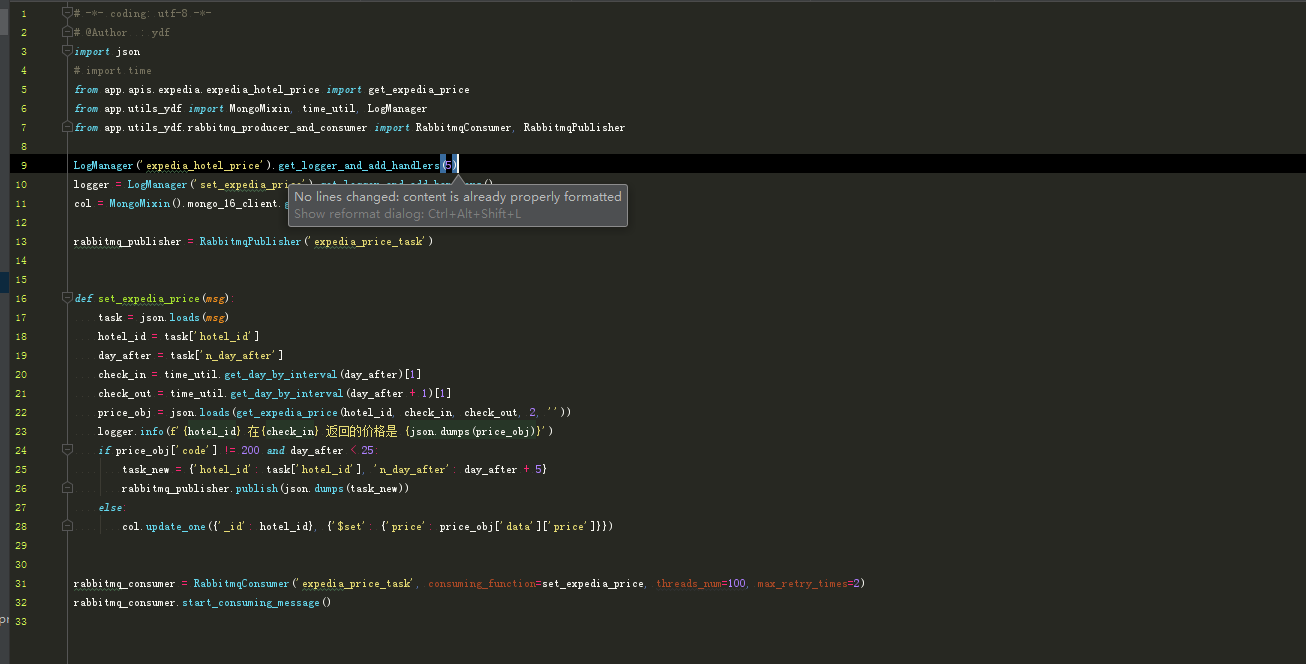
1、放入任务 (图片鼠标右键点击新标签打开查看原图)
 /2、
/2、
2、开启消费者,写一个函数传给消费者类。
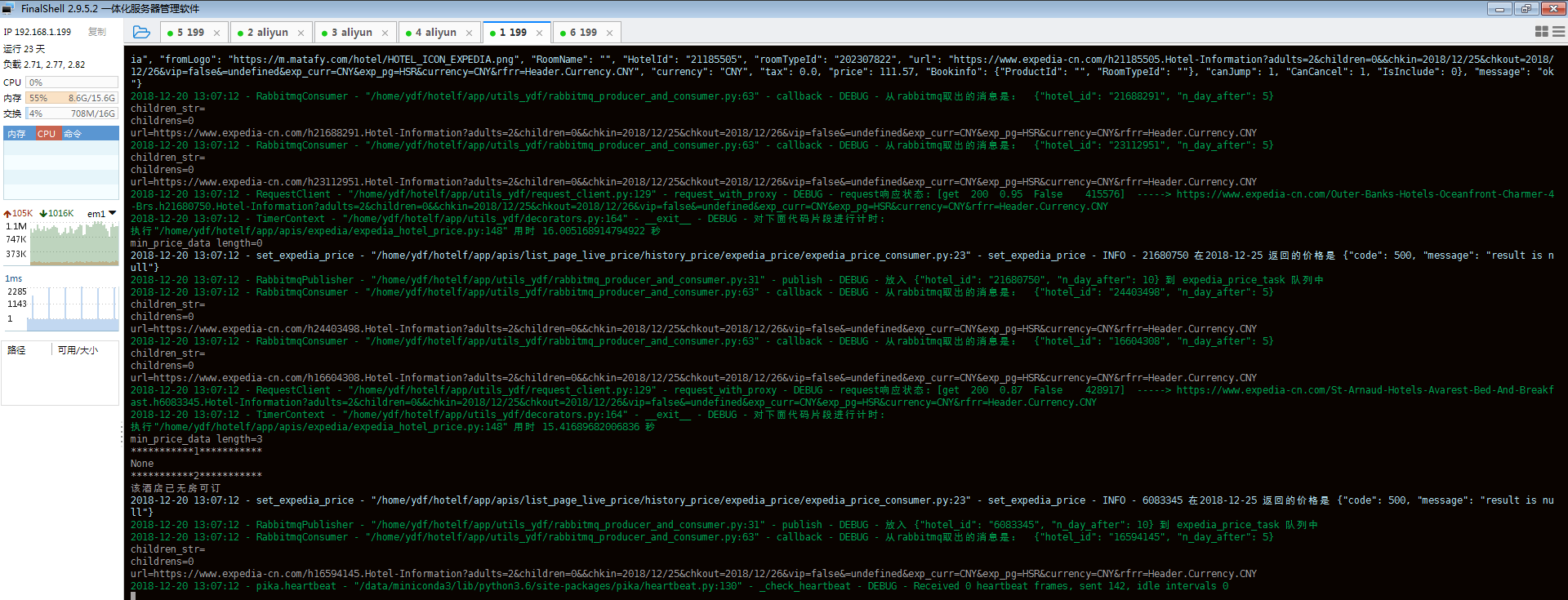
3、并发运行效果。
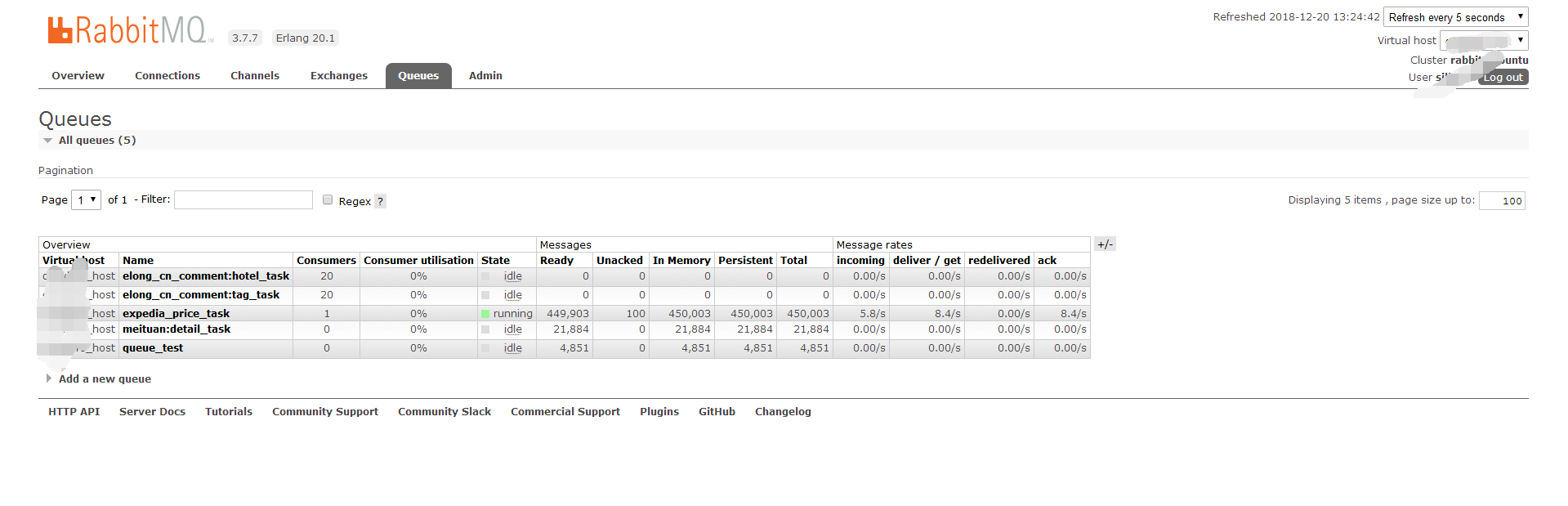
rabbitmq这个专业的消息中间件就是比redis作为消息中间件专业了很多。
rabbitmq 生产者 消费者(多个线程消费同一个队列里面的任务。) 一个通用rabbitmq消费确认,快速并发运行的框架。的更多相关文章
- 消息队列,IPC机制(进程间通信),生产者消费者模型,线程及相关
消息队列 创建 ''' Queue是模块multiprocessing中的一个类我们也可以这样导入from multiprocessing import Queue,创 建时queue = Queue ...
- day35——生产者消费者模型、线程
day35 进程:生产者消费者模型 编程思想,模型,设计模式,理论等等,都是交给你一种编程的方法,以后你遇到类似的情况,套用即可 生产者消费者模型的三要素 生产者:产生数据的 消费者:接收数据做进一步 ...
- 4、网络并发编程--僵尸进程、孤儿进程、守护进程、互斥锁、消息队列、IPC机制、生产者消费者模型、线程理论与实操
昨日内容回顾 操作系统发展史 1.穿孔卡片 CPU利用率极低 2.联机批处理系统 CPU效率有所提升 3.脱机批处理系统 CPU效率极大提升(现代计算机雏形) 多道技术(单核CPU) 串行:多个任务依 ...
- python_way ,day11 线程,怎么写一个多线程?,队列,生产者消费者模型,线程锁,缓存(memcache,redis)
python11 1.多线程原理 2.怎么写一个多线程? 3.队列 4.生产者消费者模型 5.线程锁 6.缓存 memcache redis 多线程原理 def f1(arg) print(arg) ...
- Android-Java多线程通讯(生产者 消费者)&10条线程对-等待唤醒/机制的管理
上一篇博客 Android-Java多线程通讯(生产者 消费者)&等待唤醒机制 是两条线程(Thread-0 / Thread-1) 在被CPU随机切换执行: 而今天这篇博客是,在上一篇博客A ...
- RabbitMQ使用教程(五)如何保证队列里的消息99.99%被消费?
1. 前情回顾 RabbitMQ使用教程(一)RabbitMQ环境安装配置及Hello World示例 RabbitMQ使用教程(二)RabbitMQ用户管理,角色管理及权限设置 RabbitMQ使用 ...
- RabbitMQ生产者消费者
package com.ra.car.rabbitMQ; import java.io.IOException; import java.util.HashMap; import java.util. ...
- RabbitMQ生产者消费者模型构建(三)
ConnectionFactory:获取连接(地址,端口号,用户名,密码,虚拟主机等) Connection:一个连接 Channel:数据通信信道,可发送.接收消息 Queue:具体的消息存储队列 ...
- 如何在 Java 中正确使用 wait, notify 和 notifyAll – 以生产者消费者模型为例
wait, notify 和 notifyAll,这些在多线程中被经常用到的保留关键字,在实际开发的时候很多时候却并没有被大家重视.本文对这些关键字的使用进行了描述. 在 Java 中可以用 wait ...
随机推荐
- python编码转换
Pyton内部的字符串一般都是unicode编码或字节字符串编码:代码中字符串的默认编码与代码文件本身的编码是一致的:编码转换通常需要以unicode编码作为中间编码进行转换,即先将其他编码的字符串解 ...
- Redis、Memcache、MongoDb的优缺点
Redis.Memcache.MongoDb的优缺点 Redis优点 支持多种数据结构,如 string(字符串). list(双向链表).dict(hash表).set(集合).zset(排序set ...
- css3的transform,translate和transition之间的区别与作用
transform 和 translate transform的中文翻译是变换.变形,是css3的一个属性,和其他width,height属性一样 translate 是transform的属性值,是 ...
- JSAP101
JSAP101 1.DOM 1)文档对象模型 文档:把一个Html文件看成一个文档,所以把这个文档看成一个对象.XML文件也可以看成一个文件.XML侧重于存储数据,html主要以展示为主.一个页面就是 ...
- JDBC(14)—对DAO进行改进修改
结构: DAO2_7< T >(接口)->DAOTestImpl< T >(实现类)->CustomerDAO(继承的子类)->CustomerDAOTest ...
- [Web 前端] mobx教程(三)-在React中使用Mobx
copy from : https://blog.csdn.net/smk108/article/details/85053903 Mobx提供了一个mobx-react包帮助开发者方便地在React ...
- Spring @Configuration 和 @Component 区别
Spring @Configuration 和 @Component 区别 一句话概括就是 @Configuration 中所有带 @Bean 注解的方法都会被动态代理,因此调用该方法返回的都是同一个 ...
- spring注解之@PostConstruct在项目启动时执行指定方法
一.注解解释 Spring的@PostConstruct注解在方法上,表示此方法是在Spring实例化该Bean之后马上执行此方法,之后才会去实例化其他Bean,并且一个Bean中@PostConst ...
- SpringBoot(十一):springboot2.0.2下配置mybatis generator环境,并自定义字段/getter/settetr注释
Mybatis Generator是供开发者在mybatis开发时,快速构建mapper xml,mapper类,model类的一个插件工具.它相对来说对开发者是有很大的帮助的,但是它也有不足之处,比 ...
- 发现一个“佛系记账本”
因为这是一款微信小程序,张小龙大力推崇的"用完即走"完美地适合记账应用. 不用下载.不用安装.不用注册.不用各种授权,只要从微信进入,就能记账,账本只与微信关联. 换手机.换PAD ...