
Struts 2.5.20 在Eclipse IDE中的配置和开发实例
零、参考博客
1、Struts框架入门教程
2、Struts 2.5.10.1配置
4、Struts2.5+eclipse+tomcat8.5配置
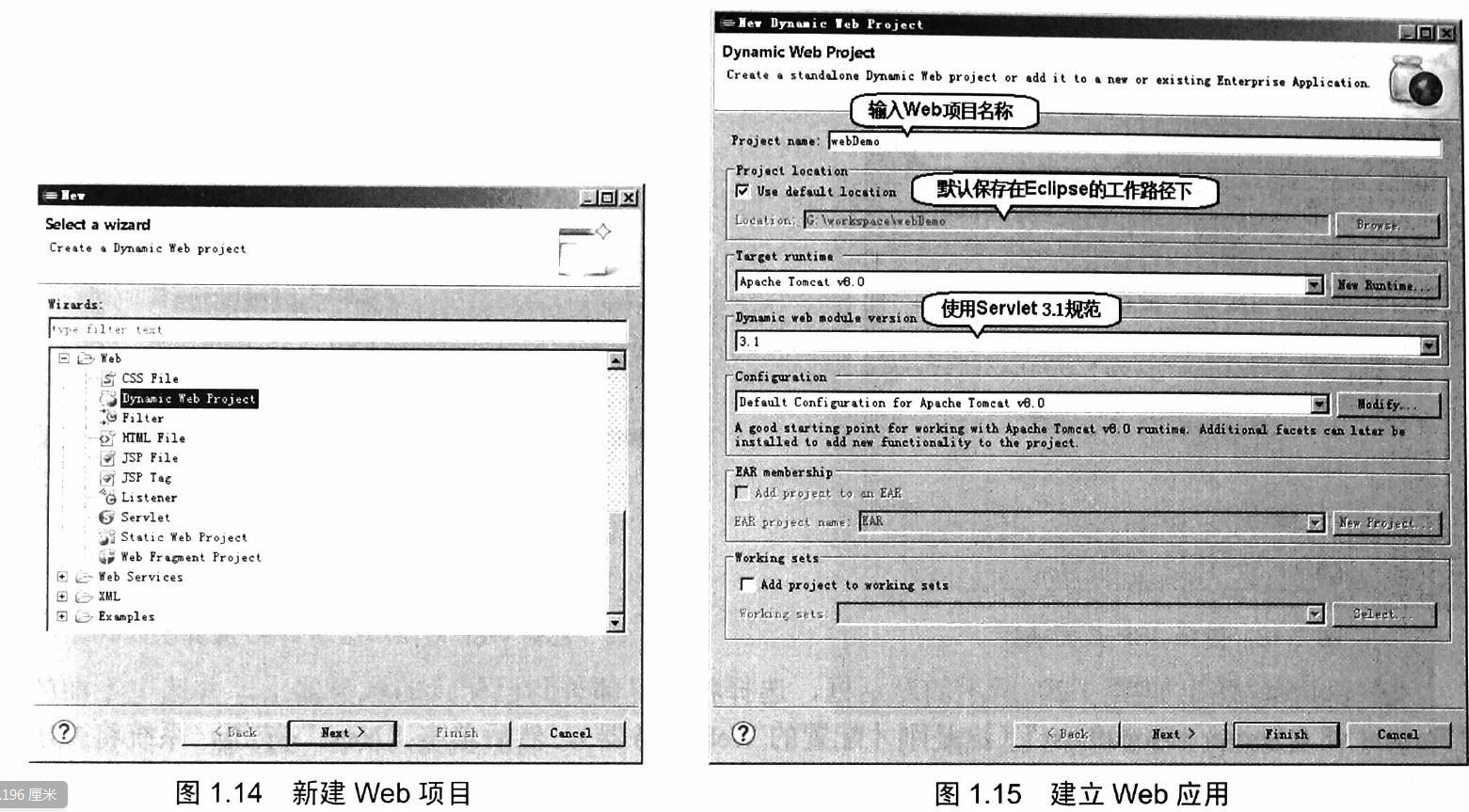
一、创建web工程
老套路,如下所示:



二、下载Struts 2.5.20 jar
1、https://struts.apache.org/download.cgi#struts2520
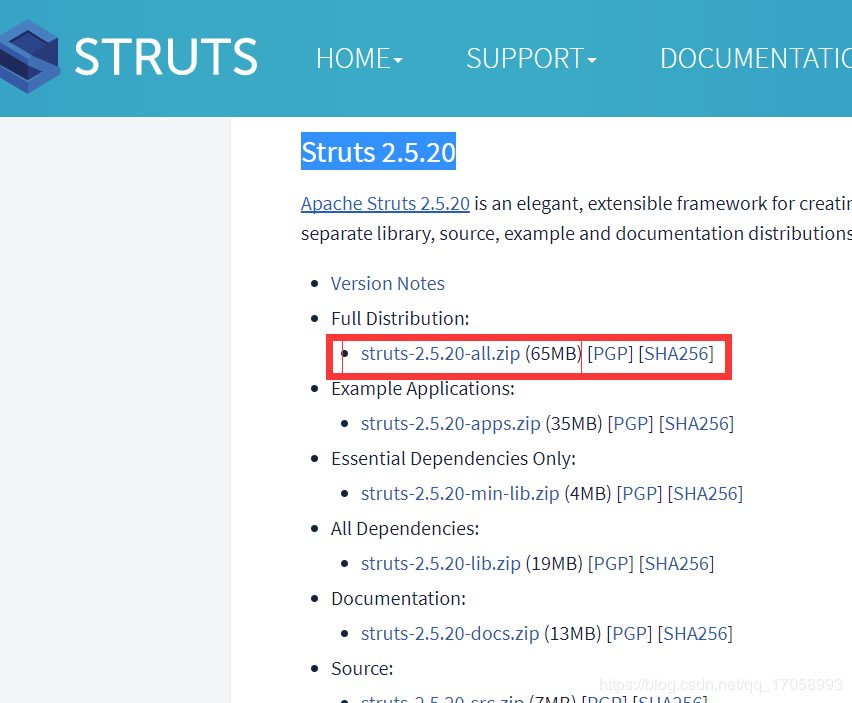
2、从struts-2.5.20-all\struts-2.5.20\lib 中找到下面几个jar,添加到web工程的lib中,(不要将.jar包全部都添加进去,都添进去反而报错)
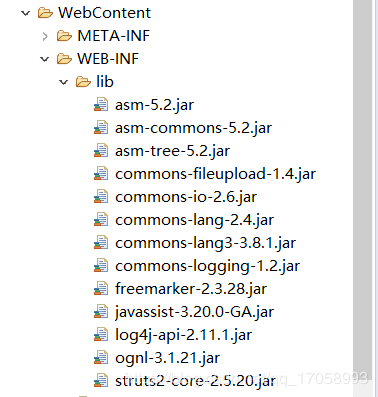
附注:与Struts2.3比起来少了一个xwork-core-2.3.34.jar,多了一个log4j-api-2.7.jar。这是因为xwork-core-2.3.34.jar已经整合到Struts2-core中了,如果没有导入log4j-api-2.7jar的话,在web.xml和struts.xml都配置正确的情况下,会报出以下的错误:

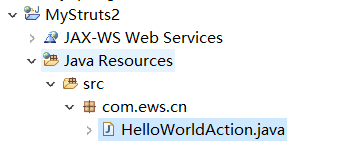
三、新建 action类:HelloWorldAction.java
package com.ews.cn;

public class HelloWorldAction {

    private String name;

    public String execute() throws Exception {

        System.out.println("getName:" + getName());

        if (getName().equals("") || getName() == null) {

            return "error";

        } else {

            return "success";

        }

    }

    public String getName() {

        return name;

    }

    public void setName(String name) {

        this.name = name;

    }

}
四、新建 struts.xml
方法是:选中项目——右键——新建——其他,在搜索框内输入xml,然后选择: (注意一定要将该xml文件命名为:struts.xml,不能出错。)
但是在新生成的xml文档中只有版本信息,因此还需要将以下内容复制到xml文档中。
<!DOCTYPE struts PUBLIC

        "-//Apache Software Foundation//DTD Struts Configuration 2.5//EN"

        "http://struts.apache.org/dtds/struts-2.5.dtd">
这样eclipse才会出现提示。以上需要复制的内容可以从Struts目录下打开apps文件夹,其中有两个war包,随便其中一个war包解压出来,依次打开WEB-INF——src找到里面的Struts.xml就可以找到上面的这段话。
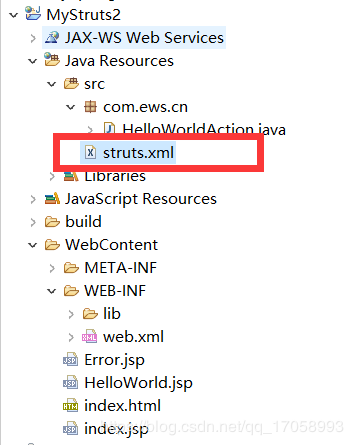
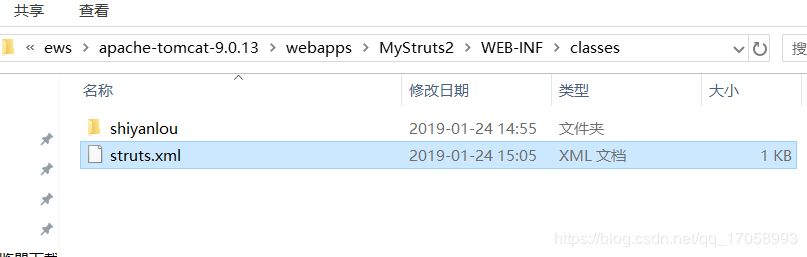
1、查看 struts-2.5.20\apps\WEB-INF\classes 里找到 struts.xml,为了让其在tomact的 classes中生成,必须放倒工程的src下面,不然找不到action。
2、对struts.xml进行修改:
<?xml version="1.0" encoding="UTF-8"?>

<!DOCTYPE struts PUBLIC

"-//Apache Software Foundation//DTD Struts Configuration 2.5//EN"

"http://struts.apache.org/dtds/struts-2.5.dtd">

<struts>

<constant name="struts.enable.DynamicMethodInvocation"

value="true" />

<package name="com.ews.cn" extends="struts-default">

<!-- <global-allowed-methods>add, update</global-allowed-methods> -->

<action name="hello" class="com.ews.cn.HelloWorldAction" method="execute">

<result name="success">/HelloWorld.jsp</result>

<result name="error">/Error.jsp</result>

</action>

</package>

</struts>
五、修改 web.xml,配置 struts 过滤器
<?xml version="1.0" encoding="UTF-8"?>

<web-app xmlns:xsi="http://www.w3.org/2001/XMLSchema-instance"

xmlns="http://java.sun.com/xml/ns/javaee"

xmlns:web="http://java.sun.com/xml/ns/javaee/web-app_2_5.xsd"

xsi:schemaLocation="http://java.sun.com/xml/ns/javaee http://java.sun.com/xml/ns/javaee/web-app_3_0.xsd"

id="WebApp_ID" version="3.0">

<display-name>HelloWorldStruts2</display-name>

<welcome-file-list>

<welcome-file>index.html</welcome-file>

<welcome-file>index.jsp</welcome-file>

</welcome-file-list>

<filter>

<filter-name>struts2</filter-name>

<filter-class>

org.apache.struts2.dispatcher.filter.StrutsPrepareAndExecuteFilter

</filter-class>

</filter>

<filter-mapping>

<filter-name>struts2</filter-name>

<url-pattern>/*</url-pattern>

</filter-mapping>

</web-app>
注意:
struts2.5 中的是 org.apache.struts2.dispatcher.filter.StrutsPrepareAndExecuteFilter , 而不是 org.apache.struts2.dispatcher.ng.filter.StrutsPrepareAndExecuteFilter
六、分别创建三个页面
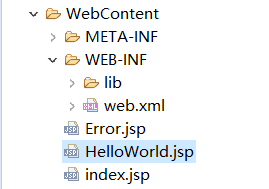
1、index.jsp
<%@ page language="java" contentType="text/html; charset=UTF-8"

pageEncoding="UTF-8"%>

<%@ taglib uri="/struts-tags" prefix="s"%>

<!DOCTYPE html PUBLIC "-//W3C//DTD HTML 4.01 Transitional//EN" "http://www.w3.org/TR/html4/loose.dtd">

<html>

<head>

<meta http-equiv="Content-Type" content="text/html; charset=UTF-8">

<title>Insert title here</title>

</head>

<body>

<h1>Hello World Struts2</h1>

<form action="hello">

<label for="name">Please enter your name</label><br/>

<input type="text" name="name"/>

<input type="submit" value="Enter"/>

</form>

</body>

</html>
2、HelloWorld.jsp
<s:property value="name"/> 需要引入标签 <%@ taglib uri="/struts-tags" prefix="s"%>

<%@ page language="java" contentType="text/html; charset=UTF-8"

pageEncoding="UTF-8"%>

<%@ taglib uri="/struts-tags" prefix="s"%>

<!DOCTYPE html PUBLIC "-//W3C//DTD HTML 4.01 Transitional//EN" "http://www.w3.org/TR/html4/loose.dtd">

<html>

<head>

<meta http-equiv="Content-Type" content="text/html; charset=UTF-8">

<title>Insert title here</title>

</head>

<body>

Hello World, Welcome! <s:property value="name"/>

</body>

</html>
3、Error.jsp
<%@ page language="java" contentType="text/html; charset=UTF-8"

pageEncoding="UTF-8"%>

<%@ taglib uri="/struts-tags" prefix="s"%>

<!DOCTYPE html PUBLIC "-//W3C//DTD HTML 4.01 Transitional//EN" "http://www.w3.org/TR/html4/loose.dtd">

<html>

<head>

<meta http-equiv="Content-Type" content="text/html; charset=UTF-8">

<title>Insert title here</title>

</head>

<body>

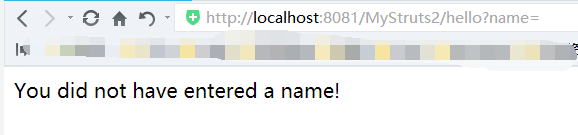
You did not have entered a name!

</body>

</html>
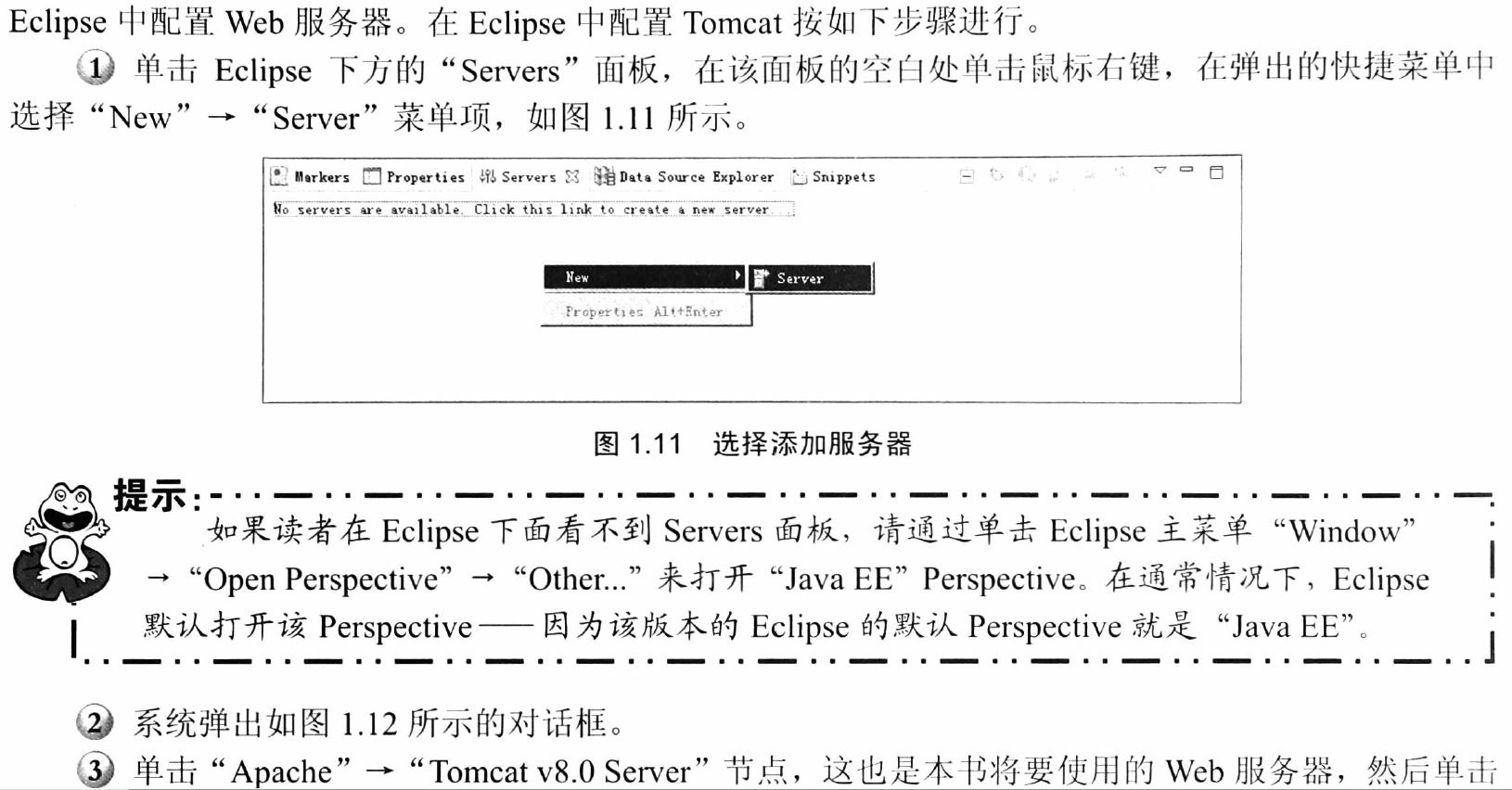
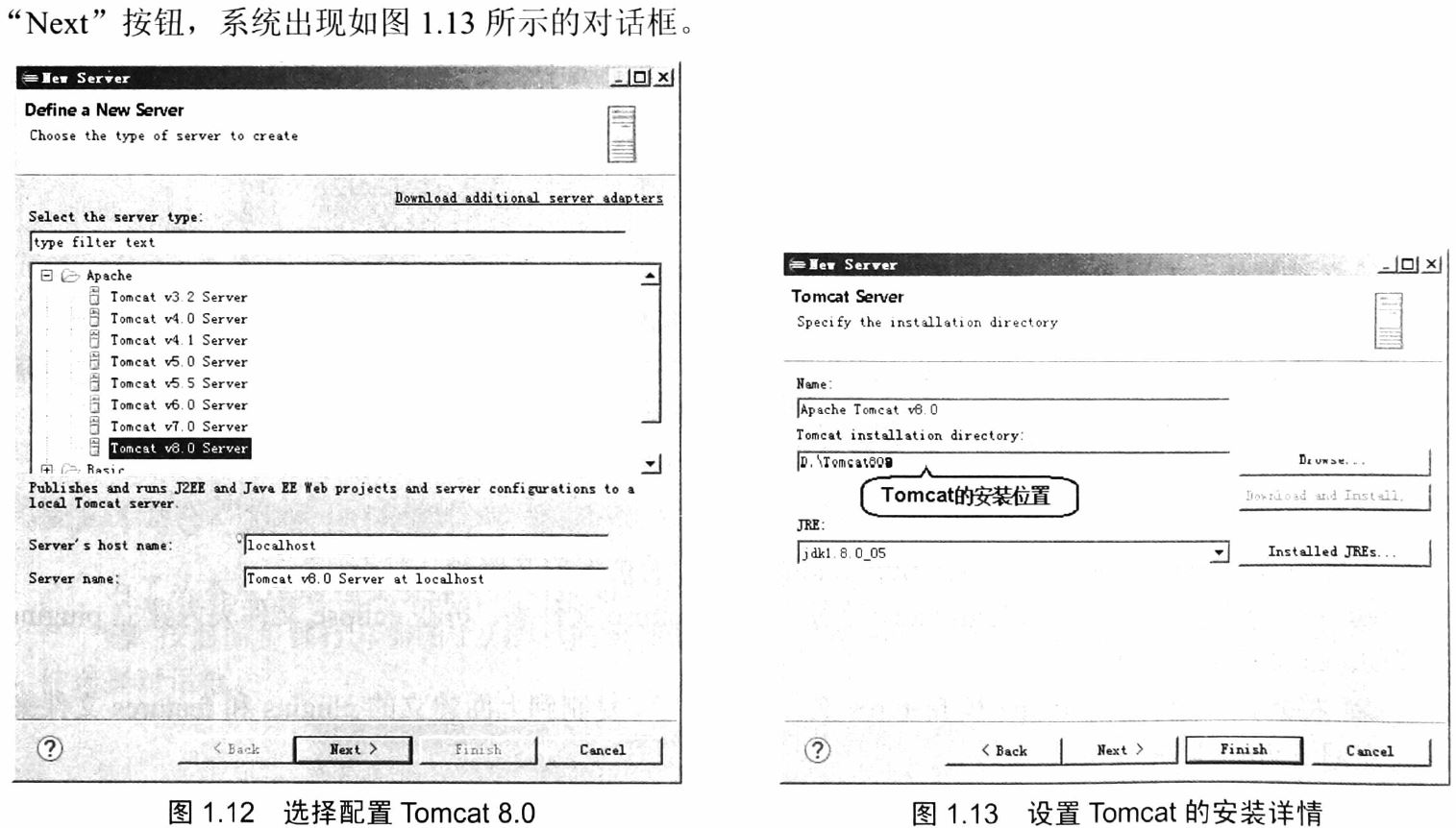
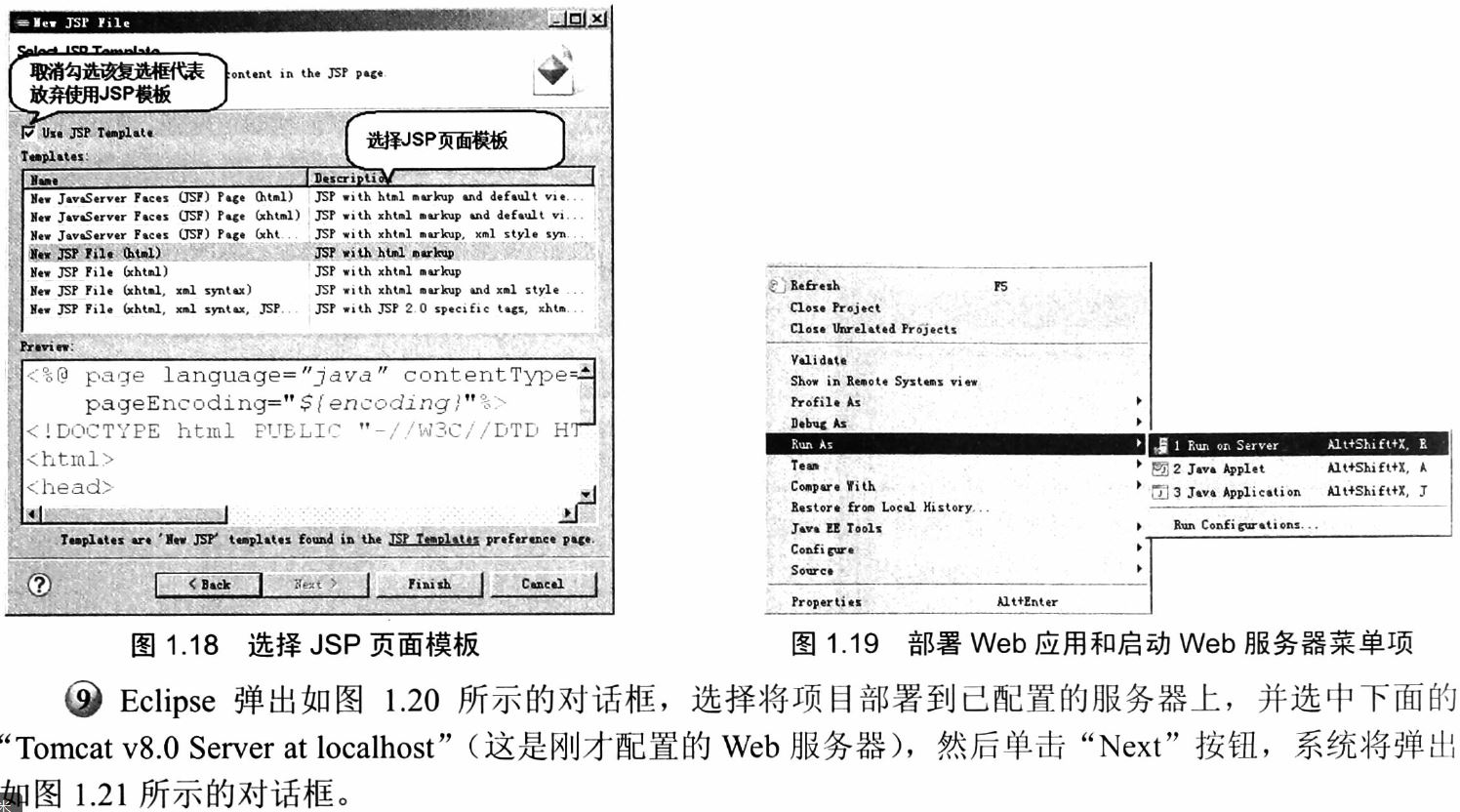
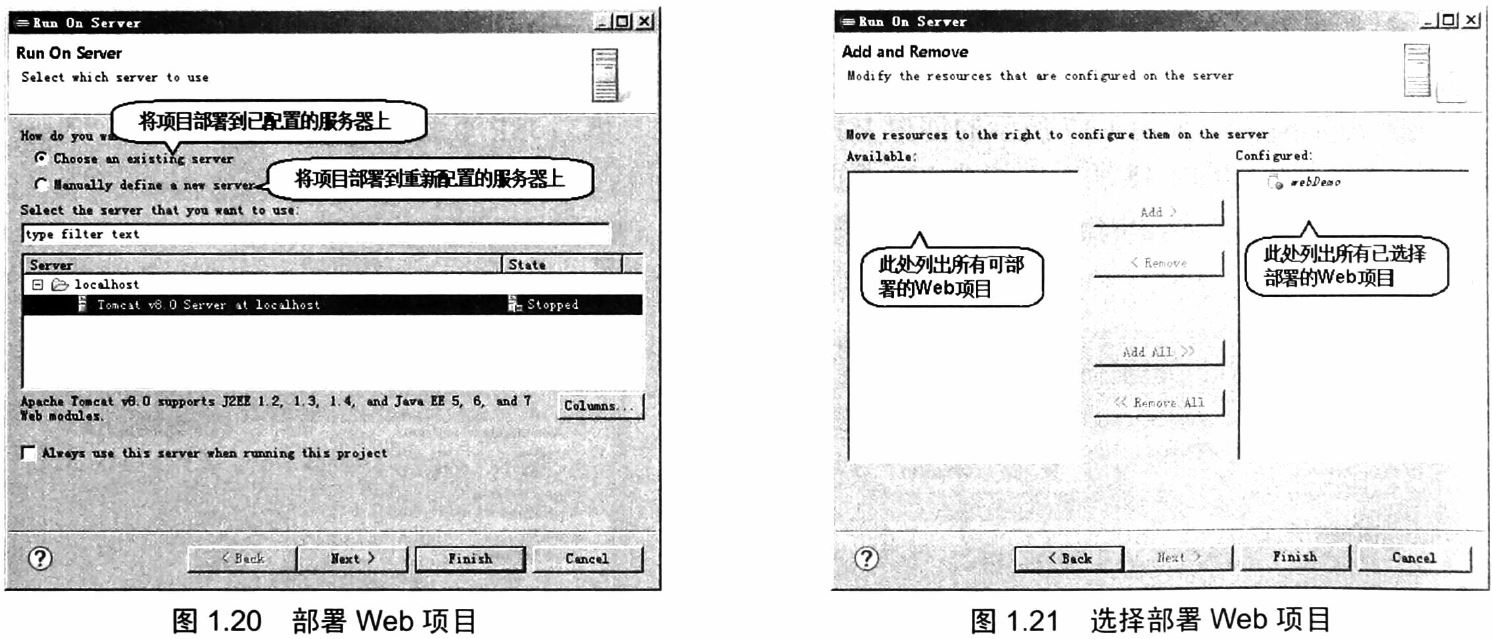
七、将Web应用部署到Apache Tomcat服务器上




八、测试
访问:http://localhost:8081/MyStruts2/index.jsp
1、正常输入name


2、name为空

Struts 2.5.20 在Eclipse IDE中的配置和开发实例的更多相关文章
- 方案:在Eclipse IDE 中搭建Python开发环境
Eclipse是一款功能强大的IDE,Python是一种功能强大的计算机语言,但是Python的IDE环境确实很缺乏,如果在强大的Eclipse中添加Python开发环境,那样就很完美了. 在这里,我 ...
- 【eclipse插件开发实战】 Eclipse插件开发5——时间插件Timer开发实例详解
Eclipse插件开发5--时间插件Timer开发实例详解 这里做的TimeHelper插件设定为在菜单栏.工具栏提供快捷方式,需要在相应地方设置扩展点,最后弹出窗体显示时间. 在上一篇文章里创建好了 ...
- eclipse ide for java ee developers 开发环境搭建(j2ee)
转载自:http://www.iteye.com/topic/982182 真的是一片很不错的文章啊! 使用eclipse真的有年头了,相信java程序员没有不知道它的,最近在给团队中新来的应届生做指 ...
- [转贴]Eclipse IDE for c++配置
从工作到现在已经有快一年多没用过C/C++了,现在想重新捡起来,但是以前一直是在windows下面进行开发,使用最多的是Eclipse和Myeclipse,因为这些都是开源的软件,并不收费,所以现在也 ...
- eclipse ide for java ee developers 开发环境搭建(J2EE) 【转载】
使用eclipse真的有年头了,相信java程序员没有不知道它的,最近在给团队中新来的应届生做指导,专门讲解了一下Eclipse开发环境的搭建过程, 一是帮助他们尽快的熟悉IDE的使用,二也是保证团队 ...
- 于Eclipse传导C/C++配置方法开发(20140721新)
Eclipse 它是一个开源.基于Java可扩展的开发平台. 在其自己的.它只是一个框架和一组服务.对于通过插件组件构建开发环境. --从百度百科的短语. 简单的说Eclipse 是免费的开源的Jav ...
- Eclipse安装Hadoop插件配置Hadoop开发环境
一.编译Hadoop插件 首先需要编译Hadoop 插件:hadoop-eclipse-plugin-2.6.0.jar,然后才可以安装使用. 第三方的编译教程:https://github.com/ ...
- Eclipse IDE for C/C++ Developers和MinGW安装配置C/C++开发学习环境详解
Eclipse IDE for C/C++ Developers和MinGW安装配置C/C++开发学习环境详解 操作系统:Windows 7 JDK版本:1.6.0_33 Eclipse版本:Juno ...
- 如何创建支持Eclipse IDE的Maven项目
使用Maven创建的项目是不支持任何IDE的,不能导入IDE中,因为项目格式都不符合特定IDE的格式要求,那么如何创建符合IDE要求的项目呢? 1.使用mvn eclipse:eclipse 命令把项 ...
随机推荐
- 深入理解RDD原理
首先我们来了解一些Spark的优势:1.每一个作业独立调度,可以把所有的作业做一个图进行调度,各个作业之间相互依赖,在调度过程中一起调度,速度快.2.所有过程都基于内存,所以通常也将Spark称作是基 ...
- 使用Java打印字符串表格(中英文内容不乱)
最近在学习使用java来编写cli应用,但是在信息展示上碰到了难题.原因是没有很好工具来展示一个由字符串组成的表格.在git上搜到阿里巴巴有一个叫做 text-ui 的开源项目可以用,但是这个工具在制 ...
- hive的本地安装部署,元数据存储到mysql中
要想使用Hive先要有hadoop集群的支持,使用本地把元数据存储在mysql中. mysql要可以远程连接: 可以设置user表,把localhost改为%,所有可连接.记住删除root其他用户,不 ...
- jQuery点击页面其他部分隐藏下拉菜单
一.开发小要点 web页面中,我们一般不用select.option来实现下拉菜单效果,因为下拉框的样式丑且难以美化,所以我们选择控制ul显示隐藏来实现同样且高大上的效果,但是不能像下拉框那样点击页面 ...
- js keyup、keypress和keydown事件
js keyup.keypress和keydown事件都是有关于键盘的事件 当一个按键被pressed 或released在每一个现代浏览器中,都可能有三种客户端事件. keydown event k ...
- The open source JavaScript graphing library that powers Plotly
https://plot.ly/javascript/time-series/ https://plot.ly/javascript/ https://github.com/plotly/plotly ...
- 【读书笔记】iOS-配件
如果你想用External Accessory框架开发第三方硬件设备,你需要考虑成为Made for iPhone(MFI)授权项目的成员. 得到授权的开发者可以获取技术资料,硬件设备以及技术支持,以 ...
- 【读书笔记】iOS-“一心多用”利用多线程提升性能
iPhone将具有支持不同类型多线程API的能力,这些API包括:POSIX线程,NSObject,NSThread和NSOperation. iPhone操作系统是一个真正的抢占式,多任务操作系统, ...
- VUE CLI 3.0 安装及创建项目
一.安装 VUE CLI 3.0 官网: https://cli.vuejs.org/ 详细资料可以自己先把官网过一遍. 1. 安装(默认你的电脑上已安装node及npm) npm install ...
- android recovery升级过程中掉电处理
一般在升级过程,都会提示用户,请勿断电,不管是android的STB,TV还是PHONE,或者是其他的终端设备,升级过程,基本上都可以看到“正在升级,请勿断电”,然后有个进度条,显示升级的进度. 但是 ...