
spring加载属性(properties)文件
一、注解方式加载
jdbc.driver=org.mariadb.jdbc.Driver

jdbc.url=jdbc:mariadb://localhost:3306/kt

jdbc.user=root

jdbc.password=12345
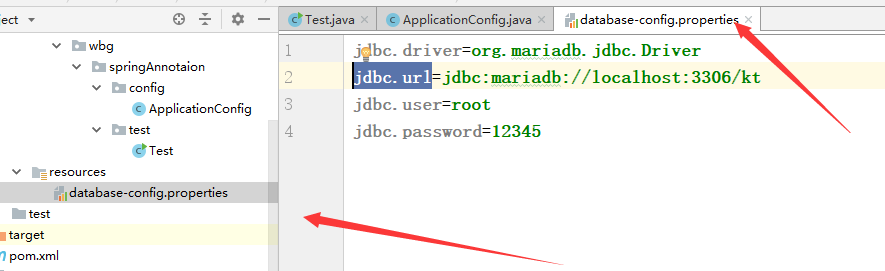
创建配置类:
package com.wbg.springAnnotaion.config;

import org.springframework.context.annotation.Configuration;

import org.springframework.context.annotation.PropertySource;

@Configuration

//ignoreResourceNotFound 为false时候找不到会忽略

@PropertySource(value = {"classpath:database-config.properties"},ignoreResourceNotFound = true)

public class ApplicationConfig {

}

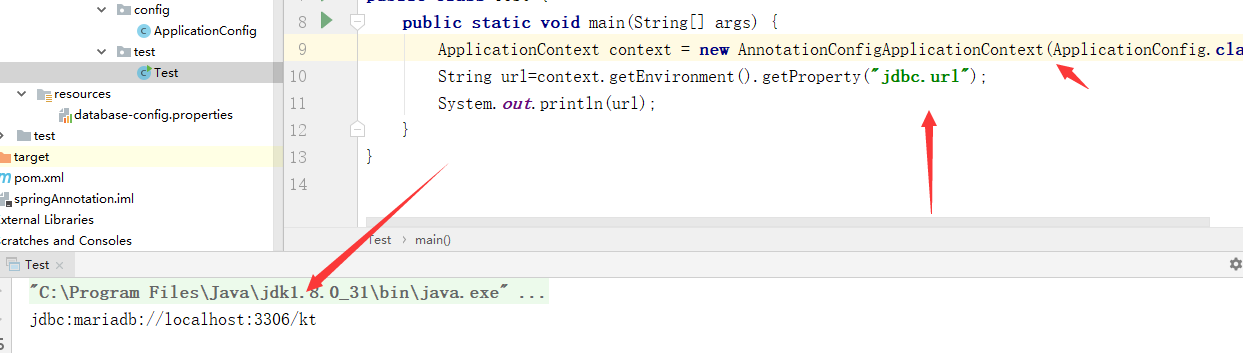
测试:
  ApplicationContext context = new AnnotationConfigApplicationContext(ApplicationConfig.class);

        String url=context.getEnvironment().getProperty("jdbc.url");

        System.out.println(url);
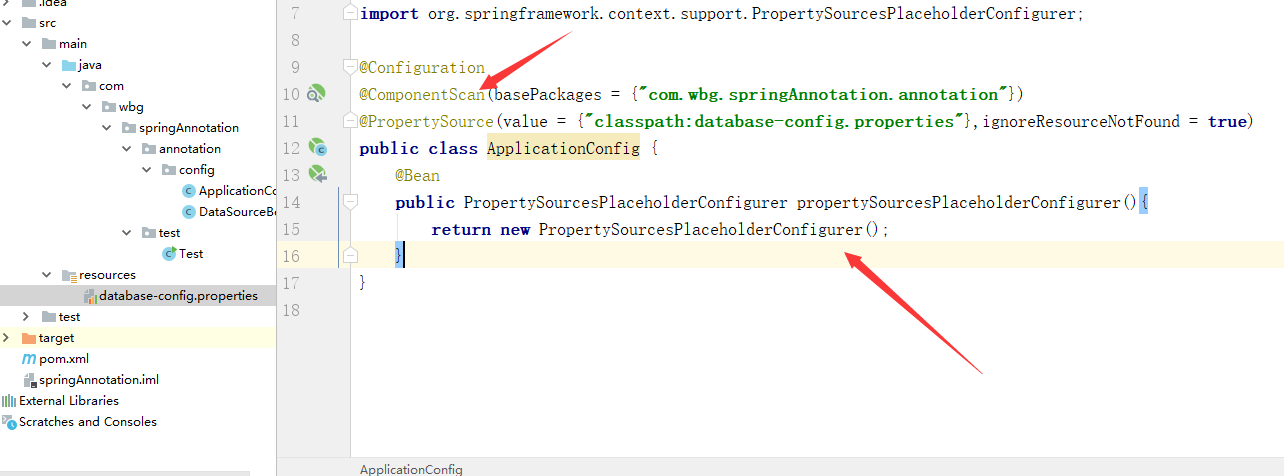
 使用PropertySourcesPlaceholderConfigurer注解来占位符
1、在原来类上加代码
package com.wbg.springAnnotation.annotation.config;

import org.springframework.context.annotation.Bean;

import org.springframework.context.annotation.ComponentScan;

import org.springframework.context.annotation.Configuration;

import org.springframework.context.annotation.PropertySource;

import org.springframework.context.support.PropertySourcesPlaceholderConfigurer;

@Configuration

@ComponentScan(basePackages = {"com.wbg.springAnnotation.annotation"})

@PropertySource(value = {"classpath:database-config.properties"},ignoreResourceNotFound = true)

public class ApplicationConfig {

    @Bean

    public PropertySourcesPlaceholderConfigurer propertySourcesPlaceholderConfigurer(){

        return new PropertySourcesPlaceholderConfigurer();

    }

}
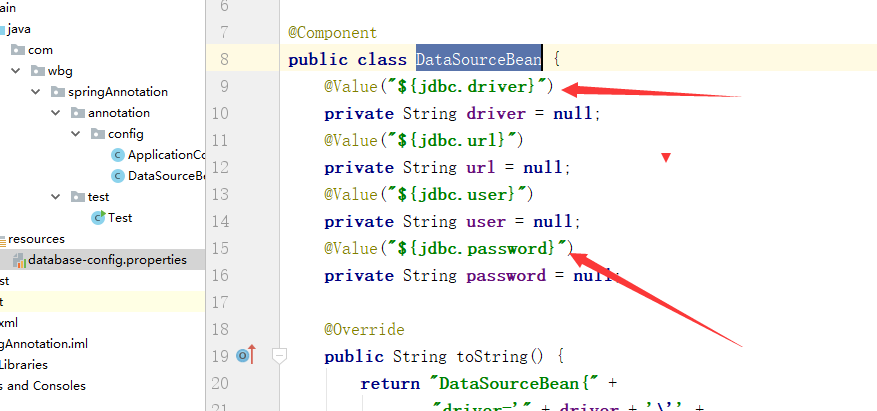
2、创建DataSourceBean类:
类上的@Value注解使用$占位符
package com.wbg.springAnnotation.annotation.config;

import org.springframework.beans.factory.annotation.Value;

import org.springframework.context.annotation.Bean;

import org.springframework.stereotype.Component;

@Component

public class DataSourceBean {

    @Value("${jdbc.driver}")

    private String driver = null;

    @Value("${jdbc.url}")

    private String url = null;

    @Value("${jdbc.user}")

    private String user = null;

    @Value("${jdbc.password}")

    private String password = null;

    @Override

    public String toString() {

        return "DataSourceBean{" +

                "driver='" + driver + '\'' +

                ", url='" + url + '\'' +

                ", user='" + user + '\'' +

                ", password='" + password + '\'' +

                '}';

    }

    @Bean("dataSource")

    public String getDataSourceBean(){

        System.out.println(toString());

        return this.toString();

    }

}
测试:

二、使用xml进行加载:
创建xml文件:
database-config.xml
<?xml version="1.0" encoding="UTF-8"?>

<beans xmlns="http://www.springframework.org/schema/beans"

       xmlns:xsi="http://www.w3.org/2001/XMLSchema-instance"

       xmlns:context="http://www.springframework.org/schema/context"

       xsi:schemaLocation="http://www.springframework.org/schema/beans http://www.springframework.org/schema/beans/spring-beans.xsd http://www.springframework.org/schema/context http://www.springframework.org/schema/context/spring-context.xsd">

    <context:component-scan base-package="com.wbg.springAnnotation.annotation"/>

    <!--ignore-resource-not-found:true允许不存在,否则异常-->

    <context:property-placeholder

            ignore-resource-not-found="true"

                                  location="classpath:database-config.properties"/>

</beans>

测试:
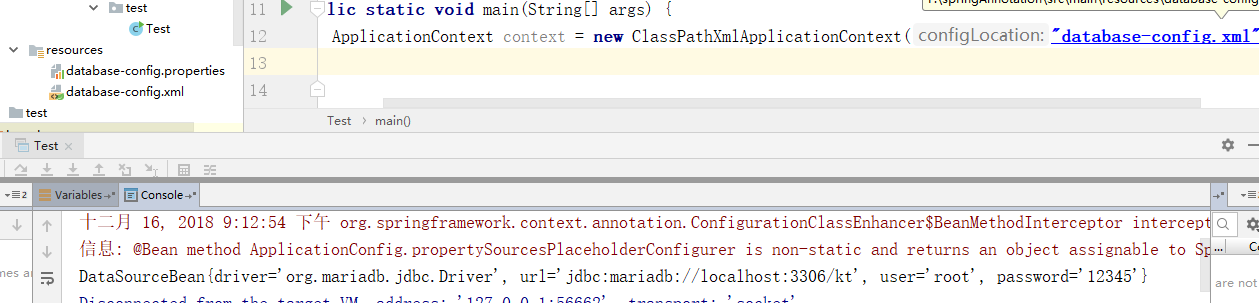
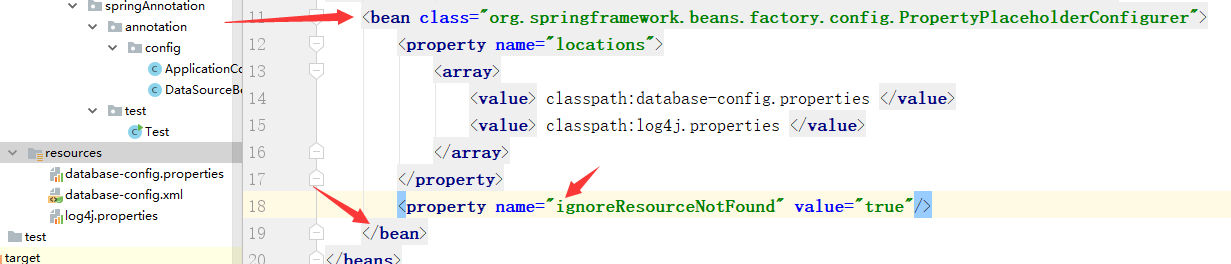
如果配置多个:
<bean class="org.springframework.beans.factory.config.PropertyPlaceholderConfigurer">

        <property name="locations">

            <array>

                <value> classpath:database-config.properties </value>

                <value> classpath:log4j.properties </value>

            </array>

        </property>

        <property name="ignoreResourceNotFound" value="true"/>

    </bean>
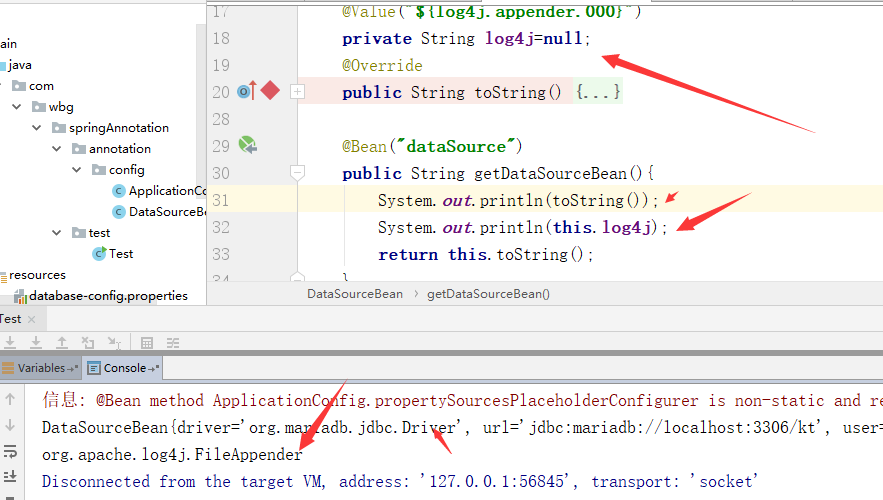
测试:

demo:https://github.com/weibanggang/springannotationproperties.git
spring加载属性(properties)文件的更多相关文章
- 【转载】加密Spring加载的Properties文件
目标:要加密spring的jdbc配置文件的密码口令. 实现思路:重写加载器的方法,做到偷梁换柱,在真正使用配置之前完成解密. 1.扩展 package com.rail.comm; import j ...
- 解密Spring加载的Properties文件
Spring的框架中,org.springframework.beans.factory.config.PropertyPlaceholderConfigurer类可以将.properties(key ...
- SpringMVC加载配置Properties文件的几种方式
最近开发的项目使用了SpringMVC的框架,用下来感觉SpringMVC的代码实现的非常优雅,功能也非常强大, 网上介绍Controller参数绑定.URL映射的文章都很多了,写这篇博客主要总结一下 ...
- 【Java Web开发学习】Spring加载外部properties配置文件
[Java Web开发学习]Spring加载外部properties配置文件 转载:https://www.cnblogs.com/yangchongxing/p/9136505.html 1.声明属 ...
- Eclipse下SpringBoot没有自动加载application.properties文件
Eclipse内创建SpringBoot项目,在java/main/resources文件夹下面创建application.properties配置文件,SpringApplication.run后发 ...
- spring 加载属性(properties)文件
在开发的过程中,配置文件往往就是那些属性(properties)文件,比如使用properties文件配置数据库文件,又如database-config.properties 代码清单:databas ...
- spring学习 十六 spring加载属性文件
第一步:创建一个properties文件,以数据库链接作为实例db.properties jdbc.url=jdbc:mysql://192.168.153.128:3306/mybaties?cha ...
- spring加载属性配置文件内容
在spring中提供了一个专门加载文件的类PropertyPlaceholderConfigurer,通过这个类我们只需要给定需要加载文件的路径就可以 通过该类加载到项目,但是为了后面在程序中需要使用 ...
- Java实现动态加载读取properties文件
问题: 当我们使用如下语句加载.properties时: ClassLoader classLoader = this.getClass().getClassLoader(); Properties ...
随机推荐
- 一、mysql架构
一.简介 mysql是一个开源的数据库管理系统,它相对于oracle更加地轻量.成本低,随着功能的日益完善,它变得备受企业喜爱,尤其是中小企业. mysql的整体架构大体包括以下几个方面: 1)主体结 ...
- Rabbit的事务
加入事务的方法: txSelect() txCommit() txRollback() 生产者: package com.kf.queueDemo.transactions; import jav ...
- node.js学习网址
七天学会NodeJS: http://www.open-open.com/lib/view/1392611872538 https://nodejs.org/api/ Node.js v0.10.18 ...
- vscode 快速生成html
在Hbuilder中新建一个htm自动会生成一个标准的html代码,那在vscode得一行一行写吗?太烦了吧,各种关键词搜,哎妈 终于找到了办法,现在这里记录下: 第一步:在空文档中输入 ! 第二 ...
- sql中replace的用法
update 表名 set 字段名=REPLACE (字段名,'原来的值','要修改的值') 如:将tbl_user表的user_name字段中的大写的A替换成小写的a update tbl_stud ...
- IOS如何下载旧版本应用APP
前言 文章相对来说比较复杂,特别是查找版本ID对应的步骤,这里推荐使用另一种方案,操作起来更简单. 本文介绍如何使用Workflow及Fiddler下载IOS旧版本APP应用. 实现原理 通过Work ...
- Qt QDialog将窗体变为顶层窗体(activateWindow(); 和 raise() )
m_pLoginDlg->hide(); m_pLoginDlg->activateWindow(); //m_pLoginDlg->raise(); m_pLoginDlg-> ...
- angularJS web应用SEO
javascript给网站带来丰富的用户体验,越来越多的网站开始应用angularjs/emberjs这类MVC来开发web应用,可以说能够使用native方式来看法的手机app基本都可以使用替代的j ...
- centos7 nginx访问目录403解决
查看 /usr/sbin/sestatusSELinux status是不是enabled 然后 vi /etc/selinux/config修改:SELINUX=disabledreboot
- Idea中Git的使用和两种类型的冲突解决
一.Git冲突解决 在idea开发工具中使用Git时,主要用到的快捷按钮如下五个: 这五个按钮的使用说明及在idea中如何配置和使用git可参考https://github.com/DayThin ...