
PHP——菜单及内容轮换(Jquery)
效果:


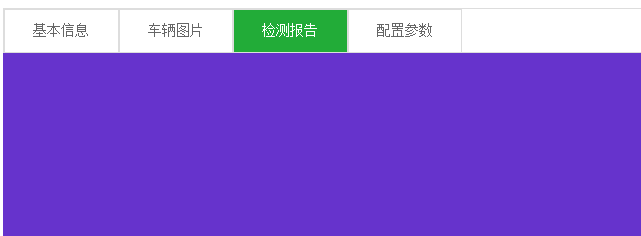

<!DOCTYPE html PUBLIC "-//W3C//DTD XHTML 1.0 Transitional//EN" "http://www.w3.org/TR/xhtml1/DTD/xhtml1-transitional.dtd">

<html xmlns="http://www.w3.org/1999/xhtml">

<head>

<meta http-equiv="Content-Type" content="text/html; charset=utf-8" />

<script type="text/javascript" src="../jquery-1.11.2.min.js"></script>

<title>无标题文档</title>

</head>

<body>

<div style="width:100%; height:48px; border:solid 1px #ddd; color:#666;font-size:16px;">

    <div class="cd" bs="jbxx" style="width:125px; height:46px; background-color:#22ac38; float:left; border:solid 1px #ddd; color:white; text-align:center; line-height:46px; vertical-align:middle ">基本信息

    </div>

    <div class="cd" bs="cltp" style="width:125px; height:46px; background-color:#FFF; float:left; border:solid 1px #ddd; color:#666; text-align:center; line-height:46px; vertical-align:middle ">车辆图片

    </div>

    <div class="cd" bs="jcbg" style="width:125px; height:46px; background-color:#FFF; float:left; border:solid 1px #ddd; color:#666; text-align:center; line-height:46px; vertical-align:middle ">检测报告

    </div>

    <div class="cd" bs="pzcs" style="width:125px; height:46px; background-color:#FFF; float:left; border:solid 1px #ddd; color:#666; text-align:center; line-height:46px; vertical-align:middle ">配置参数

    </div>

</div>

<!--基本信息-->

<div class="xq" id="jbxx" style="width:100%; display:block">

    <div style=" margin-top:10px;font-size:16px; color:#666; font-weight:bold">

    <div style="background-color:#22ac38; height:16px; width:4px;float:left; margin-right:5px;"></div>

    基本信息</div>

    <div style="width:100%; font-size:14px;margin-top:20px">

        <div style="width:220px; height:24px; float:left;margin-right:30px">车主: 王先生| 职员| 顺义</div>

        <div style="width:200px; height:24px;float:left;margin-right:30px">年检到期:2017-10</div>

         <div style="width:200px; height:24px;float:left;margin-right:30px">交强险到期:2016-10</div>

         <div style="width:200px; height:24px;float:left;margin-right:30px">商业险到期:2016-10</div>

          <div style="width:200px; height:24px;float:left;margin-right:30px">过户次数:2016-10</div>

    </div>

    <div style="clear:both"></div>

    <div style="width:100%; height:80px; background-color:#f9f9f9;border:solid 1px #ddd; margin-top:10px; word-wrap:break-word; word-break:break-all;font-size:14px; padding:15px 0px 15px 15px;">还拉黑的卡拉哈里还法拉赫客户</div>

</div>

<!--车辆图片-->

<div class="xq" id="cltp" style="width:100%; display:none">

    <div style=" margin-top:10px;font-size:16px; color:#666; font-weight:bold">

    <div style="background-color:#22ac38; height:16px; width:4px;float:left; margin-right:5px;"></div>

    车辆图片</div>

    <?php

            for($i=0;$i<count($attr);$i++)

            {

                echo "<img src='{$attr[$i][0]}' style='width:580px; height:400px; margin:10px;'/>";

            }

        ?>

</div>

<!--检测报告-->

<div class="xq" id="jcbg" style="width:100%; height:500px; background-color:#63C; display:none"></div>

<!--配置参数-->

<div class="xq" id="pzcs" style="width:100%; height:500px; background-color:#FC0; display:none">

</div>

</div>

<script type="text/javascript">

$(document).ready(function(e) {

    $(".cd").click(function(){

            //所有DIV背景变白,字体变灰色

            $(".cd").css("background-color","#FFF");

            $(".cd").css("color","#666");

            //自己变绿,字体变白

            $(this).css("background-color","#22ac38");

            $(this).css("color","#FFF");

            //控制详情显示

            var id = $(this).attr("bs");

            $(".xq").css("display","none");

            $("#"+id).css("display","block");

            //添加一个自定义属性

            $(".cd").removeAttr("xz");

            $(this).attr("xz","1");

        })

    $(".cd").mouseover(function(){

            //自己变绿,字体变白

            $(this).css("background-color","#22ac38");

            $(this).css("color","#FFF");

        })

    $(".cd").mouseout(function(){

        if($(this).attr("xz") == "1")

        {

        }

        else

        {

        //变回原形

        $(this).css("background-color","#FFF");

        $(this).css("color","#666");

        }

    })

});

</script>

</body>

</html>
PHP——菜单及内容轮换(Jquery)的更多相关文章
- 下拉菜单;手风琴;九宫格的Jquery的使用实例
下拉菜单;手风琴;九宫格的Jquery的使用实例 1.下拉菜单 效果如图: 代码如下: <!DOCTYPE html> <html lang="en"> & ...
- Android菜单项内容大全
一.介绍: 菜单是许多应用中常见的用户界面组件. Android3.0版本以前,Android设备会提供一个专用"菜单"按钮呈现常用的一些用户操作, Android3.0版本以后, ...
- 推荐一个内容滚动jquery插件
myslider是一个内容滚动jquery插件,版本0.1.2的每次滚动内容是一行内容,可以是文字,可以是一个链接,还可以是图片. 官方网址:http://keleyi.com/jq/myslider ...
- C# WPF 左侧菜单右侧内容布局效果实现
原文:C# WPF 左侧菜单右侧内容布局效果实现 我们要做的效果是这样的,左侧是可折叠的菜单栏,右侧是内容区域,点击左侧的菜单项右侧内容区域则相应地切换. wpf实现的话,我的办法是用一个tabcon ...
- 折腾linux随笔 之 关闭Budgie默认自动隐藏应用的菜单栏 与 Gnome系桌面应用菜单无内容解决
关闭Budgie默认自动隐藏应用菜单栏 首选项 -> 设置 -> 通用辅助功能 -> 打开 始终显示通用辅助菜单 后的开关 -> 注销桌面重新登录. done. 解决Gnome ...
- [jquery]添加行内容后根据下拉菜单选择内容对比之前已有选项,若有重置再提示
今天页面上一个添加列内容时,要对选择内容与之前已有选项内容作对比,防止用户重复选择内容 页面HTML代码 <ul class="list-group xj-list-NObor xj- ...
- 菜单与内容下拉jQuery
<!DOCTYPE html> <html lang="en"> <head> <meta charset="UTF-8&quo ...
- 创建基于Bootstrap的下拉菜单的DropDownList的JQuery插件
Bootstrap是当下流行的前端UI组件库之一.利用Bootstrap,可以很方便的构造美观.统一的页面.把设计师从具体的UI编码中解放出来. Bootstrap提供了不少的前端UI组件.带下拉 ...
- php部分---函数、四类常用函数、例子(下拉菜单添加内容);
1.简单函数 四要素:返回类型,函数名,参数列表,函数体 function Show() { echo "hello"; } Show(); 2.有返回值的函数 function ...
随机推荐
- ISP图像调试工程师——自动曝光(熟悉3A算法)
基于图像的自动曝光算法研究 : https://wenku.baidu.com/view/c854fa93fd0a79563c1e72ba.html
- DIV强制不换行
一.单个DIV:1.用nobr元素 <html> <head> </head> <body> <div><nobr>不换行不换行 ...
- stylus使用文档总结:选择器+变量+插值+运算符+混合书写+方法
建立好项目后我们来安装stylus npm install stylus stylus-loader --save-dev 这样就安装上了stylus. 接下来就可以使用了,使用方式分两种.一种是在. ...
- iptables不小心把127.0.0.1封了,导致redis连不上
写了个脚本扫描apache日志,自动把恶意攻击者的ip交给iptables给封掉 谁知道一不小心把127.0.0.1也给封了... 直接导致redis无法链接. redis-server服务正常启动, ...
- 【ACM】Fighting for HDU
#include <stdio.h> #include <stdlib.h> #define max 100 /* run this program using the con ...
- vector iterator not incrementable For information on how your program can cause an an assertion Failure, see the Visual c + + documentation on asserts
#include <list> using namespace std; int _tmain(int argc, _TCHAR* argv[]) { list<int> sl ...
- Office办公 如何打印顺丰发票
1 关注顺丰速递,我-我的钱包 2 我的钱包-发票申请 3 勾选要打印发票的项目,点击申请发票 4 点击提交,确认发送的邮箱(他是把PDF发到指定邮箱) 最后PDF效果如下 ...
- Win7如何更改网络位置,如何加入或创建家庭组
1 打开网络和共享中心,点击连接上网的哪一个网络,点击把公用网络改为家庭网络 2 依次执行下一步 3 如果是加入一个家庭组,则输入家庭组的密码,否则将得到一个家庭组的密码 4 加入成功 ...
- js中,{}初始化数据类型object;for in 的用法;delete的用法
var choices = {}; //此数据表示的是:object{} for(var i=0;i<10;i++){ choices[i+1] = [data[i].testPlan,test ...
- Win7 + vs2012 + cocos2d-x2.2 配置开发环境
昨天開始打算学习Cocos2d-x,首先肯定是要在自己的电脑上配置开发环境.昨天折腾了一天,以下将自己在当中遇到的问题与解决方法跟大家分享一下.大多数会遇到的问题,我都遇到了.... 1.安装 ...