
RadioButtton
activity_radio_button.xml
<?xml version="1.0" encoding="utf-8"?>

<RelativeLayout xmlns:android="http://schemas.android.com/apk/res/android"

    android:layout_width="match_parent"

    android:layout_height="match_parent"

    >

    <RadioGroup

        android:id="@+id/rg_1"

        android:layout_width="wrap_content"

        android:layout_height="wrap_content"

        android:orientation="vertical">

    <RadioButton

        android:id="@+id/rd_1"

        android:layout_width="wrap_content"

        android:layout_height="wrap_content"

        android:text="男"

        android:checked="true"

        android:textSize="30sp"

        android:textColor="#FF6600"/>

    <RadioButton

        android:id="@+id/rd_2"

        android:layout_width="wrap_content"

        android:layout_height="wrap_content"

        android:text="女"

        android:textSize="30sp"

        android:textColor="#FF6600"/>

</RadioGroup>

    <RadioGroup

        android:id="@+id/rg_2"

        android:layout_width="wrap_content"

        android:layout_height="wrap_content"

        android:layout_below="@id/rg_1"

        android:layout_marginTop="20dp"

        android:orientation="horizontal">

        <RadioButton

            android:id="@+id/rd_3"

            android:layout_width="100dp"

            android:layout_height="40dp"

            android:button="@null"

            android:text="男"

            android:checked="true"

            android:gravity="center"

            android:background="@drawable/btn_41"

            android:textSize="30sp"

            android:textColor="#000000"/>

        <RadioButton

            android:id="@+id/rd_4"

            android:layout_width="100dp"

            android:layout_height="40dp"

            android:text="女"

            android:gravity="center"

            android:button="@null"

            android:textSize="30sp"

            android:background="@drawable/btn_41"

            android:textColor="#000000"/>

    </RadioGroup>

</RelativeLayout>
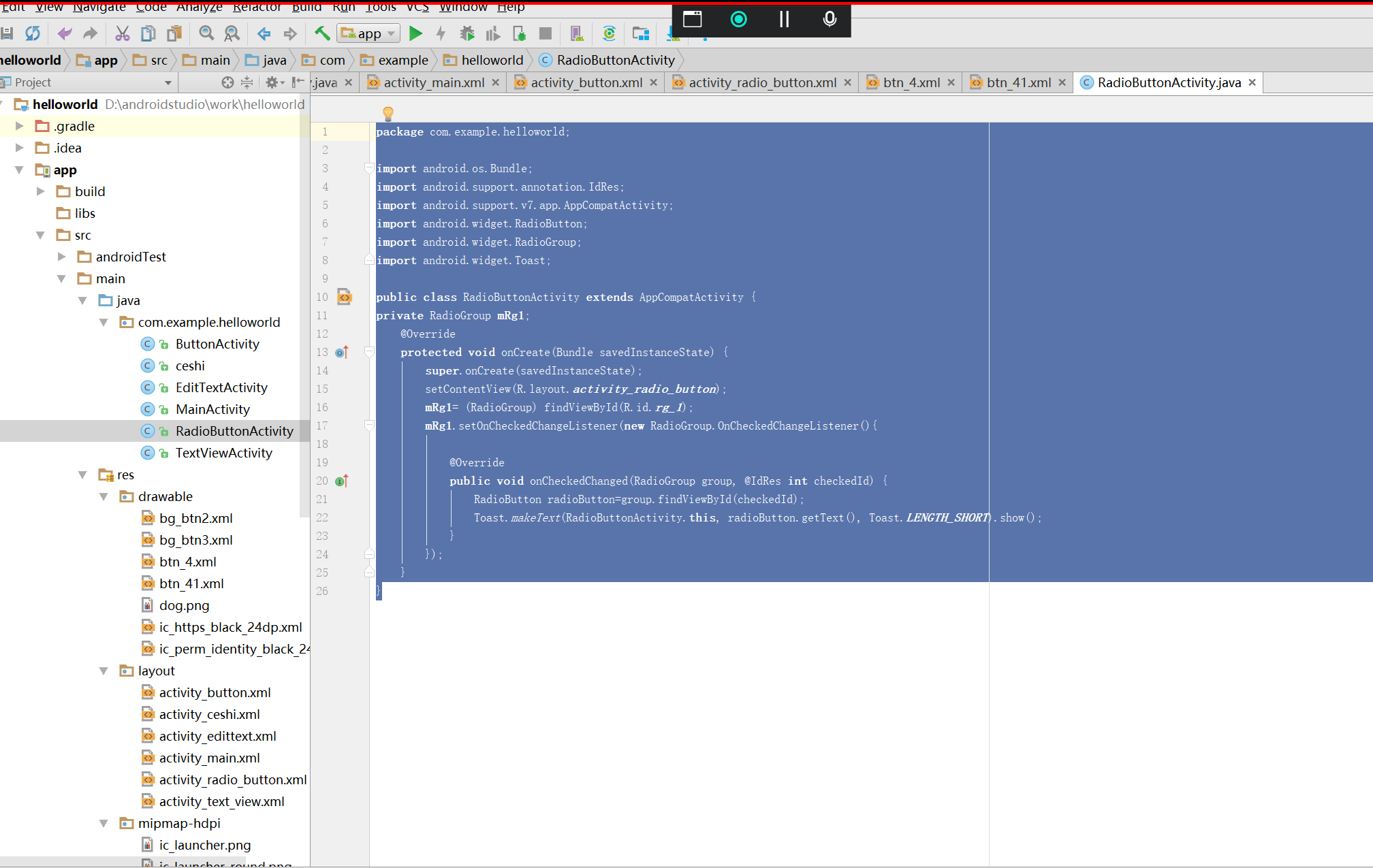
RadioButtonActivity。java
实现按钮的监听事件
package com.example.helloworld;

import android.os.Bundle;

import android.support.annotation.IdRes;

import android.support.v7.app.AppCompatActivity;

import android.widget.RadioButton;

import android.widget.RadioGroup;

import android.widget.Toast;

public class RadioButtonActivity extends AppCompatActivity {

private RadioGroup mRg1;

    @Override

    protected void onCreate(Bundle savedInstanceState) {

        super.onCreate(savedInstanceState);

        setContentView(R.layout.activity_radio_button);

        mRg1= (RadioGroup) findViewById(R.id.rg_1);

        mRg1.setOnCheckedChangeListener(new RadioGroup.OnCheckedChangeListener(){

            @Override

            public void onCheckedChanged(RadioGroup group, @IdRes int checkedId) {

                RadioButton radioButton=group.findViewById(checkedId);

                Toast.makeText(RadioButtonActivity.this, radioButton.getText(), Toast.LENGTH_SHORT).show();

            }

        });

    }

}
效果

RadioButtton的更多相关文章
- Android UI-仿微信底部导航栏布局
现在App基本的标配除了侧滑菜单,还有一个就是底部导航栏,常见的聊天工具QQ,微信,购物App都有底部导航栏,用户可以随便切换看不同的内容,说是情怀也好,用户体验也罢.我们开发的主要的还是讲的是如何如 ...
随机推荐
- linux 创建用户 用户组,sudo,禁止root远程ssh登录
创建用户 useradd hanli 为新用户设置密码(在root下可以为普通用户重置密码) passwd hanli 创建用户组 groupadd op 将用户添加到用户组 usermod ...
- 一个简单的javaweb项目模板
Controller包:表现层(视图)层.用来显示数据和接收用户数据 Service包:业务逻辑层,用来处理页面.先写接口,后写实现类 Dao包:持久层(数据访问层).用来操作数据库 其中Dao包处于 ...
- JVM专题3: GC 垃圾回收
合集目录 JVM专题3: GC 垃圾回收 什么是GC? 为什么要有 GC? Garbage Collection, 用于内存回收. 简述一下 Java 垃圾回收机制? 那些内存需要回收 虚拟机中程序计 ...
- Redis 学习笔记(一)redis 数据类型和对象机制
Redis 简介 Redis 是(key-value)的 NoSQL 数据库,所有的 key 都是 String ,它的 value 可以是 String.hash.list.set.zset(有序集 ...
- 3. hive 常用函数
常用日期函数 1.返回当前或指定时间的时间戳 select unix_timestamp();select unix_timestamp("2020-10-28",'yyyy-MM ...
- linux 多个C源文件编译
转载请注明来源:https://www.cnblogs.com/hookjc/ 如果有多个源文件,基本上有两种编译方法: [假设有两个源文件为test.c和testfun.c] 1. 多个文件一起编译 ...
- FileOutStream
import java.io.File; import java.io.FileInputStream; import java.io.FileNotFoundException; import ja ...
- 痞子衡嵌入式:i.MXRT连接特殊Octal Flash时(OPI DTR模式下反转字节序)下载与启动注意事项(以MX25UM51245为例)
大家好,我是痞子衡,是正经搞技术的痞子.今天痞子衡给大家介绍的是OPI DTR模式下反转字节序的Octal Flash在i.MXRT下载与启动注意事项. 在恩智浦官方参考设计板 MIMXRT595-E ...
- 关于一些基础的dp——硬币的那些事(dp的基本引入)
1.最少硬币问题大体题意: 有n种硬币,面值分别是v1,v2......vn,数量无限,输入一个非负整数s,选用硬币使其和为s,要求输出最少的硬币组合. 我们可以这样分析: 定义一个名为Min[s]的 ...
- 总结haproxy各调度算法的实现方式及其应用场景
一.静态算法 1.1 static-rr 基于权重的轮询调度,不支持运行时利用socat进行权重的动态调整(只支持0和1,不支持其它值)及后端服务器慢启动,其后端主机数量没有限制,相当于LVS中的 w ...