
炫酷的CSS3响应式表单
原创YouTube@ Online Tutorials
css代码:
* {

    margin: 0;

    padding: 0;

    box-sizing: border-box;

    font-family: 'Poppins', sans-serif;

}

body {

    display: flex;

    justify-content: center;

    align-items: center;

    min-height: 100vh;

    background: #03080a;

}

.container {

    width: 80%;

    padding: 20px;

}

.container h2 {

    width: 100%;

    color: #45f3ff;

    font-size: 36px;

    text-align: center;

    margin-bottom: 10px;

}

.container .row100 {

    position: relative;

    width: 100%;

    display: grid;

    grid-template-columns: repeat(auto-fit, minmax(300px, 1fr));

}

.container .row100 .col {

    position: relative;

    width: 100%;

    padding: 0 10px;

    margin: 30px 0 10px;

    transition: 0.5s;

}

.container .row100 .inputBox {

    position: relative;

    width: 100%;

    height: 40px;

    color: #45f3ff;

}

.container .row100 .inputBox input,

.container .row100 .inputBox textarea {

    position: absolute;

    width: 100%;

    height: 100%;

    background: transparent;

    box-shadow: none;

    border: none;

    outline: none;

    font-size: 18px;

    padding: 0 10px;

    z-index: 1;

    color: #000;

}

.container .row100 .inputBox .text {

    position: absolute;

    top: 0;

    left: 0;

    line-height: 40px;

    font-size: 18px;

    padding: 0 10px;

    display: block;

    transition: 0.5s;

    pointer-events: none;

}

.container .row100 .inputBox input:focus+.text,

.container .row100 .inputBox input:valid+.text {

    top: -35px;

    left: -10px;

}

.container .row100 .inputBox .line {

    position: absolute;

    bottom: 0;

    display: block;

    width: 100%;

    height: 2px;

    background-color: #45f3ff;

    transition: 0.5s;

    border-radius: 2px;

    pointer-events: none;

}

.container .row100 .inputBox input:focus~.line,

.container .row100 .inputBox input:valid~.line {

    height: 100%;

}

.container .row100 .inputBox .textarea {

    position: relative;

    width: 100%;

    height: 100px;

    padding: 10px 0;

}

.container .row100 .inputBox textarea {

    height: 100%;

    resize: none;

    /* background-color: #000; */

}

.container .row100 .inputBox textarea:focus+.text,

.container .row100 .inputBox textarea:valid+.text {

    top: -35px;

    left: -10px;

}

.container .row100 .inputBox textarea:focus~.line,

.container .row100 .inputBox textarea:valid~.line {

    height: 100%;

}

input[type="submit"] {

    border: none;

    padding: 7px 35px;

    cursor: pointer;

    /* outline設置边框样式 */

    outline: none;

    background-color: #45f3ff;

    color: #000;

    font-size: 18px;

    border-radius: 2px;

}
html源码:
<!DOCTYPE html>

<html lang="en">

<head>

    <meta charset="UTF-8">

    <meta name="viewport" content="width=device-width, initial-scale=1.0">

    <meta http-equiv="X-UA-Compatible" content="ie=edge">

    <title>Document</title>

    <link rel="stylesheet" href="index.css">

</head>

<body>

    <div class="container">

        <h2>Contact Us</h2>

        <div class="row100">

            <div class="col">

                <div class="inputBox">

                    <input type="text" required="required">

                    <span class="text">First Name</span>

                    <span class="line"></span>

                </div>

            </div>

            <div class="col">

                <div class="inputBox">

                    <input type="text" required="required">

                    <span class="text">Last Name</span>

                    <span class="line"></span>

                </div>

            </div>

        </div>

        <div class="row100">

            <div class="col">

                <div class="inputBox">

                    <input type="text" required="required">

                    <span class="text">Email</span>

                    <span class="line"></span>

                </div>

            </div>

            <div class="col">

                <div class="inputBox">

                    <input type="text" required="required">

                    <span class="text">Mobile</span>

                    <span class="line"></span>

                </div>

            </div>

        </div>

        <div class="row100">

            <div class="col">

                <div class="inputBox textarea">

                    <textarea required="required"></textarea>

                    <span class="text">Type your message Here...</span>

                    <span class="line"></span>

                </div>

            </div>

        </div>

        <div class="row100">

            <div class="col">

                <input type="submit" value="Send">

            </div>

        </div>

    </div>

</body>

</html>
效果展示:
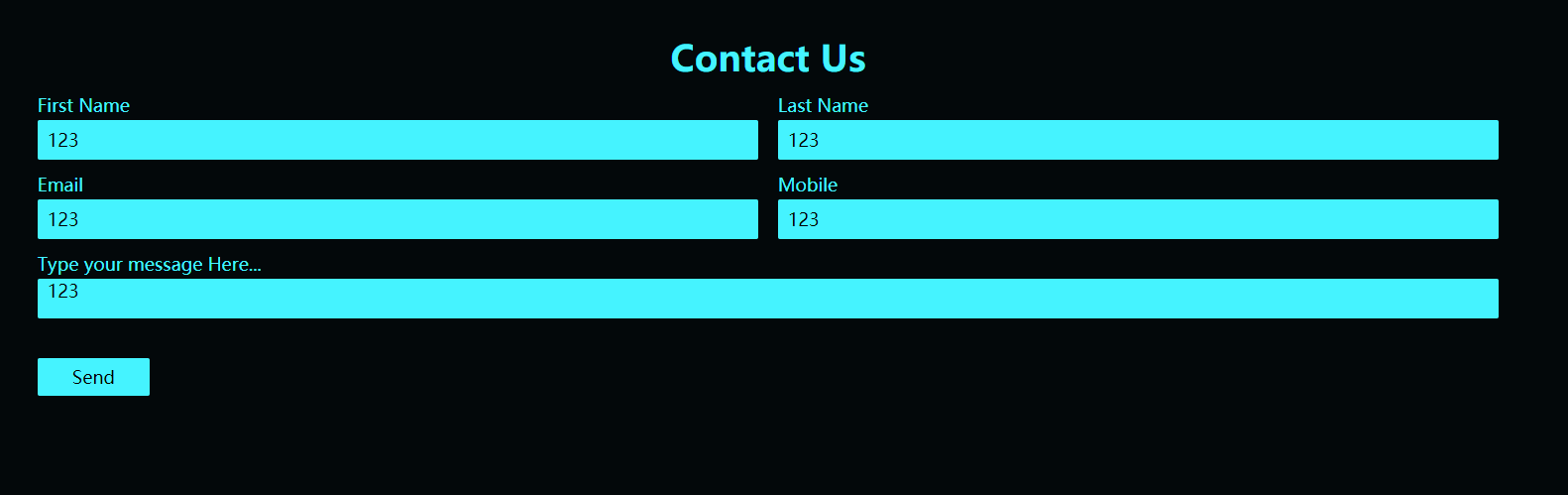
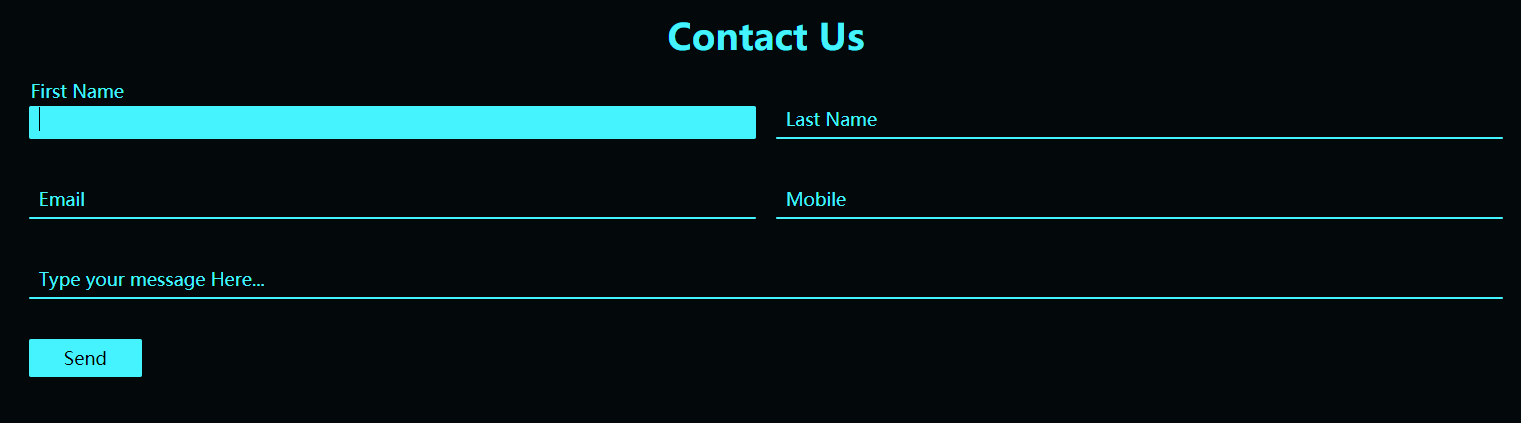
- 自适应效果:

炫酷的CSS3响应式表单的更多相关文章
- ng2响应式表单-翻译与概括官网REACTIVE FORMS页面
本文将半翻译半总结的讲讲ng2官网的另一个未翻译高级教程页面. 原文地址. 文章目的是使用ng2提供的响应式表单技术快速搭出功能完善丰富的界面表单组件. 响应式表单是一项响应式风格的ng2技术,本文将 ...
- Angular2响应式表单
本文将半翻译半总结的讲讲ng2官网的另一个未翻译高级教程页面. 原文地址. 文章目的是使用ng2提供的响应式表单技术快速搭出功能完善丰富的界面表单组件. 响应式表单是一项响应式风格的ng2技术,本文将 ...
- Angular Reactive Forms -- Model-Driven Forms响应式表单
Angular 4.x 中有两种表单: Template-Driven Forms - 模板驱动式表单 (类似于 AngularJS 1.x 中的表单 ) 官方文档:https://v2.angul ...
- Angular2响应式表单-翻译与概括官网REACTIVE FORMS页面
本文将半翻译半总结的讲讲ng2官网的另一个未翻译高级教程页面. 原文地址. 文章目的是使用ng2提供的响应式表单技术快速搭出功能完善丰富的界面表单组件. 响应式表单是一项响应式风格的ng2技术,本文将 ...
- Angular11 模板表单、响应式表单(自定义验证器)、HTTP、表单元素双向绑定
1 模板表单 模型通过指令隐式创建 技巧01:需要在模块级别引入 FormsModule ,通常在共享模块中引入再导出,然后在需要用到 FormsModule 的模块中导入共享模块就可以啦 impor ...
- angular6的响应式表单
1:在AppModule模块里面引入 ReactiveFormsModule 要使用响应式表单,就要从@angular/forms包中导入ReactiveFormsModule,并把它添加到你的NgM ...
- Angular之响应式表单 ( Reactive Forms )
项目结构 一 首页 ( index.html ) <!doctype html> <html lang="en"> <head> <met ...
- angular响应式表单 - 状态字段
用于表单验证的过程: touched,untoched pristine,dirty pending
- 【译】用 Chart.js 做漂亮的响应式表单
数据包围着我们.虽然搜索引擎和其他应用都对基于文本方式表示的数据偏爱有加,但人们发现可视化是更容易理解的一种方式.今年初,SitePoint 发表了 Aurelio 的文章< Chart.js简 ...
随机推荐
- 使用vue-cli搭建spa项目
1. 什么是vue-cli? vue-cli是vue.js的脚手架,用于自动生成vue.js+webpack的项目模板,创建命令如下: vue init webpack xxx 注1:xxx 为自己创 ...
- java8-02-再探Lambda表达式
Lambda表达式 主要作用替代匿名内部类 达到简化代码的操作 Lambda表达式 在对象中的使用 Employee类
- VMWare ESX server安装
和装普通虚拟机是一样的 需要添加两块网卡. F11同意协议 直接回车即可‘ 选择字符集 输入密码 按F11安装系统 按回车键重启 按F2 配置网络管理 启用两块网卡,按回车确定 配置IPV4地址 用空 ...
- macOS 安装 Docker Desktop CE(转)
现在基本上都使用docker进行部署项目,所以还是有必要学习下,关于docker的简介这里就不在描述,本文转载自https://yeasy.gitbooks.io/docker_practice/co ...
- 剑指Offer-28.数组中出现次数超过一半的数字(C++/Java)
题目: 数组中有一个数字出现的次数超过数组长度的一半,请找出这个数字.例如输入一个长度为9的数组{1,2,3,2,2,2,5,4,2}.由于数字2在数组中出现了5次,超过数组长度的一半,因此输出2.如 ...
- 如何在AbpNext项目中使用Mysql数据库
配置步骤: 1.更改.Web项目的appsettings.json的数据库连接字符串.如:server=0.0.0.0;database=VincentAbpTest;uid=root;pwd=123 ...
- 使用Runtime的objc_msgSend实现模型和字典的互转
一.介绍 模型转字典,字典转模型,这是开发中最基本的功能.系统类中提供了一个setValuesForKeysWithDictionary方法来实现字典转模型,至于模型转字典,这个就需要使用runtim ...
- 瓜子IM智能客服系统的数据架构设计(整理自现场演讲)
本文由ITPub根据封宇在[第十届中国系统架构师大会(SACC2018)]现场演讲内容整理而成. 1.引言 瓜子业务重线下,用户网上看车.预约到店.成交等许多环节都发生在线下.瓜子IM智能客服系统的目 ...
- javascript的10个开发技巧
总结10个提高开发效率的JavaScript开发技巧. 1.生成随机的uid. const genUid = () => { var length = 20; var soupLength = ...
- antV G2 为柱状图添加背景颜色
工作中需要在基础柱状图的基础上添加一个自定义高度的背景颜色, 基础柱状图: 目标柱状图: 由于chart绘图可以重叠,通过该特性,我们可以在画两次图重叠在一起,第一次绘图描述背景,第二次绘图描述数据, ...