
Gin-Go学习笔记六:Gin-Web框架 Api的编写
Api编写
1> Gin框架的Api返回的数据格式有json,xml,yaml这三种格式。其中yaml这种格式是一种特殊的数据格式。(本人暂时没有实现获取节点值得操作)
2> 在apis文件夹下,新建一个data.go文件,作为获取api数据的业务逻辑代码.具体代码如下:
package apis

import (

  "net/http"

  "github.com/gin-gonic/gin"

 . "GinLearn/GinLearn/models"

)

//Api调用的页面

func GetApiHtml(c *gin.Context){

	c.HTML(http.StatusOK,"api.html",gin.H{

		"title":"Go-Gin Api调用页面",

	})

}

//Json格式的数据

func GetJsonData(c *gin.Context) {

  //得到请求的参数

  search:=c.PostForm("search")

  //得到用户的数据

  datalist:=GetPersonList(1,10,search)

  //得到记录的总数

  count:=GetRecordNum(search)

 //返回结果

 c.JSON(http.StatusOK, gin.H{

  "datalist": datalist,

  "count":count,

  "pagesize":3,

  "pageno":1,

 })

}

//Xml格式的数据

func GetXmlData(c *gin.Context) {

	//得到请求的参数

	search:=c.PostForm("search")

	//得到用户的数据

	datalist:=GetPersonList(1,10,search)

	//得到记录的总数

	count:=GetRecordNum(search)

   //返回结果

   c.XML(http.StatusOK, gin.H{

	"datalist": datalist,

	"count":count,

	"pagesize":3,

	"pageno":1,

   })

}

//Xml格式的数据

func GetYamlData(c *gin.Context) {

	//得到请求的参数

	search:=c.PostForm("search")

	//得到用户的数据

	datalist:=GetPersonList(1,10,search)

	//得到记录的总数

	count:=GetRecordNum(search)

   //返回结果

   c.YAML(http.StatusOK, gin.H{

	"datalist": datalist,

	"count":count,

	"pagesize":3,

	"pageno":1,

   })

  }

  //Json格式的数据

func GetParamsJsonData(c *gin.Context) {

	//得到请求的参数

	search:=c.PostForm("search")

	//得到用户的数据

	datalist:=GetPersonList(1,10,search)

	//得到记录的总数

	count:=GetRecordNum(search)

   //返回结果

   c.JSON(http.StatusOK, gin.H{

	"datalist": datalist,

	"count":count,

	"pagesize":3,

	"pageno":1,

	"search":search,

   })

  }
3> 在views文件夹下新建一个api.html页面作为测试获取api数据的展示页面.具体代码如下:
<!DOCTYPE html>


<html>

      <head>

        <title>{{.title}}</title>

        <link rel="shortcut icon" href="/static/img/favicon.png" />

        <link rel="stylesheet" href="/static/bootstrap/css/bootstrap.css"/>

        <script type="text/javascript" src="/static/js/jquery-2.1.1.min.js"></script>

        <script type="text/javascript" src="/static/bootstrap/js/bootstrap.min.js"></script>

      </head>

    <body>

       <div class="container">

        <!--请求得到字典数据-->

        <div style="width:100%;height:50px;">

            <input type="text" id="search" placeholder="请输入参数"/>

            <button onclick="getparams()" class="btn btn-primary">得到参数</button>

            <label id="txtparams"></label>

        </div>

        <!--请求得到Json数据-->

        <div style="width:100%;height:50px;">

          <button onclick="getjson()" class="btn btn-primary">得到Json</button>

          <label id="txtjson"></label>

        </div>

        <!--请求得到Xml数据-->

        <div style="width:100%;height:50px;">

            <button onclick="getxml()" class="btn btn-primary">得到Xml</button>

            <label id="txtxml"></label>

        </div>

        <!--请求得到Yaml数据-->

        <div style="width:100%;height:50px;">

          <button onclick="getYaml()" class="btn btn-primary">得到Yaml</button>

          <label id="txtyaml"></label>

        </div>

       </div>

        <!--JS部分-->

        <script type="text/javascript">

         //得到参数

         function getparams(){

            $.ajax({

               type:'get',

               url:'/api/paramsdata',//此处的是json数据的格式

               data:{

                search:$("#search").val()

               },

               success:function(result){

                   console.log('获取参数的数据')

                   console.log(result)

                  $("#txtparams").html("记录总数:"+result.count

                   +",记录I:"+result.datalist[0].first_name+result.datalist[0].last_name+",记录II:"

                   +result.datalist[1].first_name+result.datalist[1].last_name+"...");

               }

            })

          }

          //得到Json

          function getjson(){

            $.ajax({

               type:'get',

               url:'/api/jsondata',

               dataType:'json',//此处的是json数据的格式

               data:{

                 search:$("#search").val()

               },

               success:function(result){

                   console.log('获取json的数据')

                   console.log(result)

                   $("#txtjson").html("json的结果:"+result.count

                   +",记录1:"+result.datalist[0].first_name+result.datalist[0].last_name+",记录2:"

                   +result.datalist[1].first_name+result.datalist[1].last_name+"...");

               }

            })

          }

          //得到Xml

          function getxml(){

            $.ajax({

               type:'get',

               url:'/api/xmldata',

               dataType:'xml',//此处的是xml数据的格式

               data:{

                 search:$("#search").val()

               },

               success:function(result){

                   console.log('获取xml的数据')

                   console.log(result)

                 $("#txtxml").html("xml的结果:"+$(result).text());

               }

            })

          }

           //得到yaml

           function getYaml(){

            $.ajax({

               type:'get',

               url:'/api/yamldata',

               data:{

                search:$("#search").val()

               },

               success:function(result){

                   console.log('获取yaml的数据')

                   console.log(result)

                  $("#txtyaml").html("yaml的结果:"+result);

               }

            })

          }

        </script>

    </body>

</html>
4> 在路由器文件router.go中添加api部分的路由。具体代码如下:
package routers

import (

  "github.com/gin-gonic/gin"

  . "GinLearn/GinLearn/apis" //api部分

  . "GinLearn/GinLearn/controllers" //constroller部分

 )

func InitRouter() *gin.Engine{

  router := gin.Default()

  //Hello World

  router.GET("/", IndexApi)

  //渲染html页面

  router.LoadHTMLGlob("views/*")

  router.GET("/home/index", ShowHtmlPage)

  //列表页面

  router.GET("/home/list", ListHtml)

  router.POST("/home/PageData", GetDataList)

  router.POST("/home/PageNextData", PageNextData)

  //新增页面

  router.GET("/home/add", AddHtml)

  router.POST("/home/saveadd", AddPersonApi)

   //编辑页面

   router.GET("/home/edit", EditHtml)

   router.POST("/home/saveedit", EditPersonApi)

    //删除

    router.POST("/home/delete", DeletePersonApi)

    //Bootstrap布局页面

    router.GET("/home/bootstrap", Bootstraphtml)

    //文件的上传和下载

    router.GET("/home/fileopt", Fileopthtml)

    router.POST("/home/fileuplaod", Fileupload)

    router.GET("/home/filedown", Filedown)

    //文件的创建删除和读写

    router.GET("/home/filerw", Filerwhtml)

    router.POST("/home/addfile", FilerCreate)//创建文件

    router.POST("/home/writefile", FilerWrite)//写入文件

    router.POST("/home/readfile", FilerRead)//读取文件

    router.POST("/home/deletefile", FilerDelete)//删除文件

    //api调用的部分

    router.GET("/home/api", GetApiHtml)

    router.GET("/api/jsondata", GetJsonData)

    router.GET("/api/xmldata", GetXmlData)

    router.GET("/api/yamldata", GetYamlData)

    router.GET("/api/paramsdata", GetParamsJsonData)

    return router

 }
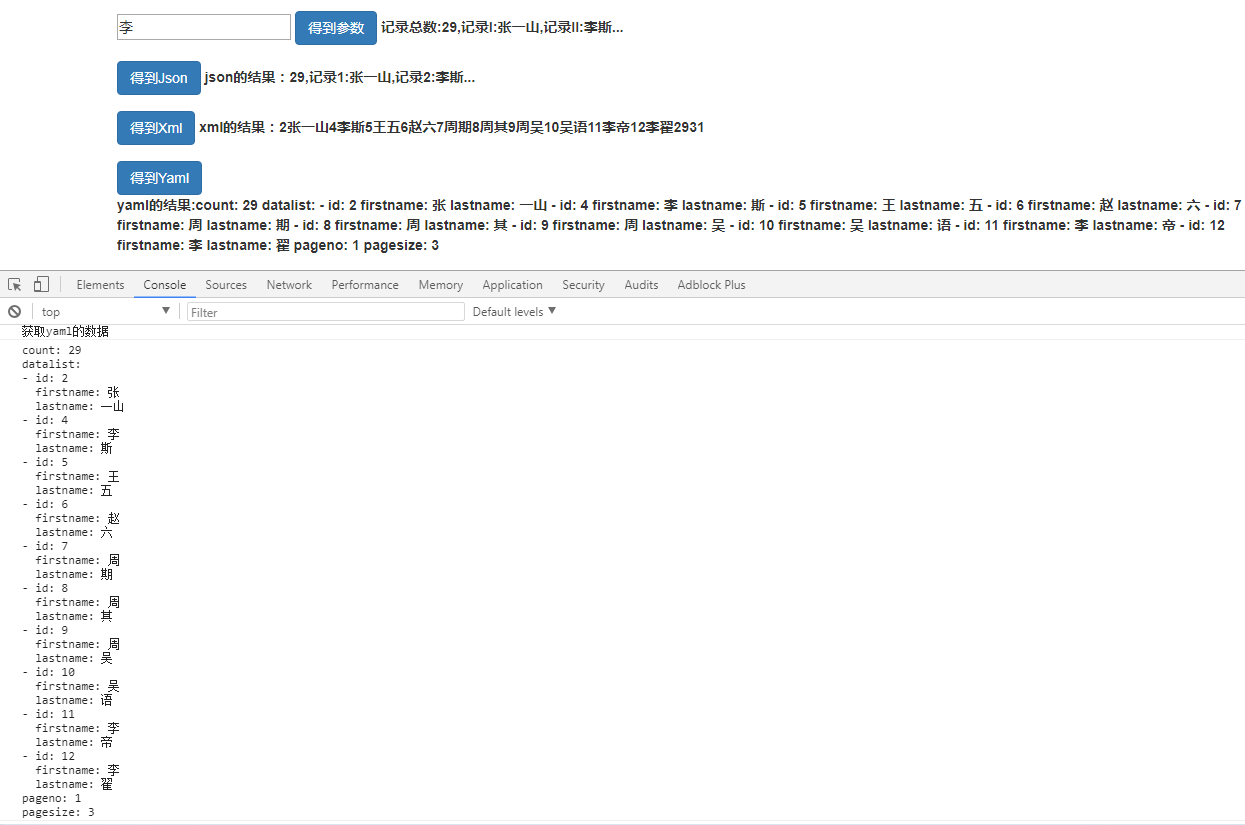
5> 编译测试,具体效果如下:
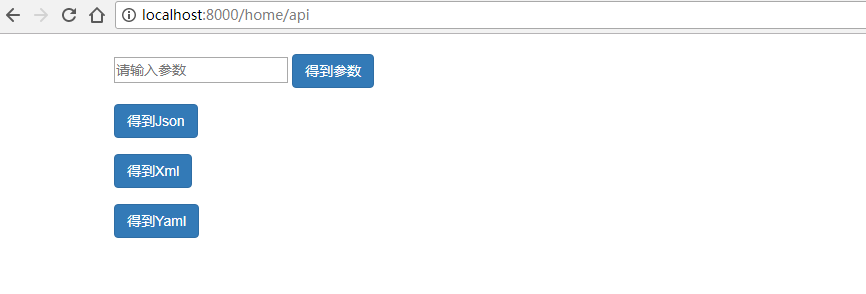
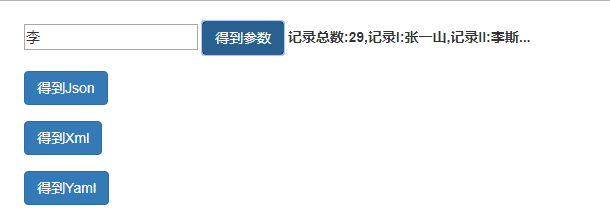
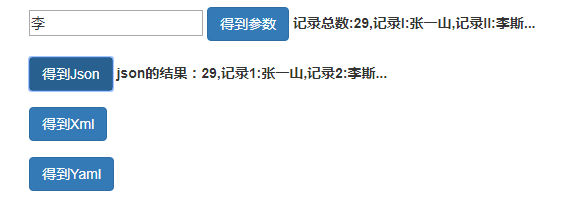
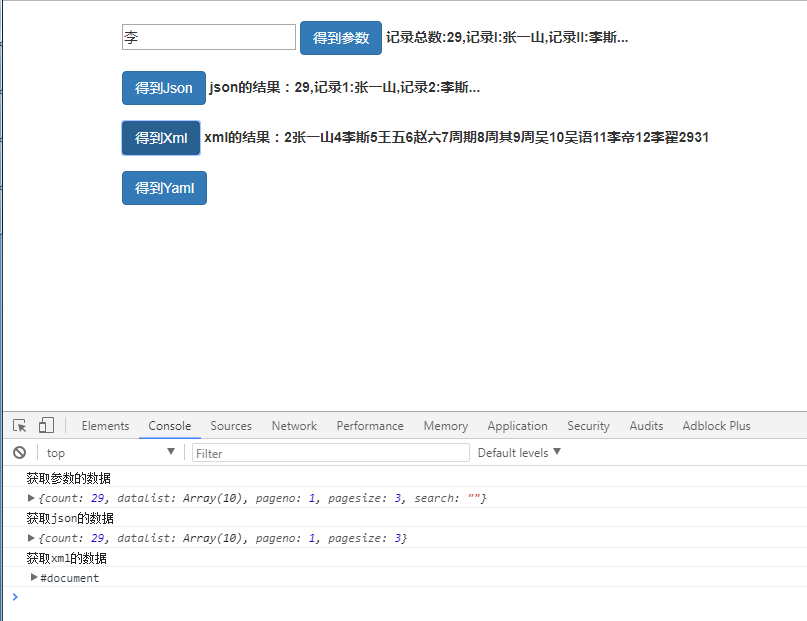
6> 下一章讲布局页面
Gin-Go学习笔记六:Gin-Web框架 Api的编写的更多相关文章
- python 学习笔记十五 web框架
python Web程序 众所周知,对于所有的Web应用,本质上其实就是一个socket服务端,用户的浏览器其实就是一个socket客户端. Python的WEB框架分为两类: 自己写socket,自 ...
- tornado 学习笔记9 Tornado web 框架---模板(template)功能分析
Tornado模板系统是将模板编译成Python代码. 最基本的使用方式: t = template.Template("<html>{{ myv ...
- # go微服务框架kratos学习笔记六(kratos 服务发现 discovery)
目录 go微服务框架kratos学习笔记六(kratos 服务发现 discovery) http api register 服务注册 fetch 获取实例 fetchs 批量获取实例 polls 批 ...
- Go语言笔记[实现一个Web框架实战]——EzWeb框架(一)
Go语言笔记[实现一个Web框架实战]--EzWeb框架(一) 一.Golang中的net/http标准库如何处理一个请求 func main() { http.HandleFunc("/& ...
- ASP.NET MVC Web API 学习笔记---第一个Web API程序
http://www.cnblogs.com/qingyuan/archive/2012/10/12/2720824.html GetListAll /api/Contact GetListBySex ...
- Typescript 学习笔记六:接口
中文网:https://www.tslang.cn/ 官网:http://www.typescriptlang.org/ 目录: Typescript 学习笔记一:介绍.安装.编译 Typescrip ...
- Spring实战第八章学习笔记————使用Spring Web Flow
Spring实战第八章学习笔记----使用Spring Web Flow Spring Web Flow是一个Web框架,它适用于元素按规定流程运行的程序. 其实我们可以使用任何WEB框架写流程化的应 ...
- Spring实战第五章学习笔记————构建Spring Web应用程序
Spring实战第五章学习笔记----构建Spring Web应用程序 Spring MVC基于模型-视图-控制器(Model-View-Controller)模式实现,它能够构建像Spring框架那 ...
- java之jvm学习笔记六-十二(实践写自己的安全管理器)(jar包的代码认证和签名) (实践对jar包的代码签名) (策略文件)(策略和保护域) (访问控制器) (访问控制器的栈校验机制) (jvm基本结构)
java之jvm学习笔记六(实践写自己的安全管理器) 安全管理器SecurityManager里设计的内容实在是非常的庞大,它的核心方法就是checkPerssiom这个方法里又调用 AccessCo ...
随机推荐
- 201871010105-曹玉中《面向对象程序设计(java)》第十四周学习总结
201871010105-曹玉中<面向对象程序设计(java)>第十四周学习总结 项目 内容 这个作业属于哪个课程 https://www.cnblogs.com/nwnu-daizh/ ...
- Shell编程 | 脚本参数与交互及常见问题
在执行一个脚本程序时,会经常需要向脚本传递一些参数,并根据输入的参数值生成相应的数据或执行特定的逻辑. 向脚本传递参数 执行Shell脚本时可以带有参数,在Shell脚本中有变量与之对应进行引用.这类 ...
- Spring data redis的使用
Spring data redis的使用 一.Redis的安装和使用 Redis是用C语言开发的一个高性能键值对数据库,可用于数据缓存,主要用于处理大量数据的高访问负载. 下载地址:https://g ...
- 论文阅读笔记五十七:FCOS: Fully Convolutional One-Stage Object Detection(CVPR2019)
论文原址:https://arxiv.org/abs/1904.01355 github: tinyurl.com/FCOSv1 摘要 本文提出了一个基于全卷积的单阶段检测网络,类似于语义分割,针对每 ...
- javascript专题系列--尾调用和尾递归
最近在看<冴羽的博客>,讲真,确实受益匪浅,已经看了javascript 深入系列和专题系列的大部分文章,可是现在才想起来做笔记.所以虽然很多以前面试被问得一脸懵逼的问题都被“一语惊醒梦中 ...
- openjdk11 stretch基础镜像无法找到对应openjdk dbg 包的问题
今天在构建一个jdk perf 工具基于openjdk 11 发现8 的dbg 一直可以查找到,但是11的就是没有 参考issue https://github.com/docker-library/ ...
- [LeetCode] 894. All Possible Full Binary Trees 所有可能的满二叉树
A full binary tree is a binary tree where each node has exactly 0 or 2 children. Return a list of al ...
- 路径规划基础A*算法
1,Dijkstra’s 算法 一种发散性寻找最短路径算法. 由起点开始向四周开始发散,直到碰到目标点为止.这时就是最短路径.优点:能找到与目标点的最短路径:缺点:搜索花费的时间会比较长. 2,Gr ...
- a2 任意角度选取设置
思岚的激光雷达A2固定角度是0-360°,但是由于结构空间限制往往无法得到360°的数据,如何设置获取任意角度呢?咨询过思岚的技术支持,得到的回答是:“我们已经不支持ROS系统..”让人有点蛋疼.., ...
- 运行带参数的python脚本
问题描述: 要执行python脚本,有哪几种方法. 特别是看书的时候,书上只讲解了如何在linux下运行,windows根本就没有那些命令,该怎么办呢? 方法1:python自带的IDLE编辑器 Ru ...