
ListView实现点击事件以及总结
差点吓死我了,好不容易写的博客没有了,还好有自动保存功能,不然我真的是呜呜。。。
---恢复内容开始---
开学一个月了,终于可以看见自己的作品雏形了。


从一个小白到现在半年了,觉得日子过得比较充实,回头看看满是值得纪念的。大一的时候觉得大学就是一个让人会变的颓废的地方,除了睡觉恐怕都是在扣手机。很幸运的是我,在办公室值班得到了加入工作室一起学习的机会。虽然刚开始入门的时候就像是一只无头苍蝇一样乱撞。没有任何的方向,虽然看似是在学习,但是却没有做出来任何的东西。一个学期过去了,除了会做一些简单的页面之外,连一个登录的功能都没有实现。曾经想过要放弃,觉得自己可能不是一个编程的料。但是一想到机会失去了就恐怕再也找不到这样的优越的条件了。暑假就又重新把Android的基础视频又看了一遍,重新稳固了老师说的知识点,发现了以前没有注意到的细节。虽然看视频可能是一件浪费时间的学习途径。但是我觉得这个途径还是很有效的,因为除了可以获得课本知识以外还可以听一些课本上没有讲到过得东西。暑假的时候一次偶然的机会,在写博客的时候,收到了一个消息。让加入一个IT交流群,抱着试试的态度可以认识到几个大神的心态加入了其中,也许真的是太幸运了。真的让我遇到了这样的几个人。虽然不是Android开发,但是在他们的帮助下,觉得IT的大门一点点向我打开了。一个暑假让我觉得自己成长了,以前是一遇到问题就去找别人解决,现在终于可以自己学会试着解决一些问题了。我把这个群分享给大家,期待可以有更多的人从中受益。
 顺便分享一点我在群里面的心得,如果你是一个女生就换一个比较女生化点的头像,这样的话你会发现会有很多人主动跟你解决问题的。这群里面的群主是特别厉害的任务之一,基本上我遇到问题在他的指点就会迎刃而解的。现在的我已经打算加入到这个神奇的行业当中了。
2016年还有两个月就要结束了,我想我的那个目标可以快实现了。我要加油!

不说了,开始粘代码喽:布局文件我就不粘了,实在是太多了。我相信你们一定看着界面会做出来的。
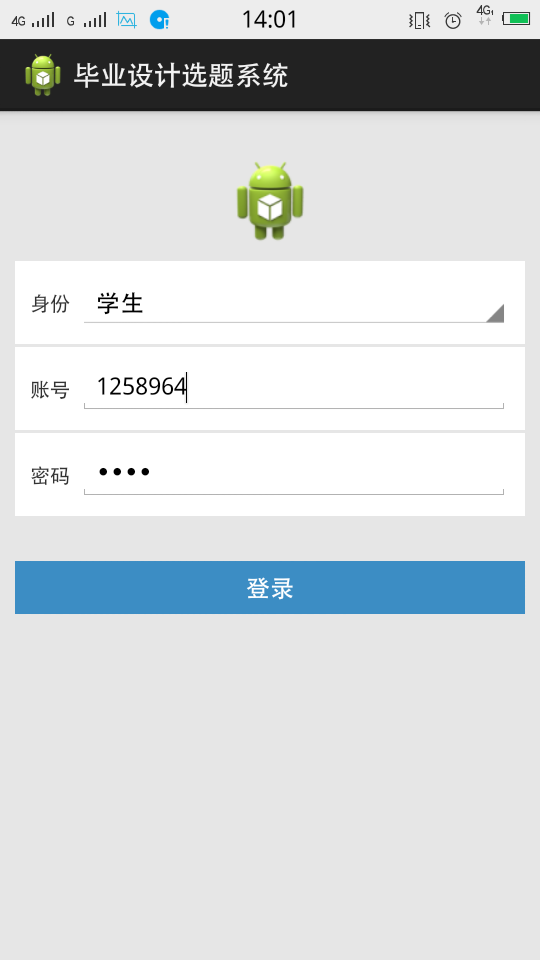
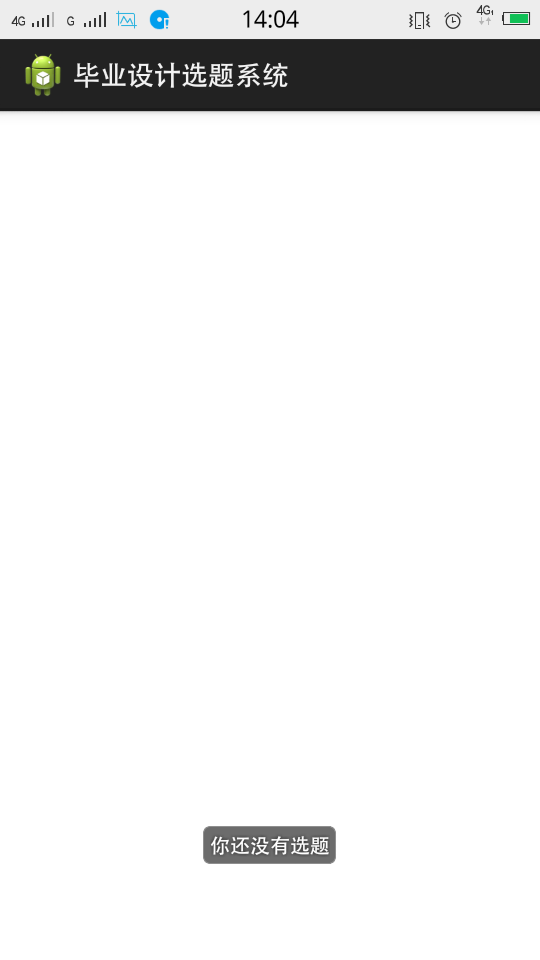
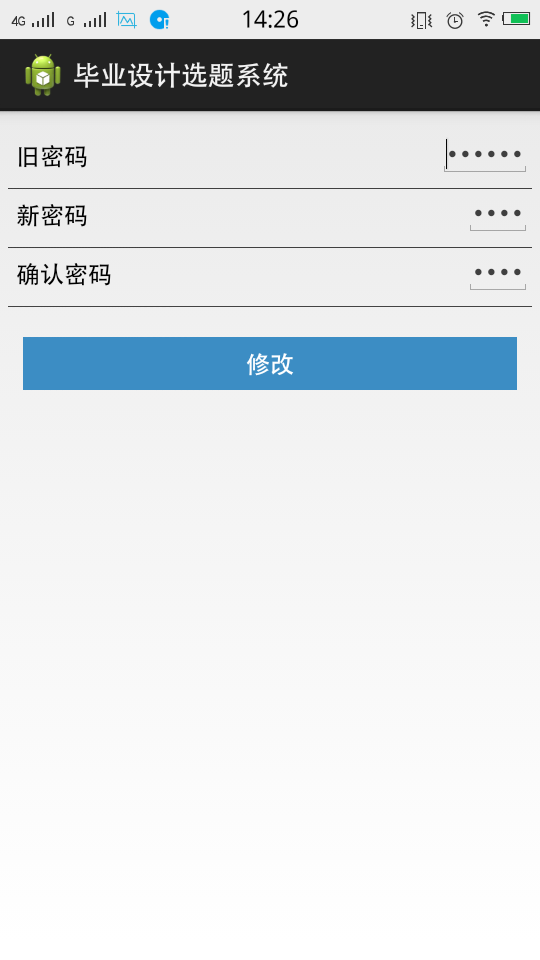
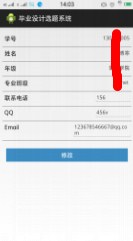
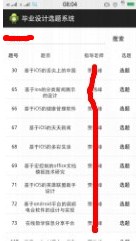
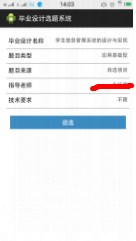
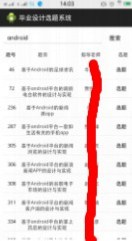
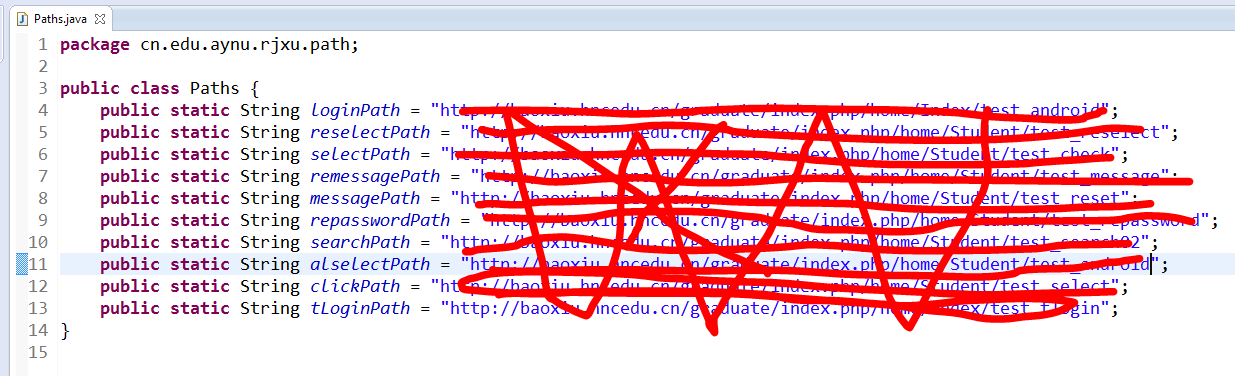
这个类我就不粘代码了,设计一些信息,就截图了,相信你能看的懂。
package cn.edu.aynu.rjxy.activity;

import android.os.Bundle;

import android.app.Activity;

import android.content.Intent;

import android.view.Menu;

import android.view.View;

import android.view.ViewGroup;

import android.widget.AdapterView;

import android.widget.AdapterView.OnItemClickListener;

import android.widget.BaseAdapter;

import android.widget.GridView;

import android.widget.TextView;

public class HomeActivity extends Activity {

    private GridView gv_Home;

    private String[] settingText = {"全部题目","我的选题","个人信息","修改密码"};

    @Override

    protected void onCreate(Bundle savedInstanceState) {

        super.onCreate(savedInstanceState);

        setContentView(R.layout.activity_home);

        gv_Home = (GridView) findViewById(R.id.gv_icons);

        gv_Home.setAdapter(new MyAdapter());

        gv_Home.setOnItemClickListener(new OnItemClickListener() {

            @Override

            public void onItemClick(AdapterView<?> adapter, View view, int position,

                    long id) {

                System.out.println(position);

                switch (position) {

                case 0:

                    //查看全部题目

                    Intent intent = new Intent(HomeActivity.this,SetlectActivity.class);

                    startActivity(intent);

                    break;

                case 1:

                    //我的选题

                    Intent intent01 = new Intent(HomeActivity.this,MineActivity.class);

                    startActivity(intent01);

                    break;

                case 2:

                    //个人信息

                    Intent intent02 = new Intent(HomeActivity.this,ReMessageActivity.class);

                    startActivity(intent02);

                    break;

                case 3:

                    //修改密码

                    Intent intent03 = new Intent(HomeActivity.this,RePasswordActivity.class);

                    startActivity(intent03);

                    break;

                default:

                    break;

                }

            }

        });

    }

class MyAdapter extends BaseAdapter{

    @Override

    public int getCount() {

        return settingText.length;

    }

    @Override

    public Object getItem(int position) {

        return settingText[position];

    }

    @Override

    public long getItemId(int position) {

        return position;

    }

    @Override

    public View getView(int position, View convertView, ViewGroup parent) {

        View view = View.inflate(getApplicationContext(), R.layout.item_gridview, null);

        TextView tv_Home = (TextView) view.findViewById(R.id.tv_icons);

        tv_Home.setText(settingText[position]);

        return view;

    }

}

}
package cn.edu.aynu.rjxy.activity;

import java.io.IOException;

import java.io.InputStream;

import java.net.HttpURLConnection;

import java.net.URL;

import java.util.Map;

import android.app.Activity;

import android.content.Intent;

import android.os.Bundle;

import android.os.Handler;

import android.os.Message;

import android.text.TextUtils;

import android.view.View;

import android.widget.AdapterView;

import android.widget.AdapterView.OnItemSelectedListener;

import android.widget.ArrayAdapter;

import android.widget.EditText;

import android.widget.Spinner;

import android.widget.Toast;

import cn.edu.aynu.rjxu.path.Paths;

import cn.edu.aynu.rjxy.tactivity.THomeActivity;

import cn.edu.aynu.rjxy.utils.SharedPreferencesUtils;

import cn.edu.aynu.rjxy.utils.StreamTools;

public class LoginActivity extends Activity {

     protected static final int ERROR = 2;

     protected static final int SUCCESS = 1;

     protected static String path = null;

    //身份下拉框  教师、学生、管理员

    private Spinner spin_id = null;

    private String[] ids = new String[]{"教师","学生","管理员"};

    ArrayAdapter<String> idAdapter = null;

    //账号和密码控件

    private EditText et_name;

    private EditText et_psw;

    private String name ;

    private String psw;

    private  String spinnerId;

    private String ID;

    private Handler handler = new Handler(){

        public void handleMessage(Message msg) {

            switch (msg.what) {

            case SUCCESS:

                String str = (String)msg.obj;

                System.out.println(str);

                if (str.equals("登录成功")) {

                     boolean isSaveSuccess = SharedPreferencesUtils.saveUserInfo02(LoginActivity.this, name, psw,spinnerId);

                     Intent intent = new Intent(LoginActivity.this,HomeActivity.class);

                     startActivity(intent);

                }else if (str.equals("老师登录成功")) {

                    Intent intent = new Intent(LoginActivity.this,THomeActivity.class);

                    startActivity(intent);

                }else{

                     Toast.makeText(LoginActivity.this,"登录失败,请核对你的账号密码是否正确", 1).show();

                }

                break;

            case ERROR:

                Toast.makeText(LoginActivity.this,"登录失败,可能身份不对", 1).show();

                break;

            }

        };

         };

    @Override

    protected void onCreate(Bundle savedInstanceState) {

        super.onCreate(savedInstanceState);

        setContentView(R.layout.activity_login);

        et_name = (EditText) findViewById(R.id.et_name);

        et_psw = (EditText) findViewById(R.id.et_psw);

        spin_id = (Spinner) findViewById(R.id.spin_id);

        //设置下拉框

        setSpinner();

        //取出账号和密码

        Map<String,String> userInfo = SharedPreferencesUtils.getUserInfo(this);

        if (userInfo != null) {

            //显示在界面上

            et_name.setText(userInfo.get("sno"));

            et_psw.setText(userInfo.get("password"));

             spinnerId = userInfo.get("spinnerId");

             System.out.println("....."+spinnerId);

        }

    }

    /*

     * 设置下拉框

     */

    private void setSpinner() {

        spin_id = (Spinner) findViewById(R.id.spin_id);

        //绑定适配器和值

        idAdapter = new ArrayAdapter<String>(LoginActivity.this,  android.R.layout.simple_spinner_item,ids);

        spin_id.setAdapter(idAdapter);

        spin_id.setSelection(0,true);//设置默认选项,此处默认的是第二个选项,即学生

        spin_id.setOnItemSelectedListener(new OnItemSelectedListener() {

            @Override

            public void onItemSelected(AdapterView<?> adapter, View view,

                    int position, long id) {

                 spinnerId = ids[position];

                System.out.println("spinnerId"+spinnerId);

                boolean isSaveSuccess = SharedPreferencesUtils.saveUserInfo02(LoginActivity.this, name, psw,spinnerId);

            }

            @Override

            public void onNothingSelected(AdapterView<?> arg0) {

            }

        });

    }

    /*

     * 学生登录

     */

    public void student(View view){

         name = et_name.getText().toString().trim();

         psw = et_psw.getText().toString().trim();

        //判断账号和密码是否为空

        if (TextUtils.isEmpty(name)||TextUtils.isEmpty(psw)) {

            Toast.makeText(this, "账号或者密码不能为空!", 0).show();

        }

        //子线程更新UI

         new Thread(){

                public void run(){

                    try {

                        //http://localhost/xampp/android/login.php

                        //区别1、url的路径不同

                        if (spinnerId.equals("学生")) {

                                 URL url = new  URL(Paths.loginPath);

                                 HttpURLConnection conn = (HttpURLConnection) url.openConnection();

                                 //区别2、请求方式post

                                 conn.setRequestMethod("POST");

                                 conn.setRequestProperty("User-Agent", "Mozilla/5.0(compatible;MSIE 9.0;Windows NT 6.1;Trident/5.0)");

                                 //区别3、必须指定两个请求的参数

                                 conn.setRequestProperty("Content-Type", "application/x-www-form-urlencoded");//请求的类型  表单数据

                                 String data = "sno="+name+"&passwd="+psw;

                                 conn.setRequestProperty("Content-Length", data.length()+"");//数据的长度

                                 //区别4、记得设置把数据写给服务器

                                 conn.setDoOutput(true);//设置向服务器写数据

                                 byte[] bytes = data.getBytes();

                                 conn.getOutputStream().write(bytes);//把数据以流的方式写给服务器

                                 int code = conn.getResponseCode();

                                 System.out.println(code);

                                         if(code == 200){

                                             InputStream is = conn.getInputStream();

                                             String  result = StreamTools.readStream(is);

                                             Message mas= Message.obtain();

                                             mas.what = SUCCESS;

                                             mas.obj = result;

                                             handler.sendMessage(mas);

                             }else{

                                 Message mas = Message.obtain();

                                 mas.what = ERROR;

                                 handler.sendMessage(mas);

                                 }

                        }else if (spinnerId.equals("教师")) {

                               //http://localhost/xampp/android/login.php

                            //区别1、url的路径不同

                            URL url = new  URL(Paths.tLoginPath);

                            HttpURLConnection conn = (HttpURLConnection) url.openConnection();

                            //区别2、请求方式post

                            conn.setRequestMethod("POST");

                            conn.setRequestProperty("User-Agent", "Mozilla/5.0(compatible;MSIE 9.0;Windows NT 6.1;Trident/5.0)");

                            //区别3、必须指定两个请求的参数

                            conn.setRequestProperty("Content-Type", "application/x-www-form-urlencoded");//请求的类型  表单数据

                            String data = "tno="+name+"&tpasswd="+psw;

                            conn.setRequestProperty("Content-Length", data.length()+"");//数据的长度

                            //区别4、记得设置把数据写给服务器

                            conn.setDoOutput(true);//设置向服务器写数据

                            byte[] bytes = data.getBytes();

                            conn.getOutputStream().write(bytes);//把数据以流的方式写给服务器

                            int code = conn.getResponseCode();

                            System.out.println(code);

                                    if(code == 200){

                                        InputStream is = conn.getInputStream();

                                        String  result = StreamTools.readStream(is);

                                        Message mas= Message.obtain();

                                        mas.what = SUCCESS;

                                        mas.obj = result;

                                        handler.sendMessage(mas);

                        }else{

                            Message mas = Message.obtain();

                            mas.what = ERROR;

                            handler.sendMessage(mas);

                            }

                        }

                    }catch (IOException e) {

                        // TODO Auto-generated catch block

                        Message mas = Message.obtain();

                        mas.what = ERROR;

                        handler.sendMessage(mas);

                    }

                }

            }.start();

    }

}
package cn.edu.aynu.rjxy.activity;

import java.io.BufferedReader;

import java.io.IOException;

import java.io.InputStream;

import java.io.InputStreamReader;

import java.net.HttpURLConnection;

import java.net.URL;

import java.util.ArrayList;

import java.util.List;

import java.util.Map;

import org.apache.http.HttpResponse;

import org.apache.http.StatusLine;

import org.apache.http.client.ClientProtocolException;

import org.apache.http.client.HttpClient;

import org.apache.http.client.methods.HttpGet;

import org.apache.http.impl.client.DefaultHttpClient;

import org.json.JSONArray;

import org.json.JSONException;

import org.json.JSONObject;

import cn.edu.aynu.rjxu.path.Paths;

import cn.edu.aynu.rjxy.entity.Data;

import cn.edu.aynu.rjxy.utils.SharedPreferencesUtils;

import cn.edu.aynu.rjxy.utils.StreamTools;

import android.app.Activity;

import android.os.Bundle;

import android.os.Handler;

import android.os.Message;

import android.util.Log;

import android.view.View;

import android.view.ViewGroup;

import android.widget.BaseAdapter;

import android.widget.ListView;

import android.widget.TextView;

import android.widget.Toast;

public class MineActivity extends Activity {

    private static final int CHANGE_UI = 1;

    private static final int SUCCESS = 3;

    private static final int ERROR = 2;

    private ListView lv;

    private List<Data> datas = new ArrayList<Data>();

    Data data;

    //主线程创建消息处理器

    private Handler handler = new Handler(){

        public void handleMessage(android.os.Message msg) {

            if (msg.what == CHANGE_UI) {

                try {

                    String json = (String)msg.obj;

                    if (json.equals("你还没有选题")) {

                        Toast.makeText(MineActivity.this, json, 0).show();

                    }else{

                    JSONArray arr = new JSONArray(json);

                      for (int i = 0; i < arr.length(); i++) {

                          JSONObject temp = (JSONObject) arr.get(i);

                         // Log.d("json", temp.getInt("id")+temp.getString("exp_name")+temp.getString("exp_tech"));

                          data = new Data();

                          data.setId(temp.getInt("id"));

                          data.setExp_name(temp.getString("exp_name"));

                          data.setExp_tech(temp.getString("exp_tech"));

                          data.setExp_source(temp.getString("exp_source"));

                          data.setExp_type(temp.getString("exp_type"));

                          data.setExp_tno(temp.getString("tname"));

                          data.setIstate(temp.getString("istate"));

                         //这个地方可以获取到值但是适配器那位0

                          datas.add(data);

                      }

                      lv.setAdapter(new MyAdapter());

                } }catch (JSONException e) {

                    // TODO Auto-generated catch block

                    e.printStackTrace();

                }

            }else if (msg.what == SUCCESS) {

                String s =(String)msg.obj;

                Toast.makeText(MineActivity.this, s, 0).show();

            }

        };

    };

    protected String sno;

    @Override

    protected void onCreate(Bundle savedInstanceState) {

        super.onCreate(savedInstanceState);

        setContentView(R.layout.activity_mine);

        lv = (ListView) findViewById(R.id.lv);

        select();

        //取出账号和密码

        Map<String,String> userInfo = SharedPreferencesUtils.getUserInfo(this);

        if (userInfo != null) {

              sno = userInfo.get("sno");

        }

    }

    //退选功能

    public void reselect(View view){

        //子线程更新UI

         new Thread(){

                public void run(){

                    try {

                        //http://localhost/xampp/android/login.php

                                //区别1、url的路径不同

                                 URL url = new  URL(Paths.reselectPath);

                                 HttpURLConnection conn = (HttpURLConnection) url.openConnection();

                                 //区别2、请求方式post

                                 conn.setRequestMethod("POST");

                                 conn.setRequestProperty("User-Agent", "Mozilla/5.0(compatible;MSIE 9.0;Windows NT 6.1;Trident/5.0)");

                                 //区别3、必须指定两个请求的参数

                                 conn.setRequestProperty("Content-Type", "application/x-www-form-urlencoded");//请求的类型  表单数据

                                 String data01 = "id="+ data.getId();

                                 conn.setRequestProperty("Content-Length", data01.length()+"");//数据的长度

                                 //区别4、记得设置把数据写给服务器

                                 conn.setDoOutput(true);//设置向服务器写数据

                                 byte[] bytes = data01.getBytes();

                                 conn.getOutputStream().write(bytes);//把数据以流的方式写给服务器

                                 int code = conn.getResponseCode();

                                 System.out.println(code);

                                         if(code == 200){

                                             InputStream is = conn.getInputStream();

                                             String  result = StreamTools.readStream(is);

                                             Message mas= Message.obtain();

                                             mas.what = SUCCESS;

                                             mas.obj = result;

                                             handler.sendMessage(mas);

                             }else{

                                 Message mas = Message.obtain();

                                 mas.what = ERROR;

                                 handler.sendMessage(mas);

                                 }

                    }catch (IOException e) {

                        // TODO Auto-generated catch block

                        Message mas = Message.obtain();

                        mas.what = ERROR;

                        handler.sendMessage(mas);

                    }

                }

            }.start();

    }

    private void select(){

        //子线程更新UI

         new Thread(){

                public void run(){

                     try {

                        StringBuilder builder = new StringBuilder();

                         URL url = new  URL(Paths.selectPath);

                         HttpURLConnection conn = (HttpURLConnection) url.openConnection();

                         //区别2、请求方式post

                         conn.setRequestMethod("POST");

                         conn.setRequestProperty("User-Agent", "Mozilla/5.0(compatible;MSIE 9.0;Windows NT 6.1;Trident/5.0)");

                         //区别3、必须指定两个请求的参数

                         conn.setRequestProperty("Content-Type", "application/x-www-form-urlencoded");//请求的类型  表单数据

                         //System.out.println(sno);

                         String data = "sno="+sno;

                         conn.setRequestProperty("Content-Length", data.length()+"");//数据的长度

                         //区别4、记得设置把数据写给服务器

                         conn.setDoOutput(true);//设置向服务器写数据

                         byte[] bytes = data.getBytes();

                         conn.getOutputStream().write(bytes);//把数据以流的方式写给服务器

                         int code = conn.getResponseCode();

                         if (code == 200) {

                              InputStream is = conn.getInputStream();

                             BufferedReader reader = new BufferedReader

                                  (new InputStreamReader(is,"UTF-8"));

                             for(String s=reader.readLine();s!=null;s=reader.readLine())

                          {

                              builder.append(s);

                          }

                          String content = builder.toString();

                        //通知主线程更新UI

                          Message message = new Message();

                          message.what = CHANGE_UI;

                          message.obj = content;

                          handler.sendMessage(message);

                    }else{

                        Log.e(HomeActivity.class.toString(), "Failed");

                    }

                } catch (ClientProtocolException e) {

                    e.printStackTrace();

                } catch (IOException e) {

                    e.printStackTrace();

                }

                };

            }.start();

    }

     class MyAdapter extends BaseAdapter{

            @Override

            public int getCount() {

                Log.d("AAA", ""+datas.size());

                return datas.size();

            }

            @Override

            public Object getItem(int position) {

                return datas.get(position);

            }

            @Override

            public long getItemId(int position) {

                return position;

            }

            @Override

            public View getView(int position, View convertView, ViewGroup parent) {

                View view = View.inflate(MineActivity.this, R.layout.ui_setting_select, null);

                TextView exp_name = (TextView) view.findViewById(R.id.tv_name);

                TextView exp_tech = (TextView) view.findViewById(R.id.tv_tech);

                TextView exp_type = (TextView) view.findViewById(R.id.tv_type);

                TextView exp_source = (TextView) view.findViewById(R.id.tv_source);

                TextView exp_tno = (TextView) view.findViewById(R.id.tv_tno);

                Data data = datas.get(position);

                Log.d("aaaaa",datas.get(position).getExp_name() );

                exp_name.setText(datas.get(position).getExp_name());

                //Log.i("exp_name", datas.get(position).getExp_name());

                exp_tech.setText(datas.get(position).getExp_tech());

                exp_type.setText(datas.get(position).getExp_type());

                exp_source.setText(datas.get(position).getExp_source());

                exp_tno.setText(datas.get(position).getExp_tno());

                return view;

            }

     }

}
package cn.edu.aynu.rjxy.activity;

import java.io.BufferedReader;

import java.io.IOException;

import java.io.InputStream;

import java.io.InputStreamReader;

import java.net.HttpURLConnection;

import java.net.URL;

import java.util.ArrayList;

import java.util.List;

import java.util.Map;

import org.apache.http.client.ClientProtocolException;

import org.json.JSONArray;

import org.json.JSONException;

import org.json.JSONObject;

import android.app.Activity;

import android.os.Bundle;

import android.os.Handler;

import android.os.Message;

import android.text.TextUtils;

import android.util.Log;

import android.view.View;

import android.widget.EditText;

import android.widget.TextView;

import android.widget.Toast;

import cn.edu.aynu.rjxu.path.Paths;

import cn.edu.aynu.rjxy.entity.Data;

import cn.edu.aynu.rjxy.utils.SharedPreferencesUtils;

import cn.edu.aynu.rjxy.utils.StreamTools;

public class ReMessageActivity extends Activity {

     protected static final int ERROR = 2;

     protected static final int CHANGE_UI = 1;

     protected static final int CHANGE_REMESSAGE = 3;

     protected static final int SUCCESS = 4;

    //账号和密码控件

    private EditText et_cellphone;

    private EditText et_qq;

    private EditText et_email;

    private TextView tv_sno;

    private TextView tv_name;

    private TextView tv_grade;

    private TextView tv_class;

    private String cellphone ;

    private String qq;

    private String email;

    private Handler handler = new Handler(){

        public void handleMessage(Message msg) {

            switch (msg.what) {

            case CHANGE_UI:

                try {

                    JSONArray arr = new JSONArray((String)msg.obj);

                      for (int i = 0; i < arr.length(); i++) {

                          JSONObject temp = (JSONObject) arr.get(i);

                          tv_sno.setText(temp.getString("sno"));

                          System.out.println(temp.getString("sname"));

                          tv_name.setText(temp.getString("sname"));

                          tv_grade.setText(temp.getString("school"));

                          tv_class.setText(temp.getString("spec"));

                          et_cellphone.setText(temp.getString("cellphone"));

                          et_qq.setText(temp.getString("qq"));

                          et_email.setText(temp.getString("email"));

                      }

                } catch (JSONException e) {

                    // TODO Auto-generated catch block

                    e.printStackTrace();

                }

                break;

            case ERROR:

                Toast.makeText(ReMessageActivity.this,"操作失败", 1).show();

                break;

            case SUCCESS:

                String s = (String)msg.obj;

                if (s.equals("完善信息成功")) {

                    Toast.makeText(ReMessageActivity.this, "修改信息成功", 0).show();

                }else{

                    Toast.makeText(ReMessageActivity.this, "修改信息失败", 0).show();

                }

 }

        };

         };

     protected String sno;

    @Override

    protected void onCreate(Bundle savedInstanceState) {

        super.onCreate(savedInstanceState);

        setContentView(R.layout.activity_remessage);

        et_cellphone = (EditText) findViewById(R.id.et_cellphone);

        et_qq = (EditText) findViewById(R.id.et_qq);

        et_email = (EditText) findViewById(R.id.et_email);

        tv_class =(TextView) findViewById(R.id.tv_class);

        tv_sno =(TextView) findViewById(R.id.tv_sno);

        tv_name =(TextView) findViewById(R.id.tv_name);

        tv_grade =(TextView) findViewById(R.id.tv_grade);

        //取出账号和密码

        Map<String,String> userInfo = SharedPreferencesUtils.getUserInfo(this);

        if (userInfo != null) {

              sno = userInfo.get("sno");

        }

        select();

    }

    /*

     * 完善信息

     */

    public void remessage(View view){

         cellphone = et_cellphone.getText().toString().trim();

         qq = et_qq.getText().toString().trim();

         email = et_email.getText().toString().trim();

        //判断信息是否为空

        if (TextUtils.isEmpty(cellphone)||TextUtils.isEmpty(qq)||TextUtils.isEmpty(email)) {

            Toast.makeText(this, "输入信息不能为空", 0).show();

        }

        //子线程更新UI

         new Thread(){

                public void run(){

                      try {

                            StringBuilder builder = new StringBuilder();

                            URL url = new  URL(Paths.remessagePath);

                             HttpURLConnection conn = (HttpURLConnection) url.openConnection();

                             //区别2、请求方式post

                             conn.setRequestMethod("POST");

                             conn.setRequestProperty("User-Agent", "Mozilla/5.0(compatible;MSIE 9.0;Windows NT 6.1;Trident/5.0)");

                             //区别3、必须指定两个请求的参数

                             conn.setRequestProperty("Content-Type", "application/x-www-form-urlencoded");//请求的类型  表单数据

                             System.out.println("-------"+sno);

                             String data = "sno="+sno+"&cellphone="+cellphone+"&qq="+qq+"&email="+email;

                             conn.setRequestProperty("Content-Length", data.length()+"");//数据的长度

                             //区别4、记得设置把数据写给服务器

                             conn.setDoOutput(true);//设置向服务器写数据

                             byte[] bytes = data.getBytes();

                             conn.getOutputStream().write(bytes);//把数据以流的方式写给服务器

                             int code = conn.getResponseCode();

                             System.out.println("code----"+code);

                             if (code == 200) {

                                  InputStream is = conn.getInputStream();

                                 BufferedReader reader = new BufferedReader

                                      (new InputStreamReader(is,"UTF-8"));

                                 for(String s=reader.readLine();s!=null;s=reader.readLine())

                              {

                                  builder.append(s);

                              }

                              String content = builder.toString();

                            //通知主线程更新UI

                              Message message = new Message();

                              message.what = SUCCESS;

                              message.obj = content;

                              handler.sendMessage(message);

                        }else{

                            Log.e(HomeActivity.class.toString(), "Failed");

                        }

                    } catch (ClientProtocolException e) {

                        e.printStackTrace();

                    } catch (IOException e) {

                        e.printStackTrace();

                    }

                }

            }.start();

    }

    private void select(){

        //子线程更新UI

         new Thread(){

                public void run(){

                     try {

                        StringBuilder builder = new StringBuilder();

                        URL url = new  URL(Paths.messagePath);

                         HttpURLConnection conn = (HttpURLConnection) url.openConnection();

                         //区别2、请求方式post

                         conn.setRequestMethod("POST");

                         conn.setRequestProperty("User-Agent", "Mozilla/5.0(compatible;MSIE 9.0;Windows NT 6.1;Trident/5.0)");

                         //区别3、必须指定两个请求的参数

                         conn.setRequestProperty("Content-Type", "application/x-www-form-urlencoded");//请求的类型  表单数据

                         System.out.println("-------"+sno);

                         String data = "sno="+sno;

                         conn.setRequestProperty("Content-Length", data.length()+"");//数据的长度

                         //区别4、记得设置把数据写给服务器

                         conn.setDoOutput(true);//设置向服务器写数据

                         byte[] bytes = data.getBytes();

                         conn.getOutputStream().write(bytes);//把数据以流的方式写给服务器

                         int code = conn.getResponseCode();

                         System.out.println("code----"+code);

                         if (code == 200) {

                              InputStream is = conn.getInputStream();

                             BufferedReader reader = new BufferedReader

                                  (new InputStreamReader(is,"UTF-8"));

                             for(String s=reader.readLine();s!=null;s=reader.readLine())

                          {

                              builder.append(s);

                          }

                          String content = builder.toString();

                        //通知主线程更新UI

                          Message message = new Message();

                          message.what = CHANGE_UI;

                          message.obj = content;

                          handler.sendMessage(message);

                    }else{

                        Log.e(HomeActivity.class.toString(), "Failed");

                    }

                } catch (ClientProtocolException e) {

                    e.printStackTrace();

                } catch (IOException e) {

                    e.printStackTrace();

                }

                };

            }.start();

    }

}
package cn.edu.aynu.rjxy.activity;

import java.io.IOException;

import java.io.InputStream;

import java.net.HttpURLConnection;

import java.net.MalformedURLException;

import java.net.URL;

import java.util.Map;

import cn.edu.aynu.rjxu.path.Paths;

import cn.edu.aynu.rjxy.utils.SharedPreferencesUtils;

import cn.edu.aynu.rjxy.utils.StreamTools;

import android.os.Bundle;

import android.os.Handler;

import android.os.Message;

import android.app.Activity;

import android.text.TextUtils;

import android.view.View;

import android.widget.EditText;

import android.widget.Toast;

public class RePasswordActivity extends Activity {

    protected static final int ERROR = 2;

    protected static final int SUCCESS = 1;

    private EditText et_oldPassword;

    private EditText et_newPassword;

    private EditText et_confirmPasseord;

    private Handler handler = new Handler(){

        public void handleMessage(Message msg) {

            switch (msg.what) {

            case SUCCESS:

                Toast.makeText(RePasswordActivity.this,(String)msg.obj, 1).show();

                break;

            case ERROR:

                Toast.makeText(RePasswordActivity.this,"修改密码失败", 1).show();

                break;

            }

        };

         };

         protected String sno;

    @Override

    protected void onCreate(Bundle savedInstanceState) {

        super.onCreate(savedInstanceState);

        setContentView(R.layout.activity_repassword);

        et_oldPassword = (EditText) findViewById(R.id.et_oldPassword);

        et_newPassword = (EditText) findViewById(R.id.et_newPassword);

        et_confirmPasseord = (EditText) findViewById(R.id.et_confirmPasseord);

        //取出账号和密码

        Map<String,String> userInfo = SharedPreferencesUtils.getUserInfo(this);

        if (userInfo != null) {

              sno = userInfo.get("sno");

        }

    }

    /*

     * 学生登录

     */

    public void repassword(View view){

        final String oldPassword = et_oldPassword.getText().toString().trim();

        final String newPassword = et_newPassword.getText().toString().trim();

        final String confirmPasseord = et_confirmPasseord.getText().toString().trim();

        //判断账号和密码是否为空

        if (TextUtils.isEmpty(oldPassword)||TextUtils.isEmpty(newPassword)||TextUtils.isEmpty(confirmPasseord)) {

            Toast.makeText(this, "旧密码或者新密码或确认密码不能为空!", 0).show();

        }else if(newPassword.equals(confirmPasseord)){

            Toast.makeText(this, "两次密码输入的不一致!", 0);

        }

        //子线程更新UI

         new Thread(){

                public void run(){

                    try {

                        //http://localhost/xampp/android/login.php

                        //区别1、url的路径不同

                       URL url = new  URL(Paths.repasswordPath);

                        HttpURLConnection conn = (HttpURLConnection) url.openConnection();

                        //区别2、请求方式post

                        conn.setRequestMethod("POST");

                        conn.setRequestProperty("User-Agent", "Mozilla/5.0(compatible;MSIE 9.0;Windows NT 6.1;Trident/5.0)");

                        //区别3、必须指定两个请求的参数

                        conn.setRequestProperty("Content-Type", "application/x-www-form-urlencoded");//请求的类型  表单数据

                        String data = "sno="+sno+"&old_passwd="+oldPassword+"&new_passed1="+newPassword;

                        conn.setRequestProperty("Content-Length", data.length()+"");//数据的长度

                        //区别4、记得设置把数据写给服务器

                        conn.setDoOutput(true);//设置向服务器写数据

                        byte[] bytes = data.getBytes();

                        conn.getOutputStream().write(bytes);//把数据以流的方式写给服务器

                        int code = conn.getResponseCode();

                        System.out.println(code);

                                if(code == 200){

                                    InputStream is = conn.getInputStream();

                                    String  result = StreamTools.readStream(is);

                                    Message mas= Message.obtain();

                                    mas.what = SUCCESS;

                                    mas.obj = result;

                                    handler.sendMessage(mas);

                    }else{

                        Message mas = Message.obtain();

                        mas.what = ERROR;

                        handler.sendMessage(mas);

                        }

                    }catch (IOException e) {

                        // TODO Auto-generated catch block

                        Message mas = Message.obtain();

                        mas.what = ERROR;

                        handler.sendMessage(mas);

                    }

                }

            }.start();

    }

}
package cn.edu.aynu.rjxy.activity;

import java.io.IOException;

import java.io.InputStream;

import java.net.HttpURLConnection;

import java.net.URL;

import java.net.URLEncoder;

import java.util.ArrayList;

import java.util.List;

import java.util.Map;

import org.json.JSONArray;

import org.json.JSONException;

import org.json.JSONObject;

import cn.edu.aynu.rjxu.path.Paths;

import cn.edu.aynu.rjxy.entity.Data;

import cn.edu.aynu.rjxy.utils.SharedPreferencesUtils;

import cn.edu.aynu.rjxy.utils.StreamTools;

import android.app.Activity;

import android.content.Intent;

import android.os.Bundle;

import android.os.Handler;

import android.os.Message;

import android.text.TextUtils;

import android.util.Log;

import android.view.View;

import android.view.ViewGroup;

import android.view.View.OnClickListener;

import android.widget.BaseAdapter;

import android.widget.Button;

import android.widget.EditText;

import android.widget.ListView;

import android.widget.TextView;

import android.widget.Toast;

public class SearchActivity extends Activity {

     protected static final int ERROR = 2;

     protected static final int SEARCH = 3;

     protected static final int SUCCESS = 1;

     private EditText et_search;

     private String name;

     private ListView lv;

     private List<Data> datas = new ArrayList<Data>();

     Data data;

     private Handler handler = new Handler(){

            public void handleMessage(Message msg) {

                switch (msg.what) {

                case SUCCESS:

                    try {

                        JSONArray arr = new JSONArray((String)msg.obj);

                        System.out.println((String)msg.obj);

                          for (int i = 0; i < arr.length(); i++) {

                              JSONObject temp = (JSONObject) arr.get(i);

                             // Log.d("json", temp.getInt("id")+temp.getString("exp_name")+temp.getString("exp_tech"));

                              data = new Data();

                              data.setId(temp.getInt("id"));

                              data.setExp_name(temp.getString("exp_name"));

                              data.setTname(temp.getString("tname"));

                             //这个地方可以获取到值但是适配器那位0

                              datas.add(data);

                          }

                          lv.setAdapter(new MyAdapter());

                    } catch (JSONException e) {

                        // TODO Auto-generated catch block

                        e.printStackTrace();

                    }

                    break;

                case ERROR:

                    Toast.makeText(SearchActivity.this,"失败", 1).show();

                    break;

                   case SEARCH:

                        Toast.makeText(SearchActivity.this,(String)msg.obj, 1).show();

                }

            };

             };

    private String sno;

    @Override

    protected void onCreate(Bundle savedInstanceState) {

        // TODO Auto-generated method stub

        super.onCreate(savedInstanceState);

        setContentView(R.layout.activity_search);

        lv = (ListView) findViewById(R.id.lv);

        et_search = (EditText) findViewById(R.id.et_search);

         //取出账号和密码

        Map<String,String> userInfo = SharedPreferencesUtils.getUserInfo(this);

        if (userInfo != null) {

              sno = userInfo.get("sno");

        }

    }

    //搜索功能

    public void search(View view){

         name = et_search.getText().toString().trim();

        //子线程更新UI

         new Thread(){

                public void run(){

                    try {

                        //http://localhost/xampp/android/login.php

                        //区别1、url的路径不同

                       URL url = new  URL(Paths.searchPath);

                        HttpURLConnection conn = (HttpURLConnection) url.openConnection();

                        //区别2、请求方式post

                        conn.setRequestMethod("POST");

                        conn.setRequestProperty("User-Agent", "Mozilla/5.0(compatible;MSIE 9.0;Windows NT 6.1;Trident/5.0)");

                        //区别3、必须指定两个请求的参数

                        conn.setRequestProperty("Content-Type" , "application/x-www-form-urlencoded");//请求的类型  表单数据

                          String data = "exp_tname="+URLEncoder.encode(name, "UTF-8");

                          System.out.println(name);

                        conn.setRequestProperty("Content-Length", data.length()+"");//数据的长度

                        //区别4、记得设置把数据写给服务器

                        conn.setDoOutput(true);//设置向服务器写数据

                        byte[] bytes = data.getBytes();

                       conn.getOutputStream().write(bytes);//把数据以流的方式写给服务器

                        int code = conn.getResponseCode();

                        System.out.println(code);

                                if(code == 200){

                                    InputStream is = conn.getInputStream();

                                    String  result = StreamTools.readStream(is);

                                    Message mas= Message.obtain();

                                    mas.what = SUCCESS;

                                    mas.obj = result;

                                    handler.sendMessage(mas);

                    }else{

                        Message mas = Message.obtain();

                        mas.what = ERROR;

                        handler.sendMessage(mas);

                        }

                    }catch (IOException e) {

                        // TODO Auto-generated catch block

                        Message mas = Message.obtain();

                        mas.what = ERROR;

                        handler.sendMessage(mas);

                    }

                }

            }.start();

    }

     class MyAdapter extends BaseAdapter{

            @Override

            public int getCount() {

                Log.d("AAA", ""+datas.size());

                return datas.size();

            }

            @Override

            public Object getItem(int position) {

                return datas.get(position);

            }

            @Override

            public long getItemId(int position) {

                return position;

            }

            @Override

            public View getView(final int position, View convertView, ViewGroup parent) {

                View view = View.inflate(SearchActivity.this, R.layout.item_search, null);

                TextView id = (TextView) view.findViewById(R.id.tv_id);

                TextView exp_name = (TextView) view.findViewById(R.id.tv_name);

                TextView tname = (TextView) view.findViewById(R.id.tv_tname);

                Button bt_selectquestion = (Button) view.findViewById(R.id.bt_select);

                 bt_selectquestion.setOnClickListener(new View.OnClickListener() {

                     public void onClick(View v) {

                        //子线程更新UI

                         new Thread(){

                                public void run(){

                                    try {

                                        //http://localhost/xampp/android/login.php

                                        //区别1、url的路径不同

                                        URL url = new  URL(Paths.clickPath);

                                        HttpURLConnection conn = (HttpURLConnection) url.openConnection();

                                        //区别2、请求方式post

                                        conn.setRequestMethod("POST");

                                        conn.setRequestProperty("User-Agent", "Mozilla/5.0(compatible;MSIE 9.0;Windows NT 6.1;Trident/5.0)");

                                        //区别3、必须指定两个请求的参数

                                        conn.setRequestProperty("Content-Type", "application/x-www-form-urlencoded");//请求的类型  表单数据

                                        String data01 = "sno="+sno+"&id="+String.valueOf(datas.get(position).getId());

                                        System.out.println(sno+String.valueOf(datas.get(position).getId()));

                                        conn.setRequestProperty("Content-Length", data01.length()+"");//数据的长度

                                        //区别4、记得设置把数据写给服务器

                                        conn.setDoOutput(true);//设置向服务器写数据

                                        byte[] bytes = data01.getBytes();

                                        conn.getOutputStream().write(bytes);//把数据以流的方式写给服务器

                                        int code = conn.getResponseCode();

                                        System.out.println(code);

                                                if(code == 200){

                                                    InputStream is = conn.getInputStream();

                                                    String  result = StreamTools.readStream(is);

                                                    Message mas= Message.obtain();

                                                    mas.what = SEARCH;

                                                    mas.obj = result;

                                                    handler.sendMessage(mas);

                                    }else{

                                        Message mas = Message.obtain();

                                        mas.what = ERROR;

                                        handler.sendMessage(mas);

                                        }

                                    }catch (IOException e) {

                                        // TODO Auto-generated catch block

                                        Message mas = Message.obtain();

                                        mas.what = ERROR;

                                        handler.sendMessage(mas);

                                    }

                                }

                            }.start();

                     }

                 });

                data = datas.get(position);

                Log.d("aaaaa",data.getExp_name() );

                id.setText(String.valueOf(data.getId()));

                exp_name.setText(data.getExp_name());

                tname.setText(data.getTname());

                return view;

            }

     }

}
package cn.edu.aynu.rjxy.activity;

import java.io.BufferedReader;

import java.io.IOException;

import java.io.InputStream;

import java.io.InputStreamReader;

import java.net.HttpURLConnection;

import java.net.URL;

import java.util.ArrayList;

import java.util.List;

import java.util.Map;

import org.apache.http.HttpResponse;

import org.apache.http.StatusLine;

import org.apache.http.client.ClientProtocolException;

import org.apache.http.client.HttpClient;

import org.apache.http.client.methods.HttpGet;

import org.apache.http.impl.client.DefaultHttpClient;

import org.json.JSONArray;

import org.json.JSONException;

import org.json.JSONObject;

import cn.edu.aynu.rjxu.path.Paths;

import cn.edu.aynu.rjxy.entity.Data;

import cn.edu.aynu.rjxy.utils.SharedPreferencesUtils;

import cn.edu.aynu.rjxy.utils.StreamTools;

import android.app.Activity;

import android.content.Intent;

import android.os.Bundle;

import android.os.Handler;

import android.os.Message;

import android.util.Log;

import android.view.View;

import android.view.View.OnClickListener;

import android.view.ViewGroup;

import android.widget.AdapterView;

import android.widget.AdapterView.OnItemClickListener;

import android.widget.BaseAdapter;

import android.widget.Button;

import android.widget.CheckBox;

import android.widget.CompoundButton;

import android.widget.CompoundButton.OnCheckedChangeListener;

import android.widget.ListView;

import android.widget.TextView;

import android.widget.Toast;

public class SetlectActivity extends Activity {

    private static final int CHANGE_UI = 1;

    private static final int SUCCESS = 2;

    private static final int ERROR = 0;

    private ListView lv;

    private List<Data> datas = new ArrayList<Data>();

    Data data;

    //主线程创建消息处理器

    private Handler handler = new Handler(){

        public void handleMessage(android.os.Message msg) {

            if (msg.what == CHANGE_UI) {

                try {

                    JSONArray arr = new JSONArray((String)msg.obj);

                      for (int i = 0; i < arr.length(); i++) {

                          JSONObject temp = (JSONObject) arr.get(i);

                         // Log.d("json", temp.getInt("id")+temp.getString("exp_name")+temp.getString("exp_tech"));

                          data = new Data();

                          data.setId(temp.getInt("id"));

                          data.setExp_name(temp.getString("exp_name"));

                          data.setExp_tech(temp.getString("exp_tech"));

                          data.setTname(temp.getString("tname"));

                         //这个地方可以获取到值但是适配器那位0

                          datas.add(data);

                      }

                      lv.setAdapter(new MyAdapter());

                } catch (JSONException e) {

                    // TODO Auto-generated catch block

                    e.printStackTrace();

                }

            }else if (msg.what == SUCCESS) {

                 Toast.makeText(SetlectActivity.this,(String)msg.obj, 1).show();

            }

        };

    };

    private String sno;

    private String spinnerId;

    @Override

    protected void onCreate(Bundle savedInstanceState) {

        super.onCreate(savedInstanceState);

        setContentView(R.layout.activity_select);

        lv = (ListView) findViewById(R.id.lv);

        select();

         //取出账号和密码

        Map<String,String> userInfo = SharedPreferencesUtils.getUserInfo(this);

        if (userInfo != null) {

              sno = userInfo.get("sno");

        }

    }

    //搜获功能

    public void search(View view){

        Intent intent03 = new Intent(SetlectActivity.this,SearchActivity.class);

        startActivity(intent03);

    }

    private void select(){

        //子线程更新UI

         new Thread(){

                public void run(){

                    StringBuilder builder = new StringBuilder();

                    HttpClient client = new DefaultHttpClient();

                    HttpGet httpGet = new HttpGet(Paths.alselectPath);

                    try {

                    HttpResponse response = client.execute(httpGet);

                    StatusLine statusLine = response.getStatusLine();

                    int statusCode = statusLine.getStatusCode();

                    if (statusCode == 200) {

                      BufferedReader reader = new BufferedReader

                                  (new InputStreamReader(response.getEntity().getContent(),"UTF-8"));

                          for(String s=reader.readLine();s!=null;s=reader.readLine())

                          {

                              builder.append(s);

                          }

                          String content = builder.toString();

                          System.out.println(content);

                        //通知主线程更新UI

                          Message message = new Message();

                          message.what = CHANGE_UI;

                          message.obj = content;

                          handler.sendMessage(message);

                    }else{

                        Log.e(HomeActivity.class.toString(), "Failed");

                    }

                } catch (ClientProtocolException e) {

                    e.printStackTrace();

                } catch (IOException e) {

                    e.printStackTrace();

                }

                };

            }.start();

    }

     class MyAdapter extends BaseAdapter{

            @Override

            public int getCount() {

                Log.d("AAA", ""+datas.size());

                return datas.size();

            }

            @Override

            public Object getItem(int position) {

                return datas.get(position);

            }

            @Override

            public long getItemId(int position) {

                return position;

            }

            @Override

            public View getView(final int position, View convertView, ViewGroup parent) {

                View view = View.inflate(SetlectActivity.this, R.layout.item_listview, null);

                TextView id = (TextView) view.findViewById(R.id.tv_id);

                TextView exp_name = (TextView) view.findViewById(R.id.tv_name);

                TextView tname = (TextView) view.findViewById(R.id.tv_tname);

                Button bt_selectquestion = (Button) view.findViewById(R.id.bt_select);

                data = datas.get(position);

                Log.d("aaaaa",data.getExp_name() );

                id.setText(String.valueOf(data.getId()));

                exp_name.setText(data.getExp_name());

                tname.setText(data.getTname());

                exp_name.setOnClickListener(new OnClickListener() {

                    @Override

                    public void onClick(View v) {

                         boolean isSaveSuccess = SharedPreferencesUtils.saveUserInfo02(SetlectActivity.this, sno, String.valueOf(datas.get(position).getId()),spinnerId);

                          Toast.makeText(SetlectActivity.this, datas.get(position).getExp_tech(),0).show();

                    }

                });

                 bt_selectquestion.setOnClickListener(new View.OnClickListener() {

                     public void onClick(View v) {

                        //子线程更新UI

                         new Thread(){

                                public void run(){

                                    try {

                                        //http://localhost/xampp/android/login.php

                                        //区别1、url的路径不同

                                        URL url = new  URL(Paths.clickPath);

                                        HttpURLConnection conn = (HttpURLConnection) url.openConnection();

                                        //区别2、请求方式post

                                        conn.setRequestMethod("POST");

                                        conn.setRequestProperty("User-Agent", "Mozilla/5.0(compatible;MSIE 9.0;Windows NT 6.1;Trident/5.0)");

                                        //区别3、必须指定两个请求的参数

                                        conn.setRequestProperty("Content-Type", "application/x-www-form-urlencoded");//请求的类型  表单数据

                                        String data01 = "sno="+sno+"&id="+String.valueOf(datas.get(position).getId());

                                        System.out.println(sno+String.valueOf(datas.get(position).getId()));

                                        conn.setRequestProperty("Content-Length", data01.length()+"");//数据的长度

                                        //区别4、记得设置把数据写给服务器

                                        conn.setDoOutput(true);//设置向服务器写数据

                                        byte[] bytes = data01.getBytes();

                                        conn.getOutputStream().write(bytes);//把数据以流的方式写给服务器

                                        int code = conn.getResponseCode();

                                        System.out.println(code);

                                                if(code == 200){

                                                    InputStream is = conn.getInputStream();

                                                    String  result = StreamTools.readStream(is);

                                                    Message mas= Message.obtain();

                                                    mas.what = SUCCESS;

                                                    mas.obj = result;

                                                    handler.sendMessage(mas);

                                    }else{

                                        Message mas = Message.obtain();

                                        mas.what = ERROR;

                                        handler.sendMessage(mas);

                                        }

                                    }catch (IOException e) {

                                        // TODO Auto-generated catch block

                                        Message mas = Message.obtain();

                                        mas.what = ERROR;

                                        handler.sendMessage(mas);

                                    }

                                }

                            }.start();

                     }

                 });

                return view;

            }

     }

}
package cn.edu.aynu.rjxy.activity;

import java.io.File;

import java.io.IOException;

import java.net.HttpURLConnection;

import java.net.MalformedURLException;

import java.net.URL;

import org.json.JSONException;

import org.json.JSONObject;

import android.app.Activity;

import android.app.AlertDialog;

import android.content.DialogInterface;

import android.content.DialogInterface.OnClickListener;

import android.content.Intent;

import android.content.pm.PackageInfo;

import android.content.pm.PackageManager;

import android.content.pm.PackageManager.NameNotFoundException;

import android.os.Bundle;

import android.os.Environment;

import android.os.Handler;

import android.os.Message;

import android.view.View;

import android.widget.TextView;

import cn.edu.aynu.rjxy.utils.StreamUtils;

import cn.edu.aynu.rjxy.utils.ToastUtils;

import com.lidroid.xutils.HttpUtils;

import com.lidroid.xutils.exception.HttpException;

import com.lidroid.xutils.http.ResponseInfo;

import com.lidroid.xutils.http.callback.RequestCallBack;

/*

 * 展示品牌---->初始化数据---->检查版本---->校验合法性

 */

public class SplashActivity extends Activity {

    private static final int UPDATE_DIALOG = 1;//更新提醒

    private static final int NETWORK_ERROR = 2;//网络异常

    private static final int JSON_ERROR = 3;//数据解析失败

    private static final int URL_ERROR = 4;//网络异常

    private static final int ENTER_HOME = 5;//跳转主页面

    //控件初始化

    private TextView tvVersion;

    private TextView tvProgress;

    //服务器的返回值

    private String mVersionName;//成员变量

    private int mVersionCode;

    private String mDescription;

    private String mDownloadUrl;

    //消息传递

    private Handler mHandler = new Handler(){

        public void handleMessage(android.os.Message msg) {

            switch (msg.what) {

            case UPDATE_DIALOG:

                showUpdateDialog();

                break;

            case NETWORK_ERROR:

                //ToastUtils.showToast(getApplicationContext(), "网络异常");

                enterHome();

                break;

            case JSON_ERROR:

                ToastUtils.showToast(getApplicationContext(), "数据解析失败");

                enterHome();

                break;

            case URL_ERROR:

                ToastUtils.showToast(getApplicationContext(), "网络连接异常");

                enterHome();

                break;

            case ENTER_HOME:

                enterHome();

            default:

                break;

            }

        };

    };

    @Override

    protected void onCreate(Bundle savedInstanceState) {

        super.onCreate(savedInstanceState);

        setContentView(R.layout.activity_splash);

        tvVersion = (TextView)findViewById(R.id.tv_version);

        tvVersion.setText("出版单位:DATA工作室");

        checkVersion();//检查版本

    }

    /*

     * 检查版本更新

     */

    private void checkVersion() {

        // TODO Auto-generated method stub

        new Thread(){

            long startTime = System.currentTimeMillis();//开始时间

            Message msg = Message.obtain();//获取消息

            public void run(){

                try {

                    //

                    URL url = new URL("http://10.0.2.2:8080/versionCode.json");

                    HttpURLConnection conn = (HttpURLConnection)url.openConnection();

                    conn.setConnectTimeout(2000);//连接网络超时

                    conn.setReadTimeout(2000);//读取超时

                    conn.setRequestMethod("GET");//访问方法

                    conn.connect();//连接网络

                    int responseCode = conn.getResponseCode();

                    if(responseCode == 200){

                        String result = StreamUtils.streamToString(conn.getInputStream());

                        System.out.println("访问成功--->"+result);

                        //json数据解析

                            JSONObject  jo = new JSONObject(result);

                            mVersionName = jo.getString("versionName");

                            mVersionCode = jo.getInt("versionCode");

                            mDescription = jo.getString("description");

                            mDownloadUrl = jo.getString("downloadUrl");

                            System.out.println("versionCode--->"+mVersionCode);

                            if (getVersionCode()<mVersionCode) {//如果软件的版本与网络中的版本号不一致,提示用户更新版本

                                System.out.println("有新版本!!!");

                                msg.what = UPDATE_DIALOG;

                            }else{

                                System.out.println("没有新版本!!!");

                                //跳转到主页面

                                msg.what = ENTER_HOME;

                            }

                    }

                } catch (MalformedURLException e) {

                    //url异常

                    // TODO Auto-generated catch block

                    msg.what = URL_ERROR;

                    e.printStackTrace();

                } catch (IOException e) {

                    //网络异常

                    // TODO Auto-generated catch block

                    msg.what = NETWORK_ERROR;

                    e.printStackTrace();

                }catch (JSONException e) {

                    //json异常

                    // TODO Auto-generated catch block

                    e.printStackTrace();

                    msg.what = JSON_ERROR;

                }finally{

                    long endTime = System.currentTimeMillis();//访问网络结束时间

                    long timeUsed = endTime - startTime;//访问网络总的用时

                    if (timeUsed<2000) {//如果访问网络的时间小于2秒,就展示闪屏页面。目的是凑够两秒,来展示软件的品牌。

                        try {

                            Thread.sleep(2000);

                        } catch (InterruptedException e) {

                            // TODO Auto-generated catch block

                            e.printStackTrace();

                        }

                    }

                    mHandler.sendMessage(msg);//发送消息

                }

            }

        }.start();

    }

    /*

     * 用于提醒用户更新的提示窗

     */

    protected void showUpdateDialog() {

        // TODO Auto-generated method stub

        AlertDialog.Builder builder = new AlertDialog.Builder(this);

        builder.setTitle("发现新版本:"+mVersionName);

        builder.setMessage(mDescription);//新版本的描述

        builder.setPositiveButton("立即升级", new OnClickListener() {

            @Override

            public void onClick(DialogInterface dialog, int which) {

                // TODO Auto-generated method stub

                System.out.println("发现新版本");

                downloadApk();

            }

        });

        builder.setNegativeButton("以后再说", new OnClickListener() {

            @Override

            public void onClick(DialogInterface dialog, int which) {

                // TODO Auto-generated method stub

                enterHome();

            }

        });

        builder.show();

    }

    /*

     * 下载安装包

     */

    protected void downloadApk(){

        String target = Environment.getExternalStorageDirectory().getAbsolutePath()+"/mobilesafe.apk";

        tvProgress.setVisibility(View.VISIBLE);

        HttpUtils utils = new HttpUtils();

        utils.download(mDownloadUrl, target, new RequestCallBack<File>() {

            //下载成功

            @Override

            public void onSuccess(ResponseInfo<File> responseInfo) {

                // TODO Auto-generated method stub

                System.out.println("下载成功!!!!");

                File result = responseInfo.result;

                tvProgress.setVisibility(View.GONE);

                enterHome();

            }

            /*

             * 正在下载

             * total 文件总大小

             * current 当前下载的大小

             * isUploading 是否正在上传

             * (non-Javadoc)

             * @see com.lidroid.xutils.http.callback.RequestCallBack#onLoading(long, long, boolean)

             */

            public void onLoading(long total, long current, boolean isUploading) {

                // TODO Auto-generated method stub

                super.onLoading(total, current, isUploading);

            }

            //下载失败

            @Override

            public void onFailure(HttpException error, String msg) {

                // TODO Auto-generated method stub

                System.out.println("下载失败!!!!");

                //ToastUtils.showToast(getApplicationContext(),"下载失败!!");

                error.printStackTrace();

            }

        });

    }

    /*

     * 获取版本名

     */

    private String getVersionName() {

        // TODO Auto-generated method stub

        //获取包管理器

        PackageManager pm = getPackageManager();

        try {

            PackageInfo packageInfo = pm.getPackageInfo(getPackageName(), 0);

            int versionCode = packageInfo.versionCode;//获取版本号

            String versionName = packageInfo.versionName;//获取版本名

            System.out.println("versionName"+versionName+",versionCode"+versionCode);

            return versionName;

        } catch (NameNotFoundException e) {

            // TODO Auto-generated catch block

            e.printStackTrace();

        }

        return "";

    }

/*

 * 获取版本号

 */

    private int getVersionCode() {

        // TODO Auto-generated method stub

        //获取包管理器

        PackageManager pm = getPackageManager();

        try {

            PackageInfo packageInfo = pm.getPackageInfo(getPackageName(), 0);

            int versionCode = packageInfo.versionCode;//获取版本号

            return versionCode;

        } catch (NameNotFoundException e) {

            // TODO Auto-generated catch block

            e.printStackTrace();

        }

        return 0;

    }

    //跳转到主页面

    private void enterHome(){

        startActivity(new Intent(this,LoginActivity.class));//开启的新的页面

        finish();//结束原来的页面

    }

}
package cn.edu.aynu.rjxy.entity;

public class Data {

    private int id;

    private String exp_name;

    private String exp_tech;

    private String exp_type;

    private String exp_source;

    private String exp_tno;

    private String istate;

    private String sno;

    private String sname;

    private String passwd;

    private String grade;

    private String school;

    private String qq;

    private String clas;

    private String cellphone;

    private String email;

    private String spec;

    private String tname;

    public String getTname() {

        return tname;

    }

    public void setTname(String tname) {

        this.tname = tname;

    }

    public String getSpec() {

        return spec;

    }

    public void setSpec(String spec) {

        this.spec = spec;

    }

    public String getSno() {

        return sno;

    }

    public void setSno(String sno) {

        this.sno = sno;

    }

    public String getSname() {

        return sname;

    }

    public void setSname(String sname) {

        this.sname = sname;

    }

    public String getPasswd() {

        return passwd;

    }

    public void setPasswd(String passwd) {

        this.passwd = passwd;

    }

    public String getGrade() {

        return grade;

    }

    public void setGrade(String grade) {

        this.grade = grade;

    }

    public String getSchool() {

        return school;

    }

    public void setSchool(String school) {

        this.school = school;

    }

    public String getQq() {

        return qq;

    }

    public void setQq(String qq) {

        this.qq = qq;

    }

    public String getClas() {

        return clas;

    }

    public void setClas(String clas) {

        this.clas = clas;

    }

    public String getCellphone() {

        return cellphone;

    }

    public void setCellphone(String cellphone) {

        this.cellphone = cellphone;

    }

    public String getEmail() {

        return email;

    }

    public void setEmail(String email) {

        this.email = email;

    }

    public String getExp_type() {

        return exp_type;

    }

    public void setExp_type(String exp_type) {

        this.exp_type = exp_type;

    }

    public String getExp_source() {

        return exp_source;

    }

    public void setExp_source(String exp_source) {

        this.exp_source = exp_source;

    }

    public String getExp_tno() {

        return exp_tno;

    }

    public void setExp_tno(String exp_tno) {

        this.exp_tno = exp_tno;

    }

    public String getIstate() {

        return istate;

    }

    public void setIstate(String istate) {

        this.istate = istate;

    }

    public int getId() {

        return id;

    }

    public void setId(int id) {

        this.id = id;

    }

    public String getExp_name() {

        return exp_name;

    }

    public void setExp_name(String exp_name) {

        this.exp_name = exp_name;

    }

    public String getExp_tech() {

        return exp_tech;

    }

    public void setExp_tech(String exp_tech) {

        this.exp_tech = exp_tech;

    }

    @Override

    public String toString() {

        return "Data [id=" + id + ", exp_name=" + exp_name + ", exp_tech="

                + exp_tech + "]";

    }

}
package cn.edu.aynu.rjxy.utils;

import java.util.HashMap;

import java.util.Map;

import android.content.Context;

import android.content.SharedPreferences;

import android.content.SharedPreferences.Editor;

public class SharedPreferencesUtils {

    //保存账号和密码到minemessage.xml

    public static boolean saveUserInfo(Context context,String cellphone,String qq,String email){

        SharedPreferences sp = context.getSharedPreferences("minemessage", Context.MODE_PRIVATE);

        Editor edit = sp.edit();

        edit.putString("cellphone", cellphone);

        edit.putString("qq", qq);

        edit.putString("email", email);

        edit.commit();

        return true;

    }

    //保存账号和密码到data.xml

    public static boolean saveUserInfo02(Context context,String sno,String password,String spinnerId){

        SharedPreferences sp = context.getSharedPreferences("data", Context.MODE_PRIVATE);

        Editor edit = sp.edit();

        edit.putString("sno", sno);

        edit.putString("password", password);

        edit.putString("spinnerId", spinnerId);

        edit.commit();

        return true;

    }

    //保存账号和密码到select.xml

        public static boolean saveUserInfo03(Context context,String sno,String id){

            SharedPreferences sp = context.getSharedPreferences("select", Context.MODE_PRIVATE);

            Editor edit = sp.edit();

            edit.putString("sno", sno);

            edit.putString("id", id);

            edit.commit();

            return true;

        }

    //从data.xml文件中获取存贮的账号和密码

    public static Map<String,String> getUserInfo(Context context){

        SharedPreferences sp = context.getSharedPreferences("data", Context.MODE_PRIVATE);

        String sno = sp.getString("sno", null);

        String password = sp.getString("password", null);

        String spinnerId = sp.getString("spinnerId", null);

        Map<String,String> userMap = new HashMap<String, String>();

        userMap.put("sno", sno);

        userMap.put("password", password);

        userMap.put("spinnerId", spinnerId);

        return userMap;

    }

    //从minemessage.xml文件中获取存贮的账号和密码

    public static Map<String,String> getUserInfo02(Context context){

        SharedPreferences sp = context.getSharedPreferences("minemessage", Context.MODE_PRIVATE);

        String cellphone = sp.getString("cellphone", null);

        String qq = sp.getString("qq", null);

        String email = sp.getString("email", null);

        Map<String,String> userMap = new HashMap<String, String>();

        userMap.put("cellphone", cellphone);

        userMap.put("qq", qq);

        userMap.put("email", email);

        return userMap;

        }

    //从select.xml文件中获取存贮的账号和密码

        public static Map<String,String> getUserInfo03(Context context){

            SharedPreferences sp = context.getSharedPreferences("select", Context.MODE_PRIVATE);

            String sno = sp.getString("sno", null);

            String id = sp.getString("id", null);

            Map<String,String> userMap = new HashMap<String, String>();

            userMap.put("sno", sno);

            return userMap;

            }

}
package cn.edu.aynu.rjxy.utils;

import java.io.ByteArrayOutputStream;

import java.io.IOException;

import java.io.InputStream;

public class StreamUtils {

    public static String streamToString(InputStream in) throws IOException{

        ByteArrayOutputStream out = new ByteArrayOutputStream();

        int len = 0;

        byte[] buffer = new byte[1024];

        while((len = in.read(buffer))!=-1){

            out.write(buffer,0,len);

        }

        String result = out.toString();

        in.close();

        out.close();

        return result;

    }

}
---恢复内容结束---
ListView实现点击事件以及总结的更多相关文章
- Android学习---ListView的点击事件,simpleAdapter和arrayadapter,SimpleCursoAdapter的原理和使用
如题,本文将介绍 listview的点击事件,simpleAdapter和arrayadapter的原理和使用. 1.ListView的注册点击事件 //注册点击事件 personListView.s ...
- ListView的item中有button和checkbox,listview的点击事件无效
ListView的item中有button和checkbox,listview的点击事件无效,解决办法: 在item布局文件中的根控件中添加属性设置: android:descendantFocusa ...
- Android ListView item 点击事件失效问题的解决
关于ListView点击无效,item无法相应点击事件的问题,网上有很多, 大致可分为俩种情况, 一种是 item中存在 ImageButton 等可以点击的组件,这会抢先获得ListView的焦点. ...
- Listview的点击事件
上篇文章总结了如何自定义listview的显示内容,然而listview不能只是提供显示功能,还必须能够点击它显示一些东西: listView.setOnItemClickListener(new O ...
- ListView中加入Button后,Button的点击事件和ListView的点击事件冲突
1.在ItemView配置的xml文件里的根节点加入属性android:descendantFocusability="blocksDescendants" 2.在要加入事件的控件 ...
- Firemonkey ListView 点击事件
Firemonkey ListView 的点击事件一直让人摸不着头绪(各平台触发规则不太相同),因为它提供了点击相关的事件就有如下: OnChange:改变项目触发. OnClick:点击触发. On ...
- 在Activity中响应ListView内部按钮的点击事件
最近交流群里面有人问到一个问题:如何在Activity中响应ListView内部按钮的点击事件,不要在Adapter中响应? 对于这个问题,我最初给他的解答是,在Adapter中定义一个回调接口,在A ...
- Listview点击事件
listview = (ListView) findViewById(R.id.listview); // 填充data数据 data = new ArrayList<String>(); ...
- 在Activity中响应ListView内部按钮的点击事件的两种方法!!!
在Activity中响应ListView内部按钮的点击事件的两种方法 转载:http://www.cnblogs.com/ivan-xu/p/4124967.html 最近交流群里面有人问到一个问题: ...
随机推荐
- MVC4做网站Demo进行重写的问题。
自从学习MVC4开始,边学边写这个demo,写了也有一年多了.开始觉得是一个小例子把所有的代码都写在一个项目中,边写边改越写越混乱,越到后来很多东西自己都理不清了.后来在群里跟 @怒放 在讨论这个问题 ...
- MVC4做网站后台:用户管理 ——用户组 2、查看、修改、删除用户组
查看用户组资料和修改用户组资料结合在一起,在用户组列表双击查看用户组资料,修改资料点保存可以保存用户组,点删除可以删除用户组. 先在UserGroupController中添加 action publ ...
- JSP生成Excel报表
JSP实现报表下载 <%@ page contentType="text/html; charset=UTF-8" %> <%@ taglib uri=" ...
- Mac下有道笔记本问题反馈
1).Mac笔记上的编辑状态框非常的小.操作起来不是非常的方便.可以把显示稍微放大一些. 2). 新建笔记本的时候,这里用户可能没有注意到这里可以输入,此时这里的高亮的颜色可以适当的修改成别的颜色. ...
- pixi.js教程中文版--基础篇
前言 Pixi.js使用WebGL,是一个超快的HTML5 2D渲染引擎.作为一个Javascript的2D渲染器,Pixi.js的目标是提供一个快速的.轻量级而且是兼任所有设备的2D库.提供无缝 C ...
- bootstrap 学习总结
Bootstrap 是最受欢迎的 HTML.CSS 和 JS 框架,用于开发响应式布局.移动设备优先的 WEB 项目.当前最新版本是3.2.0; 使用的第一步,可以直接复制官方的模版,另存为index ...
- ASP.NET MVC Ajax.ActionLink 简单用法
ASP.NET MVC 项目中,如何使用类似于 iframe 的效果呢?或者说 Ajax 局部刷新,比如下面操作: 我们想要的效果是,点击 About 链接,页面不刷新(地址栏不变),然后下面的内容进 ...
- ASP.NET MVC Authorization 自定义跳转
应用场景:在 ASP.NET MVC 应用程序中,需要对用户身份权限进行验证,比如没有登录或者不符合权限的用户,访问 Action 的时候,跳转到指定页面. 重写 Authorize: public ...
- Java多线程系列--“JUC锁”02之 互斥锁ReentrantLock
本章对ReentrantLock包进行基本介绍,这一章主要对ReentrantLock进行概括性的介绍,内容包括:ReentrantLock介绍ReentrantLock函数列表ReentrantLo ...
- [Java IO]06_JSON操作
6.1 JSON 知识背景 6.1.1 JSON 简介 JSON: JavaScript Object Notation(JavaScript 对象表示法) JSON 是存储和交换文本信息的语法.类似 ...