
Create Your Tab and LayerTabMenu In Katana
感谢 http://tool.lu/pyc/ 这个牛逼的网站能反编译pyc...他妈的Katana太他妈无耻了,竟然不让自定义加Node Tab Content....只能反编译他的东西了。。。
研究了下Katana的开发文档,做几个比较帅的事情。。。。
自定义Content

def registerMesser():

    """

    Registers a new Messer node type using the NodeTypeBuilder utility class.

    """

    from Katana import Nodes3DAPI,NodegraphAPI

    from Katana import FnAttribute

    def buildMesserOpChain(node, interface):

        """

        Defines the callback function used to define the Ops chain for the

        node type being registered.

        @type node: C{Nodes3DAPI.NodeTypeBuilder.Messer}

        @type interface: C{Nodes3DAPI.NodeTypeBuilder.BuildChainInterface}

        @param node: The node for which to define the Ops chain

        @param interface: The interface providing the functions needed to set

            up the Ops chain for the given node.

        """

        # Get the current frame time

        frameTime = interface.getGraphState().getTime()

        # Set the minimum number of input ports

        interface.setMinRequiredInputs(1)

        argsGb = FnAttribute.GroupBuilder()

        # Parse the CEL parameter

        celParam = node.getParameter('CEL')

        if celParam:

            argsGb.set('CEL', celParam.getValue(frameTime))

        # Parse the displacement parameter

        dispParam = node.getParameter('displacement')

        if dispParam:

            argsGb.set('displacement', dispParam.getValue(frameTime))

        # Add the Messer Op to the Ops chain

        interface.appendOp('Messer', argsGb.build())

    # Create a NodeTypeBuilder to register the new type

    nodeTypeBuilder = Nodes3DAPI.NodeTypeBuilder('Messer')

    #NodegraphAPI.RegisterPythonNodeType('Messer', Messer)

    NodegraphAPI.AddNodeFlavor('Messer', '3d')

    NodegraphAPI.AddNodeFlavor('Messer', 'HoudiniFX')

    # Add an input port

    nodeTypeBuilder.setInputPortNames(('in',))

    # Build the node's parameters

    gb = FnAttribute.GroupBuilder()

    gb.set('CEL', FnAttribute.StringAttribute(''))

    gb.set('displacement', FnAttribute.FloatAttribute(0.0))

    # Set the parameters template

    nodeTypeBuilder.setParametersTemplateAttr(gb.build())

    # Set parameter hints

    nodeTypeBuilder.setHintsForParameter('CEL', {'widget':'cel'})

    # Set the callback responsible to build the Ops chain

    nodeTypeBuilder.setBuildOpChainFnc(buildMesserOpChain)

    # Build the new node type

    nodeTypeBuilder.build()

# Register the node

registerMesser()
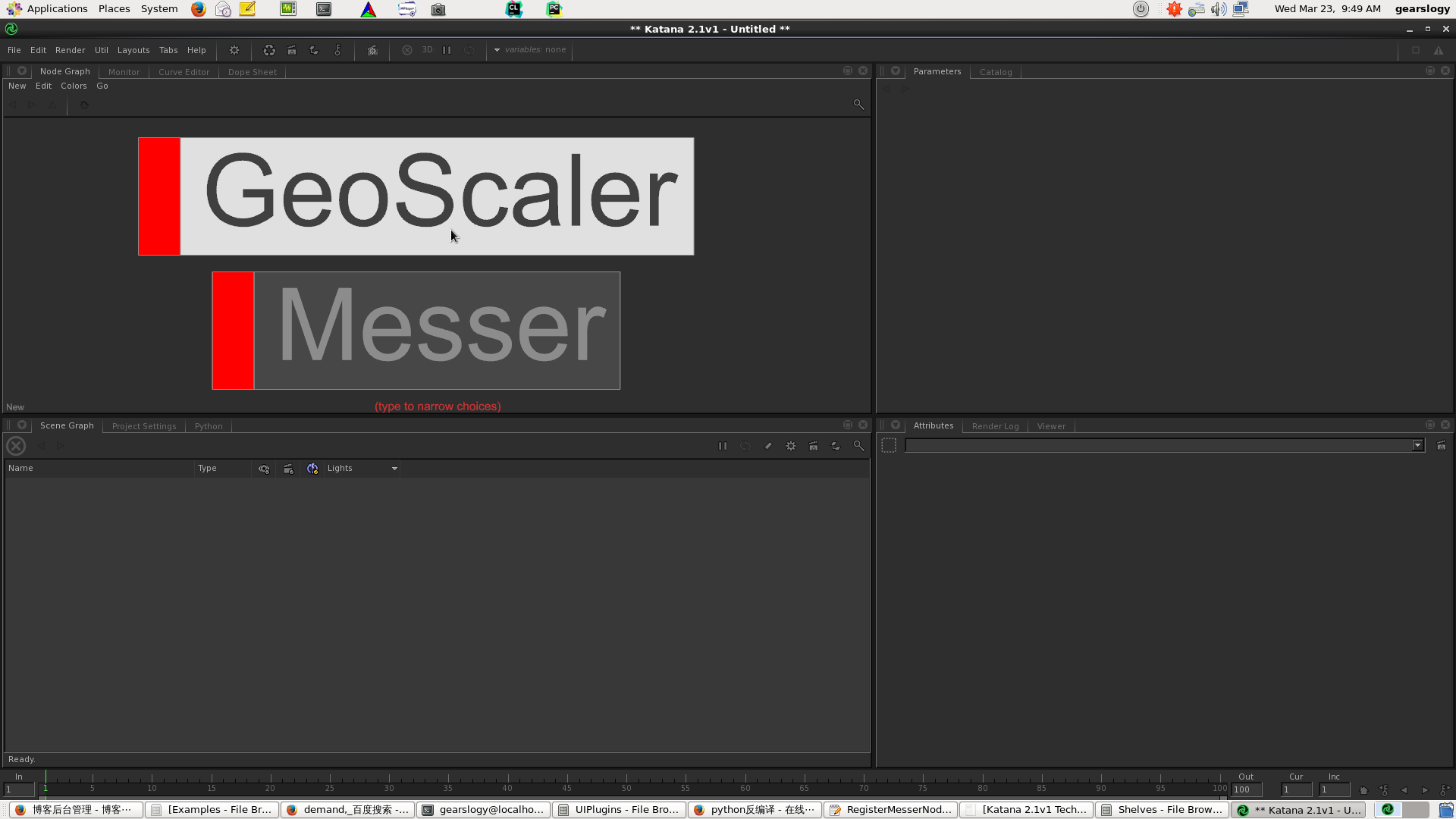
自定义LayerTabMenu,记得放到环境变量里的UIPlugins文件夹
def registerMesser():

    """

    Registers a new Messer node type using the NodeTypeBuilder utility class.

    """

    from Katana import Nodes3DAPI,NodegraphAPI

    from Katana import FnAttribute

    def buildMesserOpChain(node, interface):

        """

        Defines the callback function used to define the Ops chain for the

        node type being registered.

        @type node: C{Nodes3DAPI.NodeTypeBuilder.Messer}

        @type interface: C{Nodes3DAPI.NodeTypeBuilder.BuildChainInterface}

        @param node: The node for which to define the Ops chain

        @param interface: The interface providing the functions needed to set

            up the Ops chain for the given node.

        """

        # Get the current frame time

        frameTime = interface.getGraphState().getTime()

        # Set the minimum number of input ports

        interface.setMinRequiredInputs(1)

        argsGb = FnAttribute.GroupBuilder()

        # Parse the CEL parameter

        celParam = node.getParameter('CEL')

        if celParam:

            argsGb.set('CEL', celParam.getValue(frameTime))

        # Parse the displacement parameter

        dispParam = node.getParameter('displacement')

        if dispParam:

            argsGb.set('displacement', dispParam.getValue(frameTime))

        # Add the Messer Op to the Ops chain

        interface.appendOp('Messer', argsGb.build())

    # Create a NodeTypeBuilder to register the new type

    nodeTypeBuilder = Nodes3DAPI.NodeTypeBuilder('Messer')

    #NodegraphAPI.RegisterPythonNodeType('Messer', Messer)

    NodegraphAPI.AddNodeFlavor('Messer', '3d')

    NodegraphAPI.AddNodeFlavor('Messer', 'HoudiniFX')

    # Add an input port

    nodeTypeBuilder.setInputPortNames(('in',))

    # Build the node's parameters

    gb = FnAttribute.GroupBuilder()

    gb.set('CEL', FnAttribute.StringAttribute(''))

    gb.set('displacement', FnAttribute.FloatAttribute(0.0))

    # Set the parameters template

    nodeTypeBuilder.setParametersTemplateAttr(gb.build())

    # Set parameter hints

    nodeTypeBuilder.setHintsForParameter('CEL', {'widget':'cel'})

    # Set the callback responsible to build the Ops chain

    nodeTypeBuilder.setBuildOpChainFnc(buildMesserOpChain)

    # Build the new node type

    nodeTypeBuilder.build()

# Register the node

registerMesser()
Create Your Tab and LayerTabMenu In Katana的更多相关文章
- [Ext JS 4] 布局之实战一 - 中间区块不会自动伸展 (tab)
前言 [Ext JS 4] 布局之实战一 - 中间区块不会自动伸展 (tab) 在上一篇中,中间的tab 区块无法自动伸展的原因一句话说就是: 使用contentEL的方式,相关HTML元素不会参与组 ...
- [20190130]删除tab$记录的恢复.txt
[20190130]删除tab$记录的恢复.txt --//网上提到许多删除tab$的案例,主要原因在于没有从官方正规渠道下载oracle版本,还有一些来自工具里面带有一些脚本删除tab$记录. -- ...
- [20190227]简单探究tab$的bojb#字段.txt
[20190227]简单探究tab$的bojb#字段.txt --//上午做了删除tab$表,其对应索引i_tab1的恢复,我一直以为这个索引会很大,没有想到在我的测试环境仅仅139个键值.--//查 ...
- ExtJS4中设置tabpanel的tab高度问题
最近碰到个问题,在ExtJS中应该如何设置tabpanel的tab的高度?因为默认情况下,tab的高度太矮了,以至于tab的标题底部字都被截掉.设置了个tabpanel.minHeight = ‘50 ...
- Android TabHost设置setCurrentTab(index),当index!=0时,默认加载第一个tab问题解决方法。
最近在用TabHost,默认希望显示第2个tab,发现总是加载第三个tab的同时加载第一个,解决方法如下: 1.首先查看addTab(TabSpec tabSpec)源代码: /** * Add a ...
- ExtJS 4.2 组件介绍
目录 1. 介绍 1.1 说明 1.2 组件分类 1.3 组件名称 1.4 组件结构 2. 组件的创建方式 2.1 Ext.create()创建 2.2 xtype创建 1. 介绍 1.1 说明 Ex ...
- ExtJS 4.2 业务开发(一)主页搭建
本篇开始搭建一个ExtJS 4.2单页面应用, 这里先介绍主页的搭建,内容包括:主页结构说明.扩展功能等方面. 目录 1. 主页结构说明 2. 扩展功能 3. 在线演示 1. 主页结构说明 1.1 主 ...
- Mysql基础代码(不断完善中)
Mysql基础代码,不断完善中~ /* 启动MySQL */ net start mysql /* 连接与断开服务器 */ mysql -h 地址 -P 端口 -u 用户名 -p 密码 /* 跳过权限 ...
- 【转】一千行MySQL学习笔记
/* 启动MySQL */ net start mysql /* 连接与断开服务器 */ mysql -h 地址 -P 端口 -u 用户名 -p 密码 /* 跳过权限验证登录MySQL */ ...
随机推荐
- 使用explain查看mysql查询执行计划
explain语句: 字段解释: type: all(全表扫描) ref() possible_keys: 预测使用什么列做为索引 key: 实际使用的key ...
- Why does this json4s code work in the scala repl but fail to compile?
I'm converting a json-like string into json, and the following code works in the scala repl import o ...
- ArcGIS AddIN开发之自定义鼠标样式
如果想修改Windows默认的鼠标样式,可以这样 //设置鼠标样式 this.Cursor = System.Windows.Forms.Cursors.Cross; 可是如果想设置成一些自定义的很好 ...
- Linux关闭休眠和屏保模式
本人因为特殊需求,想让某台Linux主机始终显示某个程序,显示器不能关机或者休眠或进入屏保模式. 环境:Ubuntu 11.10 最小化模式安装并安装有轻量级桌面openbox(非gnome).因为X ...
- redis虚拟机模拟集群,节点,增加多端口命令
Redis启动多端口,运行多实例 使用redis在同一台机器上,启用多个端口,实现多个实例,完成集群的模拟实现. 启动多实例 redis默认启动端口为6379,我们可以使用 --port 来指定多个端 ...
- CKPT进程工作机制
CKPT进程工作示意图 2.CKPT进程工作机制 检查点进程被触发的条件为: a> 当发生日志组切换时: b> 用户提交了事务时(commit): c> Redo log buf ...
- Learn ZYNC (4)
最近整理出一些适合学习zed的实例(所有的例程都基于Vivado2013.4开发环境) (1)关于zed双核的测试案例: 官方链接:地址1.11.standalone,地址1.12.linux 修改源 ...
- 重新启动 Apache 以加载上面安装的模块
尽管Ubuntu 是一种新兴的Linux分支,但Ubuntu 组织却为Apache提供了丰富的支持软件,这些软件都可以从发行版的光盘获取,也可以从官方站点轻松下载.所以,Ubuntu非常适合作为Web ...
- IOS第二天
第二天 *******图片的放大,和缩小 (去掉自动的布局) -(IBAction ) zoomFrame:(UIbutton *) button{ CGRect frame= self.iconBu ...
- 奥迪--A6L
-型号:A6L -价格:42-75W -动力:1.8T/2.5L/3T -变速箱:7挡双离合/CVT无级变速/7挡双离合 -长宽高:5.04,1.87,1.47 -油箱:75L -发动机:EA888 ...