
Red Hat EX413 通过笔记
最近通过了EX413考试,在这里记录一下~
EX413是Red Hat RH413对应的考试,RH413主要涉及Linux主机加固内容。考试大概18题的样子,给两台虚拟机,然后按照各个题目要求进行安全加固配置,考过210分即通过。考完第二天就会收到Red Hat成绩单,效率很高。
Dear xxxx:

The results of your EX413 Exam

are reported below.

Exam Domain Number:           5

Passing score for the exam:    210

Your score:                    250

Result: PASS

Congratulations -- you have earned the EX413

Certificate.
RH413所有章节:
Objective 1

Identify Red Hat Common Vulnerabilities and Exposures (CVEs) and Red Hat Security Advisories (RHSAs) and selectively update systems based on this information

Objective 2

Verify package security and validity

Objective 3

Identify and employ standards-based practices for configuring file system security, create and use encrypted file systems, tune file system features, and use specific mount options to restrict access to file system volumes.

Objective 4

Configure default permissions for users and use special file permissions, attributes, and access control lists (ACLs) to control access to files

Objective 5

Install and use intrusion detection capabilities in Red Hat Enterprise Linux to monitor critical system files

Objective 6

Manage user account security and user password security

Objective 7

Manage system login security using pluggable authentication modules (PAM)

Objective 8

Configure console security by disabling features that allow systems to be rebooted or powered off using bootloader passwords

Objective 9

Configure system-wide acceptable use notifications

Objective 10

Install, configure, and manage identity management services and configure identity management clients

Objective 11

Configure remote system logging services, configure system logging, and manage system log files using mechanisms such as log rotation and compression

Log Rotation

journal is a component of systemd for logging

journalctl is used for viewing the journal log

journal only logs in memory or a small ring file in /run/log/journal; to create persistent storage create the directory /var/log/journal

Objective 12

Configure system auditing services and review audit reports

Objective 13

Use network scanning tools to identify open network service ports and configure and troubleshoot system firewalling

References
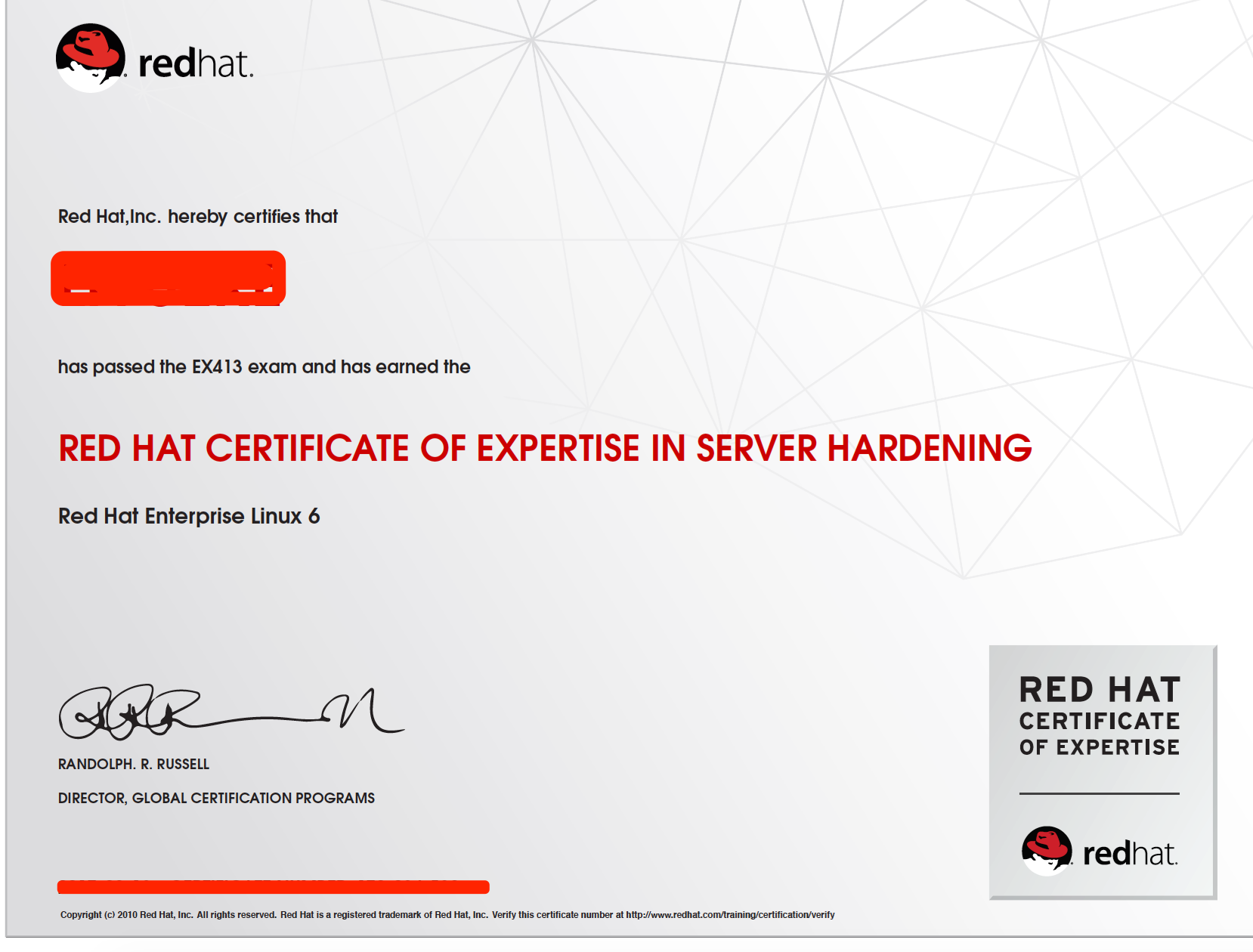
考到的点有:
yum 配置更新,配置GPG-PUBKEY
安装部署IPA-server,IPA-client
目录,文件特殊权限
文件掩码
用户默认权限设置
PAM模块
文件系统ACL
等..
Red Hat EX413 通过笔记的更多相关文章
- VMware Workstation 12 Player之安装林耐斯-Linux Red Hat 7 -系统
Linux系统之Red Hat 7 安装笔记... Red Hat(红帽)公司(NYSE:RHT)是一家开源解决方案供应商,也是标准普尔500指数成员.总部位于美国北卡罗来纳州的罗利市,截止2015年 ...
- Linux 命令大全之Red Hat 7常用命令总结二
Linux 命令大全之RedHat7常用命令笔记... ----------------------------------------------------- 征服Linux从终端开始 ----- ...
- How to create Oracle ASM devices using device-mapper multipath devices in Red Hat Enterprise Linux 6
How to create Oracle ASM devices using device-mapper multipath devices in Red Hat Enterprise Linux 6 ...
- Red Hat Cluster Suite 组件 fencing FAQ
说明 Red Hat Cluster实现HA的关键组件之一是fencing.没有设置fencing,虽然看上去也能够运行Cluster,但是一旦遇到故障切换就会出现异 常,所以深入理解fencing原 ...
- KALI Linux problems & Study Red Hat | Ubuntu
Problem When you ask some website with https head.you may met the problem secure connection failed ...
- Red Hat Enterprise Server 6.0 安装Sendmail相关包
由于需要在Linux服务器(Red Hat Enterprise Linux Server release 6.0)上配置邮件服务,需要安装Sendmail包,一般Sendmail的安装有两种方式:R ...
- Red Hat Enterprise Linux 6.6安装体验
Red Hat Enterprise Linux 6.6的安装首界面有五个选项,这跟以前的Red Hat Enterprise Linux 5.x的安装界面是有一些区别的. 安装或者升级现有系统( ...
- Red Hat Enterprise Linux 各个版本以及发布日期
Red Hat Enterprise Linux 7 Release/Update General Availability Date redhat-release Errata Date* Kern ...
- linux red hat 给普通用户开启root权限
环境:虚拟机:red hat 6.5:root角色用户:普通用户:宏基笔记本:win7: 操作过程: 1.登录普通用户,进入图形界面(可以设置为启动登录进入命令行界面): 2.按Crl+ALT+F2进 ...
随机推荐
- webpack实践总结
一.Loader写法及执行顺序 从webpack2起,loader的格式如下: module: { rules: [ {test: /\.css$/, use: ['style-loader','cs ...
- Qt 汽车仪表再次编写,Widget,仪表显示,绘制界面
感谢某网友提供UI让我练练手,上目前的效果 还在晚上,代码等后面在贴出来,就是出来显摆一下
- Selenium八大元素定位方式
1.根据id来定位: import org.openqa.selenium.By;import org.openqa.selenium.WebDriver;import org.openqa.sele ...
- QC的使用学习(三)
一.需求转换测试 1.自动转换方法: (1)将最底层的子需求转换成设计步骤:即将最底层的子要求转换成测试用例的步骤. (2)将最底层的子要求转换成测试:即将最底层的要求转换成单个测试用例(建议使用) ...
- 第十二篇 Python函数之全局变量&局部变量&递归函数
全局变量:在定义的时候,顶头写的,没有任何缩进的变量就是全局变量. 全局变量的特点:在当前文件里的任何地方都可以进行调用 局部变量:在子程序里定义的变量,就是局部变量. 子程序:比如.py文件里,写的 ...
- 09-Mysql数据库----外键的变种
本节重点: 如何找出两张表之间的关系 表的三种关系 一.介绍 因为有foreign key的约束,使得两张表形成了三种了关系: 多对一 多对多 一对一 二.重点理解如果找出两张表之间的关系 分析步骤: ...
- python基础训练营05
任务五 时长:2天 1.file a.打开文件方式(读写两种方式) b.文件对象的操作方法 c.学习对excel及csv文件进行操作 2.os模块 3.datetime模块 4.类和对象 5.正则表达 ...
- 深度可分卷积(Depthwise Separable Conv.)计算量分析
上次读到深度可分卷积还是去年暑假,各种细节都有些忘了.记录一下,特别是计算量的分析过程. 1. 标准卷积和深度可分卷积 标准卷积(MobileNet论文中称为Standard Convolution, ...
- 关于iframe的使用 以及自适应页面高度
1. <a href="port" target="frame_view">港口资料</a> <iframe id="e ...
- Android流式布局控件
1,自定义flowlayout代码 package com.hyang.administrator.studentproject.widget; import android.content.Cont ...