
Angular路由——路由基础
一、路由相关对象
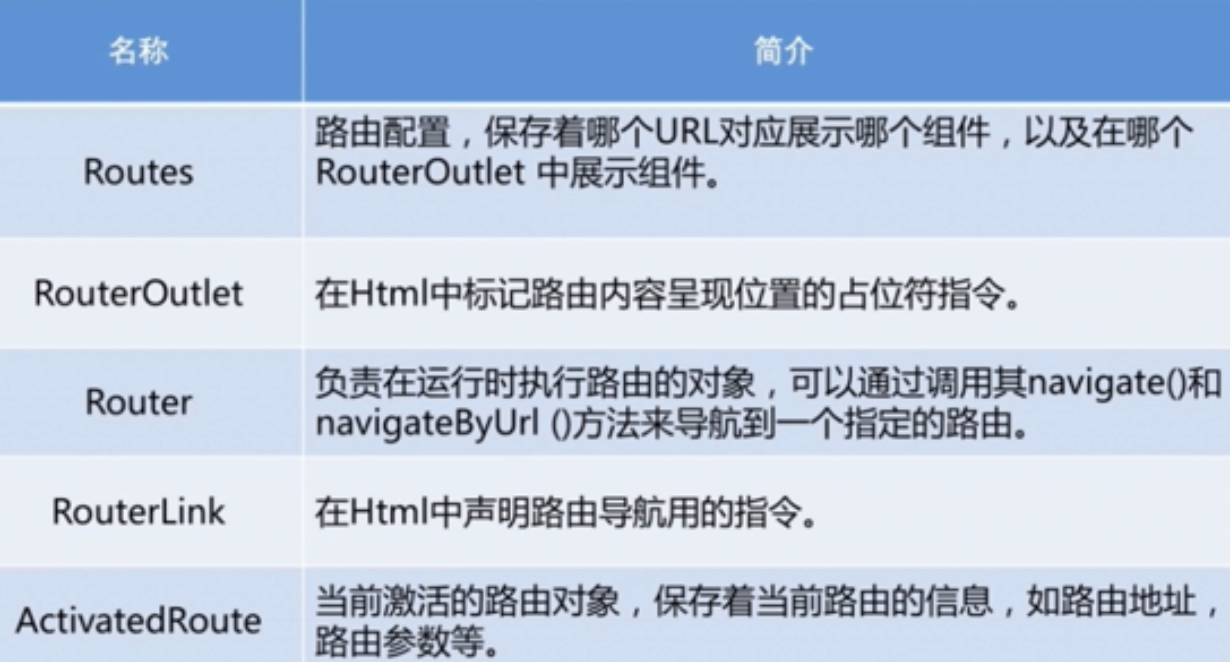
Router和RouterLink作用一样,都是导航。Router是在Controller中用的,RouterLink是在模版中用到。
二、路由对象的位置
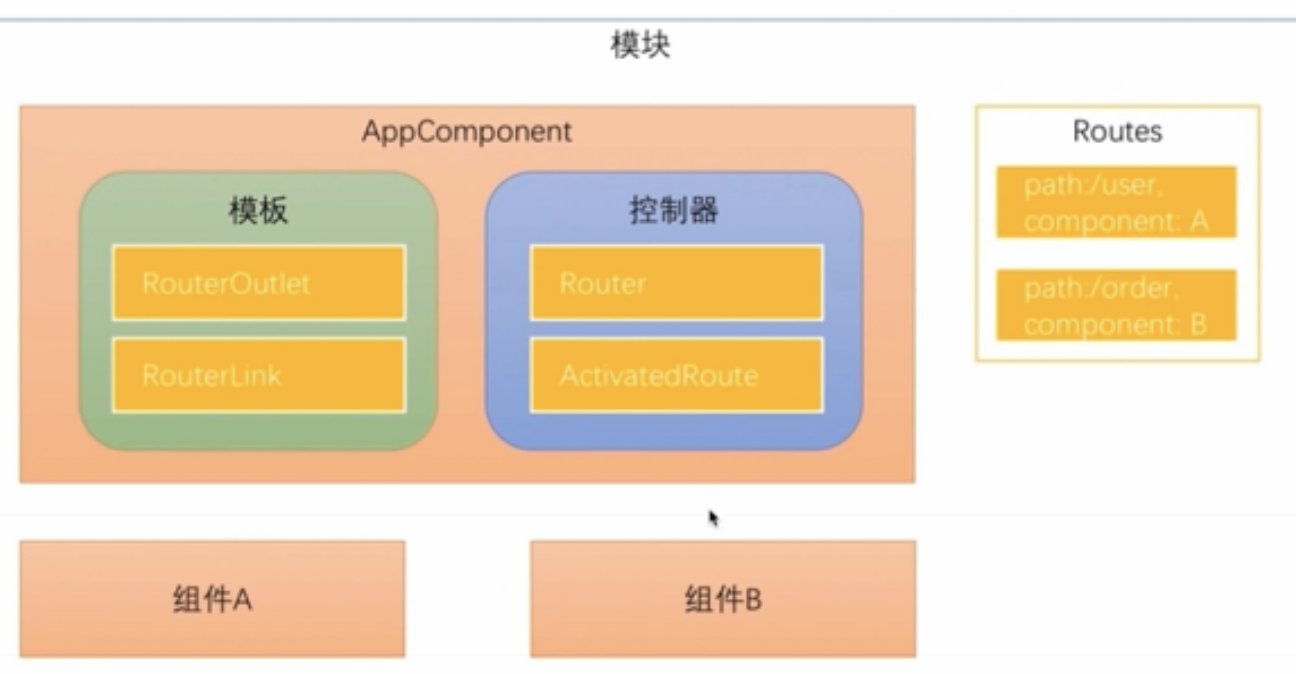
1、Routes对象
配置在模块中。Routes由一组配置信息组成,每个配置信息至少包含两个属性,Path和Component。
2、RouterOutlet
在模版中
3、RouterLink
指令,在模版中生成链接改变URL
4、Router
在Controller中,调用Router对象的navigate方法,路由切换。
5、ActivatedRoute
路由时候通过URL传递数据,数据会保存在ActivatedRoute对象中。
三、路由配置
使用ng new --routing参数时候会多生成出来一个app-routing.module.ts文件
import { NgModule } from '@angular/core';

import { Routes, RouterModule } from '@angular/router';

const routes: Routes = [];

@NgModule({

  imports: [RouterModule.forRoot(routes)],

  exports: [RouterModule]

})

export class AppRoutingModule { }
会自动imports到app.module.ts中。
生成两个组件home组件和component组件。
const routes: Routes = [

  {path: '', component : HomeComponent}, //路径为空

  {path: 'product', component: ProductComponent}

];
注意:
1、path路径配置不能以斜杠开头,不能配置成path:'/product'。
因为Angular路由器会解析和生成url,不用/开头是为了在多个视图之间导航时能自由的使用相对路径和绝对路径。
2、在模版中写路径时,必须用/开头。
因为用斜杠加.表示要导航到根路由(/)还是子路由(./)。
/就是导航到根路由,从配置根路由那一层找。
<a [routerLink]="['/']">主页</a>
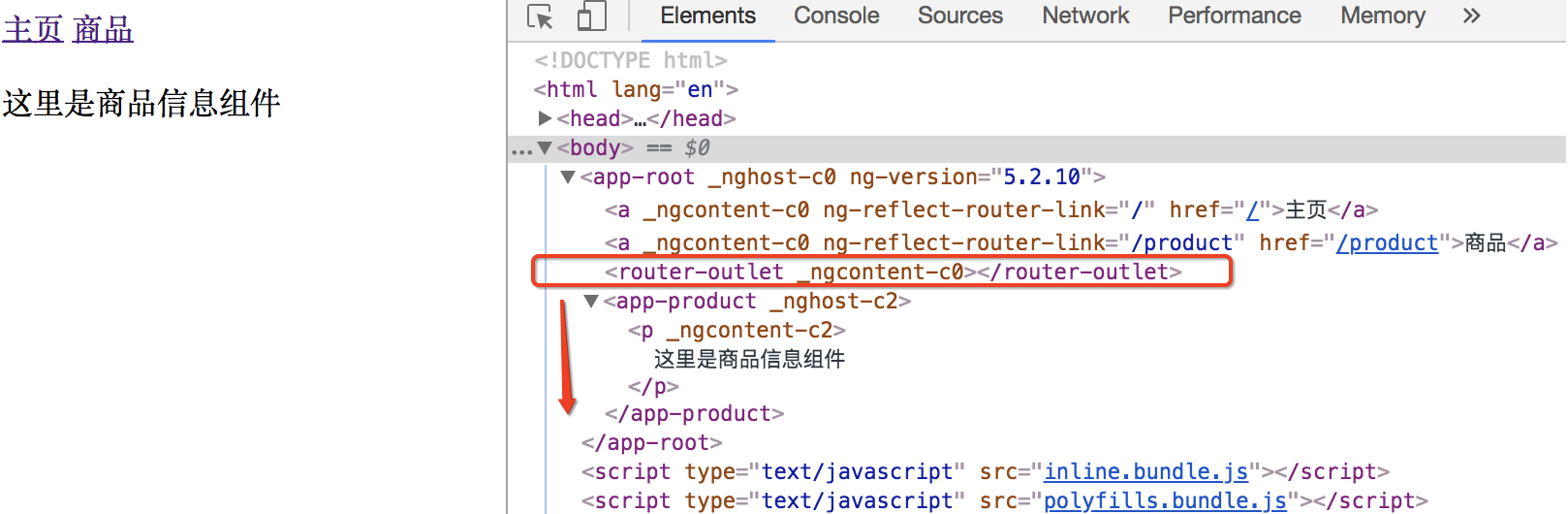
3、在<router-outlet>下面显示组件内容
4、routerLink参数是一个数组而不是字符串
因为在路由时候可以传递参数。
四、代码中通过Router对象导航
模版上加一个按钮
<input type="button" value="商品详情" (click)="toProductDetails()">
controller中使用router.navigate导航。
navigate参数和routerLink参数配置一样。
import { Component } from '@angular/core';

import { Router } from '@angular/router';

@Component({

  selector: 'app-root',

  templateUrl: './app.component.html',

  styleUrls: ['./app.component.css']

})

export class AppComponent {

  constructor(private router:Router){

  }

  toProductDetails(){

    this.router.navigate(['/product']);

  }

}
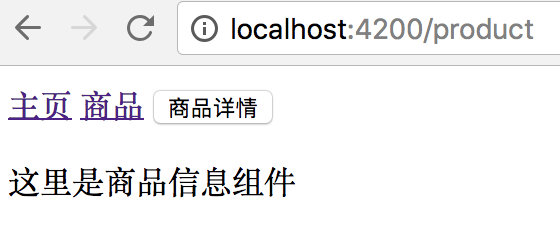
点按钮和点链接效果一样。
五、配置不存在的路径
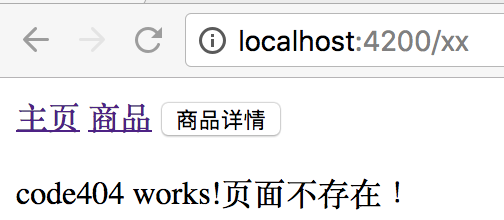
生成code404组件显示页面不存在。
路由匹配先匹配者优先,所以**通配符路由要放最后。
const routes: Routes = [

  { path: '', component: HomeComponent }, //路径为空

  { path: 'product', component: ProductComponent },

  { path: '**', component: Code404Component }

];
六、重定向路由
一个地址重定向到另一个指定组件
www.aaa.com => www.aaa.com/products
www.aaa.com/x => www.aaa.com/y 用户可能已经收藏了x地址。
用重定向路由
const routes: Routes = [

  { path: '', redirectTo : 'home', pathMatch:'full' }, //路径为空

  { path: 'home', component: HomeComponent },

  { path: 'product', component: ProductComponent },

  { path: '**', component: Code404Component }

];
七、在路由时候传递数据
有3种方式
1、在查询参数中传递数据

2、在路由路径中传递数据
定义路由路径时就要指定参数名字,在实际路径中携带参数。

3、在路由配置中传递数据

在路由时传递参数实例看:http://www.cnblogs.com/starof/p/9006185.html
本文作者starof,因知识本身在变化,作者也在不断学习成长,文章内容也不定时更新,为避免误导读者,方便追根溯源,请诸位转载注明出处:http://www.cnblogs.com/starof/p/9000780.html 有问题欢迎与我讨论,共同进步。
Angular路由——路由基础的更多相关文章
- .NetCore MVC中的路由(1)路由配置基础
.NetCore MVC中的路由(1)路由配置基础 0x00 路由在MVC中起到的作用 前段时间一直忙于别的事情,终于搞定了继续学习.NetCore.这次学习的主题是MVC中的路由.路由是所有MVC框 ...
- Angular 4 路由介绍
Angular 4 路由 1. 创建工程 ng new router --routing 2. 创建home和product组件 ng g component home ng g component ...
- angular -- ng-ui-route路由及其传递参数?script标签版
考虑到 多视图等因素,所以 angular 的路由考虑使用 ng-ui-route来做,而不使用 ng-route来做! <!DOCTYPE html> <html lang=&qu ...
- angular 之路由
1.用angular-cli建一个工程自带路由怎么做? 命令:ng new 项目名 --routing 2.怎么使用路由器和路由器的一些基本使用. //html页面 <a routerLink ...
- Cisco路由技术基础知识详解
第一部分 请写出568A的线序(接触网络第一天就应该会的,只要你掐过,想都能想出来) .网卡MAC地址长度是( )个二进制位(16进制与2进制的换算关系,只是换种方式问,不用你拿笔去算) A.12 ...
- angular 前端路由不生效解决方案
angular 前端路由不生效解决方案 Intro 最近使用 Angular 为我的活动室预约项目开发一个前后端分离的客户端,在部署上遇到了一个问题,前端路由不生效,这里记录一下.本地开发正常,但是部 ...
- Angular配置路由以及动态路由取值传值跳转
Angular配置路由 1.找到 app-routing.module.ts 配置路由 引入组件 import { HomeComponent } from './home/home.componen ...
- 使用Angular Router导航基础
名称 简介 Routes 路由配置,保存着那个URL对应着哪个组件,以及在哪个RouterOulet中展示组件. RouterOutlet 在HTML中标记路由内容呈现位置的占位符指令. Router ...
- AngularJS路由系列(2)--刷新、查看路由,路由事件和URL格式,获取路由参数,路由的Resolve
本系列探寻AngularJS的路由机制,在WebStorm下开发.主要包括: ● 刷新路由● 查看当前路由以及所有路由● 路由触发事件● 获取路由参数 ● 路由的resolve属性● 路由URL格式 ...
随机推荐
- LoadRunner【第一篇】下载、安装、破解
loadrunner11下载 loadrunner11大小有4g多,相对另外一款开源的性能测试工具jmeter来说,是非常笨重的了,网上很多,大家可以搜索,也可以点击右侧加群获取安装包. loadru ...
- 分享4个运维平台工具OSSIM、Ansible的学习思路
对于当今企业安全来说,真正价值不在于亡羊补牢,也不在于一个或多个高危漏洞.企业在乎的是如何防患于未然,如何快速定位攻击,如何快速解决安全问题.OSSIM作为开源的安全信息管理平台,对于企业的需求来说毋 ...
- FreeNAS:创建 CIFS 匿名共享
第一部分:数据集权限设定 浏览器访问 FreeNAS 系统的 WebGUI 管理界面,点选 “Storage” 存储图标打开存储选项卡,在卷列表中点选用于匿名共享的数据集,如有需要,也可以自行创建新的 ...
- (二分查找 结构体) leetcode33. Search in Rotated Sorted Array
Suppose an array sorted in ascending order is rotated at some pivot unknown to you beforehand. (i.e. ...
- 第三节:总结.Net下后端的几种请求方式(WebClient、WebRequest、HttpClient)
一. 前言 前端调用有Form表单提交,ajax提交,ajax一般是用Jquery的简化写法,在这里不再过多介绍: 后端调用大约有这些:WebCient.WebRequest.Httpclient.W ...
- python中的GIL详解
GIL是什么 首先需要明确的一点是GIL并不是Python的特性,它是在实现Python解析器(CPython)时所引入的一个概念.就好比C++是一套语言(语法)标准,但是可以用不同的编译器来编译成可 ...
- FTP:mget匹配文件名后下载
需求:从FTP某目录取每日构建的apk下载到本地 难点:文件名中有构建时间,而这个时间不算固定值,因此文件名不固定 解决方案:mget匹配文件名后下载 BAT版本: :: Filename:Proje ...
- TCP-IP详解笔记5
TCP-IP详解笔记5 ICMPv4和ICMPv6: Internet控制报文协议 Internet控制报文协议(Internet Control Message Protocol, ICMP)与IP ...
- python excel的操作
1.在测试用例中生成的数据报错到已存在的excel里面 1 import xlrd 2 from xlutils.copy import copy 3 class test: 4 def write_ ...
- [ZJOI2008]树的统计-树链剖分
#include<bits/stdc++.h> using namespace std; const int maxn = 1e6+5; #define mid ((l+r)>> ...