
去重和分类后缀asp、php等路径 用python3写的
我们在做渗透的时候肯定会用上扫描器的,本人一般会用御剑,当然你也会喜欢别的工具。
很多时候,能否渗透成功其实还挺依赖与字典的,如果把后台给扫出来了,恰好还弱口令,那么岂不是美滋滋。
因此,有一个好的字典是至关重要的。当然了,大佬们渗透多年肯定已经收藏了很多好用的字典了,但是吧,很多时候一个asp的字典里还有aspx啊,php啊,jsp啊等等不相关的东西,
如果不相关的东西多了就会降低扫描的效率了,因此我们需要一个用来整理的工具,可以让我们肆无忌惮的到处收集字典,然后整合到自己的字典库中
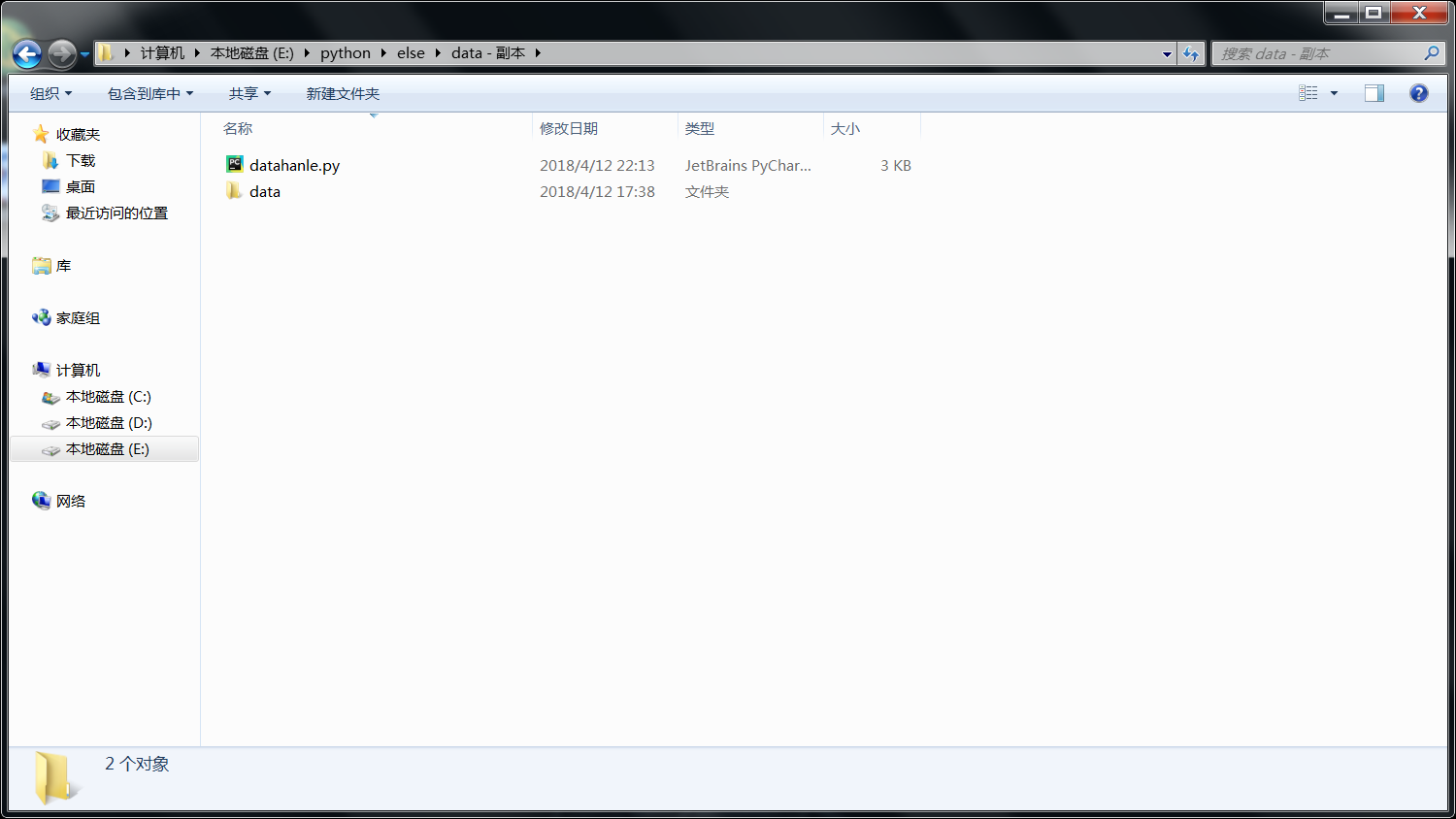
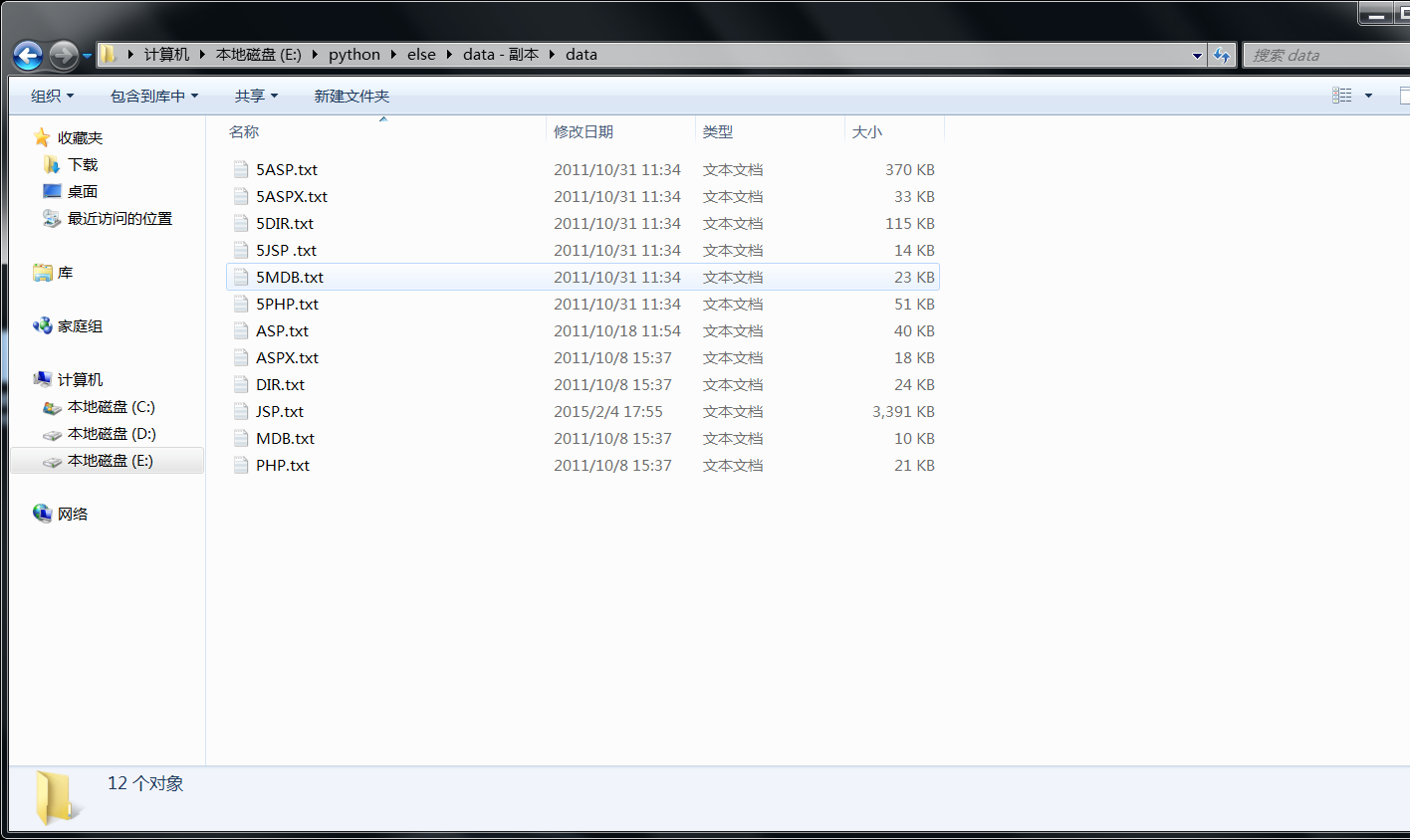

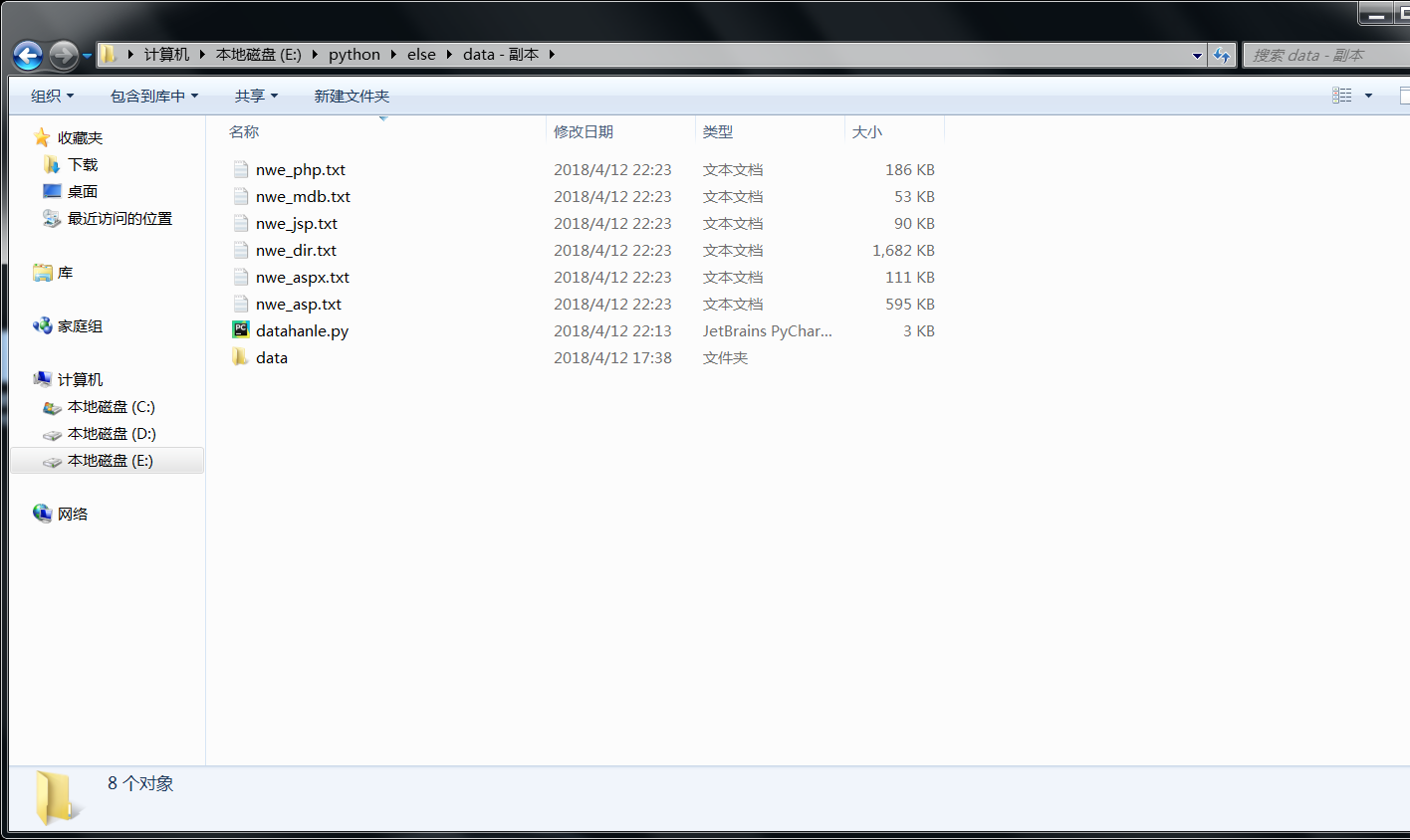
创建个data目录 把需要去重和分类的txt文件放到里面
请用python3.X执行
用法如下
python datahanle.py
#!/usr/bin/env python

# -*- conding:utf-8 -*-

import os,re

data =[]

asp = []

aspx = []

php = []

jsp = []

mdb = []

dirx = []

def file_name():

    for files in os.walk("data"):

        #print(files[2]) #当前路径下文件

        pass

    return files[2]

def datas(dir):

    with open("%s"%dir,"r",encoding="gb18030") as f:

        for i in f.readlines():

            data.append(i)

dirs =file_name()

for i in dirs:

    datas("data/%s"%(i))

print("一共有%s条路径"%(len(data)))

data = list(set(data))

print("去重后一共还有%s条路径"%(len(data)))

count_asp = 0

count_aspx = 0

count_jsp = 0

count_php = 0

count_dirx = 0

count_mdb = 0

data = sorted(data) #对列表排序

for i in data:

    #rule = re.compile(r".*?asp",re.I)

    res = re.search('.*?\.asp',i,flags=re.I)

    if res == None:

        res = re.search('.*?\.mdb', i, flags=re.I)

        if res == None:

            res = re.search('.*?\.php', i, flags=re.I)

            if res == None:

                res = re.search('.*?\.jsp', i, flags=re.I)

                if res == None:

                    dirx.append(i)

                    count_dirx +=1

                else:

                    jsp.append(i)

                    count_jsp +=1

            else:

                php.append(i)

                count_php +=1

        else:

            mdb.append(i)

            count_mdb += 1

    else:

        res = re.search('.*?\.aspx', i, flags=re.I)

        if res == None:

            asp.append(i)

            count_asp+=1

        else:

            aspx.append(i)

            count_aspx +=1

print("asp:%s aspx:%s php:%s jsp:%s dir:%s mdb:%s"%(count_asp,count_aspx,count_php,count_jsp,count_dirx,count_mdb))

with open('nwe_asp.txt','a',encoding='utf-8') as f:

    for i in asp:

        f.write(i)

with open('nwe_aspx.txt','a',encoding='utf-8') as f:

    for i in aspx:

        f.write(i)

with open('nwe_php.txt','a',encoding='utf-8') as f:

    for i in php:

        f.write(i)

with open('nwe_jsp.txt','a',encoding='utf-8') as f:

    for i in jsp:

        f.write(i)

with open('nwe_mdb.txt','a',encoding='utf-8') as f:

    for i in mdb:

        f.write(i)

with open('nwe_dir.txt','a',encoding='utf-8') as f:

    for i in dirx:

        f.write(i)
去重和分类后缀asp、php等路径 用python3写的的更多相关文章
- Asp.net项目路径获取方法【转】
获取项目完整的绝对路径string path = System.AppDomain.CurrentDomain.BaseDirectory.ToString();string path = Serve ...
- ASP.NET获取路径的方法
原文:[转载]ASP.NET获取路径的方法 HttpContext.Current.Request.PhysicalPath; // 获得当前页面的完整物理路径.比如 F:\XFU.NSQS\p ...
- 关于ASP.Net中路径的问题
比如你的工程是Webapplication1(url是:http://localhost/webapplication1/webform1.aspx) Request.ApplicationPath ...
- 2强类型DataSet (2011-12-30 23:16:59)转载▼ 标签: 杂谈 分类: Asp.Net练习笔记 http://blog.sina.com.cn/s/blog_9d90c4140101214w.html
强类型DataSet (2011-12-30 23:16:59) 转载▼ 标签: 杂谈 分类: Asp.Net练习笔记 using System; using System.Collections.G ...
- 强类型DataSet (2011-12-30 23:16:59)转载▼ 标签: 杂谈 分类: Asp.Net练习笔记 http://blog.sina.com.cn/s/blog_9d90c4140101214w.html
强类型DataSet (2011-12-30 23:16:59) 转载▼ 标签: 杂谈 分类: Asp.Net练习笔记 using System; using System.Collections.G ...
- [置顶] Asp.Net底层原理(二、写自己的Asp.Net框架)
我们介绍过了浏览器和服务器之间的交互过程,接下来介绍Asp.net处理动态请求. 写自己的Asp.Net框架,我们不会引用System.Web这个程序集,我们只需要创建要给自己的类库,所以在接下来的程 ...
- direct path read/write (直接路径读/写)
转载:http://www.dbtan.com/2010/04/direct-path-readwrite.html direct path read/write (直接路径读/写): 直接路径读(d ...
- Http,Https (SSL)的Url绝对路径,相对路径解决方案Security Switch 4.2 中文帮助文档 分类: ASP.NET 2014-10-28 14:09 177人阅读 评论(1) 收藏
下载地址1:https://securityswitch.googlecode.com/files/SecuritySwitch%20v4.2.0.0%20-%20Binary.zip 下载地址2:h ...
- Http,Https(SSL)的Url绝对路径,相对路径解决方案Security Switch 4.2的配置和使用 分类: ASP.NET 2014-11-05 12:51 97人阅读 评论(0) 收藏
下载地址1:https://securityswitch.googlecode.com/files/SecuritySwitch%20v4.2.0.0%20-%20Binary.zip 下载地址2:h ...
随机推荐
- CentOS7.6配置do.cker和K.B.S
方法一: 节点及功能 主机名 IP Master.etcd.registry K8s-01 10.8.8.31 Node1 K8s-02 10.8.8.32 Node2 K8s-03 10.8.8. ...
- DevExpress ASP.NET Core Controls 2019发展蓝图(No.3)
本文主要为大家介绍DevExpress ASP.NET Core Controls 2019年的官方发展蓝图,更多精彩内容欢迎持续收藏关注哦~ [DevExpress ASP.NET Controls ...
- 学习python及Pygame的安装及运行
Python: 注意勾上Add Python 2.7 to PATH,然后点“Install Now”即可完成安装. 或手动修改环境变量,win7:右击我的电脑->属性->高级->环 ...
- 强行画页面的position
说到position这个属性,确实是让刚入前端坑的我等小白瑟瑟发抖,大牛们一边告诉我们position如何万能,一边又让我们在这个坑里滚了一遍又一遍,着实让我们的头皮表面的毛囊扩张的更厉害了.在前端的 ...
- 断网环境,Python环境迁移
Python刚装好断网了怎么办? wget不管用怎么办? 想把现有的Python环境转移到另外一台机器上怎么办? 这就用到了离线安装 1.创建目录用于存放下载的包,并进入该目录 mkdir lihai ...
- 自动化运维之ansible
第三十九课 自动化运维之ansible 目录 十五. ansible介绍 十六. ansible安装 十七. ansible远程执行命令 十八. ansible拷贝文件或目录 十九. ansible远 ...
- 20175224 2018-2019-2 《Java程序设计》第四周学习总结
教材学习内容总结 子类的定义 class 子类名 extends 父类名 { ... } 子类继承性 子类继承父类的成员变量.方法.成员变量可以被子类中自己定义的任何实例方法操作:继承的方法可以被子类 ...
- 接口自动化:pytest----环境搭建
出处:https://www.cnblogs.com/yoyoketang/p/9356693.html 前言: python鄙视链:pytest 鄙视 > unittest 鄙视 > r ...
- bottle.py中的SimpleTemplate
import re class SimpleTemplate(object): re_block = re.compile(r'^\s*%\s*((if|elif|else|try|except|fi ...
- 分页(pagination)样式表
ul { list-style: none; padding:; margin:; } .pagination{ display:inline-block; padding-left:; border ...