
使用form 组件写一个用户注册,并用 bootstrap渲染
需求:使用form组件,写一个用户注册系统,包含用户名, 密码, 确认密码,手机号,性别,爱好,注册。并用bootsrap渲染,成果如下:
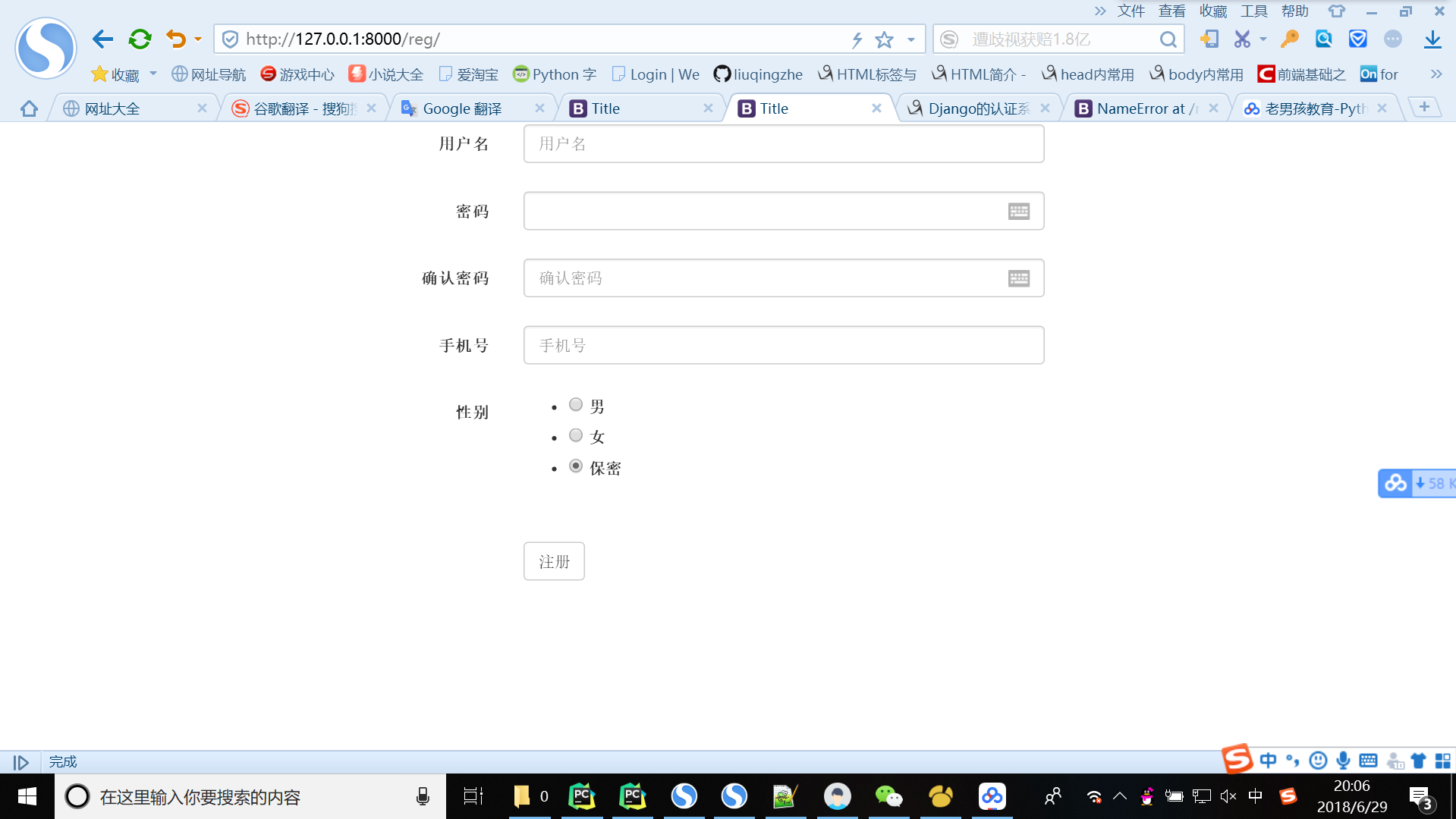
首先创建一个django 项目。然后在连接pymysql数据库。
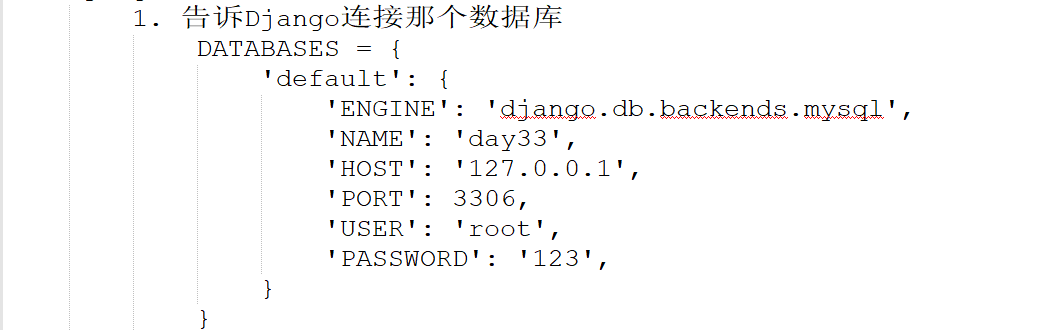
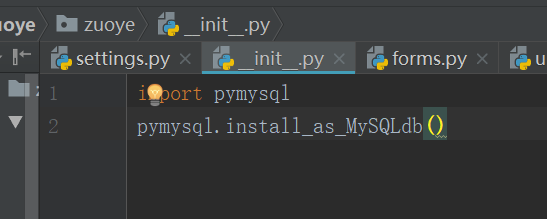
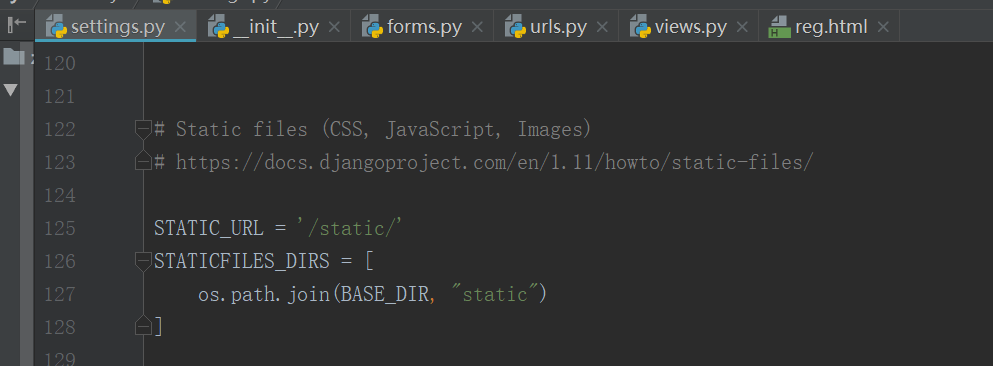
配置好后,可以开始:
在app01 中添加一个forms.py :
from django import forms

from django.core.validators import RegexValidator

from django.core.exceptions import ValidationError

class RegForm(forms.Form):

    username = forms.CharField(

        min_length= ,

        label="用户名",

        error_messages={

            "required":"不能为空",

            "min_length":"用户名最少6位"

        },

        widget=forms.widgets.TextInput(attrs={"class":"form-control","placeholder":"用户名"})

    )

    pwd = forms.CharField(

        min_length=,

        label="密码",

        error_messages={

            "required":"不能为空",

            "min_length":"密码最少3位"

        },

        widget=forms.widgets.PasswordInput(

            attrs={"class":"form-control","plaaceholder":"密码"},

            render_value=True

        )

    )

    re_pwd = forms.CharField(

        min_length=,

        label="确认密码",

        error_messages={

            "required":"不能为空",

            "min_length":"密码最少3位"

        },

        widget=forms.widgets.PasswordInput(

            attrs={"class":"form-control","placeholder":"确认密码"},

            render_value=True

        )

    )

    phone = forms.CharField(

        label="手机号",

        min_length=,

        max_length=,

        error_messages={

            "required": "手机号不能为空",

            "min_length": "手机号应该是11位",

            "max_length": "手机号应该是11位",

        },

        validators=[RegexValidator(r'^1[356789][0-9]{9}$', "手机格式不正确"), ],

        widget=forms.widgets.TextInput(attrs={"class": "form-control", "placeholder": "手机号"})

    )

    gender = forms.fields.ChoiceField(

        choices=((,"男"),(,"女"),(,"保密")),

        label="性别",

        initial=,

        widget=forms.widgets.RadioSelect

    )

    hobby = forms.fields.MultipleChoiceField(

        choices=((, "篮球"), (, "足球"), (, "双色球"),),

        label="爱好",

        required=False,

        widget=forms.widgets.CheckboxSelectMultiple

    )

    def clean_username(self):

        value = self.cleaned_data.get("username")

        if "红楼梦" in value:

            raise ValidationError("不符合社会主义核心价值观")

        else:

            return value

    def clean(self):

        pwd = self.cleaned_data.get("pwd")

        re_pwd = self.cleaned_data.get("re_pwd")

        if pwd !=re_pwd:

            self.add_error("re_pwd","两次输入的密码不一致!")

            raise ValidationError("两次输入的密码不一致")

        else:

            return self.cleaned_data
forms.py
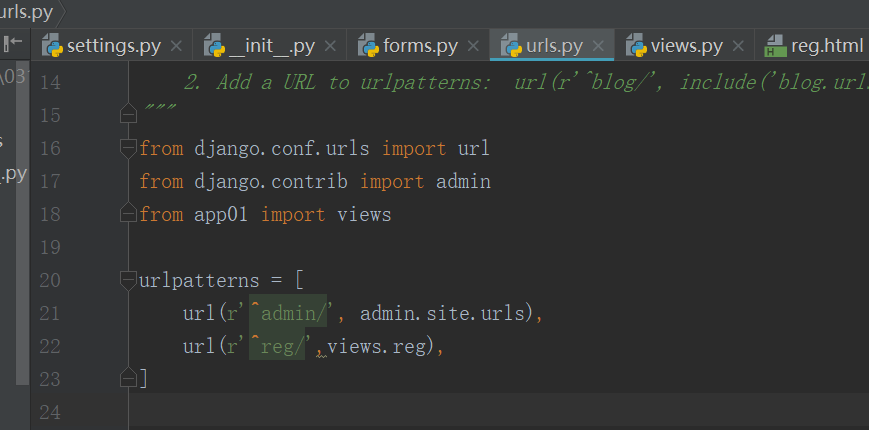
在url 中写入与浏览器交互关系:
views中:
from django.shortcuts import render,HttpResponse

from app01 import forms

# Create your views here.

def reg(request):

    from_obj = forms.RegForm()

    if request.method == "POST":

        from_obj = forms.RegForm(request.POST)

        if from_obj.is_valid():

            return HttpResponse("OK")

    return render(request, "reg.html", {"obj": from_obj})
views.py
reg.html:
<!DOCTYPE html>

<html lang="en">

<head>

    <meta charset="UTF-8">

    <title>Title</title>

    <meta name="viewport" content="width=device-width, initial-scale=1">

    <link rel="stylesheet" href="/static/bootstrap-3.3.7/css/bootstrap.min.css">

</head>

<body>

<div class="container">

    <div class="row">

        <div class="col-md-6 col-md-offset-3">

            <form class="form-horizontal" autocomplete="off" novalidate action="/reg/" method="post">

                {% csrf_token %}

                <div class="form-group">

                    <label for="{{ obj.username.id_for_label }}" class="col-md-2 control-label">{{ obj.username.label }}</label>

                    <div class="col-md-10">

                        {{ obj.username }}

                        <span class="help-block">{{ obj.username.errors. }}</span>

                    </div>

                </div>

                <div class="form-group">

                    <label for="{{ obj.pwd.id_for_label }}" class="col-md-2 control-label">{{ obj.pwd.label }}</label>

                    <div class="col-md-10">

                        {{ obj.pwd }}

                        <span class="help-block">{{ obj.pwd.errors. }}</span>

                    </div>

                </div>

                <div class="form-group">

                    <label for="{{ obj.re_pwd.id_for_label }}" class="col-md-2 control-label">{{ obj.re_pwd.label }}</label>

                    <div class="col-md-10">

                        {{ obj.re_pwd }}

                        <span class="help-block">{{ obj.re_pwd.errors. }}</span>

                    </div>

                </div>

                <div class="form-group">

                    <label for="{{ obj.phone.id_for_label }}" class="col-md-2 control-label">{{ obj.phone.label }}</label>

                    <div class="col-md-10">

                        {{ obj.phone }}

                        <span class="help-block">{{ obj.phone.errors. }}</span>

                    </div>

                </div>

                <div class="form-group">

                    <label for="{{ obj.gender.id_for_label }}" class="col-md-2 control-label">{{ obj.gender.label }}</label>

                    <div class="col-md-10">

                        {{ obj.gender }}

                        <span class="help-block">{{ obj.gender.errors. }}</span>

                    </div>

                </div>

                <div class="form-group">

                    <label for="{{ obj.hoppy.id_for_label }}" class="col-md-2 control-label">{{ obj.hoppy.label }}</label>

                    <div class="col-md-10">

                        {{ obj.hoppy }}

                        <span class="help-block">{{ obj.hoppy.errors. }}</span>

                    </div>

                </div>

                <div class="form-group">

                    <div class="col-sm-offset-2 col-sm-10">

                        <button type="submit" class="btn btn-default">注册</button>

                    </div>

                </div>

            </form>

        </div>

    </div>

</div>

</body>

</html>
reg.html
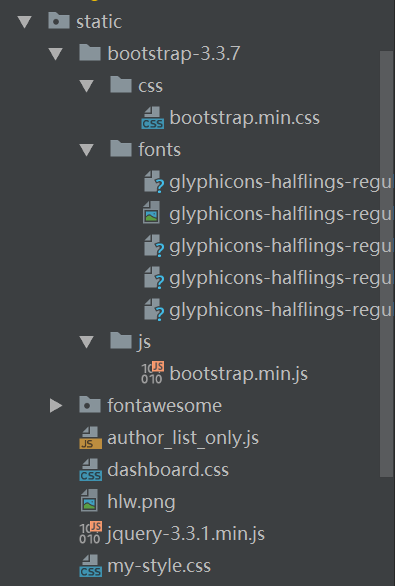
其中static 中的文件:
使用form 组件写一个用户注册,并用 bootstrap渲染的更多相关文章
- 第二篇 -- Django写一个接口并用Jmeter进行测试
第一节学习了Jmeter的下载和安装,那么第二节就来看看具体怎么使用. 本篇介绍的是使用Jmeter进行http接口测试,那么接口程序使用Django开发的一个小接口. 一.Django编写接口 这一 ...
- 用php怎么写一个用户注册登录的页面呢?
想写就会尽快去写.如果用php写了就一定要用nodejs写出来啊,不写是小狗啊! 补充一下,想要实现的功能: 1.用户名重复检测 2.检测信息填写是否完整 3.邮箱是否已经被注册 4.实现ajax无刷 ...
- 【Django】Form组件
目录 Form组件介绍 常用字段与插件 Form组件中所有内置字段 从数据库中获取数据 校验示例 检验手机号是否合法 方式一(基本操作) 方式二(自定义验证规则) 方式三(利用钩子) 验证密码一致性 ...
- Python - Django - form 组件基本用法
普通 form 表单的处理: reg.html: <!DOCTYPE html> <html lang="en"> <head> <met ...
- Angular写一个Form组件-TagInput
前端开发少不了和表单打交道; Angular中, 提供了强大的表单的支持, 响应式表单(Reactive Form) 和 模板驱动的表单(Template-driven Form) 的双向数据流给我们 ...
- 从 0 到 1 到完美,写一个 js 库、node 库、前端组件库
之前讲了很多关于项目工程化.前端架构.前端构建等方面的技术,这次说说怎么写一个完美的第三方库. 1. 选择合适的规范来写代码 js 模块化的发展大致有这样一个过程 iife => commonj ...
- [闲的蛋疼系列]从零开始用TypeScript写React的UI组件(0)-先写一个Button??
0.咸鱼要说的 一入前端深似海,咸鱼入海更加咸. 最近闲的蛋疼,手上年前的事也完成了7788了,借助[PG1]的话来说,我们要keep real. 咸鱼肯定不real 了,因为我们都活在梦里,所以咱们 ...
- 写一个vue组件
写一个vue组件 我下面写的是以.vue结尾的单文件组件的写法,是基于webpack构建的项目.如果还不知道怎么用webpack构建一个vue的工程的,可以移步到vue-cli. 一个完整的vue组件 ...
- 用vue写一个仿app下拉刷新的组件
如果你用vue弄移动端的页面,那么下拉刷新还是比较常见的场景,下面来研究如何写一个下拉刷新的组件(先上图); 由于节省大家的时间,样式就不贴出来了. html结构也不必介绍了,直接看代码吧-.- &l ...
随机推荐
- ubuntu 部署的mysql无法远程链接
允许远程用户登录访问mysql的方法 从任何主机上使用root用户,密码:youpassword(你的root密码)连接到mysql服务器: # mysql -u root -proot mysql& ...
- POJ 之2386 Lake Counting
Lake Counting Time Limit: 1000MS Memory Limit: 65536K Total Submissions: 20003 Accepted: 10063 D ...
- C++ typedef的一个用法
1.不适用typedef: #include <iostream> #include <cstring> using namespace std; struct Books { ...
- Selenium-键盘操作
在webdriver的Keys类中提供了键盘所有的按键操作,当然也包括一些常见的组合操作如Ctrl+A全选),Ctrl+C(复制),Ctrl+V(粘贴).更多参考官方文档对应的编码http://sel ...
- JSP分页1
分页 1.什么分页? 第N页/共M页 首页 上一页 1 2 3 4 5 6 7 8 9 10 下一页 尾页 口 go 分页的优点:只查询一页,不用查询所有页! 2.分页数据 页面的数据都是由Servl ...
- 关于字符,字节与base64编码的理解
字符是用来显示的,如中文字符,英文字符,其类型我字符(串)类型: 字节是用来存储的,一个字节为8bit.由于字节是8位,无法对中文编码,因此诸如a=b'中文'的写法是错误的.但英文标点数字是可以的,如 ...
- Gym - 101196G :That's One Hanoi-ed Teacher (递推)
题意:给定当前汉诺塔的状态,问还有多少步走完,不合法输出“No”. 思路:显然可以一层一层试探下去的.我们设三个柱子为“起始”,“中转”,“终点”,当前状态的最大的盘子不可能在中转站处:如果在起始站, ...
- bzoj 1398: 寻找主人 AC自动机+最小表示法
题目大意: 给定两个序列判断是否循环同构,若循环同构则输出最小表示 题解: 因为没有样例输入输出,一开始没看到要求输出最小表示 Wa一大页. 但不得不说bzoj还是挺高效的: 赞一个 XD.jpg 判 ...
- NOIp2018集训test-10-16 (bike day2)
“毕姥爷:今天的题好简单啊,你们怎么考得这么烂啊,如果是noip你们就凉透了啊“ 今天的题难度应该是3.2.1递减的,但是我不知道哪根筋没搭对,平时我最多1h多就弃题了,今天硬生生写了2h20min的 ...
- bzoj 2535 & bzoj 2109 航空管制 —— 贪心+拓扑序
题目:https://www.lydsy.com/JudgeOnline/problem.php?id=2535 https://www.lydsy.com/JudgeOnline/problem.p ...