
Activity组件(二):通过显式意图和隐式意图来跳转至第三方应用
一、显式意图来跳转到第三方应用
   /**

    * 这个方法会在点击按钮的时候执行

    * @param view

    */

   public void skip2Browser(View view){

       Log.d(TAG,"skp2Browser");

       Intent intent =new Intent();

       /**

        * 組件的名称,也就是ComponentName =包名/类的路径名称,如包名一直,类的路径名称可以省略包名

        * 如:com.google.android.as/com.google.android.apps.miphone.aiai.app.AiAiPredictionService

        */

       //第一种写法

       // intent.setClassName("com.google.android.as","com.google.android.apps.miphone.aiai.app.AiAiPredictionService");

        //第二种写法

       ComponentName  componentName=new ComponentName("com.google.android.as","com.google.android.apps.miphone.aiai.app.AiAiPredictionService");

       intent.setComponent(componentName);

       startActivity(intent);

   }
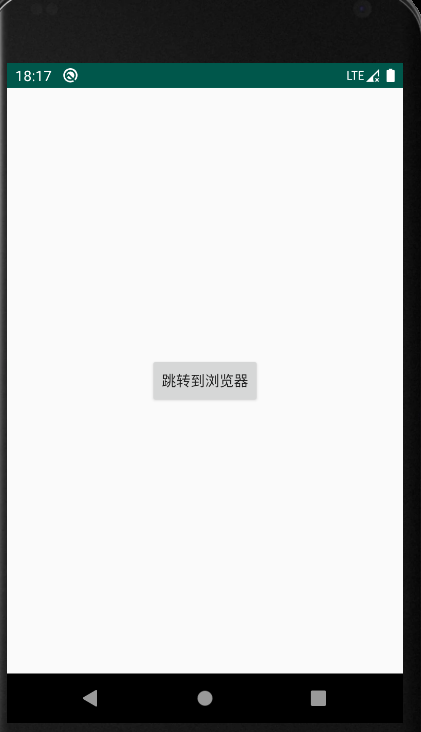
点击按钮


实现跳转
二、隐式意图来跳转到第三方应用
 /**

  * 下面通过隐式意图来跳转到第三方应用

  * 1、创建Intent对象

  * 2、第二步给intent对象,设置Action、category,5.1以上要设置包名

  * 3、startActivity(intent)

  * @param view

  */

     public void skip2BrowserInvisible(View view) {

         Intent intent =new Intent();

         intent.setAction("android.intent.action.SEARCH");

         intent.addCategory("android.intent.category.DEFAULT");

         intent.setPackage("com.google.android.as");

         startActivity(intent);

     }
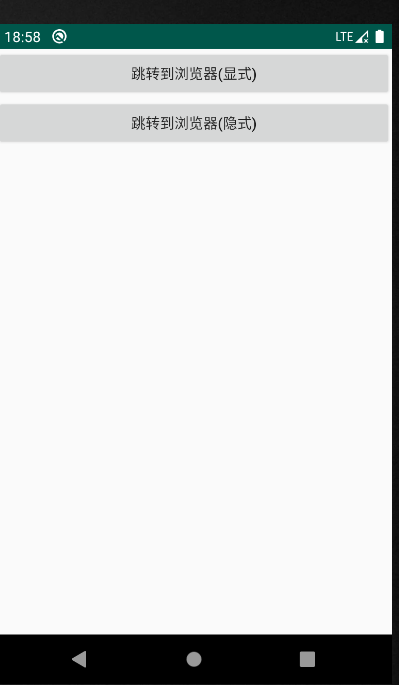

activity_skip2browser.xml
<?xml version="1.0" encoding="utf-8"?>

<LinearLayout

    xmlns:android="http://schemas.android.com/apk/res/android"

    android:layout_width="match_parent"

    android:orientation="vertical"

    android:layout_height="match_parent">

    <Button

        android:layout_width="match_parent"

        android:text="跳转到浏览器(显式)"

        android:onClick="skip2BrowserVisible"

        android:layout_centerInParent="true"

        android:layout_height="wrap_content">

    </Button>

    <Button

        android:layout_width="match_parent"

        android:text="跳转到浏览器(隐式)"

        android:onClick="skip2BrowserInvisible"

        android:layout_centerInParent="true"

        android:layout_height="wrap_content">

    </Button>

</LinearLayout>
Skip2BrowserActivity.java
package com.example.activitydemo;

import android.app.Activity;

import android.content.ComponentName;

import android.content.Intent;

import android.os.Bundle;

import android.util.Log;

import android.view.View;

import androidx.annotation.Nullable;

public class Skip2BrowserActivity extends Activity {

    private static final String TAG = "Skip2BrowserActivity";

    @Override

    protected void onCreate(@Nullable Bundle savedInstanceState) {

        super.onCreate(savedInstanceState);

        setContentView(R.layout.activity_skip2browser);

    }

    /**

     * 这个方法会在点击按钮的时候执行

     * @param view

     */

    public void skip2BrowserVisible(View view){

        Log.d(TAG,"skp2Browser");

        Intent intent =new Intent();

        /**

         * 組件的名称,也就是ComponentName =包名/类的路径名称,如包名一直,类的路径名称可以省略包名

         * 如:com.google.android.as/com.google.android.apps.miphone.aiai.app.AiAiPredictionService

         */

        //第一种写法

        // intent.setClassName("com.google.android.as","com.google.android.apps.miphone.aiai.app.AiAiPredictionService");

         //第二种写法

        ComponentName  componentName=new ComponentName("com.google.android.as","com.google.android.apps.miphone.aiai.app.AiAiPredictionService");

        intent.setComponent(componentName);

        startActivity(intent);

    }

    /**

     * 下面通过隐式意图来跳转到第三方应用

     * 1、创建Intent对象

     * 2、第二步给intent对象,设置Action、category,5.1以上要设置包名

     * 3、startActivity(intent)

     * @param view

     */

        public void skip2BrowserInvisible(View view) {

            Intent intent =new Intent();

            intent.setAction("android.intent.action.SEARCH");

            intent.addCategory("android.intent.category.DEFAULT");

            intent.setPackage("com.google.android.as");

            startActivity(intent);

        }

}
Activity组件(二):通过显式意图和隐式意图来跳转至第三方应用的更多相关文章
- Android 显示意图和隐式意图的区别
意图在android的应用开发中是很重要的,明白了意图的作用和使用后,对开发会有很大帮助.如果没有把意图搞懂,以后开发应用会感觉缺些什么. 意图的作用: 1.激活组件 ...
- 转】C#接口-显式接口和隐式接口的实现
[转]C#接口-显式接口和隐式接口的实现 C#中对于接口的实现方式有隐式接口和显式接口两种: 类和接口都能调用到,事实上这就是“隐式接口实现”. 那么“显示接口实现”是神马模样呢? interface ...
- selenium-webdriver中的显式等待与隐式等待
在selenium-webdriver中等待的方式简单可以概括为三种: 1 导入time包,调用time.sleep()的方法传入时间,这种方式也叫强制等待,固定死等一个时间 2 隐式等待,直接调用i ...
- Java并发之显式锁和隐式锁的区别
Java并发之显式锁和隐式锁的区别 在面试的过程中有可能会问到:在Java并发编程中,锁有两种实现:使用隐式锁和使用显示锁分别是什么?两者的区别是什么?所谓的显式锁和隐式锁的区别也就是说说Synchr ...
- C# Interface显式实现和隐式实现
c#中对接口的实现方式有两种:隐式实现和显式实现,之前一直没仔细看过,今天查了些资料,在这里整理一下. 隐式实现的例子 interface IChinese { string Speak(); } p ...
- 多态设计 zen of python poem 显式而非隐式 延迟赋值
总结 1.python支持延迟赋值,但是给调用者带来了困惑: 2.显式而非隐式,应当显式地指定要初始化的变量 class Card: def __init__(self, rank, suit): s ...
- C# 数据类型转换 显式转型、隐式转型、强制转型
C# 的类型转换有 显式转型 和 隐式转型 两种方式. 显式转型:有可能引发异常.精确度丢失及其他问题的转换方式.需要使用手段进行转换操作. 隐式转型:不会改变原有数据精确度.引发异常,不会发生任何问 ...
- (java)selenium webdriver学习---三种等待时间方法:显式等待,隐式等待,强制等待
selenium webdriver学习---三种等待时间方法:显式等待,隐式等待,强制等待 本例包括窗口最大化,刷新,切换到指定窗口,后退,前进,获取当前窗口url等操作: import java. ...
- Scala学习二十一——隐式转换和隐式参数
一.本章要点 隐式转换用于类型之间的转换 必须引入隐式转换,并确保它们可以以单个标识符的形式出现在当前作用域 隐式参数列表会要求指定类型的对象.它们可以从当前作用域中以单个标识符定义的隐式对象的获取, ...
- Scala 中的隐式转换和隐式参数
隐式定义是指编译器为了修正类型错误而允许插入到程序中的定义. 举例: 正常情况下"120"/12显然会报错,因为 String 类并没有实现 / 这个方法,我们无法去决定 Stri ...
随机推荐
- xml学习-语法规则
XML 指可扩展标记语言(eXtensible Markup Language).XML 被设计用来传输和存储数据. XML 语法规则 XML 文档必须有根元素 XML 必须包含根元素,它是所有其他元 ...
- POJ 2521:How much did the businessman lose
How much did the businessman lose Time Limit: 1000MS Memory Limit: 65536K Total Submissions: 9965 ...
- Webpack - 把json文件打包进js文件
把html文件打包进index.js 1 新建文件 typings.d.ts declare module "*.html" { const content: st ...
- 6 ~ express ~ 搭建用户注册前端页面
一,前端页面 /views/login.html <!DOCTYPE html> <html lang="en"> <head> <met ...
- RMAN > BACKUP VALIDATE DATABASE ARCHIVELOG ALL
使用BACKUP ... VALIDATE 命令: You can use the BACKUP VALIDATE command to do the following: (1)Che ...
- js 一年中多个时间段 天数去重
Date.prototype.format = function() { var s = ''; var mouth = (this.getMonth() + 1)>=10?(this.getM ...
- BZOJ:2815: [ZJOI2012]灾难
题解: 构造灭绝树: x指向的点表示x的祖先死亡则x死亡 动态LCA: 可以用LCT维护或直接更新倍增数组 最后统计子树点的个数 坑: 我还不会序列型Toposort #include<iost ...
- JS照片轮换
<!DOCTYPE html> <html lang="en"> <head> <meta charset="UTF-8&quo ...
- mysql数据库索引优化
参考 :http://www.cnblogs.com/yangmei123/archive/2016/04/10/5375723.html MySQL数据库的优化: 数据库优化的目的: ...
- 第二阶段scrum-1
1.整个团队的任务量: 2.任务看板: 会议照片: 产品状态: 注册登陆界面功能正在实装,消息收发功能正在制作 雷达界面已经完成.