
JavaScript—面向对象 贪吃蛇最终
效果
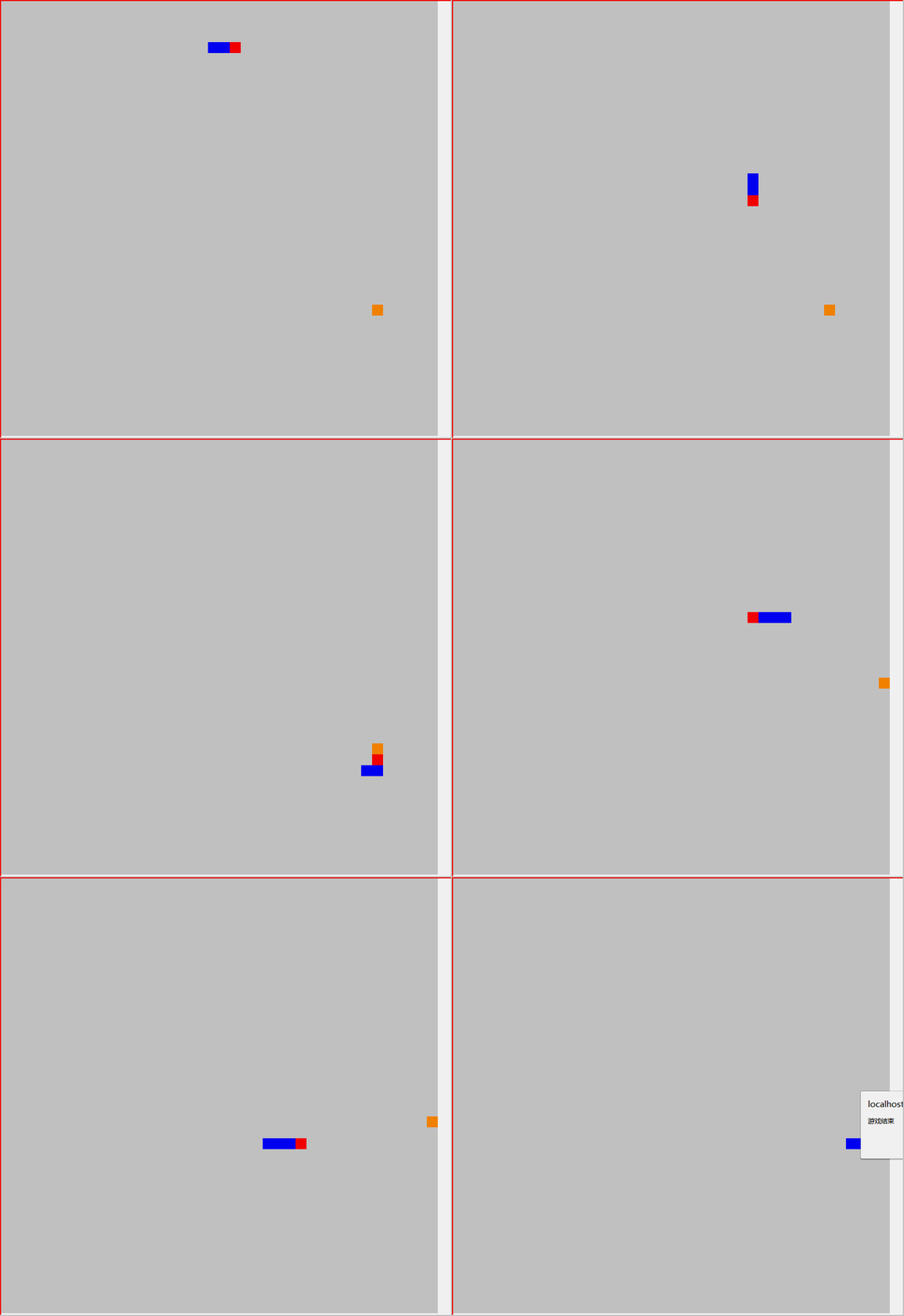
代码
//食物对象

;(function () {

    function Food(element) {

        this.width = 20

        this.height = 20

        this.backgroundColor = '#ff8500'

        this.x = 0

        this.y = 0

        this.elemen = element

        this.arr = []

    }

    Food.prototype.remove=function() {

        for (let i = 0; i < this.arr.length; i++) {

            this.arr[i].parentNode.removeChild(this.arr[i])

        }

        this.arr=[]

    }

    Food.prototype.show = function () {

        this.remove()

        this.x = randomNum(0, (this.elemen.offsetWidth - this.width) / this.width) * this.width

        this.y = randomNum(0, (this.elemen.offsetHeight - this.height) / this.height) * this.height

        let div = document.createElement('div')

        this.elemen.appendChild(div)

        div.style.width = this.width + 'px';

        div.style.height = this.height + 'px'

        div.style.backgroundColor = this.backgroundColor

        div.style.position = 'absolute'

        div.style.left = this.x + 'px'

        div.style.top = this.y + 'px'

        this.arr.push(div)

    }

    //外部访问

    window.Food = Food

})()

//蛇对象

;(function() {

    function Snake(element) {

        this.width = 20

        this.height = 20

        this.gameif=false

        //蛇身 位置 颜色

        this.body = [

            {x: 6, y: 4, bc: 'red'},

            {x: 5, y: 4, bc: 'blue'},

            {x: 4, y: 4, bc: 'blue'},

        ]

        this.direction = 'right'

        this.elemen = element

        //保存当前蛇

        this.arr = []

    }

//吃食物

    Snake.prototype.feed = function (food) {

        // 遇到食物 复制最后一个蛇身

        if (this.body[0].x * this.width === food.x && this.body[0].y * this.height === food.y) {

            let o = this.body[this.body.length - 1]

            let pro = {x: o.x, y: o.y, bc: o.bc}

            this.body.push(pro)

            food.show()

        }

    }

    Snake.prototype.remove = function () {

        for (let i = 0; i < this.arr.length; i++) {

            this.arr[i].parentNode.removeChild(this.arr[i])

        }

        this.arr = []

    }

//蛇出现

    Snake.prototype.show = function () {

        this.remove()

        //console.log(this.arr)

        for (let i = 0; i < this.body.length; i++) {

            let div = document.createElement('div')

            this.elemen.appendChild(div)

            div.style.width = this.width + 'px';

            div.style.height = this.height + 'px'

            div.style.position = 'absolute'

            div.style.backgroundColor = this.body[i].bc

            div.style.left = this.body[i].x * this.width + 'px'

            div.style.top = this.body[i].y * this.height + 'px'

            this.arr.push(div)

        }

    }

//移动方法

    Snake.prototype.udlr = function () {

        //蛇身移动 根据最后一个的位置等于上一个的位置

        for (let i = this.body.length - 1; i > 0; i--) {

            this.body[i].x = this.body[i - 1].x

            this.body[i].y = this.body[i - 1].y

        }

        // 边界

        let herfX = this.body[0].x * this.width >= this.elemen.offsetWidth - this.width || this.body[0].x * this.width <= 0

        let herfY = this.body[0].y * this.height >= this.elemen.offsetHeight - this.height || this.body[0].y * this.height <= 0

        console.log(herfX,herfY)

        if (herfX || herfY) {

            this.gameif=true

            alert('游戏结束')

            return

        }

        switch (this.direction) {

            case "right": {

                this.body[0].x += 1

                break;

            }

            case "left": {

                this.body[0].x -= 1

                break;

            }

            case "up": {

                this.body[0].y -= 1

                break;

            }

            case "down": {

                this.body[0].y += 1

                break;

            }

        }

    }

    window.Snake=Snake;

})()

//游戏对象

;(function() {

    function Game(map) {

        this.map = map;

        this.food = new Food(this.map)

        this.snake = new Snake(this.map)

    }

    Game.prototype.go = function () {

        let food=this.food

        let snake=this.snake;

        food.show()

        snake.show()

        let go_time = setInterval(function () {

            console.log(snake,food)

            if (snake.gameif){

                clearInterval(go_time)

            }

            document.addEventListener('keydown', function (e) {

                //结束游戏。game over

                // up:38 down:40 left:37 reight:39

                switch (e.keyCode) {

                    case 37: {

                        //禁止反方向

                        if (snake.direction=='right'){

                            break;

                        }

                        snake.direction='left'

                        break;

                    }

                    case 38: {

                        if (snake.direction=='down'){

                            break;

                        }

                        snake.direction='up'

                        break;

                    }

                    case 39: {

                        if (snake.direction=='left'){

                            break;

                        }

                        snake.direction='right'

                        break;

                    }

                    case 40: {

                        if (snake.direction=='up'){

                            break;

                        }

                        snake.direction='down'

                        break;

                    }

                }

            }, false)

            snake.udlr()

            snake.show()

            snake.feed(food)

        }, 50)

            }

            window.Game=Game;

})()

let map = document.getElementById('map')

let game = new Game(map)

game.go()

function randomNum(minNum, maxNum) {

    return parseInt(Math.random() * (maxNum - minNum + 1) + minNum)

}
总结
效果图 速度太快。。。。。。。。
总得来说 并不是毫无头绪。抽象对象 一个个去写 。
收获挺大
JavaScript—面向对象 贪吃蛇最终的更多相关文章
- JavaScript—面向对象贪吃蛇_1
前面说了.面向对象的思考方式和面向过程的思考方式有着本质的区别. 贪吃蛇.作为各大培训机构.面向对象的练手项目,的确好.我昨天看完视频,有一种领悟面向对象的感觉,当然可能只针对贪吃蛇..要想在实际开发 ...
- JavaScript—面向对象 贪吃蛇_3 蛇对象
蛇对象 function Snake(element) { this.width = 20 this.height = 20 //蛇身 位置 颜色 this.body = [ {x: 6, y: 4, ...
- JavaScript—面向对象 贪吃蛇_2 游戏对象
游戏对象 function Game(map) { this.map = map; this.food = new Food(this.map) this.snake = new Snake(this ...
- JavaScript—面向对象 贪吃蛇_2 食物对象
食物对象 //自调用 (function (){ function Food(element) { this.width = 20 this.height = 20 this.backgroundCo ...
- javascript实现贪吃蛇
<html> <head> <style> body { background:#444; } .rect { border:1px solid #94F; wid ...
- JavaScript版—贪吃蛇小组件
最近在学习JavaScript,利用2周的时间看完了<JavaScript高级编程>,了解了Js是一门面向原型编程的语言,没有像C#语言中的class,也没有私有.公有.保护等访问限制的级 ...
- 使用javascript实现贪吃蛇游戏
<!DOCTYPE html> <html xmlns="http://www.w3.org/1999/xhtml"> <head> <m ...
- javascript写贪吃蛇游戏(20行代码!)
<!doctype html> <html> <body> <canvas id="can" width="400" ...
- Javascript仿贪吃蛇出现Bug的反思
bug现象: 图一
随机推荐
- 【转帖】影响超 10 亿设备,博通和 Cypress 芯片曝惊天漏洞,苹果、华为、三星等中招
影响超 10 亿设备,博通和 Cypress 芯片曝惊天漏洞,苹果.华为.三星等中招 https://www.infoq.cn/article/lpNEQGrxZL22gHDPBE2z 26 ...
- Golang的类型转换实战案例
Golang的类型转换实战案例 作者:尹正杰 版权声明:原创作品,谢绝转载!否则将追究法律责任. 一.数据类型概述 基础数据类型概述,博主推荐阅读: 布尔型: https://www.cnblogs. ...
- P1084 外观数列
转跳点:
- asp.net mvc邮箱激活
1.发送邮件 public ActionResult SendEmail() { var member = dbSession.MemberRepository.LoadEntities(p => ...
- Windows和Ubuntu双系统时钟同步的方法。
参考文章 https://blog.csdn.net/zyqblog/article/details/79318955 电脑安装Ubuntu和Windows双系统以后,每次Ubuntu时间和时区设了以 ...
- 19 03 13 关于 scrapy 框架的 对环球网的整体爬取(存储于 mongodb 数据库里)
关于 spinder 在这个框架里面 和不用数据库 相同 # -*- coding: utf-8 -*- import scrapy from yang_guan.items import ...
- 读取docx表格中的信息
参考了 http://blog.csdn.net/qq_34475777/article/details/62055523 http://www.cnblogs.com/deepwaterplan/a ...
- python 鞍点
# 鞍点: 所在行的最大值,所在列的最小值 import random A = [[random.randint(1,100) for j in range(5)]for i in range(5)] ...
- 刷题49. Group Anagrams
一.题目说明 题目是49. Group Anagrams,给定一列字符串,求同源词(包含相同字母的此)的集合.题目难度是Medium. 二.我的做法 题目简单,就不多说,直接上代码: class So ...
- 09.swoole学习笔记--创建进程
<?php //进程数组 $workers=[]; //创建进程的数据量 $worker_num=; //创建启动进程 ;$i<$worker_num;$i++){ //创建单独新进程 $ ...