
Linux架构之Nginx 常见问题
第54章 Nginx常见问题
一、Nginx多Sever优先级
在开始处理一个http请求时,nginx会取出header头中的Host变量,与nginx.conf中每个server的server_name进行匹配,由此决定到底由哪一个server来处理这个请求。但如果nginx配置多个相同的server_name,会导致server_name出现优先级访问冲突。
[root@web01 conf.d]# cd ~
[root@web01 ~]# cd /etc/nginx/conf.d/
1、#配置nginx(server1.conf)
[root@web01 conf.d]# vim server1.conf
server {
listen 80;
server_name localhost server1.com;
location / {
root /code/test1;
index index.html;
}
}
#配置nginx(server2.conf)
[root@web01 conf.d]# vim server2.conf
server {
listen 80;
server_name localhost server2.com;
location / {
root /code/test2;
index index.html;
}
}
#配置nginx(server3.conf)
[root@web01 conf.d]# vim server3.conf
server {
listen 80;
server_name localhost server3.com;
location / {
root /code/test3;
index index.html;
}
}
2、#准备站点目录
[root@web01 conf.d]# mkdir /code/test{1..3}
[root@web01 conf.d]# echo test1 > /code/test1/index.html
[root@web01 conf.d]# echo test2 > /code/test2/index.html
[root@web01 conf.d]# echo test3 > /code/test3/index.html
3、#检查语法提示冲突,忽略并重启
[root@web01 conf.d]# nginx -t
nginx: [warn] conflicting server name "localhost" on 0.0.0.0:80, ignored
nginx: [warn] conflicting server name "localhost" on 0.0.0.0:80, ignored
nginx: [warn] conflicting server name "localhost" on 0.0.0.0:80, ignored
nginx: the configuration file /etc/nginx/nginx.conf syntax is ok
nginx: configuration file /etc/nginx/nginx.conf test is successful
[root@web01 conf.d]# nginx -s reload
在/etc/nginx/conf.d中,把其他conf文件都打包一下,只留server1.conf、server2.conf、server3.conf。
4、#根据ip访问
#1. 用户第一次访问,读取server1.conf配置返回结果
[root@web01 code]# curl 10.0.0.7
test1
5、#此时将server1.conf修改为server4.conf重启nginx
[root@web01 code]# cd /etc/nginx/conf.d/
[root@lb01 conf.d]# mv server1.conf server4.conf
[root@lb01 conf.d]# nginx -s reload
6、#windows键+R,输入drivers,找到etc目录,进入etc目录,找到host域名解析文件,
修改内容如下:10.0.0.7 server1.com server2.com server3.com
7、#检查并重启nginx
[root@web01 conf.d]# nginx -t
nginx: [warn] conflicting server name "localhost" on 0.0.0.0:80, ignored
nginx: [warn] conflicting server name "localhost" on 0.0.0.0:80, ignored
nginx: [warn] conflicting server name "localhost" on 0.0.0.0:80, ignored
nginx: the configuration file /etc/nginx/nginx.conf syntax is ok
nginx: configuration file /etc/nginx/nginx.conf test is successful
[root@web01 conf.d]# nginx -s reload
8、#再次访问时,读取server2.conf配置返回结果
[root@web01 conf.d]# curl 10.0.0.7
test2
测试访问效果,打开浏览器,输入server1.com


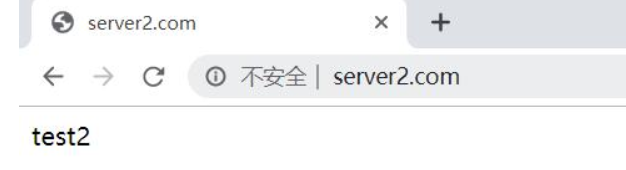
将server1.conf修改为server4.conf重启nginx,测试访问效果,打开浏览器,输入server2.com

多Server_name优先级总结
再开始处理一个HTTP请求时,Nginx会读取header(请求头)中的host,与每个server中的server_name进行匹配,来决定用哪一个server标签来完成处理这个请求,有可能一个Host与多个server中的server_name都匹配,这个时候就会根据匹配优先级来选择实际处理的server。优先级匹配结果如下:
1.首先选择所有的字符串完全匹配的server_name。(完全匹配)
2.选择通配符在前面的server_name,如.haoda.com www.haoda.com
3.选择通配符在后面的server_name,如bgx.* haoda.com haoda.cn
4.最后选择使用正则表达式匹配的server_name
5.如果全部都没有匹配到,那么将选择在listen配置项后加入[default_server]的server块
6.如果没写,那么就找到匹配listen端口的第一个Server块的配置文件
注意:当出现多个相同的server_name情况下,配置文件排序优先使用则会被调用,所以建议配置相同端口,不同域名,这样不会出现域名访问冲突。
===========================================================
二、Nginx禁止IP直接访问
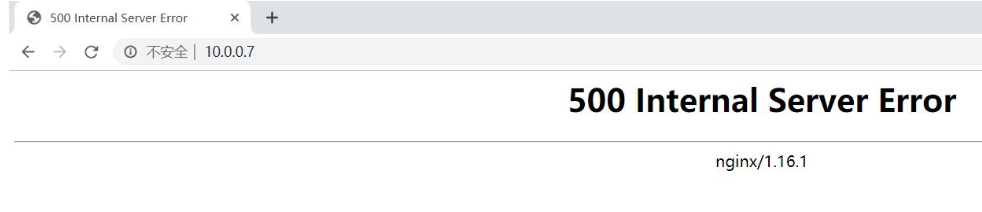
当用户通过访问IP或者未知域名访问你得网站的时候,你希望禁止显示任何有效内容,可以给他返回500,目前国内很多机房都要求网站关闭空主机头,防止未备案的域名指向过来造成麻烦。
方式1:Nginx禁止IP访问
#配置nginx
[root@web01 conf.d]# cd /etc/nginx/conf.d/
[root@web01 conf.d]# vim server4.conf
server {
listen 80 default_server; #默认优先返回;
server_name _; #空主机头或者IP;
return 500; #直接返回500错误;
}
#windows键+R,输入drivers,找到etc目录,进入etc目录,找到host域名解析文件,
注释内容如下:10.0.0.7 server1.com server2.com server3.com
#检查并重启nginx
[root@web01 conf.d]# nginx -t
nginx: [warn] conflicting server name "localhost" on 0.0.0.0:80, ignored
nginx: [warn] conflicting server name "localhost" on 0.0.0.0:80, ignored
nginx: the configuration file /etc/nginx/nginx.conf syntax is ok
nginx: configuration file /etc/nginx/nginx.conf test is successful
[root@web01 conf.d]# nginx -s reload
nginx: [warn] conflicting server name "localhost" on 0.0.0.0:80, ignored
nginx: [warn] conflicting server name "localhost" on 0.0.0.0:80, ignored
测试访问效果,打开浏览器,输入10.0.0.7

方式2:通过引流的方式将访问的IP直接跳转主站域名
#配置nginx
[root@web01 conf.d]# cd /etc/nginx/conf.d/
[root@web01 conf.d]# vim server4.conf
server {
listen 80 default_server;
server_name _;
return 302 http://server1.com;
}
[root@web01 conf.d]# mkdir /code/test1
[root@web01 conf.d]# echo test1 > /code/test1/index.html
#windows键+R,输入drivers,找到etc目录,进入etc目录,找到host域名解析文件,
输入内容如下:10.0.0.7 server1.com
[root@web01 conf.d]# nginx -t
nginx: [warn] conflicting server name "localhost" on 0.0.0.0:80, ignored
nginx: [warn] conflicting server name "localhost" on 0.0.0.0:80, ignored
nginx: the configuration file /etc/nginx/nginx.conf syntax is ok
nginx: configuration file /etc/nginx/nginx.conf test is successful
[root@web01 conf.d]# nginx -s reload
nginx: [warn] conflicting server name "localhost" on 0.0.0.0:80, ignored
nginx: [warn] conflicting server name "localhost" on 0.0.0.0:80, ignored
测试访问效果,打开浏览器,输入10.0.0.7


===========================================================
三、Nginx路径root与alias
root与alias路径匹配主要区别在于nginx如何解释location后面的uri,这会使两者分别以不同的方式将请求映射到服务器文件上,alias是一个目录别名的定义,root则是最上层目录的定义。
root的处理结果是:root路径+location路径
alias的处理结果是:使用alias定义的路径
3.1)使用root时,
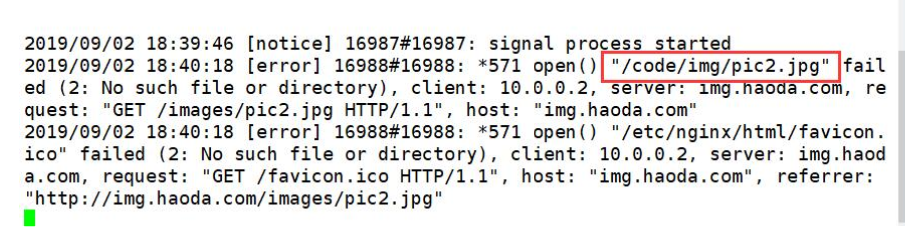
用户访问img.haoda.com/images/pic2.jpg时,实际上Nginx会到/code/img/目录下找pic2.jpg文件
#配置nginx
[root@web01 conf.d]# cd /etc/nginx/conf.d/
[root@web01 conf.d]# vim img.conf
server{
listen 80;
server_name img.haoda.com;
location /images {
root /code/img/;
}
}
#在code目录下创建img目录
[root@web01 code]# cd ~
[root@web01 ~]# mkdir -p /code/img/
#在img目录下上传图片
[root@web01 code]# cd img
[root@web01 img]# rz -E
rz waiting to receive.
#windows键+R,输入drivers,找到etc目录,进入etc目录,找到host域名解析文件,
输入内容如下:10.0.0.7 img.haoda.com
#检查并重启nginx
[root@web01 img]# nginx -t
nginx: the configuration file /etc/nginx/nginx.conf syntax is ok
nginx: configuration file /etc/nginx/nginx.conf test is successful
[root@web01 img]# nginx -s reload
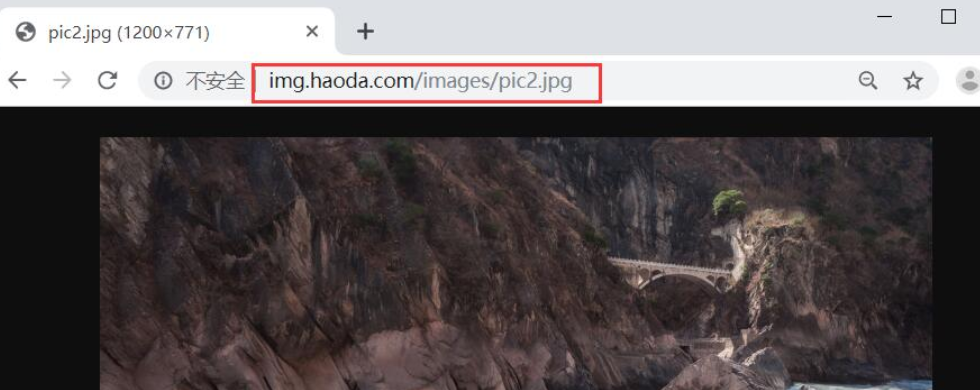
打开浏览器,输入http://img.haoda.com/images/pic2.jpg


监控错误日志([root@web01 img]# tail -f /var/log/nginx/error.log),可以看到图片实际上存放的路径

解决方案:在/code/img目录下创建images目录,将img目录下的图片移至images
[root@web01 img]# mkdir -p /code/img/images/
[root@web01 images]# rz -E
rz waiting to receive.
#windows键+R,输入drivers,找到etc目录,进入etc目录,找到host域名解析文件,
输入内容如下:10.0.0.7 img.haoda.com
#检查并重启nginx
[root@web01 img]# nginx -t
nginx: the configuration file /etc/nginx/nginx.conf syntax is ok
nginx: configuration file /etc/nginx/nginx.conf test is successful
[root@web01 img]# nginx -s reload
打开浏览器,输入http://img.haoda.com/images/pic2.jpg


使用alias,线上一般使用alias
#使用alias,即/images等价于/code/img
server{
listen 80;
server_name img.haoda.com;
location /images {
alias /code/img;
}
}
#在/code/img目录下存在图片
#windows键+R,输入drivers,找到etc目录,进入etc目录,找到host域名解析文件,
输入内容如下:10.0.0.7 img.haoda.com
#检查并重启nginx
[root@web01 img]# nginx -t
nginx: the configuration file /etc/nginx/nginx.conf syntax is ok
nginx: configuration file /etc/nginx/nginx.conf test is successful
[root@web01 img]# nginx -s reload
打开浏览器,输入http://img.haoda.com/images/pic2.jpg

===========================================================
四、Nginx try_file路径匹配
nginx的try_file路径匹配,Nginx会按顺序检查文件及目录是否存在(根据 root 和 alias 指令设置的参数构造完整的文件路径),并用找到的第一个文件提供服务。在元素名后面添加斜杠 / 表示这个是目录。如果文件和目录都不存在,Nginx会执行内部重定向,跳转到命令的最后一个 uri 参数定义的 URI 中。
4.1)Nginx try_file配置示例1
#1.配置nginx
[root@web01 img]# cd /etc/nginx/conf.d/
[root@web01 conf.d]# vim try.conf
server {
listen 80;
server_name try.haoda.com;
root /code;
index index.html;
location / {
try_files $uri /404.html;
}
}
#2. 创建实例目录与文件
[root@web01 conf.d]# echo try111 > /code/index.html
[root@lb01 conf.d]# echo '404 404 404' > /code/404.html
#3.windows键+R,输入drivers,找到etc目录,进入etc目录,找到host域名解析文件,
输入内容如下:10.0.0.7 try.haoda.com
#4.检查并重启nginx
[root@web01 img]# nginx -t
nginx: the configuration file /etc/nginx/nginx.conf syntax is ok
nginx: configuration file /etc/nginx/nginx.conf test is successful
[root@web01 img]# nginx -s reload
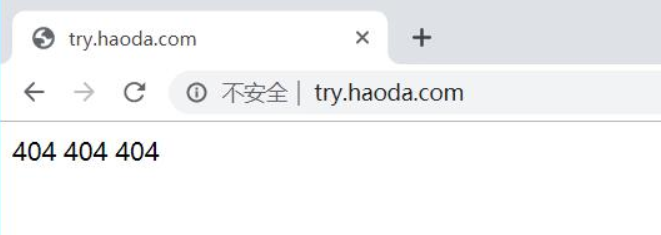
打开浏览器,输入try.haoda.com
(显示结果的解释:由于访问的是try.haoda.com,而$uri取得是域名后面我们写的内容,由于输入信息时域名后面没有内容,它找不到,所以返回$uri中后面的内容,即404.html)

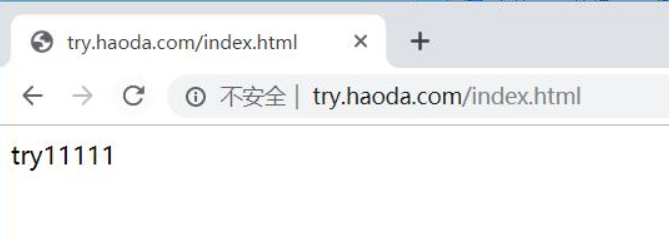
打开浏览器,输入try.haoda.com/index.html
(显示结果的解释:由于访问的是try.haoda.com/index.html,而$uri取到了index.html所以返回/code/index.html的内容)

#此时修改配置文件
server {
listen 80;
server_name try.haoda.com;
root /code;
index index.html;
location / {
try_files $uri $uri/ /404.html;
}
}
#windows键+R,输入drivers,找到etc目录,进入etc目录,找到host域名解析文件,
输入内容如下:10.0.0.7 try.haoda.com
#检查并重启nginx
[root@web01 img]# nginx -t
nginx: the configuration file /etc/nginx/nginx.conf syntax is ok
nginx: configuration file /etc/nginx/nginx.conf test is successful
[root@web01 img]# nginx -s reload
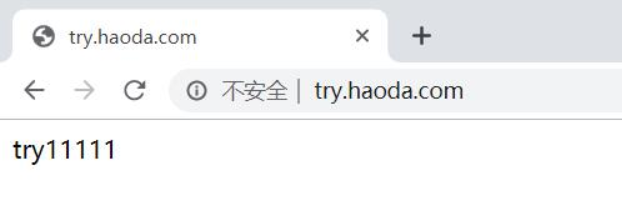
打开浏览器,输入try.haoda.com
(我们访问的是try.haoda.com,而$uri是域名后面的内容,我们在输入域名信息时,域名后面没有写任何内容,因此没有匹配到第一个$uri,于是第二个$uri就是“空/”,他访问的便是“空/”,也就是我们在浏览器中输入try.haoda.com/,跳转index页面,进的是根,就是root,即匹配到/code/index.html)

===========================================================
4.2)Nginx try_file配置示例2
#1. 配置nginx
[root@web01 conf.d]# vim try.conf
server {
listen 80;
server_name try.haoda.com;
root /code;
index index.html;
location / {
try_files $uri $uri/ @java; #当$uri和$uri/都匹配不到时,由后端的java来进行处理,名字可自定义,但一定要加@
}
location @java {
proxy_pass http://172.16.1.8:8080; #配置后端tomcat
}
}
#2. 在web02上配置后端tomcat
[root@web02 ~]# cd /usr/share/tomcat/webapps/ROOT
[root@web02 ROOT]# echo 'i am tomcat' > index.html
[root@web02 ROOT]# systemctl start tomcat
#3. 把文件都挪走
[root@lb01 code]# mv index.html index1.html /tmp/
#4.检查并重启nginx
[root@web01 code]# nginx -t
nginx: the configuration file /etc/nginx/nginx.conf syntax is ok
nginx: configuration file /etc/nginx/nginx.conf test is successful
[root@web01 code]# nginx -s reload
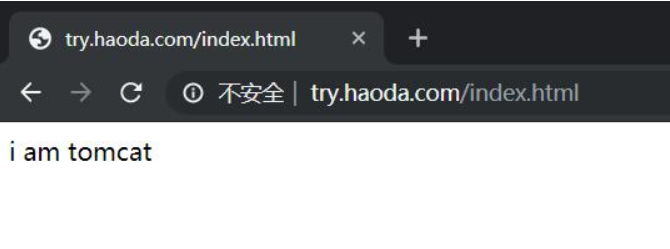
#5. 测试访问
[root@lb01 code]# curl http://try.haoda.com/index.html
i am tomcat


===========================================================
五、Nginx优雅显示错误页面
error_page错误日志
5.1)第一种配置情况1(跳转网络地址)
#配置nginx
[root@web01 code]# cd /etc/nginx/conf.d/
[root@web01 conf.d]# vim error.conf
server {
listen 80;
server_name www.haoda.com;
root /code;
location / {
index index.html;
error_page 404 http://www.baidu.com;
}
}
恢复/code目录下index.html,使得该文件没被压缩
#windows键+R,输入drivers,找到etc目录,进入etc目录,找到host域名解析文件,
输入内容如下:10.0.0.7 www.haoda.com
#检查并重启nginx
[root@web01 code]# nginx -t
nginx: the configuration file /etc/nginx/nginx.conf syntax is ok
nginx: configuration file /etc/nginx/nginx.conf test is successful
[root@web01 code]# nginx -s reload
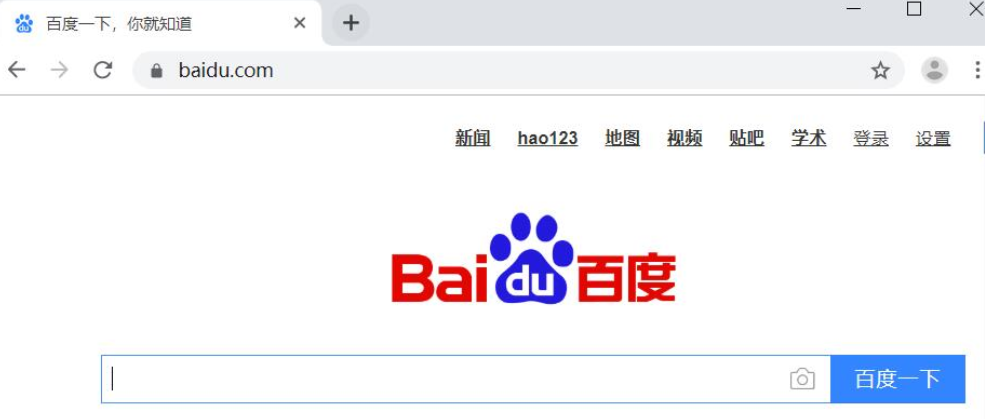
打开浏览器,输入error.haoda.com/11,页面自动跳转到百度首页

5.2)第二种配置情况1(跳转404图片)
#配置nginx
[root@web01 code]# cd /etc/nginx/conf.d/
[root@web01 conf.d]# vim error.conf
server {
listen 80;
server_name error.haoda.com;
root /code;
location / {
index index.html;
}
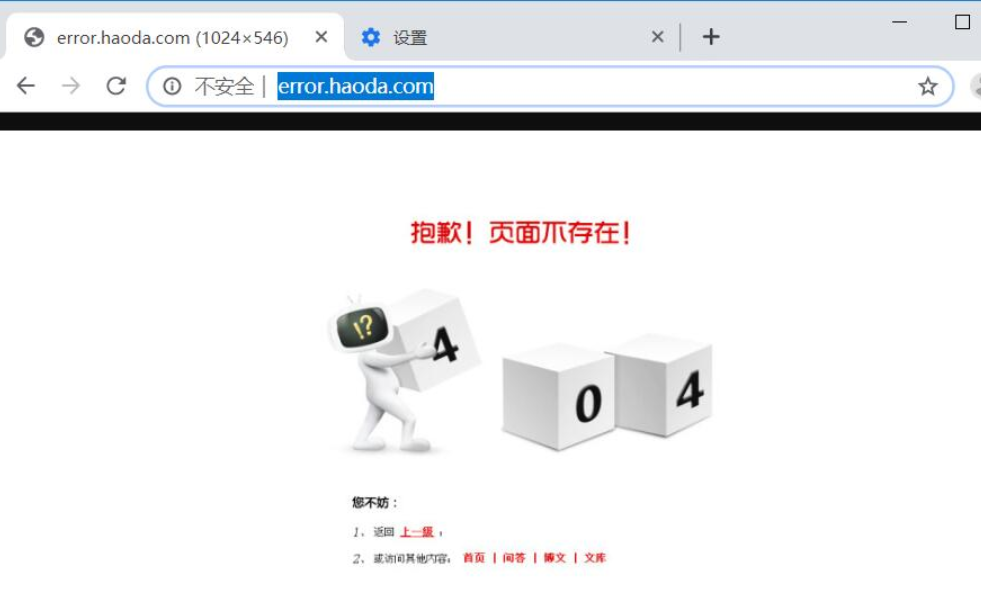
error_page 404 403 /404.jpg;
}
#在code目录下上传404.jpg
[root@web01 conf.d]# cd /code
[root@web01 code]# ll
total 80212
-rw-r--r-- 1 root root 12 Sep 2 19:11 404.html
-rw-r--r-- 1 root root 29239 Sep 2 20:30 404.jpg
#windows键+R,输入drivers,找到etc目录,进入etc目录,找到host域名解析文件,
输入内容如下:10.0.0.7 error.haoda.com
#检查并重启nginx
[root@web01 code]# nginx -t
nginx: the configuration file /etc/nginx/nginx.conf syntax is ok
nginx: configuration file /etc/nginx/nginx.conf test is successful
[root@web01 code]# nginx -s reload
打开浏览器,输入error.haoda.com,显示404图片

5.3)第二种配置情况2(跳转本地地址)
#配置nginx
[root@web01 code]# cd /etc/nginx/conf.d/
[root@web01 conf.d]# vim error.conf
server {
listen 80;
server_name error.haoda.com;
root /code;
location / {
index index.html;
}
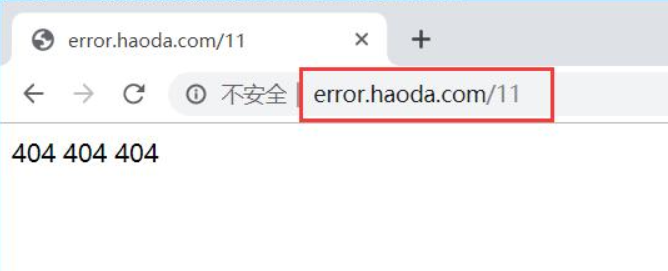
error_page 403 404 /404.html;
location = /404.html {
root /code;
index index.html;
}
}
#windows键+R,输入drivers,找到etc目录,进入etc目录,找到host域名解析文件,
输入内容如下:10.0.0.7 error.haoda.com
[root@web01 code]# cat 404.html
404 404 404
[root@web01 code]# cat index.html
try111
#检查并重启nginx
[root@web01 code]# nginx -t
nginx: the configuration file /etc/nginx/nginx.conf syntax is ok
nginx: configuration file /etc/nginx/nginx.conf test is successful
[root@web01 code]# nginx -s reload
打开浏览器,输入error.haoda.com,显示404.html页面
Linux架构之Nginx 常见问题的更多相关文章
- Linux架构之Nginx Web基础1
第41章 Nginx Web基础入门 41.1 Nginx部署 41.1.1 Nginx的安装方式 源码编译 官方仓库 epel仓库 优点 规范 安装简单 安装简单 便于管理 配置易读 缺 ...
- Linux架构之Nginx之HTTPS
第52章 Nginx之HTTPS 第52章 Nginx之HTTPS 1.HTTPS安全证书基本概述 1.1 模拟服务器篡改内容 1.1.1 配置目标网站nginx 1.1.2 配置网页 1.1.3 访 ...
- Linux架构之Nginx 高可用
第53章 Nginx之高可用Keepalived 一.Keepalived高可用基本概述 1.1)什么是高可用 一般是指2台机器启动着完全相同的业务系统,当有一台机器down机了,另外一台服务器就能快 ...
- Linux架构之Nginx 七层负载均衡
第50章 Nginx七层负载均衡 一.Nginx负载均衡基本概述 1)为什么要使用负载均衡 当我们的Web服务器直接面向用户,往往要承载大量并发请求,单台服务器难以负荷.使用多台Web服务器组成集群, ...
- Linux架构之Nginx 动静分离
案例No.51:Nginx动静分离 1.web01配置静态资源 [root@web01 ~]# cd /etc/nginx/conf.d/#配置静态资源[root@web01 conf.d]# cat ...
- Linux架构之Nginx 负载均衡会话保持
案例No.50:Nginx负载均衡会话保持 前期准备环境 web01.web02 (web01.web02.db01.nfs01都要优化基本源)[root@web01 ~]# vim /etc/yum ...
- Linux架构之Nginx 配置文件
第42章 nginx相关配置文件 1.Nginx主配置文件 路径 类型 作用 /etc/nginx/nginx.conf 配置文件 nginx主配置文件 /etc/nginx/conf.d/def ...
- linux nginx常见问题及优化,压力测试,tomcat服务器优化
nginx常见问题 nginx优化全局配置优化[root@web2 nginx]# vim conf/nginx.confuser nobody;worker_processes 1;(与cpu核心数 ...
- Linux下利用nginx实现负载均衡
linux下利用nginx实现负载均衡 前提条件: 1,安装好jdk 2,安装好tomcat和nginx(可以参考我前两篇文章) 满足前提条件后,要用nginx实现负载均衡,主要是靠配置nginx的配 ...
随机推荐
- [LeetCode]-DataBase-Employees Earning More Than Their Managers
The Employee table holds all employees including their managers. Every employee has an Id, and there ...
- Python中的self用法之面向对象
class Student(object): def __init__(self, name, score): self.__name = name self.__score = score def ...
- leetcode-mid-sorting and searching - 240. Search a 2D Matrix II -NO
mycode time limited def searchMatrix(matrix, target): def deal(data): if not data: return False ro ...
- Git-Runoob:Git 工作流程
ylbtech-Git-Runoob:Git 工作流程 1.返回顶部 1. Git 工作流程 本章节我们将为大家介绍 Git 的工作流程. 一般工作流程如下: 克隆 Git 资源作为工作目录. 在克隆 ...
- 安装ssh
1.win10 安装ssh sudo apt-get remove --purge openssh-server ## 先删ssh sudo apt-get install openssh-serve ...
- eclipse和myeclipse怎么在项目中查找指定代码?https://www.jb51.net/softjc/554889.html
有的童鞋,想eclipse和myeclipse整个项目中查找指定代码,由于补经常使用,可能会补熟悉.如果要去掉项目中所有的某个代码的话,找不到是灰常麻烦的,下面就简单说下怎么查找,希望对需要的人有用. ...
- lua正则表达式替换字符串
local _t = {} _t.name = "Li" local str = string.gsub("hahah---[name]----[age]--xrz-&q ...
- 【组策略】1.组策略介绍group policy
组策略介绍group policy 高效学习法,念念不忘,必有回响. 分享一个高效学习思维,潜意识思考.就是在您没有大量时间的情况下,学习十分钟. 然后离开去完成别的事情的时候,大脑潜意识中还会继续思 ...
- Redis进阶:Redis的哨兵模式搭建
Redis进阶:Redis的哨兵模式搭建 哨兵机制介绍 单机版的Redis存在性能瓶颈,Redis通过提高主从复制实现读写分离,提高了了Redis的可用性,另一方便也能实现数据在多个Redis直接的备 ...
- 分享一个linux中测试网站是否正常的shell脚本
#! /bin/bash #Author=Harry CheckUrl() { #<==定义函数,名字为CheckUrl timeout=5 #<==定义wget访问的超时时间,超时就退出 ...