
Kotlin开发springboot项目(三)
Kotlin开发springboot项目(三)
在线工具
IDEA中Kotlin生成可执行文件
1,项目使用Gradle构建
2,在model的build.gradle中添加插件:

apply plugin: 'application'

mainClassName = "net.println.kotlin.HelloKt"     //注意文件名Kt结尾

,在ide右侧:Gradle->model name->Tasks->distribution->installDist双击即可执行任务
4,构建完毕,在./build/install/{modelName}/bin/下会生成bash脚本和bat脚本
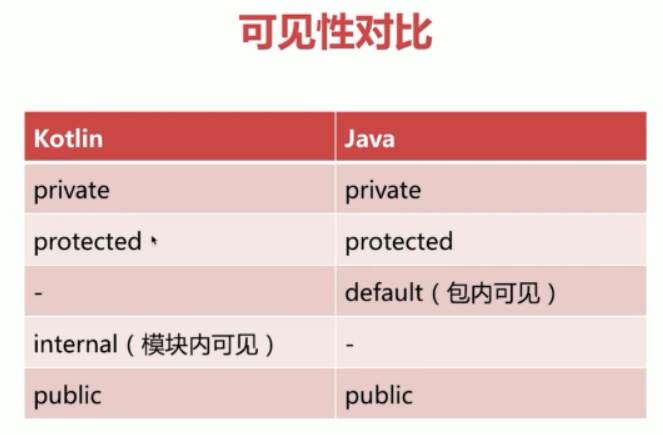
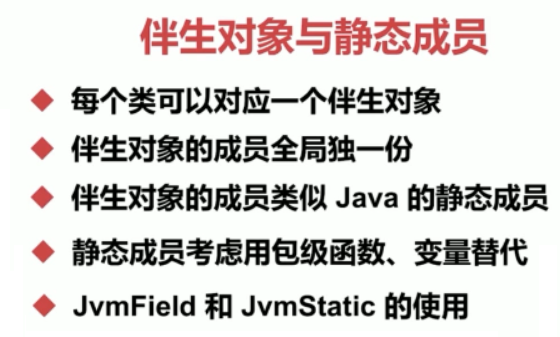
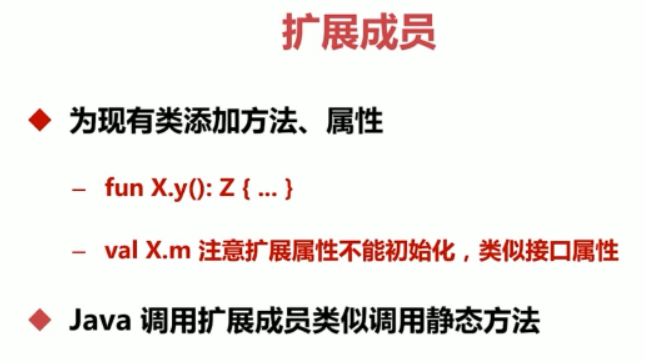
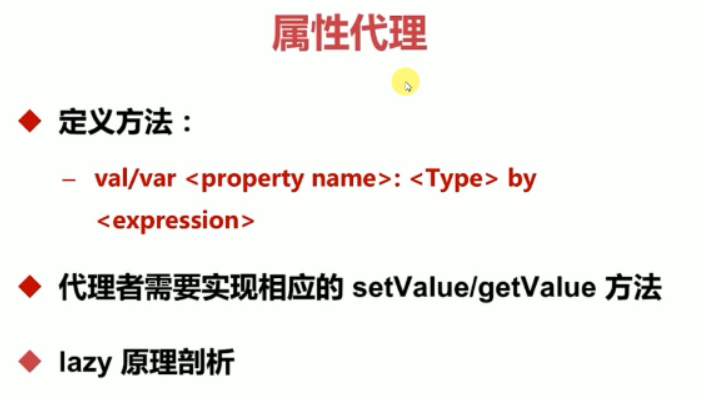
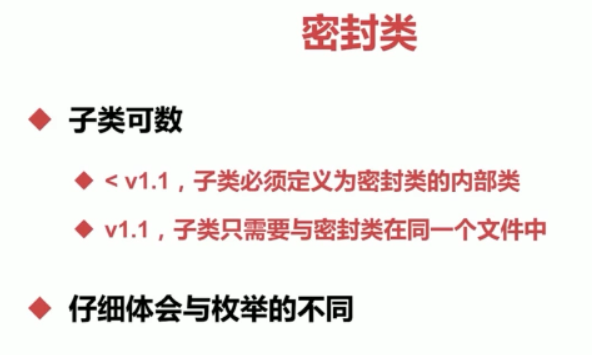
高阶函数有点和 scale 的类似
forEach,map,flatmap,fold,reduce,filter,takeWhile,let,apply,with,use


领域特定语言DSL
专门解决某一特定问题的计算机语言,比如大家耳熟能详的 SQL 和正则表达式。
协成Coroutine
java与kotlin互操作


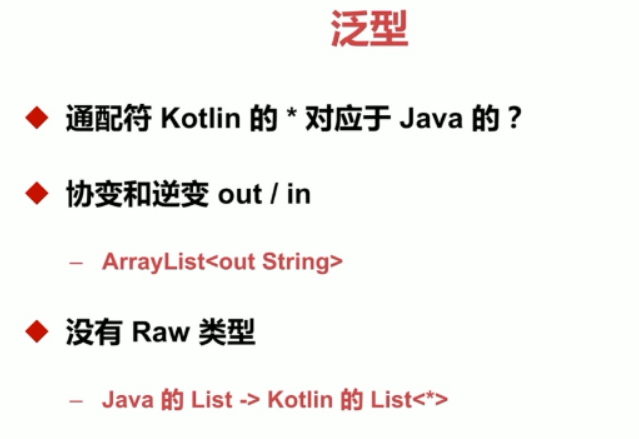
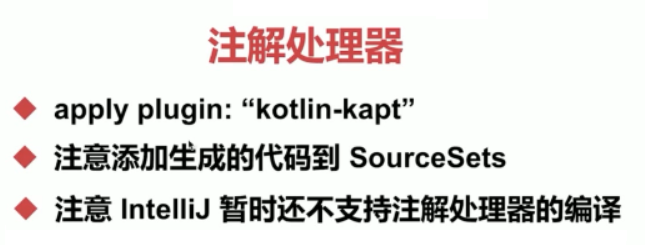
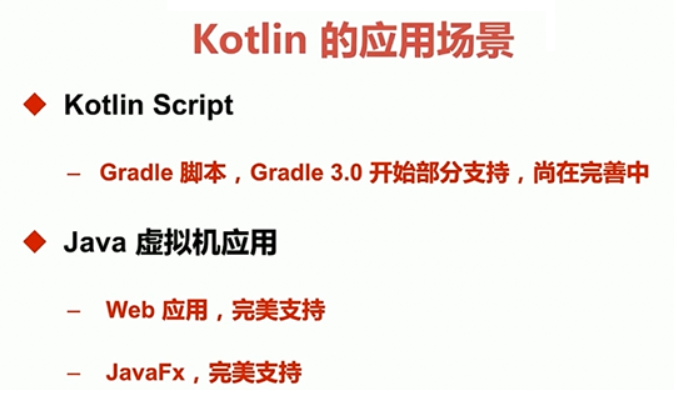
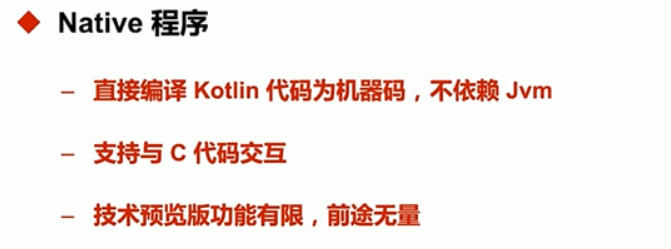
kotlin编写脚本
创建HelloWorld.kts
import java.io.File

println("HelloWorld")

File(".").list().forEach(::println)
kotlin整合springboot
http://blog.720ui.com/2018/springboot2_kotlin_prime/
环境依赖
修改 POM 文件,添加 spring boot 依赖。
<?xml version="1.0" encoding="UTF-8"?>
<project xmlns="http://maven.apache.org/POM/4.0.0"
         xmlns:xsi="http://www.w3.org/2001/XMLSchema-instance"
         xsi:schemaLocation="http://maven.apache.org/POM/4.0.0 http://maven.apache.org/xsd/maven-4.0.0.xsd">
    <modelVersion>4.0.0</modelVersion>

    <groupId>com.kotlin.springboot</groupId>
    <artifactId>sb-demo</artifactId>
    <version>1.0-SNAPSHOT</version>

    <parent>
        <groupId>org.springframework.boot</groupId>
        <artifactId>spring-boot-starter-parent</artifactId>
        <version>2.0.2.RELEASE</version>
        <relativePath/>
    </parent>
    <dependencies>
        <!-- 基础依赖 -->
        <dependency>
            <groupId>org.springframework.boot</groupId>
            <artifactId>spring-boot-starter</artifactId>
        </dependency>
        <dependency>
            <groupId>org.springframework.boot</groupId>
            <artifactId>spring-boot-starter-web</artifactId>
        </dependency>
        <dependency>
            <groupId>org.springframework.boot</groupId>
            <artifactId>spring-boot-starter-jdbc</artifactId>
        </dependency>

        <!-- 数据库配置 -->
        <dependency>
            <groupId>mysql</groupId>
            <artifactId>mysql-connector-java</artifactId>
            <version>5.1.35</version>
        </dependency>
        <dependency>
            <groupId>com.alibaba</groupId>
            <artifactId>druid</artifactId>
            <version>1.0.14</version>
        </dependency>

        <!-- kotlin配置 -->
        <dependency>
            <groupId>org.jetbrains.kotlin</groupId>
            <artifactId>kotlin-stdlib-jdk8</artifactId>
        </dependency>
        <dependency>
            <groupId>org.jetbrains.kotlin</groupId>
            <artifactId>kotlin-reflect</artifactId>
        </dependency>
        <dependency>
            <groupId>org.jetbrains.kotlin</groupId>
            <artifactId>kotlin-stdlib</artifactId>
        </dependency>
    </dependencies>

    <build>
        <plugins>
        <plugin>
            <artifactId>kotlin-maven-plugin</artifactId>
            <groupId>org.jetbrains.kotlin</groupId>
            <version>${kotlin.version}</version>
            <executions>
                <execution>
                    <id>compile</id>
                    <goals> <goal>compile</goal> </goals>
                </execution>
                <execution>
                    <id>test-compile</id>
                    <goals> <goal>test-compile</goal> </goals>
                </execution>
            </executions>
            <dependencies>
                <dependency>
                    <groupId>org.jetbrains.kotlin</groupId>
                    <artifactId>kotlin-maven-noarg</artifactId>
                    <version>${kotlin.version}</version>
                </dependency>
                <dependency>
                    <groupId>org.jetbrains.kotlin</groupId>
                    <artifactId>kotlin-maven-allopen</artifactId>
                    <version>${kotlin.version}</version>
                </dependency>
            </dependencies>
        </plugin>
        </plugins>
    </build>
</project>
脚本初始化
先初始化需要用到的 SQL 脚本。
    CREATE DATABASE /*!32312 IF NOT EXISTS*/`springboot_db` /*!40100 DEFAULT CHARACTER SET utf8 */;

    USE `springboot_db`;

    DROP TABLE IF EXISTS `t_author`;

    CREATE TABLE `t_author` (

      `id` bigint() unsigned NOT NULL AUTO_INCREMENT COMMENT '用户ID',

      `real_name` varchar() NOT NULL COMMENT '用户名称',

      `nick_name` varchar() NOT NULL COMMENT '用户匿名',

      PRIMARY KEY (`id`)

    ) ENGINE=InnoDB AUTO_INCREMENT= DEFAULT CHARSET=utf8;
Kotlin开发springboot项目(三)的更多相关文章
- Kotlin开发springboot项目(二)
Kotlin开发springboot项目(二) 中文学习网站: https://www.kotlincn.net/ 研究一下kotlin的demo: https://github.com/JetBra ...
- Kotlin开发springboot项目(一)
Kotlin开发springboot项目(一) Kotlin语言与Xtend语言有很多相似之处 为什么会存在这么多JVM语言? 现存的语言提供了太过受限制的功能,要不就是功能太过繁杂,导致语言的臃肿和 ...
- docker 运行jenkins及vue项目与springboot项目(三.jenkins的使用及自动打包vue项目)
docker 运行jenkins及vue项目与springboot项目: 一.安装docker 二.docker运行jenkins为自动打包运行做准备 三.jenkins的使用及自动打包vue项目 四 ...
- 利用maven开发springMVC项目(三)——数据库配置
前两节介绍了开发环境的搭建以及框架的配置 现在主要介绍在eclipse中如何将SpringMVC.hibernate.mysql数据库结合起来. 数据库配置 下面,就要通过一个简单的例子,来介绍Spr ...
- Maven多模块开发SpringBoot项目自定义第三方依赖版本
参考:官方文档 - Build System of Maven https://blog.didispace.com/books/spring-boot-reference/IX. 'How-to' ...
- 从零开始的SpringBoot项目 ( 三 ) 项目打包( war包篇 )
pom.xml 修改打包类型 jar 改为 war 添加 tomcat 依赖 找到最右边的 Maven Projects,点击进去,选择需要打包的项目,并点击 install,就开始打包了,打包前先点 ...
- 从零开始的SpringBoot项目 ( 三 ) 项目打包( jar包篇 )
一.准备工作 1.工具:Idea , maven 2.首先得保证 pom 有 maven 插件 二.开始打包 找到最右边的Maven Projects,点击进去,选择需要打包的项目,并点击 insta ...
- 用Kotlin开发Android应用(I):介绍
关于Kotlin,网上已有一些介绍的文章,包括Antonio Leiva的这组blog翻译稿.不过,我还是想跟进它们.翻译它们,以锻炼自己的英文翻译.各位高手发现问题,请及时“拍砖”. 原文题目:Ko ...
- SpringBoot项目创建及入门基础
一:快速构建springboot项目 进入https://start.spring.io/,选择相应的springboot版本,包名,项目名,依赖 图中选择web,利用tomcat服务器进行开发 sp ...
随机推荐
- 使用node.js的http-server开启一个本地服务器
用html写了一个网页,想要在手机上查看适配效果,但是苦于手机上没有直接查看HTML的.想到手机和电脑都在一个局域网内,能不能搭建一个局域网内的网页服务器呢? 1.下载 http-server 显然, ...
- C# 集合根据属性去重筛选
1.单个属性去重筛选 //去重筛选 var ChgDtlVoList = datas.Where((x, i) => datas.FindIndex(z => z.ChgId == x.C ...
- Install docker to Redhat 7
1) sudo yum-config-manager --add-repo https://download.docker.com/linux/centos/docker-ce.repo 2) s ...
- Linux学习笔记-第3天 - 勤能补拙
学一门技术,基础一定要打牢,多练习是关键,还要尽可能理解其背后的知识.并时刻提醒自己,求知若饥,虚心若愚.
- 解决WIN10左侧盘符顺序问题
Windows Registry Editor Version 5.00 [-HKEY_LOCAL_MACHINE\SOFTWARE\Microsoft\Windows\CurrentVersion\ ...
- [探究] [Luogu4550]收集邮票的概率意义
自认为这道题是一道比较简单的扩展题--?此处采用了和别的题解思路不同的,纯概率意义上的解法. 首先考虑一个简化版问题: 每次随机一个\([1,n]\)的整数,问期望几次能凑出所有数 这东西我写过一个b ...
- [LeetCode] 743. Network Delay Time 网络延迟时间
There are N network nodes, labelled 1 to N. Given times, a list of travel times as directededges tim ...
- RHEL8/CentOS8的基础防火墙配置-用例
systemctl systemctl unmask firewalld #执行命令,即可实现取消服务的锁定 systemctl mask firewalld # 下次需要锁定该服务时执行 syste ...
- canal
https://github.com/alibaba/canal/wiki/QuickStart https://github.com/alibaba/canal/releases/download/ ...
- js 宏任务和微任务
.宏任务(macrotask )和微任务(microtask ) macrotask 和 microtask 表示异步任务的两种分类. 在挂起任务时,JS 引擎会将所有任务按照类别分到这两个队列中,首 ...