
SpringBoot系列之@PropertySource读取yaml文件
SpringBoot系列之@PropertySource支持yaml文件读取
最近在做实验,想通过@PropertySource注解读取配置文件的属性,进行映射,习惯上用properties都是测试没问题的,偶然换成yaml文件,发现都读取不到属性值
因为yaml语法很简洁,比较喜欢写yaml配置文件,很显然,@PropertySource默认不支持yaml读取,我们改成@Value注解也是可以读取的,不过属性一堆的话,一个一个读取也是很繁琐的,通过网上找资料和自己实验验证,发现是可以实现对yaml支持
然后,为什么@PropertySource注解默认不支持?可以简单跟一下源码
@PropertySource源码:
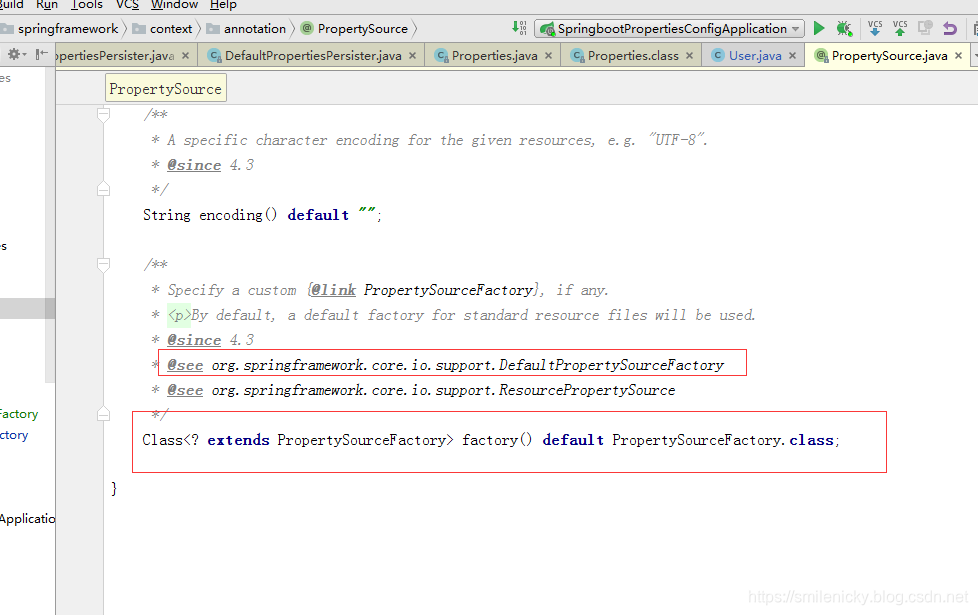
根据注释,默认使用DefaultPropertySourceFactory类作为资源文件加载类
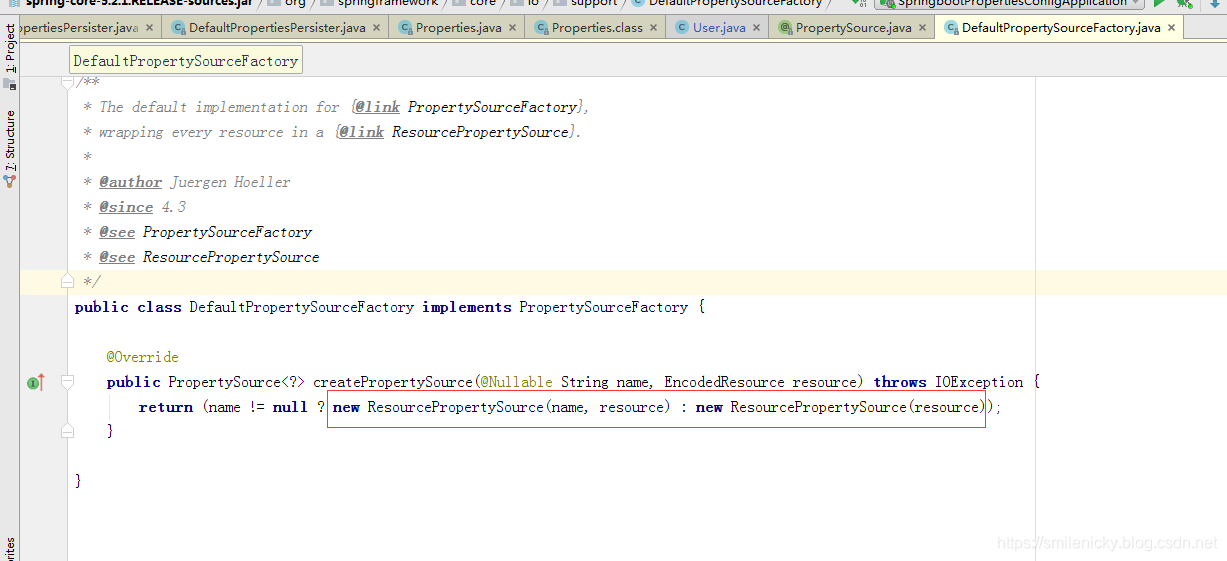
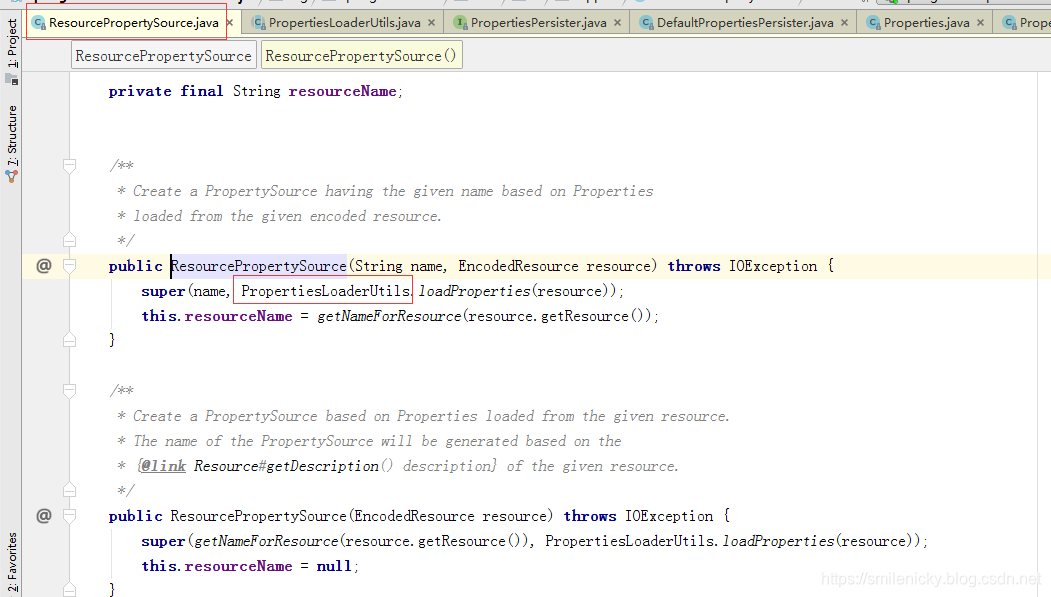
里面还是调用Spring框架底层的PropertiesLoaderUtils工具类进行读取的
PropertiesLoaderUtils.loadProperties
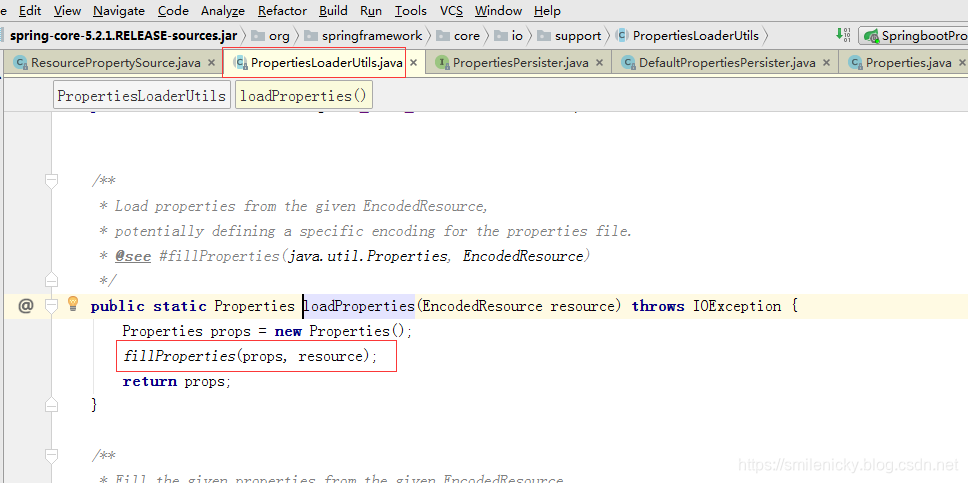
从源码可以看出也是支持xml文件读取的,能支持reader就获取reader对象,否则出件inputStream
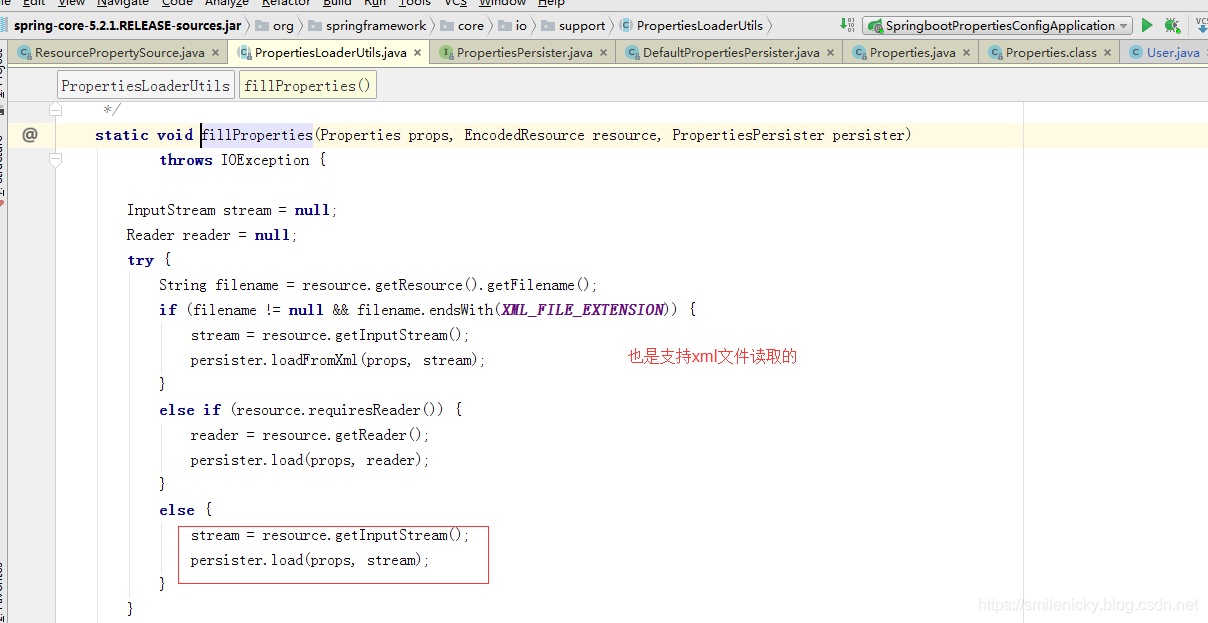
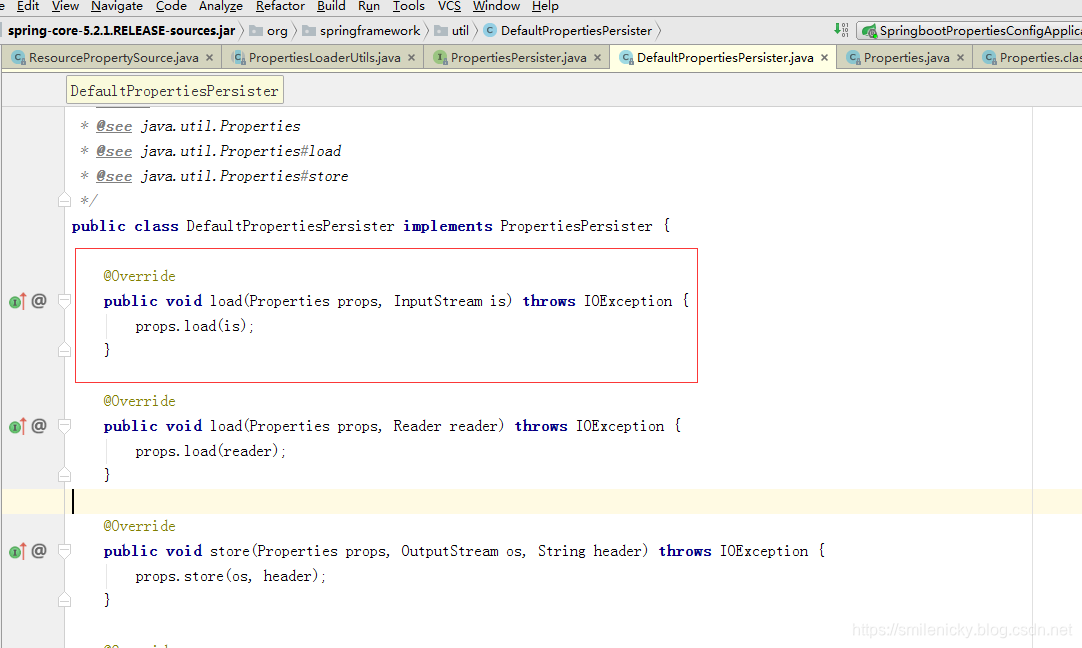
load0方法是关键,这里加了同步锁
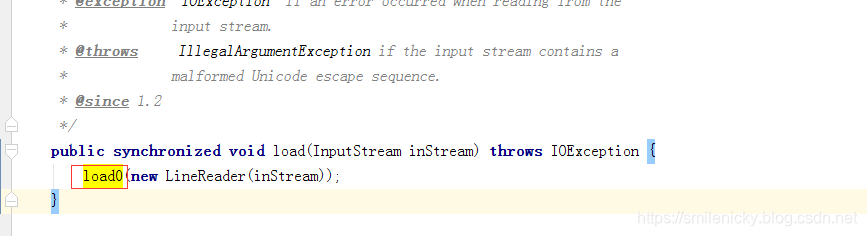
很重要的load0 方法抓取出来:
private void load0 (LineReader lr) throws IOException {

        char[] convtBuf = new char[1024];

        int limit;

        // 当前key所在位置

        int keyLen;

        // 当前value所在位置

        int valueStart;

        char c;//读取的字符

        boolean hasSep;

        boolean precedingBackslash;//是否转义字符,eg:/n etc.

		// 一行一行地读取

        while ((limit = lr.readLine()) >= 0) {

            c = 0;

            keyLen = 0;

            valueStart = limit;

            hasSep = false;

            //System.out.println("line=<" + new String(lineBuf, 0, limit) + ">");

            precedingBackslash = false;

            //key的长度小于总的字符长度,那么就进入循环

            while (keyLen < limit) {

                c = lr.lineBuf[keyLen];

                //need check if escaped.

                if ((c == '=' ||  c == ':') && !precedingBackslash) {

                    valueStart = keyLen + 1;

                    hasSep = true;

                    break;

                } else if ((c == ' ' || c == '\t' ||  c == '\f') && !precedingBackslash) {

                    valueStart = keyLen + 1;

                    break;

                }

                if (c == '\\') {

                    precedingBackslash = !precedingBackslash;

                } else {

                    precedingBackslash = false;

                }

                keyLen++;

            }

            //value的起始位置小于总的字符长度,那么就进入该循环

            while (valueStart < limit) {

                c = lr.lineBuf[valueStart];

                //当前字符是否非空格类字符

                if (c != ' ' && c != '\t' &&  c != '\f') {

                    if (!hasSep && (c == '=' ||  c == ':')) {

                        hasSep = true;

                    } else {

                        break;

                    }

                }

                valueStart++;

            }

            //读取key

            String key = loadConvert(lr.lineBuf, 0, keyLen, convtBuf);

            //读取value

            String value = loadConvert(lr.lineBuf, valueStart, limit - valueStart, convtBuf);

            put(key, value);

        }

    }
ok,从源码可以看出,这个方法是一行一行地读取,然后根据冒号、等于号、空格等进行校验,经过一系列遍历之后获取key和value,而yaml语法是以缩进来辨别的,经过自己调试,这个方法也是不支持yaml文件的读取的,properties源码是比较多的,具体的Properties源码实现的可以参考博客:https://www.cnblogs.com/liuming1992/p/4360310.html,这篇博客写的比较详细
ok,然后给个例子来实现对yaml配置文件的读取
# 测试ConfigurationProperties

user:

  userName: root

  isAdmin: true

  regTime: 2019/11/01

  isOnline: 1

  maps: {k1 : v1,k2: v2}

  lists:

   - list1

   - list2

  address:

    tel: 15899988899

    name: 上海市
模仿DefaultPropertySourceFactory写一个yaml资源文件读取的工厂类:
package com.example.springboot.properties.core.propertyResouceFactory;

import org.springframework.boot.env.YamlPropertySourceLoader;

import org.springframework.core.env.PropertiesPropertySource;

import org.springframework.core.env.PropertySource;

import org.springframework.core.io.support.EncodedResource;

import org.springframework.core.io.support.PropertySourceFactory;

import org.springframework.lang.Nullable;

import java.io.IOException;

import java.util.List;

import java.util.Optional;

import java.util.Properties;

/**

 * <pre>

 *  YAML配置文件读取工厂类

 * </pre>

 * <p>

 * <pre>

 * @author nicky.ma

 * 修改记录

 *    修改后版本:     修改人:  修改日期: 2019/11/13 15:44  修改内容:

 * </pre>

 */

public class YamlPropertyResourceFactory implements PropertySourceFactory {

    /**

     * Create a {@link PropertySource} that wraps the given resource.

     *

     * @param name     the name of the property source

     * @param encodedResource the resource (potentially encoded) to wrap

     * @return the new {@link PropertySource} (never {@code null})

     * @throws IOException if resource resolution failed

     */

    @Override

    public PropertySource<?> createPropertySource(@Nullable String name, EncodedResource encodedResource) throws IOException {

        String resourceName = Optional.ofNullable(name).orElse(encodedResource.getResource().getFilename());

        if (resourceName.endsWith(".yml") || resourceName.endsWith(".yaml")) {//yaml资源文件

            List<PropertySource<?>> yamlSources = new YamlPropertySourceLoader().load(resourceName, encodedResource.getResource());

            return yamlSources.get(0);

        } else {//返回空的Properties

            return new PropertiesPropertySource(resourceName, new Properties());

        }

    }

}
写个bean类进行属性映射,注意换一下factory参数,factory = YamlPropertyResourceFactory.class
package com.example.springboot.properties.bean;

import com.example.springboot.properties.core.propertyResouceFactory.CommPropertyResourceFactory;

import com.example.springboot.properties.core.propertyResouceFactory.YamlPropertyResourceFactory;

import org.springframework.boot.context.properties.ConfigurationProperties;

import org.springframework.context.annotation.PropertySource;

import org.springframework.core.io.support.DefaultPropertySourceFactory;

import org.springframework.stereotype.Component;

import java.util.Date;

import java.util.List;

import java.util.Map;

/**

 * <pre>

 *

 * </pre>

 *

 * @author nicky

 * <pre>

 * 修改记录

 *    修改后版本:     修改人:  修改日期: 2019年11月03日  修改内容:

 * </pre>

 */

@Component

@PropertySource(value = "classpath:user.yml",encoding = "utf-8",factory = YamlPropertyResourceFactory.class)

@ConfigurationProperties(prefix = "user")

public class User {

    private String userName;

    private boolean isAdmin;

    private Date regTime;

    private Long isOnline;

    private Map<String,Object> maps;

    private List<Object> lists;

    private Address address;

    @Override

    public String toString() {

        return "User{" +

                       "userName='" + userName + '\'' +

                       ", isAdmin=" + isAdmin +

                       ", regTime=" + regTime +

                       ", isOnline=" + isOnline +

                       ", maps=" + maps +

                       ", lists=" + lists +

                       ", address=" + address +

                       '}';

    }

    public String getUserName() {

        return userName;

    }

    public void setUserName(String userName) {

        this.userName = userName;

    }

    public boolean isAdmin() {

        return isAdmin;

    }

    public void setAdmin(boolean admin) {

        isAdmin = admin;

    }

    public Date getRegTime() {

        return regTime;

    }

    public void setRegTime(Date regTime) {

        this.regTime = regTime;

    }

    public Long getIsOnline() {

        return isOnline;

    }

    public void setIsOnline(Long isOnline) {

        this.isOnline = isOnline;

    }

    public Map<String, Object> getMaps() {

        return maps;

    }

    public void setMaps(Map<String, Object> maps) {

        this.maps = maps;

    }

    public List<Object> getLists() {

        return lists;

    }

    public void setLists(List<Object> lists) {

        this.lists = lists;

    }

    public Address getAddress() {

        return address;

    }

    public void setAddress(Address address) {

        this.address = address;

    }

}
package com.example.springboot.properties.bean;

/**

 * <pre>

 *

 * </pre>

 *

 * @author nicky

 * <pre>

 * 修改记录

 *    修改后版本:     修改人:  修改日期: 2019年11月03日  修改内容:

 * </pre>

 */

public class Address {

    private String tel;

    private String name;

    @Override

    public String toString() {

        return "Address{" +

                       "tel='" + tel + '\'' +

                       ", name='" + name + '\'' +

                       '}';

    }

    public String getTel() {

        return tel;

    }

    public void setTel(String tel) {

        this.tel = tel;

    }

    public String getName() {

        return name;

    }

    public void setName(String name) {

        this.name = name;

    }

}
junit测试类代码:
package com.example.springboot.properties;

import com.example.springboot.properties.bean.User;

import org.junit.jupiter.api.Test;

import org.springframework.beans.factory.annotation.Autowired;

import org.springframework.boot.test.context.SpringBootTest;

@SpringBootTest

class SpringbootPropertiesConfigApplicationTests {

	@Autowired

	User user;

	@Test

	public void testConfigurationProperties(){

		System.out.println(user);

	}

}
User{userName='root(15899988899)', isAdmin=false, regTime=Fri Nov 01 00:00:00 SGT 2019, isOnline=1, maps={k2=v2, k1=-30363940}, lists=[1f90e323-8a9c-4194-a31c-be9abbe9ce38, a869f68947faa92964d2a36ce86ee980], address=Address{tel='15899988899', name='上海浦东区'}}
如果既要支持原来的yaml,又要支持properties,就可以将propertyResourceFactory类进行改写一下:
package com.example.springboot.properties.core.propertyResouceFactory;

import org.springframework.boot.env.YamlPropertySourceLoader;

import org.springframework.core.env.PropertySource;

import org.springframework.core.io.support.DefaultPropertySourceFactory;

import org.springframework.core.io.support.EncodedResource;

import org.springframework.core.io.support.PropertySourceFactory;

import org.springframework.lang.Nullable;

import java.io.IOException;

import java.util.List;

import java.util.Optional;

/**

 * <pre>

 *  通用的资源文件读取工厂类

 * </pre>

 * <p>

 * <pre>

 * @author mazq

 * 修改记录

 *    修改后版本:     修改人:  修改日期: 2019/11/25 10:35  修改内容:

 * </pre>

 */

public class CommPropertyResourceFactory implements PropertySourceFactory {

    /**

     * Create a {@link PropertySource} that wraps the given resource.

     *

     * @param name     the name of the property source

     * @param resource the resource (potentially encoded) to wrap

     * @return the new {@link PropertySource} (never {@code null})

     * @throws IOException if resource resolution failed

     */

    @Override

    public PropertySource<?> createPropertySource(@Nullable String name, EncodedResource resource) throws IOException {

        String resourceName = Optional.ofNullable(name).orElse(resource.getResource().getFilename());

        if (resourceName.endsWith(".yml") || resourceName.endsWith(".yaml")) {

            List<PropertySource<?>> yamlSources = new YamlPropertySourceLoader().load(resourceName, resource.getResource());

            return yamlSources.get(0);

        } else {

            return new DefaultPropertySourceFactory().createPropertySource(name, resource);

        }

    }

}
调用的时候,要改一下factory参数
@PropertySource(value = "classpath:user.yml",encoding = "utf-8",factory = CommPropertyResourceFactory.class)
这个类就可以支持原来的properties文件,也可以支持yaml文件
User{userName='root(15899988899)', isAdmin=false, regTime=Fri Nov 01 00:00:00 SGT 2019, isOnline=1, maps={k2=v2, k1=-30363940}, lists=[1f90e323-8a9c-4194-a31c-be9abbe9ce38, a869f68947faa92964d2a36ce86ee980], address=Address{tel='15899988899', name='上海浦东区'}}
代码下载:github下载链接
SpringBoot系列之@PropertySource读取yaml文件的更多相关文章
- SpringBoot系列之@PropertySource用法简介
SpringBoot系列之@PropertySource用法简介 继上篇博客:SpringBoot系列之@Value和@ConfigurationProperties用法对比之后,本博客继续介绍一下@ ...
- Python读取Yaml文件
近期看到好多使用Yaml文件做为配置文件或者数据文件的工程,随即也研究了下,发现Yaml有几个优点:可读性好.和脚本语言的交互性好(确实非常好).使用实现语言的数据类型.有一个一致的数据模型.易于实现 ...
- 使用python读取yaml文件
在做APP测试时,通常需要把参数存到一个字典变量中,这时可以将参数写入yaml文件中,再读取出来. 新建yaml文件(android_caps.yaml),文件内容为: platformName: A ...
- java 读取 yaml 文件
做 java 项目用的最多的配置文件就是 properites 或者 xml, xml 确实是被用烂了,Struts, Spring, Hibernate(ssh) 无一不用到 xml.相比厚 ...
- python读取yaml文件,在unittest中使用
python读取yaml文件使用,有两种方式: 1.使用ddt读取 2,使用方法读取ddt的内容,在使用方法中进行调用 1.使用ddt读取 @ddt.ddt class loginTestPage(u ...
- Golang 入门系列(九) 如何读取YAML,JSON,INI等配置文件
实际项目中,读取相关的系统配置文件是很常见的事情.今天就来说一说,Golang 是如何读取YAML,JSON,INI等配置文件的. 1. json使用 JSON 应该比较熟悉,它是一种轻量级的数据交换 ...
- day11_单元测试_读取yaml文件中的用例,自动获取多个yaml文件内容执行生成报告
一.使用.yaml格式的文件直接可以存放字典类型数据,如下图,其中如果有-下一行有缩进代表这是个list,截图中是整体是一个list,其中有两部分,第二部分又包含另外一个list 二.单元测试:开发自 ...
- springBoot使用@Value标签读取*.properties文件的中文乱码问题
上次我碰到获取properties文件中的中文出现乱码问题. 查了下资料,原来properties默认的字符编码格式为asci码,所以我们要对字符编码进行转换成UTF-8格式 原先代码:@Proper ...
- Eclipse 创建和读取yaml文件
工具和用法: 1. eclipse插件包:org.dadacoalition.yedit_1.0.20.201509041456-RELEASE.jar 用法:将此jar包复制到eclipse-jee ...
随机推荐
- JS中forEach和map的区别
共同点: 1.都是循环遍历数组中的每一项. 2.forEach()和map()里面每一次执行匿名函数都支持3个参数:数组中的当前项item,当前项的索引index,原始数组input. 3.匿名函数中 ...
- 自动化运维之SaltStack实践
自动化运维之SaltStack实践 1.1.环境 linux-node1(master服务端) 192.168.0.15 linux-node2(minion客户端) 192.168.0.16 1.2 ...
- Swing JTable使用
package cn.ychx; import java.awt.Dimension; import java.awt.Toolkit; import java.sql.Connection; imp ...
- android studio 点击后,不打开上次的项目,
取消勾选Reopen last project on startup选项,
- vue响应式数据变化
vue响应式数据变化 话不多说,先上代码: //拷贝一份数组原型,防止修改所有数组类型变量的原型方法 let arrayProto = Array.prototype;// 数组原型上的方法 let ...
- matplotlib可视化最全指南
1. 折线图:plt.plot 设置数据:plt.plot(x,y),单列数据传入默认y轴,此时x轴数据默认从0逐渐对应递增 设置颜色:plt.plot(x,y,color/c=" &quo ...
- CouchDB学习-介绍
官方文档 CouchDB 1文档存储 CouchDB服务器主机是一个存储文档的数据库.每一个文档在数据库中都有唯一的名字.CouchDB提供RESTful HTTP API用来读取和更新(添加,编辑, ...
- SpringBoot之【mybatisplus】代码生成器
1.概述. AutoGenerator 是 MyBatis-Plus 的代码生成器,通过 AutoGenerator 可以快速生成 Entity.Mapper.Mapper XML.Service.C ...
- Android 列表对话框 setItems
private Button button; private final CharSequence[] items = { "北京", "上海", " ...
- Linux 删除特殊字符文件名或目录
通过文件的inode号删除文件 先用ls -i 找出要删除文件的inode 号 ls -i |grep xxxxxx|awk '{print $2}'|xargs -i rm -f {} xxxxxx ...