
element-ui UI 组件库剖析
element-ui UI 组件库剖析
/* Automatically generated by './build/bin/build-entry.js' */
https://github.com/ElemeFE/element/blob/dev/src/index.js
Pagination & ElPagination
Pagination
https://github.com/ElemeFE/element/blob/dev/packages/pagination/index.js
import Pagination from './src/pagination';

// import Pagination from './src/pagination.js';

/* istanbul ignore next */

Pagination.install = function(Vue) {

  Vue.component(Pagination.name, Pagination);

};

export default Pagination;
ElPagination
https://github.com/ElemeFE/element/blob/dev/packages/pagination/src/pagination.js
import Pager from './pager.vue';

import ElSelect from 'element-ui/packages/select';

import ElOption from 'element-ui/packages/option';

import ElInput from 'element-ui/packages/input';

import Locale from 'element-ui/src/mixins/locale';

import { valueEquals } from 'element-ui/src/utils/util';

export default {

  name: 'ElPagination',

 // ...

}
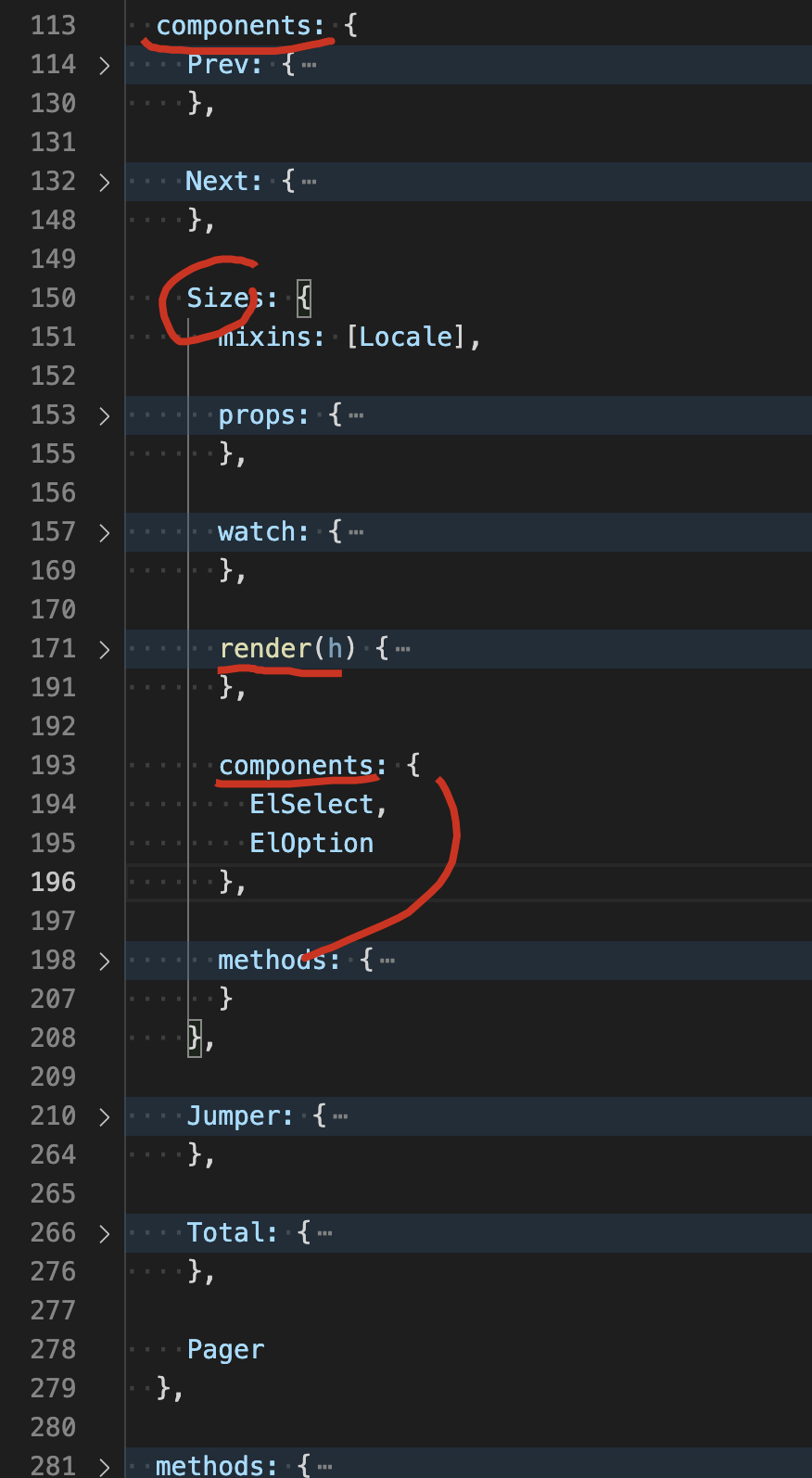
import Pager from './pager.vue';

import ElSelect from 'element-ui/packages/select';

import ElOption from 'element-ui/packages/option';

import ElInput from 'element-ui/packages/input';

import Locale from 'element-ui/src/mixins/locale';

import { valueEquals } from 'element-ui/src/utils/util';

export default {

  name: 'ElPagination',

  props: {

    pageSize: {

      type: Number,

      default: 10

    },

    small: Boolean,

    total: Number,

    pageCount: Number,

    pagerCount: {

      type: Number,

      validator(value) {

        return (value | 0) === value && value > 4 && value < 22 && (value % 2) === 1;

      },

      default: 7

    },

    currentPage: {

      type: Number,

      default: 1

    },

    layout: {

      default: 'prev, pager, next, jumper, ->, total'

    },

    pageSizes: {

      type: Array,

      default() {

        return [10, 20, 30, 40, 50, 100];

      }

    },

    popperClass: String,

    prevText: String,

    nextText: String,

    background: Boolean,

    disabled: Boolean,

    hideOnSinglePage: Boolean

  },

  data() {

    return {

      internalCurrentPage: 1,

      internalPageSize: 0,

      lastEmittedPage: -1,

      userChangePageSize: false

    };

  },

  render(h) {

    const layout = this.layout;

    if (!layout) return null;

    if (this.hideOnSinglePage && (!this.internalPageCount || this.internalPageCount === 1)) return null;

    let template = <div class={['el-pagination', {

      'is-background': this.background,

      'el-pagination--small': this.small

    }] }></div>;

    const TEMPLATE_MAP = {

      prev: <prev></prev>,

      jumper: <jumper></jumper>,

      pager: <pager currentPage={ this.internalCurrentPage } pageCount={ this.internalPageCount } pagerCount={ this.pagerCount } on-change={ this.handleCurrentChange } disabled={ this.disabled }></pager>,

      next: <next></next>,

      sizes: <sizes pageSizes={ this.pageSizes }></sizes>,

      slot: <slot>{ this.$slots.default ? this.$slots.default : '' }</slot>,

      total: <total></total>

    };

    const components = layout.split(',').map((item) => item.trim());

    const rightWrapper = <div class="el-pagination__rightwrapper"></div>;

    let haveRightWrapper = false;

    template.children = template.children || [];

    rightWrapper.children = rightWrapper.children || [];

    components.forEach(compo => {

      if (compo === '->') {

        haveRightWrapper = true;

        return;

      }

      if (!haveRightWrapper) {

        template.children.push(TEMPLATE_MAP[compo]);

      } else {

        rightWrapper.children.push(TEMPLATE_MAP[compo]);

      }

    });

    if (haveRightWrapper) {

      template.children.unshift(rightWrapper);

    }

    return template;

  },

  components: {

    Prev: {

      render(h) {

        return (

          <button

            type="button"

            class="btn-prev"

            disabled={ this.$parent.disabled || this.$parent.internalCurrentPage <= 1 }

            on-click={ this.$parent.prev }>

            {

              this.$parent.prevText

                ? <span>{ this.$parent.prevText }</span>

                : <i class="el-icon el-icon-arrow-left"></i>

            }

          </button>

        );

      }

    },

    Next: {

      render(h) {

        return (

          <button

            type="button"

            class="btn-next"

            disabled={ this.$parent.disabled || this.$parent.internalCurrentPage === this.$parent.internalPageCount || this.$parent.internalPageCount === 0 }

            on-click={ this.$parent.next }>

            {

              this.$parent.nextText

                ? <span>{ this.$parent.nextText }</span>

                : <i class="el-icon el-icon-arrow-right"></i>

            }

          </button>

        );

      }

    },

    Sizes: {

      mixins: [Locale],

      props: {

        pageSizes: Array

      },

      watch: {

        pageSizes: {

          immediate: true,

          handler(newVal, oldVal) {

            if (valueEquals(newVal, oldVal)) return;

            if (Array.isArray(newVal)) {

              this.$parent.internalPageSize = newVal.indexOf(this.$parent.pageSize) > -1

                ? this.$parent.pageSize

                : this.pageSizes[0];

            }

          }

        }

      },

      render(h) {

        return (

          <span class="el-pagination__sizes">

            <el-select

              value={ this.$parent.internalPageSize }

              popperClass={ this.$parent.popperClass || '' }

              size="mini"

              on-input={ this.handleChange }

              disabled={ this.$parent.disabled }>

              {

                this.pageSizes.map(item =>

                  <el-option

                    value={ item }

                    label={ item + this.t('el.pagination.pagesize') }>

                  </el-option>

                )

              }

            </el-select>

          </span>

        );

      },

      components: {

        ElSelect,

        ElOption

      },

      methods: {

        handleChange(val) {

          if (val !== this.$parent.internalPageSize) {

            this.$parent.internalPageSize = val = parseInt(val, 10);

            this.$parent.userChangePageSize = true;

            this.$parent.$emit('update:pageSize', val);

            this.$parent.$emit('size-change', val);

          }

        }

      }

    },

    Jumper: {

      mixins: [Locale],

      components: { ElInput },

      data() {

        return {

          userInput: null

        };

      },

      watch: {

        '$parent.internalCurrentPage'() {

          this.userInput = null;

        }

      },

      methods: {

        handleKeyup({ keyCode, target }) {

          // Chrome, Safari, Firefox triggers change event on Enter

          // Hack for IE: https://github.com/ElemeFE/element/issues/11710

          // Drop this method when we no longer supports IE

          if (keyCode === 13) {

            this.handleChange(target.value);

          }

        },

        handleInput(value) {

          this.userInput = value;

        },

        handleChange(value) {

          this.$parent.internalCurrentPage = this.$parent.getValidCurrentPage(value);

          this.$parent.emitChange();

          this.userInput = null;

        }

      },

      render(h) {

        return (

          <span class="el-pagination__jump">

            { this.t('el.pagination.goto') }

            <el-input

              class="el-pagination__editor is-in-pagination"

              min={ 1 }

              max={ this.$parent.internalPageCount }

              value={ this.userInput !== null ? this.userInput : this.$parent.internalCurrentPage }

              type="number"

              disabled={ this.$parent.disabled }

              nativeOnKeyup={ this.handleKeyup }

              onInput={ this.handleInput }

              onChange={ this.handleChange }/>

            { this.t('el.pagination.pageClassifier') }

          </span>

        );

      }

    },

    Total: {

      mixins: [Locale],

      render(h) {

        return (

          typeof this.$parent.total === 'number'

            ? <span class="el-pagination__total">{ this.t('el.pagination.total', { total: this.$parent.total }) }</span>

            : ''

        );

      }

    },

    Pager

  },

  methods: {

    handleCurrentChange(val) {

      this.internalCurrentPage = this.getValidCurrentPage(val);

      this.userChangePageSize = true;

      this.emitChange();

    },

    prev() {

      if (this.disabled) return;

      const newVal = this.internalCurrentPage - 1;

      this.internalCurrentPage = this.getValidCurrentPage(newVal);

      this.$emit('prev-click', this.internalCurrentPage);

      this.emitChange();

    },

    next() {

      if (this.disabled) return;

      const newVal = this.internalCurrentPage + 1;

      this.internalCurrentPage = this.getValidCurrentPage(newVal);

      this.$emit('next-click', this.internalCurrentPage);

      this.emitChange();

    },

    getValidCurrentPage(value) {

      value = parseInt(value, 10);

      const havePageCount = typeof this.internalPageCount === 'number';

      let resetValue;

      if (!havePageCount) {

        if (isNaN(value) || value < 1) resetValue = 1;

      } else {

        if (value < 1) {

          resetValue = 1;

        } else if (value > this.internalPageCount) {

          resetValue = this.internalPageCount;

        }

      }

      if (resetValue === undefined && isNaN(value)) {

        resetValue = 1;

      } else if (resetValue === 0) {

        resetValue = 1;

      }

      return resetValue === undefined ? value : resetValue;

    },

    emitChange() {

      this.$nextTick(() => {

        if (this.internalCurrentPage !== this.lastEmittedPage || this.userChangePageSize) {

          this.$emit('current-change', this.internalCurrentPage);

          this.lastEmittedPage = this.internalCurrentPage;

          this.userChangePageSize = false;

        }

      });

    }

  },

  computed: {

    internalPageCount() {

      if (typeof this.total === 'number') {

        return Math.max(1, Math.ceil(this.total / this.internalPageSize));

      } else if (typeof this.pageCount === 'number') {

        return Math.max(1, this.pageCount);

      }

      return null;

    }

  },

  watch: {

    currentPage: {

      immediate: true,

      handler(val) {

        this.internalCurrentPage = this.getValidCurrentPage(val);

      }

    },

    pageSize: {

      immediate: true,

      handler(val) {

        this.internalPageSize = isNaN(val) ? 10 : val;

      }

    },

    internalCurrentPage: {

      immediate: true,

      handler(newVal) {

        this.$emit('update:currentPage', newVal);

        this.lastEmittedPage = -1;

      }

    },

    internalPageCount(newVal) {

      /* istanbul ignore if */

      const oldPage = this.internalCurrentPage;

      if (newVal > 0 && oldPage === 0) {

        this.internalCurrentPage = 1;

      } else if (oldPage > newVal) {

        this.internalCurrentPage = newVal === 0 ? 1 : newVal;

        this.userChangePageSize && this.emitChange();

      }

      this.userChangePageSize = false;

    }

  }

};
umd
https://element.eleme.cn/#/zh-CN/component/installation
https://unpkg.com/element-ui@2.14.1/lib/index.js
<!-- 引入样式 -->

<link rel="stylesheet" href="https://unpkg.com/element-ui/lib/theme-chalk/index.css">

<!-- 引入组件库 -->

<script src="https://unpkg.com/element-ui/lib/index.js"></script>
refs
xgqfrms 2012-2020
www.cnblogs.com 发布文章使用:只允许注册用户才可以访问!
element-ui UI 组件库剖析的更多相关文章
- 小程序-文章:微信小程序常见的UI框架/组件库总结
ylbtech-小程序-文章:微信小程序常见的UI框架/组件库总结 1.返回顶部 1. 想要开发出一套高质量的小程序,运用框架,组件库是省时省力省心必不可少一部分,随着小程序日渐火爆,各种不同类型的小 ...
- 微信小程序常见的UI框架/组件库总结
想要开发出一套高质量的小程序,运用框架,组件库是省时省力省心必不可少一部分,随着小程序日渐火爆,各种不同类型的小程序也渐渐更新,其中不乏一些优秀好用的框架/组件库. 1:WeUI 小程序–使用教程 h ...
- [Android] Android 注解绑定UI View组件库 ButterKnife 的使用
ButterKnife是一个专注于Android系统的View注入框架,以前总是要写很多findViewById来找到View对象,有了ButterKnife可以很轻松的省去这些步骤.是大神JakeW ...
- 利用webpack打包自己的第一个Vue组件库
先说一下这篇文章的诞生原因.我们有一个这样的项目,类似或者说就是一个仪表板-Dashboard,其中的各个部分可能不是一个部门写的……我们需要提供拖拽布局(大小和位置)和展示的能力.要实现这样一个功能 ...
- 造个自己的Vue的UI组件库类似Element
前言 随着前端的三大框架的出现,组件化的思想越来越流行,出现许多组件库.它能够帮助开发者节省时间提高效率, 如React的Ant-design,Vue的iView,Element等,它们的功能已经很完 ...
- 16款优秀的Vue UI组件库推荐
16款优秀的Vue UI组件库推荐 Vue 是一个轻巧.高性能.可组件化的MVVM库,API简洁明了,上手快.从Vue推出以来,得到众多Web开发者的认可.在公司的Web前端项目开发中,多个项目采用基 ...
- [转载]前端——实用UI组件库
https://www.cnblogs.com/xuepei/p/7920888.html Angular UI 组件 ngx-bootstrap 是一套Bootstrap 组件 官网:https:/ ...
- [转]VUE优秀UI组件库合集
原文链接 随着SPA.前后端分离的技术架构在业界越来越流行,前端的业务复杂度也越来越高,导致前端开发者需要管理的内容,承担的职责越来越多,这一切,使得业界对前端开发方案的思考多了很多,以react.v ...
- vue 常用ui组件库
vux github ui demo:https://github.com/airyland/vux Mint UI 项目主页:http://mint-ui.github.io/#!/zh-cn de ...
随机推荐
- CSS实现迷你键盘
最近做了一个迷你键盘的dome,这里分享给大家 dome下载地址(点击下载) 代码如下: <!DOCTYPE html> <html lang="en" > ...
- proxmox ve系统绑定上联外网出口bond双网卡
背景描述:一个客户搭建proxmox ve系统,要求上联出口双网卡绑定bond, proxmox ve下载地址:超链接 记录日期:2020/5/9 前期准备:服务器接好2个网卡 交换机:H3C 1.p ...
- centos7服务器远程安装图形化页面
以下是我用云的centos 7.4的安装步骤,照着我的命令操作肯定OK的,其他的就不敢保证了... 1.首先安装X(X Window System),命令为:(注意有引号) yum groupinst ...
- Linux 下安装 JDK
JDK 依赖包: yum install glibc.i686 卸载原有的 JDK 查看本机已安装软件:rpm -qa 查看与java相关的软件:rpm -qa | grep java 删除自带软件: ...
- Python PyCharm安装第三方库
第一步:在PyCharm菜单中选择File--->Settings 第二步:在设置页出现的搜索框搜索:Project Interpreter 或者直接定位到此处 第三步:输入库名,搜索安装第三方 ...
- Trie(字典树)
没时间整理了,老吕又讲课了@ @ 概念 Trie即字典树,又称单词查找树或键树,是一种树形结构,是一种哈希树的变种,典型应用是统计和排序大量的字符串(不限于字符串) Trie字典树主要用于存储字符串, ...
- 系列trick - 随机
系列trick - 随机 不断更新中,欢迎来提供idea 随机的字符串 出现次数 \(\ge 2\) 的子串期望长度是 \(\log n\) 两个随机串的期望LCP,LCSuf,LCSub长度是 \( ...
- linux:搭建java web环境
介绍 运行java web的环境 搭建 准备 Linux:Linux 操作系统 Apache Tomcat:Web 应用服务器 JDK:Java 开发工具包 jdk的安装 1.下载 链接 2.上传服务 ...
- Java-eclipse导入jar包
Java-eclipse导入jar包 方法一:基本步骤式 右键项目属性,选择Property,在弹出的对话框左侧列表中选择Java Build Path,如下图所示:选择Add External JA ...
- Python遍历目录下xlsx文件
对指定目录下的指定类型文件进行遍历,可对文件名关键字进行条件筛选 返回值为文件地址的列表 import os # 定义一个函数,函数名字为get_all_excel,需要传入一个目录 def get_ ...