
expo-cli & React Native
expo-cli
https://reactnative.dev/docs/environment-setup
You will only need a recent version of Node.js(LTS 12+) and a phone or emulator.
install
https://docs.expo.io/get-started/installation
$ npm i -g expo-cli

# yarn

$ yarn global add expo-cli

$ expo -V

# 3.21.13
$ expo init App_RN

$ cd App_RN && npm start

# OR

$ cd App_RN && yarn start

# OR

$ expo start

# you can open iOS, Android, or web from here, or run them directly with the commands below.

$ yarn android

$ yarn ios

$ yarn web
  "scripts": {

    "start": "expo start",

    "android": "expo start --android",

    "ios": "expo start --ios",

    "web": "expo start --web",

    "eject": "expo eject"

  },
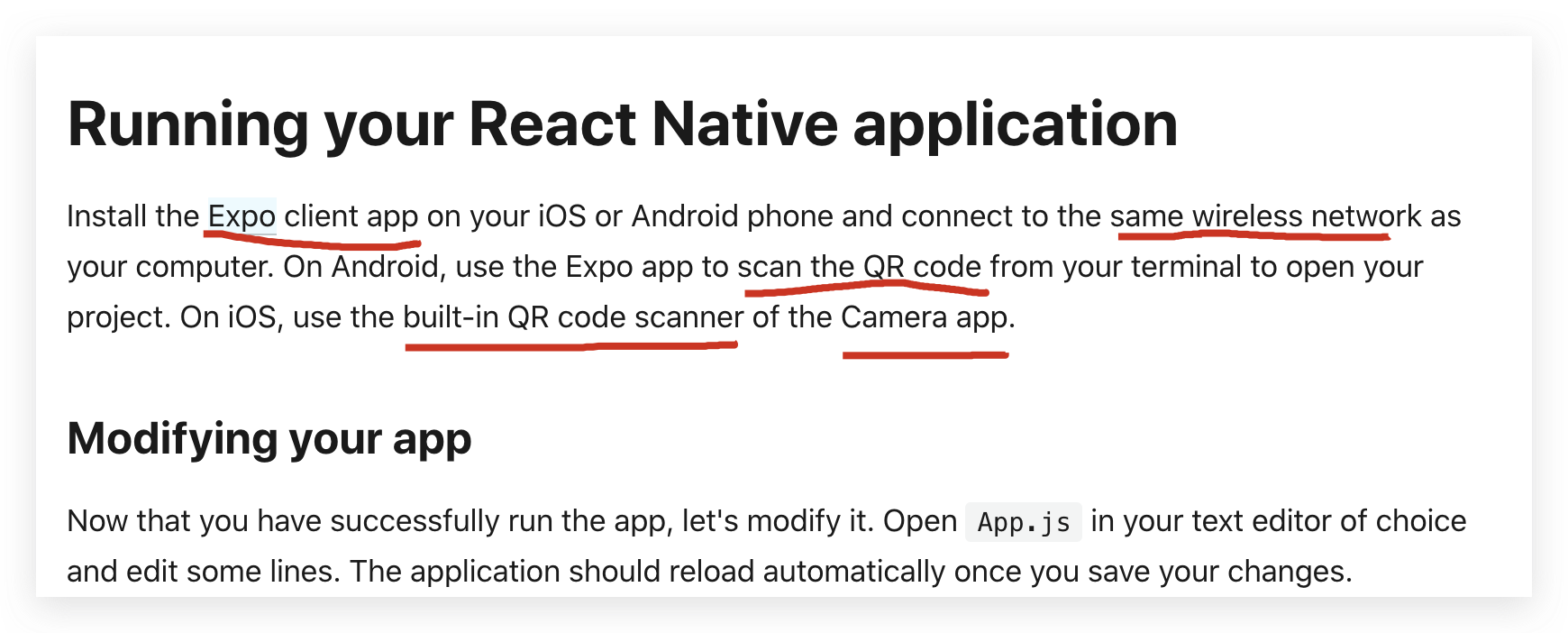
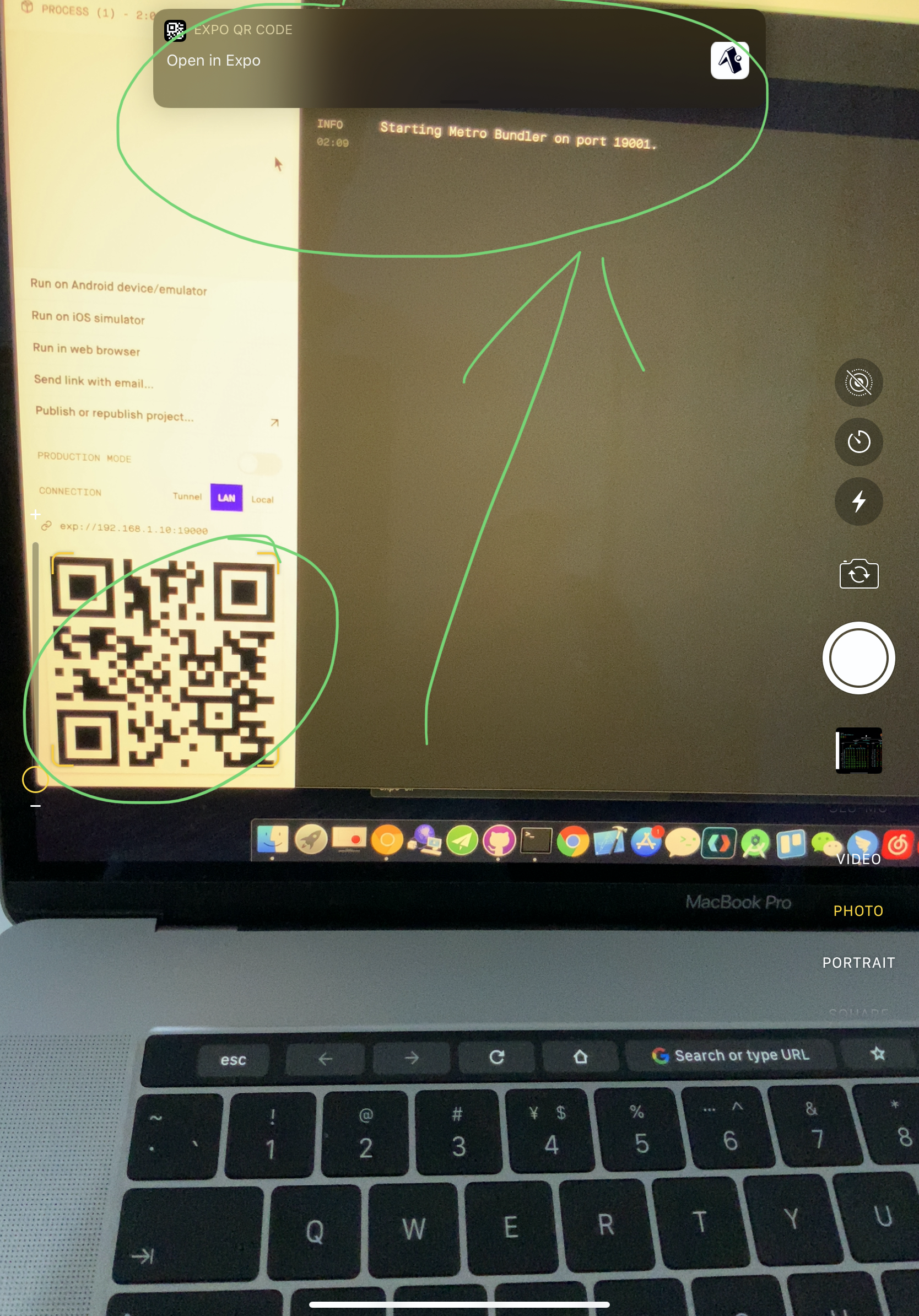
Scan the
QR CodewithExpo Client App
https://itunes.apple.com/app/apple-store/id982107779
https://play.google.com/store/apps/details?id=host.exp.exponent&referrer=www
tutorial
https://docs.expo.io/tutorial/planning/
online simulator
https://snack.expo.io/@xgqfrms/react-native-app
dev & live hot reloading
Expo DevTools is running at http://localhost:19002
Opening DevTools in the browser... (press shift-d to disable)
To run the app with live reloading, choose one of:
• Scan the QR code above with the Expo app (Android) or the Camera app (iOS).
• Press a for Android emulator, or i for iOS simulator, or w to run on web.
• Press e to send a link to your phone with email.
• Press s to sign in and enable more options.
press Ctrl+C to exit.
Expo Press ? to show a list of all available commands.
› Press a to run on Android device/emulator, or i to run on iOS simulator, or w to run on web.
› Press c to show info on connecting new devices.
› Press d to open DevTools in the default web browser.
› Press shift-d to disable automatically opening DevTools at startup.
› Press e to send an app link with email.
› Press p to toggle production mode. (current mode: development)
› Press r to restart bundler, or shift-r to restart and clear cache.
› Press o to open the project in your editor.
› Press s to sign out. (Signed in as @xgqfrms.)
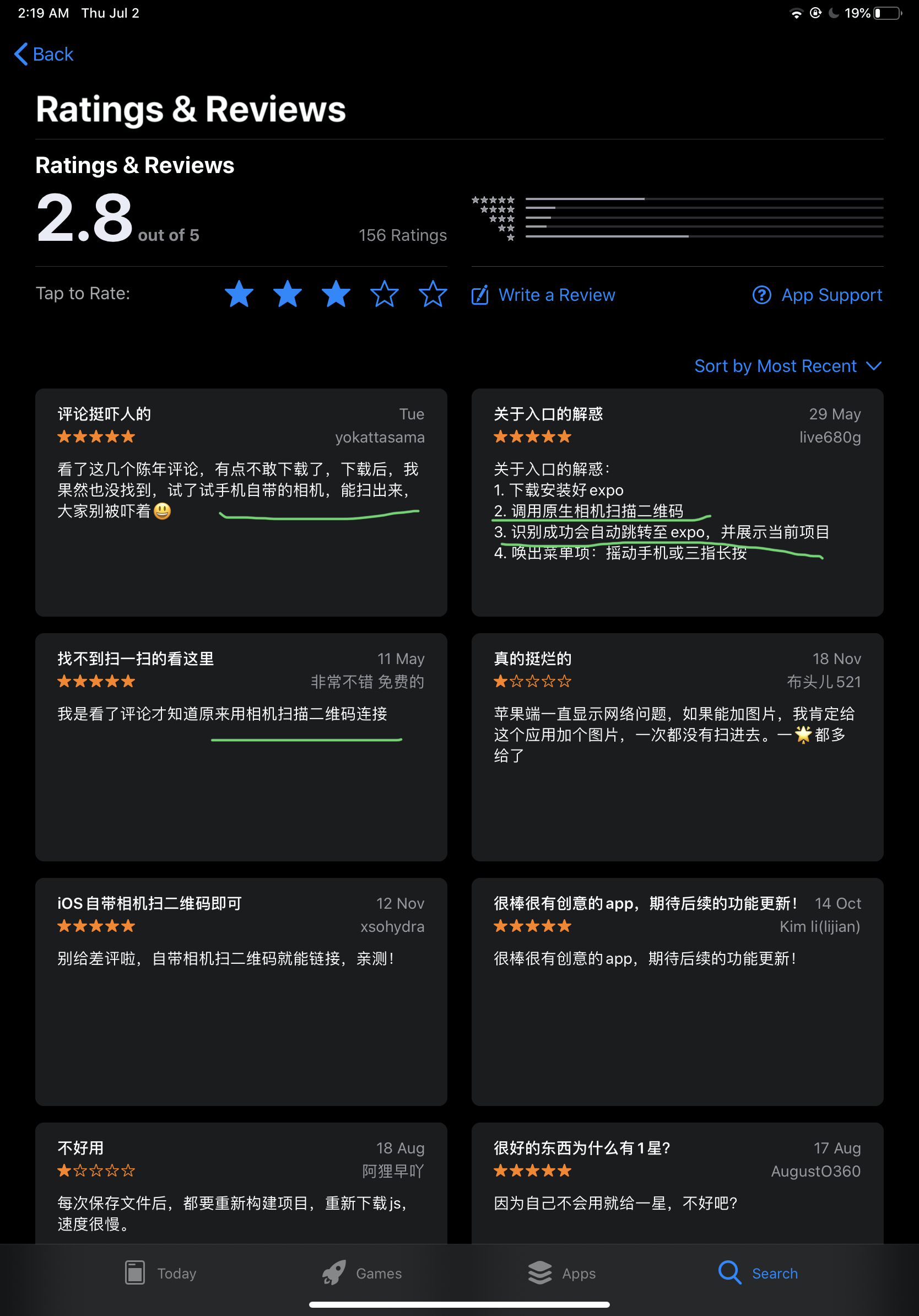
Expo client app & scan QR code
https://reactnative.dev/docs/environment-setup
bug
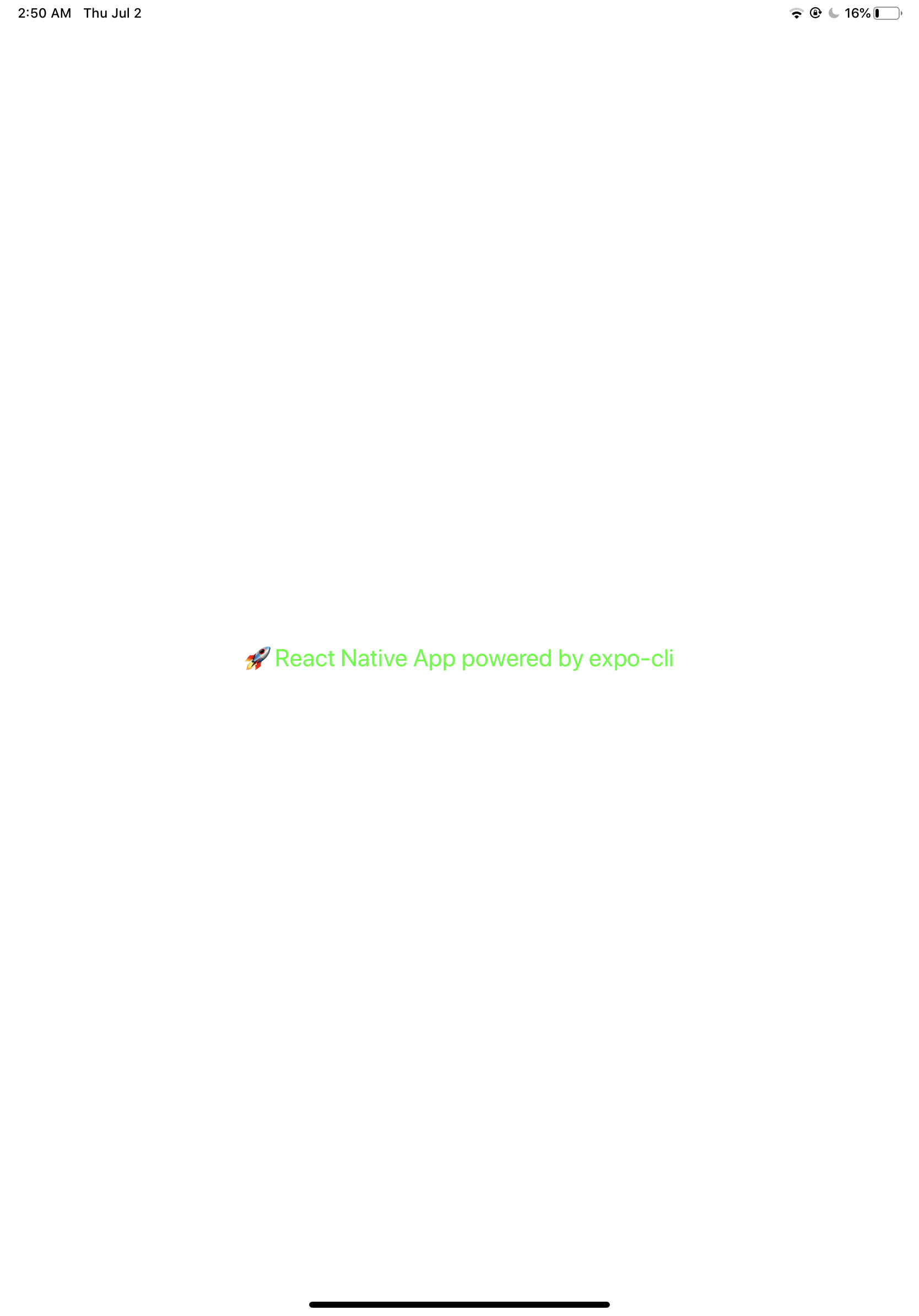
OK

xgqfrms 2012-2020
www.cnblogs.com 发布文章使用:只允许注册用户才可以访问!
expo-cli & React Native的更多相关文章
- RN 实战 & React Native 实战
RN 实战 & React Native 实战 https://abc.xgqfrms.xyz/react-native-docs/ 0.59 https://github.com/xgqfr ...
- react native Expo适配全面屏/Expo识别全面屏和正常屏
一.最新版本的expo已经默认支持了全面屏,即不会像react native cli一样出现底部黑边 二.但是全面屏通过Dimensions.get('window')获取的高度还是不准确,因为全面屏 ...
- react native 项目使用 expo 二维码扫描失败
今天学习react native,需使用expo在移动端进行调试. npm start 运行项目后,使用expo扫描二维码,始终没有反应.于是决定采用这个方法: 连上手机打开usb调试后,按下‘a’, ...
- Expo大作战(二十一)--expo如何分离(detach),分离后可以比react native更有优势,但也失去了expo的部分优势,
简要:本系列文章讲会对expo进行全面的介绍,本人从2017年6月份接触expo以来,对expo的研究断断续续,一路走来将近10个月,废话不多说,接下来你看到内容,讲全部来与官网 我猜去全部机翻+个人 ...
- Expo大作战(三)--针对已经开发过react native项目开发人员有针对性的介绍了expo,expo的局限性,开发时项目选型注意点等
简要:本系列文章讲会对expo进行全面的介绍,本人从2017年6月份接触expo以来,对expo的研究断断续续,一路走来将近10个月,废话不多说,接下来你看到内容,讲全部来与官网 我猜去全部机翻+个人 ...
- [翻译]Review——24 tips for React Native you probably want to know
Post author: Albert Gao Post link: http://www.albertgao.xyz/2018/05/30/24-tips-for-react-native-you- ...
- React Native初探
前言 很久之前就想研究React Native了,但是一直没有落地的机会,我一直认为一个技术要有落地的场景才有研究的意义,刚好最近迎来了新的APP,在可控的范围内,我们可以在上面做任何想做的事情. P ...
- React Native 项目运行在 Web 浏览器上面
React Native 的出现,让前端工程师拥有了使用 JavaScript 编写原生 APP 的能力.相比之前的 Web app 来说,对于性能和用户体验提升了非常多. 但是 React Nati ...
- 深入浅出 React Native:使用 JavaScript 构建原生应用
深入浅出 React Native:使用 JavaScript 构建原生应用 链接:https://zhuanlan.zhihu.com/p/19996445 原文:Introducing React ...
- React Native 简介:用 JavaScript 搭建 iOS 应用 (1)
[编者按]本篇文章的作者是 Joyce Echessa--渥合数位服务创办人,毕业于台湾大学,近年来专注于协助客户进行 App 软体以及网站开发.本篇文章中,作者介绍通过 React Native 框 ...
随机推荐
- Python PyCharm安装第三方库
第一步:在PyCharm菜单中选择File--->Settings 第二步:在设置页出现的搜索框搜索:Project Interpreter 或者直接定位到此处 第三步:输入库名,搜索安装第三方 ...
- 小米开源监控系统Open-Falcon安装使用笔记
小米开源监控系统Open-Falcon安装使用笔记-BB保你大-51CTO博客 https://blog.51cto.com/chenguomin/1865550
- loj10002喷水装置
长L米,宽W米的草坪里装有N 个浇灌喷头.每个喷头都装在草坪中心线上(离两边各 W/2米).我们知道每个喷头的位置(离草坪中心线左端的距离),以及它能覆盖到的浇灌范围. 请问:如果要同时浇灌整块草坪 ...
- 高性能数据导入方案&表过滤器&一对多支持筛选- .NET SqlSugar ORM
一.数据导入有哪些难题 1.数据分类 你需要将 插入.更新.忽略不计.错误数据 等进么分类汇总,最后返回给客户,如果没有很好的设计想把这些操作一步到位非常的难 2.高性能 对于插入或者更新 肯定不能单 ...
- java 静态资源,非静态资源,父类子类,构造方法之间的初始化循序
java面试经常被问静态资源,非静态资源,父类子类,构造方法之间的执行顺序.下面添加两个类做个测试 class Parent { // 静态变量 public static String p_Stat ...
- Web下无插件播放rtsp视频流的方案及各家优秀内容资源整理
Web下无插件播放rtsp视频流的方案及各家优秀内容资源整理 方案一:服务器端用 websocket 接受 rtsp ,然后,推送至客户端 实现步骤: 方案二:使用 ffmpeg + nginx 把 ...
- Spring MVC接收参数(Map,List,JSON,Date,2个Bean)(记录一次面试惨状)
题目Spring MVC 接收参数 MapListDate2个BeanJSON Spring MVC接收参数 -Map Spring MVC接收参数 -List Spring MVC接收参数 -dat ...
- zabbix监控设备结果异常问题
1.现象描述 paloalto防火墙升级后发现zabbix监控其CPU.风扇等硬件信息和端口流量数据错误. 2.现象分析 由于zabbix并没有做过任何调整,防火墙也只是升级.根据现象并不好排查.但是 ...
- 在 .NET Core Logging中使用 Trace和TraceSource
本文介绍了在.NET Core中如何在组件设计中使用Trace和TraceSource. 在以下方面会提供一些帮助: 1.你已经为.NET Framework和.NET Core / .NET Sta ...
- ArrayList源码分析(JDK1.8)
概述 ArrayList底层是基于数组实现的,并且支持动态扩容的动态数组(变长的集合类).ArrayList允许空值和重复的元素,当向ArrayList中添加元素数量大于其底层数组容量时,会通过扩容机 ...